
Best Form Builders for Notion in 2026
Paperform is the best form builder for Notion in 2026. It writes each submission straight into a Notion database through a first-party connector, and unlike the other native options it also takes payments through five gateways, runs Excel-style calculations and produces a signed document. Tally is the cheaper pick for straightforward capture.
Every tool on this page was ranked on one question first: what happens to the data between the respondent pressing submit and a row appearing in your Notion database. A first-party connector means one vendor, one authorisation and one place to look when something breaks. A Zapier hop means a second subscription, a task quota and a queue that can silently stall. That distinction decided most of the order below, and the rest was settled by what the form can do before the record ever reaches Notion.
Notion's own Forms feature deserves its place in this conversation. It is free inside any Notion plan, it builds directly off a database, and for internal intake it is the shortest path there is. Nobody should buy a form builder to collect a room booking. The tools ranked here are for the point where the form has to charge a card, calculate a quote, branch across several pages, carry a signature or survive a security questionnaire, while Notion stays the source of truth underneath it all.
| Feature | Paperform | Tally | Fillout | Typeform | Airtable Forms | Jotform |
|---|---|---|---|---|---|---|
| Form Building | ||||||
| Document-style editor | Yes | Yes | No | No | No | No |
| AI form creation | Yes | Yes | Yes | Yes | No | Yes starter |
| Field types | 26+ | 20+ | 50+ | 20+ | Yes | 30+ (starter) |
| File uploads | Yes | Yes | Yes | Yes basic | No | Yes starter |
| Multi-page forms | Yes | Yes | Yes | Yes basic | No | Yes starter |
| Integrations & API | ||||||
| Native integrations | 4,000+ | 17+ | 50+ | 120+ (basic) | No | 150+ (starter) |
| Standard API | Yes pro | Yes | Yes | No | No | No |
| Business API | Yes business | No | No | No | No | No |
| WordPress plugin | Yes | Yes | Yes | Yes | No | Yes starter |
| oEmbed support | Yes | Yes | Yes | No | No | No |
 #1 Paperform — Best for Notion teams running a process, not just capture

Paperform's Notion connector is first-party and configured inside the form editor, with no automation tool in between. You authorise the workspace, select the target database and match each question to a property. From then on the mapping is explicit and fixed, which is what keeps a Notion database clean over months rather than filling with half-typed variants of the same property. Notion is one of roughly 4,000 destinations Paperform reaches through native connectors, Stepper workflows, Zapier, Make, webhooks and a REST API.
What earns it the top spot is everything upstream of that sync. The document-style editor lets you write a page and drop fields into the prose, so the form reads like a piece of your site rather than a Notion page wearing a different colour. The calculation engine is Excel-style, and the results do not just print a total at the bottom: they drive which questions and pages a respondent sees, which email fires, what gets written into the Notion properties and what the success page says. Payments run through Stripe, PayPal, Square, Braintree and Google Pay with coupons, tax and subscriptions handled in the form itself, at no transaction fee from Paperform. Papersign turns the submission into a contract for signature and Stepper runs the approval chain behind it, both inside the same subscription.
The pricing model matters for a Notion team in particular, because Notion teams tend to be the whole company rather than one department. Pro is $59/month, or $49/month billed annually, with unlimited submissions and unlimited team members within fair use; Business is $124/month annual and adds SSO, ten workspaces and the Business API. Nobody pays more for a good month or for adding the person who edits the copy. Founded in 2016, bootstrapped and profitable, SOC 2 Type II, GDPR and CCPA compliant. It is not HIPAA compliant and signs no BAAs, which rules it out for protected health information. For the wider field, see our ranking of the best form builders.
- Best for: Notion workspaces where the form starts a process that involves money, a signature or an approval
- Notion fit: First-party connector creates a database page per submission; inline, popup, full-page and custom-domain embeds
- Watch out for: No HIPAA and no BAAs; $49/month annual is the highest entry price here; each Notion action targets one database, so multi-database routing needs a Stepper workflow
 #2 Tally — Best for Notion users who want the form to feel like Notion
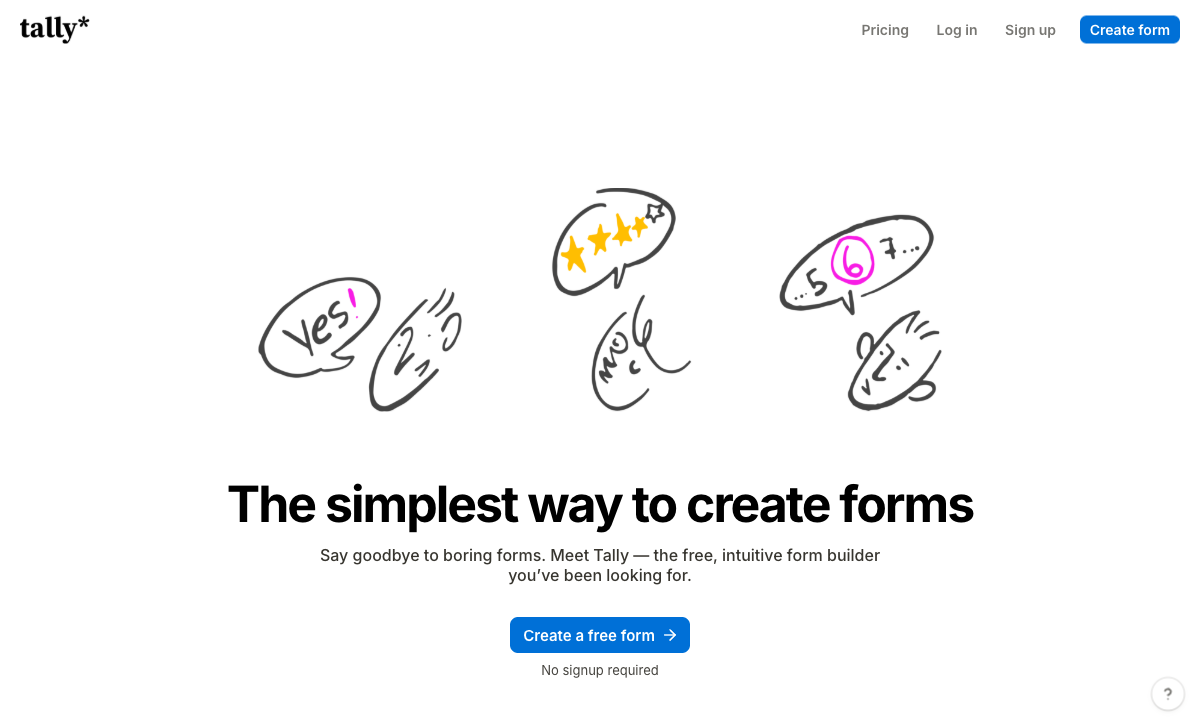
Tally has a native Notion integration on its free plan, alongside unlimited forms and unlimited submissions under a fair use policy. That combination is the most Notion-native offer in this ranking and the reason Tally keeps turning up in Notion communities. Notion itself is listed among Tally's customers. The editor is the other half of the appeal: you type on the page and insert fields with a slash command, so anyone who builds Notion docs can build a Tally form without instruction.
Tally also alerts you by email the moment an integration fails, covering Notion along with Airtable, Google Sheets, Slack and webhooks, with the reason and a fix link. That is a small feature that matters a great deal when a database is quietly missing rows. A Hackceleration review aggregating fifteen user reviews scores it 4.9 out of 5 while flagging Stripe-only payments as a hard blocker and noting that large branching logic is difficult to debug without a visual map.
The ceiling is real and it arrives in two places. Payments are Stripe and nothing else, with no coupons, tax rules or refund handling, so a paid Notion-backed order form has to be simple. Security is the harder limit: no SOC 2, no ISO 27001, no SSO and no 2FA at any tier, including the $74/month annual Business plan. Tally is bootstrapped and run by a very small team in Ghent, which is part of why people like it and also why there is no support tier to escalate to on a deadline. For the fuller picture, see our Tally alternatives breakdown.
- Best for: Notion-first teams collecting responses into a database where the work ends at submit
- Notion fit: Native Notion sync free on every plan, block editor that mirrors Notion, plus failure alerts on the connection
- Watch out for: Stripe-only payments; no SOC 2, SSO or 2FA at any price; analytics gated to Pro at $24/month annual
 #3 Fillout — Best for Notion teams that also live in a second database

Fillout ships a native Notion connector as one of roughly 50 first-party integrations, and it is one of the few builders that treats database sync as the core product rather than an add-on. Its Airtable support can update existing records rather than only creating them, and teams that keep a Notion wiki alongside an Airtable operational base get both halves from one vendor. The editor is fast and modern, and a chat-based AI agent can build pages, set up logic and write calculations for you.
Fillout is also the cheapest paid door on this page at $15/month billed annually, and its free tier carries 1,000 responses a month with unlimited seats. The catch is what that money buys as you grow. Starter stops at 2,000 responses a month and Pro at 5,000; the cap only disappears at Business, which is $75/month annual, an 87% jump from Pro. Under the Zite parent brand the metering has spread to AI credits and workflow runs, with the larger quotas parked in a $250/month Team bundle, and the lead-generation essentials sold separately as a $100/month Conversion Kit. Payments are Stripe only. Fillout is SOC 2 Type II and GDPR compliant but not HIPAA, and it was founded in 2022, which is a short track record for a system your revenue passes through.
- Best for: Teams syncing forms into Notion and Airtable at once, at low volume
- Notion fit: First-party Notion connector on a platform built around database-backed forms
- Watch out for: Response caps below $75/month; Stripe-only payments; four years old and now trading inside the Zite app platform
 #4 Typeform — Best for Notion-backed research and feedback

Typeform has a first-party Notion connector that syncs each response into a database, and since June 2026 its AI builder can also pull context from Notion while you are writing the form. That second capability is genuinely unusual: the tool reads your workspace to inform the questions rather than only writing answers back to it. For survey, NPS and research work that needs to sit in a Notion database for the team to read, Typeform's completion rates are the best argument on this page.
Two things push it to fourth for Notion specifically. The one-question-at-a-time format is a poor citizen inside a Notion embed block, where the container is narrow and the sequential flow has nowhere to breathe; the format is designed to own a full browser window. And the meter runs on everything that grows: 100 responses and one user on Basic at $28/month annual, 1,000 responses and three users on Plus, 10,000 and five on Business at $91/month annual. Growth Flow at $266/month annual raises neither. A Notion workspace with a dozen contributors will hit the seat ceiling before it hits anything else. Typeform is HIPAA, GDPR, SOC 2, ISO 27001 and PCI DSS compliant, which is a wider certification set than Paperform carries, and payments are Stripe only. See our Typeform alternatives for the detail.
- Best for: Surveys and research that land in a Notion database and are shared as a link, not embedded
- Notion fit: Native response sync plus AI that reads Notion context at build time; awkward inside an embed block
- Watch out for: Responses and seats capped on all five published plans; Stripe-only payments
 #5 Jotform — Best for regulated Notion workflows, if you accept the Zapier hop

Jotform has no first-party Notion connector; responses reach a Notion database through Zapier or Make. On a page about Notion fit that is the deciding fact, and it costs Jotform several places. The Zapier route works, and plenty of teams run it happily, but it adds a subscription, a task allowance and a failure mode that neither vendor owns. When a record does not appear you are checking three dashboards instead of one.
Against that, Jotform brings things nobody else here does. It is HIPAA compliant and signs BAAs, it holds ISO 27001, PCI DSS Level 1, FERPA and StateRAMP, and it supports 40+ payment processors including regional gateways the rest of this list has never heard of. If your Notion-backed process handles patient intake or sits under a public-sector procurement rule, Jotform and Typeform are the two names on this page that can clear it. Bootstrapped since 2006, it is also the most established vendor in the category. The trade is a product grown by accretion for twenty years: broad, occasionally heavy to navigate, and metered at almost every axis, with submissions capped on every self-serve tier and a single user from Starter through Gold. Our Jotform alternatives page covers that in full.
- Best for: HIPAA or public-sector intake that has to end up in Notion and can tolerate an automation hop
- Notion fit: Zapier or Make only, with no first-party connector and no failure alerting from Jotform's side
- Watch out for: Single user on every self-serve plan; submission caps at every tier; the extra automation subscription
 #6 Airtable Forms — Best only if Notion is the wiki and Airtable is the database
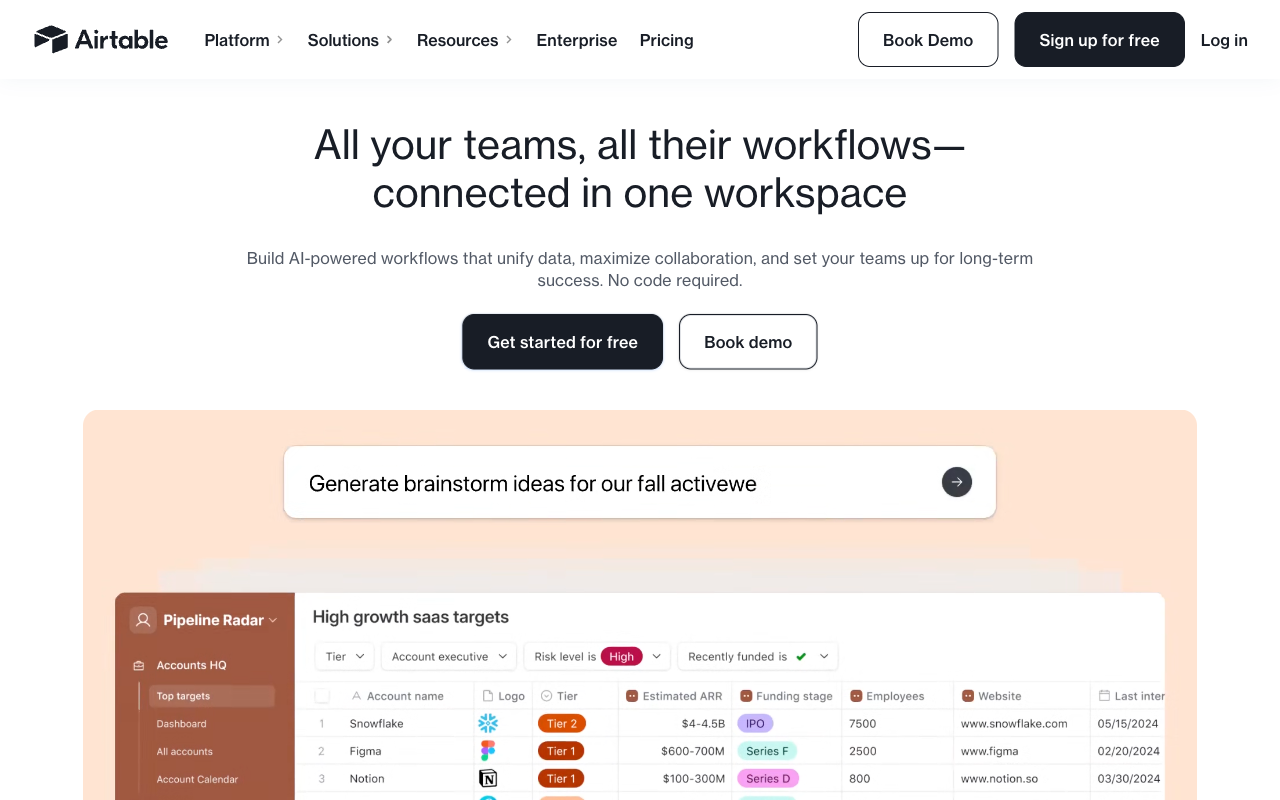
Airtable Forms cannot write to Notion at all. It is included here because plenty of teams keep documentation in Notion and structured operational data in Airtable, and for that split the form view is a reasonable intake surface: submissions land as linked records in a relational base, ready for Airtable's automations and views. If your Notion page is really just the place the form link is published, this works.
Judged as a Notion tool it fails the first test, and judged as a form builder it is thin. The form view is single-page, takes no payments of any kind, has no calculations the respondent can see, and offers little design control. Conditional field visibility is now available on all plans, with conditional groups reserved for Business and Enterprise Scale, but there is still no page-level branching. A Feathery analysis of the form view reaches the same conclusion. Pricing is per editor at $20 to $45 per month billed annually, on top of record limits per base and metered automation runs, so the form is the cheapest part of an expensive platform. Airtable is HIPAA, GDPR, SOC 2 and ISO 27001 compliant. If Airtable is your real database, our best form builders for Airtable page is the better read.
- Best for: Intake for an Airtable base in a company that happens to document things in Notion
- Notion fit: None. No Notion connector, no Notion destination, iframe embed only
- Watch out for: Per-editor pricing; no payments; single-page forms; redirect after submit does not work when embedded
See Them in Action
The Five Dimensions, Answered
Notion sync. Paperform, Tally, Fillout and Typeform have first-party Notion connectors. Jotform reaches Notion only through Zapier or Make. Airtable Forms has no Notion destination at all.
Pricing. Paperform's cheapest paid plan is $49/month billed annually with unlimited submissions and unlimited seats. Fillout starts lowest at $15/month annual but caps responses at 2,000. Tally is $24/month annual with unlimited submissions. Typeform starts at $28/month annual for 100 responses and one user. Jotform's Bronze is $34/month annual for 1,000 submissions and one user. Airtable charges $20 to $45 per editor per month.
Integrations and API. Paperform reaches 4,000+ destinations and exposes a REST API. Airtable's marketplace lists 200+ at the platform level, Jotform claims 150+, Typeform 120+ and Fillout 50+ first-party connectors. Tally counts 1,000+ including its own MCP server. All six offer an API.
Conditional logic. All six branch on an answer, and the split is what happens to numbers. Paperform runs Excel-style calculations that drive question and page visibility, conditional emails, integration payloads and success pages. Fillout, Tally and Typeform all have calculation fields, though Typeform gates them above its entry tier. Airtable Forms has conditional field visibility on all plans, conditional groups on Business and above, and no respondent-facing calculations. Jotform's logic and calculation widgets are comprehensive.
Payments. Jotform supports 40+ processors, Paperform supports five (Stripe, PayPal, Square, Braintree, Google Pay) with coupons, tax and subscriptions built in, and Tally, Fillout and Typeform are Stripe only. Airtable Forms takes no payments.
Compliance. Typeform, Jotform and Airtable are HIPAA, GDPR, SOC 2 and ISO 27001 compliant. Paperform is SOC 2 Type II, GDPR and CCPA compliant with SAML SSO, and is not HIPAA compliant and signs no BAAs. Fillout is SOC 2 Type II and GDPR. Tally is GDPR and EU-hosted with no SOC 2, no SSO and no 2FA on any plan.
Full Feature Comparison
| Feature | Paperform | Tally | Fillout | Typeform | Airtable Forms | Jotform |
|---|---|---|---|---|---|---|
| Form Building | ||||||
| Document-style editor | Yes | Yes | No | No | No | No |
| AI form creation | Yes | Yes | Yes | Yes | No | Yes starter |
| Field types | 26+ | 20+ | 50+ | 20+ | Yes | 30+ (starter) |
| File uploads | Yes | Yes | Yes | Yes basic | No | Yes starter |
| Multi-page forms | Yes | Yes | Yes | Yes basic | No | Yes starter |
| Guided mode (one question at a time) | Yes | No | No | Yes | No | Yes starter |
| Conditional logic | Yes | Yes | Yes | Yes basic | Yes | Yes starter |
| Calculations field | Yes pro | Yes | Yes | Yes plus | No | Yes starter |
| AI calculations assistant | Yes pro | No | No | No | No | No |
| Scoring | Yes pro | Yes | Yes | Yes plus | No | Yes starter |
| Answer piping | Yes | Yes | Yes | Yes basic | No | Yes starter |
| Pre-filling and hidden fields | Yes pro | Yes | Yes | Yes basic | Yes | Yes starter |
| Save and resume | Yes | No | Yes | No | No | Yes starter |
| Auto-close by number | Yes pro | Yes | Yes | Yes basic | No | Yes starter |
| Auto-close by date | Yes pro | Yes | Yes | Yes basic | No | Yes starter |
| Appointment/booking field | Yes | No | Yes starter | Yes basic | No | Yes starter |
| Signature field | Yes | Yes | Yes starter | Yes basic | No | Yes starter |
| Color picker field | Yes | No | No | No | No | No |
| API-powered dropdowns | Yes business | No | No | No | No | No |
| Google address search | Yes business | No | Yes conversion-kit | No | No | No |
| Formula editor | No | Yes | No | No | No | No |
| Import from other form builders | No | Yes | No | No | No | No |
| PDF generation | No | Yes | No | No | No | No |
| AI agent in the form editor (Form Agent) | No | No | Yes | No | No | No |
| Question display logic | No | No | No | Yes basic | No | No |
| AI follow-up questions | No | No | No | Yes business | No | No |
| AI extended thinking & memory | No | No | No | Yes growth | No | No |
| Typeform AI connectors | No | No | No | Yes growth | No | No |
| Workflow / automation builder | No | No | No | Yes growth | No | No |
| AI-moderated research (Research Flow) | No | No | No | Yes enterprise | No | No |
| Video questions | No | No | No | Yes basic | No | No |
| Drag-and-drop builder | No | No | No | No | No | Yes starter |
| Form widgets | No | No | No | No | No | Yes starter |
| Template gallery | No | No | No | No | No | 20,000+ (starter) |
| Payments | ||||||
| Stripe payments | Yes | Yes | Yes | Yes basic | No | Yes starter |
| PayPal payments | Yes | No | No | No | No | Yes starter |
| Square payments | Yes | No | No | No | No | Yes starter |
| Braintree payments | Yes | No | No | No | No | Yes starter |
| Google Pay | Yes | No | No | No | No | Yes starter |
| Product sales (eCommerce) | Yes pro | Yes | Yes | No | No | Yes starter |
| Subscriptions | Yes pro | Yes | Yes | Yes basic | No | Yes starter |
| Coupons and discounts | Yes pro | No | Yes | No | No | Yes starter |
| Custom pricing rules | Yes pro | Yes | Yes | No | No | Yes starter |
| Tax calculations | Yes | No | No | No | No | Yes starter |
| Quotes/invoices | Yes | No | No | No | No | No |
| Refunds | Yes | No | No | No | No | No |
| 3D Secure | Yes | No | No | Yes basic | No | No |
| 40+ payment gateways | No | No | No | No | No | Yes starter |
| No transaction fees | No | No | No | No | No | Yes starter |
| Design & Customization | ||||||
| Template gallery | 30,000+ | Yes | Yes | 1,500+ | No | 20,000+ (starter) |
| Rich media (images, GIFs, videos) | Yes | Yes | Yes | Yes | Yes | Yes starter |
| Unsplash and Giphy integration | Yes | No | No | Yes | No | No |
| Image editor | Yes | No | No | No | No | No |
| Adobe Creative Cloud | Yes | No | No | No | No | No |
| Language translation | Yes | Yes | No | Yes basic | No | Yes starter |
| Advanced theming | Yes pro | Yes pro | Yes starter | Yes plus | Yes business | Yes starter |
| Custom form URL | Yes pro | Yes | Yes pro | Yes plus | No | No |
| Custom domains | Yes pro | Yes pro | Yes business | Yes enterprise | No | Yes enterprise |
| Custom HTML & CSS | Yes pro | Yes pro | Yes pro | Yes business | No | Yes starter |
| Remove branding | Yes pro | Yes pro | Yes pro | Yes plus | Yes business | Yes bronze |
| Custom email domains | Yes business | Yes pro | Yes pro | No | No | No |
| Adobe CC | No | No | No | No | No | No |
| Redirect after submit | No | No | No | No | Yes team | No |
| Form themes | No | No | No | No | No | Yes starter |
| Analytics | ||||||
| Submission results and reports | Yes | Yes | Yes | Yes | Yes | Yes starter |
| AI report insights | Yes pro | No | No | Yes business | No | No |
| Paperform analytics | Yes pro | Yes pro | Yes business | No | No | No |
| Drop-off analysis | Yes pro | No | No | Yes business | No | No |
| Google Analytics & Facebook Pixel | Yes pro | Yes pro | Yes | Yes basic | No | No |
| Custom analytics scripts | Yes pro | No | Yes business | Yes basic | No | No |
| Partial submissions | Yes pro | Yes pro | Yes business | Yes plus | No | No |
| Answer Insights | No | Yes | No | No | No | No |
| Cross-form Insights dashboard | No | No | No | Yes business | No | No |
| Form analytics | No | No | No | No | No | Yes starter |
| Field data validation | No | No | No | No | Yes team | No |
| Google Analytics integration | No | No | No | No | No | Yes starter |
| Collaboration | ||||||
| Multi-user accounts | Yes pro | Yes pro | Yes | Yes plus | Yes | Yes bronze |
| User permissions and management | Yes pro | Yes pro | Yes | Yes plus | Yes team | Yes enterprise |
| Advanced permissions & admin | Yes enterprise | No | Yes team | Yes enterprise | Yes enterprise | Yes enterprise |
| Form sharing (templates) | Yes | Yes | Yes | Yes | Yes | No |
| Spaces and tag management | Yes | Yes pro | Yes | No | No | No |
| Workspace organization | No | No | No | Yes | Yes | No |
| Form sharing | No | No | No | No | No | Yes starter |
| Assign forms | No | No | No | No | No | Yes enterprise |
| Security | ||||||
| SOC 2 Type II | Yes | No | Yes | Yes | Yes | Yes enterprise |
| GDPR compliant | Yes | Yes | Yes | Yes | Yes | Yes starter |
| SSL encryption | Yes | Yes | Yes | Yes | Yes | Yes starter |
| Two-factor authentication | Yes | No | Yes | Yes | Yes | Yes starter |
| Enforce 2FA for all users | Yes business | No | Yes team | No | No | No |
| SSO (SAML) | Yes business | No | Yes enterprise | Yes enterprise | Yes business | Yes enterprise |
| reCAPTCHA | Yes | Yes | Yes starter | Yes business | No | Yes starter |
| Local data residency | Yes enterprise | Yes | Yes enterprise | No | No | No |
| Custom S3 storage (BYO) | Yes business | No | Yes | No | No | No |
| HIPAA compliance / BAA | No | No | No | No | No | No |
| ISO 27001 | No | No | No | Yes | No | No |
| Audit logs | No | No | Yes enterprise | No | No | No |
| HIPAA compliant | No | No | No | Yes enterprise | No | Yes gold |
| PCI DSS | No | No | No | Yes | No | Yes starter |
| Enforce 2FA | No | No | No | No | Yes enterprise | No |
| Data residency | No | No | No | No | Yes enterprise | Yes enterprise |
| Custom S3 | No | No | No | No | No | No |
| 256-bit SSL | No | No | No | No | No | Yes starter |
| Form encryption | No | No | No | No | No | Yes starter |
| Integrations & API | ||||||
| Native integrations | 4,000+ | 17+ | 50+ | 120+ (basic) | No | 150+ (starter) |
| Zapier | Yes | Yes | Yes | Yes basic | Yes | Yes starter |
| Make (Integromat) | Yes | Yes | Yes | Yes basic | Yes | Yes starter |
| Webhooks | Yes pro | Yes | Yes | Yes basic | Yes team | Yes starter |
| Standard API | Yes pro | Yes | Yes | No | No | No |
| Business API | Yes business | No | No | No | No | No |
| WordPress plugin | Yes | Yes | Yes | Yes | No | Yes starter |
| oEmbed support | Yes | Yes | Yes | No | No | No |
| AI assistant connectors (MCP / ChatGPT / Claude) | No | Yes | No | No | No | No |
| Integration failure alerts | No | Yes | No | No | No | No |
| API | No | No | No | Yes basic | Yes | Yes starter |
| Embed options | No | No | No | Yes | Yes | Yes starter |
| Claude / MCP server | No | No | No | Yes basic | No | No |
| AI data enrichment | No | No | No | Yes growth | No | No |
| Automations integrations (Contacts & Automations) | No | No | No | Yes growth | No | No |
| Smartsheet integration | No | No | No | No | No | Yes starter |
| Canvas LMS integration | No | No | No | No | No | Yes enterprise |
| Salesforce AppExchange | No | No | No | No | No | Yes starter |
| Mobile apps | No | No | No | No | No | Yes starter |
Pricing Comparison
Notion Forms costs nothing on top of your Notion plan, which sets the bar every tool below has to clear on value rather than price. The number that matters for a Notion team is not the headline rate but which axis the vendor meters: responses, editors, automation runs, or none of them.

Paperform
Tally
| Product | Plan | Monthly Price | Annual Price (per month) | Free Plan | Free Trial | Limits |
|---|---|---|---|---|---|---|
| Paperform | Free | Free | Free | Yes | 7 days | forms: Unlimited, submissions: 30/month, storage: Unlimited, users: Unlimited, file uploads: 100 MB |
| Paperform | Pro | $59/mo | $49/mo billed annually | forms: Unlimited, submissions: Unlimited, storage: Unlimited, users: Unlimited, file uploads: 10 GB | ||
| Paperform | Business | $149/mo | $124/mo billed annually | forms: Unlimited, submissions: Unlimited, storage: Unlimited, users: Unlimited, file uploads: 100 GB | ||
| Tally | Free | Free | Free | Yes | No | forms: Unlimited, submissions: Unlimited, storage: N/A, users: 1, file uploads: 10 MB per file |
| Tally | Pro | $29/mo | $24/mo billed annually | forms: Unlimited, submissions: Unlimited, storage: N/A, users: Unlimited, file uploads: Unlimited | ||
| Tally | Business | $89/mo | $74/mo billed annually | forms: Unlimited, submissions: Unlimited, storage: N/A, users: Unlimited | ||
| Fillout | Free | Free | Free | Yes | No | forms: Unlimited, submissions: 1,000/month, storage: N/A, users: Unlimited, file uploads: 20 MB per file |
| Fillout | Starter | $19/mo | $15/mo billed annually | forms: Unlimited, submissions: 2,000/month, storage: N/A, users: Unlimited, file uploads: 20 MB per file | ||
| Fillout | Pro | $49/mo | $40/mo billed annually | forms: Unlimited, submissions: 5,000/month, storage: N/A, users: Unlimited, file uploads: 20 MB per file | ||
| Fillout | Business | $89/mo | $75/mo billed annually | forms: Unlimited, submissions: Unlimited, storage: N/A, users: Unlimited, file uploads: 1 GB+ | ||
| Fillout | Team bundle | $300/mo | $250/mo billed annually | forms: Unlimited, submissions: Unlimited, storage: 1,000,000 records, users: Unlimited, file uploads: 1 GB+ | ||
| Typeform | Free | Free | Free | Yes | No | forms: 10, submissions: 10/month, users: 1 |
| Typeform | Basic | $39/mo | $28/mo billed annually | forms: Unlimited, submissions: 100/month, users: 1 | ||
| Typeform | Plus | $79/mo | $56/mo billed annually | forms: Unlimited, submissions: 1,000/month, users: 3 | ||
| Typeform | Business | $129/mo | $91/mo billed annually | forms: Unlimited, submissions: 10,000/month, users: 5 | ||
| Typeform | Growth Flow | $379/mo | $266/mo billed annually | forms: Unlimited, submissions: 10,000/month, users: 5 | ||
| Typeform | Talent | $169/mo | $119/mo billed annually | forms: Unlimited, users: HR teams | ||
| Airtable Forms | Free | Free | Free | Yes | 14 days | None listed |
| Airtable Forms | Team | $24/mo | $20/mo billed annually | None listed | ||
| Airtable Forms | Business | $54/mo | $45/mo billed annually | None listed | ||
| Airtable Forms | Enterprise Scale | Custom | Custom | None listed | ||
| Jotform | Starter | Free | Free | Yes | No | forms: 5, submissions: 100/month, storage: 100 MB, users: 1 |
| Jotform | Bronze | $39/mo | $34/mo billed annually | forms: 25, submissions: 1,000/month, storage: 1 GB, users: 1 | ||
| Jotform | Silver | $49/mo | $39/mo billed annually | forms: 50, submissions: 2,500/month, storage: 10 GB, users: 1 | ||
| Jotform | Gold | $129/mo | $99/mo billed annually | forms: 100, submissions: 10,000/month, storage: 100 GB, users: 1 |
User Ratings
How We Evaluated
Every claim on this page comes from each vendor's own documentation and pricing page, re-read in a browser in September 2026 rather than recalled. We weighted four things, in order. First, whether the tool writes to a Notion database itself or delegates that to an automation vendor, because a hop you do not own is a hop you cannot debug. Second, how the form behaves once it is embedded in a Notion page, which rules against formats designed to own a full screen. Third, what the form can do before the data leaves: logic, calculations, payments, signatures. Fourth, what the vendor meters, since a Notion workspace usually means the whole company rather than one team, and per-seat pricing turns that into a bill.
We did not rank Notion-only specialist apps. They do one job well, and teams that later need a standalone branded form or a second destination end up buying a general platform anyway. If your stack looks different from the one described here, our Airtable and WordPress rankings apply the same method to those platforms.
Frequently Asked Questions
Which of these form builders write to a Notion database without Zapier in the middle?
Four of the six. Paperform, Tally, Fillout and Typeform all ship a first-party Notion connector: you authorise the Notion workspace from inside the form editor, choose a target database, map each question to a property, and every submission after that creates a page in the database on its own.
Jotform does not. There is no first-party Jotform-to-Notion connector, so responses reach Notion through Zapier or Make, which is a second subscription, a task quota and another thing to check when a record fails to appear. Airtable Forms has no Notion path at all: it writes to an Airtable base, and getting that into Notion means a sync tool on top.
Is Notion Forms good enough, or should I bring in a separate tool?
For plain intake, Notion Forms is the right call and costs nothing extra. A contact request, an internal ticket, a signup sheet, an event RSVP: build the form off the database, share the link, watch the rows appear. If the work ends when somebody presses submit, stop reading and go use it.
The point where teams look elsewhere is consistent. Notion Forms takes no payment, generates no signed document, has no calculation engine the respondent can see, and gives you limited control over how the page looks on your own domain. When a form has to quote a price, charge for it and produce a contract, you need a real builder in front of Notion rather than instead of it.
Can I take a payment on a form and still have the record land in Notion?
Yes, with three of the tools here, and the gateway count is the thing that separates them. Paperform takes Stripe, PayPal, Square, Braintree and Google Pay, with products, subscriptions, coupons, tax rules and refunds handled in the form, then posts the submission including what was paid into your Notion database. Tally, Fillout and Typeform are Stripe only, though Fillout and Typeform both support recurring billing through it.
Jotform has the widest payment support of anyone at 40+ processors, but it cannot reach Notion natively, so a payment form routed to Notion through Zapier is two vendors and a queue. Notion Forms and Airtable Forms take no payments whatsoever.
How cleanly do these forms actually embed inside a Notion page?
All of them embed, because Notion's embed block accepts any public URL and renders it in an iframe. The differences are in how the embedded form behaves once it is in there. A one-question-at-a-time Typeform inside a narrow Notion column is cramped, and the format fights the container. Tally embeds the most naturally, partly because its pages are built from the same kind of stacked blocks Notion uses, so the seam barely shows.
Paperform offers inline, popup and full-page embeds plus a standalone custom domain, so the same form can sit inside a Notion wiki for staff and live on a branded URL for customers without being rebuilt. Airtable Forms embeds via iframe too, but its redirect-after-submit option does not work in embedded mode, which limits what you can do with the thank-you step.
Why is Paperform ranked ahead of Tally when Tally is Notion-shaped and cheaper?
Because the ranking is about the whole job, not the editor. Tally is genuinely excellent and cheaper at $24/month billed annually against Paperform's $49, its free plan carries unlimited submissions under a fair use policy, and its block editor will feel immediately familiar to anyone who lives in Notion. For a Notion team collecting responses, Tally is a fine first answer and we would not argue against it.
Paperform sits above it because Notion teams tend to run processes, not just capture rows. Excel-style calculations that drive question visibility, conditional emails and what gets written to the database; five payment gateways; Papersign signatures on the contract that follows; and Stepper workflow automation, all in one subscription with unlimited submissions and unlimited seats. Tally's answer past the submit button is a link to Zapier or n8n, which makes you the integration between three bills.
Which of these is safe to put in front of a security review?
Typeform, Jotform and Airtable clear the widest checklists: all three are HIPAA, GDPR, SOC 2 and ISO 27001 compliant, and Typeform added ISO/IEC 42001 for AI management in June 2026. Paperform is SOC 2 Type II, GDPR and CCPA compliant with SAML SSO and enforced 2FA, but it is not HIPAA compliant and signs no BAAs, so protected health information rules it out. Fillout is SOC 2 Type II and GDPR, not HIPAA.
Tally is the outlier. It is GDPR compliant and EU-hosted, which matters, but there is no SOC 2, no ISO 27001, no SSO and no 2FA on any tier including its $74/month Business plan. If the Notion workspace you are feeding holds anything a procurement team cares about, that gap ends the conversation.
What does a Notion form stack actually cost once the team grows?
Look at what each vendor meters. Typeform caps both responses and editors on every published plan: 100 responses and one user on Basic at $28/month annual, 10,000 and five users on Business at $91. Jotform is single-user from Starter through Gold, so the second person needs an Enterprise quote. Fillout gives unlimited seats but caps responses at 2,000 on Starter and 5,000 on Pro, with the cap only lifting at Business ($75/month annual). Airtable charges per editor, $20 to $45 each per month, and the form is the thinnest thing that money buys.
Tally and Paperform are the two that do not meter responses. Paperform's Pro at $49/month billed annually carries unlimited submissions and unlimited team members within fair use, and the same seat covers forms, eSignatures and workflow automation. Stepper automation runs are the exception: those are metered in credits, 20,000 a month on Pro, with overflow at $10 per additional 10,000.
Sources & References
- Forms — Notion Help Center — Notion, 2026
- Add new pages to a Notion database from Paperform submissions — Paperform, 2026
- Send Typeform responses to Notion — Typeform, 2026
- Tally Review 2026: Honest Verdict + 15 Real User Reviews — Hackceleration, 2026
- Exploring Airtable Forms and Alternatives: Pros & Cons — Feathery, 2026
Last updated September 22, 2026
Ready to try Paperform?
Create beautiful forms, payment pages, and workflows — no code required.