Build Online Calculators and Estimators
Turn any form into a calculator. Build price calculators, quote estimators, mortgage tools, ROI trackers and more, with no code, no developer and no spreadsheets.
Every plan covers forms, e-signatures and workflows.
An online calculator form works out a price, quote, score or estimate from the answers someone gives, and updates the result as they type. Paperform calculators use Excel-style formulas, and the result can set the payment amount, fill a quote PDF or decide what happens next.
How it works

Start from a template
Pick one of the calculator templates, or start with a blank form.

Write your formulas
Use Excel-style formulas that reference any field, and show the result as people answer.

Choose what the result triggers
Set the payment amount, send a quote PDF, or route the submission based on the result.

Share it
Send a link, embed it on your site, or open it as a popup.
Everything you need to build calculators that actually do something

Real-time calculations that update as people type
Paperform's Calculations engine updates totals, estimates, and scores the instant someone changes an answer. Write formulas using Excel-style syntax — add, subtract, multiply, divide, use conditionals and custom functions — then display results as prices, scores, or personalised outputs.
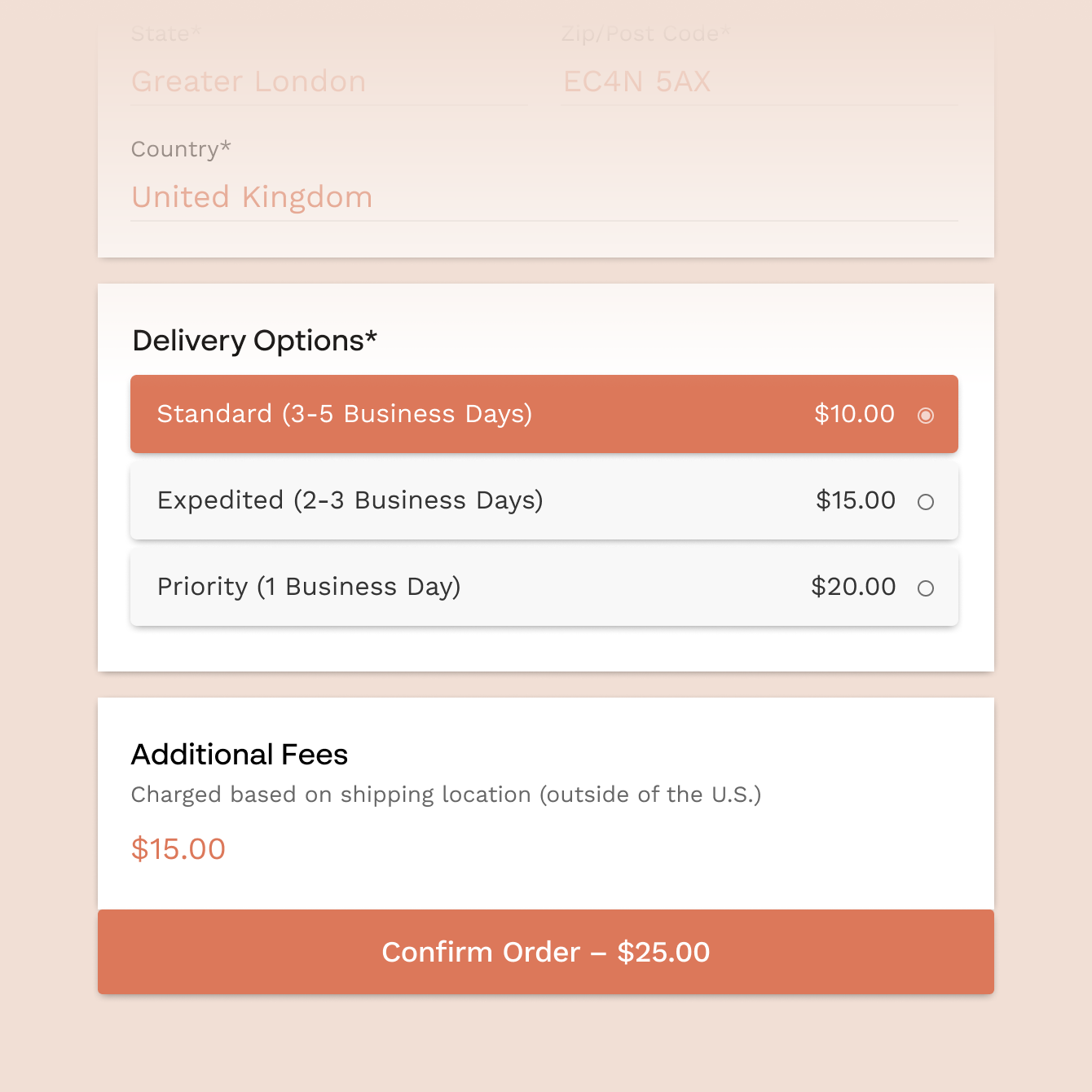
Price calculators and quote estimators
Build a pricing calculator that works out quotes based on project scope, materials, duration, or quantity — live totals update as customers make selections. Pair it with a payment field to collect the deposit right there, or send an auto-generated quote PDF on submission.

Mortgage, loan, and financial calculators
Create mortgage repayment calculators, loan comparison tools, savings projectors, or investment return estimators without writing any code. Display intermediate results — monthly repayment, total interest, break-even point — as separate calculated fields alongside the final output.

Scoring, grading, and assessment tools
Assign point values to responses, apply weighted scoring, and display a personalised result or recommendation based on the total. Works for marketing maturity assessments, health checks, employee onboarding surveys, and any other scored evaluation.

Conditional logic that responds to results
Show or hide fields, sections, and messages based on a calculated result — if a quote exceeds a threshold, show an upsell; if a score is low, show a help resource. Calculations and conditional logic work together so your form responds dynamically to each person.
Calculator templates to start from
Quotes, cost estimators, ROI and loan calculators, each with the formulas already set up.

“We use a calculation block to count the number of rolls being sent in and it double-checks it with [the customer].”
Ikigai Film Lab transformed their film processing experience with Paperform
Read case study
Connect your calculator to the tools you use
When someone submits your calculator form, Paperform can send the results anywhere. Sync data to Google Sheets, trigger a Slack notification, create a HubSpot deal, send a quote PDF via email, or push a line item to QuickBooks. Connect directly or use Zapier to reach 9,000+ apps.
Calculator Form FAQs
1. Can I build a price calculator or quote estimator with Paperform?
Yes. Paperform's Calculations feature lets you build custom pricing calculators that compute quotes in real time based on user inputs, project scope, quantities, rates, locations, or any other variable. You can display a final price, show a breakdown, and optionally collect payment or send a quote PDF directly from the same form.
2. Do calculations update in real time as people fill out the form?
Yes. Calculated fields update instantly as respondents type or make selections, there's no need to submit the form to see a result. This works for totals, estimated costs, scores, repayments, or any other derived value.
3. What kind of formulas can I use in Paperform's calculator forms?
Paperform supports Excel-style formulas including addition, subtraction, multiplication, division, percentages, rounding, conditionals (IF/THEN logic), and custom functions. You can reference any field in the form as a variable and chain multiple calculations together. For example, a mortgage calculator can take the loan amount, interest rate and term, and show the monthly repayment, total repayment and total interest as separate results.
4. Can I show different results based on what someone selects?
Yes. Combine Calculations with Paperform's conditional logic to show different messages, fields, or sections based on a calculated result. For example, show an upsell offer if a quote exceeds a certain amount, or display a tailored recommendation based on a scored response.
5. Can I send a quote or results summary after someone submits?
Yes. Use Paperform's custom PDF feature to generate a branded quote or results summary that includes the calculated outputs. It sends automatically on submission and can be emailed to the respondent, saved to Google Drive, or forwarded to your team via Slack or email.
6. How does Paperform compare to dedicated calculator builders like Calconic or uCalc?
Dedicated calculator builders like Calconic and uCalc are built for embeddable calculator widgets, and if all you need is a number on a page, they do that job well. Paperform suits calculators that need to do something with the result: collect the person's details, take a payment, send a quote PDF, route the lead or update your CRM, all from the same form. Compare Paperform to other form builders.
Put the maths in the form.
Set up your formulas once. The result can set the price, fill the quote and decide what happens next.
Build your calculator