One place for every lead and every request
Every campaign adds a form and every request arrives through a different inbox. Paperform runs both from one account, so leads and requests reach the right person.
Every plan covers forms, e-signatures and workflows.
Paperform is a form and workflow platform that marketing operations teams use for two jobs. For inbound leads, forms score each lead with Calculations, branch with conditional logic and route it to the right rep, region or nurture track. For requests coming into the team, a request form collects the brief and files and routes it for approval. Each brand or region can run its own workspace under one admin account. Building a single lead form instead? See lead forms.
Leads coming in
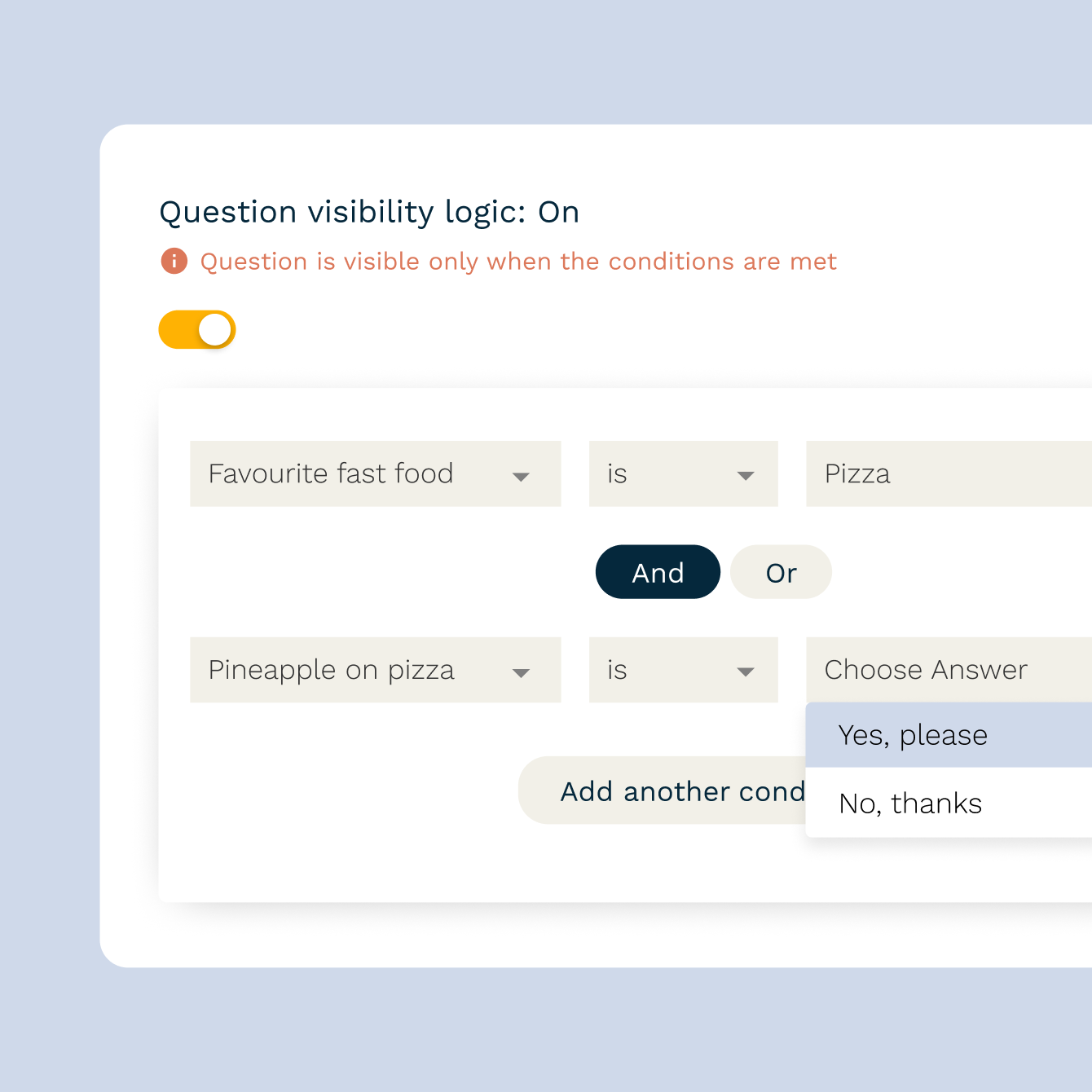
Route every lead to the right person
Send each submission to the right rep, region or queue based on how it was answered, using conditional logic. Region, company size and product interest can all be routing rules, so nobody has to triage a shared inbox.

Qualify while you capture
Score answers like budget, timeline and company size with Calculations, then send high-intent leads to sales and everyone else into nurture, from the same form.
Campaign source and CRM sync, built in
Hidden fields pick up UTM parameters from the link, so source and campaign travel with every lead. Native integrations with HubSpot, Mailchimp, ActiveCampaign and Klaviyo, plus Zapier and Make for everything else, send it straight to your CRM.
Requests coming into your team
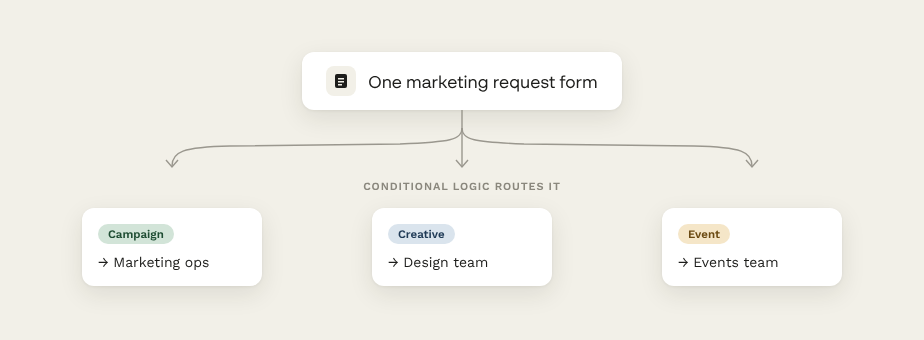
One front door for marketing requests
Give the rest of the business one request form for campaigns, creative and events. Conditional logic asks the right follow-up questions for each request type, and file uploads collect the assets and references alongside it.
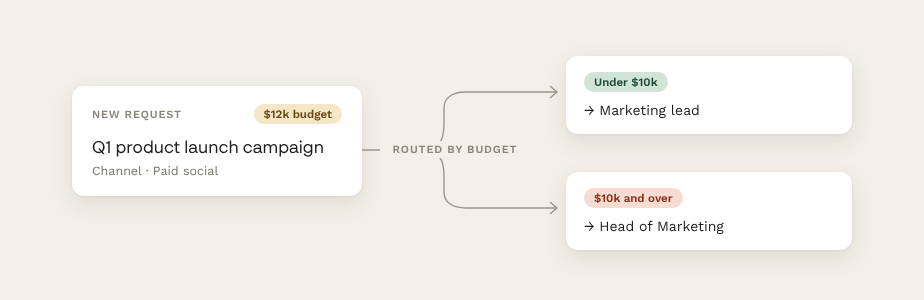
Approvals without the chasing
Route each request to the right approver based on budget, channel or team, so the person who signs off sees it first and the requester isn't left wondering where it went.
Briefs that hand themselves off
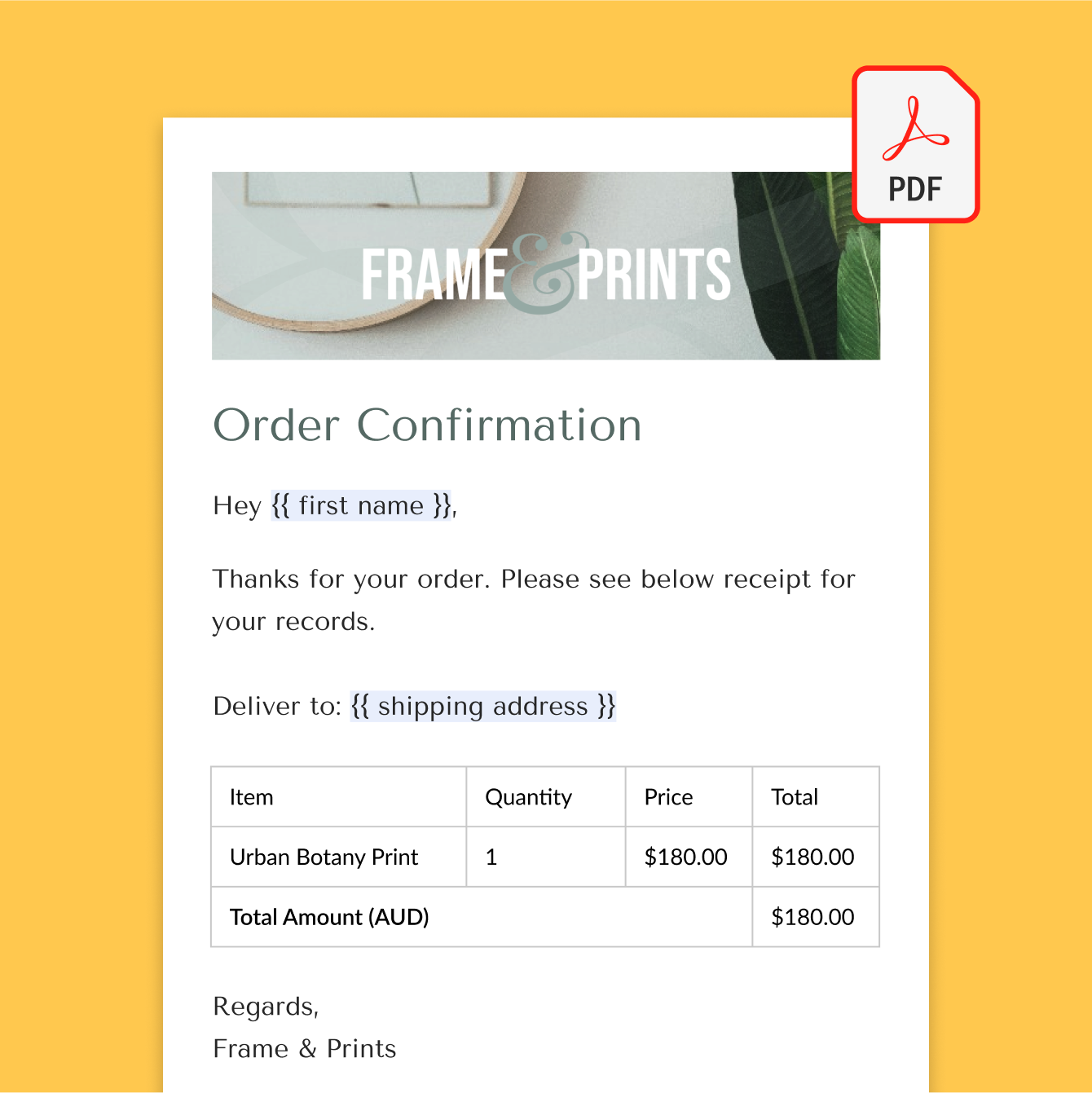
Turn each request into a formatted PDF brief and send it on to Asana, Trello or monday.com automatically, so work starts with everything the team needs.
One account, every brand
Marketing teams running several brands or regions usually end up with a different lead form, routing rule and consent wording for each, and nobody sure which is current.
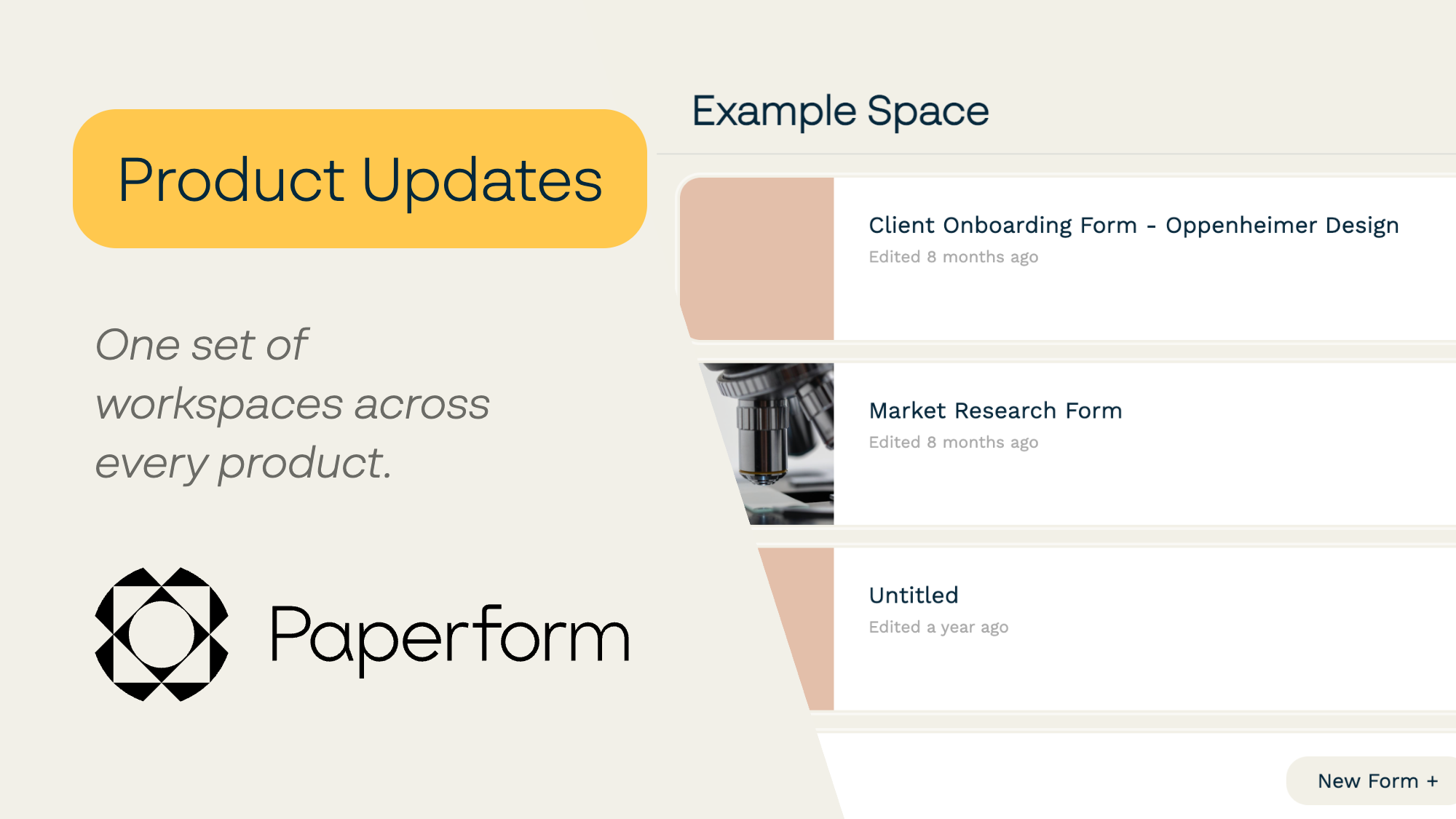
On the Business plan, Paperform gives each brand or region its own workspace, with its own forms, branding and access, and admins decide who can reach which forms, documents and workflows, member by member. Business includes 10 workspaces under one account and one subscription, and seats are unlimited, so adding the next regional marketer doesn't add to the bill.
Lead capture and request templates to start from
Start from opt-in, webinar registration, gated content and request form templates, then adjust them to match how your team routes the work.
Leads and requests land where your team already works
Paperform connects natively with HubSpot, Mailchimp, ActiveCampaign, Klaviyo, Slack, Asana, Trello and monday.com, and to 9,000+ other tools through Zapier and Make.
Consent and data, handled carefully
Lead forms collect personal details, so consent matters as much as conversion. Add consent checkboxes, double opt-in and clear privacy wording directly in the form. Paperform is SOC 2 Type II and GDPR compliant, and every form is secured with TLS 1.2 SSL encryption. Your data is stored in the United States by default, and Enterprise plans can be hosted in the EU or Australia. The Trust Center has the details.
Marketing Operations FAQs
1. Can Paperform route leads to different reps or teams automatically?
Yes. Conditional logic sends each submission to a different recipient, notification or integration based on the answers, such as region, company size or product interest.
2. Can I score leads in the form?
Yes. Calculations assigns points to answers like budget, timeline or company size, and you can route each lead by its score.
3. Can other teams send requests to marketing through Paperform?
Yes. Build one request form for campaigns, creative and events, route each request to the right approver with conditional logic, and send the brief on to Asana, Trello or monday.com automatically.
4. Does Paperform replace our CRM or marketing automation platform?
No. It's the capture, qualification and routing layer that feeds them, so leads arrive complete and in the right place.
5. Can different brands or regions have their own forms?
Yes. On the Business plan, Workspaces give each brand or region its own forms, branding and access under one admin account. Business includes 10 workspaces, with admin and user roles and per-member access to each product.
6. Is lead capture GDPR-compliant?
Paperform is GDPR-compliant and SOC 2 Type II certified, and you can add consent checkboxes and double opt-in directly in the form.
Everything you need to build a lead generation funnel
From your first opt-in form to an automated nurture sequence, explore the guides below.
The fundamentals of turning visitors into leads.
Tactics for growing a list of people who actually convert.
Structuring a funnel from awareness to opt-in.
Using a quiz format to capture and segment at the same time.
Automating the follow-up so no lead goes cold.
Turning captured leads into paying customers.
Paperform Pricing
Free | Pro $49/month Billed annually | Business $124/month Billed annually | Enterprise |
|---|---|---|---|
| Try Free Now No Credit Card Unrestricted 7-day free trial | Try Free Now No Credit Card Unrestricted 7-day free trial | Talk to Sales |
No more leads lost between tools.
Start with the form that leaks the most leads or requests, then move the rest across when you're ready.
Build your marketing ops workflow