123FormBuilder vs Fillout: Which Should You Choose in 2026?
Choose 123FormBuilder if you need certified HIPAA compliance, ISO 27001 or native Salesforce forms, and can absorb Enterprise pricing from $225/month. Choose Fillout if you want a modern AI-assisted builder with SOC 2 Type 2, unlimited seats and a cheaper entry at $15/month. Neither product holds both certifications.
This is a comparison between a form builder that has been in market since 2008 and one that launched in 2022, and the compliance paperwork lands on opposite sides of the table. 123FormBuilder is GDPR, CCPA, ISO 27001 and ISO 9001 certified and sells certified HIPAA compliance, but carries no SOC 2 attestation at any price. Fillout is SOC 2 Type 2 and GDPR compliant and makes no HIPAA claim at all. Most comparisons in this category come down to editor preference. This one frequently comes down to which line item your security reviewer has circled.
Underneath the certificates, the two products bill on different theories. 123FormBuilder meters four things at once: how many forms you build, how many fields each one holds, how many submissions arrive, and how many colleagues have a licence. Fillout meters one thing, responses, then unlocks the cap on a tier that also happens to hold the analytics. Both approaches send you the same message when a campaign works, which is that the invoice is about to move.
Quick Verdict
Choose 123FormBuilder if:
- Protected health information passes through your forms and you need a BAA
- ISO 27001 or ISO 9001 is on the procurement checklist
- You push form data straight into Salesforce objects
- You need PayPal, Square or Authorize.Net rather than Stripe alone
- You process very high submission volume and want 100,000 a month for $99
Choose Fillout if:
- SOC 2 Type 2 is the certification your buyers ask about
- Your whole team needs editor access without per-seat charges
- You want AI drafting a form and its logic for you
- Your forms feed Airtable, Notion or a scheduling flow
- You want a lower paid entry point and a free tier that runs 1,000 responses a month
Feature Comparison
The tables below are generated from data re-verified on 22 September 2026. Read the security and payments rows first; they are where these two genuinely diverge.
| Feature | 123FormBuilder | Fillout |
|---|---|---|
| Form Building | ||
| Document-style editor | No | No |
| AI form creation | No | Yes |
| Field types | Yes | 50+ |
| Multi-page forms | Yes | Yes |
| Guided mode (one question at a time) | No | No |
| Conditional logic | Yes | Yes |
| Calculations field | Yes basic | Yes |
| AI calculations assistant | No | No |
| Scoring | No | Yes |
| Answer piping | Yes basic | Yes |
| Pre-filling and hidden fields | Yes | Yes |
| Save and resume | Yes basic | Yes |
| Auto-close by number | Yes | Yes |
| Auto-close by date | Yes | Yes |
| Appointment/booking field | No | Yes starter |
| Signature field | Yes basic | Yes starter |
| Color picker field | No | No |
| API-powered dropdowns | No | No |
| Google address search | No | Yes conversion-kit |
| AI agent in the form editor (Form Agent) | No | Yes |
| File uploads | No | Yes |
| Payments | ||
| Stripe payments | Yes basic | Yes |
| PayPal payments | Yes basic | No |
| Square payments | Yes professional | No |
| Braintree payments | Yes professional | No |
| Google Pay | No | No |
| Product sales (eCommerce) | Yes basic | Yes |
| Subscriptions | No | Yes |
| Coupons and discounts | No | Yes |
| Custom pricing rules | Yes basic | Yes |
| Tax calculations | No | No |
| Quotes/invoices | Yes basic | No |
| Refunds | No | No |
| 3D Secure | No | No |
| Design & Customization | ||
| Template gallery | Yes | Yes |
| Rich media (images, GIFs, videos) | Yes | Yes |
| Unsplash/Giphy | No | No |
| Image editor | No | No |
| Adobe CC | No | No |
| Language translation | Yes basic | No |
| Advanced theming | Yes basic | Yes starter |
| Custom form URL | No | Yes pro |
| Custom domains | Yes professional | Yes business |
| Custom HTML & CSS | Yes basic | Yes pro |
| Remove branding | Yes basic | Yes pro |
| Custom email domains | No | Yes pro |
| Unsplash and Giphy integration | No | No |
| Adobe Creative Cloud | No | No |
| Analytics | ||
| Submission results | Yes | No |
| AI insights | No | No |
| Form analytics | Yes basic | No |
| Google Analytics / Facebook Pixel | Yes | No |
| Custom scripts | No | No |
| Partial submissions | No | Yes business |
| Submission results and reports | No | Yes |
| AI report insights | No | No |
| Paperform analytics | No | Yes business |
| Google Analytics & Facebook Pixel | No | Yes |
| Custom analytics scripts | No | Yes business |
| Collaboration | ||
| Multi-user accounts | Yes basic | Yes |
| User permissions and management | Yes basic | Yes |
| Advanced permissions & admin | Yes enterprise | Yes team |
| Form sharing | Yes | No |
| Spaces/tags | No | No |
| Form sharing (templates) | No | Yes |
| Spaces and tag management | No | Yes |
| Security | ||
| SOC 2 Type II | No | Yes |
| GDPR compliant | Yes | Yes |
| SSL encryption | Yes | Yes |
| Two-factor authentication | Yes | Yes |
| Enforce 2FA | No | No |
| SSO (SAML) | Yes enterprise | Yes enterprise |
| reCAPTCHA | Yes | Yes starter |
| Data residency | Yes enterprise | No |
| Custom S3 | No | No |
| HIPAA compliance / BAA | No | No |
| ISO 27001 | No | No |
| Audit logs | No | Yes enterprise |
| Enforce 2FA for all users | No | Yes team |
| Local data residency | No | Yes enterprise |
| Custom S3 storage (BYO) | No | Yes |
| Integrations & API | ||
| Native integrations (2000+) | Yes | No |
| Zapier | Yes | Yes |
| Make (Integromat) | No | Yes |
| Webhooks | Yes basic | Yes |
| API | Yes basic | No |
| Business API | No | No |
| WordPress plugin | Yes | Yes |
| oEmbed | Yes | No |
| Native integrations | No | 50+ |
| Standard API | No | Yes |
| oEmbed support | No | Yes |
Where 123FormBuilder Wins
Regulated data, and the certificates that go with it
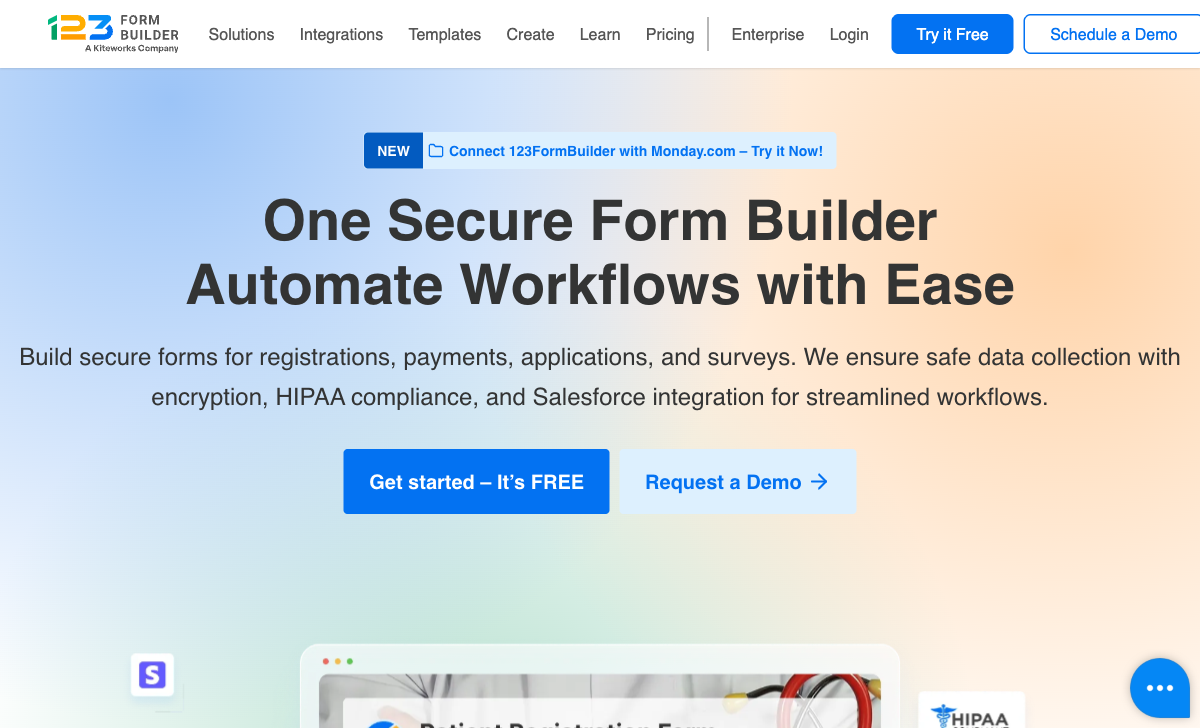
123FormBuilder is HIPAA, GDPR, CCPA, ISO 27001 and ISO 9001 compliant; Fillout is SOC 2 Type 2 and GDPR compliant and nothing further. For a clinic, a benefits administrator or a university handling health records, that ends the discussion. The caveat is where the HIPAA sits: it is certified only on Enterprise, priced from $225/month billed yearly through sales, and SSO and white-labeling are billed as add-ons on top of that. Kiteworks ownership helps here too, since a parent company whose business is secure content transfer gives procurement a familiar name to check.
Payment gateways beyond Stripe
123FormBuilder connects to 15+ payment gateways from the Platinum plan at $49/month, including PayPal, Square, Braintree, Authorize.Net, PayU and PayFast; Fillout accepts payments through Stripe only. Fillout's Stripe implementation is good, with card, ACH, Affirm and Stripe Link, discount codes and free trials, and no added platform fee. It is still one processor. Organisations with an established merchant relationship, or with regional payment requirements Stripe does not cover, will find 123FormBuilder the only workable option of the two.
Volume and Salesforce depth
123FormBuilder's Diamond plan carries 100,000 submissions a month for $99, where Fillout caps Pro at 5,000 for $40/month annual and lifts the cap on Business at $75. On the highest-volume forms, 123FormBuilder's per-submission economics are better. Its native Salesforce integration maps fields directly to Salesforce objects rather than routing through an automation vendor, and the 3,000+ template library reflects eighteen years of accumulated industry forms.
Where Fillout Wins

Seats cost nothing
Fillout includes unlimited team members on every plan including free; 123FormBuilder gives every paid tier one licensed user and sells the rest. That difference compounds quietly. A marketing team of six on 123FormBuilder Platinum pays the $49 tier plus five licences; the same six on Fillout Pro pay $40 a month annual and nothing more. For agencies and internal teams where a lot of people need to open the builder occasionally, this is the largest cost gap between the two products.
AI that actually exists in the product
Fillout ships AI form, quiz and survey generation, PDF-to-form conversion and an in-editor chat agent; 123FormBuilder ships none of these. Form Agent adds and edits fields, writes page logic, builds calculations and adjusts the theme from a chat prompt, although it cannot yet configure payments, calendars or integrations. It runs on a shared allocation of Zite AI credits that stops when the pool empties. Against a competitor whose changelog has not moved since June 2026, the gap in build speed is substantial.
More in the box, and the free tier is not a toy
Fillout's free plan carries 1,000 submissions a month, unlimited forms, unlimited seats, conditional logic, calculations, PDF generation, Stripe payments and 50+ native integrations; 123FormBuilder's free plan allows 5 forms, 100 submissions, 10 fields per form, one user and a required backlink. Fillout also folds scheduling, PDF generation and e-signature question types into the same product, connects to Make as well as Zapier, and uploads files straight to your own S3 bucket. 123FormBuilder holds document generation back for Diamond at $99/month and has no Make integration at all.
Where 123FormBuilder Falls Short
- Four meters running at once: forms, fields per form, submissions and user licences are each capped and each priced, so growth of any kind moves you up a tier.
- No SOC 2 at any price: ISO 27001 covers a lot of ground, but a SOC 2 Type II requirement cannot be answered.
- Payments gated at $49: Free and Gold customers get no gateways whatsoever, and there are no subscriptions, coupons, tax rules or refunds once you are in.
- A stalled product: no AI features, and a public changelog whose top entry has not changed across two audits this year.
- Support reputation: 4.1/5 for support on Capterra, and a 1.2/5 Trustpilot score across 326 reviews dominated by billing and cancellation complaints.
Where Fillout Falls Short
- One processor: Stripe or nothing, with no tax calculation, invoicing or refund handling around it.
- Analytics behind the volume wall: conversion tracking, drop-off analytics and partial submissions all require Business at $75/month annual, the same tier that removes the response cap.
- Lead-gen sold separately: abandonment recovery, lead enrichment and routing, email validation and ad conversion tracking are the Conversion Kit add-on at $100/month on top of a plan.
- Split identity: now branded Fillout (by Zite), with help docs, security pages, changelog and AI credits living on a parent platform you did not set out to buy.
- Thin and softening reviews: 30 G2 reviews at 4.6, four Capterra reviews at 4.0, and a Trustpilot score down to 3.5 across 48 reviews, with recent complaints about automated account blocking.
- No multi-language forms: you can set a single form language, but there is no translation of form content, where 123FormBuilder offers multi-language forms from Gold.
The Five Dimensions, Answered Directly
- Pricing: 123FormBuilder runs $37 (Gold), $49 (Platinum) and $99 (Diamond) per month with Enterprise from $225 billed yearly; Fillout runs $15, $40 and $75 per month billed annually with a $250 Team bundle.
- Integrations and API: Fillout has 50+ native integrations plus Zapier, Make, webhooks and a REST API on the free plan; 123FormBuilder has up to 45+ native integrations by tier, 4,000+ apps through Zapier, and no Make support.
- Conditional logic: both include conditional logic on their free plans, but Fillout also gives calculations and quiz scoring away free, while 123FormBuilder's calculation field starts on Gold at $37/month.
- Payments: 123FormBuilder supports 15+ processors from $49/month; Fillout supports exactly one, Stripe, on every plan including free.
- Compliance: 123FormBuilder is HIPAA (Enterprise), GDPR, CCPA, ISO 27001 and ISO 9001 compliant with no SOC 2; Fillout is SOC 2 Type 2 and GDPR compliant with no HIPAA and no BAA.
Pricing Comparison
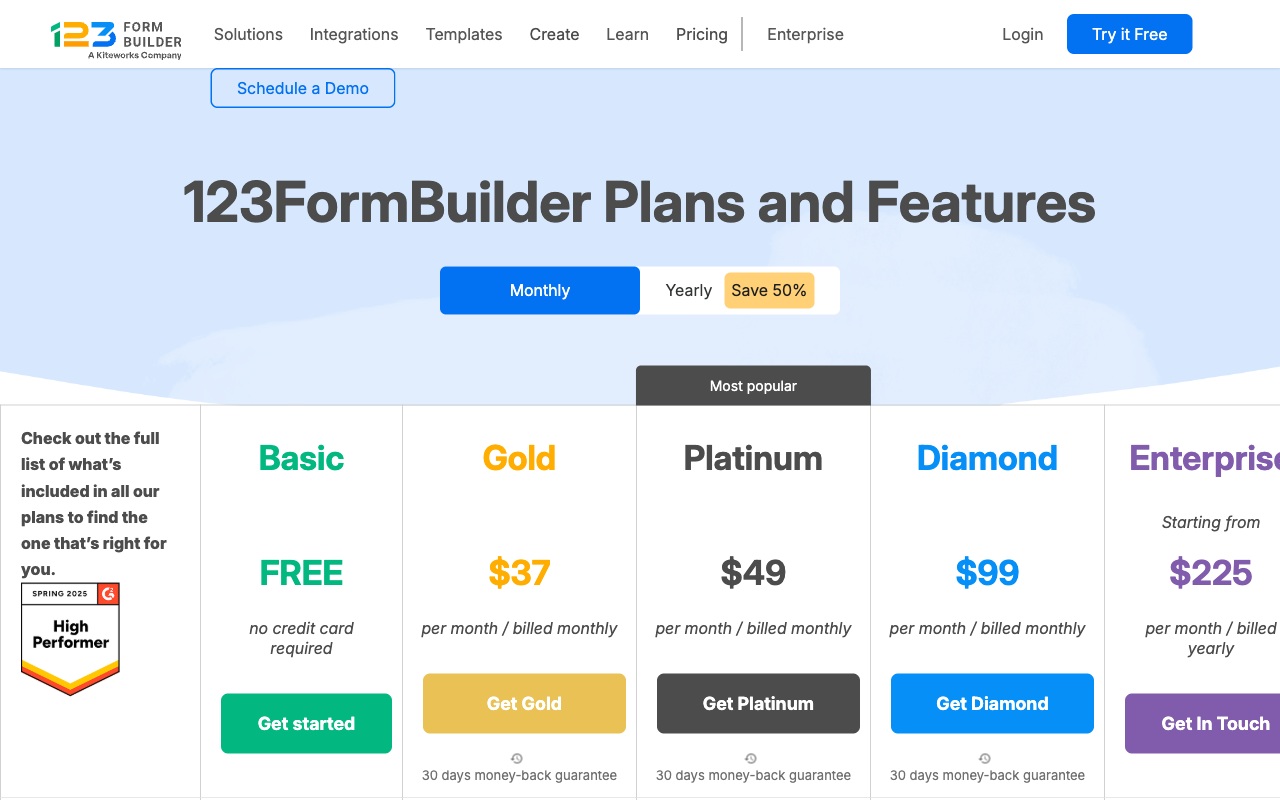
Fillout is cheaper than 123FormBuilder at every equivalent tier and charges nothing per seat, while 123FormBuilder buys you more raw submission volume at the top. Read both tables with your headcount in mind, because that is where the published prices stop telling the whole story.
123FormBuilder
Fillout
| Product | Plan | Monthly Price | Annual Price (per month) | Free Plan | Free Trial | Limits |
|---|---|---|---|---|---|---|
| 123FormBuilder | Basic (Free) | Free | Free | Yes | 30 days | forms: 5, submissions: 100/month, storage: none, users: 1 |
| 123FormBuilder | Gold | $37/mo | $37/mo billed annually | forms: 25, submissions: 5,000/month, storage: 1 GB, users: 1 | ||
| 123FormBuilder | Platinum | $49/mo | $49/mo billed annually | forms: 100, submissions: 20,000/month, storage: 10 GB, users: 1+ (buy extra licenses) | ||
| 123FormBuilder | Diamond | $99/mo | $99/mo billed annually | forms: 200, submissions: 100,000/month, storage: 100 GB, users: 1+ (buy extra licenses) | ||
| 123FormBuilder | Enterprise | $225/mo | Custom | forms: unlimited, submissions: unlimited, storage: unlimited, users: custom | ||
| Fillout | Free | Free | Free | Yes | No | forms: Unlimited, submissions: 1,000/month, storage: N/A, users: Unlimited, file uploads: 20 MB per file |
| Fillout | Starter | $19/mo | $15/mo billed annually | forms: Unlimited, submissions: 2,000/month, storage: N/A, users: Unlimited, file uploads: 20 MB per file | ||
| Fillout | Pro | $49/mo | $40/mo billed annually | forms: Unlimited, submissions: 5,000/month, storage: N/A, users: Unlimited, file uploads: 20 MB per file | ||
| Fillout | Business | $89/mo | $75/mo billed annually | forms: Unlimited, submissions: Unlimited, storage: N/A, users: Unlimited, file uploads: 1 GB+ | ||
| Fillout | Team bundle | $300/mo | $250/mo billed annually | forms: Unlimited, submissions: Unlimited, storage: 1,000,000 records, users: Unlimited, file uploads: 1 GB+ |
What Users Say
The review picture favours neither side cleanly. 123FormBuilder has the deeper history, with 172 G2 reviews at 4.5 and 175 Capterra reviews at 4.4, praised for Salesforce work and compliance, criticised for dated design and support response times. Its 1.2/5 Trustpilot score across 326 reviews is the outlier that should give any buyer pause, driven overwhelmingly by billing and cancellation experiences. Fillout's ratings are higher but built on far less: 30 G2 reviews at 4.6, four on Capterra at 4.0, and a Trustpilot score that has slipped from 4.7 to 3.5 across 48 reviews, with several recent complaints about automated systems blocking accounts.
See Them in Action
The Verdict
Pick 123FormBuilder when compliance dictates the choice. Health data, ISO 27001, Salesforce objects, PayPal, or 100,000 submissions a month are all things Fillout cannot do, and no amount of editor polish substitutes for a signed BAA. Accept that you are buying into a per-licence, per-tier model inside a product whose development has visibly slowed.
Pick Fillout when the constraint is budget, team size or build speed. It is cheaper at every tier, free of per-seat charges, considerably more modern, and it answers the SOC 2 question that 123FormBuilder cannot. Accept the Stripe-only ceiling, the $100/month Conversion Kit for lead-gen features, and a vendor that is four years old and now operating inside a parent platform.
The Third Option: Paperform
Both products above charge you more as you succeed. 123FormBuilder does it four ways, counting forms, fields, submissions and licensed users. Fillout does it one way but couples it to the analytics you need in order to understand why traffic is converting. Paperform takes the meter off the outcome entirely: submissions and seats are unlimited on Pro at $59/month, or $49 billed annually, and on Business at $149/month, or $124 annually. Be clear about the tradeoff. Fillout starts at $15/month annual and 123FormBuilder Gold at $37, so both undercut Paperform's entry price. What $49 buys is a bill that stops moving when the form starts working.
The second gap is fragmentation. Fillout's response cap, workflow runs and AI credits are counted across Fillout and Zite, and its lead-gen features arrive as a separate $100/month line. 123FormBuilder reserves document generation for Diamond at $99/month and has no workflow product at all, so automation means a Zapier invoice. One Paperform subscription covers three products on every plan: Paperform for forms, Papersign for eSignatures at 25 signed documents a month on Pro and 100 on Business, and Stepper for AI-native workflow automation with 20,000 automation credits on Pro and 100,000 on Business. Support comes with the price rather than as an enablement fee.
On the dimensions this page has measured: Paperform supports five payment gateways (Stripe, PayPal, Square, Braintree and Google Pay) on every plan with subscriptions, coupons, tax and refunds around them, connects to 4,000+ integrations including both Zapier and Make, and runs Excel-style calculations that control question and page visibility, conditional email content, integration payloads and success page copy rather than just totalling a field. Paperform holds SOC 2 Type II, GDPR and CCPA compliance and has been shipping since 2016, bootstrapped and profitable, with no acquirer or parent platform setting its roadmap. It is not HIPAA compliant and signs no BAAs, so protected health information still belongs with 123FormBuilder Enterprise.
For a wider field, see our ranking of the best form builders. If you are moving away from either product specifically, we have detailed breakdowns of 123FormBuilder alternatives and Fillout alternatives.
Frequently Asked Questions
Is Fillout HIPAA compliant like 123FormBuilder?
No. Fillout publishes SOC 2 Type 2 and GDPR compliance and makes no HIPAA claim anywhere on its site, security documentation or pricing page, and it does not offer a Business Associate Agreement. 123FormBuilder does sell certified HIPAA compliance, but only on Enterprise, which starts at $225/month billed yearly and requires a sales conversation. So the honest answer for a clinic collecting patient information is that Fillout is out and 123FormBuilder is in, at Enterprise money.
Which one has SOC 2 certification, 123FormBuilder or Fillout?
Fillout does; 123FormBuilder does not, at any tier. 123FormBuilder holds ISO 27001 and ISO 9001 alongside GDPR, CCPA and HIPAA, which satisfies plenty of procurement teams, but a security questionnaire with a SOC 2 Type II line on it will stop there. Fillout has held SOC 2 Type 2 attestation since it was a young company, which is unusual for a 2022 startup, and it adds enforced two-factor authentication on the Team bundle and SAML SSO on Enterprise.
Can I take PayPal payments through Fillout or 123FormBuilder?
Only through 123FormBuilder, and only from the Platinum plan at $49/month. Fillout is Stripe-only: card, ACH, Affirm and Stripe Link all run through one processor, with discount codes and recurring billing on top, but no PayPal, Square or Braintree at any price. 123FormBuilder advertises 15+ gateways including PayPal, Square, Braintree, Authorize.Net and PayU, and its Free and Gold plans get none of them. If your finance team has already standardised on PayPal, that single fact decides this comparison.
Does 123FormBuilder have anything like Fillout’s AI form builder?
No. 123FormBuilder ships no AI features of any kind: no AI form generation, no AI calculation help, no AI reporting. Its public changelog has not added an entry since June 2026. Fillout has an AI form, quiz and survey generator, PDF-to-form conversion, and Form Agent, a chat agent inside the editor that adds fields, writes page logic and edits calculations. Form Agent draws on a shared monthly pool of Zite AI credits, and messages stop when the pool runs out until the first of the month.
Which is cheaper, 123FormBuilder or Fillout?
Fillout, at almost every point on the curve. Fillout Starter is $15/month billed annually against 123FormBuilder Gold at $37, and Fillout includes unlimited seats on every tier while 123FormBuilder sells extra user licences on top of each plan. The one place 123FormBuilder pulls ahead is raw volume: Diamond at $99/month carries 100,000 submissions a month, where Fillout only stops counting responses on Business at $75/month annual. Both free plans are real, and Fillout’s 1,000 responses a month is ten times 123FormBuilder’s 100.
Which is the safer long-term bet, a 2008 company owned by Kiteworks or a 2022 startup inside Zite?
Neither is independent, which is the uncomfortable part. 123FormBuilder has been shipping since 2008 and carries the stability of age, but it was acquired by Kiteworks, a secure file transfer company, and the visible result has been a product with no AI capability and a changelog that stopped moving. Fillout is four years old, seed funded, and now trades as "Fillout (by Zite)" with its help docs, security pages and credit pool moved to the parent platform. In both cases somebody other than the form builder team is setting the roadmap.
Sources & References
- Fillout Pricing — Fillout, September 2026
- 123FormBuilder Plans and Features — 123FormBuilder, September 2026
- Fillout Review 2026: We Tested Everything (Builder, Integrations, Automations & Real ROI) — Hackceleration, 2026
- 123FormBuilder Review: A Marketing Expert’s Verdict — Website Planet, 2026
- Fillout Reviews: Is This Form Builder Actually Worth Paying For? — Filip Konecny, March 2026
Last updated September 22, 2026
Ready to try Paperform?
Create beautiful forms, payment pages, and workflows — no code required.