Best Fillout Alternatives for 2026
The best Fillout alternative for most growing teams is Paperform, at $49/month billed annually with unlimited submissions, unlimited seats and priority human support included rather than gated to a higher tier. Fillout caps responses on every plan below $75/month and sells its lead-generation toolkit as a separate $100/month add-on.
Fillout earns its following honestly. The free plan carries 1,000 responses a month with unlimited forms and unlimited seats, the builder is fast and modern, the Airtable connector updates existing records rather than only appending new ones, and SOC 2 Type 2 arrived early for a company this young. At 800 responses a month with a Stripe checkout on the end, Fillout is the cheaper answer and this page will not argue otherwise.
Two things tend to send people looking anyway. The first is what happens as the forms work: Starter stops at 2,000 responses, Pro at 5,000, and clearing 5,000 means Business at $75/month billed annually, an 87% step up from Pro, or bulk submission packs priced at a number Fillout does not publish. Under the Zite rebrand the metering has spread to AI credits and workflow runs, with the serious quotas parked in a $250/month Team bundle. The second is what sits outside the plan entirely. Priority support is a Business-tier feature, dedicated support is an Enterprise agreement, and the lead-gen essentials most marketing teams assume are included, abandonment recovery, enrichment, routing, email validation and ad conversion tracking, are the $100/month Conversion Kit.
That is the pattern worth naming before you compare anything else: on Fillout, help and growth are both upsells. Below we rank the alternatives on the five dimensions that decide the purchase, and say plainly where Fillout still wins.

| Feature | Fillout | Paperform | Jotform | Cognito Forms | Typeform | SurveyMonkey | Google Forms |
|---|---|---|---|---|---|---|---|
| Form Building | |||||||
| Document-style editor | No | Yes | No | No | No | No | No |
| AI agent in the form editor (Form Agent) | Yes | No | No | No | No | No | No |
| Field types | 50+ | 26+ | 30+ (starter) | 20+ | 20+ | 15+ | 11 |
| Guided mode (one question at a time) | No | Yes | Yes starter | No | Yes | Yes | No |
| Calculations field | Yes | Yes pro | Yes starter | Yes | Yes plus | No | No |
| Payments | |||||||
| Stripe payments | Yes | Yes | Yes starter | Yes | Yes basic | Yes Individual Advantage | No |
| PayPal payments | No | Yes | Yes starter | Yes team | No | Yes Individual Advantage | No |
| Square payments | No | Yes | Yes starter | Yes team | No | No | No |
| Braintree payments | No | Yes | Yes starter | No | No | No | No |
| Google Pay | No | Yes | Yes starter | Yes | No | No | No |
| Design & Customization | |||||||
| Template gallery | Yes | 30,000+ | 20,000+ (starter) | Yes | 1,500+ | 400+ | 20+ |
| Unsplash and Giphy integration | No | Yes | No | No | Yes | No | No |
| Image editor | No | Yes | No | No | No | No | No |
| Adobe Creative Cloud | No | Yes | No | No | No | No | No |
| Language translation | No | Yes | Yes starter | Yes pro | Yes basic | Yes Individual Premier | No |
| Analytics | |||||||
| AI report insights | No | Yes pro | No | No | Yes business | Yes Individual Advantage | Yes Business Standard |
| Paperform analytics | Yes business | Yes pro | No | No | No | No | No |
| Google Analytics & Facebook Pixel | Yes | Yes pro | No | Yes pro | Yes basic | No | No |
| Custom analytics scripts | Yes business | Yes pro | No | No | Yes basic | No | No |
| Partial submissions | Yes business | Yes pro | No | No | Yes plus | Yes Individual Advantage | No |
| Collaboration | |||||||
| Form sharing (templates) | Yes | Yes | No | Yes | Yes | Yes Team Advantage | Yes |
| Spaces and tag management | Yes | Yes | No | No | No | No | No |
| Form sharing | No | No | Yes starter | No | No | No | No |
| Assign forms | No | No | Yes enterprise | No | No | No | No |
| Workspace organization | No | No | No | No | Yes | No | No |
| Security | |||||||
| SOC 2 Type II | Yes | Yes | Yes enterprise | No | Yes | Yes | Yes |
| ISO 27001 | No | No | No | No | Yes | No | No |
| Audit logs | Yes enterprise | No | No | No | No | No | No |
| Enforce 2FA for all users | Yes team | Yes business | No | No | No | Yes enterprise | Yes Business Starter |
| reCAPTCHA | Yes starter | Yes | Yes starter | Yes | Yes business | Yes | No |
| Integrations & API | |||||||
| Native integrations | 50+ | 4,000+ | 150+ (starter) | No | 120+ (basic) | 200+ | No |
| Webhooks | Yes | Yes pro | Yes starter | Yes | Yes basic | Yes Individual Advantage | No |
| Standard API | Yes | Yes pro | No | Yes | No | Yes Individual Advantage | Yes |
| Business API | No | Yes business | No | No | No | Yes enterprise | No |
| WordPress plugin | Yes | Yes | Yes starter | Yes | Yes | No | No |
The Five Dimensions That Decide It
Fillout is competitive on three of these and structurally weak on two. Here is where it lands against each alternative.
Pricing
Fillout charges $15/month for 2,000 responses on Starter, $40 for 5,000 on Pro and $75 for unlimited on Business, all billed annually, with unlimited seats on every tier. The unlimited-response rung costs $75 before the $100/month Conversion Kit. Paperform Pro is $59/month, or $49/month billed annually, with unlimited submissions and unlimited seats, and Business is $124/month annually. Cognito Forms Pro is $19/month annually for 2,000 entries and 2 users, Jotform Bronze is $34/month annually for 1,000 submissions, Typeform Basic is $28/month annually for 100 responses, and SurveyMonkey now bills every paid plan as an annual commitment with a $0.15 charge per response over the yearly cap.
Integrations & API
Fillout ships 50+ native integrations plus Zapier, Make, webhooks and a REST API, with an Airtable connector that can update existing records rather than only creating them. The native list is well chosen: Salesforce, HubSpot, Pipedrive, Notion, SmartSuite, Slack, Teams, Calendly, Cal.com, S3 and Klaviyo among them, most available on the free plan. Paperform counts 4000+ integrations across native connectors, Stepper workflows, Zapier, Make, webhooks and a REST API. Jotform lists 150+ natives, Typeform 120+, and Google Forms roughly 20 inside Workspace. Note where Fillout puts the gate: Salesforce sits in the $250/month Team bundle.
Conditional logic
Fillout includes conditional logic, calculations, scoring, answer piping and pre-fill on the free plan, and its Form Agent chat assistant can write page logic and calculations for you. That is a strong free offer. The known friction is the learning curve: G2 reviewers say mastering calculations and integrations takes time, and the Form Agent runs on a shared Zite credit pool that stops responding when the month's allocation is spent. Paperform's calculations are Excel-style and are not confined to producing a score: they drive question and page visibility, conditional email content, integration payloads and success page output, with an AI assistant that writes the formula from a plain-English description.
Payments
Fillout supports exactly one payment processor, Stripe, with no PayPal, Square, Braintree or native Google Pay, though Stripe brings cards, ACH, Affirm and Link with discount codes and no added Fillout fee. Paperform supports five gateways (Stripe, PayPal, Square, Braintree, Google Pay) with products, subscriptions, coupons, tax rules, quotes and refunds, and charges no transaction fee of its own. Jotform supports 40+ processors on every plan including free. Cognito Forms adds PayPal and Square from its Team tier alongside Cognito Pay with Apple Pay and Google Pay. Typeform is Stripe-only, SurveyMonkey offers two gateways bolted onto a research tool, and Google Forms takes no payments at all.
Compliance (HIPAA / GDPR / SOC 2)
Fillout is SOC 2 Type 2 and GDPR compliant with SAML SSO on Enterprise, and is not HIPAA compliant and signs no BAAs. It does offer something most rivals do not: a choice of hosted region across the USA, EU, UK, Australia and Canada, and an Enterprise option to store submissions only in external storage. Paperform is SOC 2 Type II, GDPR and CCPA compliant with SAML SSO and enforced 2FA on Business, and is also not HIPAA compliant and signs no BAAs. Jotform, Cognito Forms, Typeform, SurveyMonkey and Google Forms are all HIPAA capable, so if protected health information is in scope both Fillout and Paperform are out.
 #1 Paperform — Best When Growth and Help Should Not Cost Extra

Start with the line item nobody reads until they need it. On Fillout, priority support is a Business-tier feature at $75/month and dedicated support is an Enterprise agreement with a custom contract behind it; below that you queue. Paperform puts live chat with its Customer Success team in every plan and rates 4.7 on Capterra and 4.9 on GetApp for support, which are its strongest scores anywhere. There is no onboarding package produced at signing and no five-figure enablement fee, because the cost of getting a team running is already in the seat price. When an automated system flags your account or a launch breaks at 4pm, the difference between a human in chat and a ticket in a queue is the whole product.
The second argument is tenure. Paperform has been shipping since 2016: ten years, bootstrapped, profitable, with no investors setting the roadmap and no parent brand to be folded into. Fillout launched in 2022 on seed funding and now trades as Fillout by Zite, with its security docs, help centre, changelog and AI credit pool moved into the parent platform. That is not a failure, it is a strategy, but it is a strategy you are buying into. If the forms are about to become the system of record for signatures, approvals and payments, vendor stability is part of the specification.
On the mechanics, Paperform removes the meter that defines Fillout's price list. Submissions and seats are unlimited on paid plans within fair use, so a campaign that works does not generate an invoice, and one subscription covers forms, Papersign eSignatures and Stepper workflow automation from one account. Paperform's own metered line is Stepper automation credits, 20,000/month on Pro and 100,000 on Business, and that number is worth sizing against your volume before you commit.
- Strengths over Fillout: priority human support included in the price rather than gated to Business, unlimited submissions and seats on paid plans, Papersign eSignatures and Stepper workflows in the same subscription, 5 payment gateways against Fillout's Stripe-only, Excel-style calculations with an AI assistant, document-style editor plus Guided Mode, 30,000+ templates, 4000+ integrations, ten years bootstrapped and profitable
- Limitations: $49/month billed annually against Fillout's $15 entry, no HIPAA compliance and no BAAs, Stepper credits are metered, custom domains $20/month each on Pro, no mobile editor, a smaller review footprint than Jotform or SurveyMonkey
- Best for: Teams whose response volume is climbing and whose forms now trigger contracts and approvals
 #2 Jotform — Best If Stripe-Only or Missing HIPAA Is the Blocker

Jotform answers the two requirements Fillout simply cannot meet. Payments go from one processor to more than forty, including regional gateways, on every plan including the free one, and HIPAA compliance with a signed BAA arrives on Gold at $99/month billed annually, backed by SOC 2, ISO 27001, PCI DSS Level 1 and FERPA. Founded in 2006 and still bootstrapped after twenty years, it is also the most reviewed product on this page by a wide margin, which is a useful counterweight to Fillout's 34 combined G2 and Capterra reviews.
The trade is that Jotform meters more things than Fillout does, not fewer. Submissions, forms, form views, storage, fields per form and signed documents all carry quotas, and every self-serve tier from Starter to Gold is single-user, so a team that enjoys Fillout's unlimited seats will feel that immediately. The interface carries two decades of accumulated features and reviewers regularly call it cluttered. Our Jotform alternatives breakdown walks through the quota structure in detail.
- Strengths over Fillout: 40+ payment processors on every plan, HIPAA with a BAA, ISO 27001 and PCI DSS Level 1, 150+ native integrations, native mobile apps for building forms, approval workflows and PDF generation, twenty years of bootstrapped stability
- Limitations: single-user on every self-serve tier where Fillout gives unlimited seats, six separate quotas to track, cluttered editor, no document-style editing, breadth that outpaces polish
- Best for: Teams that hit Fillout's Stripe wall or a healthcare requirement and will trade unlimited seats to clear it
 #3 Cognito Forms — Best Cheap Route to Heavy Calculations and a BAA
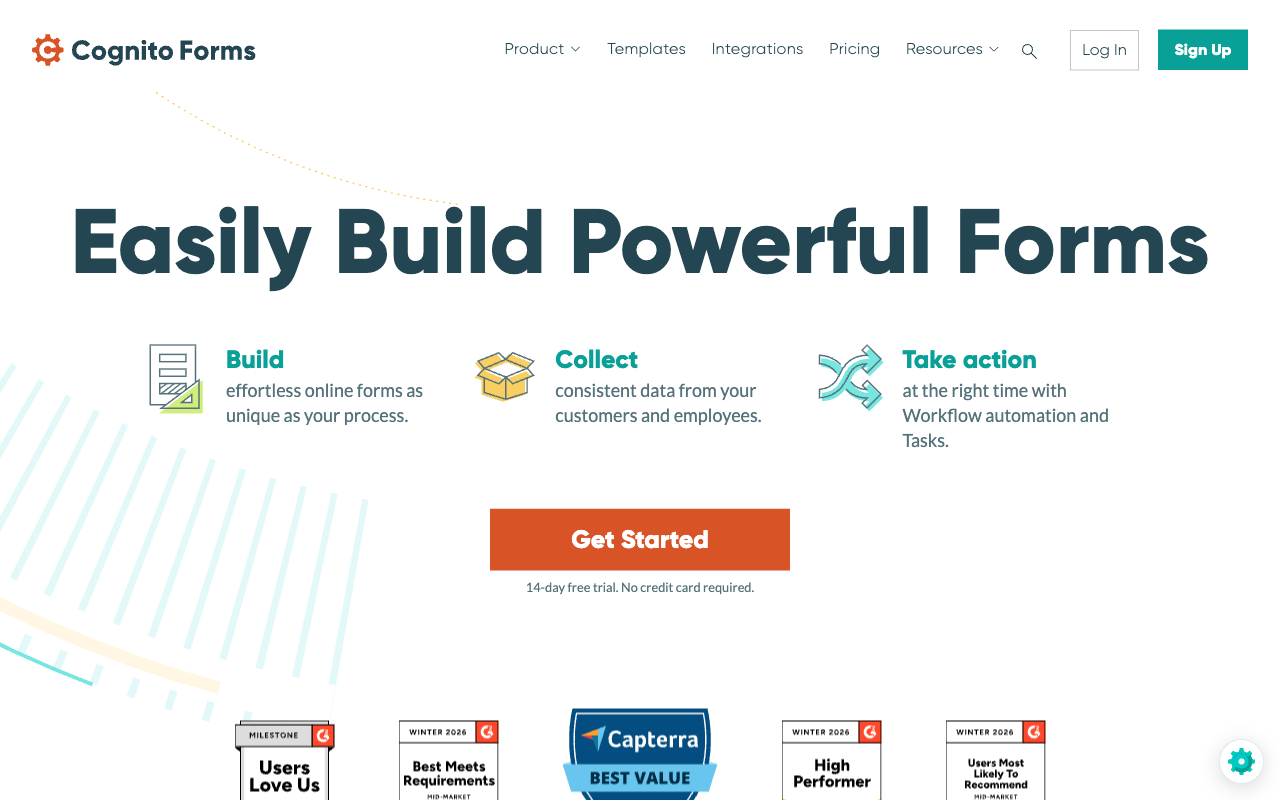
Cognito Forms is the budget answer to the two complaints Fillout reviewers raise most: calculations that take time to master, and no HIPAA. Its calculation engine handles repeating sections, line-item order forms and nested pricing logic without a credit pool behind it, and it is HIPAA compliant with a BAA plus SOC 2 Type 2 and Section 508 accessibility. Pro is $19/month billed annually, above Fillout's $15 Starter but below Fillout's Pro, and Cognito Pay adds native card processing with Apple Pay and Google Pay, with PayPal and Square from the Team tier.
What you give up is everything Fillout users tend to like. The forms look like forms from a decade ago unless someone writes CSS, there is no public REST API, and the product moves slowly next to Fillout's changelog. It also meters in four directions at once: entries, users, storage and guest collaborators each carry a quota, and Pro stops at 2,000 entries and 2 users with extra people at $5 each per month, so Fillout's unlimited seats are a genuine loss. See our Cognito Forms alternatives page for the full breakdown.
- Strengths over Fillout: HIPAA with a BAA, deeper calculation engine with repeating sections and no AI credit dependency, more payment options including Apple Pay and Google Pay, Section 508 accessibility, lower unlimited-ish entry pricing for small teams
- Limitations: dated interface next to Fillout's, no public REST API, seats capped at 2 on Pro against Fillout's unlimited, slower release cadence, no scheduling product
- Best for: Small regulated teams whose forms are really pricing calculators and who do not need the form to look modern
 #4 Typeform — Best for One-Question-at-a-Time Brand Moments

Typeform is on this list for one capability Fillout lacks outright: a guided, one-question-at-a-time experience, which it invented and still executes best. For short lead-qualification and feedback flows where presentation drives completion, it is the reference implementation, and its compliance sheet is far deeper than Fillout's, with HIPAA on Business alongside ISO 27001, 27017, 27018 and ISO/IEC 42001. It also has the largest review base of any product here after SurveyMonkey and Jotform.
If the meter is why you are leaving Fillout, Typeform is a step backwards, not forwards. Responses and seats are both capped on every plan: 100 responses and 1 user on Basic at $28/month annually, 1,000 and 3 on Plus, 10,000 and 5 on Business at $91/month annually, and Growth Flow at $266/month annually raises neither. Payments are Stripe-only, exactly as in Fillout, and advanced logic and calculations are gated to Plus. Typeform is Series C funded, which puts it in a different governance category from a bootstrapped vendor. Our Paperform vs Typeform comparison covers the pricing model in depth.
- Strengths over Fillout: conversational one-question format, strongest out-of-the-box aesthetics for short forms, HIPAA on Business, ISO 27001 and ISO/IEC 42001, far more third-party reviews to read
- Limitations: responses and seats capped on every plan where Fillout caps neither seats nor the free plan as tightly, Stripe-only like Fillout, logic gated to Plus, no PDF generation or scheduling product
- Best for: Marketing teams running low-volume, high-value flows where the respondent experience is the point
 #5 SurveyMonkey — Best If the Real Job Is Research, Not Forms
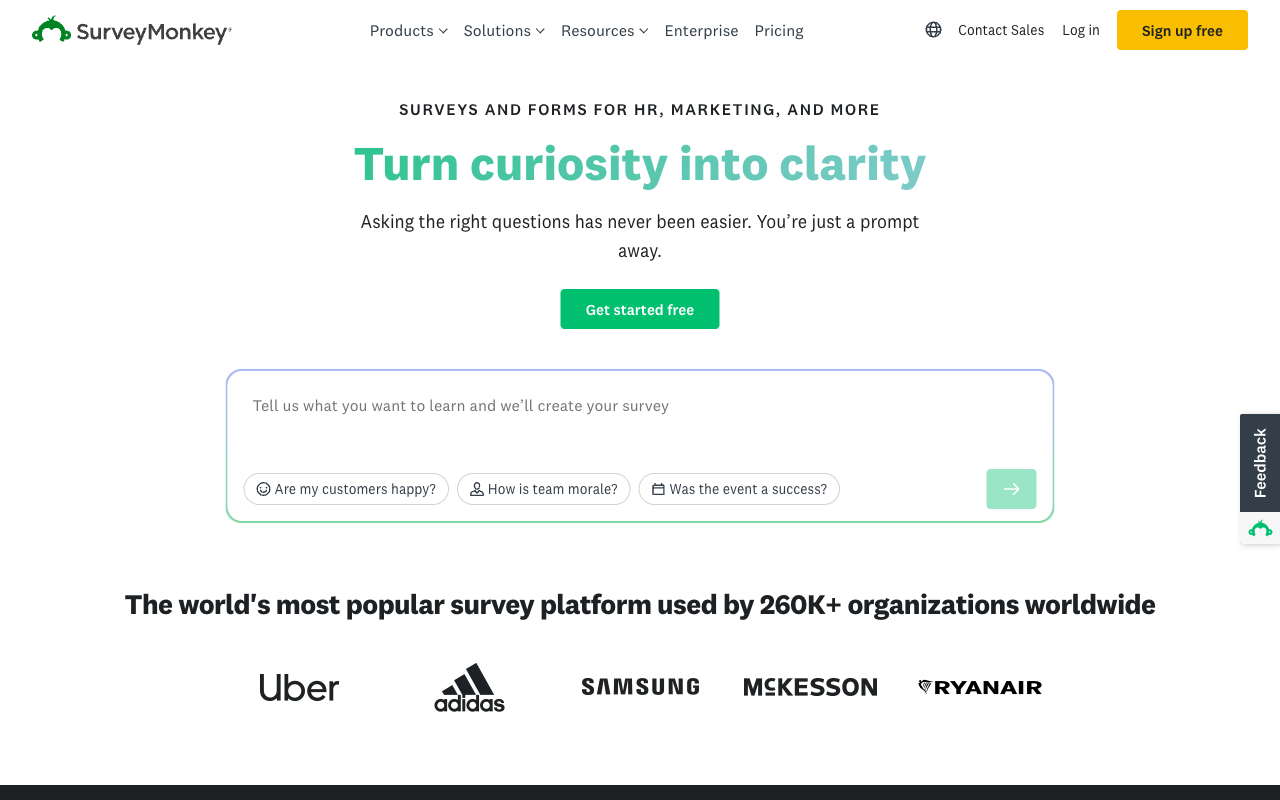
SurveyMonkey is the right call when the output is analysis rather than a workflow. Question banks written by methodologists, benchmarking, significance testing, a 335-million-person respondent panel and a compliance sheet covering HIPAA, GDPR, SOC 2, ISO 27001, PCI DSS 4.0 and Section 508 are things no form builder on this page attempts. Founded in 1999, it is the oldest product here, though it is now owned by private equity firm Symphony Technology Group rather than being independent.
As a Fillout replacement it is the wrong shape. Every plan carries an annual response cap with $0.15 charged per response beyond it, Team plans require a minimum of three paid users against Fillout's unlimited seats, Enterprise requires five, and since September 2026 every paid plan is an annual commitment. Payments are two gateways appended to a research instrument, with no order record or recurring billing behind them. If you liked Fillout's PDF generation, scheduling and workflow tabs, none of that lives here.
- Strengths over Fillout: serious survey methodology and statistical analysis, global respondent panel, HIPAA and ISO 27001, 70+ languages on higher tiers, brand recognition with 23,000+ reviews behind it
- Limitations: minimum three paid seats where Fillout charges for none, $0.15 per overage response, annual commitment on every paid plan, thin payments, no PDF generation or scheduling, private equity ownership
- Best for: Research, CX and people teams who need defensible survey data rather than an intake and payment workflow
 #6 Google Forms — Best If the Free Plan Was the Only Reason You Used Fillout
Google Forms has no response cap at all, which is a pointed fact on a page about metering. It is HIPAA-eligible under a Workspace BAA and covered by SOC 2, ISO 27001 and FedRAMP through Google Cloud, with SSO and admin controls handled by Workspace from $7 per user per month on Business Starter. For internal collection inside an organisation already on Workspace, it costs nothing extra and needs no procurement conversation.
Everything else is a downgrade from Fillout. No payments of any kind, roughly 20 integrations confined to Google's own ecosystem, no calculations worth the name, no PDF generation, no scheduling, no custom domains and a respondent experience that announces itself as a Google Form. Choose it only if you were using Fillout's free tier for internal surveys and never touched the rest of the product. Our Google Forms alternatives page covers the upgrade paths.
- Strengths over Fillout: genuinely unlimited responses, HIPAA-eligible under a Workspace BAA, FedRAMP and ISO 27001 through Google Cloud, SSO via Workspace at any size, zero learning curve
- Limitations: no payments, no PDF generation, no scheduling, no workflows, about 20 integrations, no design control or custom domains, generic respondent experience
- Best for: Internal surveys inside a Workspace organisation where presentation and payments do not matter
See Them in Action
Two independent videos worth watching before you decide: a full walkthrough of what the Fillout builder feels like to use, and a positioning piece from a no-code practitioner who works in it daily.
Full Feature Comparison
Every feature across Fillout and its alternatives, grouped by category. Read the payments, support and compliance rows closely: those are where Fillout's tier gates do the most work.
| Feature | Fillout | Paperform | Jotform | Cognito Forms | Typeform | SurveyMonkey | Google Forms |
|---|---|---|---|---|---|---|---|
| Form Building | |||||||
| Document-style editor | No | Yes | No | No | No | No | No |
| AI form creation | Yes | Yes | Yes starter | Yes | Yes | Yes | Yes paid |
| AI agent in the form editor (Form Agent) | Yes | No | No | No | No | No | No |
| Field types | 50+ | 26+ | 30+ (starter) | 20+ | 20+ | 15+ | 11 |
| Multi-page forms | Yes | Yes | Yes starter | Yes | Yes basic | Yes | Yes |
| Guided mode (one question at a time) | No | Yes | Yes starter | No | Yes | Yes | No |
| Conditional logic | Yes | Yes | Yes starter | Yes | Yes basic | Yes Individual Advantage | Yes |
| Calculations field | Yes | Yes pro | Yes starter | Yes | Yes plus | No | No |
| AI calculations assistant | No | Yes pro | No | No | No | No | No |
| Scoring | Yes | Yes pro | Yes starter | Yes | Yes plus | Yes | Yes |
| Answer piping | Yes | Yes | Yes starter | Yes | Yes basic | Yes Individual Advantage | No |
| Pre-filling and hidden fields | Yes | Yes pro | Yes starter | Yes | Yes basic | Yes Individual Advantage | Yes |
| Save and resume | Yes | Yes | Yes starter | Yes pro | No | Yes Individual Advantage | No |
| Auto-close by number | Yes | Yes pro | Yes starter | Yes | Yes basic | Yes Individual Advantage | Yes |
| Auto-close by date | Yes | Yes pro | Yes starter | Yes | Yes basic | Yes Individual Advantage | Yes |
| Appointment/booking field | Yes starter | Yes | Yes starter | No | Yes basic | No | No |
| Signature field | Yes starter | Yes | Yes starter | Yes team | Yes basic | No | No |
| Color picker field | No | Yes | No | No | No | No | No |
| API-powered dropdowns | No | Yes business | No | Yes | No | No | No |
| Google address search | Yes conversion-kit | Yes business | No | Yes | No | No | No |
| File uploads | Yes | Yes | Yes starter | Yes | Yes basic | Yes | Yes |
| Drag-and-drop builder | No | No | Yes starter | No | No | No | No |
| Form widgets | No | No | Yes starter | No | No | No | No |
| Template gallery | No | No | 20,000+ (starter) | No | No | No | No |
| Question display logic | No | No | No | No | Yes basic | No | No |
| AI follow-up questions | No | No | No | No | Yes business | No | No |
| AI extended thinking & memory | No | No | No | No | Yes growth | No | No |
| Typeform AI connectors | No | No | No | No | Yes growth | No | No |
| Workflow / automation builder | No | No | No | No | Yes growth | No | No |
| AI-moderated research (Research Flow) | No | No | No | No | Yes enterprise | No | No |
| Video questions | No | No | No | No | Yes basic | No | No |
| AI chat survey editing | No | No | No | No | No | Yes | No |
| AI quiz generation | No | No | No | No | No | No | Yes paid |
| Payments | |||||||
| Stripe payments | Yes | Yes | Yes starter | Yes | Yes basic | Yes Individual Advantage | No |
| PayPal payments | No | Yes | Yes starter | Yes team | No | Yes Individual Advantage | No |
| Square payments | No | Yes | Yes starter | Yes team | No | No | No |
| Braintree payments | No | Yes | Yes starter | No | No | No | No |
| Google Pay | No | Yes | Yes starter | Yes | No | No | No |
| Product sales (eCommerce) | Yes | Yes pro | Yes starter | Yes | No | No | No |
| Subscriptions | Yes | Yes pro | Yes starter | No | Yes basic | No | No |
| Coupons and discounts | Yes | Yes pro | Yes starter | Yes | No | No | No |
| Custom pricing rules | Yes | Yes pro | Yes starter | Yes | No | No | No |
| Tax calculations | No | Yes | Yes starter | Yes | No | No | No |
| Quotes/invoices | No | Yes | No | Yes team | No | No | No |
| Refunds | No | Yes | No | No | No | No | No |
| 3D Secure | No | Yes | No | No | Yes basic | No | No |
| 40+ payment gateways | No | No | Yes starter | No | No | No | No |
| No transaction fees | No | No | Yes starter | No | No | No | No |
| Cognito Pay (native card processing) | No | No | No | Yes | No | No | No |
| Design & Customization | |||||||
| Template gallery | Yes | 30,000+ | 20,000+ (starter) | Yes | 1,500+ | 400+ | 20+ |
| Rich media (images, GIFs, videos) | Yes | Yes | Yes starter | Yes | Yes | Yes | Yes |
| Unsplash and Giphy integration | No | Yes | No | No | Yes | No | No |
| Image editor | No | Yes | No | No | No | No | No |
| Adobe Creative Cloud | No | Yes | No | No | No | No | No |
| Language translation | No | Yes | Yes starter | Yes pro | Yes basic | Yes Individual Premier | No |
| Advanced theming | Yes starter | Yes pro | Yes starter | Yes pro | Yes plus | Yes Individual Advantage | No |
| Custom form URL | Yes pro | Yes pro | No | No | Yes plus | Yes Individual Advantage | No |
| Custom domains | Yes business | Yes pro | Yes enterprise | No | Yes enterprise | No | No |
| Custom HTML & CSS | Yes pro | Yes pro | Yes starter | Yes pro | Yes business | No | No |
| Remove branding | Yes pro | Yes pro | Yes bronze | Yes pro | Yes plus | Yes Individual Advantage | No |
| Custom email domains | Yes pro | Yes business | No | No | No | No | Yes Business Starter |
| Form themes | No | No | Yes starter | No | No | No | No |
| Analytics | |||||||
| Submission results and reports | Yes | Yes | Yes starter | Yes | Yes | Yes | Yes |
| AI report insights | No | Yes pro | No | No | Yes business | Yes Individual Advantage | Yes Business Standard |
| Paperform analytics | Yes business | Yes pro | No | No | No | No | No |
| Google Analytics & Facebook Pixel | Yes | Yes pro | No | Yes pro | Yes basic | No | No |
| Custom analytics scripts | Yes business | Yes pro | No | No | Yes basic | No | No |
| Partial submissions | Yes business | Yes pro | No | No | Yes plus | Yes Individual Advantage | No |
| Drop-off analysis | No | Yes pro | No | No | Yes business | No | No |
| Form analytics | No | No | Yes starter | No | No | No | No |
| Google Analytics integration | No | No | Yes starter | No | No | No | No |
| Cross-form Insights dashboard | No | No | No | No | Yes business | No | No |
| Benchmarks | No | No | No | No | No | No | No |
| Collaboration | |||||||
| Multi-user accounts | Yes | Yes pro | Yes bronze | Yes pro | Yes plus | Yes Team Advantage | Yes |
| User permissions and management | Yes | Yes pro | Yes enterprise | Yes team | Yes plus | Yes Team Advantage | Yes |
| Advanced permissions & admin | Yes team | Yes enterprise | Yes enterprise | Yes enterprise | Yes enterprise | Yes enterprise | Yes Business Starter |
| Form sharing (templates) | Yes | Yes | No | Yes | Yes | Yes Team Advantage | Yes |
| Spaces and tag management | Yes | Yes | No | No | No | No | No |
| Form sharing | No | No | Yes starter | No | No | No | No |
| Assign forms | No | No | Yes enterprise | No | No | No | No |
| Workspace organization | No | No | No | No | Yes | No | No |
| Review Sessions | No | No | No | No | No | Yes Team Advantage | No |
| Persistent Magic Link | No | No | No | No | No | Yes Team Advantage | No |
| Security | |||||||
| SOC 2 Type II | Yes | Yes | Yes enterprise | No | Yes | Yes | Yes |
| HIPAA compliance / BAA | No | No | No | No | No | No | No |
| ISO 27001 | No | No | No | No | Yes | No | No |
| Audit logs | Yes enterprise | No | No | No | No | No | No |
| GDPR compliant | Yes | Yes | Yes starter | Yes | Yes | Yes | Yes |
| SSL encryption | Yes | Yes | Yes starter | Yes | Yes | Yes | Yes |
| Two-factor authentication | Yes | Yes | Yes starter | Yes | Yes | Yes | Yes |
| Enforce 2FA for all users | Yes team | Yes business | No | No | No | Yes enterprise | Yes Business Starter |
| SSO (SAML) | Yes enterprise | Yes business | Yes enterprise | Yes enterprise | Yes enterprise | Yes enterprise | Yes Business Plus |
| reCAPTCHA | Yes starter | Yes | Yes starter | Yes | Yes business | Yes | No |
| Local data residency | Yes enterprise | Yes enterprise | No | No | No | Yes enterprise | Yes Business Plus |
| Custom S3 storage (BYO) | Yes | Yes business | No | No | No | No | No |
| HIPAA compliant | No | No | Yes gold | No | Yes enterprise | No | No |
| 256-bit SSL | No | No | Yes starter | No | No | No | No |
| Data residency | No | No | Yes enterprise | No | No | No | No |
| Form encryption | No | No | Yes starter | No | No | No | No |
| PCI DSS | No | No | Yes starter | No | Yes | No | No |
| Integrations & API | |||||||
| Native integrations | 50+ | 4,000+ | 150+ (starter) | No | 120+ (basic) | 200+ | No |
| Zapier | Yes | Yes | Yes starter | Yes | Yes basic | Yes | Yes |
| Make (Integromat) | Yes | Yes | Yes starter | Yes | Yes basic | Yes | Yes |
| Webhooks | Yes | Yes pro | Yes starter | Yes | Yes basic | Yes Individual Advantage | No |
| Standard API | Yes | Yes pro | No | Yes | No | Yes Individual Advantage | Yes |
| Business API | No | Yes business | No | No | No | Yes enterprise | No |
| WordPress plugin | Yes | Yes | Yes starter | Yes | Yes | No | No |
| oEmbed support | Yes | Yes | No | Yes | No | No | No |
| API | No | No | Yes starter | No | Yes basic | No | No |
| Smartsheet integration | No | No | Yes starter | No | No | No | No |
| Canvas LMS integration | No | No | Yes enterprise | No | No | No | No |
| Salesforce AppExchange | No | No | Yes starter | No | No | No | No |
| Embed options | No | No | Yes starter | No | Yes | No | No |
| Mobile apps | No | No | Yes starter | No | No | No | No |
| MCP connector (AI app access) | No | No | No | Yes pro | No | No | No |
| Claude / MCP server | No | No | No | No | Yes basic | No | No |
| AI data enrichment | No | No | No | No | Yes growth | No | No |
| Automations integrations (Contacts & Automations) | No | No | No | No | Yes growth | No | No |
| Claude (Anthropic) integration | No | No | No | No | No | Yes Individual Advantage | No |
| ChatGPT integration | No | No | No | No | No | Yes | No |
| Gemini integration | No | No | No | No | No | No | No |
| HRIS integrations (Workday, BambooHR) | No | No | No | No | No | Yes | No |
Pricing Comparison
Fillout's published prices are the annual rates, and monthly billing runs roughly 20% higher: Starter $19 against $15, Pro $49 against $40, Business $89 against $75, Team bundle $300 against $250. Compare the response ceiling next to the price rather than the price alone.

Paperform
Fillout
| Product | Plan | Monthly Price | Annual Price (per month) | Free Plan | Free Trial | Limits |
|---|---|---|---|---|---|---|
| Fillout | Free | Free | Free | Yes | No | forms: Unlimited, submissions: 1,000/month, storage: N/A, users: Unlimited, file uploads: 20 MB per file |
| Fillout | Starter | $19/mo | $15/mo billed annually | forms: Unlimited, submissions: 2,000/month, storage: N/A, users: Unlimited, file uploads: 20 MB per file | ||
| Fillout | Pro | $49/mo | $40/mo billed annually | forms: Unlimited, submissions: 5,000/month, storage: N/A, users: Unlimited, file uploads: 20 MB per file | ||
| Fillout | Business | $89/mo | $75/mo billed annually | forms: Unlimited, submissions: Unlimited, storage: N/A, users: Unlimited, file uploads: 1 GB+ | ||
| Fillout | Team bundle | $300/mo | $250/mo billed annually | forms: Unlimited, submissions: Unlimited, storage: 1,000,000 records, users: Unlimited, file uploads: 1 GB+ | ||
| Paperform | Free | Free | Free | Yes | 7 days | forms: Unlimited, submissions: 30/month, storage: Unlimited, users: Unlimited, file uploads: 100 MB |
| Paperform | Pro | $59/mo | $49/mo billed annually | forms: Unlimited, submissions: Unlimited, storage: Unlimited, users: Unlimited, file uploads: 10 GB | ||
| Paperform | Business | $149/mo | $124/mo billed annually | forms: Unlimited, submissions: Unlimited, storage: Unlimited, users: Unlimited, file uploads: 100 GB | ||
| Jotform | Starter | Free | Free | Yes | No | forms: 5, submissions: 100/month, storage: 100 MB, users: 1 |
| Jotform | Bronze | $39/mo | $34/mo billed annually | forms: 25, submissions: 1,000/month, storage: 1 GB, users: 1 | ||
| Jotform | Silver | $49/mo | $39/mo billed annually | forms: 50, submissions: 2,500/month, storage: 10 GB, users: 1 | ||
| Jotform | Gold | $129/mo | $99/mo billed annually | forms: 100, submissions: 10,000/month, storage: 100 GB, users: 1 | ||
| Cognito Forms | Individual (Free) | Free | Free | Yes | 14 days | forms: Unlimited, submissions: 100 entries/month, storage: 100 MB, users: 1 |
| Cognito Forms | Pro | $24/mo | $19/mo billed annually | forms: Unlimited, submissions: 2,000 entries/month, storage: 1 GB, users: 2 | ||
| Cognito Forms | Team | $49/mo | $39/mo billed annually | forms: Unlimited, submissions: 10,000 entries/month, storage: 10 GB, users: 5 | ||
| Cognito Forms | Enterprise | $174/mo | $129/mo billed annually | forms: Unlimited, submissions: Unlimited, storage: 100 GB, users: 20 | ||
| Typeform | Free | Free | Free | Yes | No | forms: 10, submissions: 10/month, users: 1 |
| Typeform | Basic | $39/mo | $28/mo billed annually | forms: Unlimited, submissions: 100/month, users: 1 | ||
| Typeform | Plus | $79/mo | $56/mo billed annually | forms: Unlimited, submissions: 1,000/month, users: 3 | ||
| Typeform | Business | $129/mo | $91/mo billed annually | forms: Unlimited, submissions: 10,000/month, users: 5 | ||
| Typeform | Growth Flow | $379/mo | $266/mo billed annually | forms: Unlimited, submissions: 10,000/month, users: 5 | ||
| Typeform | Talent | $169/mo | $119/mo billed annually | forms: Unlimited, users: HR teams | ||
| SurveyMonkey | Basic (Free) | Free | Free | Yes | No | forms: Unlimited, submissions: Limited per survey (exact number now only shown after sign-up/login), storage: N/A, users: 1 |
| SurveyMonkey | Individual Advantage | Free | $32/mo billed annually | forms: Unlimited, submissions: 15,000 per year, storage: N/A, users: 1 | ||
| SurveyMonkey | Individual Premier | Free | $99/mo billed annually | forms: Unlimited, submissions: 40,000 per year, storage: N/A, users: 1 | ||
| SurveyMonkey | Team Advantage | Free | $30/mo billed annually | forms: Unlimited, submissions: 50,000 per year (shared), storage: N/A, users: 3 minimum | ||
| SurveyMonkey | Team Premier | Free | $92/mo billed annually | forms: Unlimited, submissions: 100,000 per year (shared), storage: N/A, users: 3 minimum | ||
| Google Forms | Free (Personal) | Free | Free | Yes | 14 days | forms: Unlimited, submissions: Unlimited, storage: 15 GB (shared across Google Drive), users: 1, file uploads: Included in 15 GB storage |
| Google Forms | Business Starter | $8.4/mo | $7/mo billed annually | forms: Unlimited, submissions: Unlimited, storage: 30 GB per user, users: Up to 300, file uploads: Included in storage | ||
| Google Forms | Business Standard | $16.8/mo | $14/mo billed annually | forms: Unlimited, submissions: Unlimited, storage: 2 TB per user, users: Up to 300, file uploads: Included in storage | ||
| Google Forms | Business Plus | $26.4/mo | $22/mo billed annually | forms: Unlimited, submissions: Unlimited, storage: 5 TB per user, users: Up to 300, file uploads: Included in storage |
Review Ratings Across Platforms
Fillout rates 4.6 on G2 across 30 reviews and 5.0 on Product Hunt across 13, but only 4.0 on Capterra across 4 reviews, with support at 3.8 and value for money at 3.5, and 3.5 on Trustpilot across 48 reviews after a fall from 4.7. Recent Trustpilot complaints centre on automated systems flagging and blocking accounts.
Verdict: Which Fillout Alternative Should You Choose?
Almost nobody leaves Fillout because the builder let them down. They leave because a number moved: the response count, the support queue, or the invoice once the Conversion Kit was added.
If any of those is your reason, Paperform is the recommendation. Submissions and seats are unlimited on paid plans within fair use, so growth stops being a billing event. Priority human support is in the price rather than behind the Business tier, which is the difference that shows up on your worst day rather than your best one. One subscription covers forms, Papersign and Stepper, so there is no Conversion Kit, no second credit pool and no parent platform to be migrated into. Ten years bootstrapped and profitable is the quieter part of the pitch, and the part that matters most if these forms are becoming a system of record.
If the blocker is narrower, take the tool that removes it. Jotform for payments beyond Stripe or a signed BAA. Cognito Forms for serious calculation work in regulated territory on a small budget. Typeform for the conversational format, provided your volumes are genuinely low. SurveyMonkey if what you actually need is research rather than intake. Google Forms if the free tier was the whole appeal.
And if you are sending a few hundred responses a month through a Stripe checkout, stay on Fillout. Its free plan and $15 Starter tier are the better economics at that size, and paying $49 for capability you will not use makes nobody's case. Come back the month the response counter starts deciding your budget. Paperform's 7-day trial needs no card. For a wider view of the field, see our best form builders roundup.
Frequently Asked Questions
What happens when my Fillout form passes 5,000 responses in a month?
Pro tops out at 5,000 responses a month, so you either move to Business at $75/month billed annually, an 87% jump from Pro's $40, or buy a bulk submission pack. Fillout confirms in its pricing FAQ that forms keep collecting rather than being cut off, which is decent behaviour, but the per-unit price of those packs is not published, so you cannot budget the overage in advance. Paperform Pro at $49/month billed annually carries unlimited submissions within fair use, so the busiest month of the year costs what the quietest one did.
Do I have to pay for Fillout Business just to see why my form is leaking conversions?
Yes. Form analytics, conversion tracking, drop-off reporting, partial submissions and the Meta Pixel all sit on the Business tier at $75/month billed annually. That is the same tier that lifts the response cap, so the diagnostic tools arrive bundled with volume you may not want yet. Paperform Pro includes analytics, drop-off tracking, partial submissions and AI report insights on day one, and the reporting covers Papersign signature completion and Stepper workflow runs in the same place, so a stall halfway through a signing flow is as visible as a stall on question three.
Is the Fillout Conversion Kit worth $100 a month on top of a plan?
It depends on what it replaces. The Conversion Kit bundles abandonment recovery, drop-off notifications, Clearbit enrichment at 300 lookups a month, lead scoring and routing, autofill, email validation, OTP verification and ad-platform conversion tracking, and Fillout covers the underlying third-party costs, which is fair value if you would otherwise buy an enrichment tool separately. The arithmetic is the problem: Business plus the Kit is $175/month before anything is signed. Paperform Business is $124/month billed annually with routing through Stepper, conditional follow-up emails, 4000+ integrations, 100 signed documents a month and SSO already in the price.
Can I take PayPal or Square payments in Fillout?
No. Fillout is Stripe-only. Stripe brings cards, ACH, Affirm and Stripe Link with discount codes and free trials, and Fillout adds no fees of its own as an official Stripe partner, so for a Stripe shop it is a clean setup. If your finance team banks through PayPal, Square or Braintree, there is no route. Paperform supports five gateways (Stripe, PayPal, Square, Braintree and Google Pay) with products, subscriptions, coupons, tax, quotes and refunds behind them. Jotform is the outlier at 40+ processors including regional gateways, available on every plan.
What does the Zite rebrand mean for existing Fillout customers?
Fillout now trades as "Fillout (by Zite)", with the legal entity listed as Restly, Inc. DBA Zite. The security documentation, help centre, changelog and AI credit pool have all moved to Zite, the parent app, database and workflow platform, and the top self-serve tier is a $250/month Team bundle of both products. Nothing has been taken away from the form builder, but buyers who wanted a form builder are now being sold into a wider platform, and the changelog they read is largely about a product they did not buy. Paperform's three products were built under one roof with one account, one dashboard and one bill, and there is no parent brand to migrate into.
Is Fillout HIPAA compliant?
No. Fillout holds SOC 2 Type 2 and GDPR, with 256-bit AES encryption, SAML SSO on Enterprise, and a choice of hosted region (USA, EU, UK, Australia or Canada) plus an option to store submissions only in external storage. It is not HIPAA compliant and does not sign BAAs. Paperform is in the same position: SOC 2 Type II, GDPR and CCPA, with SSO and enforced 2FA on Business, but no HIPAA and no BAAs. If protected health information is in scope, the alternatives on this page that can sign are Jotform (Gold, $99/month annually), Cognito Forms, Typeform on Business, SurveyMonkey on Enterprise and Google Forms under a Workspace BAA.
How good is Fillout support, and what does it cost to get a human?
Priority support is a Business-tier line item at $75/month, and dedicated support is an Enterprise conversation with a custom agreement behind it. Below that you are in the standard queue. Capterra's small sample rates Fillout's customer support 3.8 and value for money 3.5, and recent Trustpilot complaints describe automated systems flagging and blocking accounts, which is exactly the situation where a fast human matters most. Paperform puts live chat with its Customer Success team in every plan, rates 4.7 on Capterra and 4.9 on GetApp for support, and does not sell onboarding back as a separate enablement fee at signing.
Which Fillout alternative is cheapest if I only send a few hundred responses a month?
Fillout, and we will not pretend otherwise. The free plan carries 1,000 responses a month with unlimited forms, unlimited seats, conditional logic, calculations, PDF generation, Stripe payments and 50+ native integrations, and Starter is $15/month billed annually if you need the paid question types. Nothing on this page beats that at low volume. Cognito Forms Pro is the next rung at $19/month annually for 2,000 entries and 2 users. Paperform has no sub-$30 option: Pro is $59/month, or $49/month billed annually. For a simple form at small volume, use the simple tool.
Can any alternative replace Fillout’s Airtable and Notion integrations?
Fillout's Airtable connector is genuinely one of the best in the category, because it updates existing records rather than only creating new ones, and Notion, SmartSuite and Google Sheets are handled with similar care. Paperform connects to Airtable, Notion, Google Sheets and about 4000 other services through native connectors, Stepper workflows, Zapier, Make, webhooks and a REST API, and Stepper can read and write records as a step in a longer process rather than as a one-shot push on submit. If a database round trip is the entire job, Fillout does it well. If the record update is step two of six, the workflow engine is the thing to compare.
Fillout was founded in 2022. Does vendor age matter for a form builder?
It matters once the forms become a system of record. Fillout is four years old, seed funded and now operating inside the Zite platform, with 30 G2 reviews at 4.6, 4 Capterra reviews at 4.0 and a Trustpilot average that has fallen from 4.7 to 3.5 across 48 reviews. That is a thin and softening evidence base to read before committing a signing and workflow stack. Paperform has been shipping since 2016, ten years, bootstrapped and profitable, with no outside investors steering the roadmap and no acquisition to absorb. Jotform is the other long bootstrapped record here at 20 years. SurveyMonkey dates to 1999 but is now owned by private equity firm Symphony Technology Group.
Does Fillout have a mobile editor or a document-style builder?
Neither. Fillout is a conventional drag-and-drop builder with no document-style free-text editing, no one-question-at-a-time guided mode and no mobile editing app. Its Form Agent chat assistant will add fields, write page logic, create calculations and edit the theme for you, which covers a lot of the same ground faster. Paperform builds forms as a document, dropping questions into prose alongside Unsplash and Giphy images, GIFs and video, and can flip the same form into Guided Mode without a rebuild. Paperform has no mobile editor either, so on that specific point the two are level. Jotform is the one here with native mobile apps for building and managing forms.
Sources & References
- Fillout Review 2026: We Tested Everything (Builder, Integrations, Automations & Real ROI) — Hackceleration, 2026
- Fillout Reviews: Is This Form Builder Actually Worth Paying For? — Filip Konecny, 2026
- Fillout Review (2026): A Modern Free Form Builder Tested — FreeFormBuilders, 2026
- Fillout reviews and ratings — G2, 2026
Last updated September 22, 2026
Ready to try Paperform?
Create beautiful forms, payment pages, and workflows — no code required.