Best Form Builders for Web Developers in 2026
For developers working in WordPress, Gravity Forms is the best form builder, with 500+ hooks, a REST API and unlimited sites for $259/year. For developers who want the API and the embeds without owning the server, Paperform is the pick at $49/month billed annually, with unlimited submissions and seats and SOC 2 Type II.
Developers grade form builders on things the marketing pages barely mention. Can I read and write submissions over HTTP. Does a submission fire a webhook I can verify. Will the markup take my stylesheet or fight it. Is there an npm package, or am I dropping a script tag and hoping. And when the requirement changes in six months, do I extend the tool or work around it.
That grading changes the ranking a lot. Products that dominate general roundups drop here because their DOM is closed or their API is an afterthought, and a $59/year WordPress plugin outranks platforms costing twenty times more because it hands you 500 extension points and your own database. The split that matters is not cheap against expensive. It is who owns the runtime: you, on a server you patch, or a vendor, on infrastructure that is audited and somebody else's problem at 2am.
We ranked seven tools on API surface, extensibility, embed options, styling control and what the bill does as the project grows. Prices, limits and compliance facts below come from a full re-audit of every vendor on 22 September 2026.
| Feature | Paperform | Gravity Forms | WPForms | Jotform | FormAssembly | Typeform | Airtable Forms |
|---|---|---|---|---|---|---|---|
| Form Building | |||||||
| Document-style editor | Yes | No | No | No | No | No | No |
| AI form creation | Yes | Yes Basic | Yes basic | Yes starter | Yes explorer | Yes | No |
| Field types | 26+ | No | Yes basic | 30+ (starter) | Yes explorer | 20+ | Yes |
| File uploads | Yes | No | No | Yes starter | No | Yes basic | No |
| Multi-page forms | Yes | Yes Basic | Yes basic | Yes starter | Yes explorer | Yes basic | No |
| Payments | |||||||
| Stripe payments | Yes | Yes Pro | Yes pro | Yes starter | Yes explorer | Yes basic | No |
| PayPal payments | Yes | Yes Pro | Yes pro | Yes starter | Yes explorer | No | No |
| Square payments | Yes | Yes Pro | Yes pro | Yes starter | No | No | No |
| Braintree payments | Yes | No | No | Yes starter | No | No | No |
| Google Pay | Yes | Yes Pro | No | Yes starter | No | No | No |
| Design & Customization | |||||||
| Template gallery | 30,000+ | Yes Basic | Yes pro | 20,000+ (starter) | Yes explorer | 1,500+ | No |
| Unsplash and Giphy integration | Yes | No | No | No | No | Yes | No |
| Image editor | Yes | No | No | No | No | No | No |
| Adobe Creative Cloud | Yes | No | No | No | No | No | No |
| Language translation | Yes | Yes Basic | Yes basic | Yes starter | No | Yes basic | No |
| Analytics | |||||||
| AI report insights | Yes pro | No | Yes pro | No | No | Yes business | No |
| Paperform analytics | Yes pro | No | Yes pro | No | No | No | No |
| Drop-off analysis | Yes pro | No | No | No | No | Yes business | No |
| Google Analytics & Facebook Pixel | Yes pro | Yes Elite | No | No | No | Yes basic | No |
| Custom analytics scripts | Yes pro | Yes Basic | No | No | No | Yes basic | No |
| Collaboration | |||||||
| Advanced permissions & admin | Yes enterprise | No | Yes elite | Yes enterprise | Yes enterprise | Yes enterprise | Yes enterprise |
| Form sharing (templates) | Yes | Yes Basic | Yes basic | No | Yes explorer | Yes | Yes |
| Spaces and tag management | Yes | No | No | No | No | No | No |
| Form sharing | No | No | No | Yes starter | No | No | No |
| Assign forms | No | No | No | Yes enterprise | No | No | No |
| Security | |||||||
| SOC 2 Type II | Yes | No | No | Yes enterprise | Yes explorer | Yes | Yes |
| Two-factor authentication | Yes | No | No | Yes starter | Yes explorer | Yes | Yes |
| Enforce 2FA for all users | Yes business | No | No | No | Yes enterprise | No | No |
| SSO (SAML) | Yes business | No | No | Yes enterprise | Yes enterprise | Yes enterprise | Yes business |
| reCAPTCHA | Yes | Yes Basic | Yes basic | Yes starter | Yes explorer | Yes business | No |
| Integrations & API | |||||||
| Native integrations | 4,000+ | No | No | 150+ (starter) | No | 120+ (basic) | No |
| Zapier | Yes | Yes Pro | Yes pro | Yes starter | No | Yes basic | Yes |
| Make (Integromat) | Yes | No | Yes pro | Yes starter | No | Yes basic | Yes |
| Standard API | Yes pro | Yes Basic | No | No | Yes explorer | No | No |
| Business API | Yes business | No | No | No | No | No | No |
The five dimensions we scored
Each of these is stated as a fact with a number first, because that is how a technical evaluation should read.
Pricing
Gravity Forms is the cheapest at $59/year for one site and $259/year for unlimited sites, and FormAssembly is the most expensive because it publishes no price on any of its four tiers. WPForms runs $99/$199/$399/$599 per year at regular renewal rates. Typeform Basic is $28/month billed annually for 100 responses and 1 user. Jotform Bronze is $34/month annually for 1,000 submissions and 1 user. Airtable Team is $20 per user per month annually, Business $45. Paperform Pro is $59/month, or $49/month billed annually, with unlimited submissions and unlimited seats, and Business is $124/month annually.
Integrations & API
Paperform counts 4,000+ integrations with a Standard REST API, a Business API and webhooks; WPForms counts 10,000+ through Zapier but ships no REST API of its own and gates webhooks to the $599/year Elite tier. Jotform has 150+ native connectors and a REST API with per-plan daily call limits. Typeform has 120+ natives plus the @typeform/embed SDK. Airtable's marketplace lists 200+, though they belong to the platform rather than the form view. FormAssembly lists 20+ and, as of September 2026, sells integrations including Salesforce as a paid add-on. Gravity Forms has 50+ official add-ons, 500+ hooks and, since August 2026, a built-in MCP server on every tier.
Conditional logic
All seven support conditional field visibility; only Paperform, Jotform, FormAssembly and the paid WordPress tiers support calculations that feed the rest of the form. Paperform's calculations are Excel-style and drive question and page visibility, conditional emails, integration payloads and success page content, with an AI assistant that writes the formulas. Gravity Forms handles AND/OR rules with merge-tag arithmetic and no nested logic natively. Typeform puts advanced logic and calculations on Plus at $56/month annually. Airtable has conditional fields on all plans but parks conditional groups behind Business at $45 per editor per month, and its forms cannot display a calculated, lookup or rollup value to the respondent at all.
Payments
Jotform supports 40+ payment processors on every plan, Paperform 5, Gravity Forms 4 from the $159/year Pro licence, Typeform 1, and Airtable forms none. Paperform's five are Stripe, PayPal, Square, Braintree and Google Pay, with products, subscriptions, coupons, tax rules and refunds, and no transaction fee from Paperform itself. WPForms includes basic Stripe on every tier and holds PayPal, Square Pro, recurring subscriptions and coupons until Pro at $399/year. Typeform is Stripe-only with recurring payments added in August 2026 and no coupon support.
Compliance (HIPAA / GDPR / SOC 2)
Jotform, FormAssembly, Typeform and Airtable are HIPAA, GDPR and SOC 2 compliant; Gravity Forms and WPForms are GDPR only with no SOC 2 and no HIPAA; Paperform is SOC 2 Type II, GDPR and CCPA compliant but is not HIPAA compliant and signs no BAAs. FormAssembly goes furthest with PCI DSS Level 1, ISO 27001, FERPA, 21 CFR Part 11 and FedRAMP High. The two WordPress plugins are a special case: compliance is inherited from whatever you host them on, which means the attestation is yours to produce, not your vendor's. If protected health information is in scope, Paperform and both plugins are out.
 #1 Gravity Forms — Best for Developers Working Inside WordPress
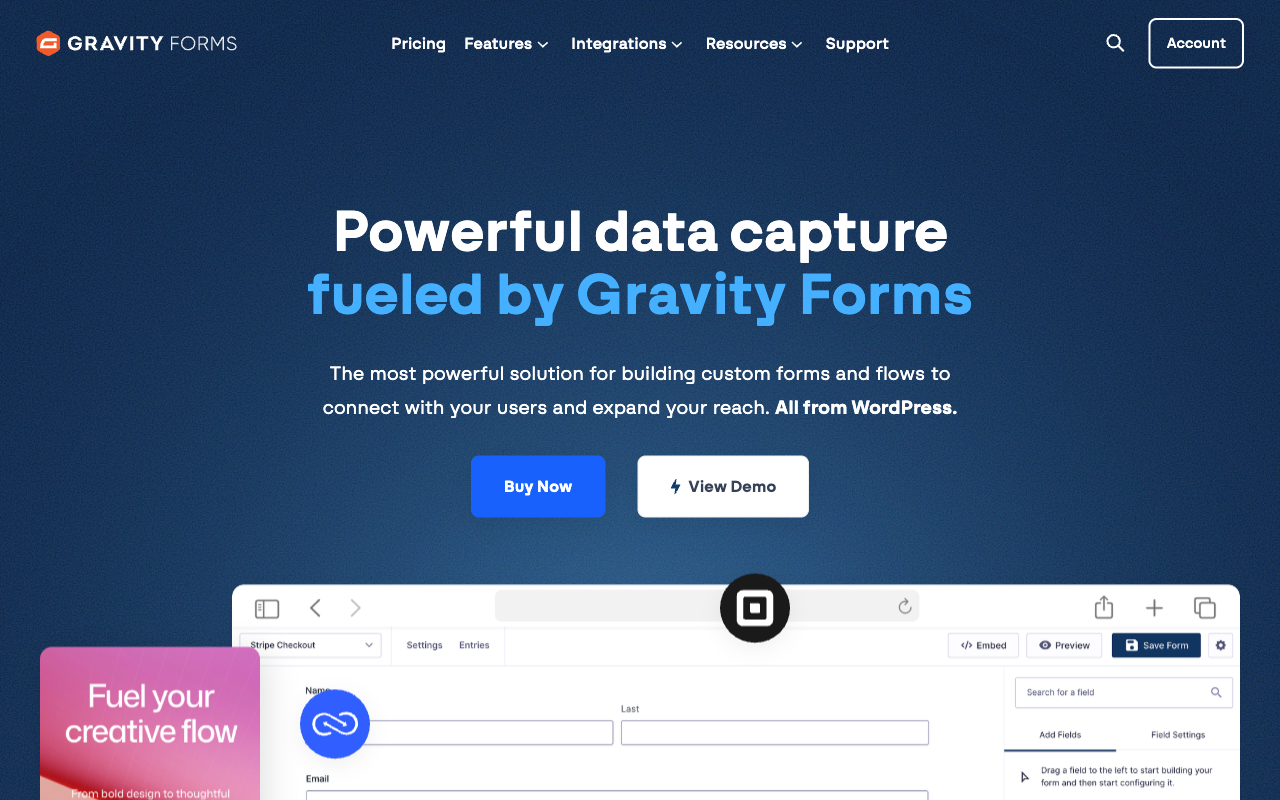
Gravity Forms earns the top spot on a narrow but decisive argument: nothing else here gives a developer this much room to work for this little money. There are 500+ actions and filters, an Add-On Framework for building your own integrations, a REST API at /wp-json/gf/v2/ covering form definitions, entries and entry notes, and since version 3.1 in August 2026 a built-in MCP server on every licence tier so an AI assistant can drive the builder. Entries sit in your own WordPress database, which means your backup policy, your retention rules and no export API standing between you and your data.
What you are buying is a form field and a set of hooks, and that is the honest limit of it. Signature capture, surveys, coupons, partial entries and webhooks all live on the Elite licence at $259/year, and the interesting work past that belongs to Gravity Wiz, GravityKit or code you write. Calculations are merge-tag arithmetic with no Excel-style functions and no nested conditional maths. There is no SOC 2, no HIPAA and no native SSO, so an enterprise security questionnaire lands on your infrastructure rather than the vendor's. FatLab's 2026 review is fair about the rest: a 15-year reliability record, a dated admin UI, and CSS work that is more involved than the marketing suggests.
- Developer strengths: 500+ hooks and filters, Add-On Framework, WordPress REST API endpoints, MCP server on every tier, entries in your own database, unlimited forms, entries and users on all licences, no vendor branding to remove
- Limitations: $159/year Pro before any payment gateway, webhooks and signatures gated to Elite, GDPR only with no SOC 2 or HIPAA, no built-in SSO, you own hosting and patching, no free trial
- Best for: Developers shipping WordPress sites who want extension points rather than features and are happy owning the stack
 #2 Paperform — Best Hosted Platform When the Form Starts a Process

Paperform is the answer to the sentence developers say most often about the tool above: "I would rather not run this myself." The API surface is conventional and complete. A Standard REST API for forms, submissions and partial submissions, a Business API for automating form provisioning, webhooks that fire on every submission with field data, calculation results and payment details attached, API-powered dropdowns that populate choices from your own endpoint, and four embed modes with a JavaScript API for opening a popup, prefilling fields or reacting to a completed submission. Custom HTML and CSS are available per form, so the markup takes your stylesheet rather than resisting it.
The stronger argument is what the subscription contains and what the bill does afterwards. Forms, Papersign eSignatures and Stepper workflow automation are all in the same plan on every tier, so the usual developer chore of wiring a form to a signature vendor to an automation vendor stops being a project. Submissions and seats are unlimited on paid plans within fair use, which means a launch that goes well does not produce an invoice and adding the three people who need access costs nothing. Support is in the seat price rather than a separate enablement engagement. Paperform is ten years old this year, bootstrapped and profitable, which is a relevant fact when you are choosing what to integrate against for the next five.
Two things to weigh honestly. Pro at $49/month billed annually is the higher entry price in this group by a long way, and Paperform is not HIPAA compliant and does not sign BAAs, so a health intake form belongs with Jotform or FormAssembly. Stepper automation runs are also metered in credits, 20,000/month on Pro and 100,000 on Business, which is worth checking against your expected volume.
- Developer strengths: Standard and Business REST APIs, webhooks on every submission, JavaScript embed API across four embed modes, API-powered dropdowns, per-form custom HTML and CSS, Excel-style calculations that drive visibility, emails and integration payloads, 4,000+ integrations, unlimited submissions and seats, SOC 2 Type II with SSO
- Limitations: $49/month billed annually against a $59/year plugin licence, no HIPAA and no BAAs, metered automation credits, custom domains $20/month each on Pro, no mobile editor
- Best for: Developers who want a documented API and hosted reliability without inheriting a server, especially when the form triggers signatures and multi-step work
 #3 Typeform — Best Embed SDK for a React Front End

If the requirement is a form inside an existing React or Next.js application, Typeform has the most framework-native answer on this list. The @typeform/embed package gives you components rather than a script tag, covering full-page, popup, slider, popover and side-tab modes, and the REST API covers forms, responses and webhooks with a signed payload you can verify. The compliance record is also strong for a product this design-led: HIPAA with BAAs, SOC 2, ISO 27001, ISO 27017, ISO 27018 and, since June 2026, ISO/IEC 42001 for AI management systems.
The reason it sits at three rather than one is the meter and the ceiling. Responses and seats are capped on every plan: 100 responses and 1 user on Basic at $28/month annually, 1,000 and 3 on Plus, 10,000 and 5 on Business at $91/month annually, and Growth Flow at $266/month annually raises neither. A form that succeeds costs more, which is a strange property in something you are embedding in production. Styling stops at theme colours and fonts because the conversational layout is the product, so a design system will not be honoured. Payments are Stripe-only with no coupons or dynamic pricing rules. Our Paperform vs Typeform comparison works through the metering in detail.
- Developer strengths: First-party npm embed SDK with React components, clean REST API, signed webhooks, five embed modes, 120+ native integrations, HIPAA and ISO 27001, largest review base of any tool here
- Limitations: Responses and seats metered on every tier including the $266/month one, no CSS override layer, Stripe-only payments, advanced logic and calculations gated to Plus, $193M raised across Series C
- Best for: Front-end developers embedding low-volume, high-value forms where presentation matters more than throughput
 #4 Airtable Forms — Best When You Want a Database, Not a Form
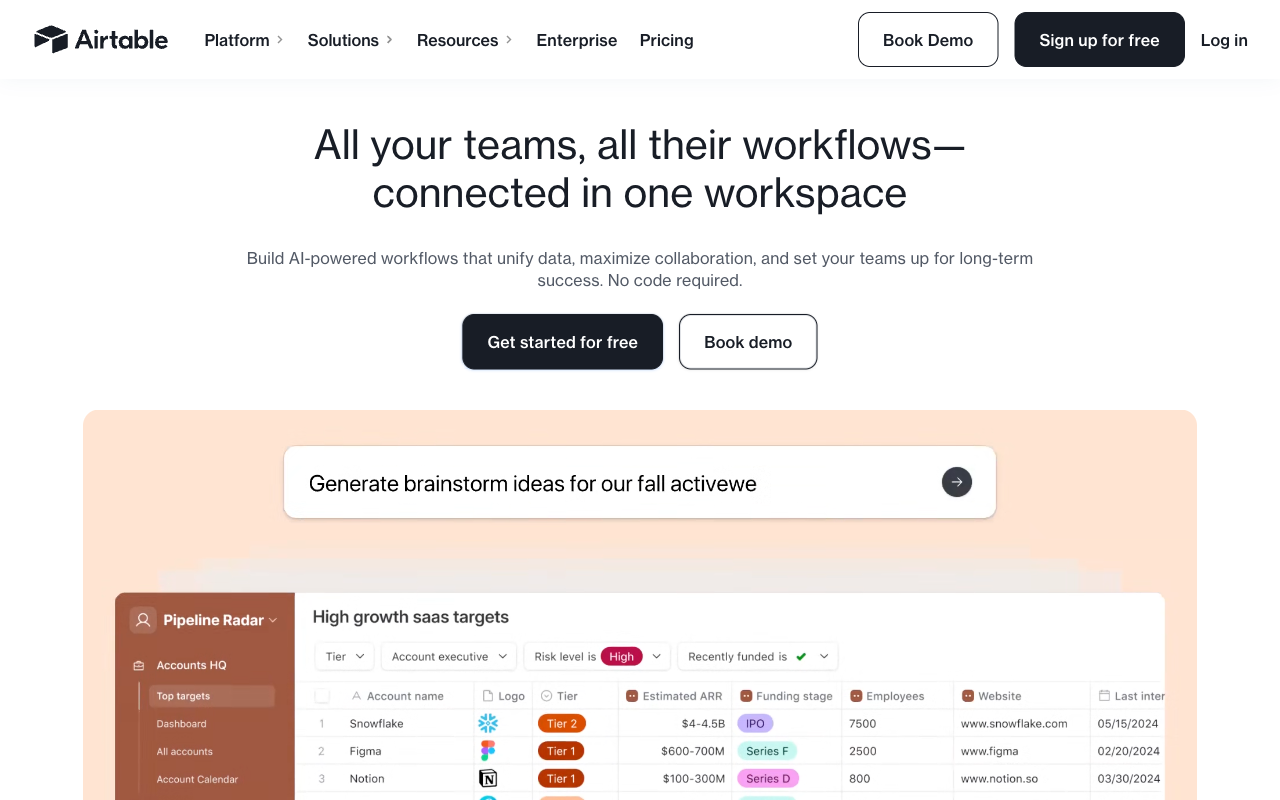
Airtable belongs on a developer list for a reason that has little to do with its form builder. Submissions land as records in a relational base with linked records, formulas, views and automations already attached, and the REST API for reading and writing those records is genuinely good. For an internal tool, an ops intake queue or a prototype that needs a backend by Friday, that combination beats writing a schema and an admin UI. Compliance is solid too: SOC 2 Type 2, ISO/IEC 27001:2022, ISO/IEC 27701:2019, HIPAA on Enterprise, TX-RAMP Level 2 and data residency in the EU and Australia.
The form view itself is the weakest in this comparison and the pricing model punishes teams. Forms are single-page with no multi-step flow, no answer piping, no scoring, no save and resume, and they cannot display a calculated, lookup or rollup value back to the person filling them in. There are no payments of any kind. Customisation is a cover image, a logo and a colour, with custom branding requiring Business at $45 per editor per month, so six editors is $3,240 a year before you have built anything clever. Editors are billed individually, records are capped per base, AI credits are per seat and automation runs are per plan, which makes forecasting the bill a spreadsheet exercise. See our best form builders for Airtable page for the tools that put a real front end on a base.
- Developer strengths: Excellent REST API over a relational record model, submissions become structured data immediately, automations and AI agents on the platform, SOC 2 Type 2 and ISO 27001, HIPAA on Enterprise, 200+ marketplace integrations
- Limitations: Single-page forms with no piping, scoring or save and resume, no calculated values shown to respondents, zero payment support, minimal styling, $20-$45 per editor per month plus record and automation caps, $735M raised
- Best for: Developers who need structured intake into a database they will query anyway, and who will build the real UI themselves
 #5 Jotform — Best When a Requirement Names a Specific Gateway or Certification

Jotform is the tool you specify when a ticket contains a proper noun. A regional payment processor nobody else carries, a BAA for a healthcare client, FERPA for a university, StateRAMP for a public sector bid: Jotform has 40+ gateways on every plan and a compliance list running to HIPAA, SOC 2, ISO 27001, PCI DSS Level 1, FERPA and StateRAMP. The REST API covers CRUD on forms and submissions, there are 150+ native connectors, iframe, lightbox and source-code embeds, and it has been bootstrapped and shipping since 2006.
For a developer the friction is the quota surface rather than the API surface. Submissions, forms, form views, submission storage, fields per form, payment submissions and signed documents each carry their own limit, which means capacity planning across seven axes instead of one, and Bronze at $34/month annually buys 1,000 submissions and 25 forms. Every self-serve tier from Starter to Gold is single-user, so the second developer means an Enterprise conversation. API rate limits are daily and plan-dependent, and CSS injection works but the generated DOM is deep with class names that shift between releases. Our Jotform alternatives breakdown covers the quota structure properly.
- Developer strengths: 40+ payment gateways on every plan, REST API, 150+ native integrations, HIPAA with BAA plus SOC 2, ISO 27001 and PCI DSS Level 1, native mobile apps, every feature available on every tier
- Limitations: Seven separate meters including forms and form views, single-user on every self-serve tier, plan-dependent daily API limits, unstable generated CSS class names, 100-form cap even on the $99/month Gold plan
- Best for: Developers building against a written requirement for a named gateway or certification, who can live inside the quotas
 #6 WPForms — Best for Handing a WordPress Site to a Non-Technical Client
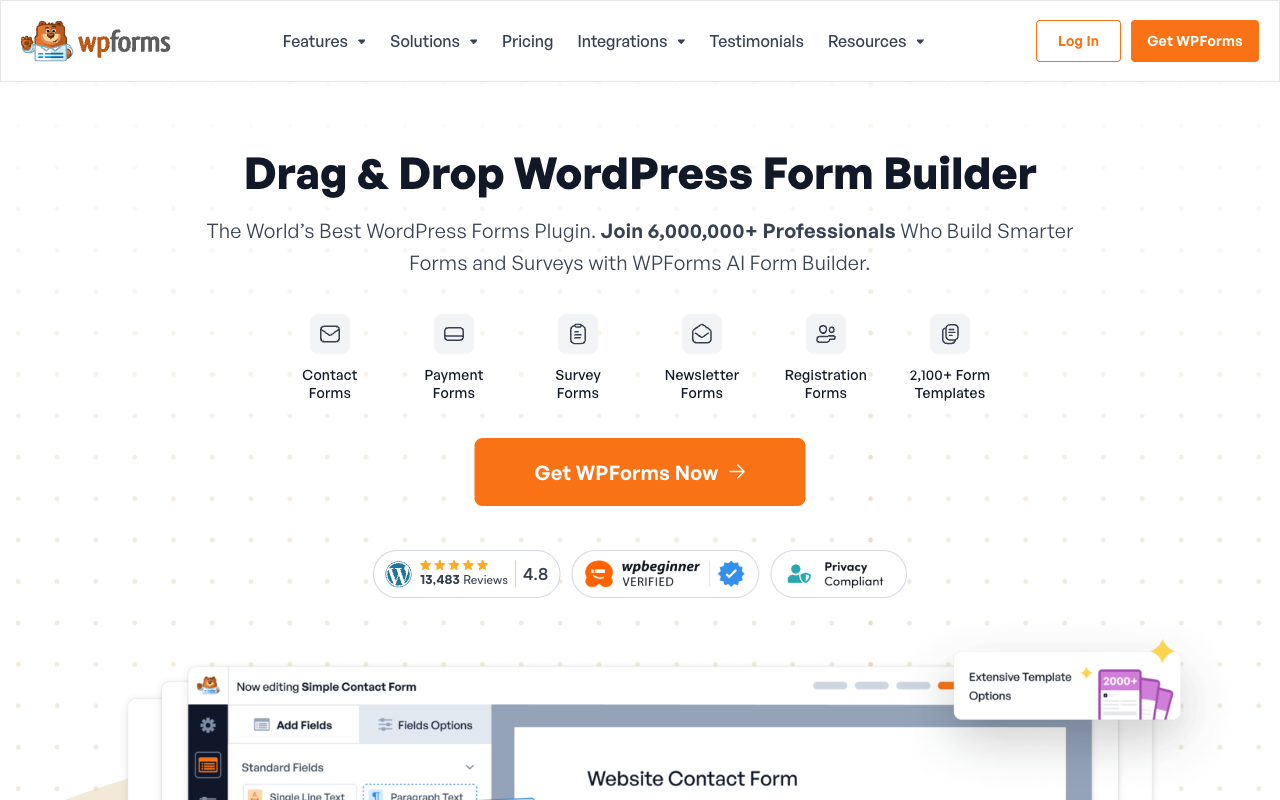
WPForms is the most popular WordPress form plugin by a distance, with 6,000,000+ active installs and a 4.8 average across more than 14,000 WordPress.org ratings, and the reason is legitimate. It is the easiest builder to hand over. If the deliverable is a site a marketing coordinator will maintain after you invoice, the drag-and-drop editor, 2,100+ templates and lightweight front-end code make WPForms the lower-support choice, and the 2026 AI Connector lets Claude, ChatGPT or Cursor build and edit forms through the WordPress Abilities API.
It ranks sixth because of one fact a developer cannot design around: WPForms has no REST API. Webhooks exist only on Elite at $599/year regular, so on any tier below that your integration path is Zapier, which is another subscription and another hop. Calculations, PDF generation, digital signatures, PayPal and coupons all sit on Pro at $399/year regular, and the advertised half-price first year renews at the full rate. FatLab's 2026 review puts the pattern plainly, and the independent roundup at Fluent Forms describes the familiar arc of a $99 plan becoming a $300-plus annual setup. Compliance is GDPR and CCPA with no SOC 2 and no HIPAA. Compare the two plugins directly in our Gravity Forms vs WPForms breakdown.
- Developer strengths: Easiest handover to a non-technical client, 2,100+ templates, fast lightweight front end, AI Connector for Claude, ChatGPT and Cursor, unlimited forms, submissions and users on every licence, Elite covers unlimited sites
- Limitations: No REST API, webhooks Elite-only at $599/year, calculations and payments held back to Pro at $399/year, integrations mostly routed through Zapier, GDPR and CCPA only, renewal prices double the advertised intro rate
- Best for: Agencies shipping WordPress sites where the client edits the forms and no external system needs to read them
 #7 FormAssembly — Best for Salesforce and Regulated Intake
FormAssembly is last on a developer ranking and would be first on a compliance one. Its Salesforce connector handles field mapping and multi-object sync with Agentforce support, which no other tool here matches, and its certifications run to HIPAA with BAAs, PCI DSS Level 1, SOC 2 Type II, ISO 27001, FERPA, 21 CFR Part 11 and FedRAMP High. There is a REST API, custom HTML, CSS and JavaScript from the Team tier up, and the Fai agentic assistant on every tier will build a form from a PDF or an image. For federal, healthcare or higher-education intake that has to survive an audit, this is the specialist.
Everything about the buying experience works against a developer trying to evaluate it. As of September 2026 FormAssembly publishes no price on any of its four tiers, and the $59/month Explorer rate it advertised through mid-2026 is gone, so budgeting starts with a demo booking. Seats are capped at 1, 3 and 5 by tier. Integrations including Salesforce are now sold as add-ons on all four tiers, with only Stripe, Google Sheets and Google Drive included on Explorer, and document generation, unlimited workflows and the analytics suite are add-ons as well. The product you evaluate is not the product you are quoted, which is a difficult thing to design an architecture around.
- Developer strengths: Deepest Salesforce integration available, custom HTML, CSS and JavaScript from Team up, REST API, Fai AI assistant on every tier, FedRAMP High, HIPAA with BAA, PCI DSS Level 1, 21 CFR Part 11
- Limitations: No published pricing on any tier, no free plan, seats capped at 1/3/5, integrations and document generation sold as add-ons, only 20+ native connectors, every evaluation starts with a sales call
- Best for: Developers building Salesforce-connected intake in government, healthcare or higher education where the compliance list is the specification
See Them in Action
Two independent videos worth watching before you commit a project to either WordPress plugin, plus the closest thing to a technical walkthrough of a Salesforce-connected build.
Full Feature Comparison
Every feature across the seven tools, grouped by category. The Integrations & API block is the one to read first if you are choosing what to build against.
| Feature | Paperform | Gravity Forms | WPForms | Jotform | FormAssembly | Typeform | Airtable Forms |
|---|---|---|---|---|---|---|---|
| Form Building | |||||||
| Document-style editor | Yes | No | No | No | No | No | No |
| AI form creation | Yes | Yes Basic | Yes basic | Yes starter | Yes explorer | Yes | No |
| Field types | 26+ | No | Yes basic | 30+ (starter) | Yes explorer | 20+ | Yes |
| File uploads | Yes | No | No | Yes starter | No | Yes basic | No |
| Multi-page forms | Yes | Yes Basic | Yes basic | Yes starter | Yes explorer | Yes basic | No |
| Guided mode (one question at a time) | Yes | Yes Elite | Yes pro | Yes starter | No | Yes | No |
| Conditional logic | Yes | Yes Basic | Yes basic | Yes starter | Yes explorer | Yes basic | Yes |
| Calculations field | Yes pro | Yes Basic | Yes pro | Yes starter | Yes explorer | Yes plus | No |
| AI calculations assistant | Yes pro | No | Yes pro | No | No | No | No |
| Scoring | Yes pro | Yes Elite | Yes pro | Yes starter | No | Yes plus | No |
| Answer piping | Yes | Yes Basic | No | Yes starter | Yes explorer | Yes basic | No |
| Pre-filling and hidden fields | Yes pro | Yes Basic | Yes basic | Yes starter | Yes explorer | Yes basic | Yes |
| Save and resume | Yes | Yes Basic | Yes pro | Yes starter | Yes explorer | No | No |
| Auto-close by number | Yes pro | No | Yes basic | Yes starter | Yes explorer | Yes basic | No |
| Auto-close by date | Yes pro | No | Yes basic | Yes starter | Yes explorer | Yes basic | No |
| Appointment/booking field | Yes | No | No | Yes starter | No | Yes basic | No |
| Signature field | Yes | Yes Elite | Yes pro | Yes starter | Yes explorer | Yes basic | No |
| Color picker field | Yes | No | No | No | No | No | No |
| API-powered dropdowns | Yes business | No | No | No | Yes team | No | No |
| Google address search | Yes business | No | Yes pro | No | No | No | No |
| Drag-and-drop builder | No | Yes Basic | No | Yes starter | No | No | No |
| 30+ field types | No | Yes Basic | No | No | No | No | No |
| AI Smart Edit | No | No | Yes | No | No | No | No |
| AI Choices | No | No | Yes | No | No | No | No |
| AI connector (MCP-style) | No | No | Yes basic | No | No | No | No |
| Ranking field | No | No | Yes pro | No | No | No | No |
| QR code generator | No | No | Yes | No | No | No | No |
| Form widgets | No | No | No | Yes starter | No | No | No |
| Template gallery | No | No | No | 20,000+ (starter) | No | No | No |
| AI workflow generation | No | No | No | No | Yes explorer | No | No |
| AI compliance guidance | No | No | No | No | Yes explorer | No | No |
| Question display logic | No | No | No | No | No | Yes basic | No |
| AI follow-up questions | No | No | No | No | No | Yes business | No |
| AI extended thinking & memory | No | No | No | No | No | Yes growth | No |
| Typeform AI connectors | No | No | No | No | No | Yes growth | No |
| Workflow / automation builder | No | No | No | No | No | Yes growth | No |
| AI-moderated research (Research Flow) | No | No | No | No | No | Yes enterprise | No |
| Video questions | No | No | No | No | No | Yes basic | No |
| Payments | |||||||
| Stripe payments | Yes | Yes Pro | Yes pro | Yes starter | Yes explorer | Yes basic | No |
| PayPal payments | Yes | Yes Pro | Yes pro | Yes starter | Yes explorer | No | No |
| Square payments | Yes | Yes Pro | Yes pro | Yes starter | No | No | No |
| Braintree payments | Yes | No | No | Yes starter | No | No | No |
| Google Pay | Yes | Yes Pro | No | Yes starter | No | No | No |
| Product sales (eCommerce) | Yes pro | Yes Basic | No | Yes starter | Yes explorer | No | No |
| Subscriptions | Yes pro | Yes Pro | Yes pro | Yes starter | No | Yes basic | No |
| Coupons and discounts | Yes pro | Yes Elite | Yes pro | Yes starter | No | No | No |
| Custom pricing rules | Yes pro | No | Yes pro | Yes starter | Yes explorer | No | No |
| Tax calculations | Yes | No | No | Yes starter | No | No | No |
| Quotes/invoices | Yes | No | No | No | No | No | No |
| Refunds | Yes | Yes Pro | Yes pro | No | No | No | No |
| 3D Secure | Yes | Yes Pro | No | No | No | Yes basic | No |
| Mercado Pago payments | No | No | Yes pro | No | No | No | No |
| 40+ payment gateways | No | No | No | Yes starter | No | No | No |
| No transaction fees | No | No | No | Yes starter | No | No | No |
| Design & Customization | |||||||
| Template gallery | 30,000+ | Yes Basic | Yes pro | 20,000+ (starter) | Yes explorer | 1,500+ | No |
| Rich media (images, GIFs, videos) | Yes | Yes Basic | Yes basic | Yes starter | Yes explorer | Yes | Yes |
| Unsplash and Giphy integration | Yes | No | No | No | No | Yes | No |
| Image editor | Yes | No | No | No | No | No | No |
| Adobe Creative Cloud | Yes | No | No | No | No | No | No |
| Language translation | Yes | Yes Basic | Yes basic | Yes starter | No | Yes basic | No |
| Advanced theming | Yes pro | Yes Basic | Yes basic | Yes starter | Yes team | Yes plus | Yes business |
| Custom form URL | Yes pro | No | Yes pro | No | Yes explorer | Yes plus | No |
| Custom domains | Yes pro | No | Yes basic | Yes enterprise | No | Yes enterprise | No |
| Custom HTML & CSS | Yes pro | Yes Basic | Yes basic | Yes starter | Yes team | Yes business | No |
| Remove branding | Yes pro | Yes Basic | Yes basic | Yes bronze | Yes team | Yes plus | Yes business |
| Custom email domains | Yes business | Yes Elite | No | No | No | No | No |
| Form themes | No | No | No | Yes starter | No | No | No |
| Adobe CC | No | No | No | No | No | No | No |
| Redirect after submit | No | No | No | No | No | No | Yes team |
| Analytics | |||||||
| Submission results and reports | Yes | Yes Basic | Yes basic | Yes starter | Yes explorer | Yes | Yes |
| AI report insights | Yes pro | No | Yes pro | No | No | Yes business | No |
| Paperform analytics | Yes pro | No | Yes pro | No | No | No | No |
| Drop-off analysis | Yes pro | No | No | No | No | Yes business | No |
| Google Analytics & Facebook Pixel | Yes pro | Yes Elite | No | No | No | Yes basic | No |
| Custom analytics scripts | Yes pro | Yes Basic | No | No | No | Yes basic | No |
| Partial submissions | Yes pro | Yes Elite | Yes pro | No | No | Yes plus | No |
| Form analytics | No | No | No | Yes starter | No | No | No |
| Google Analytics integration | No | No | No | Yes starter | No | No | No |
| Workflow analytics | No | No | No | No | Yes explorer | No | No |
| Cross-form Insights dashboard | No | No | No | No | No | Yes business | No |
| Field data validation | No | No | No | No | No | No | Yes team |
| Collaboration | |||||||
| Multi-user accounts | Yes pro | Yes Basic | Yes basic | Yes bronze | Yes team | Yes plus | Yes |
| User permissions and management | Yes pro | Yes Basic | Yes pro | Yes enterprise | Yes team | Yes plus | Yes team |
| Advanced permissions & admin | Yes enterprise | No | Yes elite | Yes enterprise | Yes enterprise | Yes enterprise | Yes enterprise |
| Form sharing (templates) | Yes | Yes Basic | Yes basic | No | Yes explorer | Yes | Yes |
| Spaces and tag management | Yes | No | No | No | No | No | No |
| Form sharing | No | No | No | Yes starter | No | No | No |
| Assign forms | No | No | No | Yes enterprise | No | No | No |
| Workflow collaboration roles | No | No | No | No | Yes team | No | No |
| Workflow revisions (version history) | No | No | No | No | Yes team | No | No |
| Workflow Response ID on audit trail | No | No | No | No | Yes team | No | No |
| All Workflows admin management | No | No | No | No | Yes enterprise | No | No |
| Per-workflow error notifications | No | No | No | No | Yes team | No | No |
| Workspace organization | No | No | No | No | No | Yes | Yes |
| Security | |||||||
| SOC 2 Type II | Yes | No | No | Yes enterprise | Yes explorer | Yes | Yes |
| GDPR compliant | Yes | Yes Basic | Yes basic | Yes starter | Yes explorer | Yes | Yes |
| SSL encryption | Yes | Yes Basic | Yes basic | Yes starter | Yes explorer | Yes | Yes |
| Two-factor authentication | Yes | No | No | Yes starter | Yes explorer | Yes | Yes |
| Enforce 2FA for all users | Yes business | No | No | No | Yes enterprise | No | No |
| SSO (SAML) | Yes business | No | No | Yes enterprise | Yes enterprise | Yes enterprise | Yes business |
| reCAPTCHA | Yes | Yes Basic | Yes basic | Yes starter | Yes explorer | Yes business | No |
| Local data residency | Yes enterprise | Yes Basic | Yes | No | Yes enterprise | No | No |
| Custom S3 storage (BYO) | Yes business | No | No | No | No | No | No |
| Custom S3 storage | No | No | No | No | No | No | No |
| HIPAA compliant | No | No | No | Yes gold | No | Yes enterprise | No |
| 256-bit SSL | No | No | No | Yes starter | No | No | No |
| Data residency | No | No | No | Yes enterprise | No | No | Yes enterprise |
| Form encryption | No | No | No | Yes starter | No | No | No |
| PCI DSS | No | No | No | Yes starter | No | Yes | No |
| ISO 27001 | No | No | No | No | Yes explorer | Yes | No |
| Accessibility (Section 508, WCAG 2.1) | No | No | No | No | Yes explorer | No | No |
| Field-level masking of sensitive data | No | No | No | No | Yes explorer | No | No |
| Script integrity verification | No | No | No | No | Yes explorer | No | No |
| Enforce 2FA | No | No | No | No | No | No | Yes enterprise |
| Custom S3 | No | No | No | No | No | No | No |
| Integrations & API | |||||||
| Native integrations | 4,000+ | No | No | 150+ (starter) | No | 120+ (basic) | No |
| Zapier | Yes | Yes Pro | Yes pro | Yes starter | No | Yes basic | Yes |
| Make (Integromat) | Yes | No | Yes pro | Yes starter | No | Yes basic | Yes |
| Webhooks | Yes pro | Yes Elite | Yes elite | Yes starter | Yes explorer | Yes basic | Yes team |
| Standard API | Yes pro | Yes Basic | No | No | Yes explorer | No | No |
| Business API | Yes business | No | No | No | No | No | No |
| WordPress plugin | Yes | Yes Basic | Yes | Yes starter | Yes explorer | Yes | No |
| oEmbed support | Yes | No | No | No | Yes explorer | No | No |
| 50+ official add-ons | No | Yes Basic | No | No | No | No | No |
| MCP server (AI assistant access) | No | Yes Basic | No | No | No | No | No |
| Stepper workflow automation | No | No | No | No | No | No | No |
| 2000+ integrations | No | No | Yes pro | No | No | No | No |
| API | No | No | No | Yes starter | No | Yes basic | Yes |
| Smartsheet integration | No | No | No | Yes starter | No | No | No |
| Canvas LMS integration | No | No | No | Yes enterprise | No | No | No |
| Salesforce AppExchange | No | No | No | Yes starter | No | No | No |
| Embed options | No | No | No | Yes starter | No | Yes | Yes |
| Mobile apps | No | No | No | Yes starter | No | No | No |
| 4000+ integrations | No | No | No | No | No | No | No |
| Claude / MCP server | No | No | No | No | No | Yes basic | No |
| AI data enrichment | No | No | No | No | No | Yes growth | No |
| Automations integrations (Contacts & Automations) | No | No | No | No | No | Yes growth | No |
Pricing Comparison
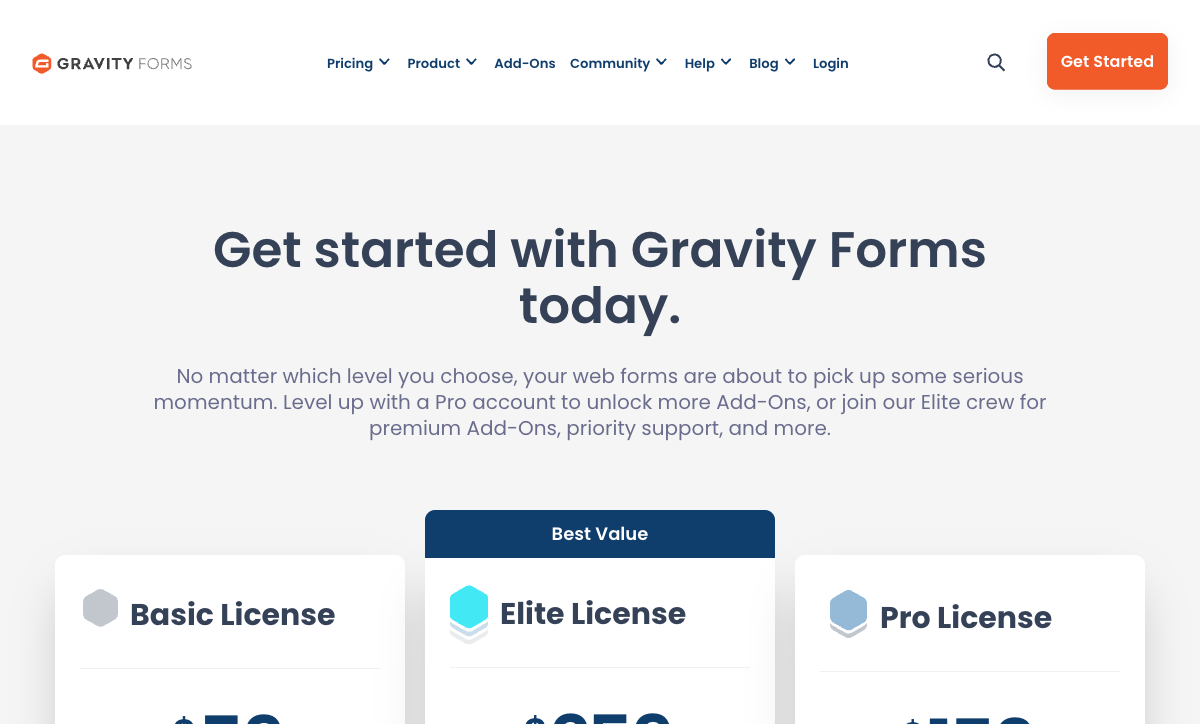
Two pricing models are competing here and they are hard to compare fairly. An annual WordPress licence buys code you run; a monthly subscription buys infrastructure somebody else runs. The licence always looks cheaper because hosting, patching and your own time never appear on it.

Paperform
Gravity Forms
| Product | Plan | Monthly Price | Annual Price (per month) | Free Plan | Free Trial | Limits |
|---|---|---|---|---|---|---|
| Paperform | Free | Free | Free | Yes | 7 days | forms: Unlimited, submissions: 30/month, storage: Unlimited, users: Unlimited, file uploads: 100 MB |
| Paperform | Pro | $59/mo | $49/mo billed annually | forms: Unlimited, submissions: Unlimited, storage: Unlimited, users: Unlimited, file uploads: 10 GB | ||
| Paperform | Business | $149/mo | $124/mo billed annually | forms: Unlimited, submissions: Unlimited, storage: Unlimited, users: Unlimited, file uploads: 100 GB | ||
| Gravity Forms | Basic | Not listed | $59/mo billed annually | No | No | forms: Unlimited, submissions: Unlimited, storage: WordPress database (self-hosted), users: Unlimited (WordPress users) |
| Gravity Forms | Pro | Not listed | $159/mo billed annually | forms: Unlimited, submissions: Unlimited, storage: WordPress database (self-hosted), users: Unlimited (WordPress users) | ||
| Gravity Forms | Elite | Not listed | $259/mo billed annually | forms: Unlimited, submissions: Unlimited, storage: WordPress database (self-hosted), users: Unlimited (WordPress users) | ||
| Gravity Forms | Nonprofit | Not listed | $129/mo billed annually | forms: Unlimited, submissions: Unlimited, storage: WordPress database (self-hosted), users: Unlimited (WordPress users) | ||
| WPForms | Lite (Free) | Free | Free | Yes | 14 days | forms: Unlimited, submissions: Unlimited, users: Unlimited |
| WPForms | Basic | Not listed | $8.25/mo billed annually | forms: Unlimited, submissions: Unlimited, users: Unlimited | ||
| WPForms | Plus | Not listed | $16.58/mo billed annually | forms: Unlimited, submissions: Unlimited, users: Unlimited | ||
| WPForms | Pro | Not listed | $33.25/mo billed annually | forms: Unlimited, submissions: Unlimited, users: Unlimited | ||
| WPForms | Elite | Not listed | $49.92/mo billed annually | forms: Unlimited, submissions: Unlimited, users: Unlimited | ||
| Jotform | Starter | Free | Free | Yes | No | forms: 5, submissions: 100/month, storage: 100 MB, users: 1 |
| Jotform | Bronze | $39/mo | $34/mo billed annually | forms: 25, submissions: 1,000/month, storage: 1 GB, users: 1 | ||
| Jotform | Silver | $49/mo | $39/mo billed annually | forms: 50, submissions: 2,500/month, storage: 10 GB, users: 1 | ||
| Jotform | Gold | $129/mo | $99/mo billed annually | forms: 100, submissions: 10,000/month, storage: 100 GB, users: 1 | ||
| FormAssembly | FormAssembly Atlas Explorer | Not published | Not listed | No | 14 days | forms: Unlimited, submissions: Unlimited, storage: Unlimited, users: 1 standard / 0 limited |
| FormAssembly | FormAssembly Atlas Team | Custom | Not listed | forms: Unlimited, submissions: Unlimited, storage: Unlimited, users: 3 standard / 5 limited | ||
| FormAssembly | FormAssembly Atlas Enterprise | Custom | Not listed | forms: Unlimited, submissions: Unlimited, storage: Unlimited, users: 5 standard / 10 limited | ||
| FormAssembly | FormAssembly Gov Cloud | Custom | Not listed | forms: Unlimited, submissions: Unlimited, storage: Unlimited, users: 5 standard / 10 limited | ||
| Typeform | Free | Free | Free | Yes | No | forms: 10, submissions: 10/month, users: 1 |
| Typeform | Basic | $39/mo | $28/mo billed annually | forms: Unlimited, submissions: 100/month, users: 1 | ||
| Typeform | Plus | $79/mo | $56/mo billed annually | forms: Unlimited, submissions: 1,000/month, users: 3 | ||
| Typeform | Business | $129/mo | $91/mo billed annually | forms: Unlimited, submissions: 10,000/month, users: 5 | ||
| Typeform | Growth Flow | $379/mo | $266/mo billed annually | forms: Unlimited, submissions: 10,000/month, users: 5 | ||
| Typeform | Talent | $169/mo | $119/mo billed annually | forms: Unlimited, users: HR teams | ||
| Airtable Forms | Free | Free | Free | Yes | 14 days | None listed |
| Airtable Forms | Team | $24/mo | $20/mo billed annually | None listed | ||
| Airtable Forms | Business | $54/mo | $45/mo billed annually | None listed | ||
| Airtable Forms | Enterprise Scale | Custom | Custom | None listed |
Review Ratings Across Platforms
Review volume tracks company age and market size more than product quality here, so read the spread rather than the averages. Typeform and Jotform carry review counts an order of magnitude larger than Paperform's, while WPForms' 14,000+ WordPress.org ratings come from a population that never evaluated the alternatives.
How We Evaluated These Tools
We scored each tool on five things a developer discovers in week one of a build: the API surface and its documentation, the extension model, the embed options, how much of the rendered markup you can control, and what the bill does as usage and headcount grow. Marketing claims were ignored. Pricing, limits and compliance were read from each vendor's live pricing and security pages during a full re-audit on 22 September 2026, with subscription pricing verified in a browser rather than from cached pages.
Weighting favoured what a developer cannot work around. A missing REST API drops a tool several places, because no amount of plugin ecosystem replaces it. Metered responses count against a tool more heavily here than on a general roundup, since an embedded production form should not become a billing event. Where a tool is genuinely the best answer for a use case, it ranks there regardless of who publishes this page: Gravity Forms is first, and Paperform's entry price is the highest in the group.
Verdict: Which Should a Developer Choose?
Start with where the code lives. If the project is a WordPress site, Gravity Forms is the default and $259/year for unlimited sites is not a serious line item. You get hooks, a REST API, an MCP server and your own database, and you accept that hosting, patching and any compliance attestation are yours.
If the form is the first step of a process rather than the end of one, the maintenance stops being free. Once a submission has to produce a signed contract, route through an approval and update three systems, the plugin becomes a plugin plus an eSignature vendor plus an automation subscription, and you are the integration holding them together. Paperform is the recommendation there: one subscription covering forms, Papersign and Stepper, a documented REST API and webhooks, unlimited submissions and seats so a successful launch is not a billing event, SOC 2 Type II with SSO, and ten years of bootstrapped, profitable trading behind the API you are about to depend on. It costs more at the door and replaces more than one line on the invoice.
For the narrower cases, pick the specialist. Typeform for a React front end that needs a real embed package, if your volumes are low. Airtable when you want a database with an intake form attached rather than the reverse. Jotform when a requirement names a gateway or a certification. WPForms when the client, not you, will be editing the forms next year. FormAssembly when the spec is a compliance list and Salesforce is the destination.
If you want to try the hosted option against your own stack, Paperform's 7-day trial needs no card, and the full best form builders ranking covers the tools that did not make this developer-weighted list.
Frequently Asked Questions
Which of these form builders actually has a REST API I can build against?
Paperform, Jotform, FormAssembly, Typeform and Airtable all ship documented REST APIs. Gravity Forms exposes one inside WordPress at /wp-json/gf/v2/, which is a real API but authenticated and routed by your own install rather than by a vendor. WPForms has no REST API at all, which is the single biggest reason to skip it on a headless project.
Paperform splits the surface in two: a Standard API for forms, submissions and partial submissions on every paid plan, and a Business API for automating form provisioning on Business at $124/month billed annually. Airtable's API is the strongest of the group if you treat the form as intake and the base as the datastore, since you are writing against a real record model rather than a flat submission blob.
Is Gravity Forms still the right default for a WordPress build?
Yes, for a form that lives on a WordPress site. Gravity Forms costs $59/year for one site, $159/year for three and $259/year for unlimited, with unlimited forms, entries and WordPress users on every tier, and it gives you 500+ actions and filters plus the Add-On Framework to hook into. Entries land in your own database, so there is no export step and no vendor between you and the data.
The caveats are the ones every WordPress developer already knows. Compliance is GDPR and nothing else: no SOC 2, no HIPAA, no built-in SSO. You own the uptime, the PHP version, the patching and the 2am page. And the price sheet is only part of the cost, because signature capture, surveys, coupons and webhooks all sit on the Elite tier, and anything past that means Gravity Wiz, GravityKit or your own code.
Can I keep my own front end and just use the form builder as a backend?
Yes, with three of these. Typeform is the most framework-native: the @typeform/embed package ships React components plus popup, slider and side-tab widgets, and the REST API covers forms, responses and webhooks. Paperform supports the same embed shapes with a JavaScript API for opening and closing embedded forms, prefilling fields and reacting to submission events, plus webhooks on every submission carrying field data, calculation results and payment details.
Airtable works differently and sometimes better: build your own UI, POST records through the API, and use the form view only where you want a hosted fallback. What you cannot do headlessly is WPForms, whose rendering is bound to WordPress templates, and Gravity Forms only partially, since a decoupled front end has to talk to /wp-json/gf/v2/ and reimplement validation and conditional logic client-side.
How much CSS control do I actually get?
Full control in four of the seven. Gravity Forms renders plain WordPress markup with stable wrapper classes, so it styles like any other template partial. Paperform ships a per-form custom CSS and HTML editor alongside its theming controls. FormAssembly allows custom HTML, CSS and JavaScript from the Team tier up, which is quote-priced. Jotform accepts CSS injection, though the generated DOM is deep and class names are not guaranteed stable across releases.
Typeform gives you theme-level colour and type but no override layer, because the one-question-at-a-time layout is the product. Airtable gives you a cover image, a logo and a colour, and reviewers have flagged that ceiling for years. If the form has to look like the rest of the site rather than like a form, Airtable is the wrong tool.
What is the cheapest way to build forms for multiple client sites?
On licence cost, Gravity Forms Elite at $259/year for unlimited sites is unbeatable, and WPForms Elite at $599/year regular is the same idea at more than twice the price. Both assume every client runs WordPress and that you are content to own seven or seventy installs worth of updates.
The comparison changes once the maintenance is priced in honestly. Paperform Pro is $59/month, or $49/month billed annually, with unlimited submissions and unlimited seats, so a designer, a developer and a client reviewer cost the same as one person, and there is no stack underneath to patch. Agencies running many client brands should look at Business, which adds 10 workspaces for managing client accounts under one bill. Our best form builders for agencies page works through that model.
Do any of these support MCP or AI coding assistants directly?
Two do, and both arrived in 2026. Gravity Forms 3.1 shipped a built-in MCP server on 2026-08-26, included on every licence tier, so Claude, Cursor or another assistant can build forms and manage entries programmatically against your install. WPForms added an AI Connector that exposes form building and editing to Claude, ChatGPT and Cursor through the WordPress Abilities API.
The SaaS products take the AI budget in a different direction: form generation from a prompt, calculation assistance and response summarisation rather than agent access to the builder. Paperform's AI writes Excel-style calculation formulas and turns raw responses into readable reports; Typeform runs Creator AI, Interaction AI and Insights AI; FormAssembly's Fai builds forms from PDFs and images on every tier.
Which one should I pick if the form has to take payments in code?
Count the processors before you count the features. Jotform supports 40+ gateways on every plan including the free one, which is the answer if you need a regional processor nobody else carries. Paperform supports 5 (Stripe, PayPal, Square, Braintree and Google Pay) with products, subscriptions, coupons, tax rules and refunds behind them, and charges no transaction fee of its own.
Gravity Forms needs the $159/year Pro licence before Stripe, PayPal, Square and Mollie appear at all, and coupons are Elite. WPForms puts PayPal, recurring subscriptions, coupons and calculations on Pro at $399/year regular. Typeform is Stripe-only with no coupons and no dynamic pricing rules. Airtable forms cannot take money in any form, so payments mean a second product and a sync job you maintain.
Which of these vendors is the safest long-term bet?
Tenure and funding structure are worth a look before you build an integration you will maintain for five years. Gravity Forms has shipped since 2008 under Rocketgenius and is bootstrapped. Jotform dates to 2006, is bootstrapped and profitable at 500-1000 staff. Paperform was founded in 2016, is ten years old this year, bootstrapped and profitable, with support built into the seat price rather than sold as an enablement fee at signing.
The venture-funded end of the table carries more roadmap risk: Typeform has raised $193M through Series C, and Airtable $735M at a Series F valuation of $11B, which is a lot of expectation to service and usually means the price model keeps moving. WPForms sits inside Awesome Motive, which is a portfolio rather than a single product, and FormAssembly is privately held with no published price on any tier.
Sources & References
- Gravity Forms Review: Is It Still Worth the Price in 2026? — FatLab Web Support, 2026
- Gravity Forms Review 2026: Is It Worth Your Money? — IsItWP, 2026
- WPForms Review: Easy to Start, Expensive to Grow Into — FatLab Web Support, 2026
- Exploring Airtable Forms and Alternatives: Pros & Cons — Feathery, 2026
Last updated September 22, 2026
Ready to try Paperform?
Create beautiful forms, payment pages, and workflows — no code required.