Fillout vs Formstack: Which Is Better in 2026?
Fillout is the cheaper and more modern builder, starting at $15/month billed annually with a 1,000-submission free plan, while Formstack starts at $83/month annually and is the only one of the two that will support HIPAA, sold as an unpublished paid add-on. Choose Fillout for cost and speed, Formstack for regulated data and Salesforce.
These two products are chasing the same buyer from opposite ends. Fillout arrived in 2022 with a clean editor, a free tier that most competitors would call a paid plan, and a habit of counting everything you do with it. Formstack has been selling to mid-market and enterprise since 2006, is now private-equity owned under the Intellistack brand, and prices accordingly: a single builder seat, twenty-five forms and a thousand submissions per form for $83/month. The real question is which meter you would rather live under, because both of them run one.
Quick Verdict
Choose Fillout if:
- Budget is the constraint: $15/month annually against $83/month
- You want unlimited builder seats rather than paying per user
- Your data lives in Airtable or Notion and needs records updated, not just created
- You need scheduling, PDF generation and signatures in one product
- Your submission volume is predictable and under 5,000 a month
Choose Formstack if:
- You handle protected health information and need a BAA
- Your forms live inside Salesforce and must stay there
- Procurement wants PCI DSS AOCs, TX-RAMP and a VPAT on file
- You run many low-volume forms rather than a few busy ones
- You need PayPal alongside Stripe on the same form
Feature Comparison
Both cover the core form-building checklist: conditional logic, calculation fields, multi-page forms, save and resume, webhooks and a REST API. The separation shows up in compliance paperwork, payment options and what each one charges you for as you grow.
| Feature | Fillout | Formstack |
|---|---|---|
| Form Building | ||
| Document-style editor | No | No |
| AI form creation | Yes | Yes forms |
| AI agent in the form editor (Form Agent) | Yes | No |
| Field types | 50+ | 15 |
| Multi-page forms | Yes | Yes forms |
| Guided mode (one question at a time) | No | Yes forms |
| Conditional logic | Yes | Yes forms |
| Calculations field | Yes | Yes forms |
| AI calculations assistant | No | No |
| Scoring | Yes | No |
| Answer piping | Yes | Yes forms |
| Pre-filling and hidden fields | Yes | Yes forms |
| Save and resume | Yes | Yes forms |
| Auto-close by number | Yes | No |
| Auto-close by date | Yes | No |
| Appointment/booking field | Yes starter | No |
| Signature field | Yes starter | Yes suite |
| Color picker field | No | No |
| API-powered dropdowns | No | Yes forms |
| Google address search | Yes conversion-kit | No |
| File uploads | Yes | No |
| Drag-and-drop builder | No | Yes forms |
| Payments | ||
| Stripe payments | Yes | Yes forms |
| PayPal payments | No | Yes forms |
| Square payments | No | No |
| Braintree payments | No | No |
| Google Pay | No | No |
| Product sales (eCommerce) | Yes | No |
| Subscriptions | Yes | No |
| Coupons and discounts | Yes | Yes forms |
| Custom pricing rules | Yes | Yes forms |
| Tax calculations | No | No |
| Quotes/invoices | No | No |
| Refunds | No | No |
| 3D Secure | No | No |
| Design & Customization | ||
| Template gallery | Yes | Yes forms |
| Rich media (images, GIFs, videos) | Yes | Yes forms |
| Unsplash and Giphy integration | No | No |
| Image editor | No | No |
| Adobe Creative Cloud | No | No |
| Language translation | No | No |
| Advanced theming | Yes starter | Yes forms |
| Custom form URL | Yes pro | Yes forms |
| Custom domains | Yes business | Yes forms |
| Custom HTML & CSS | Yes pro | Yes forms |
| Remove branding | Yes pro | Yes forms |
| Custom email domains | Yes pro | No |
| Analytics | ||
| Submission results and reports | Yes | Yes forms |
| AI report insights | No | No |
| Paperform analytics | Yes business | Yes forms |
| Google Analytics & Facebook Pixel | Yes | Yes forms |
| Custom analytics scripts | Yes business | No |
| Partial submissions | Yes business | Yes forms |
| Collaboration | ||
| Multi-user accounts | Yes | Yes forms |
| User permissions and management | Yes | Yes forms |
| Advanced permissions & admin | Yes team | Yes enterprise |
| Form sharing (templates) | Yes | Yes forms |
| Spaces and tag management | Yes | Yes forms |
| Security | ||
| SOC 2 Type II | Yes | No |
| HIPAA compliance / BAA | No | No |
| ISO 27001 | No | No |
| Audit logs | Yes enterprise | No |
| GDPR compliant | Yes | Yes forms |
| SSL encryption | Yes | Yes forms |
| Two-factor authentication | Yes | Yes forms |
| Enforce 2FA for all users | Yes team | Yes enterprise |
| SSO (SAML) | Yes enterprise | Yes enterprise |
| reCAPTCHA | Yes starter | Yes forms |
| Local data residency | Yes enterprise | No |
| Custom S3 storage (BYO) | Yes | No |
| Integrations & API | ||
| Native integrations | 50+ | No |
| Zapier | Yes | Yes forms |
| Make (Integromat) | Yes | No |
| Webhooks | Yes | Yes forms |
| Standard API | Yes | Yes forms |
| Business API | No | Yes enterprise |
| WordPress plugin | Yes | Yes forms |
| oEmbed support | Yes | No |
| 4000+ integrations | No | No |
Where Fillout Wins

The Price Gap Is Not Close
Fillout's entry plan is $15/month billed annually; Formstack's is $83/month billed annually. Even Fillout's Business tier at $75/month annually, which removes the submission cap entirely, comes in under Formstack's cheapest plan. Fillout also runs a free plan with 1,000 submissions a month, unlimited forms, conditional logic, calculations and Stripe payments, where Formstack offers a 14-day trial and nothing permanent. For a small team that needs professional forms and no compliance paperwork, the money argument is over before the feature comparison starts.
Seats Are Not a Billing Lever
Fillout includes unlimited team members on every plan including Free. Formstack's $83/month Forms plan includes exactly one builder user, and Suite at $250/month includes three. A five-person marketing team that wants everyone able to edit a form is looking at Formstack's Enterprise tier and a sales conversation, or at Fillout for $15.
A Modern Editor and an AI Agent Inside It
Fillout ships Form Agent, a chat agent built into the editor that adds and edits fields, sets up page logic, writes calculations, inserts dynamic values and changes the theme. Formstack has AI-assisted form creation but no equivalent in-editor agent, and its builder is the part reviewers criticise most consistently. Website Planet's review notes the platform's automation strength alongside a generally less modern look and feel, and reviewers have described the interface as clunky and dated for years. Fillout's agent runs on a shared monthly credit allowance rather than being unlimited, so it is metered like everything else there.
Deeper Database Connectors
Fillout's Airtable integration can update existing records, not merely append new ones, and it connects natively to Notion and Google Sheets. Formstack reaches Airtable only through Zapier and has no Make connector at all. If your operational source of truth is a database rather than a CRM, Fillout removes a hop that Formstack cannot.
Where Formstack Wins
HIPAA, and the Rest of the Compliance Binder
Formstack is HIPAA capable; Fillout is not, at any tier. That single fact decides the comparison for any clinic, insurer or university health service. Read the fine print though: HIPAA is marked as an add-on on both the Forms and Suite plans and is included by default only on the Salesforce and Enterprise solutions, and the price is not published. Beyond HIPAA, Formstack carries PCI DSS attestations for Forms and Forms for Salesforce, TX-RAMP Level 2, the EU-US, UK-US and Swiss-US Data Privacy Frameworks, and a Section 508 / WCAG 2.2 VPAT dated June 2026. Fillout holds SOC 2 Type II and GDPR, which is respectable for a company founded in 2022 but is not the same binder.
Salesforce as a First-Class Target
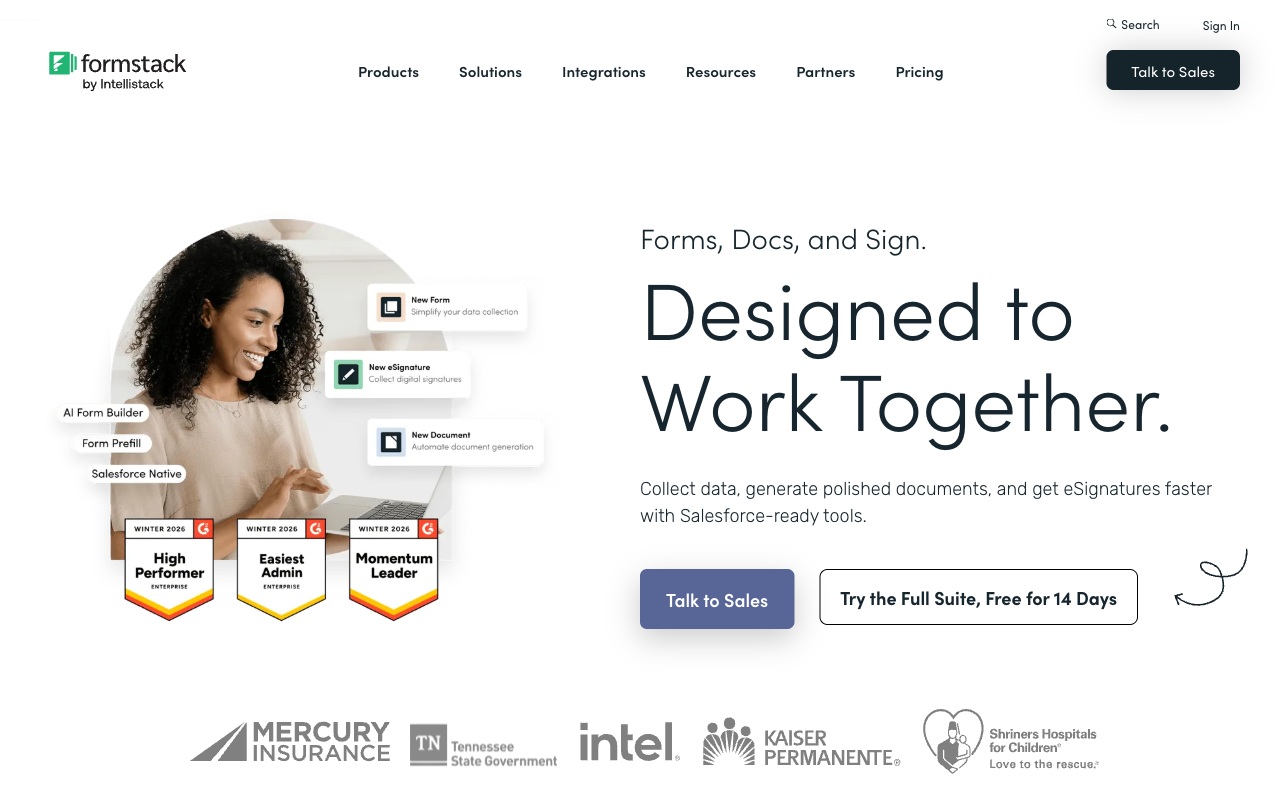
Formstack sells a purpose-built Salesforce product line covering forms, document generation and eSignature, with Experience Cloud integration and Salesforce Shield compatibility. Fillout has a Salesforce connector, and it is gated to the $250/month Team bundle. For a Salesforce-centric revenue team, this is not a comparison between two integrations. It is a comparison between a native product and a data pipe.
Two Payment Processors Instead of One
Formstack supports Stripe and PayPal with PCI-compliant card fields. Fillout supports Stripe only. Neither total is impressive, but if a meaningful share of your buyers pay by PayPal, Fillout cannot take their money and Formstack can.
Data Residency Is Not the Trade You Might Expect
Formstack does not offer regional data residency; Fillout does, letting Enterprise customers pick USA, EU, UK, Australia or Canada hosting and even store submissions solely in external storage. This is the one enterprise dimension where the younger product is ahead, and it is worth knowing before assuming the older vendor wins every governance question.
Where Fillout Falls Short
- The submission meter runs through every tier: 1,000/month free, 2,000 on Starter, 5,000 on Pro. Outgrowing Pro means an 87% jump to Business or buying bulk submission packs at a rate Fillout does not publish.
- Analytics are gated to Business: conversion tracking, drop-off analytics and partial submissions all sit at $75/month, the same tier that lifts the response cap. You cannot diagnose a leaking form until you are already paying for volume.
- Stripe or nothing: no PayPal, no Square, no Braintree, no automated tax calculation.
- Lead-gen essentials cost extra: abandonment recovery, lead enrichment, scoring, routing and ad conversion tracking are a $100/month Conversion Kit on top of a plan.
- Metering has spread under Zite: AI credits come from a shared pool and workflow runs are counted, with the serious quotas parked in the $250/month Team bundle.
- Young and recently repositioned: founded 2022, seed-funded, now sold as a component of a parent platform.
Where Formstack Falls Short
- Metered at almost every joint: per builder seat, per form, per submission on that form, and per document delivered. Suite's 250 document deliveries a month is its own ceiling.
- Support is the recurring complaint: Trustpilot sits at 1.6/5 from 24 reviews with 88% one-star, and Capterra rates support 3.6/5. The volume is low, but the theme is consistent: slow email-only responses and difficult cancellations.
- A dated builder: reviewers routinely call the interface clunky, and Capterra's value-for-money score of 3.7/5 reflects what people feel they are getting for $83.
- Assembled rather than built: Documents and Sign arrived largely through acquisition, so how tightly they join up varies, and the new Intellistack CLM stack suggests where attention is going now.
- Missing field types: no native appointment booking, colour picker, quiz scoring or address autocomplete.
- No Make connector and 300+ integrations against competitors offering thousands.
Pricing Comparison
Fillout Starter is $15/month billed annually ($19 monthly) for 2,000 submissions; Formstack Forms is $83/month billed annually ($99 monthly) for 25 forms at 1,000 submissions each and one user. At the top of the published range, Fillout's Team bundle is $250/month annually and Formstack's Suite is also $250/month annually, but they buy different things: Fillout adds the Zite app platform, 250,000 workflow runs and Salesforce, while Formstack adds document generation, eSignatures and 250 document deliveries a month.
| Dimension | Fillout | Formstack | Paperform |
|---|---|---|---|
| Entry price (annual) | $15/mo, 2,000 submissions | $83/mo, 25 forms, 1 user | $49/mo, unlimited submissions and seats |
| Integrations / API | 50+ native, plus Zapier, Make, REST API | 300+ native, Zapier, REST API, no Make | 4000+, plus Zapier, Make, REST API |
| Conditional logic | Field and page logic, calculations, on the free plan | Conditional logic and calculating fields on all plans | Excel-style calculations driving question, page, email and integration logic |
| Payment processors | 1 (Stripe) | 2 (Stripe, PayPal) | 5 (Stripe, PayPal, Square, Braintree, Google Pay) |
| Compliance | SOC 2 Type II, GDPR. No HIPAA | SOC 2 Type II, GDPR, CCPA, HIPAA as a paid add-on | SOC 2 Type II, GDPR, CCPA. No HIPAA |
Fillout
Formstack
| Product | Plan | Monthly Price | Annual Price (per month) | Free Plan | Free Trial | Limits |
|---|---|---|---|---|---|---|
| Fillout | Free | Free | Free | Yes | No | forms: Unlimited, submissions: 1,000/month, storage: N/A, users: Unlimited, file uploads: 20 MB per file |
| Fillout | Starter | $19/mo | $15/mo billed annually | forms: Unlimited, submissions: 2,000/month, storage: N/A, users: Unlimited, file uploads: 20 MB per file | ||
| Fillout | Pro | $49/mo | $40/mo billed annually | forms: Unlimited, submissions: 5,000/month, storage: N/A, users: Unlimited, file uploads: 20 MB per file | ||
| Fillout | Business | $89/mo | $75/mo billed annually | forms: Unlimited, submissions: Unlimited, storage: N/A, users: Unlimited, file uploads: 1 GB+ | ||
| Fillout | Team bundle | $300/mo | $250/mo billed annually | forms: Unlimited, submissions: Unlimited, storage: 1,000,000 records, users: Unlimited, file uploads: 1 GB+ | ||
| Formstack | Forms | $99/mo | $83/mo billed annually | No | 14 days | forms: 25, submissions: 1,000/form, storage: 2 GB, users: 1, file uploads: 2 GB |
| Formstack | Suite | $299/mo | $250/mo billed annually | forms: 100, submissions: 5,000/form, storage: 10 GB, users: 3, file uploads: 10 GB |
What Users Say
Formstack has the deeper review record: 4.3/5 from 471 reviews on G2 and 4.0/5 from roughly 126 on Capterra, with support at 3.6 and value for money at 3.7. Its Trustpilot page tells a harsher story at 1.6/5 from 24 reviews, though the sample is small and mostly old. Fillout's record is thinner because the company is younger: 4.6/5 from 30 G2 reviews and 3.5/5 from 48 on Trustpilot. An independent review by Filip Konecny weighs exactly the question a Fillout buyer should ask, which is whether the paid tiers justify their cost once the free plan runs out.
The Verdict
Pick Formstack if compliance or Salesforce decides it. HIPAA capability, PCI attestations, TX-RAMP and a published VPAT are not things you talk a vendor into having, and Fillout does not have them. Budget for the HIPAA add-on on top of $83/month, and budget for seats, because one builder user is rarely enough.
Pick Fillout for everything else at this price point. It is a better editor, it costs a fifth as much at entry, it does not charge per seat, and its free plan is a genuine working tier. Watch the submission counter, and price the Conversion Kit in before assuming the cheap plan stays cheap.
What neither answers is the shape of the bill. Fillout charges more as your forms succeed, and Formstack charges more as your team and your form library grow. Both vendors have also moved recently: Fillout into a parent platform, Formstack into a new Intellistack product line. That is worth weighing if you are picking something to build a process on rather than a form on.
Consider Paperform Instead
The tradeoff between these two is cost against capability, and both sides of it are created by metering. Paperform removes the meter from the two things that grow: submissions and seats are unlimited on paid plans within fair use, starting at $49/month billed annually ($59 monthly). That sits between Fillout's $15 and Formstack's $83, and the honest framing is that Fillout undercuts it at entry. The difference is what happens at month twelve. Fillout's 5,000-submission Pro tier and Formstack's per-form counters both turn growth into an upgrade conversation; $49 is a floor, not a starting meter reading.
The second thing Paperform collapses is the vendor count. Forms, Papersign for eSignatures and Stepper for AI-native workflow automation come in one subscription on every plan, with nothing bought separately. Formstack sells that same territory as Forms plus Documents plus Sign in a $250/month Suite with a 250-delivery cap, and Fillout parks its serious workflow quota in a $250/month Team bundle. Paperform also runs five payment gateways against Fillout's one and Formstack's two, with subscriptions, coupons, tax and refunds native, and Excel-style calculations that price an order live and then drive which confirmation fires and what reaches your CRM.
Support is in the seat price rather than a tier you buy into, which is the dimension Formstack users complain about most. Paperform has been shipping since 2016, bootstrapped and profitable, with SOC 2 Type II, GDPR and CCPA, 4000+ integrations and 30,000+ templates, on a 7-day trial that does not ask for a card. One caveat matters here: Paperform is not HIPAA compliant and does not sign BAAs, so if that is your requirement, Formstack remains the answer between these three.
If you want the wider field, see our ranking of the best form builders, or the dedicated breakdowns of Fillout alternatives and Formstack alternatives.
Frequently Asked Questions
Is Fillout or Formstack HIPAA compliant?
Formstack is the only one of the two that will support HIPAA, and it is not included in the price you see. HIPAA is marked as a paid add-on on both the Forms and Suite plans, included by default only on the Salesforce and Enterprise solutions, and Formstack does not publish the add-on rate. Fillout is not HIPAA compliant at any tier. Both hold SOC 2 Type II and both comply with GDPR, so for general business data either clears a normal procurement review. If you are handling protected health information, Fillout is out and Formstack means a sales call.
Which is cheaper, Fillout or Formstack?
Fillout, by a wide margin at every published tier. Fillout Starter is $15/month billed annually ($19 monthly) and Business is $75/month annually ($89 monthly), while Formstack's cheapest plan is $83/month annually ($99 monthly) and its Suite plan is $250/month annually ($299 monthly). Fillout also has a free plan carrying 1,000 submissions a month; Formstack has no free tier, only a 14-day trial. The comparison narrows once you add Fillout's $100/month Conversion Kit or the $250/month Team bundle, but Formstack is never the cheaper option.
Does Fillout or Formstack support more payment processors?
Formstack supports two processors, Stripe and PayPal, with PCI-compliant card fields. Fillout supports one, Stripe, though its Stripe implementation covers cards, ACH, Affirm, Stripe Link, discount codes and free trials. Neither offers Square, Braintree or Google Pay, and neither automates tax calculation. Fillout has recurring payments through Stripe subscriptions; Formstack has no built-in recurring billing. For anything resembling real commerce on a form, both are thin, which is where broader payment support becomes the deciding factor.
How do Fillout and Formstack count submissions differently?
Fillout counts submissions across your whole account: 1,000/month on Free, 2,000 on Starter, 5,000 on Pro, then unlimited from Business at $75/month annually. Formstack counts per form and also caps how many forms you can have: the $83/month Forms plan allows 25 forms at 1,000 submissions each, and Suite allows 100 forms at 5,000 each. That difference matters. A single high-traffic form hits Fillout's account ceiling quickly, while a team running fifty low-volume forms hits Formstack's form ceiling first.
Which has better integrations, Fillout or Formstack?
Formstack advertises 300+ integrations against Fillout's 50+ native connectors, but the raw count is misleading. Fillout supports Zapier, Make and webhooks alongside a REST API, so its reachable destination list runs to thousands. Formstack supports Zapier and webhooks but has no Make connector. Where Formstack is genuinely ahead is Salesforce: it sells a native Salesforce product line covering forms, documents and signatures inside the Salesforce ecosystem. Fillout's depth sits elsewhere, particularly its Airtable and Notion connectors, where it can update existing records rather than only create them.
Is Fillout a safe bet compared to a company as old as Formstack?
They carry opposite risks. Fillout was founded in 2022, is seed-funded, and now trades as "Fillout (by Zite)" after being folded into a parent app and database platform, so the product's roadmap is tied to a broader bet that is still being placed. Formstack was founded in 2006 but is private-equity owned under the Intellistack brand, has assembled its document and signature products largely through acquisition, and has recently launched a separate CLM stack, which tends to pull engineering attention away from the original forms product. One is young enough to change direction; the other is old enough to have been repositioned around you.
Sources & References
- Fillout Pricing — Fillout, 2026
- Formstack Pricing — Formstack, 2026
- Formstack Review 2026: Features, Pricing, Pros, and Cons — Signeasy, 2026
- Fillout Reviews: Is This Form Builder Actually Worth Paying For? — Filip Konecny, 2026
Last updated September 22, 2026
Ready to try Paperform?
Create beautiful forms, payment pages, and workflows — no code required.