Fillout vs SurveyMonkey: Which Is Better in 2026?
Fillout wins on price, flexibility and team access: paid plans start at $15/month billed annually with unlimited seats, conditional logic and calculations free. SurveyMonkey wins on research depth, with cross-tabs, benchmarks, a 335M-person panel and HIPAA on Enterprise. Fillout builds forms; SurveyMonkey measures opinions.
These two products barely compete on paper and constantly compete in practice, because the person choosing between them usually has a survey to send and a suspicion that the survey is only step one. Fillout, founded in 2022 and now trading as "Fillout (by Zite)", sells a form that also schedules, generates PDFs, takes Stripe payments and fires workflows. SurveyMonkey, founded in 1999 and owned by Symphony Technology Group, sells the discipline of asking questions well and the machinery to interpret the answers.
The two pricing models reflect that split exactly. Fillout charges for volume and gives away headcount. SurveyMonkey charges for headcount and rations volume by the year. Whichever you pick, something you want more of is on the meter.
Quick Verdict
Choose Fillout if:
- You need forms that take payments, bookings and signatures, not just answers
- Everyone in the company should be able to log in without a seat charge
- Airtable, Notion or Google Sheets is where the data has to land
- Conditional logic and calculations matter more than cross-tabulation
- Month-to-month billing is a requirement rather than a preference
Choose SurveyMonkey if:
- The output is research: NPS, CSAT, concept tests, employee engagement
- You need analysis built in, not exported to a spreadsheet
- Recruiting respondents matters and you want the 335M-person panel
- HIPAA, ISO 27001 or PCI DSS 4.0 appear on your procurement checklist
- Surveys have to run in dozens of languages with tested question wording
Feature Comparison
Fillout covers 50+ question types including payments, scheduling and signatures; SurveyMonkey covers 15+, weighted toward rating scales, matrices and NPS. The table below sets the two side by side on the dimensions buyers actually shortlist against.
| Feature | Fillout | SurveyMonkey |
|---|---|---|
| Form Building | ||
| Document-style editor | No | No |
| AI form creation | Yes | Yes |
| AI agent in the form editor (Form Agent) | Yes | No |
| Field types | 50+ | 15+ |
| Multi-page forms | Yes | Yes |
| Guided mode (one question at a time) | No | Yes |
| Conditional logic | Yes | Yes Individual Advantage |
| Calculations field | Yes | No |
| AI calculations assistant | No | No |
| Scoring | Yes | Yes |
| Answer piping | Yes | Yes Individual Advantage |
| Pre-filling and hidden fields | Yes | Yes Individual Advantage |
| Save and resume | Yes | Yes Individual Advantage |
| Auto-close by number | Yes | Yes Individual Advantage |
| Auto-close by date | Yes | Yes Individual Advantage |
| Appointment/booking field | Yes starter | No |
| Signature field | Yes starter | No |
| Color picker field | No | No |
| API-powered dropdowns | No | No |
| Google address search | Yes conversion-kit | No |
| File uploads | Yes | Yes |
| AI chat survey editing | No | Yes |
| Payments | ||
| Stripe payments | Yes | Yes Individual Advantage |
| PayPal payments | No | Yes Individual Advantage |
| Square payments | No | No |
| Braintree payments | No | No |
| Google Pay | No | No |
| Product sales (eCommerce) | Yes | No |
| Subscriptions | Yes | No |
| Coupons and discounts | Yes | No |
| Custom pricing rules | Yes | No |
| Tax calculations | No | No |
| Quotes/invoices | No | No |
| Refunds | No | No |
| 3D Secure | No | No |
| Design & Customization | ||
| Template gallery | Yes | 400+ |
| Rich media (images, GIFs, videos) | Yes | Yes |
| Unsplash and Giphy integration | No | No |
| Image editor | No | No |
| Adobe Creative Cloud | No | No |
| Language translation | No | Yes Individual Premier |
| Advanced theming | Yes starter | Yes Individual Advantage |
| Custom form URL | Yes pro | Yes Individual Advantage |
| Custom domains | Yes business | No |
| Custom HTML & CSS | Yes pro | No |
| Remove branding | Yes pro | Yes Individual Advantage |
| Custom email domains | Yes pro | No |
| Analytics | ||
| Submission results and reports | Yes | Yes |
| AI report insights | No | Yes Individual Advantage |
| Paperform analytics | Yes business | No |
| Google Analytics & Facebook Pixel | Yes | No |
| Custom analytics scripts | Yes business | No |
| Partial submissions | Yes business | Yes Individual Advantage |
| Benchmarks | No | No |
| Collaboration | ||
| Multi-user accounts | Yes | Yes Team Advantage |
| User permissions and management | Yes | Yes Team Advantage |
| Advanced permissions & admin | Yes team | Yes enterprise |
| Form sharing (templates) | Yes | Yes Team Advantage |
| Spaces and tag management | Yes | No |
| Review Sessions | No | Yes Team Advantage |
| Persistent Magic Link | No | Yes Team Advantage |
| Security | ||
| SOC 2 Type II | Yes | Yes |
| HIPAA compliance / BAA | No | No |
| ISO 27001 | No | No |
| Audit logs | Yes enterprise | No |
| GDPR compliant | Yes | Yes |
| SSL encryption | Yes | Yes |
| Two-factor authentication | Yes | Yes |
| Enforce 2FA for all users | Yes team | Yes enterprise |
| SSO (SAML) | Yes enterprise | Yes enterprise |
| reCAPTCHA | Yes starter | Yes |
| Local data residency | Yes enterprise | Yes enterprise |
| Custom S3 storage (BYO) | Yes | No |
| Integrations & API | ||
| Native integrations | 50+ | 200+ |
| Zapier | Yes | Yes |
| Make (Integromat) | Yes | Yes |
| Webhooks | Yes | Yes Individual Advantage |
| Standard API | Yes | Yes Individual Advantage |
| Business API | No | Yes enterprise |
| WordPress plugin | Yes | No |
| oEmbed support | Yes | No |
| Claude (Anthropic) integration | No | Yes Individual Advantage |
| ChatGPT integration | No | Yes |
| Gemini integration | No | No |
| HRIS integrations (Workday, BambooHR) | No | Yes |
Pricing: Monthly Volume Caps Against Annual Response Allowances
Fillout's paid plans run $15, $40 and $75 a month billed annually, with monthly billing roughly 20% higher, while every SurveyMonkey paid plan is now an annual commitment starting at $32/month for Individual Advantage. That single structural difference decides a lot of purchases. Since September 2026 SurveyMonkey's month-to-month Individual Standard plan no longer appears on its pricing page, so trying the paid product for one month is not an option there.
The caps work differently too. Fillout meters monthly: 1,000 responses free, 2,000 on Starter, 5,000 on Pro, then unlimited once you reach Business at $75/month. Exceed a tier and you either upgrade or buy bulk submission packs at a price Fillout does not publish. SurveyMonkey meters annually: 15,000 responses on Advantage, 40,000 on Premier, 50,000 shared on Team Advantage and 100,000 on Team Premier, with every response beyond the allowance billed at $0.15. An annual allowance is the harsher of the two shapes, because a strong quarter eats the year.
Seats are the mirror image. Fillout includes unlimited team members on every tier including free, so access is an administrative decision. SurveyMonkey's Team plans require three users minimum, Enterprise five, and seats are split into Full Access and Analyst types chosen at checkout, which puts a price on who gets to do the work. A three-person Team Advantage subscription is $1,080 a year before anyone opens the editor.
Fillout
SurveyMonkey
| Product | Plan | Monthly Price | Annual Price (per month) | Free Plan | Free Trial | Limits |
|---|---|---|---|---|---|---|
| Fillout | Free | Free | Free | Yes | No | forms: Unlimited, submissions: 1,000/month, storage: N/A, users: Unlimited, file uploads: 20 MB per file |
| Fillout | Starter | $19/mo | $15/mo billed annually | forms: Unlimited, submissions: 2,000/month, storage: N/A, users: Unlimited, file uploads: 20 MB per file | ||
| Fillout | Pro | $49/mo | $40/mo billed annually | forms: Unlimited, submissions: 5,000/month, storage: N/A, users: Unlimited, file uploads: 20 MB per file | ||
| Fillout | Business | $89/mo | $75/mo billed annually | forms: Unlimited, submissions: Unlimited, storage: N/A, users: Unlimited, file uploads: 1 GB+ | ||
| Fillout | Team bundle | $300/mo | $250/mo billed annually | forms: Unlimited, submissions: Unlimited, storage: 1,000,000 records, users: Unlimited, file uploads: 1 GB+ | ||
| SurveyMonkey | Basic (Free) | Free | Free | Yes | No | forms: Unlimited, submissions: Limited per survey (exact number now only shown after sign-up/login), storage: N/A, users: 1 |
| SurveyMonkey | Individual Advantage | Free | $32/mo billed annually | forms: Unlimited, submissions: 15,000 per year, storage: N/A, users: 1 | ||
| SurveyMonkey | Individual Premier | Free | $99/mo billed annually | forms: Unlimited, submissions: 40,000 per year, storage: N/A, users: 1 | ||
| SurveyMonkey | Team Advantage | Free | $30/mo billed annually | forms: Unlimited, submissions: 50,000 per year (shared), storage: N/A, users: 3 minimum | ||
| SurveyMonkey | Team Premier | Free | $92/mo billed annually | forms: Unlimited, submissions: 100,000 per year (shared), storage: N/A, users: 3 minimum |
Integrations and API: 200+ Against 50+
SurveyMonkey lists 200+ native integrations to Fillout's 50+, and both offer a REST API, webhooks and Zapier. The counts flatter SurveyMonkey and the direction of travel favours Fillout. SurveyMonkey's catalogue is enterprise plumbing: Salesforce, Tableau, Power BI, Microsoft Teams, and since September 2026 Workday, BambooHR and connectors for ChatGPT and Claude. Those exist to push survey results into systems where decisions get made, and unlimited API access sits on Enterprise.
Fillout's shorter list is built for the opposite job: writing structured records into the tools a small team runs on. Its Airtable integration is the strongest in the category and can update existing records rather than only appending rows, and Notion, Google Sheets, HubSpot, Pipedrive, Slack, Calendly and Cal.com are all native on the free plan. If your form is the front door to a database, 50 well-chosen connectors beat 200 aimed at analysts.
Where Fillout Wins

Logic and Calculations, Free
Fillout puts conditional logic, branching, calculations, answer piping, pre-fill, multi-page forms and save-and-resume on its free plan. SurveyMonkey charges $32/month billed annually before advanced branching and piping unlock, and it has no calculation field on any tier. For anything where the answer to question three should change the price, the routing or the questions that follow, Fillout is working with tools SurveyMonkey does not stock.
Fields a Survey Tool Does Not Have
Signatures, appointment booking through Calendly, Cal.com and Google Calendar, Stripe payments, PDF generation and file uploads straight into your own Amazon S3 bucket all live inside a Fillout form. SurveyMonkey has none of these. That gap is why a feedback survey stays in SurveyMonkey while a client intake form, an event registration with payment or a consent document does not.
Unlimited Seats and Real Month-to-Month Billing
Nobody pays per head on Fillout, including on the free plan, and you can pay monthly. Against a platform with a three-user minimum, annual-only paid plans and two classes of seat, that is a meaningful difference in how a growing team operates rather than a line item.
An AI Agent Inside the Editor
Fillout's Form Agent edits fields, pages, text, page logic, calculations and themes through chat. It cannot yet configure payments, calendars, integrations or form settings, and it draws on a shared monthly pool of Zite AI credits that stops responding when exhausted. SurveyMonkey's AI is aimed elsewhere, at drafting question sets and reading results.
Where SurveyMonkey Wins
Analysis That Answers the Question
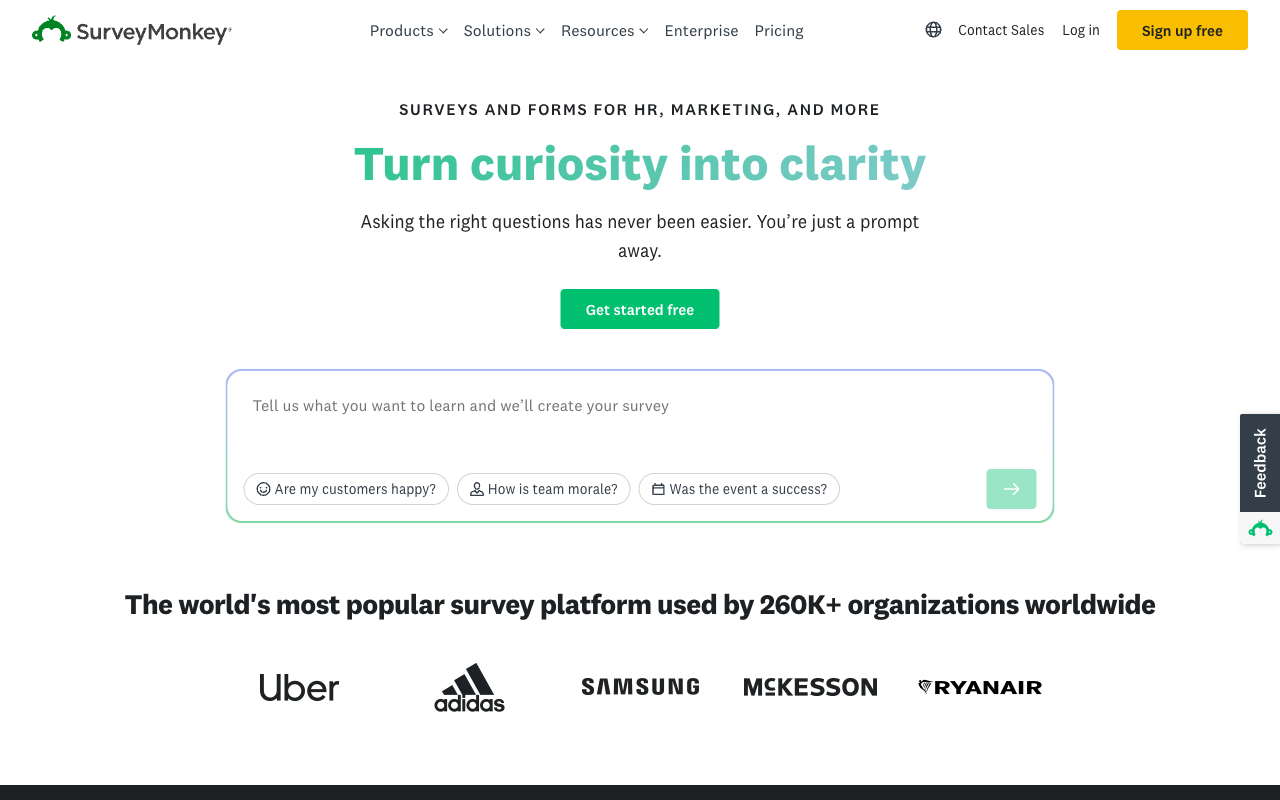
Cross-tabulation, statistical significance, sentiment analysis, word clouds and industry benchmarks come with the platform, and the AI Analysis Suite takes plain-English questions about a dataset and surfaces findings with an explanation of how each was derived. Fillout shows you responses. SurveyMonkey tells you what they mean, which is the entire job when the audience for the work is a leadership team.
Methodology You Do Not Have to Invent
400+ expert templates cover NPS, CSAT, employee engagement, concept testing and Van Westendorp price sensitivity, with question wording tested for bias. MaxDiff, A/B testing and block randomisation are built in. A product manager running a pricing study in SurveyMonkey is following a method; the same person in Fillout is designing one from scratch.
Respondents on Demand
SurveyMonkey Audience reaches 335M+ people across 130+ countries, targetable by demographics and income, priced separately. No form builder offers anything comparable, and for anyone who needs answers from people outside their own contact list it decides the purchase on its own.
Compliance Breadth and Institutional Weight
ISO 27001, PCI DSS 4.0, Section 508, GDPR, CCPA and HIPAA on Enterprise put SurveyMonkey through procurement in places a three-year-old vendor will not pass. It carries 23,525 G2 reviews at 4.4/5 and 10,508 Capterra reviews at 4.6/5, against Fillout's 30 G2 reviews and 4 on Capterra. Track record is itself a feature when the purchase has to be defended internally.
Compliance: SurveyMonkey Has HIPAA, Fillout Does Not
SurveyMonkey is GDPR, CCPA, SOC 2, ISO 27001 and PCI DSS 4.0 compliant with HIPAA available on Enterprise; Fillout is GDPR and SOC 2 Type 2 compliant with no HIPAA or BAA offering anywhere on its site. For a young company, SOC 2 Type 2 plus 256-bit AES encryption, SSO on Enterprise, enforced 2FA from the Team bundle and hosted regions in the USA, EU, UK, Australia and Canada is a credible posture, and Enterprise customers can configure Fillout to keep submissions solely in external storage so nothing sits on Fillout's servers. It still stops short of health data. If a BAA is on your checklist, this comparison ends here and SurveyMonkey Enterprise is the answer, with its five-user minimum and custom quote attached.
Where Fillout Falls Short
- Analytics behind the volume wall: conversion tracking, drop-off data and partial submissions all require the $75/month Business plan, the same tier that lifts the response cap.
- Stripe only: one payment processor, no PayPal, Square or Braintree, no tax calculation, invoicing or refund handling.
- Lead-gen sold separately: abandonment recovery, lead enrichment, routing, email validation, address autocomplete and ad conversion tracking are a $100/month Conversion Kit add-on, not part of any tier.
- A thin and softening review record: 30 reviews on G2 at 4.6, 4 on Capterra at 4.0, and Trustpilot down to 3.5/5 across 48 reviews, with recent complaints about automated systems blocking accounts.
- Identity split across two brands: help docs, security pages, the changelog and the AI credit pool have all moved to Zite, and the top tier bundles a platform you may not have wanted.
- No multilingual forms: a single form language can be set, with no translation of content.
Where SurveyMonkey Falls Short
- Annual commitment on every paid plan: the month-to-month option was withdrawn in September 2026, so the first payment covers a year.
- $0.15 per response over the cap: a campaign that outperforms its allowance bills again on top of a prepaid plan.
- Per-seat with minimums: three users on Team, five on Enterprise, and seats split into Full Access and Analyst types.
- No calculation engine: quiz scoring exists, formula-driven pricing and logic do not.
- Styling ceiling: no custom CSS or HTML, no custom domains outside Enterprise, and surveys that look like SurveyMonkey surveys.
- Renewal reputation: Trustpilot sits at 2.7/5 across 1,068 reviews with 63% one-star, dominated by auto-renewal billing and account lockout complaints, nearly two stars below its scores on G2 and Capterra.
- Free plan opacity: since September 2026 the response allowance is only visible after you sign up.
See Fillout in Action
What Users Say
The two review profiles say different things. SurveyMonkey's professional-platform scores are strong and stable, at 4.4/5 on G2 across 23,525 reviews and 4.6/5 on Capterra across 10,508, with ease of use at 4.6 and value for money lower at 4.4. Its consumer-facing Trustpilot score fell from 3.2 to 2.7 in a single quarter, which is where billing grievances collect. Fillout's numbers are too sparse to generalise from: 30 reviews on G2 at 4.6, 13 on Product Hunt at 5.0, and a Trustpilot score that has dropped from 4.7 to 3.5. A Hackceleration review rates the builder and integrations highly while noting that the advanced features take time to learn.
The Verdict
Pick SurveyMonkey when the output is a finding. Research programmes, NPS tracking, engagement studies, anything that has to withstand a methodology question or reach respondents you do not already have contact details for. Twenty-seven years of question design and an analysis suite are not things a newer tool substitutes for, and the compliance list gets it through procurement.
Pick Fillout when the output is a record: a booking, a signed document, a payment, a row in Airtable. It costs a fraction as much, it does not charge for colleagues, and it gives away the logic and calculations SurveyMonkey either sells higher up or does not have. Accept the trade-offs honestly, including a short track record and a product now folded into somebody else's platform.
Consider Paperform
The tradeoff running through this whole comparison is a meter. Fillout charges by monthly response volume and SurveyMonkey by annual response allowance plus seats, so in both cases the invoice tracks how well the work went. Paperform takes the opposite position: submissions and seats are unlimited on every paid plan within fair use, so the tenth thousand response costs what the first did and inviting a reviewer costs nothing. Pro is $59/month, or $49 billed annually; Business is $149, or $124 annually, with SSO, 10 workspaces and the Business API.
State the price honestly. Both tools here undercut that entry point, Fillout dramatically at $15/month billed annually, and for a small survey or a one-off form the cheaper tool is the right purchase. What the higher floor buys is the work after the submission. One Paperform subscription covers Paperform for forms, Papersign for eSignatures at 25 signed documents a month on Pro and 100 on Business, and Stepper for AI-native workflow automation, so collecting, signing and routing happen on one account with one bill rather than a form builder plus a signing vendor plus an automation platform with you as the connective tissue. Excel-style calculations carry values across question and page visibility, conditional emails, integration payloads and success pages, which is the capability SurveyMonkey lacks entirely and Fillout reviewers say is hardest to master. Five payment gateways and 4000+ integrations sit behind it, and support is in the seat price rather than a separate enablement fee.
Paperform has been building since 2016, bootstrapped and profitable, which is a different kind of bet from a 2022 startup absorbed into a parent platform or a business owned by a private equity firm. It is SOC 2 Type II, GDPR and CCPA compliant, and it is not HIPAA compliant and signs no BAAs, so regulated health data belongs with SurveyMonkey Enterprise. Trials run 7 days with no card. For the wider field, see the best form builders ranking, the SurveyMonkey alternatives roundup or the Fillout alternatives comparison.
Frequently Asked Questions
Can Fillout do the statistical analysis SurveyMonkey does?
No, and it does not claim to. SurveyMonkey ships cross-tabulation, significance testing, sentiment analysis, word clouds, industry benchmarks and built-in research methodologies including MaxDiff and Van Westendorp price optimisation, plus an AI Analysis Suite you can query in plain English. Fillout gives you submission views, and conversion analytics only once you reach the Business plan at $75/month billed annually. If the deliverable is a research readout rather than a list of responses, SurveyMonkey is the correct tool and Fillout will not close that gap.
Which one actually collects payments, Fillout or SurveyMonkey?
Both do, barely. Fillout is Stripe-only, as an official Stripe partner with no added fees, and supports subscriptions, discount codes and dynamic pricing through its calculations. SurveyMonkey offers Stripe and PayPal, available from Advantage upward, with no subscriptions, coupons, product catalogue or tax handling. One processor against two, neither with commerce behind it. Paperform supports five gateways (Stripe, PayPal, Square, Braintree and Google Pay) with products, recurring billing, coupons, tax and invoicing attached.
Is SurveyMonkey HIPAA compliant and Fillout not?
Correct. SurveyMonkey offers HIPAA compliance on Enterprise, which now carries a five-user minimum and a custom quote, alongside SOC 2, ISO 27001, PCI DSS 4.0, GDPR and CCPA. Fillout is SOC 2 Type 2 and GDPR compliant with 256-bit AES encryption, and mentions HIPAA and BAAs nowhere on its site, security documentation or pricing page. For protected health data, SurveyMonkey Enterprise is the only one of the two that qualifies. Paperform is not HIPAA compliant either and signs no BAAs.
Why does Fillout call itself "Fillout (by Zite)" now?
Zite is the parent app, database and workflow platform Fillout now sits inside; the legal entity is Restly, Inc. DBA Zite. Security documentation is titled "Security at Zite", the changelog covers Zite product updates, AI features draw on a shared Zite credit pool, and the $250/month Team bundle sells Fillout alongside the Zite Business plan. None of that breaks the form builder, but it is worth knowing that a 2022 startup has become one surface of a larger platform while SurveyMonkey, founded in 1999, has spent twenty-seven years doing one thing.
Does Fillout or SurveyMonkey handle conditional logic better?
Fillout, comfortably, and it costs nothing. Conditional logic, branching, calculations, answer piping and pre-fill are all on Fillout's free plan. SurveyMonkey keeps basic skip logic low in the range but gates advanced branching and piping to Individual Advantage at $32/month billed annually, and it has no calculation field at all, so quiz scoring exists but dynamic pricing and formula-driven routing do not. Fillout users do report that calculations take time to master, with no AI assistant to write them.
Which is cheaper for a team of five collecting 3,000 responses a month?
Fillout, by a wide margin. Five seats cost nothing extra on any Fillout tier, and 3,000 monthly responses needs the Pro plan at $40/month billed annually, so roughly $480 a year. The same volume on SurveyMonkey is 36,000 responses annually, which means Team Premier at $92/user/month with a three-user minimum, or about $5,520 a year for five seats, before any overage at $0.15 per extra response. Seat-based research pricing and volume-based form pricing diverge sharply once a team grows.
Sources & References
- Fillout Pricing — Fillout, September 2026
- SurveyMonkey Pricing — SurveyMonkey, September 2026
- SurveyMonkey Pricing Guide 2026: Costs, Plans, and Hidden Fees — Featurebase, 2026
- Fillout Review 2026: We Tested Everything (Builder, Integrations, Automations & Real ROI) — Hackceleration, 2026
- SurveyMonkey Unveils Sweeping Platform Upgrades — TechEdge AI, September 2026
- SurveyMonkey Reviews — Trustpilot, September 2026
Last updated September 22, 2026
Ready to try Paperform?
Create beautiful forms, payment pages, and workflows — no code required.