Paperform vs Airtable Forms: Which Is Better in 2026?
Airtable Forms is the better choice if you already run on Airtable, one person builds the forms and you need HIPAA. Paperform is the better choice for everyone else, because Airtable charges $20 to $45 per editor per month while Paperform Pro is $49/month billed annually with unlimited seats, so adding the whole team changes nothing on the invoice.
Airtable Forms is not sold as a form builder. It is a view type inside a database platform, included on every Airtable plan, and its job is to get structured rows into a base. Judged on that job it does well. Judged as the thing a customer or a prospect actually looks at, it is the thinnest part of what an Airtable subscription buys: one page, no payments, no signatures, no visible calculations, and branding you can only remove by moving every editor to a $45 seat.
Paperform prices the opposite way round. The subscription covers the software rather than the headcount, and one bill covers forms, Papersign eSignatures and Stepper workflow automation. The comparison below is really a comparison of two billing philosophies, with a design argument sitting on top of it.
Quick Verdict
Choose Airtable Forms if:
- Your data already lives in Airtable bases and should stay there
- One or two people build every form
- You need HIPAA, ISO 27001 or TX-RAMP on the record
- The form is internal intake, not a public-facing page
- Linked records, rollups and multiple views matter more than the form
- Nothing you collect involves money or a signature
Choose Paperform if:
- More than a couple of people need to build or edit forms
- The form is customer-facing and has to convert, not just collect
- You take payments, deposits or orders through the form
- A price, quote or score should be visible while someone fills it in
- A contract or an approval chain follows the submission
- You want submission volume to stop being a billing lever
The Five Numbers That Decide This
Pricing
Airtable charges per editor: Team is $24/month ($20 annually) and Business is $54/month ($45 annually), per person. Paperform Pro is $59/month ($49 annually) for the whole team, with unlimited seats and unlimited submissions within fair use.
Integrations and API
Paperform connects 4,000+ integrations with a REST API on paid plans and a separate Business API at $124/month annually. Airtable lists 200+ marketplace integrations plus a well-documented REST API, though they connect to the base rather than to the form.
Conditional logic
Airtable Forms shows and hides individual fields on every plan, but conditional groups require Business at $45 per editor per month, and there is no page-level branching, scoring or answer piping. Paperform includes page branching, scoring, piping and Excel-style calculations on one plan at one price.
Payments
Paperform supports 5 payment gateways: Stripe, PayPal, Square, Braintree and Google Pay. Airtable Forms supports 0. The Stripe listing in Airtable's marketplace is for automations, not for collecting money in a form.
Compliance
Airtable is HIPAA compliant on Enterprise Scale and holds SOC 2 Type 2, ISO/IEC 27001:2022, ISO/IEC 27701:2019, TX-RAMP Level 2, GDPR and CCPA. Paperform is SOC 2 Type II, GDPR and CCPA compliant, and is not HIPAA compliant and does not sign BAAs. For protected health information, Airtable wins outright.
Feature Comparison
The two products barely overlap once you get past "collects answers". Airtable's depth sits behind the form, in views, linked records, rollups and automations. Paperform's depth sits in the form itself and in what happens to the submission afterwards.
| Feature | Paperform | Airtable Forms |
|---|---|---|
| Form Building | ||
| Document-style editor | Yes | No |
| AI form creation | Yes | No |
| Field types | 26+ | Yes |
| File uploads | Yes | No |
| Multi-page forms | Yes | No |
| Guided mode (one question at a time) | Yes | No |
| Conditional logic | Yes | Yes |
| Calculations field | Yes pro | No |
| AI calculations assistant | Yes pro | No |
| Scoring | Yes pro | No |
| Answer piping | Yes | No |
| Pre-filling and hidden fields | Yes pro | Yes |
| Save and resume | Yes | No |
| Auto-close by number | Yes pro | No |
| Auto-close by date | Yes pro | No |
| Appointment/booking field | Yes | No |
| Signature field | Yes | No |
| Color picker field | Yes | No |
| API-powered dropdowns | Yes business | No |
| Google address search | Yes business | No |
| Payments | ||
| Stripe payments | Yes | No |
| PayPal payments | Yes | No |
| Square payments | Yes | No |
| Braintree payments | Yes | No |
| Google Pay | Yes | No |
| Product sales (eCommerce) | Yes pro | No |
| Subscriptions | Yes pro | No |
| Coupons and discounts | Yes pro | No |
| Custom pricing rules | Yes pro | No |
| Tax calculations | Yes | No |
| Quotes/invoices | Yes | No |
| Refunds | Yes | No |
| 3D Secure | Yes | No |
| Design & Customization | ||
| Template gallery | 30,000+ | No |
| Rich media (images, GIFs, videos) | Yes | Yes |
| Unsplash and Giphy integration | Yes | No |
| Image editor | Yes | No |
| Adobe Creative Cloud | Yes | No |
| Language translation | Yes | No |
| Advanced theming | Yes pro | Yes business |
| Custom form URL | Yes pro | No |
| Custom domains | Yes pro | No |
| Custom HTML & CSS | Yes pro | No |
| Remove branding | Yes pro | Yes business |
| Custom email domains | Yes business | No |
| Adobe CC | No | No |
| Redirect after submit | No | Yes team |
| Analytics | ||
| Submission results and reports | Yes | Yes |
| AI report insights | Yes pro | No |
| Paperform analytics | Yes pro | No |
| Drop-off analysis | Yes pro | No |
| Google Analytics & Facebook Pixel | Yes pro | No |
| Custom analytics scripts | Yes pro | No |
| Partial submissions | Yes pro | No |
| Form analytics | No | No |
| Field data validation | No | Yes team |
| Collaboration | ||
| Multi-user accounts | Yes pro | Yes |
| User permissions and management | Yes pro | Yes team |
| Advanced permissions & admin | Yes enterprise | Yes enterprise |
| Form sharing (templates) | Yes | Yes |
| Spaces and tag management | Yes | No |
| Workspace organization | No | Yes |
| Security | ||
| SOC 2 Type II | Yes | Yes |
| GDPR compliant | Yes | Yes |
| SSL encryption | Yes | Yes |
| Two-factor authentication | Yes | Yes |
| Enforce 2FA for all users | Yes business | No |
| SSO (SAML) | Yes business | Yes business |
| reCAPTCHA | Yes | No |
| Local data residency | Yes enterprise | No |
| Custom S3 storage (BYO) | Yes business | No |
| Enforce 2FA | No | Yes enterprise |
| Data residency | No | Yes enterprise |
| Custom S3 | No | No |
| Integrations & API | ||
| Native integrations | 4,000+ | No |
| Zapier | Yes | Yes |
| Make (Integromat) | Yes | Yes |
| Webhooks | Yes pro | Yes team |
| Standard API | Yes pro | No |
| Business API | Yes business | No |
| WordPress plugin | Yes | No |
| oEmbed support | Yes | No |
| API | No | Yes |
| Embed options | No | Yes |
Where Airtable Forms Wins
Submissions arrive as relational data, not rows in an export
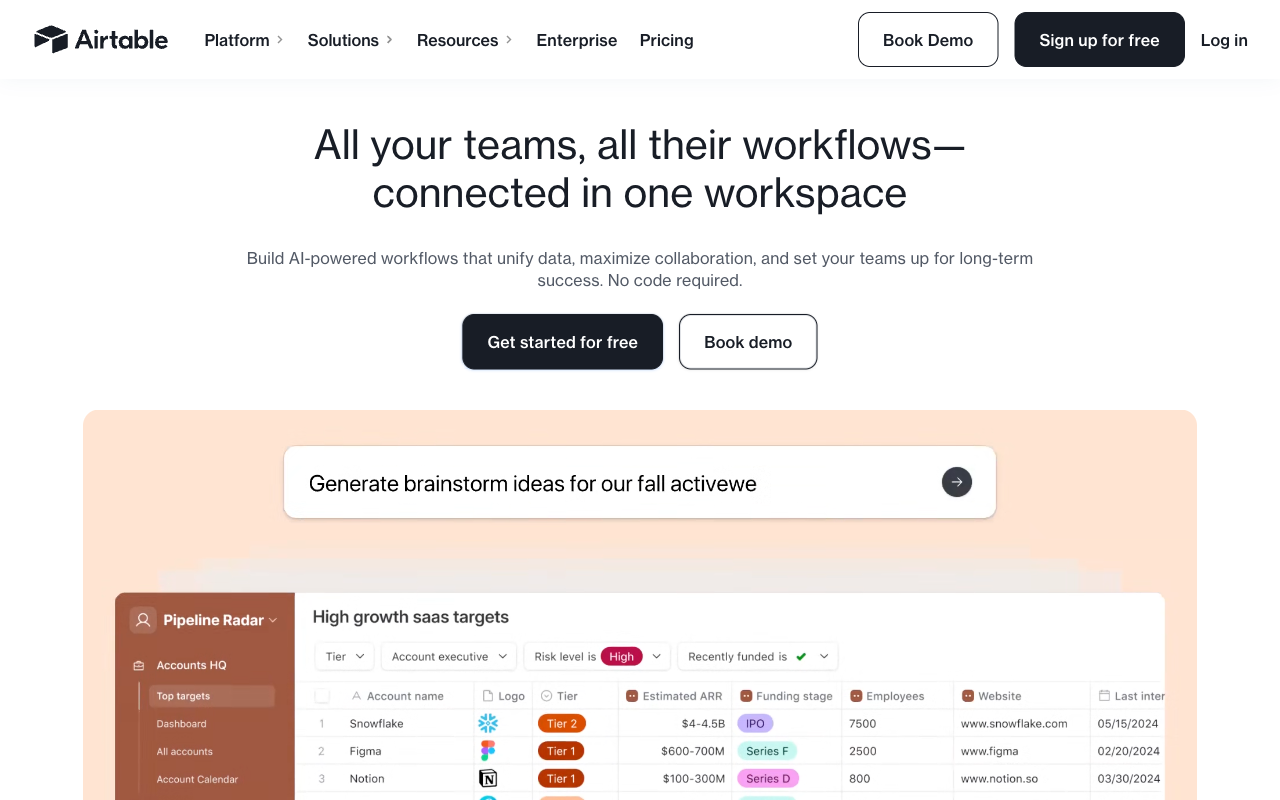
This is the whole reason Airtable Forms exists and it is a genuine advantage. A submission becomes a record in a base with typed fields, links to other tables, rollups, and every view Airtable offers: grid, kanban, calendar, gallery and gantt. No sync, no integration, no reconciliation step. The Professional's Toolkit review scores Airtable 3.7/5 overall and makes exactly this point, that the form view is deliberately less polished than a dedicated tool because the value is in where the data lands.
Compliance coverage Paperform cannot match
Airtable holds HIPAA on Enterprise Scale, SOC 2 Type 2, ISO/IEC 27001:2022, ISO/IEC 27701:2019 for privacy information management, TX-RAMP Level 2, GDPR and CCPA, with enterprise key management, audit logs and EU or AU data residency. Paperform is SOC 2 Type II, GDPR and CCPA compliant and holds none of the ISO certifications. If a procurement checklist has ISO 27001 or a BAA on it, Paperform loses that line and no pricing argument recovers it.
The form itself costs nothing extra
Form view is included on every Airtable plan, including Free, and Airtable does not bill respondents or read-only collaborators. Only people with edit permissions on a base count as seats. For an organisation already paying for Airtable, publishing an intake form is a zero-cost decision, and that is a fair thing to weigh against a $49/month subscription for a second tool.
Scale, platform depth and review volume
Airtable is used by 500,000+ organisations, is backed by $735M in funding at an $11B valuation, and carries roughly 3,276 G2 reviews at 4.6 against Paperform's 78 at 4.8. Its automations, AI agents and interface designer go far beyond anything a form builder offers. Buying it is an easy decision to defend internally, and the ecosystem of consultants and templates around it is enormous.
Where Paperform Wins

Nobody is charged for existing
Paperform has no per-seat pricing on any paid plan, and one subscription covers all three products, so a person who uses forms, signatures and workflows counts once. Airtable's model is the exact inverse: the invoice is a multiplication, and the multiplier is your team.
Work it through with real numbers. Three Airtable Team editors are $60/month billed annually. Eight are $160. Eight Business editors, which is the tier you need for conditional groups and for removing Airtable branding from a public form, are $360/month, or $4,320 a year. Paperform is $49/month annually at three editors, at eight, and at eighty. The cost of giving the events coordinator, the recruiter and two account managers the ability to build their own forms is zero, which changes who is allowed to solve their own problems. In an Airtable shop, form building concentrates in whoever already holds a seat, and everyone else files a request.
The same logic runs down the other metered dimensions. Airtable meters records per base (1,000 on Free, 50,000 on Team, 125,000 on Business), automation runs, and AI credits per user per month. Paperform's paid plans carry unlimited submissions and no per-record storage ceiling. Paperform meters one thing, Stepper automation credits, at 20,000/month on Pro with overflow at $10 per additional 10,000, and that is worth naming rather than hiding.
A form that looks like a page you designed, not a field list
Airtable's form view renders your table's schema: a stacked list of fields with a cover image, a logo and a colour, and branding removal gated to Business. That is the correct amount of design for an internal bug report and the wrong amount for a conference registration page or a paid workshop signup that a stranger has to trust.
Paperform's editor works like a document. You type prose, drop in headings, images, GIFs and video, and place fields anywhere in the flow, so the result reads as a landing page with questions in it rather than a form bolted to a database. Custom HTML and CSS, advanced theming, and Unsplash and Giphy media are all available, and Guided Mode presents one question at a time when the form is long. Paperform is not the only tool with a document-style editor, but against Airtable's field list the gap is the difference between collecting data and converting a visitor. One Paperform customer reported a 91% increase in conversion rate after switching to Guided Mode.
Design also has a pricing edge here. A custom form URL, custom domains and custom CSS simply do not exist in Airtable Forms at any price. On Paperform, custom domains are $20/month each on Pro and one is included on Business, which is an honest extra cost rather than an absent feature.
Money, signatures and the steps after the submission
Airtable Forms cannot take a payment. Not through Stripe, not through anything. It also has no signature field. A process that involves an order or an agreement therefore becomes Airtable plus a checkout tool plus an eSignature vendor plus something to keep all three in sync, and your team owns every join between them. Paperform takes payments through five gateways with products, subscriptions, coupons, pricing rules, tax and refunds, charges no transaction fee of its own, and includes Papersign for the contract that follows (25 signed documents/month on Pro, 100 on Business) and Stepper for the workflow that follows that.
Numbers the respondent can see
Airtable's formulas fire after the record is created, so a quote, a total or a score exists only in the base. Paperform's calculations are Excel-style and run live while someone fills the form in, and the result decides which questions and pages appear, which conditional email sends, what each integration receives and what the success page displays. A consultancy quoting by hours and rate, a school calculating fees with a sibling discount, an assessment routing respondents by band: in Paperform that is configuration, in Airtable it is a follow-up email someone has to send.
Analytics for the people who did not finish
A database can only report on completed records. Someone who opened the form, stalled on question six and closed the tab never became a row, so no Airtable view will ever surface them. Paperform captures drop-off, partial submissions, funnel analytics, AI report insights and Google Analytics as standard, which turns the abandoned submission into something you can act on.
Who you are betting on for five years
Paperform was founded in 2016, is bootstrapped and profitable, and answers to its customers because they are the only source of revenue. Airtable has raised $735M and carries an $11B valuation, and capital of that size eventually shapes both the roadmap and the price list. Airtable's Trustpilot score of 2.0 across 152 reviews, dominated by billing and cancellation disputes, is a small sample and not a product rating, but it is a signal about the commercial relationship. Paperform sits at 4.8 across 212 Trustpilot reviews with support as its highest-rated dimension, and support is part of the seat price rather than an enablement fee added at signing.
Where Airtable Forms Falls Short
- Per-editor pricing: $24/month ($20 annually) on Team and $54/month ($45 annually) on Business, multiplied by everyone who needs edit access.
- Single page only: no multi-step forms, no page-level branching, no save and resume.
- Conditional groups gated to Business: slightly smarter logic costs $45 per editor per month.
- No payments at all: zero gateways, no products, no subscriptions, no tax handling.
- Calculated, lookup and rollup fields are invisible in form view: respondents never see a computed number.
- No signature field and no eSignature product: agreements need a separate vendor.
- Record limits per base: 1,000 on Free, 50,000 on Team, 125,000 on Business.
- Minimal design control: no custom CSS, no custom domains, no custom form URL, and branding removal only on Business.
- No form analytics: no drop-off tracking, no partial submissions, no conversion reporting.
- No form templates: Airtable's template gallery builds bases, not forms.
- AI has not reached the form: AI credits are metered per seat across the platform, but there is no prompt-to-form generation and no AI analysis of submissions.
- No CAPTCHA: a public Airtable form has no native spam protection.
Where Paperform Falls Short
- No HIPAA compliance and no BAAs: a hard stop for protected health information, where Airtable can help.
- No ISO 27001 or ISO 27701: Airtable's certification list is longer.
- Higher entry price: $49/month annually against a single $20/month Airtable Team seat, with nothing sold in between.
- No relational database behind the form: Paperform stores submissions and pushes them out; it does not replace a base with linked records, rollups and kanban views.
- Far smaller review footprint: around 78 G2 reviews against Airtable's 3,276.
- Automation credits are metered: 20,000/month on Pro, then $10 per additional 10,000.
- Custom domains cost extra: $20/month per domain on Pro, one included on Business.
- No mobile editor: forms are fully responsive for respondents, but building happens at a desktop. Airtable has the same constraint, so neither tool lets you build on a phone.
- Not the tool for a one-off internal intake form: if three fields need to land in a base you already own, use the base.
See Paperform in Action
Airtable's form view is quick to judge from its documentation because there is not much of it. Paperform's editor is the part worth watching before you commit, so here are two independent walkthroughs.
Pricing Comparison
Airtable's published prices are per user per month; Paperform's are per account. Every row below has to be read with that multiplier in mind, because it is the single biggest difference between the two bills.

| Team size | Airtable Team (annual) | Airtable Business (annual) | Paperform Pro (annual) |
|---|---|---|---|
| 1 editor | $20/mo | $45/mo | $49/mo |
| 3 editors | $60/mo | $135/mo | $49/mo |
| 8 editors | $160/mo | $360/mo | $49/mo |
| 20 editors | $400/mo | $900/mo | $49/mo |
Two honest notes on that table. Airtable's figure buys a full database platform, not just a form, so it is not a like-for-like product even though it is a like-for-like line item on a budget. And at one editor, Airtable Team is genuinely cheaper than Paperform, which sells nothing below $49/month annually.
Paperform
Airtable Forms
| Product | Plan | Monthly Price | Annual Price (per month) | Free Plan | Free Trial | Limits |
|---|---|---|---|---|---|---|
| Paperform | Free | Free | Free | Yes | 7 days | forms: Unlimited, submissions: 30/month, storage: Unlimited, users: Unlimited, file uploads: 100 MB |
| Paperform | Pro | $59/mo | $49/mo billed annually | forms: Unlimited, submissions: Unlimited, storage: Unlimited, users: Unlimited, file uploads: 10 GB | ||
| Paperform | Business | $149/mo | $124/mo billed annually | forms: Unlimited, submissions: Unlimited, storage: Unlimited, users: Unlimited, file uploads: 100 GB | ||
| Airtable Forms | Free | Free | Free | Yes | 14 days | None listed |
| Airtable Forms | Team | $24/mo | $20/mo billed annually | None listed | ||
| Airtable Forms | Business | $54/mo | $45/mo billed annually | None listed | ||
| Airtable Forms | Enterprise Scale | Custom | Custom | None listed |
Trials differ too. Airtable runs a 14-day trial of Team and Business with no card required. Paperform's trial is 7 days, also with no card, and covers Paperform, Papersign and Stepper together because they are one subscription rather than three products to evaluate separately.
What Users Say
Airtable rates 4.6 on G2 across roughly 3,276 reviews and 4.7 on Capterra across 2,244, with praise concentrated on the database, the views and the API. The recurring complaints are instructive for this comparison: that forms are extremely basic next to dedicated builders, that per-user pricing becomes expensive at team scale, and that record limits bite on lower tiers. Trustpilot is a sharp outlier at 2.0 across 152 reviews, weighted toward billing and cancellation disputes rather than product quality. Paperform's sample is much smaller at 78 G2 reviews and 104 on Capterra, both at 4.8, with 4.9 on GetApp and 4.8 across 212 Trustpilot reviews, and support is consistently its strongest score.
The Verdict
Choose Airtable Forms when the base is the point. If your operation already runs on Airtable, the form is internal, one or two people maintain it, and the value is in linked records and views rather than in the submission experience, adding a second tool is unnecessary spend. HIPAA and ISO 27001 settle it in Airtable's favour on their own.
Choose Paperform when the form is the product. The moment it faces customers, takes money, needs a number the respondent can see, carries a contract behind it, or needs more than a couple of people to maintain it, Airtable's model starts charging you per head for a form that still cannot do any of those things. Paperform charges once for the software and lets the team grow into it.
These are not mutually exclusive. Plenty of teams keep Airtable as the system of record and put Paperform in front of it, which gives you the base you have already built plus payments, branching, design and signatures on the way in.
For a wider field, see our full list of Airtable Forms alternatives or the overall form builder ranking. If you are weighing Airtable against a design-led option instead, read Airtable Forms vs Typeform.
Frequently Asked Questions
How much does an Airtable form actually cost once five people need to edit it?
Airtable bills per editor, so five Team seats are $100/month ($120 if you pay monthly) and five Business seats are $225/month ($270 monthly). Business is the tier you need for conditional groups and for removing Airtable branding from the form, so a team that wants a slightly smarter, unbranded intake form is at $2,700 a year before anyone counts records. Paperform Pro is $49/month billed annually with unlimited seats, so the fifth editor and the fiftieth cost the same as the first.
Airtable only charges for editors, so isn't one seat cheaper than Paperform?
Yes, and that case is worth stating plainly. Airtable does not bill form respondents or read-only collaborators, so if a single person builds every form and everyone else simply submits, one Team seat at $20/month billed annually undercuts Paperform's $49 floor and Paperform sells nothing beneath it. That floor is deliberate: Paperform is built for teams running multi-step work, not for publishing one internal intake form. For a single-builder Airtable shop with simple forms, stay where you are.
Can an Airtable form show a price, a score or a rollup back to the person filling it in?
No. Airtable formulas, lookups and rollups are real, but form view cannot display computed, dependent, lookup or rollup fields, so the number only exists once the record lands. The respondent never sees the quote they are agreeing to. Paperform's calculations are Excel-style and run live in front of the respondent, and the result drives which questions and pages appear, which conditional email fires, what gets pushed to integrations and what the success page says.
Airtable is HIPAA compliant and Paperform is not. Does that settle it?
If protected health information passes through the form, yes, and we would rather say so than argue around it. Airtable is HIPAA compliant on Enterprise Scale and also holds SOC 2 Type 2, ISO/IEC 27001:2022, ISO/IEC 27701:2019, TX-RAMP Level 2, GDPR and CCPA. Paperform holds SOC 2 Type II, GDPR and CCPA, is not HIPAA compliant and does not sign BAAs. Note that HIPAA in Airtable sits behind a custom Enterprise quote rather than a published price.
What breaks when a campaign form outruns Airtable's record limit?
The base stops accepting new records. Free caps at 1,000 records per base, Team at 50,000 and Business at 125,000, and the remedy is splitting data across bases or taking an Enterprise Scale call at 500,000. Paperform's paid plans carry no per-record ceiling on submissions or submission storage; fair use means a conversation about plan fit if volume gets genuinely unusual, not a hard stop halfway through a launch.
Can I keep Airtable as the database and still use Paperform for the form?
That is the most common arrangement, and it is a good one. Paperform connects to Airtable natively and through 4,000+ integrations, webhooks and a REST API, so submissions land as Airtable records exactly as they would from form view, with payments, signatures, branching and design handled on the way in. You keep the base, the views and the automations you have already built, and you stop paying per editor for the privilege of publishing a form.
Sources & References
- Airtable Pricing — Airtable, September 2026
- Exploring Airtable Forms and Alternatives: Pros & Cons — Feathery, 2026
- Airtable Forms (2026): Collect Data Straight Into Your Database — The Professional's Toolkit, August 2026
- Airtable Forms Review 2026: features, limits, and when to use them — Free Survey Makers, April 2026
- Airtable Review 2026: We Tested Everything — Hackceleration, 2026
- Airtable Reviews — Trustpilot, September 2026
Updates
We re-audit the form builders we compare on a regular cadence and log every change here — a public record of what changed and when.
- Updated September 22, 2026 — First publication against the September 2026 data re-audit. Paperform pricing reflects the current Free/Pro/Business/Enterprise lineup (Pro $59/$49, Business $149/$124, unlimited submissions and seats). Airtable pricing verified live: Team $24/$20 and Business $54/$45 per user per month, Enterprise Scale custom. Airtable's conditional field visibility (all plans) and conditional groups (Business and above) noted, along with the re-verified compliance list including HIPAA, ISO 27001, ISO 27701 and TX-RAMP Level 2.
Last updated September 22, 2026
Ready to try Paperform?
Create beautiful forms, payment pages, and workflows — no code required.