Paperform vs Gravity Forms: Which Is Better in 2026?
Gravity Forms is the better buy for a form on a WordPress site you already maintain, at $59 to $259 a year. Paperform is the better buy for a business process, because one $49/month subscription already contains the forms, the eSignatures and the workflow automation that Gravity Forms expects you to license, host and connect yourself.
The licence comparison is not close, and pretending otherwise would waste your time. Gravity Forms Basic costs $59 for a year with unlimited forms, unlimited entries and unlimited WordPress users. Paperform Pro costs $588 for a year. On the line item alone, Gravity Forms wins by a factor of ten.
The line item is not the cost. A Gravity Forms process that ends in something useful involves the plugin, the WordPress host, a payments add-on on a higher tier, a signing vendor, an automation product, and often a third-party perk from a company that is not Rocketgenius. Each of those has a renewal, an update cycle and a failure mode, and the join between them is not anyone's product. It is your job. That is the comparison this page is actually about: whether you want to own the integration layer, or buy a platform where it does not exist.
Quick Verdict
Choose Gravity Forms if:
- Your forms live on a WordPress site you already run
- Entries must stay in a database you control
- A developer maintains the site and can extend the plugin
- The annual licence budget is the binding constraint
- You want deep hooks, filters and an add-on framework
- The process genuinely ends when the form is submitted
Choose Paperform if:
- Signatures, approvals and routing follow the submission
- You would rather not run WordPress to collect a form
- A security questionnaire needs a SOC 2 Type II attestation
- Non-technical staff have to build and change forms
- Payments involve pricing rules, tax or quoting
- Nobody on your team wants to be on call for a plugin conflict
Five Facts Worth Checking Before You Decide
Pricing
Gravity Forms is annual-only at $59 (1 site), $159 (3 sites) and $259 (unlimited sites), with no free plan and no free trial. Paperform Pro is $59/month, or $49 billed annually, with unlimited submissions and unlimited seats within fair use.
Integrations and API
Gravity Forms lists 50+ official add-ons and a REST API v2 on every tier, but Zapier is Pro-tier, webhooks are Elite-tier and there is no official Make integration. Paperform connects 4,000+ integrations on every plan, with a separate Business API on the $124/month annual tier.
Conditional logic
Both show and hide fields, sections and pages on answers. Gravity Forms calculations are merge-tag arithmetic with no IF functions or nesting; conditionals need the third-party Gravity Wiz perk. Paperform's Excel-style formulas drive question and page visibility, conditional emails, integration payloads and success page content.
Payments
Paperform supports 5 gateways on every plan: Stripe, PayPal, Square, Braintree and Google Pay. Gravity Forms supports Stripe, PayPal and Square from the $159/year Pro tier up, with Google Pay riding on Stripe and no native Braintree.
Compliance
Gravity Forms is GDPR compliant and holds no SOC 2, no ISO 27001 and no CCPA position, and its documentation states plainly that it offers no BAA. Paperform is SOC 2 Type II certified and GDPR and CCPA compliant. Neither product is HIPAA compliant: Paperform does not sign BAAs either, so healthcare buyers handling protected health information should rule out both.
Feature Comparison
Read the table for where each product stops rather than for a score. Gravity Forms covers an enormous surface, but a good share of it arrives as an add-on attached to a tier, and a few of the gaps are filled by companies Rocketgenius does not control.
| Feature | Paperform | Gravity Forms |
|---|---|---|
| Form Building | ||
| Document-style editor | Yes | No |
| AI form creation | Yes | Yes Basic |
| Field types | 26+ | No |
| File uploads | Yes | No |
| Multi-page forms | Yes | Yes Basic |
| Guided mode (one question at a time) | Yes | Yes Elite |
| Conditional logic | Yes | Yes Basic |
| Calculations field | Yes pro | Yes Basic |
| AI calculations assistant | Yes pro | No |
| Scoring | Yes pro | Yes Elite |
| Answer piping | Yes | Yes Basic |
| Pre-filling and hidden fields | Yes pro | Yes Basic |
| Save and resume | Yes | Yes Basic |
| Auto-close by number | Yes pro | No |
| Auto-close by date | Yes pro | No |
| Appointment/booking field | Yes | No |
| Signature field | Yes | Yes Elite |
| Color picker field | Yes | No |
| API-powered dropdowns | Yes business | No |
| Google address search | Yes business | No |
| Drag-and-drop builder | No | Yes Basic |
| 30+ field types | No | Yes Basic |
| Payments | ||
| Stripe payments | Yes | Yes Pro |
| PayPal payments | Yes | Yes Pro |
| Square payments | Yes | Yes Pro |
| Braintree payments | Yes | No |
| Google Pay | Yes | Yes Pro |
| Product sales (eCommerce) | Yes pro | Yes Basic |
| Subscriptions | Yes pro | Yes Pro |
| Coupons and discounts | Yes pro | Yes Elite |
| Custom pricing rules | Yes pro | No |
| Tax calculations | Yes | No |
| Quotes/invoices | Yes | No |
| Refunds | Yes | Yes Pro |
| 3D Secure | Yes | Yes Pro |
| Design & Customization | ||
| Template gallery | 30,000+ | Yes Basic |
| Rich media (images, GIFs, videos) | Yes | Yes Basic |
| Unsplash and Giphy integration | Yes | No |
| Image editor | Yes | No |
| Adobe Creative Cloud | Yes | No |
| Language translation | Yes | Yes Basic |
| Advanced theming | Yes pro | Yes Basic |
| Custom form URL | Yes pro | No |
| Custom domains | Yes pro | No |
| Custom HTML & CSS | Yes pro | Yes Basic |
| Remove branding | Yes pro | Yes Basic |
| Custom email domains | Yes business | Yes Elite |
| Analytics | ||
| Submission results and reports | Yes | Yes Basic |
| AI report insights | Yes pro | No |
| Paperform analytics | Yes pro | No |
| Drop-off analysis | Yes pro | No |
| Google Analytics & Facebook Pixel | Yes pro | Yes Elite |
| Custom analytics scripts | Yes pro | Yes Basic |
| Partial submissions | Yes pro | Yes Elite |
| Collaboration | ||
| Multi-user accounts | Yes pro | Yes Basic |
| User permissions and management | Yes pro | Yes Basic |
| Advanced permissions & admin | Yes enterprise | No |
| Form sharing (templates) | Yes | Yes Basic |
| Spaces and tag management | Yes | No |
| Security | ||
| SOC 2 Type II | Yes | No |
| GDPR compliant | Yes | Yes Basic |
| SSL encryption | Yes | Yes Basic |
| Two-factor authentication | Yes | No |
| Enforce 2FA for all users | Yes business | No |
| SSO (SAML) | Yes business | No |
| reCAPTCHA | Yes | Yes Basic |
| Local data residency | Yes enterprise | Yes Basic |
| Custom S3 storage (BYO) | Yes business | No |
| Integrations & API | ||
| Native integrations | 4,000+ | No |
| Zapier | Yes | Yes Pro |
| Make (Integromat) | Yes | No |
| Webhooks | Yes pro | Yes Elite |
| Standard API | Yes pro | Yes Basic |
| Business API | Yes business | No |
| WordPress plugin | Yes | Yes Basic |
| oEmbed support | Yes | No |
| 50+ official add-ons | No | Yes Basic |
| MCP server (AI assistant access) | No | Yes Basic |
| Stepper workflow automation | No | No |
Where Gravity Forms Wins
A licence price Paperform cannot answer
Basic is $59 a year for one site, Pro is $159 for three and Elite is $259 for unlimited sites, all with unlimited forms, unlimited entries and unlimited WordPress users. Registered nonprofits get Elite-level features for $129. The only meter is how many sites the licence covers. Paperform Pro is $588 a year billed annually, and it is the entry paid plan. If you are choosing on price for a single site, stop reading here and buy the plugin.
Your data stays in your database
Entries are written to your own WordPress installation, so you control location, backups and retention without asking a vendor. Some procurement policies require exactly that, and no hosted product can offer it. Forms are also part of your site rather than an embed, which means no vendor badge on any tier and nothing to pay to remove one.
The deepest developer surface in the category
Gravity Forms exposes 500+ actions and filters, an Add-On Framework and a REST API v2 on every licence. Version 3.1, shipped in August 2026, added a built-in MCP server so an external AI assistant can create forms, read conditional logic and manage entries programmatically. For a developer who wants to bend a form tool into something bespoke, that ceiling is genuinely higher than Paperform's.
Fifteen years of deployment and a large review base
The plugin runs on more than five million active sites and holds roughly 56% of the WordPress forms category, with ExxonMobil, Mercedes-Benz, Kroger and Whole Foods among the named users. It rates 4.7 on G2 across 240 reviews and 4.6 on Capterra across 91. Paperform's review footprint is smaller. FatLab's 2026 review describes the product as dependable infrastructure with a fifteen-year track record, and that reputation is earned.
Accessibility done properly
Forms meet WCAG 2.1 AA and Section 508, which matters for public sector and education buyers who have to evidence it. The commitment is documented rather than implied.
Where Paperform Wins

The customer should not have to be the integration
Take an ordinary process: a client submits an intake form, a manager approves it, a contract goes out, it comes back signed, the CRM updates and the account manager gets a message. On Gravity Forms that is the plugin for the form, the Pro tier for the payment, the Elite tier for webhooks, Gravity Flow bought separately for the approval, a signing vendor for the contract, and Zapier or a custom hook to carry the data between them. Six moving parts, six renewal dates, and the wiring belongs to whoever set it up rather than to any of the vendors. When it breaks at month nine, every support desk can honestly say the problem is somewhere else.
A Paperform subscription contains the form, the payment, the signed document in Papersign and the approval chain in Stepper. Pro includes 25 signed documents a month and 20,000 automation credits; Business raises those to 100 and 100,000. Nothing is an add-on, there is no tier at which signing appears, and there is one place to ask when something does not fire. That consolidation is the reason to pay $588 a year instead of $259, and it is worth being direct about the one thing Paperform does meter: automation credits, at $10/month per additional 10,000.
Support is in the seat price, not an enablement line
Gravity Forms sells standard support on Basic and Pro and priority support on Elite, which is fair for a $259 product, but the support covers the plugin. Nobody is on the hook for the WordPress version that broke a form, the add-on that a third-party developer stopped maintaining, or the workflow assembled across four tools. That sits with whoever built it, which in a small team means one person and a weekend.
Paperform builds support into the seat price rather than producing an enablement fee at signing. Live chat with the Customer Success team is part of every plan, priority from Pro and first priority on Business, and because seats are unlimited the person who needs help is allowed to ask for it directly. Support is the highest-rated dimension in Paperform's reviews, at 4.7 on Capterra and 4.9 on GetApp. The total cost of getting a team running is the number on the pricing page.
Calculations that are business logic rather than a total field
Gravity Forms calculations are merge-tag arithmetic: no IF functions, no nesting, no advanced functions, and conditional pricing only through a Gravity Wiz perk on a separate renewal. Paperform's formulas use familiar spreadsheet syntax and reach past pricing. One formula can decide whether a question or an entire page appears, which conditional email fires, what payload an integration receives and what the success page tells the respondent. A configurator that prices by square metre, a registration that applies an early-bird rate until a date, an assessment that routes by score band: configuration, not development work.
An attestation instead of an explanation
Self-hosting does not answer a security questionnaire. A reviewer asking for SOC 2 wants a certificate, and Gravity Forms has none to give, because compliance is your hosting and your responsibility under the self-hosted model. Paperform is SOC 2 Type II certified and GDPR and CCPA compliant, with SAML SSO, enforced 2FA and bring-your-own S3 on Business, and EU or Australian data residency on Enterprise. Neither product covers HIPAA, and Paperform does not sign BAAs, which we would rather state here than have you discover in a procurement call.
Builders who do not have a WordPress login
Everything in Gravity Forms happens in wp-admin, with roughly 15 templates, two built-in themes, no media library and rich content assembled through an HTML field. All WordPress roles see all forms by default; per-form permissions need a third-party add-on. That combination pushes ordinary changes through whoever holds site access. Paperform's document-style editor mixes headings, copy, images, GIFs and video with questions in any order, with Unsplash, Giphy and an image editor built in, over 30,000 templates to start from, and unlimited seats so the recruiter or the events coordinator can ship their own page. Reporting is native too, with drop-off analytics and AI Insights on open-text answers, where Gravity Forms sends you to a wp-admin table or the third-party GFChart add-on.
Where Gravity Forms Falls Short
- WordPress is mandatory: no standalone hosted form pages, no external embeds, and the hosting, patching and uptime are yours.
- Payments start at Pro: Stripe, PayPal and Square need the $159/year tier, and coupons need Elite at $259.
- Signing is a field, not a product: the Elite-only Signature Add-On captures a mark with no audit trail, countersigning or chase-up.
- Workflow is a separate purchase: Gravity Flow is not included in any Gravity Forms licence.
- Webhooks gated to Elite: and there is no official Make integration at any tier.
- No SOC 2, no ISO 27001, no BAA: the documentation says so directly.
- Around 15 templates: most non-obvious processes start from a blank form.
- No native analytics: visual reporting needs GFChart, and the Google Analytics add-on is Elite-only.
- No in-product AI: the 3.1 MCP server requires WordPress 6.9+, self-hosting and your own assistant, and ships disabled.
- Add-on dependency risk: Gravity Wiz, GravityKit and similar perks are independent products with their own renewals.
- Ownership change: Rocketgenius was acquired in 2025, so the roadmap no longer sits with the founders.
- Learning curve: IsItWP and Hack'celeration both flag it as the most common complaint from non-technical users.
Where Paperform Falls Short
- Ten times the licence cost: $588 a year against $59, and no paid plan below Pro.
- No HIPAA and no BAAs: a hard stop for protected health information, exactly as with Gravity Forms.
- Your data sits with a vendor: if a policy requires entries in your own database, that settles it.
- A lower extensibility ceiling: no equivalent to 500+ hooks, filters and an add-on framework.
- Smaller review base: 78 G2 reviews and 104 on Capterra against Gravity Forms' 240 and 91.
- Younger company: founded 2016 against 2008, though bootstrapped and still founder-run.
- No mobile editor: an honest draw, since neither product lets you build a form from a phone.
- Automation credits are metered: 20,000/month on Pro, then $10 per additional 10,000.
- Overkill for a contact form: for three fields and a thank-you message on a WordPress site, the plugin is the right answer.
Watch Both Before You Commit
Gravity Forms has no free trial, only an online demo and a 30-day money-back guarantee, so independent walkthroughs are worth the time.
Pricing Comparison
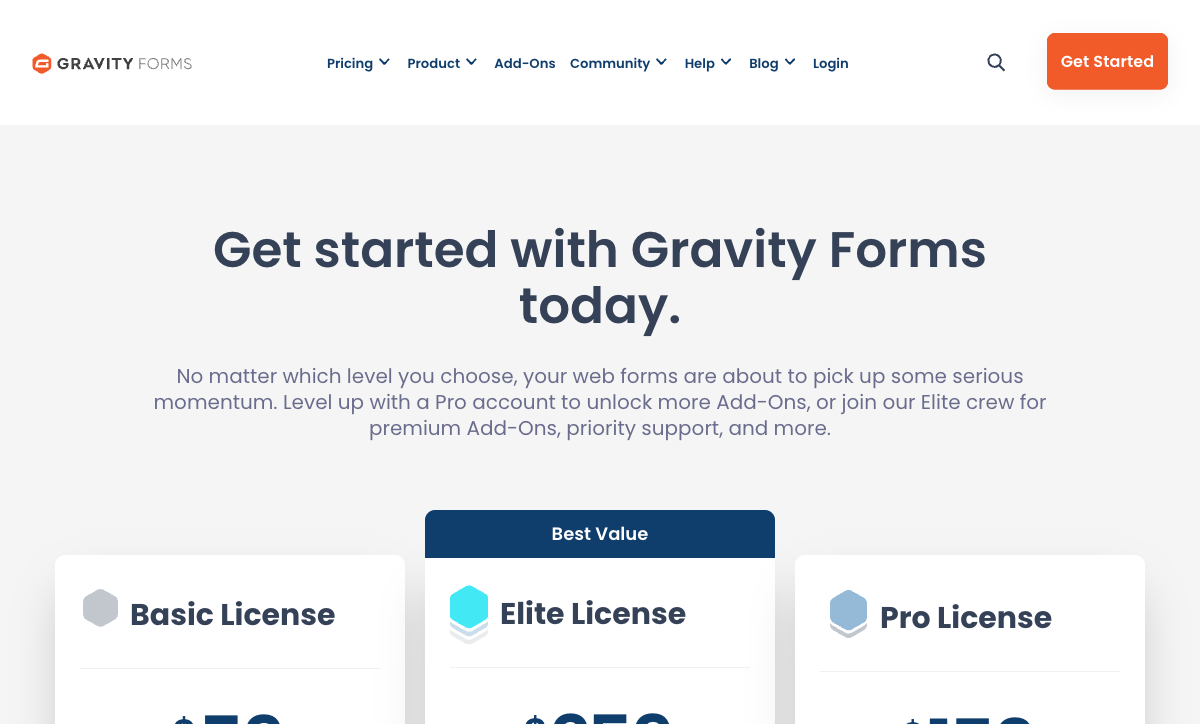
The two price sheets are not measuring the same thing. Gravity Forms charges per site per year and meters nothing else. Paperform charges per month for a platform and meters neither submissions nor seats. The table below lines up what each number actually buys.
| What you need | Gravity Forms | Paperform | The difference |
|---|---|---|---|
| A form with logic | Basic, $59/year, one site | Pro, $588/year, unlimited submissions and seats | Gravity Forms is an order of magnitude cheaper, plus hosting |
| Taking payments | Pro, $159/year, for Stripe, PayPal and Square add-ons | Included on every plan, 5 gateways | Coupons still need Elite; tax and quoting are not native at all |
| Signatures | Elite, $259/year, for a signature field only | Papersign included: 25 signed docs/month on Pro, 100 on Business | A captured image against an executed document with an audit trail |
| Approvals and routing | Gravity Flow, sold separately, plus Elite webhooks | Stepper included, 20,000 automation credits on Pro | Another vendor and another renewal, or the same subscription |
| Trying it first | No free trial; online demo and a 30-day refund | 7-day trial, no credit card | Buy then evaluate, or evaluate then buy |
Paperform
Gravity Forms
| Product | Plan | Monthly Price | Annual Price (per month) | Free Plan | Free Trial | Limits |
|---|---|---|---|---|---|---|
| Paperform | Free | Free | Free | Yes | 7 days | forms: Unlimited, submissions: 30/month, storage: Unlimited, users: Unlimited, file uploads: 100 MB |
| Paperform | Pro | $59/mo | $49/mo billed annually | forms: Unlimited, submissions: Unlimited, storage: Unlimited, users: Unlimited, file uploads: 10 GB | ||
| Paperform | Business | $149/mo | $124/mo billed annually | forms: Unlimited, submissions: Unlimited, storage: Unlimited, users: Unlimited, file uploads: 100 GB | ||
| Gravity Forms | Basic | Not listed | $59/mo billed annually | No | No | forms: Unlimited, submissions: Unlimited, storage: WordPress database (self-hosted), users: Unlimited (WordPress users) |
| Gravity Forms | Pro | Not listed | $159/mo billed annually | forms: Unlimited, submissions: Unlimited, storage: WordPress database (self-hosted), users: Unlimited (WordPress users) | ||
| Gravity Forms | Elite | Not listed | $259/mo billed annually | forms: Unlimited, submissions: Unlimited, storage: WordPress database (self-hosted), users: Unlimited (WordPress users) | ||
| Gravity Forms | Nonprofit | Not listed | $129/mo billed annually | forms: Unlimited, submissions: Unlimited, storage: WordPress database (self-hosted), users: Unlimited (WordPress users) |
One cost sits outside both sheets. A self-hosted WordPress installation needs hosting, core and PHP updates, plugin conflict testing, security patching and backups, and that work has an hourly rate even when nobody invoices for it. Agencies running client sites absorb it as part of the retainer; a five-person operations team usually absorbs it as somebody's evening. If you are weighing hosted against self-hosted more broadly, our open-source vs hosted breakdown works through the tradeoff.
What Users Say
Gravity Forms rates 4.7 on G2 across 240 reviews, 4.6 on Capterra across 91 and 4.5 on Trustpilot across 100. The praise is consistent: reliability, breadth and an add-on library nothing else in WordPress matches. The criticism is equally consistent. IsItWP calls it feature-rich with a steeper learning curve than its competitors, FatLab describes the admin interface as dated and the CSS styling as complex, and Hack'celeration's aggregate of 15 verified reviews puts the learning curve for non-technical users at the top of the complaint list. Paperform's sample is smaller, at 78 reviews on G2 and 104 on Capterra, with ratings of 4.8 on both and 4.8 across 212 Trustpilot reviews, and support is the dimension that scores highest.
The Verdict
Choose Gravity Forms when WordPress is already the platform and the form is the whole job. A developer-maintained site, entries that belong in your own database, a $59 to $259 annual budget and a hook-level extensibility ceiling add up to a purchase that is hard to argue with. Fifteen years and five million installations are not an accident.
Choose Paperform when the form is the first step of something longer. The moment a submission has to be approved, priced with real logic, turned into a signed contract and pushed into another system, the Gravity Forms answer is a shopping list and yours is the hand assembling it. Paperform's higher price buys the one thing the cheaper option cannot sell: a stack that is already connected, hosted, certified and supported by the people who built it, so that nobody on your team has to be the integration.
If WordPress is the requirement rather than Gravity Forms specifically, compare the field in our best form builders for WordPress guide. Teams weighing hosted options against each other should start with the overall form builder ranking, or read Gravity Forms alternatives for a wider set.
Frequently Asked Questions
How many separate purchases does a signed contract take in Gravity Forms?
At least three, and usually four. The Signature Add-On that captures a scribble is Elite only, at $259/year. It produces a stored image rather than an executed document, so real contracts still go out through a signing vendor on its own bill. Routing the approval before or after it means Gravity Flow, which is a separate product from the same company and not included in any Gravity Forms licence. Underneath all of it sits WordPress hosting. Paperform Pro at $49/month billed annually includes Papersign for eSignatures with 25 signed documents a month, bulk sending, signer verification and an audit trail that links back to the original submission, and Stepper for the approval workflow, on one invoice.
Does the Gravity Forms MCP server mean I get AI form building?
Only if you bring the assistant. Version 3.1, released in August 2026, ships an MCP server on every licence tier so Claude, ChatGPT, Cursor or VS Code can create forms, inspect conditional logic, manage feeds and search entries. There is no AI inside the Gravity Forms interface: no in-product form generation, no calculations assistant, no AI summaries of entries. The server also requires WordPress 6.9 or later with the Abilities API, works on self-hosted sites only, and ships disabled with per-tool permission toggles. Paperform generates forms from a description, writes calculation and scoring rules on request, and summarises open-text answers with AI Insights inside the editor the ops team already uses.
Can I accept payments on the $59 Gravity Forms Basic licence?
No. Stripe, PayPal and Square are all Pro-tier add-ons, so taking money starts at $159/year and then gets assembled one add-on at a time. Google Pay rides on Stripe rather than existing as its own integration, there is no native Braintree, and coupons are held back to Elite at $259/year. Tax calculation, conditional pricing rules and quoting are not native at any tier; conditional pricing needs a third-party Gravity Wiz perk on its own renewal. Every Paperform plan accepts payments through Stripe, PayPal, Square, Braintree and Google Pay, with subscriptions, coupons, tax rules, product management and refunds in the builder and no transaction fee from Paperform.
What do I hand a security reviewer who asks Gravity Forms for SOC 2?
A description of your own hosting. Rocketgenius holds neither SOC 2 nor ISO 27001, offers no BAA, and stores entries unencrypted in your WordPress database, so the attestation a reviewer wants does not exist and the compliance work transfers to you. Gravity Forms does ship genuine GDPR tooling: consent fields, IP suppression, data export and erasure, and retention policies. Paperform is SOC 2 Type II certified and GDPR and CCPA compliant, with SAML SSO, enforced 2FA and bring-your-own S3 on Business. Neither product is HIPAA compliant, and Paperform signs no BAAs either, so protected health information rules both of them out.
Is Gravity Forms still run by the people who built it?
No. Rocketgenius was founded in 2008 and acquired in 2025, so the roadmap now answers to an owner rather than the founders. The plugin itself is mature and widely deployed, on more than five million active sites with roughly 56% of the WordPress forms category, and that stability is real. The looser part of the stack is the add-on layer: Gravity Wiz, GravityKit and similar perks are independent commercial products with their own renewals and no obligation to keep shipping. Paperform is younger, founded in 2016, but is bootstrapped, profitable and still run by its founders, with no investor clock and no acquirer with a different plan.
What does Gravity Forms give me that Paperform cannot?
Three things. Your entries sit in your own database on your own server, which some procurement policies require outright. The licence is far cheaper: $59 to $259 per year against $588 a year for Paperform Pro. And the extensibility is deeper than any hosted product can offer, with 500+ hooks and filters, a REST API on every tier and an add-on framework that a developer can build against. Forms also carry no vendor badge, because the plugin is part of your own site. If a WordPress site needs forms and you have a developer who maintains it, that is a good purchase and we would say so.
Sources & References
- Gravity Forms Pricing — Gravity Forms, 2026
- Gravity Forms Review 2026: Is It Worth Your Money? — IsItWP, January 2026
- Gravity Forms Review: Is It Still Worth the Price in 2026? — FatLab Web Support, February 2026
- Gravity Forms Review 2026: Honest Verdict + 15 Real Reviews — Hack'celeration, June 2026
- Gravity Forms Review: The Right Contact Form Plugin for You? — WPBeginner, February 2026
Updates
We re-audit the form builders we compare on a regular cadence and log every change here — a public record of what changed and when.
- Updated September 22, 2026 — Written against the September 2026 data re-audit. Paperform pricing set to the current Free/Pro/Business/Enterprise lineup (Pro $59/$49, Business $149/$124, unlimited submissions and seats). Gravity Forms pricing confirmed as annual-only Basic $59, Pro $159, Elite $259 and Nonprofit $129, with no free trial. Added the 3.1 MCP server, the 2025 Rocketgenius acquisition, and the absence of SOC 2 and any BAA.
Last updated September 22, 2026
Ready to try Paperform?
Create beautiful forms, payment pages, and workflows — no code required.