Open-Source vs Hosted Form Builders: Which Should You Choose in 2026?
Choose a self-hosted form builder when data residency is contractual, when you already maintain servers, or when submission volume is huge and flat licence pricing wins. Choose a hosted one when nobody on the team should be patching a stack. Most businesses land on hosted; developers and WordPress agencies often should not.
The question behind this comparison is rarely about software licences. It is about who carries the operational risk. A self-hosted form builder puts the database, the uploads and the security patches on infrastructure you control, which is exactly what some organisations need and exactly what most of them are not staffed for. A hosted platform moves all of that to a vendor, along with the uptime guarantee and the compliance paperwork, in exchange for a subscription and a dependency.
We compared six products across both models: Gravity Forms and WPForms, which are GPL-licensed WordPress plugins that run on your own server, and Paperform, Jotform, Typeform and FormAssembly, which are cloud-hosted with no self-hosted build. Deployment models, pricing and compliance claims were verified against each vendor's live documentation on 22 September 2026.
| Feature | Paperform | Gravity Forms | WPForms | Jotform | Typeform | FormAssembly |
|---|---|---|---|---|---|---|
| Form Building | ||||||
| Document-style editor | Yes | No | No | No | No | No |
| Field types | 26+ | No | Yes basic | 30+ (starter) | 20+ | Yes explorer |
| File uploads | Yes | No | No | Yes starter | Yes basic | No |
| Guided mode (one question at a time) | Yes | Yes Elite | Yes pro | Yes starter | Yes | No |
| AI calculations assistant | Yes pro | No | Yes pro | No | No | No |
| Payments | ||||||
| PayPal payments | Yes | Yes Pro | Yes pro | Yes starter | No | Yes explorer |
| Square payments | Yes | Yes Pro | Yes pro | Yes starter | No | No |
| Braintree payments | Yes | No | No | Yes starter | No | No |
| Google Pay | Yes | Yes Pro | No | Yes starter | No | No |
| Product sales (eCommerce) | Yes pro | Yes Basic | No | Yes starter | No | Yes explorer |
| Design & Customization | ||||||
| Template gallery | 30,000+ | Yes Basic | Yes pro | 20,000+ (starter) | 1,500+ | Yes explorer |
| Unsplash and Giphy integration | Yes | No | No | No | Yes | No |
| Image editor | Yes | No | No | No | No | No |
| Adobe Creative Cloud | Yes | No | No | No | No | No |
| Language translation | Yes | Yes Basic | Yes basic | Yes starter | Yes basic | No |
| Analytics | ||||||
| AI report insights | Yes pro | No | Yes pro | No | Yes business | No |
| Paperform analytics | Yes pro | No | Yes pro | No | No | No |
| Drop-off analysis | Yes pro | No | No | No | Yes business | No |
| Google Analytics & Facebook Pixel | Yes pro | Yes Elite | No | No | Yes basic | No |
| Custom analytics scripts | Yes pro | Yes Basic | No | No | Yes basic | No |
| Collaboration | ||||||
| Advanced permissions & admin | Yes enterprise | No | Yes elite | Yes enterprise | Yes enterprise | Yes enterprise |
| Form sharing (templates) | Yes | Yes Basic | Yes basic | No | Yes | Yes explorer |
| Spaces and tag management | Yes | No | No | No | No | No |
| Form sharing | No | No | No | Yes starter | No | No |
| Assign forms | No | No | No | Yes enterprise | No | No |
| Security | ||||||
| SOC 2 Type II | Yes | No | No | Yes enterprise | Yes | Yes explorer |
| Two-factor authentication | Yes | No | No | Yes starter | Yes | Yes explorer |
| Enforce 2FA for all users | Yes business | No | No | No | No | Yes enterprise |
| SSO (SAML) | Yes business | No | No | Yes enterprise | Yes enterprise | Yes enterprise |
| Local data residency | Yes enterprise | Yes Basic | Yes | No | No | Yes enterprise |
| Integrations & API | ||||||
| Native integrations | 4,000+ | No | No | 150+ (starter) | 120+ (basic) | No |
| Zapier | Yes | Yes Pro | Yes pro | Yes starter | Yes basic | No |
| Make (Integromat) | Yes | No | Yes pro | Yes starter | Yes basic | No |
| Standard API | Yes pro | Yes Basic | No | No | No | Yes explorer |
| Business API | Yes business | No | No | No | No | No |
The Real Tradeoff, Stated Plainly
Self-hosting trades money for control and control for labour. You stop paying per month and start paying in attention. The licence for Gravity Forms Basic is $59 a year with unlimited submissions, which no hosted vendor can match on price, and the data never touches a third party. In return, somebody on your side owns the server, the WordPress core updates, the plugin updates, the backup schedule, the TLS renewal and the incident when a payment form breaks.
Hosting trades control for a maintained system. You give up the ability to point at a physical server and gain patching, uptime commitments, a support desk and, in most cases, third-party attestations an auditor will accept. The bill arrives monthly and it is a dependency: if the vendor disappears, the forms go with them.
Neither model is the right default. The useful test is to ask who fixes it at 2am, and whether that person's time is worth less than the subscription you are avoiding.
When Self-Hosting Genuinely Wins
Four situations make self-hosting the better engineering decision, not a compromise.
- Data residency is contractual. If a client contract, a regulator or an internal policy requires that submissions never leave a specific jurisdiction or a specific network, hosting the application yourself is the cleanest way to demonstrate it. Hosted vendors offer data residency controls, usually on enterprise tiers, but you are trusting an attestation rather than owning the disk.
- Volume is large and flat pricing wins. Gravity Forms and WPForms both accept unlimited submissions on every licence tier because the storage is yours. At a hundred thousand submissions a month, a $59-a-year licence against any per-submission or per-tier model is not a close contest.
- You need to change the software. Plugin hooks, filters and direct database access let a developer bend a self-hosted form builder into shapes no hosted API exposes. Gravity Forms has a large add-on ecosystem built precisely on that surface, including the widely used Gravity Wiz extensions that add conditional maths the core product lacks.
- You already run the infrastructure. An agency with fifty WordPress sites under management has already paid the operational cost. Adding a form plugin to an existing maintenance contract is close to free, and a per-seat SaaS bill across fifty client sites is not.
Worth noting: neither Gravity Forms nor WPForms is open source in the sense most people mean. Both are GPL-licensed because WordPress requires it, and both are commercial products with paid licences and closed development. For genuinely community-developed, self-hostable projects, look outside this comparison set at tools like Formbricks, OpnForm, LimeSurvey or Form.io. We do not benchmark them here because they target developers running their own deployments rather than the business teams these six products sell to.
When Hosted Wins, Which Is Most of the Time
The case for hosted rests on three things that never appear on a pricing page: nobody patches anything, somebody answers the phone, and an auditor gets a document.
Patching is the one teams underestimate. A self-hosted WordPress form is a WordPress install, and WordPress installs are among the most probed surfaces on the internet. Every plugin is an attack path, and a form that collects payment details or personal data raises the stakes on each unpatched CVE. Hosted vendors do that work continuously and it is priced into the subscription.
Support is the second. With a plugin, the vendor supports the plugin and everything else is your hosting company's problem, or yours. Hosted platforms own the whole stack, so there is one place to escalate. Support sitting inside the subscription rather than behind a separate enablement or onboarding fee is worth checking before you sign, because several enterprise form vendors now sell it separately.
Vendor longevity is the third, and it cuts against the hosted model unless you choose carefully. A self-hosted plugin keeps running after the company stops shipping. A hosted service does not. That makes company age, funding structure and profitability real buying criteria rather than marketing trivia: Jotform has been bootstrapped since 2006, Gravity Forms since 2008, and Paperform since 2016. Typeform has taken venture funding through Series C, and FormAssembly is privately held with an enterprise sales motion. A platform bet is a bet on the vendor still being there in five years.
Self-Hosted Picks
 #1 Self-Hosted: Gravity Forms — The Deepest Tool You Can Run Yourself
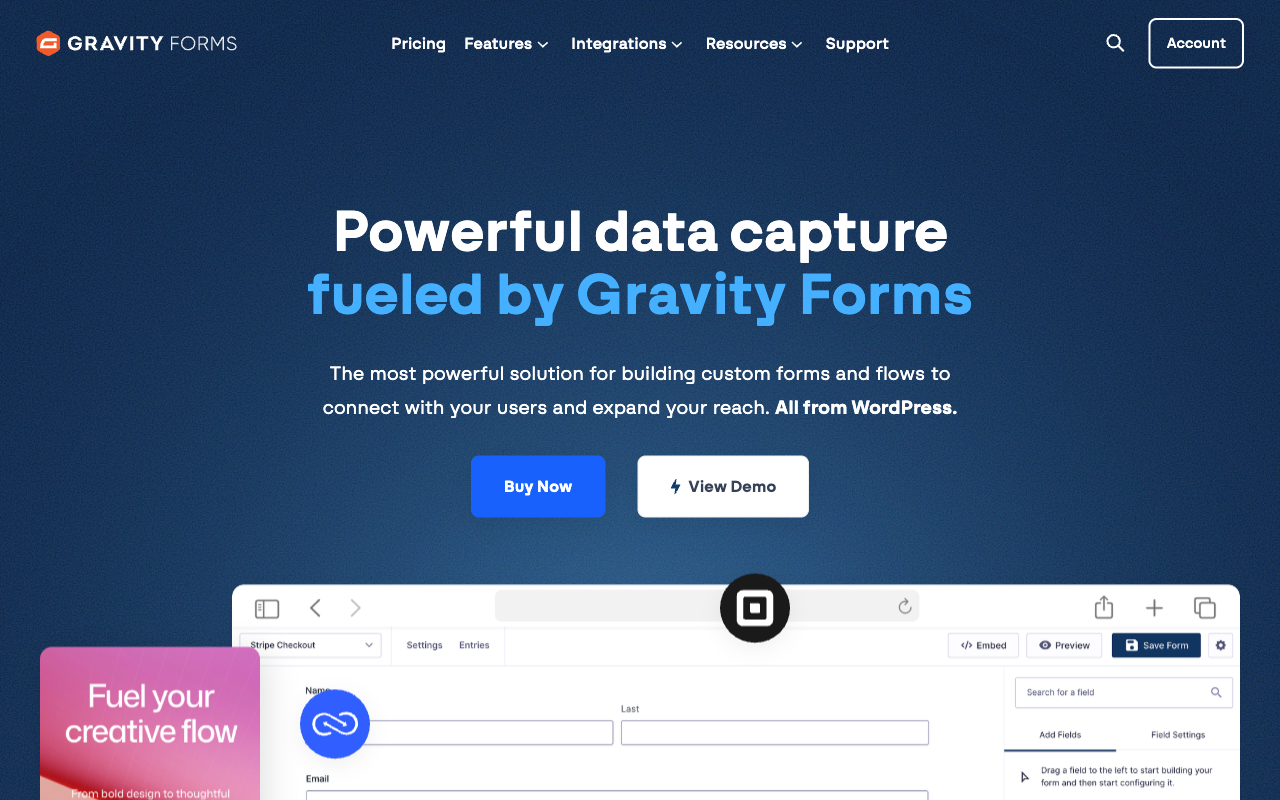
Gravity Forms has been shipping since 2008 and runs on more than five million active websites, which is the longest track record of anything in this comparison. Licences are $59, $159 and $259 a year, with a $129 nonprofit rate and no free tier, and every one of them takes unlimited submissions into your own WordPress database. Payments reach five processors at the $159 Pro licence: Stripe, PayPal Checkout, Square and Mollie, with 2Checkout added at Elite. There are 50+ official add-ons and a webhooks add-on that speaks GET, POST, PUT, PATCH and DELETE with conditional rules attached.
It earns the top self-hosted spot because it is the only tool here where owning the deployment does not cost you capability. Conditional logic handles fields, sections, pages and buttons with AND/OR rules, though nesting needs an add-on, and version 3.1 in August 2026 shipped an MCP server so an external AI assistant can build and edit forms from a plain-language brief. Reviewers are consistent about the catch: IsItWP rates it 4.6/5 while flagging a steeper learning curve than its rivals, and FatLab's 2026 review praises the fifteen-year reliability record while calling the admin UI dated and the CSS styling work complex.
The limits are structural rather than fixable. There is no SOC 2 attestation and no HIPAA compliance, because your hosting stack is the compliance boundary. Calculations are merge-tag arithmetic without Excel-style functions. And everything past the submission is a separate product you install, host and connect: the signature, the approval routing, the reporting. The licence price is low; the assembly is the cost.
- Pricing: No free plan. Basic $59/year, Pro $159/year, Elite $259/year, Nonprofit $129/year.
- Best for: WordPress developers and agencies who want unlimited submissions on their own infrastructure.
- Key limitation: No SOC 2 or HIPAA, basic calculations, and you are the host, the patcher and the security team.
 #2 Self-Hosted: WPForms — The Easiest Way Onto Your Own Server
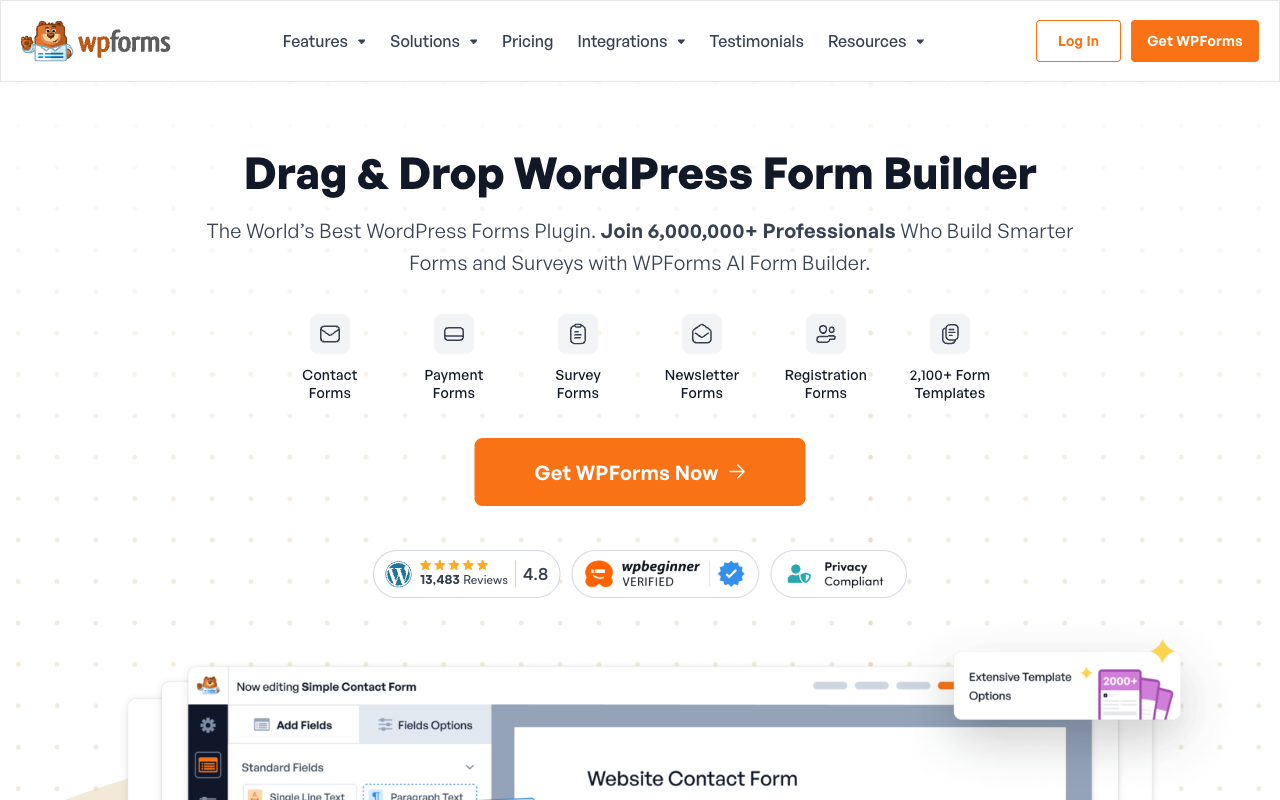
WPForms runs on more than six million WordPress installs and is the friendlier of the two plugins by a distance. There is a free Lite tier, paid licences run $99, $199, $399 and $599 a year with unlimited submissions and unlimited WordPress users at every level, and a 2026 AI assistant inside the builder adds fields, writes conditional logic and configures notifications from a plain-language prompt, available to Lite users too.
It ranks second rather than first because the capability you need tends to sit one licence above the one you bought. Conditional logic starts at Basic, calculations at Pro, Square and PayPal at Pro, Authorize.Net at Elite. FatLab's review is headlined on exactly that escalation, and Fluent Forms' 2026 roundup makes the same criticism more bluntly, noting that a $99 plan often becomes a $300-plus annual setup once the addons and Zapier fees land. WPForms also has no public API and no SSO, which Gravity Forms does have on the API side.
The self-hosting arithmetic is identical to Gravity Forms: your server, your backups, your patch cadence, no SOC 2 and no HIPAA. WPForms does hold PCI compliance for payment forms and is GDPR and CCPA aligned. If the site is already on WordPress and the person building forms is a marketer rather than a developer, this is the gentler door.
- Pricing: Free Lite tier. Basic $99/year, Plus $199/year, Pro $399/year, Elite $599/year.
- Best for: Non-technical teams on a WordPress site they already host.
- Key limitation: Feature gating across four tiers, no API, no SSO, and the full self-hosting maintenance load.
See the Self-Hosted Option in Action
Two independent 2026 walkthroughs of the WordPress plugin route, including a direct head-to-head between the two options above.
Hosted Picks
 #1 Hosted: Paperform — Best When the Form Starts a Process

Paperform cannot be self-hosted. There is no on-premise build, no community edition and no plan for one, so if running the application yourself is a requirement, stop reading here and take a WordPress plugin or an open-source project instead. Everything below assumes you have decided hosted is acceptable.
Given that, Paperform earns the top hosted spot because it removes the assembly work that makes self-hosting expensive in the first place. One subscription covers three products on every plan: Paperform for forms, Papersign for eSignatures and Stepper for workflow automation. Pro is $59/month, or $49/month billed annually, with unlimited submissions and unlimited seats under fair use, 25 signed documents a month and 20,000 automation credits. Business is $149/month, or $124/month annually, and adds 10 workspaces, SSO and the Business API. A form taking 200 responses and a form taking 200,000 cost the same, which is the one place hosted pricing can meet the flat-licence logic of a self-hosted plugin.
The technical argument against a plugin stack is the calculation engine. Paperform's formulas are Excel-style and they drive question and page visibility, conditional emails, what each integration receives and what appears on the success page, rather than producing a total at the bottom of an order form. Payments run through five gateways with subscriptions, coupons, tax rules and inventory built in, and there are 4,000+ integrations. The company was founded in 2016, is bootstrapped and profitable, and holds SOC 2 Type II, GDPR and CCPA. It is not HIPAA compliant and signs no BAAs.
- Pricing: Pro $59/month, $49/month billed annually. Business $149/month, $124 annually. Enterprise on quote. 7-day trial, no card.
- Best for: Teams who accepted the hosted tradeoff and want the signature and the workflow in the same subscription.
- Key limitation: No self-hosted option at all, no HIPAA compliance, and a higher entry price than every other tool here.
 #2 Hosted: Jotform — Best Breadth Without a Server

Jotform supports 40+ payment processors, more than any tool in this comparison and eight times what the WordPress plugins manage. Add 150+ native integrations, 20,000 templates, native mobile apps, and a compliance sheet covering HIPAA with a BAA, SOC 2, ISO 27001, PCI DSS Level 1 and FERPA, and you have the strongest argument that hosted breadth is simply unreachable on a plugin budget. Twenty bootstrapped years since 2006 paid for it.
The cost is that almost everything is metered, which is the exact opposite of the flat-licence model that draws people to self-hosting. Submissions, forms, form views, storage, fields per form and signed documents all carry per-tier caps: Bronze at $34/month annual gives 25 forms and 1,000 submissions, Gold at $99/month annual gives 100 forms, 10,000 submissions and HIPAA. Every self-serve tier is single-user, so a second editor means an Enterprise quote. If you moved off a self-hosted plugin specifically to stop worrying about volume, read the tier table twice.
- Pricing: Free Starter (5 forms, 100 submissions/month). Bronze $39/month, $34 annually. Silver $49/$39. Gold $129/$99.
- Best for: Solo operators who need HIPAA or an unusual payment processor and will never touch a server.
- Key limitation: Six separate meters and a single seat on every self-serve plan.
 #3 Hosted: FormAssembly — Best When the Auditor Decides
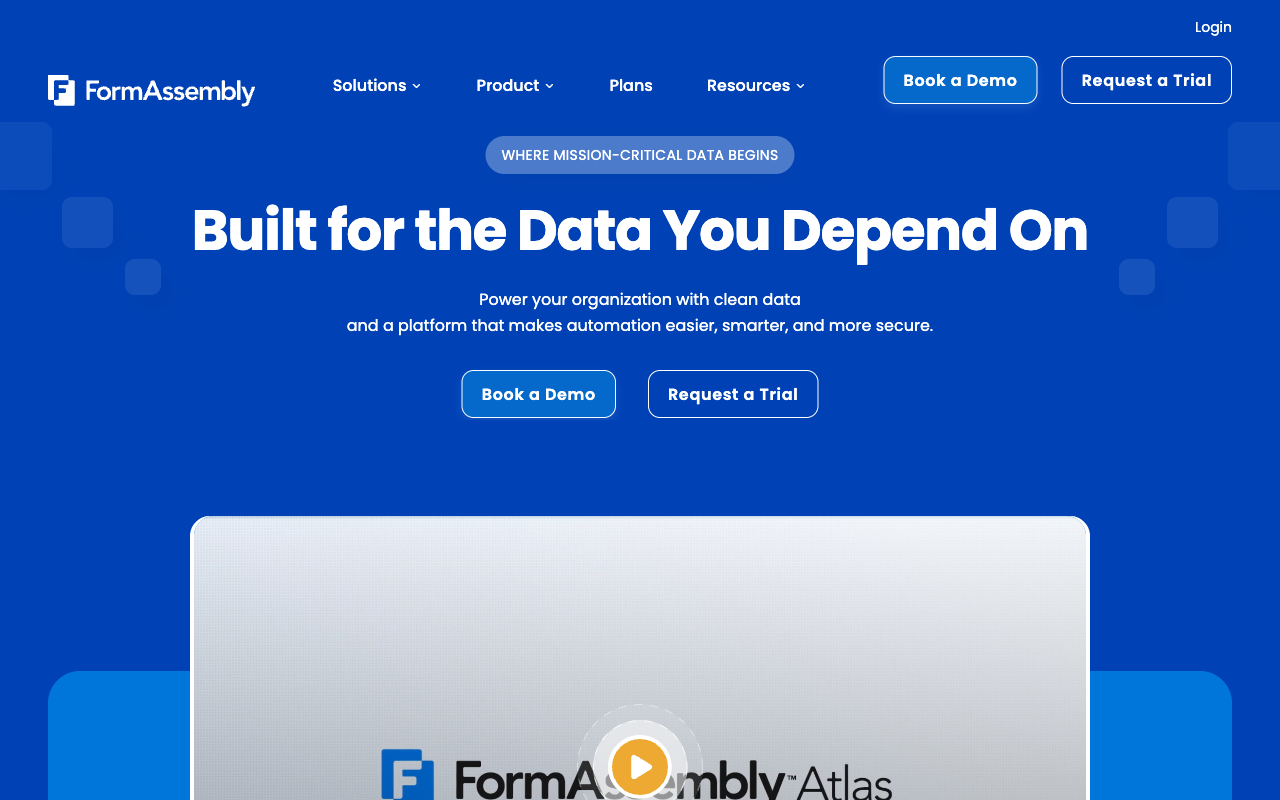
FormAssembly holds HIPAA, PCI DSS Level 1, ISO 27001, FedRAMP High, TX-RAMP, GLBA, FERPA, 21 CFR Part 11 and Section 508 accessibility conformance, which is the deepest compliance stack in this comparison by a long way. That list is the clearest illustration of what you give up by self-hosting: no WordPress plugin can hand a reviewer a FedRAMP authorisation, because there is no shared environment to authorise. If your intake sits inside a regulated checklist, this is the answer and the rest of the page is academic.
Everything else about it is enterprise procurement. Pricing is unpublished across all four Atlas tiers, so the only way to learn the number is to talk to a salesperson. Seats are capped at 1, 3 and 5 standard users by tier. As of September 2026, integrations including Salesforce, workflows, document generation, the analytics suite and onboarding plans are all sold as add-ons on top of that unpublished base. There are 20+ integrations and 2 payment gateways, Stripe and PayPal. The Salesforce connector is genuinely the best in the category, with multi-object sync and field mapping nothing else matches.
- Pricing: Not published. Four Atlas tiers quoted by sales, with most capability sold as add-ons.
- Best for: Regulated intake and Salesforce-centred data capture where the compliance list is the requirement.
- Key limitation: No published pricing, capped seats, and a bill you cannot forecast.
 #4 Hosted: Typeform — Best Respondent Experience, Tightest Caps

Typeform's one-question-at-a-time format is the best-performing capture pattern in the category for short, high-intent flows, and the company claims 3.5x more responses than a standard form. It is also heavily certified: HIPAA, SOC 2, ISO 27001, ISO 27017, ISO 27018, PCI DSS and, since June 2026, ISO/IEC 42001 for AI management systems. Nothing you can install on your own WordPress site produces a respondent experience close to it.
It ranks last among the hosted options because its pricing model is the furthest thing from the flat-licence deal self-hosters are used to. Responses and seats are capped on all five published plans: 100 responses and 1 user on Basic at $28/month annual, 1,000 and 3 on Plus, 10,000 and 5 on Business at $91/month annual. Growth Flow at $266/month annual, nearly three times the Business price, raises neither. Payments are Stripe only, calculations require Plus, and there are 120+ integrations. Typeform has raised through Series C, so the incentives differ from the bootstrapped vendors here. Our Typeform alternatives guide covers the usual exits.
- Pricing: Free (10 responses/month). Basic $39/month, $28 annually. Plus $79/$56. Business $129/$91. Growth Flow $379/$266.
- Best for: Brand and marketing teams running short, low-volume capture where the experience is the point.
- Key limitation: Every plan meters responses and seats, and the most expensive one raises neither.
The Five Dimensions, Across Both Models
Deployment
Two of the six run on your own infrastructure: Gravity Forms and WPForms, both GPL-licensed WordPress plugins with no standalone cloud service. The other four are cloud-hosted with no self-hosted edition, Paperform included. There is no product in this set that offers both models, so deployment is a fork in the shortlist rather than a setting you change later.
Pricing model
The self-hosted plugins charge a flat annual licence with unlimited submissions: $59 to $259 a year for Gravity Forms, $99 to $599 for WPForms. Among the hosted tools, Paperform is the only one that does not meter submissions or seats, at $49/month billed annually on Pro. Jotform and Typeform cap both on every self-serve tier, and FormAssembly publishes no prices at all.
Integrations and API
Paperform lists 4,000+ integrations, Jotform 150+, Typeform 120+, Gravity Forms 50+ official add-ons and FormAssembly 20+. WPForms counts 10,000+ but reaches most of them through Zapier rather than natively, and it is the only tool here with no public API. Gravity Forms, Paperform, Jotform, Typeform and FormAssembly all expose one.
Conditional logic
All six branch on an answer, and the split is arithmetic. Paperform runs Excel-style calculations that control question and page visibility, conditional emails, integration payloads and success page content. FormAssembly and WPForms both have calculation fields, WPForms from the Pro licence. Typeform gates calculations behind Plus at $56/month annual. Gravity Forms handles field, section, page and button visibility with AND/OR rules but does merge-tag arithmetic only, with no nested logic natively.
Payments
Jotform leads with 40+ processors. Gravity Forms and Paperform both reach 5: Gravity Forms via Stripe, PayPal Checkout, Square and Mollie at the $159/year Pro licence plus 2Checkout at Elite, and Paperform via Stripe, PayPal, Square, Braintree and Google Pay with subscriptions, coupons, tax and inventory in the form itself. WPForms has 4 spread across three licence tiers. FormAssembly has 2. Typeform is Stripe only.
Compliance
FormAssembly, Jotform and Typeform are all HIPAA, GDPR, SOC 2 and ISO 27001 compliant, with FormAssembly adding FedRAMP High and PCI DSS Level 1. Paperform is SOC 2 Type II, GDPR and CCPA compliant but is not HIPAA compliant and signs no BAAs. Gravity Forms and WPForms hold neither SOC 2 nor HIPAA, because on a self-hosted deployment your infrastructure is the compliance boundary and the evidence is yours to produce.
Full Pricing Comparison
Every published tier across the six tools. Self-hosted licences are annual; hosted plans show monthly and annual rates where vendors publish both.
Paperform
Gravity Forms
| Product | Plan | Monthly Price | Annual Price (per month) | Free Plan | Free Trial | Limits |
|---|---|---|---|---|---|---|
| Paperform | Free | Free | Free | Yes | 7 days | forms: Unlimited, submissions: 30/month, storage: Unlimited, users: Unlimited, file uploads: 100 MB |
| Paperform | Pro | $59/mo | $49/mo billed annually | forms: Unlimited, submissions: Unlimited, storage: Unlimited, users: Unlimited, file uploads: 10 GB | ||
| Paperform | Business | $149/mo | $124/mo billed annually | forms: Unlimited, submissions: Unlimited, storage: Unlimited, users: Unlimited, file uploads: 100 GB | ||
| Gravity Forms | Basic | Not listed | $59/mo billed annually | No | No | forms: Unlimited, submissions: Unlimited, storage: WordPress database (self-hosted), users: Unlimited (WordPress users) |
| Gravity Forms | Pro | Not listed | $159/mo billed annually | forms: Unlimited, submissions: Unlimited, storage: WordPress database (self-hosted), users: Unlimited (WordPress users) | ||
| Gravity Forms | Elite | Not listed | $259/mo billed annually | forms: Unlimited, submissions: Unlimited, storage: WordPress database (self-hosted), users: Unlimited (WordPress users) | ||
| Gravity Forms | Nonprofit | Not listed | $129/mo billed annually | forms: Unlimited, submissions: Unlimited, storage: WordPress database (self-hosted), users: Unlimited (WordPress users) | ||
| WPForms | Lite (Free) | Free | Free | Yes | 14 days | forms: Unlimited, submissions: Unlimited, users: Unlimited |
| WPForms | Basic | Not listed | $8.25/mo billed annually | forms: Unlimited, submissions: Unlimited, users: Unlimited | ||
| WPForms | Plus | Not listed | $16.58/mo billed annually | forms: Unlimited, submissions: Unlimited, users: Unlimited | ||
| WPForms | Pro | Not listed | $33.25/mo billed annually | forms: Unlimited, submissions: Unlimited, users: Unlimited | ||
| WPForms | Elite | Not listed | $49.92/mo billed annually | forms: Unlimited, submissions: Unlimited, users: Unlimited | ||
| Jotform | Starter | Free | Free | Yes | No | forms: 5, submissions: 100/month, storage: 100 MB, users: 1 |
| Jotform | Bronze | $39/mo | $34/mo billed annually | forms: 25, submissions: 1,000/month, storage: 1 GB, users: 1 | ||
| Jotform | Silver | $49/mo | $39/mo billed annually | forms: 50, submissions: 2,500/month, storage: 10 GB, users: 1 | ||
| Jotform | Gold | $129/mo | $99/mo billed annually | forms: 100, submissions: 10,000/month, storage: 100 GB, users: 1 | ||
| Typeform | Free | Free | Free | Yes | No | forms: 10, submissions: 10/month, users: 1 |
| Typeform | Basic | $39/mo | $28/mo billed annually | forms: Unlimited, submissions: 100/month, users: 1 | ||
| Typeform | Plus | $79/mo | $56/mo billed annually | forms: Unlimited, submissions: 1,000/month, users: 3 | ||
| Typeform | Business | $129/mo | $91/mo billed annually | forms: Unlimited, submissions: 10,000/month, users: 5 | ||
| Typeform | Growth Flow | $379/mo | $266/mo billed annually | forms: Unlimited, submissions: 10,000/month, users: 5 | ||
| Typeform | Talent | $169/mo | $119/mo billed annually | forms: Unlimited, users: HR teams | ||
| FormAssembly | FormAssembly Atlas Explorer | Not published | Not listed | No | 14 days | forms: Unlimited, submissions: Unlimited, storage: Unlimited, users: 1 standard / 0 limited |
| FormAssembly | FormAssembly Atlas Team | Custom | Not listed | forms: Unlimited, submissions: Unlimited, storage: Unlimited, users: 3 standard / 5 limited | ||
| FormAssembly | FormAssembly Atlas Enterprise | Custom | Not listed | forms: Unlimited, submissions: Unlimited, storage: Unlimited, users: 5 standard / 10 limited | ||
| FormAssembly | FormAssembly Gov Cloud | Custom | Not listed | forms: Unlimited, submissions: Unlimited, storage: Unlimited, users: 5 standard / 10 limited |
Full Feature Comparison
Every tracked capability across both deployment models, grouped by category.
| Feature | Paperform | Gravity Forms | WPForms | Jotform | Typeform | FormAssembly |
|---|---|---|---|---|---|---|
| Form Building | ||||||
| Document-style editor | Yes | No | No | No | No | No |
| AI form creation | Yes | Yes Basic | Yes basic | Yes starter | Yes | Yes explorer |
| Field types | 26+ | No | Yes basic | 30+ (starter) | 20+ | Yes explorer |
| File uploads | Yes | No | No | Yes starter | Yes basic | No |
| Multi-page forms | Yes | Yes Basic | Yes basic | Yes starter | Yes basic | Yes explorer |
| Guided mode (one question at a time) | Yes | Yes Elite | Yes pro | Yes starter | Yes | No |
| Conditional logic | Yes | Yes Basic | Yes basic | Yes starter | Yes basic | Yes explorer |
| Calculations field | Yes pro | Yes Basic | Yes pro | Yes starter | Yes plus | Yes explorer |
| AI calculations assistant | Yes pro | No | Yes pro | No | No | No |
| Scoring | Yes pro | Yes Elite | Yes pro | Yes starter | Yes plus | No |
| Answer piping | Yes | Yes Basic | No | Yes starter | Yes basic | Yes explorer |
| Pre-filling and hidden fields | Yes pro | Yes Basic | Yes basic | Yes starter | Yes basic | Yes explorer |
| Save and resume | Yes | Yes Basic | Yes pro | Yes starter | No | Yes explorer |
| Auto-close by number | Yes pro | No | Yes basic | Yes starter | Yes basic | Yes explorer |
| Auto-close by date | Yes pro | No | Yes basic | Yes starter | Yes basic | Yes explorer |
| Appointment/booking field | Yes | No | No | Yes starter | Yes basic | No |
| Signature field | Yes | Yes Elite | Yes pro | Yes starter | Yes basic | Yes explorer |
| Color picker field | Yes | No | No | No | No | No |
| API-powered dropdowns | Yes business | No | No | No | No | Yes team |
| Google address search | Yes business | No | Yes pro | No | No | No |
| Drag-and-drop builder | No | Yes Basic | No | Yes starter | No | No |
| 30+ field types | No | Yes Basic | No | No | No | No |
| AI Smart Edit | No | No | Yes | No | No | No |
| AI Choices | No | No | Yes | No | No | No |
| AI connector (MCP-style) | No | No | Yes basic | No | No | No |
| Ranking field | No | No | Yes pro | No | No | No |
| QR code generator | No | No | Yes | No | No | No |
| Form widgets | No | No | No | Yes starter | No | No |
| Template gallery | No | No | No | 20,000+ (starter) | No | No |
| Question display logic | No | No | No | No | Yes basic | No |
| AI follow-up questions | No | No | No | No | Yes business | No |
| AI extended thinking & memory | No | No | No | No | Yes growth | No |
| Typeform AI connectors | No | No | No | No | Yes growth | No |
| Workflow / automation builder | No | No | No | No | Yes growth | No |
| AI-moderated research (Research Flow) | No | No | No | No | Yes enterprise | No |
| Video questions | No | No | No | No | Yes basic | No |
| AI workflow generation | No | No | No | No | No | Yes explorer |
| AI compliance guidance | No | No | No | No | No | Yes explorer |
| Payments | ||||||
| Stripe payments | Yes | Yes Pro | Yes pro | Yes starter | Yes basic | Yes explorer |
| PayPal payments | Yes | Yes Pro | Yes pro | Yes starter | No | Yes explorer |
| Square payments | Yes | Yes Pro | Yes pro | Yes starter | No | No |
| Braintree payments | Yes | No | No | Yes starter | No | No |
| Google Pay | Yes | Yes Pro | No | Yes starter | No | No |
| Product sales (eCommerce) | Yes pro | Yes Basic | No | Yes starter | No | Yes explorer |
| Subscriptions | Yes pro | Yes Pro | Yes pro | Yes starter | Yes basic | No |
| Coupons and discounts | Yes pro | Yes Elite | Yes pro | Yes starter | No | No |
| Custom pricing rules | Yes pro | No | Yes pro | Yes starter | No | Yes explorer |
| Tax calculations | Yes | No | No | Yes starter | No | No |
| Quotes/invoices | Yes | No | No | No | No | No |
| Refunds | Yes | Yes Pro | Yes pro | No | No | No |
| 3D Secure | Yes | Yes Pro | No | No | Yes basic | No |
| Mercado Pago payments | No | No | Yes pro | No | No | No |
| 40+ payment gateways | No | No | No | Yes starter | No | No |
| No transaction fees | No | No | No | Yes starter | No | No |
| Design & Customization | ||||||
| Template gallery | 30,000+ | Yes Basic | Yes pro | 20,000+ (starter) | 1,500+ | Yes explorer |
| Rich media (images, GIFs, videos) | Yes | Yes Basic | Yes basic | Yes starter | Yes | Yes explorer |
| Unsplash and Giphy integration | Yes | No | No | No | Yes | No |
| Image editor | Yes | No | No | No | No | No |
| Adobe Creative Cloud | Yes | No | No | No | No | No |
| Language translation | Yes | Yes Basic | Yes basic | Yes starter | Yes basic | No |
| Advanced theming | Yes pro | Yes Basic | Yes basic | Yes starter | Yes plus | Yes team |
| Custom form URL | Yes pro | No | Yes pro | No | Yes plus | Yes explorer |
| Custom domains | Yes pro | No | Yes basic | Yes enterprise | Yes enterprise | No |
| Custom HTML & CSS | Yes pro | Yes Basic | Yes basic | Yes starter | Yes business | Yes team |
| Remove branding | Yes pro | Yes Basic | Yes basic | Yes bronze | Yes plus | Yes team |
| Custom email domains | Yes business | Yes Elite | No | No | No | No |
| Form themes | No | No | No | Yes starter | No | No |
| Analytics | ||||||
| Submission results and reports | Yes | Yes Basic | Yes basic | Yes starter | Yes | Yes explorer |
| AI report insights | Yes pro | No | Yes pro | No | Yes business | No |
| Paperform analytics | Yes pro | No | Yes pro | No | No | No |
| Drop-off analysis | Yes pro | No | No | No | Yes business | No |
| Google Analytics & Facebook Pixel | Yes pro | Yes Elite | No | No | Yes basic | No |
| Custom analytics scripts | Yes pro | Yes Basic | No | No | Yes basic | No |
| Partial submissions | Yes pro | Yes Elite | Yes pro | No | Yes plus | No |
| Form analytics | No | No | No | Yes starter | No | No |
| Google Analytics integration | No | No | No | Yes starter | No | No |
| Cross-form Insights dashboard | No | No | No | No | Yes business | No |
| Workflow analytics | No | No | No | No | No | Yes explorer |
| Collaboration | ||||||
| Multi-user accounts | Yes pro | Yes Basic | Yes basic | Yes bronze | Yes plus | Yes team |
| User permissions and management | Yes pro | Yes Basic | Yes pro | Yes enterprise | Yes plus | Yes team |
| Advanced permissions & admin | Yes enterprise | No | Yes elite | Yes enterprise | Yes enterprise | Yes enterprise |
| Form sharing (templates) | Yes | Yes Basic | Yes basic | No | Yes | Yes explorer |
| Spaces and tag management | Yes | No | No | No | No | No |
| Form sharing | No | No | No | Yes starter | No | No |
| Assign forms | No | No | No | Yes enterprise | No | No |
| Workspace organization | No | No | No | No | Yes | No |
| Workflow collaboration roles | No | No | No | No | No | Yes team |
| Workflow revisions (version history) | No | No | No | No | No | Yes team |
| Workflow Response ID on audit trail | No | No | No | No | No | Yes team |
| All Workflows admin management | No | No | No | No | No | Yes enterprise |
| Per-workflow error notifications | No | No | No | No | No | Yes team |
| Security | ||||||
| SOC 2 Type II | Yes | No | No | Yes enterprise | Yes | Yes explorer |
| GDPR compliant | Yes | Yes Basic | Yes basic | Yes starter | Yes | Yes explorer |
| SSL encryption | Yes | Yes Basic | Yes basic | Yes starter | Yes | Yes explorer |
| Two-factor authentication | Yes | No | No | Yes starter | Yes | Yes explorer |
| Enforce 2FA for all users | Yes business | No | No | No | No | Yes enterprise |
| SSO (SAML) | Yes business | No | No | Yes enterprise | Yes enterprise | Yes enterprise |
| reCAPTCHA | Yes | Yes Basic | Yes basic | Yes starter | Yes business | Yes explorer |
| Local data residency | Yes enterprise | Yes Basic | Yes | No | No | Yes enterprise |
| Custom S3 storage (BYO) | Yes business | No | No | No | No | No |
| Custom S3 storage | No | No | No | No | No | No |
| HIPAA compliant | No | No | No | Yes gold | Yes enterprise | No |
| 256-bit SSL | No | No | No | Yes starter | No | No |
| Data residency | No | No | No | Yes enterprise | No | No |
| Form encryption | No | No | No | Yes starter | No | No |
| PCI DSS | No | No | No | Yes starter | Yes | No |
| ISO 27001 | No | No | No | No | Yes | Yes explorer |
| Accessibility (Section 508, WCAG 2.1) | No | No | No | No | No | Yes explorer |
| Field-level masking of sensitive data | No | No | No | No | No | Yes explorer |
| Script integrity verification | No | No | No | No | No | Yes explorer |
| Integrations & API | ||||||
| Native integrations | 4,000+ | No | No | 150+ (starter) | 120+ (basic) | No |
| Zapier | Yes | Yes Pro | Yes pro | Yes starter | Yes basic | No |
| Make (Integromat) | Yes | No | Yes pro | Yes starter | Yes basic | No |
| Webhooks | Yes pro | Yes Elite | Yes elite | Yes starter | Yes basic | Yes explorer |
| Standard API | Yes pro | Yes Basic | No | No | No | Yes explorer |
| Business API | Yes business | No | No | No | No | No |
| WordPress plugin | Yes | Yes Basic | Yes | Yes starter | Yes | Yes explorer |
| oEmbed support | Yes | No | No | No | No | Yes explorer |
| 50+ official add-ons | No | Yes Basic | No | No | No | No |
| MCP server (AI assistant access) | No | Yes Basic | No | No | No | No |
| Stepper workflow automation | No | No | No | No | No | No |
| 2000+ integrations | No | No | Yes pro | No | No | No |
| API | No | No | No | Yes starter | Yes basic | No |
| Smartsheet integration | No | No | No | Yes starter | No | No |
| Canvas LMS integration | No | No | No | Yes enterprise | No | No |
| Salesforce AppExchange | No | No | No | Yes starter | No | No |
| Embed options | No | No | No | Yes starter | Yes | No |
| Mobile apps | No | No | No | Yes starter | No | No |
| Claude / MCP server | No | No | No | No | Yes basic | No |
| AI data enrichment | No | No | No | No | Yes growth | No |
| Automations integrations (Contacts & Automations) | No | No | No | No | Yes growth | No |
| 4000+ integrations | No | No | No | No | No | No |
Review Ratings Across Platforms
Aggregated ratings from G2, Capterra, GetApp, Trustpilot and TrustRadius, weighted by review count.
How We Evaluated These Tools
Each product was assessed on five criteria applied identically across both deployment models:
- Total cost of ownership (30%): Licence or subscription cost plus the operational load it implies. Self-hosted tools were credited for flat pricing and unlimited submissions, and debited for hosting, patching and incident response. Hosted tools were debited for every meter on submissions, seats, forms and storage.
- Data control (20%): Where submissions physically live, who can reach them, and whether you can answer a residency question without citing a vendor policy.
- Capability after submission (20%): How much of the signature, approval, routing and automation work ships in the product rather than being assembled from add-ons and third-party subscriptions.
- Compliance evidence (15%): Attestations a reviewer accepts, taken from published trust documentation. Self-hosted tools score structurally lower here and that is noted rather than penalised twice.
- Vendor durability (15%): Company age, funding structure and profitability, weighted more heavily for hosted products because a hosted dependency ends when the vendor does.
Deployment models were taken from each vendor's own documentation and pricing and compliance data was read live on 22 September 2026. If you want the wider field rather than this specific question, our best form builders ranking covers twelve tools, and Paperform vs WPForms takes the hosted-versus-plugin argument down to a single pair.
Frequently Asked Questions
Which form builders here can actually run on my own server?
Two of the six. Gravity Forms and WPForms are GPL-licensed WordPress plugins that install on a WordPress site you host yourself, so the database, the uploads and the backups sit on infrastructure you control. Gravity Forms licences run $59, $159 and $259 a year, with a $129 nonprofit rate; WPForms runs $99, $199, $399 and $599 a year, plus a free Lite tier.
Paperform, Jotform, Typeform and FormAssembly are all cloud-hosted with no self-hosted build. If running the software yourself is a hard requirement rather than a preference, the choice narrows to the WordPress plugins or to a genuinely open-source project outside this comparison set.
Are Gravity Forms and WPForms open source, or just self-hosted?
Self-hosted, with an open-source licence attached. Both ship under the GPL because WordPress plugins inherit it, and both are commercial products with paid annual licences, closed roadmaps and support desks. You get the two things people usually want from open source: the code is on your server and the data never leaves it. You do not get free software or a community you can fork and steer.
That distinction matters when you are writing a data-residency answer for a security questionnaire. "The plugin is GPL" is not the same claim as "we host it", and reviewers will ask for the second one.
Can I self-host Paperform?
No. Paperform is cloud-hosted only, with no self-hosted edition, no on-premise build and no plan to ship one. It should be stated plainly rather than hedged, because it is a genuine reason some teams will rule Paperform out on the first page of an RFP.
What Paperform offers instead is the managed side of the bargain: SOC 2 Type II, GDPR and CCPA compliance, data residency controls on Enterprise, and a vendor that patches the stack so nobody on your team has to. Paperform is not HIPAA compliant and signs no Business Associate Agreements, so protected health information belongs somewhere else regardless of deployment model.
Is self-hosting a form builder cheaper than paying for a hosted one?
On the licence line, usually. Gravity Forms Basic is $59 a year against Paperform Pro at $588 a year billed annually, and both accept unlimited submissions. The licence is not the whole bill though. A self-hosted form runs on a server you rent, a database you back up, a TLS certificate you renew and a WordPress core plus plugin stack somebody has to keep patched, and it is your phone that rings when a payment form 500s on a Saturday.
For an agency or a developer who already maintains WordPress sites, that marginal cost is close to zero and self-hosting wins outright. For a five-person marketing team with no sysadmin, a few hours of incident response a year erases the difference.
Which model handles payments and complex logic better?
The hosted tools, by a wide margin on payments. Jotform supports 40+ payment processors, Paperform supports 5 with subscriptions, coupons, tax rules and inventory handled inside the form, Gravity Forms reaches 5 but only from the $159/year Pro licence, WPForms spreads 4 across three licence tiers, FormAssembly has 2, and Typeform is Stripe only.
Logic is closer. All six branch on an answer. The difference is arithmetic: Paperform runs Excel-style calculations that drive question and page visibility, conditional emails, integration payloads and success page content, while Gravity Forms does merge-tag arithmetic and leans on third-party add-ons such as Gravity Wiz for conditional maths.
Does self-hosting help or hurt a compliance review?
It helps with data residency and hurts with attestations. Hosting the application yourself means you can say exactly which country the submissions sit in, which is often the whole point. But neither Gravity Forms nor WPForms carries SOC 2 or HIPAA, because there is no shared infrastructure for an auditor to certify; your compliance posture is whatever your hosting stack happens to be, and you own the evidence.
Among the hosted options, FormAssembly is the strongest on paper with HIPAA, PCI DSS Level 1, ISO 27001 and FedRAMP High, followed by Jotform and Typeform, both of which hold HIPAA, SOC 2 and ISO 27001. Paperform holds SOC 2 Type II, GDPR and CCPA but not HIPAA.
What happens to my forms if a hosted vendor shuts down or gets acquired?
This is the strongest argument for self-hosting and it deserves a straight answer: a self-hosted plugin keeps working after the vendor stops shipping, because the code is already on your server. A hosted form stops the day the service does.
The mitigation is to look at who you are buying from. Gravity Forms has been shipping since 2008 and Jotform since 2006, both bootstrapped. Paperform has been running since 2016, is bootstrapped and profitable, and holds no outside investors pushing an exit. Typeform has raised through Series C, which carries a different set of incentives. Export your submissions on a schedule whichever way you go.
What should a WordPress site actually use in 2026?
If the form lives on a WordPress site and stays there, use a plugin. WPForms is the gentler on-ramp and Gravity Forms is the deeper tool, and our WordPress form builder guide works through the fit in detail.
The decision changes when the submission is the start of something rather than the end. A signed contract, an approval chain or a CRM update means bolting DocuSign, Zapier and a CRM connector onto the plugin, and every one of those is a bill, a vendor and a seam you maintain. A hosted platform that already contains them is usually the cheaper answer, even at a higher sticker price. Our Paperform vs Gravity Forms page compares the two paths directly.
Sources & References
- Gravity Forms Review 2026: Is It Worth Your Money? — IsItWP, January 2026
- Gravity Forms Review: Is It Still Worth the Price in 2026? — FatLab Web Support, February 2026
- WPForms Review: Easy to Start, Expensive to Grow Into — FatLab Web Support, 2026
- The 8 Best WordPress Form Plugins — Zapier, 2026
Updates
We re-audit the form builders we compare on a regular cadence and log every change here — a public record of what changed and when.
- Updated September 22, 2026 — Rebuilt against a live re-audit of all six products. Paperform plan lineup updated: Pro is now $59/month ($49 annual) with unlimited submissions and seats, and a retired legacy tier has been dropped. Added FormAssembly for the regulated-intake case, expanded the deployment and compliance dimensions, and refreshed Gravity Forms (3.1 MCP server, August 2026) and FormAssembly's September 2026 add-on pricing model.
Last updated September 22, 2026
Ready to try Paperform?
Create beautiful forms, payment pages, and workflows — no code required.