Paperform vs HubSpot Forms: Which Is Better in 2026?
HubSpot Forms is the better choice if your company already runs on HubSpot CRM and the forms are simple lead capture. Paperform is the better choice for everyone else, because HubSpot prices seats, marketing contacts and AI credits separately while Paperform Pro at $49/month billed annually meters none of them.
These two products are not really competing for the same job. HubSpot Forms is the front door to a CRM: it exists so that a submission becomes a contact record, a lead score and a workflow trigger without anybody wiring an integration. Paperform is a data-collection platform that pushes into whatever CRM you already run, HubSpot very much included. The decision is less about which form builder is better and more about whether you want the form tied to the customer database or standing on its own.
Where the comparison gets sharp is the invoice. HubSpot's model charges for each dimension of growth: another marketer needs a seat, another thousand contacts moves a band, another AI agent run draws down metered credits, and the tier where the form builder becomes genuinely capable is Marketing Hub Professional at $890/month with a required $3,000 onboarding fee. Paperform charges for the platform and then stops counting. Submissions and users are unlimited within fair use on every paid plan.
Quick Verdict
Choose HubSpot Forms if:
- Marketing Hub is already paid for and in daily use
- Every submission needs to be a CRM contact with attribution attached
- Progressive profiling across repeat visits is the point of the form
- You need HIPAA coverage with a signed BAA and can sit on Enterprise
- Two people maintain a handful of straightforward lead-gen forms
- Procurement wants one vendor and a public company on the contract
Choose Paperform if:
- Headcount, list size or automation volume should not move the bill
- Quotes, scores or tiered pricing have to be calculated in the form
- You take payments through anything other than Stripe
- Signatures and multi-step approvals follow the submission
- The forms need to outlive a CRM migration
- The form is a product experience, not a field list under a headline
Five Facts That Settle Most of This
Pricing
HubSpot Marketing Hub Starter is $20/month per seat at list price and Professional is $890/month for 3 seats plus a required $3,000 onboarding fee. Paperform Pro is $59/month, or $49/month billed annually, with unlimited submissions and unlimited users within fair use.
Integrations and API
Paperform reaches 4,000+ integrations with a REST API on paid plans and a separate Business API at $124/month annually. HubSpot lists 1,600+ marketplace integrations platform-wide, with a REST API available from Free, though Zapier, Make and webhooks begin at Starter.
Conditional logic
HubSpot's dependent and progressive fields require Marketing Hub Professional at $890/month. Paperform includes conditional logic on every paid plan, driven by the same Excel-style formulas that control page visibility, conditional emails, integration payloads and success pages.
Payments
Paperform supports 5 payment gateways: Stripe, PayPal, Square, Braintree and Google Pay, with products, subscriptions, coupons, tax and refunds handled in the form. HubSpot Forms supports 1, Stripe, from Starter up, with no eCommerce layer.
Compliance
HubSpot is GDPR, CCPA, SOC 1 Type II, SOC 2 Type II and SOC 3 compliant, with SSO and data residency on Enterprise, and supports HIPAA via BAA on Enterprise only. Paperform is SOC 2 Type II, GDPR and CCPA compliant with SSO (SAML) on Business, and is not HIPAA compliant and does not sign BAAs. For protected health information, HubSpot Enterprise wins outright.
Feature Comparison
Read the table with the tiers in mind. A lot of what HubSpot marks as available is available at $890/month, and a lot of what makes a form more than a field list is not on HubSpot's list at any price: calculations, scoring inside the form, answer piping, save and resume, appointment booking, signature fields, rich media, custom domains.
| Feature | Paperform | HubSpot Forms |
|---|---|---|
| Form Building | ||
| Document-style editor | Yes | No |
| AI form creation | Yes | No |
| Field types | 26+ | No |
| File uploads | Yes | Yes |
| Multi-page forms | Yes | Yes starter |
| Guided mode (one question at a time) | Yes | No |
| Conditional logic | Yes | Yes professional |
| Calculations field | Yes pro | No |
| AI calculations assistant | Yes pro | No |
| Scoring | Yes pro | No |
| Answer piping | Yes | No |
| Pre-filling and hidden fields | Yes pro | Yes |
| Save and resume | Yes | No |
| Auto-close by number | Yes pro | No |
| Auto-close by date | Yes pro | No |
| Appointment/booking field | Yes | No |
| Signature field | Yes | No |
| Color picker field | Yes | No |
| API-powered dropdowns | Yes business | No |
| Google address search | Yes business | No |
| AI form shortening (Breeze Intelligence) | No | Yes professional |
| AI agents (Agent Hub / Agent Builder) | No | Yes starter |
| Question types | No | Yes |
| Form unpublishing | No | Yes |
| Automatic lead enrichment | No | Yes professional |
| Automatic deal creation from forms | No | Yes professional |
| Payments | ||
| Stripe payments | Yes | Yes starter |
| PayPal payments | Yes | No |
| Square payments | Yes | No |
| Braintree payments | Yes | No |
| Google Pay | Yes | No |
| Product sales (eCommerce) | Yes pro | No |
| Subscriptions | Yes pro | No |
| Coupons and discounts | Yes pro | No |
| Custom pricing rules | Yes pro | No |
| Tax calculations | Yes | No |
| Quotes/invoices | Yes | No |
| Refunds | Yes | No |
| 3D Secure | Yes | No |
| Design & Customization | ||
| Template gallery | 30,000+ | Yes |
| Rich media (images, GIFs, videos) | Yes | No |
| Unsplash and Giphy integration | Yes | No |
| Image editor | Yes | No |
| Adobe Creative Cloud | Yes | No |
| Language translation | Yes | No |
| Advanced theming | Yes pro | Yes starter |
| Custom form URL | Yes pro | No |
| Custom domains | Yes pro | No |
| Custom HTML & CSS | Yes pro | Yes starter |
| Remove branding | Yes pro | Yes starter |
| Custom email domains | Yes business | No |
| Analytics | ||
| Submission results and reports | Yes | Yes |
| AI report insights | Yes pro | No |
| Paperform analytics | Yes pro | No |
| Drop-off analysis | Yes pro | No |
| Google Analytics & Facebook Pixel | Yes pro | Yes |
| Custom analytics scripts | Yes pro | No |
| Partial submissions | Yes pro | No |
| Conversion analytics | No | Yes professional |
| Collaboration | ||
| Multi-user accounts | Yes pro | Yes |
| User permissions and management | Yes pro | Yes starter |
| Advanced permissions & admin | Yes enterprise | Yes enterprise |
| Form sharing (templates) | Yes | Yes |
| Spaces and tag management | Yes | No |
| Workspace organization | No | No |
| Security | ||
| SOC 2 Type II | Yes | Yes |
| GDPR compliant | Yes | Yes |
| SSL encryption | Yes | Yes |
| Two-factor authentication | Yes | Yes |
| Enforce 2FA for all users | Yes business | No |
| SSO (SAML) | Yes business | Yes enterprise |
| reCAPTCHA | Yes | No |
| Local data residency | Yes enterprise | No |
| Custom S3 storage (BYO) | Yes business | No |
| HIPAA compliant | No | Yes enterprise |
| Data residency | No | Yes enterprise |
| Custom S3 storage | No | No |
| Integrations & API | ||
| Native integrations | 4,000+ | Yes |
| Zapier | Yes | Yes starter |
| Make (Integromat) | Yes | Yes starter |
| Webhooks | Yes pro | Yes starter |
| Standard API | Yes pro | No |
| Business API | Yes business | No |
| WordPress plugin | Yes | Yes |
| oEmbed support | Yes | No |
| API | No | Yes |
| Embed options | No | Yes |
Where HubSpot Forms Wins
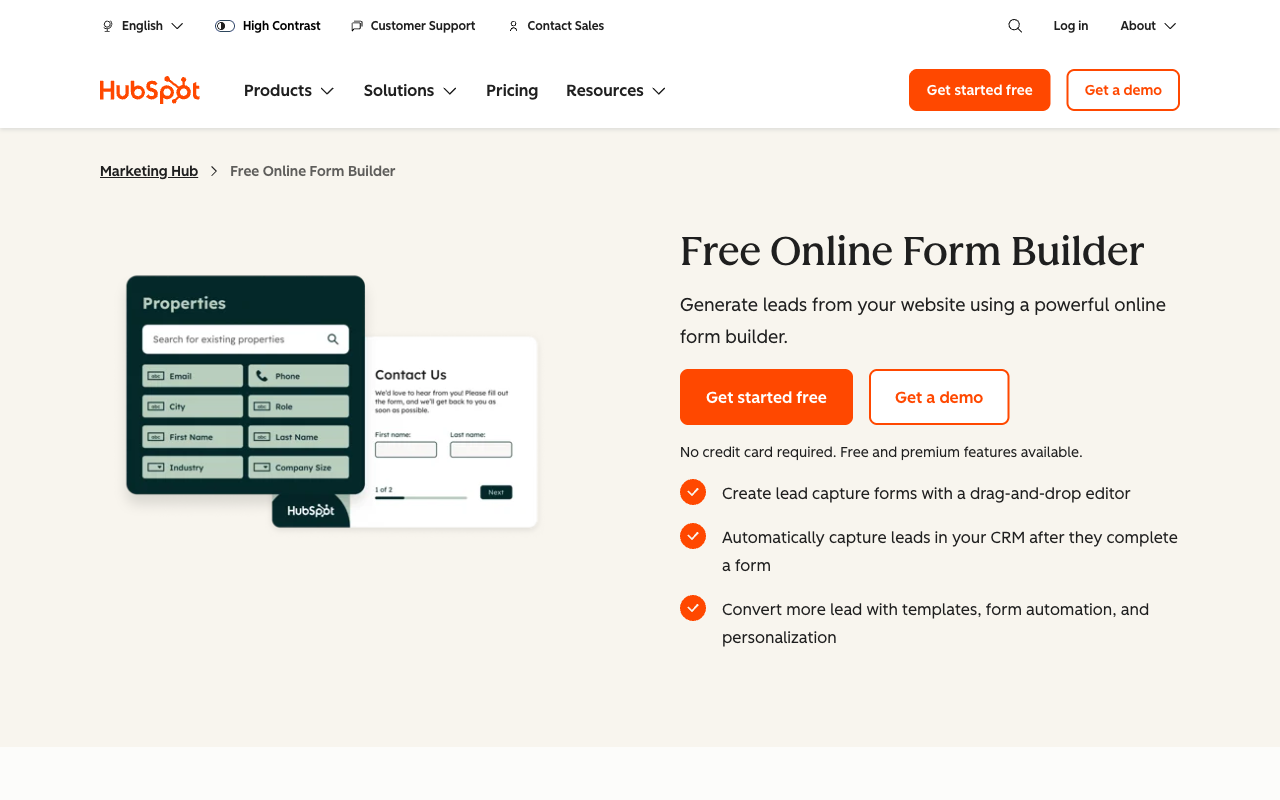
The CRM write-back nobody else can copy
A HubSpot form submission creates or updates a contact record instantly, with no connector, no field mapping and no sync delay. From there it triggers lead scoring, sales notifications, list membership and attribution reporting, all against the same record. Paperform's HubSpot integration covers the same ground well, but an integration is still a join between two systems, and a native field is not. If your revenue reporting lives in HubSpot and the forms exist to feed it, that is a legitimate reason to keep them there.
A genuinely cheaper start
HubSpot Forms is free with unlimited forms and unlimited submissions, and Starter removes the HubSpot branding at $20/month per seat list price, currently as low as $7/month per seat on a limited-time promotion for new customers. Paperform sells nothing below Pro at $59/month, or $49 billed annually. A solo marketer running two lead-gen forms will spend less with HubSpot, and no amount of structural argument changes the arithmetic at that size.
Progressive profiling and enrichment
Smart forms ask a returning contact different questions than a first-time visitor, so the profile deepens over several visits rather than demanding fifteen fields up front. Breeze Intelligence goes further by hiding fields HubSpot can already enrich from the submitter's email address. Paperform has no equivalent, because Paperform does not hold a contact database to enrich from. This is the clearest feature advantage HubSpot has in this comparison, and it lives on Professional.
Scale, certifications and review volume
HubSpot was founded in 2006, is listed on the NYSE, serves more than 200,000 customers, and carries SOC 1 Type II, SOC 2 Type II, SOC 3, the EU Cloud Code of Conduct and TRUSTe certification, with HIPAA available by BAA on Enterprise. Marketing Hub holds 4.4 across 15,915 G2 reviews and 4.5 across 6,256 on Capterra. Paperform's footprint is a rounding error next to that: roughly 78 reviews on G2 and 104 on Capterra. A procurement team that counts reviews will count HubSpot's.
Where Paperform Wins

Nothing about growing costs extra
Paperform charges no per-seat fee, no contact-tier fee and no submission fee: users and submissions are unlimited within fair use on Pro at $49/month billed annually and on Business at $124/month. HubSpot bills all three dimensions separately, and they compound. Take a ten-person marketing team on Marketing Hub Professional. That is $890/month for the three included Core Seats, $315/month for the seven extra at $45 each, and $3,000 in mandatory onboarding before anybody logs in, so year one lands near $17,500. The same ten people on Paperform Pro pay $588 for the year, and the eleventh person costs nothing.
The contact ladder does the same thing more quietly. Forms exist to grow a list, and the list is priced in bands of 1,000, 2,000 and 10,000 marketing contacts. A campaign that works moves you up a band, which means the form's success is itself a billing event. Paperform holds no marketing database, so there is no band to cross. It delivers the record to HubSpot, Salesforce, a spreadsheet or a warehouse and charges the same either way.
HubSpot's newest meter is Credits, which cover AI and agent usage: 500 included on Starter, 3,000 on Professional, 5,000 on Enterprise, then $9 per additional 1,000 paid annually. One HubSpot agent conversation resolved costs 50 credits. Paperform meters one thing and we will name it plainly: Stepper automation credits, 20,000/month on Pro and 100,000 on Business, with overflow at $10/month per 10,000. Custom domains are also $20/month each on Pro, with one included on Business. If your workflows run very hot, size that before you buy.
Calculations that run the form, not just a total
HubSpot Forms has no calculation field at all. Paperform's formulas are written in familiar spreadsheet syntax and they reach into every part of the form's behaviour: which questions and which pages a respondent sees next, what a quote totals once quantity, tier, discount code and tax are applied, which of several conditional emails fires and to whom, what values get pushed into the integration payload, and what the success page displays when the respondent finishes. An AI assistant will draft the rule if the formula is awkward to write by hand.
That difference decides the shape of the work. A freight quoting form that prices by weight band and distance, an event registration that applies an early-bird rate until a cutoff date and then stops, a readiness assessment that scores answers and routes the respondent to one of four outcomes: these are an afternoon's configuration in Paperform. In HubSpot the logic has to move out of the form and into a Professional-tier workflow at $890/month, which means the respondent never sees the number, because the maths happens after they leave.
One subscription where HubSpot needs three vendors
HubSpot has no eSignature product. A contract that follows a form submission means DocuSign or a competitor on a second contract, and workflow automation that touches the form starts at Professional. Paperform includes all three products on every plan from one account: Paperform for the form, Papersign for eSignatures at 25 signed documents/month on Pro and 100 on Business, and Stepper for the multi-step workflow that follows. Intake, quote, contract, signature, approval and CRM update run in one place rather than across three admin consoles with your team owning the joins.
Payments that behave like an order, not a charge
Five gateways against one is the surface difference. The structural one is that HubSpot Payments sends a Stripe charge and stops, with no product catalogue, no subscriptions, no coupon engine, no tax rules and no refunds inside the form, while Paperform runs the whole order and computes the pricing live through the same calculation engine as the respondent picks options. Paperform adds no transaction fee of its own.
Forms that survive the CRM
HubSpot Forms cannot be used without HubSpot, so a decision to move CRMs is also a decision to rebuild every form. Paperform is a standalone platform with native HubSpot support among 4,000+ integrations, so the forms, the historical submissions and the logic stay put whatever happens to the CRM contract. There is a vendor question underneath this too. Paperform was founded in 2016, is bootstrapped and profitable, and answers to customers rather than to a quarterly earnings call, while HubSpot's packaging has been repriced and re-layered repeatedly in the last two years through the seat model, Credits and the AEO add-on.
Where HubSpot Forms Falls Short
- Capability sits at $890/month: conditional logic, smart forms, A/B testing and conversion analytics all require Marketing Hub Professional, plus $3,000 one-time onboarding.
- Seats are individually priced: $20/month each on Starter, $45 beyond the three on Professional, $75 on Enterprise.
- Marketing contacts are banded: 1,000 on Starter, 2,000 on Professional, 10,000 on Enterprise, then more to buy.
- Around 15 field types: standard CRM fields only, with no calculations, scoring, answer piping, save and resume, booking field, signature field or colour picker.
- Design is thin: no rich media in forms, no Unsplash or Giphy, no image editor, no custom form URLs, no custom domains, and limited CSS.
- Stripe only for payments: from Starter up, with no products, subscriptions, coupons, tax handling or refunds.
- Form analytics are shallow: no drop-off tracking, no field-level analytics, no partial submissions, and no AI summary of an individual form's responses.
- No AI form authoring: HubSpot's AI investment sits around the CRM and agents, not inside the form editor, and agent usage consumes metered Credits.
- Free plan carries HubSpot branding: removing it starts at Starter.
- Consumer sentiment gap: the hubspot.com Trustpilot profile sits at 1.5/5 across 1,169 reviews, with cost, inflexible annual contracts and support the recurring themes. Trustpilot skews to complaints, so treat it as directional.
Where Paperform Falls Short
- No HIPAA compliance and no BAAs: a hard stop for protected health information, where HubSpot Enterprise can help.
- No native CRM of its own: Paperform integrates with your CRM rather than being one, so attribution reporting lives elsewhere.
- No progressive profiling or enrichment: there is no contact database behind the form to shorten it from.
- Higher entry price: $49/month billed annually against a HubSpot tier that starts free and a Starter seat at $20.
- Automation credits are metered: 20,000/month on Pro, then $10 per additional 10,000.
- Smaller review footprint: a few hundred reviews in total against HubSpot's five figures on G2 alone.
- No mobile editor: forms are fully responsive for respondents, but building happens on a desktop. HubSpot has no mobile form editor either.
- Not the tool for a one-off simple form: for a three-question contact form feeding a CRM you already pay for, use the simple option.
See Paperform in Action
HubSpot Forms is easy to try for nothing, so the useful thing to watch first is the side you cannot see inside your existing account. This independent walkthrough covers the editor, logic and payments.
Pricing Comparison
HubSpot's headline prices understate the real cost, because seats, marketing contacts, Credits and onboarding are all separate lines. Paperform's headline price covers three products and counts neither people nor submissions. The table below works the ladder at each realistic size.

| Scenario | Paperform | HubSpot Forms | What actually differs |
|---|---|---|---|
| Two people, simple lead capture | Pro: $59/mo, $49 annually | Free, or Starter at $20/mo per seat to drop the branding | HubSpot is cheaper and we are not going to argue otherwise |
| Forms need conditional logic | Pro, unchanged | Professional: $890/mo for 3 seats, plus $3,000 onboarding | The same capability costs 18x more per month before onboarding |
| Team grows to ten | Pro, unchanged. Users unlimited within fair use | Professional: $890/mo plus $315/mo for 7 extra Core Seats | Headcount is a billing lever on one side only |
| List passes 10,000 contacts | Pro, unchanged. No contact ladder | Contact bands purchased on top of the plan | Campaign success raises the HubSpot invoice by itself |
| SSO, signatures and workflows | Business: $149/mo, $124 annually. SSO, 10 workspaces, 100 signed docs/mo | Enterprise: $3,600/mo plus $7,000 onboarding, and a separate eSignature vendor | SSO sits on the top tier at HubSpot and the mid tier at Paperform |
Paperform
HubSpot Forms
| Product | Plan | Monthly Price | Annual Price (per month) | Free Plan | Free Trial | Limits |
|---|---|---|---|---|---|---|
| Paperform | Free | Free | Free | Yes | 7 days | forms: Unlimited, submissions: 30/month, storage: Unlimited, users: Unlimited, file uploads: 100 MB |
| Paperform | Pro | $59/mo | $49/mo billed annually | forms: Unlimited, submissions: Unlimited, storage: Unlimited, users: Unlimited, file uploads: 10 GB | ||
| Paperform | Business | $149/mo | $124/mo billed annually | forms: Unlimited, submissions: Unlimited, storage: Unlimited, users: Unlimited, file uploads: 100 GB | ||
| HubSpot Forms | Free | Free | Free | Yes | 14 days | forms: Unlimited, submissions: Unlimited, users: 2 |
| HubSpot Forms | Marketing Hub Starter | $20/mo | $20/mo billed annually | forms: Unlimited, submissions: Unlimited, users: Per seat | ||
| HubSpot Forms | Marketing Hub Professional | $890/mo | $800/mo billed annually | forms: Unlimited, submissions: Unlimited, users: 3 Core Seats included (additional Core Seats from $45/mo) | ||
| HubSpot Forms | Marketing Hub Enterprise | $3600/mo | $3600/mo billed annually | forms: Unlimited, submissions: Unlimited, users: 5 Core Seats included (additional Core Seats from $75/mo) |
Two footnotes worth carrying into a budget conversation. HubSpot's Professional price appears as both $890/month and $800/month; the lower figure is the discounted annual-commitment rate. And the AEO add-on for answer-engine tracking is $50/month, or $45 billed annually, included only from Professional up. Paperform's 7-day trial needs no card; HubSpot's paid Marketing Hub trial runs 14 days.
What Users Say
HubSpot Marketing Hub rates 4.4 on G2 across 15,915 reviews and 4.5 on Capterra across 6,256, with value for money the weakest sub-score on both at 4.1. Praise concentrates on the CRM integration and the breadth of the platform; complaints concentrate on cost, the basic form builder, limited design control, thin form-level reporting, and the fact that conditional logic waits behind Professional. Note that these ratings cover Marketing Hub as a whole rather than Forms specifically, which flatters the forms. Paperform's sample is far smaller at roughly 78 G2 and 104 Capterra reviews, with an average near 4.8 and support rated 4.7 on Capterra and 4.9 on GetApp.
The Verdict
Choose HubSpot Forms when the CRM is the product you are actually buying. If Marketing Hub is already funded, the forms are lead capture, two people maintain them, and progressive profiling matters, the native record write-back is worth more than any builder feature on the other side of this page. Enterprise HIPAA coverage with a signed BAA is a second clear reason, and one Paperform cannot answer at all.
Choose Paperform when the form is doing real work and the team is going to grow. The argument is the meter. HubSpot charges you for each additional marketer, each band of contacts and each block of AI credits, and holds conditional logic at a tier that costs more per month than Paperform costs per year. Paperform charges once, leaves submissions and seats uncounted, calculates quotes and scores in front of the respondent, takes payment through five gateways, and carries the signature and workflow steps in the same subscription. Then it hands the record to HubSpot anyway.
If you want to see the field more widely, start with the overall form builder ranking. Teams weighing a metered survey tool instead should read Paperform vs Typeform, and anyone arriving from a free builder can compare the step up in Tally alternatives.
Frequently Asked Questions
Which HubSpot plan do I actually need before HubSpot Forms can do conditional logic?
Marketing Hub Professional, at $890/month for three Core Seats, plus a required $3,000 one-time onboarding fee. Dependent fields, progressive fields, A/B testing and smart forms all sit on that tier; Free and Starter give you a drag-and-drop builder with roughly 15 standard CRM field types. Paperform includes conditional logic on every paid plan, starting with Pro at $59/month, or $49/month billed annually.
What does adding the fourth, fifth and sixth person cost on each platform?
On HubSpot, seats are billed one at a time: $20/month per seat on Starter at list price, and $45/month for each Core Seat beyond the three included with Professional, rising to $75/month on Enterprise. Three extra people on Professional is $135/month on top of the $890. Paperform has no per-seat pricing at any tier. Users are unlimited within fair use on Pro and Business, and one seat covers forms, Papersign eSignatures and Stepper workflows together, so somebody using all three still counts once.
Can HubSpot Forms calculate a quote or a score inside the form?
No. HubSpot Forms has no calculations field and no formula engine at any price point, and lead scoring happens in the CRM after the submission rather than in front of the respondent. Paperform's calculations use Excel-style formulas, and they do more than total a number: the same formulas decide which questions and pages appear, which conditional email fires, what payload an integration receives, and what the success page shows the person who just submitted. A configurator that prices by unit, tier and discount is configuration work in Paperform and a Professional-tier workflow in HubSpot.
Is HubSpot Forms HIPAA compliant, and is Paperform?
HubSpot supports HIPAA on Marketing Hub Enterprise only, at $3,600/month plus $7,000 onboarding, and only for customers who identify as covered entities or business associates, sign a BAA and turn on sensitive-data settings. Free, Starter and Professional do not qualify. Paperform is not HIPAA compliant and does not sign BAAs. If protected health information passes through the form, HubSpot Enterprise is the correct answer of the two and we would rather say so here than have you find out later.
Do HubSpot marketing contacts change the price of running forms?
Yes, and this is the part buyers usually miss. Marketing contacts are tiered and included in bands: 1,000 on Starter, 2,000 on Professional, 10,000 on Enterprise, with more sold on top. Forms are the thing that fills that database, so a form that performs raises the contact count and the contact count raises the invoice. Paperform is not a contact store. It sends submissions to whatever system already holds your records, HubSpot included, so the list can grow from 1,000 to 100,000 without the Paperform bill moving.
Can I keep using HubSpot as my CRM but build the forms somewhere else?
That is the common setup. Paperform has a native HubSpot integration and reaches 4,000+ integrations overall through native connectors, Stepper, Zapier, Make, webhooks and a REST API, so submissions create and update HubSpot contacts exactly as a native form would. The difference is that the forms are yours rather than the CRM's: they survive a CRM migration, they run on custom domains, they take payments through five gateways, and they carry signature and workflow steps that HubSpot Forms has no equivalent for.
Sources & References
- HubSpot Marketing Hub Pricing — HubSpot, September 2026
- HubSpot Trust Center — HubSpot, 2026
- HubSpot Forms Review (2026): Features, Pricing & Limitations — Knock AI, 2026
- Full HubSpot Review: Features, Pricing, Pros & Cons [2026] — LaGrowthMachine, 2026
- HubSpot CRM Review 2026: Everything You Need to Know — EmailToolTester, 2026
- HubSpot Marketing Hub Reviews — G2, September 2026
Updates
We re-audit the form builders we compare on a regular cadence and log every change here — a public record of what changed and when.
- Updated September 22, 2026 — First publication against the September 2026 data re-audit. HubSpot pricing verified in USD: Starter $20/seat/month list, Professional $890/month for 3 Core Seats with $3,000 required onboarding, Enterprise $3,600/month with $7,000 onboarding, plus the HubSpot Credits meter and the AEO add-on. Paperform pricing reflects the current Free/Pro/Business/Enterprise lineup with Pro at $59/$49 and Business at $149/$124, unlimited submissions and seats. HubSpot HIPAA support documented as Enterprise-only via BAA.
Last updated September 22, 2026
Ready to try Paperform?
Create beautiful forms, payment pages, and workflows — no code required.