Paperform vs SurveyMonkey: Which Is Better in 2026?
SurveyMonkey is the better tool for formal research: methodology templates, deep analysis and a 335M-person panel. Paperform is the better platform for forms that do work rather than ask questions, because its Excel-style calculations price, score and route a submission and SurveyMonkey has no calculation field at all.
The two products answer different questions. SurveyMonkey asks what a population thinks and gives you the instruments to find out properly: concept testing, MaxDiff, Van Westendorp price analysis, NPS and CSAT, cross-tabs, sentiment in 50+ languages, and since September 2026 an AI layer that drafts surveys conversationally and surfaces findings without being asked. Paperform asks what happens next. A quote gets calculated, a deposit gets taken, a contract gets signed, an approval gets routed, and a record lands where it belongs.
That difference shows up in pricing, because the two companies meter different things. SurveyMonkey bills by response and by seat, which are the two numbers that rise when the work goes well. Paperform bills for the platform and leaves both alone.
Quick Verdict
Choose SurveyMonkey if:
- You run genuine market research and need MaxDiff or concept testing
- Protected health information is involved and you need a signed BAA
- ISO 27001 is on the procurement checklist
- You need to buy respondents from a panel rather than find your own
- Multilingual surveys across 70+ languages are the requirement
- Analysis depth matters more than what happens after the response
Choose Paperform if:
- The form has to calculate something: a price, a quote, a score, a band
- Money moves through anything beyond Stripe and PayPal
- A signature or a multi-step approval follows the submission
- Volume is unpredictable and you refuse to be billed for success
- More than two or three people need to build and edit
- The form is customer-facing and has to look like your company, not a vendor's
Five Facts That Settle Most of This
Pricing
SurveyMonkey's cheapest paid plan is Individual Advantage at $32/month, billed annually only, capped at 15,000 responses a year with $0.15 per response beyond it. Paperform Pro is $59/month, or $49 billed annually, with unlimited submissions and unlimited seats within fair use.
Integrations and API
SurveyMonkey offers 200+ integrations, with the REST API starting on Individual Advantage and the Business API on Enterprise. Paperform connects 4,000+ integrations through native connectors, Stepper, Zapier, Make, webhooks and a REST API available on paid plans.
Conditional logic and calculations
Both branch on answers; SurveyMonkey's advanced branching starts on Individual Advantage. Only Paperform calculates. Its Excel-style formulas drive question and page visibility, conditional emails, integration payloads and success page content. SurveyMonkey has no calculation field.
Payments
Paperform supports 5 gateways: Stripe, PayPal, Square, Braintree and Google Pay. SurveyMonkey supports 2, Stripe and PayPal, and only from Individual Advantage upward.
Compliance
SurveyMonkey is GDPR, CCPA, SOC 2, ISO 27001 and PCI DSS 4.0 compliant, and is HIPAA compliant on Enterprise with a BAA. Paperform is SOC 2 Type II, GDPR and CCPA compliant, and is not HIPAA compliant and signs no BAAs. For protected health data, SurveyMonkey Enterprise is the correct answer.
Feature Comparison
Read the table with the question of what each product is for. SurveyMonkey wins the analysis column and the governance column. Paperform wins the columns that describe what a form can do to a submission once it arrives.
| Feature | Paperform | SurveyMonkey |
|---|---|---|
| Form Building | ||
| Document-style editor | Yes | No |
| AI form creation | Yes | Yes |
| Field types | 26+ | 15+ |
| File uploads | Yes | Yes |
| Multi-page forms | Yes | Yes |
| Guided mode (one question at a time) | Yes | Yes |
| Conditional logic | Yes | Yes Individual Advantage |
| Calculations field | Yes pro | No |
| AI calculations assistant | Yes pro | No |
| Scoring | Yes pro | Yes |
| Answer piping | Yes | Yes Individual Advantage |
| Pre-filling and hidden fields | Yes pro | Yes Individual Advantage |
| Save and resume | Yes | Yes Individual Advantage |
| Auto-close by number | Yes pro | Yes Individual Advantage |
| Auto-close by date | Yes pro | Yes Individual Advantage |
| Appointment/booking field | Yes | No |
| Signature field | Yes | No |
| Color picker field | Yes | No |
| API-powered dropdowns | Yes business | No |
| Google address search | Yes business | No |
| AI chat survey editing | No | Yes |
| Payments | ||
| Stripe payments | Yes | Yes Individual Advantage |
| PayPal payments | Yes | Yes Individual Advantage |
| Square payments | Yes | No |
| Braintree payments | Yes | No |
| Google Pay | Yes | No |
| Product sales (eCommerce) | Yes pro | No |
| Subscriptions | Yes pro | No |
| Coupons and discounts | Yes pro | No |
| Custom pricing rules | Yes pro | No |
| Tax calculations | Yes | No |
| Quotes/invoices | Yes | No |
| Refunds | Yes | No |
| 3D Secure | Yes | No |
| Design & Customization | ||
| Template gallery | 30,000+ | 400+ |
| Rich media (images, GIFs, videos) | Yes | Yes |
| Unsplash and Giphy integration | Yes | No |
| Image editor | Yes | No |
| Adobe Creative Cloud | Yes | No |
| Language translation | Yes | Yes Individual Premier |
| Advanced theming | Yes pro | Yes Individual Advantage |
| Custom form URL | Yes pro | Yes Individual Advantage |
| Custom domains | Yes pro | No |
| Custom HTML & CSS | Yes pro | No |
| Remove branding | Yes pro | Yes Individual Advantage |
| Custom email domains | Yes business | No |
| Analytics | ||
| Submission results and reports | Yes | Yes |
| AI report insights | Yes pro | Yes Individual Advantage |
| Paperform analytics | Yes pro | No |
| Drop-off analysis | Yes pro | No |
| Google Analytics & Facebook Pixel | Yes pro | No |
| Custom analytics scripts | Yes pro | No |
| Partial submissions | Yes pro | Yes Individual Advantage |
| Benchmarks | No | No |
| Collaboration | ||
| Multi-user accounts | Yes pro | Yes Team Advantage |
| User permissions and management | Yes pro | Yes Team Advantage |
| Advanced permissions & admin | Yes enterprise | Yes enterprise |
| Form sharing (templates) | Yes | Yes Team Advantage |
| Spaces and tag management | Yes | No |
| Review Sessions | No | Yes Team Advantage |
| Persistent Magic Link | No | Yes Team Advantage |
| Security | ||
| SOC 2 Type II | Yes | Yes |
| GDPR compliant | Yes | Yes |
| SSL encryption | Yes | Yes |
| Two-factor authentication | Yes | Yes |
| Enforce 2FA for all users | Yes business | Yes enterprise |
| SSO (SAML) | Yes business | Yes enterprise |
| reCAPTCHA | Yes | Yes |
| Local data residency | Yes enterprise | Yes enterprise |
| Custom S3 storage (BYO) | Yes business | No |
| Integrations & API | ||
| Native integrations | 4,000+ | 200+ |
| Zapier | Yes | Yes |
| Make (Integromat) | Yes | Yes |
| Webhooks | Yes pro | Yes Individual Advantage |
| Standard API | Yes pro | Yes Individual Advantage |
| Business API | Yes business | Yes enterprise |
| WordPress plugin | Yes | No |
| oEmbed support | Yes | No |
| Claude (Anthropic) integration | No | Yes Individual Advantage |
| ChatGPT integration | No | Yes |
| Gemini integration | No | No |
| HRIS integrations (Workday, BambooHR) | No | Yes |
Where SurveyMonkey Wins
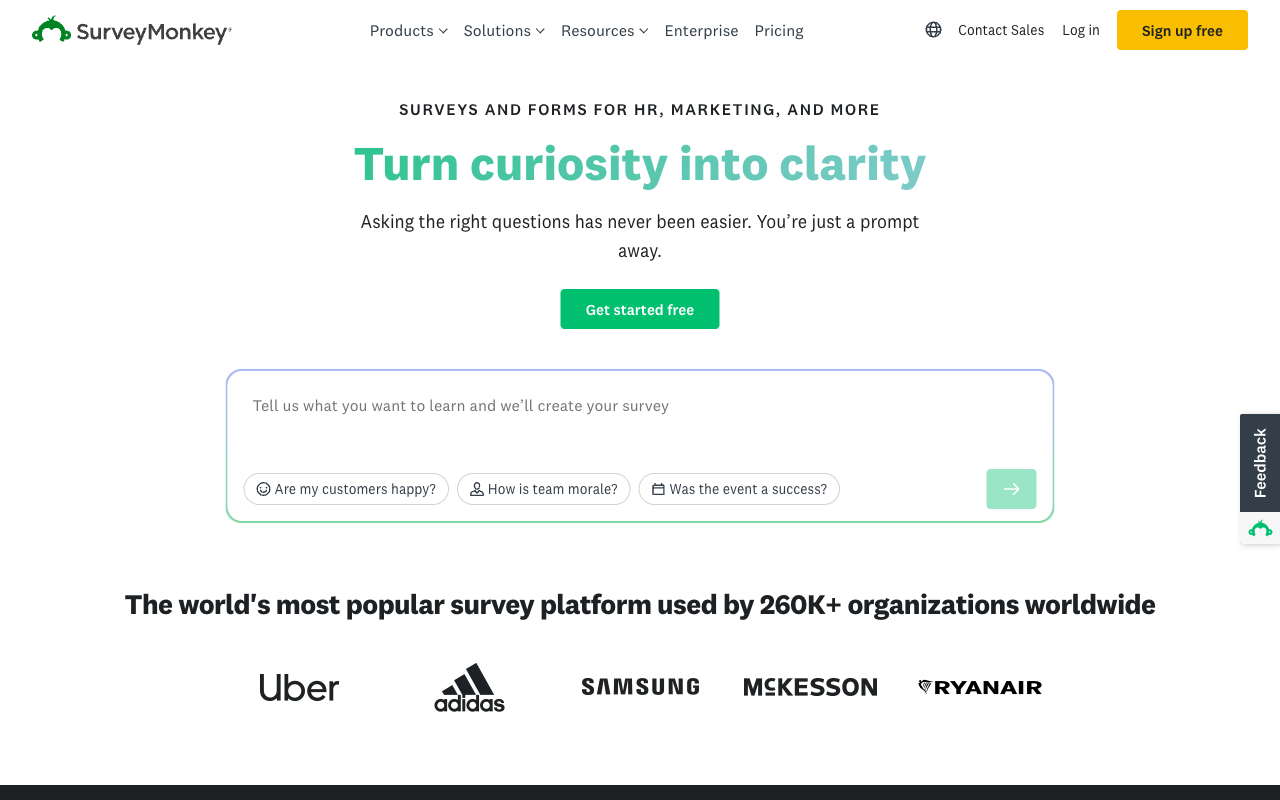
Research methodology that Paperform does not attempt
SurveyMonkey ships concept testing, MaxDiff analysis, Van Westendorp price sensitivity and A/B testing inside the product, with 400+ templates written to hold up methodologically. Its September 2026 relaunch added automated Insights that explain how each finding was derived, thematic analysis over raw open-ended text, and multilingual sentiment. If you are running a pricing study or a brand tracker, this is a specialist instrument and Paperform is a general-purpose one. We would not pretend otherwise.
An audience you can buy
SurveyMonkey Audience reaches 335M+ respondents across 130+ countries, targetable by demographics and income, priced separately from the subscription. No form builder has an equivalent, Paperform included. When the hard part of the research is finding people to answer, that is the whole product.
Compliance depth and certifications
SurveyMonkey holds ISO 27001 and PCI DSS 4.0, states Section 508 conformance, has FedRAMP in progress, and offers HIPAA with a signed BAA on Enterprise along with a choice of US, Canadian or EU data residency. Paperform holds SOC 2 Type II, GDPR and CCPA, and nothing in this article changes the fact that a clinic, a health system or a federal contractor has a shorter list of viable options than we would like.
Scale, and the confidence that comes with it
SurveyMonkey has been operating since 1999 and is used by 260,000+ organisations including Uber, Adidas, Samsung and Harvard. It carries about 23,525 reviews on G2 at 4.4 and 10,508 on Capterra at 4.6. Paperform's footprint is a rounding error next to that: roughly 78 reviews on G2 and 104 on Capterra. Review volume is evidence, and a buyer weighing it has a reasonable point.
A cheaper way in, if the year is not a problem
Advantage Annual is $32/month and Paperform has nothing below $49/month annually. For one person sending a moderate volume of surveys, SurveyMonkey costs less and the analysis is better. That is a real advantage and it deserves a plain sentence rather than a hedge. The caveat is the shape of the commitment, which the pricing section deals with below.
Where Paperform Wins

Calculations that reach past the answer
Paperform's calculation engine uses Excel-style formulas, and the number it produces is not confined to a results dashboard. It decides which questions and pages the respondent sees next. It sets the price the respondent pays, after quantity, tiered discounts, an early-bird cutoff date and tax. It picks which conditional email fires and what it says. It shapes the payload that goes to the CRM or the spreadsheet. It writes the success page the respondent lands on.
Work through a concrete case. A cleaning company asks for property size, number of bathrooms, frequency and add-ons. The form multiplies square metres by a rate band, applies a 15% recurring discount, adds GST, shows the total updating live, charges a deposit through Square, emails a branded quote, posts the job to the ops board and sends the client a scheduling link. SurveyMonkey can ask all four questions and tabulate the answers beautifully. It cannot produce the number, because there is no calculation field to produce it with. Scoring exists for quizzes, which is points-per-choice and a grade, and that is not arithmetic over respondent input.
The practical consequence is where the maths ends up living instead: a spreadsheet somebody maintains, a pricing page that drifts out of sync, or an operator doing it by hand between an email and an invoice.
One subscription instead of a stack you have to hold together
SurveyMonkey has no eSignature product and no workflow builder, so a process that runs collect, sign, approve, notify needs SurveyMonkey plus a signing vendor plus an automation tool. Three contracts, three admin consoles, three permission models, and the customer as the integration between them: somebody exports a CSV, re-keys it into the signing tool, wires a Zap, and personally owns every break in the chain at 6pm on a Friday.
A Paperform subscription includes all three products on every plan. Paperform for forms, Papersign for eSignatures with signer verification, bulk sending and an audit trail that links back to the original submission, and Stepper for multi-step workflow automation with no code. Pro carries 25 signed documents a month and 20,000 automation credits; Business carries 100 documents and 100,000 credits. Automation credits are the one thing Paperform meters, at $10/month per extra 10,000 on Pro, and it is better to name that than to let someone discover it.
Payments that produce an order, not a field
Five gateways against two is the surface difference. The structural one is that SurveyMonkey's payment support is a question type appended to a research instrument, with no product catalogue, no subscriptions, no coupons and no tax handling, so there is no order record to reconcile against. In Paperform the payment is the output of the form, priced by the same calculation that drove the logic, with inventory, recurring billing, discount codes, quoting, invoices and refunds in the same place, and no transaction fee from Paperform on top of the gateway's.
A form that looks like your business
SurveyMonkey gives no access to HTML or CSS and no custom domain; surveys live on surveymonkey.com and look like SurveyMonkey surveys. For a research instrument that is fine and arguably good, since a neutral presentation reduces bias. For a customer-facing order form, a client intake or a membership application it is the wrong signal entirely. Paperform's document-style editor accepts custom HTML and CSS, branding comes off from Pro, and custom domains are $20/month each on Pro with one included on Business.
The fields that keep the process in one place
SurveyMonkey's 15+ question types have no signature field, no booking field, no colour picker, no address autocomplete and no API-powered dropdowns. Each absence is a handoff to another system. Paperform's 26+ field types cover signature, appointment booking, file upload and dropdowns populated live from an external API, so the appointment, the consent and the lookup all resolve inside the one submission.
Where SurveyMonkey Falls Short
- Every paid plan is now an annual commitment: the month-to-month Individual Standard plan disappeared in September 2026, leaving Basic, Advantage Annual and Premier Annual.
- Response caps on every tier: 15,000/year on Advantage, 40,000 on Premier, 50,000 shared on Team Advantage, 100,000 shared on Team Premier.
- $0.15 per response over the cap: billed on top of a year you already prepaid.
- Team minimums: three paid users on Team plans, five on Enterprise, with seats split into Full Access and Analyst types at checkout.
- No calculation field: no dynamic pricing, no quoting, no arithmetic on respondent input.
- Two payment gateways, gated: Stripe and PayPal, from Individual Advantage upward, with no commerce layer behind them.
- No eSignature and no workflow builder: the process leaves the tool at the response.
- Styling ceiling: no custom HTML, no custom CSS, no custom domain, no custom email domain.
- No external analytics: Google Analytics and Facebook Pixel cannot be attached to a survey.
- Compliance gated to Enterprise: HIPAA, SSO, PII restrictions and governance sit behind a custom quote with a five-user minimum.
- Consumer sentiment gap: Trustpilot sits at 2.7/5 across 1,068 reviews, down from 3.2 in June 2026, with 63% one-star and complaints clustering on auto-renewal and account lockouts.
Where Paperform Falls Short
- No HIPAA compliance and no BAAs: a hard stop for protected health information, and SurveyMonkey Enterprise is the right call there.
- No ISO 27001 and no PCI DSS 4.0 certification: SOC 2 Type II, GDPR and CCPA are the extent of it.
- Higher entry price: $49/month billed annually against SurveyMonkey's $32, with nothing sold in between.
- No research methodology toolkit: no MaxDiff, no Van Westendorp, no concept testing, no benchmarks against industry data.
- No respondent panel: you bring your own audience.
- Far fewer reviews: roughly 498 across all platforms against SurveyMonkey's 23,000+ on G2 alone, though Paperform averages 4.8.
- Automation credits are metered: 20,000/month on Pro, then $10 per additional 10,000.
- No mobile editor: forms are fully responsive for respondents, but building happens on a desktop. SurveyMonkey has iOS and Android apps, though survey creation there is limited too.
- Not the tool for a one-off survey: for ten questions and a chart, use the survey tool.
See the Builder Before You Commit
An independent walkthrough is a faster way to judge the editor than a feature list. This one covers the Paperform builder end to end, including how calculations and conditional logic are configured.
Pricing Comparison
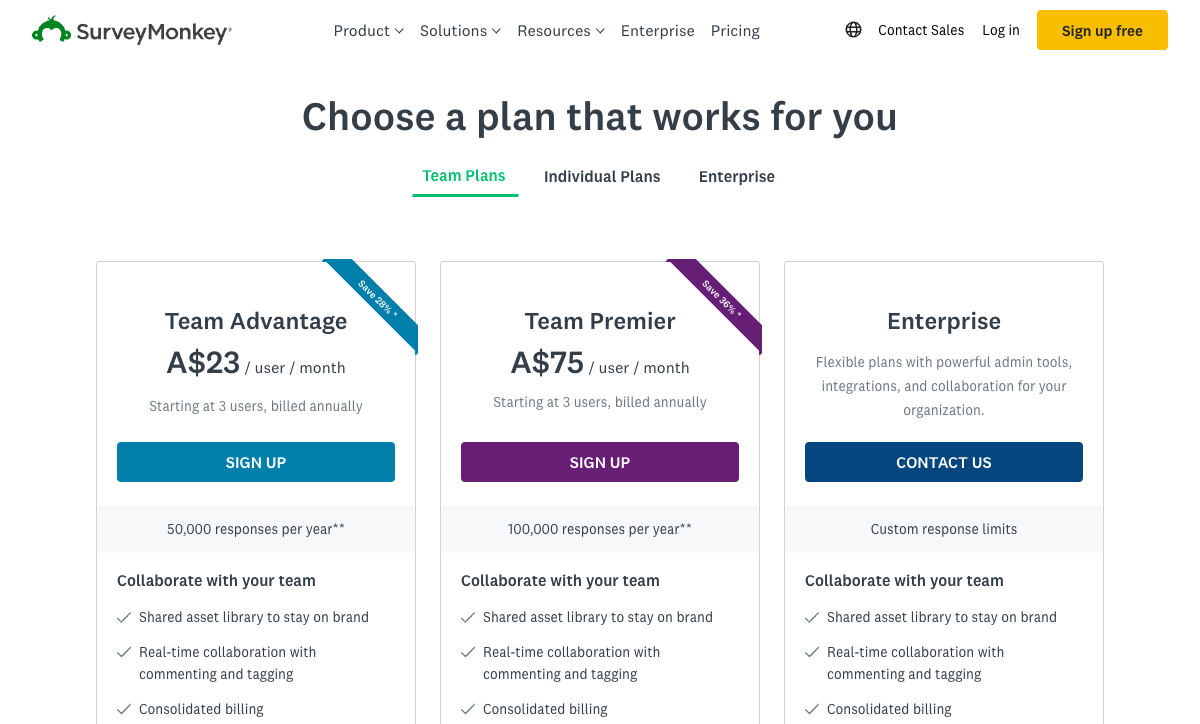
SurveyMonkey prices per seat and per response on an annual commitment. Paperform prices per plan, month-to-month or annually, with neither seats nor submissions on the meter. Everything below follows from that.
| Scenario | Paperform | SurveyMonkey | What decides it |
|---|---|---|---|
| One person, moderate volume | Pro: $59/mo, $49 annually | Advantage Annual: $32/mo, annual only | SurveyMonkey is cheaper, if a twelve-month commitment suits you |
| Three builders | Pro, unchanged. Seats unlimited | Team Advantage: $30/user/mo, 3-user minimum, $1,080/year | The second and third editor is where the gap opens |
| A campaign that overperforms | No submission cap within fair use | $0.15 per response past the annual cap | 5,000 extra responses is $750 on SurveyMonkey and $0 on Paperform |
| SSO and governance | Business: $149/mo, $124 annually. SSO, 10 workspaces, Business API | Enterprise: custom quote, 5-user minimum | Paperform publishes the number; SurveyMonkey starts a procurement cycle |
| Signing and automation | Included: Papersign and Stepper on every plan | Not offered: two more vendors | Two subscriptions you do not buy, and two joins you do not maintain |
Paperform
SurveyMonkey
| Product | Plan | Monthly Price | Annual Price (per month) | Free Plan | Free Trial | Limits |
|---|---|---|---|---|---|---|
| Paperform | Free | Free | Free | Yes | 7 days | forms: Unlimited, submissions: 30/month, storage: Unlimited, users: Unlimited, file uploads: 100 MB |
| Paperform | Pro | $59/mo | $49/mo billed annually | forms: Unlimited, submissions: Unlimited, storage: Unlimited, users: Unlimited, file uploads: 10 GB | ||
| Paperform | Business | $149/mo | $124/mo billed annually | forms: Unlimited, submissions: Unlimited, storage: Unlimited, users: Unlimited, file uploads: 100 GB | ||
| SurveyMonkey | Basic (Free) | Free | Free | Yes | No | forms: Unlimited, submissions: Limited per survey (exact number now only shown after sign-up/login), storage: N/A, users: 1 |
| SurveyMonkey | Individual Advantage | Free | $32/mo billed annually | forms: Unlimited, submissions: 15,000 per year, storage: N/A, users: 1 | ||
| SurveyMonkey | Individual Premier | Free | $99/mo billed annually | forms: Unlimited, submissions: 40,000 per year, storage: N/A, users: 1 | ||
| SurveyMonkey | Team Advantage | Free | $30/mo billed annually | forms: Unlimited, submissions: 50,000 per year (shared), storage: N/A, users: 3 minimum | ||
| SurveyMonkey | Team Premier | Free | $92/mo billed annually | forms: Unlimited, submissions: 100,000 per year (shared), storage: N/A, users: 3 minimum |
Two notes on the table. SurveyMonkey geo-serves currency and raised its Australian prices at the last check, and several 2026 pricing guides now cite Premier Annual at $139/month rather than $99, so confirm the figure on your own billing country before signing. Paperform's 7-day trial requires no credit card, while SurveyMonkey offers no trial of its paid plans at all.
What Users Say
SurveyMonkey rates 4.4 on G2 across about 23,525 reviews and 4.6 on Capterra and GetApp across 10,508, with ease of use at 4.6 and value for money notably lower at 4.4. The gap between those two sub-scores is the whole story of the product: people like using it and are less sure it is worth the money. Trustpilot is harsher again at 2.7 across 1,068 reviews, where 63% are one-star and the complaints are about auto-renewal, price rises and cancellation rather than the software. Paperform carries roughly 498 reviews in total, averaging 4.8, with support consistently its highest-rated dimension at 4.7 on Capterra and 4.9 on GetApp. Smaller sample by two orders of magnitude, and a complaint profile that does not centre on billing.
The Verdict
Choose SurveyMonkey when the output is a finding. Pricing studies, brand trackers, employee engagement programmes, academic work and anything touching PHI all belong there, and the analysis layer plus the panel plus HIPAA on Enterprise make it a serious research platform that Paperform is not trying to replace.
Choose Paperform when the output is a transaction. If the form has to work out a number and then act on it, if money changes hands, if a signature and an approval follow, or if a second and third colleague need to build without a purchase order, SurveyMonkey's shape is wrong for the job before price enters the conversation. And when price does enter it, the comparison is between a bill that rises with your response count and headcount, and one that does not.
For a wider field, see our full list of SurveyMonkey alternatives or the overall form builder ranking. If conversational, engagement-led surveys are closer to what you are after, Paperform vs Typeform covers that matchup.
Frequently Asked Questions
Can SurveyMonkey calculate a price or a quote inside the survey?
No. SurveyMonkey has no calculation field. It has quiz scoring, which assigns points to answer choices and returns a grade, and that is a different mechanism from arithmetic over respondent input. There is no way to multiply a quantity by a unit rate, apply a tiered discount, add tax, or carry the result anywhere else. Paperform's calculations use Excel-style formulas and the result can drive question visibility, page visibility, which confirmation email fires, what an integration receives, and what the success page displays.
What does going over a SurveyMonkey response limit actually cost?
$0.15 per additional response. Every SurveyMonkey paid plan carries an annual cap: 15,000 responses on Individual Advantage, 40,000 on Individual Premier, 50,000 shared on Team Advantage and 100,000 shared on Team Premier. Five thousand responses past an Advantage cap is $750 charged on top of a year you already paid for in advance. Paperform Pro and Business carry no submission cap within fair use and no per-response charge.
Is there still a month-to-month SurveyMonkey plan?
Not for individuals. As of September 2026, SurveyMonkey's individual pricing page lists exactly three options: Basic (free), Advantage Annual at $32/month billed annually, and Premier Annual at $99/month billed annually. The month-to-month Individual Standard plan is gone, so every paid individual plan is now a twelve-month commitment. Some third-party pricing guides published in 2026 still list it; the vendor's own page does not. Paperform sells Pro at $59 month-to-month and $49 billed annually, so a year is a choice rather than the only door.
How many people can build surveys before SurveyMonkey gets expensive?
Two, effectively. Individual plans are single-seat, so the second builder means a Team plan, and Team plans start at three paid users. Team Advantage at $30/user/month billed annually is $1,080/year before anybody logs in, and at checkout seats are split into Full Access and Analyst types, so somebody has to decide who gets to edit. Paperform has no per-seat pricing on any plan. Business adds per-member, per-product roles across forms, eSignatures and workflows.
Does SurveyMonkey handle eSignatures or approval workflows after a response comes in?
No. SurveyMonkey has no eSignature product and no visual workflow builder; it ends at the response and the analysis of it. Anything downstream is a second and third vendor, plus the connective work between them. One Paperform subscription covers Paperform for forms, Papersign for eSignatures and Stepper for workflow automation on one account and one bill. Pro includes 25 signed documents a month and 20,000 automation credits; Business includes 100 documents and 100,000 credits. Automation credits are metered, which is worth sizing up front if your workflows run hot.
We collect patient feedback. Which one is safe for that?
SurveyMonkey. It is HIPAA compliant on its Enterprise tier and will sign a Business Associate Agreement, and it also holds ISO 27001 and PCI DSS 4.0. Paperform is not HIPAA compliant and does not sign BAAs, so protected health information should not pass through a Paperform form. Paperform holds SOC 2 Type II and is GDPR and CCPA compliant, with SSO (SAML) and enforced 2FA on Business at $124/month billed annually. On regulated health data this comparison has one answer and it is not ours.
Sources & References
- SurveyMonkey Pricing — SurveyMonkey, September 2026
- SurveyMonkey Pricing Guide 2026: Costs, Plans, and Hidden Fees — Featurebase, 2026
- SurveyMonkey Unveils Sweeping Platform Upgrades to Put Real Human Insight at the Center of Every Business Decision — TechEdge AI, September 2026
- SurveyMonkey Pricing 2026: Full Plan Breakdown — Usercall, September 2026
- SurveyMonkey Reviews — Trustpilot, September 2026
- SurveyMonkey Reviews — Capterra, September 2026
Updates
We re-audit the form builders we compare on a regular cadence and log every change here — a public record of what changed and when.
- Updated September 22, 2026 — Written against the September 2026 data re-audit. Paperform pricing reflects the current Free/Pro/Business/Enterprise lineup (Pro $59/$49, Business $149/$124, unlimited submissions and seats). SurveyMonkey pricing reflects the structural change on its individual pricing page: the month-to-month Standard plan is gone and Advantage ($32) and Premier ($99) are annual-commitment only, with a $0.15 per-response overage, a 3-user minimum on Team plans and a newly stated 5-user minimum on Enterprise. Adds the September 2026 platform relaunch (conversational AI building, automated Insights, Workday/BambooHR and ChatGPT connectors) and the Trustpilot fall from 3.2 to 2.7.
Last updated September 22, 2026
Ready to try Paperform?
Create beautiful forms, payment pages, and workflows — no code required.