Paperform vs Tally: Which Is Better in 2026?
Tally is the better choice when you need a form and nothing more, with unlimited submissions free under a fair use policy. Paperform is the better choice when the form is the marketing asset itself, because its free-text editor builds a designed, landing-page-grade page around the questions instead of a stack of blocks.
Neither of these two products punishes volume, which makes this an unusual matchup. Most form builders charge by responses collected and seats occupied, so a good month arrives as an invoice. Tally does not do that: forms and submissions are unlimited on every tier, including free, and Pro and Business both include unlimited team members. Paperform does not do it either: submissions and seats are unlimited on all paid plans within fair use. Two vendors independently deciding that growth should not be a billing event is worth noticing, and it takes price-per-response off the table entirely.
What remains is a disagreement about what a form is for. Tally treats it as a fast way to gather answers, and it is excellent at that. Paperform treats it as a page a stranger lands on, forms an impression of, and either completes or abandons, followed by the work that a completed one sets off.
Quick Verdict
Choose Tally if:
- The job ends when someone presses submit
- You want the lowest paid price to remove branding, at $24/month annually
- EU hosting and GDPR are your only compliance requirements
- Notion-style block editing is how your team already works
- Stripe is the only way money needs to move
- Answers land in Notion, Airtable or a sheet and a human takes it from there
Choose Paperform if:
- The form is a campaign destination and its design affects conversion
- You run several brands or client accounts that must not look alike
- Pricing, quoting or scoring has to be calculated inside the page
- A signature and an approval chain follow the submission
- Someone will hand you a SOC 2 or SSO questionnaire
- You would rather not pay an automation vendor and an eSignature vendor as well
Five Facts Before the Argument
Pricing
Tally Pro is $29/month, or $24 billed annually; Business is $89/month, or $74 annually, and is the top tier. Paperform Pro is $59/month, or $49 annually; Business is $149/month, or $124 annually. Both leave submissions and seats unmetered on paid plans.
Integrations and API
Paperform connects 4,000+ integrations and exposes a REST API on paid plans, with a separate Business API at $124/month annually. Tally offers 17+ native integrations plus Zapier, Make, n8n, Pipedream, webhooks, a REST API and an MCP server.
Conditional logic
Both include conditional logic and calculations, and Tally includes both on its free plan. Paperform's Excel-style formulas also control page visibility, conditional emails, integration payloads and success page content.
Payments
Paperform supports 5 payment processors: Stripe, PayPal, Square, Braintree and Google Pay. Tally supports 1: Stripe.
Compliance
Tally is GDPR compliant with EU hosting, and holds no SOC 2, no ISO 27001 and no HIPAA, with no SSO or 2FA on any plan. Paperform is SOC 2 Type II, GDPR and CCPA compliant with SAML SSO and 2FA. Neither product is HIPAA compliant and neither signs BAAs.
Feature Comparison
The two feature sets overlap more than the price gap suggests. Tally gives away conditional logic, calculations, e-signature fields, Stripe payments and its AI builder on the free plan, which many paid competitors gate. The divergence shows up in design control, commerce depth, what happens after submission, and anything a security team reads.
| Feature | Paperform | Tally |
|---|---|---|
| Form Building | ||
| Document-style editor | Yes | Yes |
| AI form creation | Yes | Yes |
| Field types | 26+ | 20+ |
| File uploads | Yes | Yes |
| Multi-page forms | Yes | Yes |
| Guided mode (one question at a time) | Yes | No |
| Conditional logic | Yes | Yes |
| Calculations field | Yes pro | Yes |
| AI calculations assistant | Yes pro | No |
| Scoring | Yes pro | Yes |
| Answer piping | Yes | Yes |
| Pre-filling and hidden fields | Yes pro | Yes |
| Save and resume | Yes | No |
| Auto-close by number | Yes pro | Yes |
| Auto-close by date | Yes pro | Yes |
| Appointment/booking field | Yes | No |
| Signature field | Yes | Yes |
| Color picker field | Yes | No |
| API-powered dropdowns | Yes business | No |
| Google address search | Yes business | No |
| Formula editor | No | Yes |
| Import from other form builders | No | Yes |
| PDF generation | No | Yes |
| Payments | ||
| Stripe payments | Yes | Yes |
| PayPal payments | Yes | No |
| Square payments | Yes | No |
| Braintree payments | Yes | No |
| Google Pay | Yes | No |
| Product sales (eCommerce) | Yes pro | Yes |
| Subscriptions | Yes pro | Yes |
| Coupons and discounts | Yes pro | No |
| Custom pricing rules | Yes pro | Yes |
| Tax calculations | Yes | No |
| Quotes/invoices | Yes | No |
| Refunds | Yes | No |
| 3D Secure | Yes | No |
| Design & Customization | ||
| Template gallery | 30,000+ | Yes |
| Rich media (images, GIFs, videos) | Yes | Yes |
| Unsplash and Giphy integration | Yes | No |
| Image editor | Yes | No |
| Adobe Creative Cloud | Yes | No |
| Language translation | Yes | Yes |
| Advanced theming | Yes pro | Yes pro |
| Custom form URL | Yes pro | Yes |
| Custom domains | Yes pro | Yes pro |
| Custom HTML & CSS | Yes pro | Yes pro |
| Remove branding | Yes pro | Yes pro |
| Custom email domains | Yes business | Yes pro |
| Analytics | ||
| Submission results and reports | Yes | Yes |
| AI report insights | Yes pro | No |
| Paperform analytics | Yes pro | Yes pro |
| Drop-off analysis | Yes pro | No |
| Google Analytics & Facebook Pixel | Yes pro | Yes pro |
| Custom analytics scripts | Yes pro | No |
| Partial submissions | Yes pro | Yes pro |
| Answer Insights | No | Yes |
| Collaboration | ||
| Multi-user accounts | Yes pro | Yes pro |
| User permissions and management | Yes pro | Yes pro |
| Advanced permissions & admin | Yes enterprise | No |
| Form sharing (templates) | Yes | Yes |
| Spaces and tag management | Yes | Yes pro |
| Security | ||
| SOC 2 Type II | Yes | No |
| GDPR compliant | Yes | Yes |
| SSL encryption | Yes | Yes |
| Two-factor authentication | Yes | No |
| Enforce 2FA for all users | Yes business | No |
| SSO (SAML) | Yes business | No |
| reCAPTCHA | Yes | Yes |
| Local data residency | Yes enterprise | Yes |
| Custom S3 storage (BYO) | Yes business | No |
| Integrations & API | ||
| Native integrations | 4,000+ | 17+ |
| Zapier | Yes | Yes |
| Make (Integromat) | Yes | Yes |
| Webhooks | Yes pro | Yes |
| Standard API | Yes pro | Yes |
| Business API | Yes business | No |
| WordPress plugin | Yes | Yes |
| oEmbed support | Yes | Yes |
| AI assistant connectors (MCP / ChatGPT / Claude) | No | Yes |
| Integration failure alerts | No | Yes |
Where Tally Wins
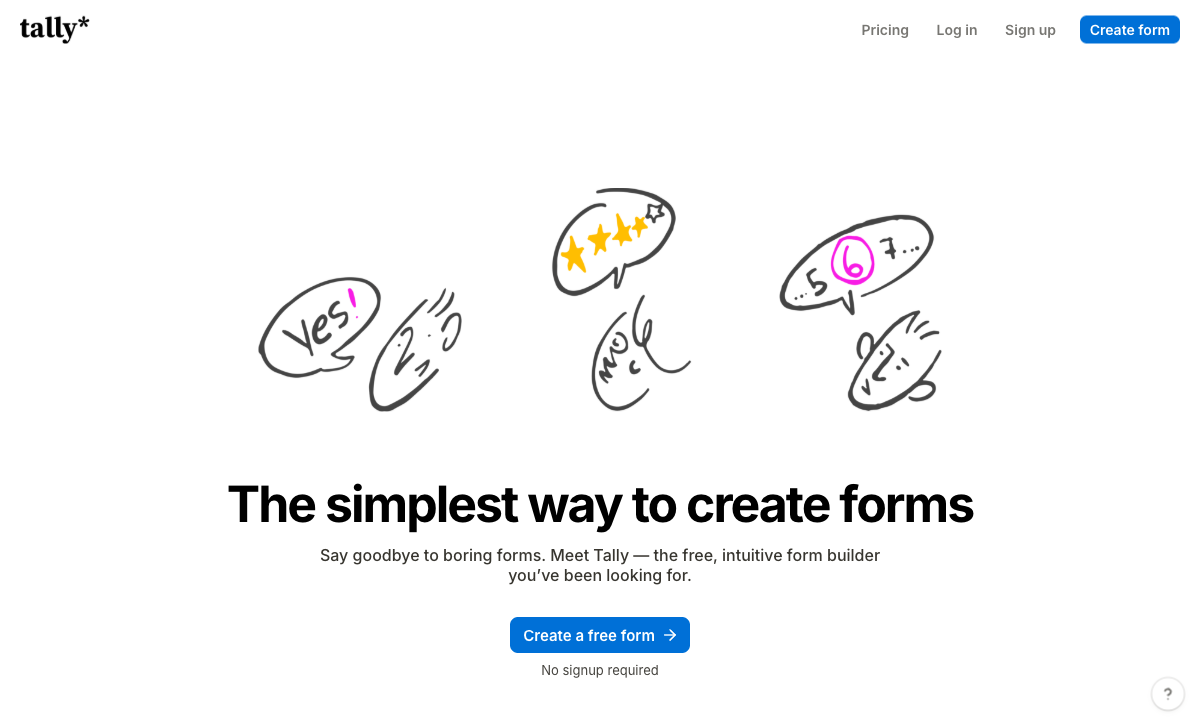
Nothing gets in the way of building a form
You can build a working Tally form without creating an account. Open the page, start typing, insert a field with a slash command exactly as you would in Notion, and publish. For a team already living in Notion the editor needs no explanation at all, and reviewers consistently rate speed as the thing they like most. G2 puts Tally at 4.8 across 97 reviews with ease of use at 4.8 and value for money at 4.9, which is close to the ceiling on both.
Logic, payments and e-signatures are not paywalled
Tally ships conditional logic, the formula editor, Stripe payments, e-signatures, file uploads, answer piping, 45+ languages and integrations with Notion, Google Sheets, Airtable, Zapier, Make and n8n without pushing any of it up a tier. Most competitors gate at least half of that list. If budget is the binding constraint, this comparison is already over and Tally has won it.
A free AI builder and first-class assistant connectors
Tally AI shipped to every plan in July 2026, including the free one, and it builds, edits, brands, translates and troubleshoots forms from a chat window. Tally also ships an MCP server, an official ChatGPT plugin and a verified Claude connector, so a form can be created or its submissions pulled without opening Tally at all. That is genuinely ahead of most of the market on distribution, if not on what the AI does with responses once they arrive.
EU hosting, and a lower entry price
Tally is made and hosted in the EU with no cookie tracking, which answers a data residency question that some European buyers ask before anything else. Its paid entry point is $24/month billed annually against Paperform's $49. If all you want is your branding on a form and your own domain in front of it, Tally costs half as much and does the job. That is a real advantage and pretending otherwise would be silly.
Where Paperform Wins

The editor is a document, and the output is a page that sells
Paperform's editor is free text with questions typed inline, so the thing you publish can carry headings, prose, images, GIFs, video and testimonials arranged where the page needs them, with Unsplash and Giphy libraries built in and custom HTML and CSS available on Pro. Paperform is not the only product with a document-style editor, and Tally's block editor is a pleasant one. The distinction is free composition against a single stacked column: Tally's slash-command blocks sit one after another, and content cannot be positioned around the fields.
That difference stops being cosmetic the moment the form is the destination of a campaign. A conference registration, a course enrolment, an agency enquiry and a product order are all pages someone lands on cold, and the first screen decides whether they start filling anything in. Paperform forms are regularly used as the landing page outright rather than embedded in one built elsewhere, which removes a website build from the critical path. Guided Mode covers the other side of the same coin: one question per screen for long applications, chosen per form rather than as an account-wide format. One Paperform customer reported a 91% increase in conversion rate after moving to it.
Several brands, one workspace, no seat maths
Agencies feel the design gap weekly rather than occasionally. Every client wants a different typeface, palette and tone, and a block editor with a colour setting produces forms that look like the same tool wearing different paint. Paperform Business at $124/month billed annually adds 10 workspaces to keep client work separated, and seats are unlimited on every paid plan, so the designer, the copywriter and the account manager can all be inside without anyone weighing whether an extra login is worth the money. Tally is not metering seats either; the constraint there is what the editor will let a designer do once they are in it.
Calculations that run the page, not just the total
Tally added a formula editor in 2026 and includes it free, which is more than most competitors offer at any price. Paperform's calculation engine is doing a different job. Formulas in familiar spreadsheet syntax decide which questions and which pages a respondent sees, what a quote comes to after volume discounts and regional tax, which conditional email fires, what an integration receives and what the success page displays, and an AI assistant will draft the formula from a description. A configurator priced by square metre, an early-bird rate that expires on a date, an assessment that routes by score band: configuration rather than development. Independent reviewers also flag that debugging a large Tally branching tree is difficult because there is no visual logic map.
Payments that behave like an order, not a charge
Five processors against one is the headline, and the shape matters more than the count. Tally hands an amount to Stripe. Paperform runs the transaction: a product catalogue with inventory, subscriptions, coupons and discount rules, tax by region, quoting and refunds, with the price recalculated live as options change, and no transaction fee taken by Paperform itself. Anyone selling anything with real pricing logic through Tally keeps that logic in a second system and reconciles the two by hand afterwards.
The usage tax moves to your tool stack
Here is the part the sticker price hides. Neither vendor meters submissions, but a Tally form that needs a signature and an approval chain has to reach Zapier, Make or n8n and an eSignature vendor to get there, and those products meter by task, run or envelope. The $24 you saved reappears as two subscriptions that both charge for volume, and your process now lives in an automation canvas that nobody owns, spread across three renewal dates. One Paperform subscription covers forms, Papersign eSignatures and Stepper workflow automation on every plan: 25 signed documents a month and 20,000 automation credits on Pro, 100 signed documents and 100,000 credits on Business. Automation credits are the one thing Paperform meters, at $10 per additional 10,000 a month, and that is worth checking against your volume rather than discovering later.
A security answer, and a vendor with a decade behind it
Paperform is SOC 2 Type II, GDPR and CCPA compliant, with SAML SSO, enforced 2FA, admin roles carrying per-member and per-product access, bring-your-own S3 on Business and EU or Australian data residency on Enterprise. Tally's top plan at $89/month has none of that, so a security questionnaire has nowhere to go and there is no way to enforce login policy across a team. Paperform has also been at this since 2016, bootstrapped and profitable, with 11 to 50 staff and support graded 4.7 to 4.9 across review platforms. Tally was founded in 2020 and runs on a team of around ten, which is part of why people like it and also why there is no support tier to escalate to when a rollout goes wrong on a deadline.
Where Tally Falls Short
- Stripe-only payments: no PayPal, Square, Braintree or Google Pay, and no coupons, tax calculation, invoicing or refund management.
- No workflow builder: no approvals, no routing, no multi-step internal process. Anything past submit-and-notify goes out to Zapier, Make or n8n.
- No SOC 2, SSO or 2FA at any tier, including the $89/month Business plan, which is the highest plan available.
- Block editor limits layout: content stacks in one column, so forms cannot be composed like a designed landing page.
- Analytics gated to Pro: visit tracking, drop-off analysis and partial submissions all need the $24/month annual tier.
- AI stops at build time: Tally AI writes forms; analysing responses with AI means leaving for the MCP server or the ChatGPT connector.
- Missing field types: no appointment booking, no address autocomplete, no colour picker, no save and resume for respondents.
- Community templates only, with variable quality and no curation.
- Email-only support from a team of around ten, with no dedicated support at any price. Customer support is its weakest G2 sub-rating at 4.5.
- No enterprise tier: if Business does not cover it, there is nothing above it to buy.
Where Paperform Falls Short
- Twice the entry price: $49/month billed annually against Tally's $24, with nothing sold in between.
- No HIPAA compliance and no BAAs, the same limit Tally has.
- No ISO 27001 certification.
- Automation credits are metered: 20,000 a month on Pro, then $10 per additional 10,000.
- Custom domains cost extra: $20/month per domain from Pro, one included on Business, where Tally includes custom domains at $24/month.
- No mobile editor: forms are fully responsive for respondents, but building happens at a desktop. Tally has the same limitation.
- Smaller review footprint than the category leaders, at roughly 78 G2 reviews against Tally's 97.
- Overkill for a one-off simple form: for three questions and a thank-you screen, use the simple tool.
See Both Editors Before You Decide
The editors are the real difference here, so watching someone build in each is more useful than any feature table.
Pricing Comparison
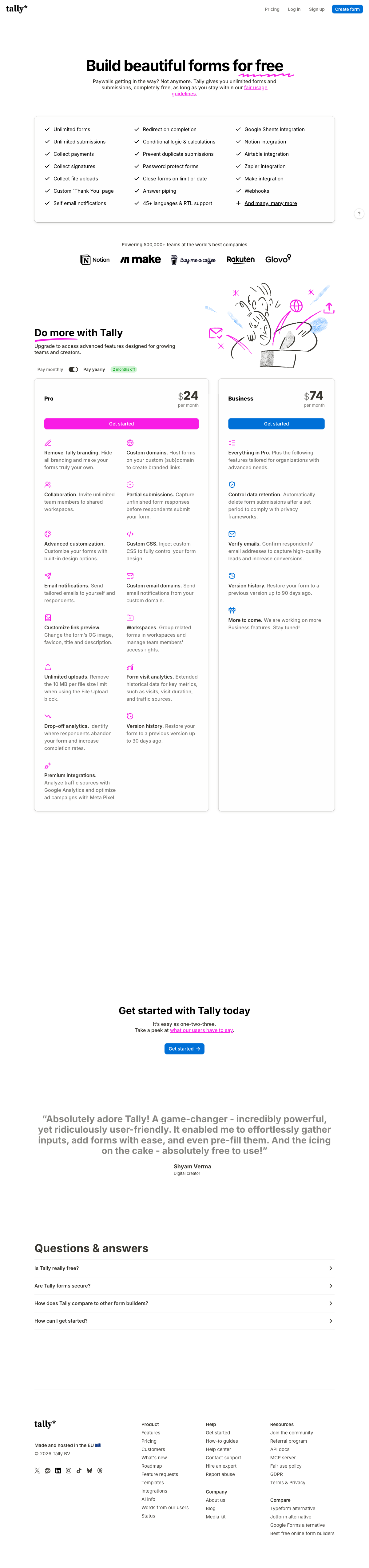
Tally's top plan costs less than Paperform's entry plan: Business at $74/month billed annually against Pro at $49, with Paperform Business at $124. Neither vendor charges by response or by seat, so the comparison is a scope comparison rather than a volume one.
| Tier | Paperform | Tally | What the money buys |
|---|---|---|---|
| Entry paid | Pro: $59/mo, $49 annually. Unlimited submissions and seats, 25 signed docs/mo, 20,000 automation credits | Pro: $29/mo, $24 annually. Unlimited submissions and members, branding removal, custom domains, custom CSS | Tally removes branding for half the price; Paperform adds eSignatures, workflows and multi-gateway commerce |
| Upper | Business: $149/mo, $124 annually. 10 workspaces, SSO, 2FA, Business API, 100 signed docs/mo | Business: $89/mo, $74 annually. Data retention controls, email verification, 90-day version history | Only Paperform's upper tier answers a security questionnaire |
| Above that | Enterprise: custom quote, with data residency, audit trails and an SLA | None. Business is the ceiling | Tally has nowhere to go when requirements grow |
Paperform
Tally
| Product | Plan | Monthly Price | Annual Price (per month) | Free Plan | Free Trial | Limits |
|---|---|---|---|---|---|---|
| Paperform | Free | Free | Free | Yes | 7 days | forms: Unlimited, submissions: 30/month, storage: Unlimited, users: Unlimited, file uploads: 100 MB |
| Paperform | Pro | $59/mo | $49/mo billed annually | forms: Unlimited, submissions: Unlimited, storage: Unlimited, users: Unlimited, file uploads: 10 GB | ||
| Paperform | Business | $149/mo | $124/mo billed annually | forms: Unlimited, submissions: Unlimited, storage: Unlimited, users: Unlimited, file uploads: 100 GB | ||
| Tally | Free | Free | Free | Yes | No | forms: Unlimited, submissions: Unlimited, storage: N/A, users: 1, file uploads: 10 MB per file |
| Tally | Pro | $29/mo | $24/mo billed annually | forms: Unlimited, submissions: Unlimited, storage: N/A, users: Unlimited, file uploads: Unlimited | ||
| Tally | Business | $89/mo | $74/mo billed annually | forms: Unlimited, submissions: Unlimited, storage: N/A, users: Unlimited |
Two details that do not fit in a table. Tally sells no trial because it does not need one, while Paperform's 7-day trial requires no card. And Paperform's subscription replaces an eSignature line item and an automation line item that a Tally stack still has to pay for separately, which is the comparison worth running against your own invoices.
What Users Say
Tally rates 4.8 on G2 across 97 reviews, 4.9 on Capterra and GetApp across 41 each, and 3.8 on Trustpilot across 22. Value for money at 4.9 is its strongest sub-score, customer support at 4.5 its weakest, and a Hackceleration round-up of 15 user reviews lands on the same two flags this page does: Stripe-only payments as a hard blocker, and large branching forms being hard to debug. Paperform rates 4.8 on G2 across roughly 78 reviews, 4.8 on Capterra across 104, and 4.8 on Trustpilot across 212, with support at 4.7 to 4.9. Both products are well liked by their users, and the disagreement between them is about scope rather than quality.
The Verdict
Choose Tally when the work genuinely ends at submit. A contact form, a waitlist, an internal request, a feedback survey that lands in Notion: Tally will have it live in ten minutes, on a free plan that does not expire, hosted in the EU. Paying $49 for that would be paying for capability you have no use for, and the honest recommendation is the cheaper tool.
Choose Paperform when the form is doing marketing work or starting a process. If a stranger lands on it from an ad and the layout decides whether they begin, a free-text editor that composes a real page is worth more than the price difference. If several client brands have to look genuinely distinct, if pricing has to be calculated before payment is taken through something other than Stripe, if a contract has to be signed and an approval has to be recorded, or if someone is going to ask for SOC 2 and SSO, Tally's answer is a second, third and fourth tool, and Paperform's is the subscription you already have.
For a broader field, see our full list of Tally alternatives or the overall form builder ranking. If design and conversion are the deciding factors, Paperform vs Typeform covers the other end of the same argument.
Frequently Asked Questions
Can a Tally form be made to look like a branded landing page?
Partly. Tally Pro at $24/month billed annually removes Tally branding, adds custom domains, custom CSS and link-preview control, so a form can carry your colours and live on your domain. What it cannot do is lay content out freely: the editor stacks blocks in a single column inserted with slash commands, so a hero image beside a paragraph, a testimonial between two questions and a video sitting inside the flow are awkward or impossible. Paperform's editor is free text with fields typed inline, plus Unsplash and Giphy libraries and custom HTML and CSS on Pro, which is why Paperform forms are often used as the landing page rather than as something embedded inside one.
Tally is free and unlimited, so why would anyone pay $49 a month for Paperform?
Because the subscription is buying three products and a compliance posture, not a higher submission ceiling. Tally genuinely does not meter forms or submissions, and for a contact form or a signup that is the whole requirement. Paperform Pro at $59/month, or $49 billed annually, includes Papersign eSignatures at 25 signed documents a month, Stepper workflow automation with 20,000 credits, five payment gateways with pricing logic behind them, and SOC 2 Type II. If your process ends at "submitted", Tally is the better purchase and we would rather say so.
Does Tally support PayPal or Square, or only Stripe?
Stripe only. Tally's payment block connects to Stripe and no other processor, with no coupon engine, tax calculation, invoicing or refund handling around it. Paperform supports five gateways (Stripe, PayPal, Square, Braintree and Google Pay) and adds products, inventory, subscriptions, coupons, tax and quoting, with the amount computed live by Excel-style formulas rather than fixed in the block. A single price and a single button works fine in Tally. Tiered quantities, a regional tax rate and a deposit now with the balance later do not.
Can I pass a SOC 2 security questionnaire using Tally?
No. Tally is GDPR compliant and hosted in the EU, and that is the extent of it: no SOC 2, no ISO 27001, no HIPAA, and no SSO or 2FA on any tier including the $89/month Business plan, which is the highest plan Tally sells. Paperform is SOC 2 Type II, GDPR and CCPA compliant, with SAML SSO and enforced 2FA on Business at $124/month billed annually. Neither product is HIPAA compliant and neither signs Business Associate Agreements, so protected health information rules both of them out.
How do Tally and Paperform differ on conditional logic and calculations?
Both branch on answers and both do maths, and Tally gives you conditional logic and its formula editor free on every plan, which is unusual. The difference is reach. Tally's formulas are written by hand and largely total or score within the form. Paperform's Excel-style calculations decide which questions and pages appear, what a quote comes to after discounts and tax, which conditional email fires, what an integration payload contains and what the success page says, and an AI assistant will write the formula for you. Reviewers also note that debugging large Tally branching trees is hard because there is no visual logic map.
What does Tally expect me to do when a submission needs a signature and an approval?
Send it to Zapier, Make or n8n. Tally has no workflow builder and no approval routing, and its 2026 submission-to-PDF feature produces a themed copy of the response rather than a document generated from a template. That means an automation subscription, an eSignature subscription and you as the connective tissue between them, with three renewal dates and metered runs or envelopes on at least two. Paperform covers forms, Papersign and Stepper under one subscription on every plan, so the approval chain and the countersigned contract stay in the same account as the form that started them.
Sources & References
- Tally Pricing — Tally, September 2026
- Tally Fair Use Policy — Tally, 2026
- Tally Review 2026: Honest Verdict + 15 Real User Reviews — Hackceleration, 2026
- Honest Review of Tally Forms, from an AI SaaS developer — Medium (FireBird Technologies), January 2026
- Tally Forms Reviews — G2, September 2026
- Best Online Form Builder to Use in 2026: Top 20 Tools — EmailToolTester, 2026
Updates
We re-audit the form builders we compare on a regular cadence and log every change here — a public record of what changed and when.
- Updated September 22, 2026 — First publication against the September 2026 data re-audit. Paperform pricing reflects the current Free/Pro/Business/Enterprise lineup (Pro $59/$49, Business $149/$124, unlimited submissions and seats). Tally pricing verified live: Pro $29/$24, Business $89/$74, no enterprise tier, free plan bounded by a fair use policy. Tally AI, the formula editor and the assistant connectors added; Tally re-confirmed as GDPR only, with no SOC 2, SSO or 2FA on any plan.
Last updated September 22, 2026
Ready to try Paperform?
Create beautiful forms, payment pages, and workflows — no code required.