Paperform vs WPForms: Which Is Better in 2026?
WPForms is the better choice for a contact form on a WordPress site you already run, at $99/year for Basic. Paperform is the better choice for anyone selling through a form, because it connects five payment gateways with a product catalogue, inventory, coupons, tax and quoting built in, and charges no transaction fee on any of it.
These two products are answering different questions. WPForms answers "how do I put a form on my WordPress site without writing code", and after six million active installs it is fair to say it has won that argument. Paperform answers "how do I take an order, get the contract signed and run the approval chain behind it from one account". A comparison only gets interesting where the two overlap, and the overlap is money — the moment a form is collecting payment rather than collecting a name and an email.
That is where the gap opens, and it opens in two directions at once. One is what the product can do around a charge. The other is what it costs to get there, because a WPForms licence is cheap to buy, gates payments three tiers up, and renews at roughly double the price advertised on the way in.
Quick Verdict
Choose WPForms if:
- Your forms live on WordPress and always will
- You want submission data sitting in your own database
- Contact, signup and simple order forms are the whole job
- Budget is the binding constraint and $99/year is the ceiling
- You already maintain the hosting, backups and plugin updates
- Elementor, Divi or Beaver Builder compatibility matters
Choose Paperform if:
- Forms take payments through more than one processor
- You sell products with stock, coupons, tax or quotes
- The whole team needs to build, at no extra cost per person
- Signatures and multi-step workflows follow the submission
- A security review wants SOC 2 evidence, not a hosting policy
- Forms need to run off WordPress as well as on it
Five Facts Before the Detail
Payments
Paperform supports 5 payment gateways on its entry paid plan: Stripe, PayPal, Square, Braintree and Google Pay. WPForms reaches 4 on Pro (Stripe, PayPal, Square, Mercado Pago) and a 5th, Authorize.Net, only on Elite at $599/year. Neither vendor takes a transaction fee.
Pricing
WPForms Basic is $99/year regular, rising to $399/year for Pro and $599/year for Elite. Paperform Pro is $59/month, or $49 billed annually, with unlimited submissions and unlimited seats within fair use. WPForms is cheaper; the question is which tier you end up on.
Integrations and API
Paperform offers 4,000+ integrations with a REST API on paid plans and a Business API on the $124/month annual tier. WPForms counts 10,000+ apps, but most route through Zapier on Pro, and it has no public REST API at all, with webhooks reserved for Elite.
Conditional logic
Both branch on answers, and WPForms includes smart conditional logic from Basic. Paperform's Excel-style calculations go further: the same formulas drive question and page visibility, live pricing, conditional emails, integration triggers and success page content. WPForms puts calculations in a Pro addon.
Compliance
Paperform is SOC 2 Type II audited and GDPR and CCPA compliant. WPForms claims GDPR, CCPA and PCI compliance for payment forms, and holds no SOC 2, no ISO 27001 and no HIPAA certification. Neither product is HIPAA compliant, and Paperform signs no BAAs, so protected health information belongs on a different platform entirely.
Feature Comparison
Read the table with the deployment difference in mind. WPForms rows describe what a plugin can do inside a WordPress install you maintain; Paperform rows describe a hosted platform that also carries eSignatures and workflow automation in the same subscription.
| Feature | Paperform | WPForms |
|---|---|---|
| Form Building | ||
| Document-style editor | Yes | No |
| AI form creation | Yes | Yes basic |
| Field types | 26+ | Yes basic |
| File uploads | Yes | No |
| Multi-page forms | Yes | Yes basic |
| Guided mode (one question at a time) | Yes | Yes pro |
| Conditional logic | Yes | Yes basic |
| Calculations field | Yes pro | Yes pro |
| AI calculations assistant | Yes pro | Yes pro |
| Scoring | Yes pro | Yes pro |
| Answer piping | Yes | No |
| Pre-filling and hidden fields | Yes pro | Yes basic |
| Save and resume | Yes | Yes pro |
| Auto-close by number | Yes pro | Yes basic |
| Auto-close by date | Yes pro | Yes basic |
| Appointment/booking field | Yes | No |
| Signature field | Yes | Yes pro |
| Color picker field | Yes | No |
| API-powered dropdowns | Yes business | No |
| Google address search | Yes business | Yes pro |
| AI Smart Edit | No | Yes |
| AI Choices | No | Yes |
| AI connector (MCP-style) | No | Yes basic |
| Ranking field | No | Yes pro |
| QR code generator | No | Yes |
| Payments | ||
| Stripe payments | Yes | Yes pro |
| PayPal payments | Yes | Yes pro |
| Square payments | Yes | Yes pro |
| Braintree payments | Yes | No |
| Google Pay | Yes | No |
| Product sales (eCommerce) | Yes pro | No |
| Subscriptions | Yes pro | Yes pro |
| Coupons and discounts | Yes pro | Yes pro |
| Custom pricing rules | Yes pro | Yes pro |
| Tax calculations | Yes | No |
| Quotes/invoices | Yes | No |
| Refunds | Yes | Yes pro |
| 3D Secure | Yes | No |
| Mercado Pago payments | No | Yes pro |
| Design & Customization | ||
| Template gallery | 30,000+ | Yes pro |
| Rich media (images, GIFs, videos) | Yes | Yes basic |
| Unsplash and Giphy integration | Yes | No |
| Image editor | Yes | No |
| Adobe Creative Cloud | Yes | No |
| Language translation | Yes | Yes basic |
| Advanced theming | Yes pro | Yes basic |
| Custom form URL | Yes pro | Yes pro |
| Custom domains | Yes pro | Yes basic |
| Custom HTML & CSS | Yes pro | Yes basic |
| Remove branding | Yes pro | Yes basic |
| Custom email domains | Yes business | No |
| Analytics | ||
| Submission results and reports | Yes | Yes basic |
| AI report insights | Yes pro | Yes pro |
| Paperform analytics | Yes pro | Yes pro |
| Drop-off analysis | Yes pro | No |
| Google Analytics & Facebook Pixel | Yes pro | No |
| Custom analytics scripts | Yes pro | No |
| Partial submissions | Yes pro | Yes pro |
| Collaboration | ||
| Multi-user accounts | Yes pro | Yes basic |
| User permissions and management | Yes pro | Yes pro |
| Advanced permissions & admin | Yes enterprise | Yes elite |
| Form sharing (templates) | Yes | Yes basic |
| Spaces and tag management | Yes | No |
| Security | ||
| SOC 2 Type II | Yes | No |
| GDPR compliant | Yes | Yes basic |
| SSL encryption | Yes | Yes basic |
| Two-factor authentication | Yes | No |
| Enforce 2FA for all users | Yes business | No |
| SSO (SAML) | Yes business | No |
| reCAPTCHA | Yes | Yes basic |
| Local data residency | Yes enterprise | Yes |
| Custom S3 storage (BYO) | Yes business | No |
| Custom S3 storage | No | No |
| Integrations & API | ||
| Native integrations | 4,000+ | No |
| Zapier | Yes | Yes pro |
| Make (Integromat) | Yes | Yes pro |
| Webhooks | Yes pro | Yes elite |
| Standard API | Yes pro | No |
| Business API | Yes business | No |
| WordPress plugin | Yes | Yes |
| oEmbed support | Yes | No |
| 2000+ integrations | No | Yes pro |
What WPForms Gets Right
It is genuinely the easiest way to add a form to WordPress
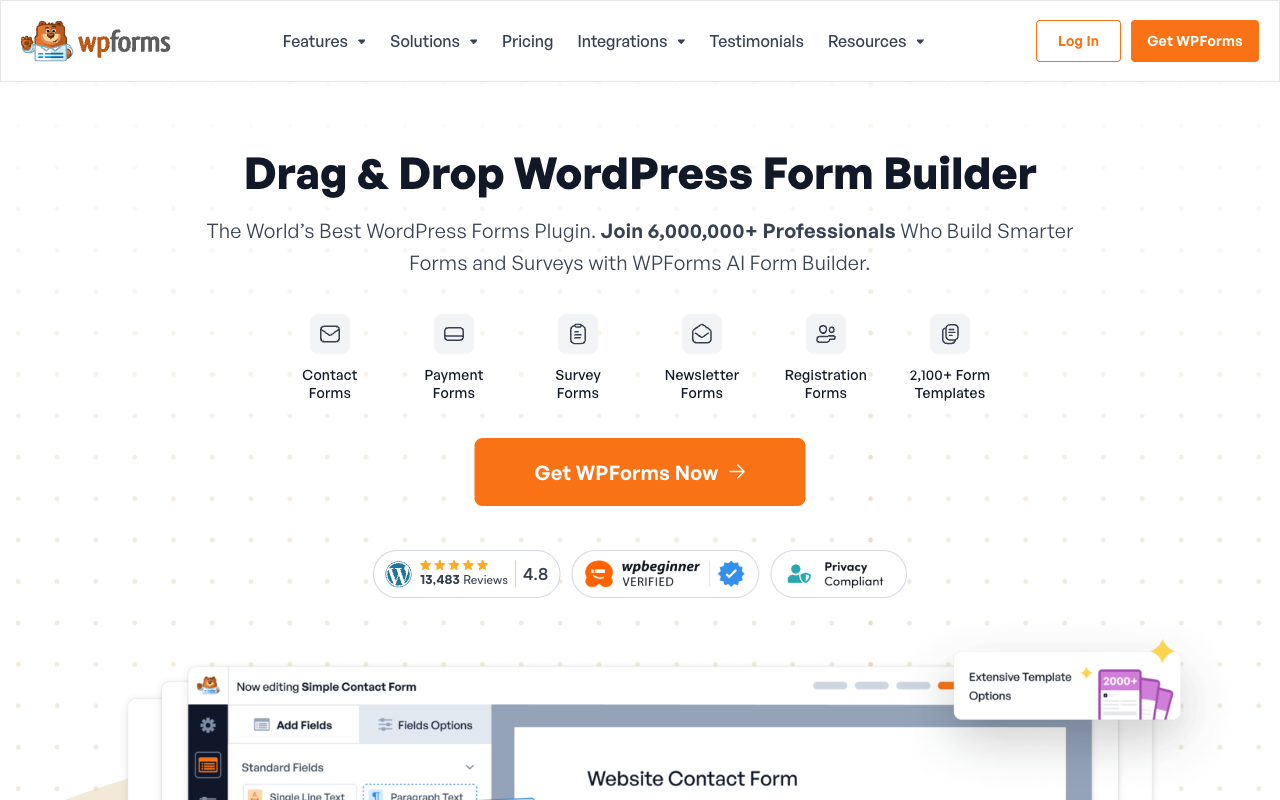
Six million active installs and a 4.8 average across 14,377 WordPress.org ratings are not marketing numbers, they are usage. The drag-and-drop builder assumes no technical knowledge, the 2,100+ templates cover most starting points, and it works with Elementor, Divi and Beaver Builder without fighting them. FatLab's 2026 review credits the onboarding and the builder as best-in-class for WordPress even while taking the pricing apart. If the form is a contact form and the site is WordPress, this is the shortest path there is.
The licence is cheap, and that is a real advantage
Basic is $99/year at the regular rate, which is less than two months of Paperform Pro. Unlimited forms, unlimited submissions and unlimited users come on every tier, including Lite. Paperform sells nothing below Pro at $49/month billed annually, so for a small site with modest needs WPForms wins on cost by a wide margin and there is no way to argue around it.
Your data stays on your server
Entries are stored in your own WordPress database. For teams with a data residency requirement they would rather solve themselves, or a policy against submission data sitting with a third party, self-hosting answers the question directly. It also means you own the backups, the patching and the incident response, which is the same fact viewed from the other side.
Native analytics with no extra subscription
WPForms 2.0, released in July 2026, added views, interactions, conversion rate, abandonment, field-level breakdowns, conversion goals and CSV export, plus an AI chat that reads the data and explains where a form is losing people. That is a serious release, and on Pro and Elite it removes a reason to bolt on an analytics tool.
Lightweight, and it stays that way
Reviewers consistently note that WPForms does not drag page load down, which is not something every WordPress form plugin can claim. On a site where Core Web Vitals are a commercial concern, that matters.
Where Paperform Pulls Ahead

A commerce engine, not a payment field
Paperform supports five gateways natively (Stripe, PayPal, Square, Braintree and Google Pay) and takes no transaction fee of its own, with more than $173M processed through forms to date. WPForms supports four on Pro and a fifth on Elite, and it also takes no transaction fee, so the fee comparison is a draw and we will say so.
The engine around the charge is where they separate. WPForms has no product catalogue and no inventory management, no tax calculation, and no quoting or invoicing; its own feature data marks all of those unavailable. It can build an order form and capture a card. Selling properly through it means WooCommerce underneath, which is another plugin, another set of updates and another place for the two records of the same order to disagree.
Paperform runs the order inside the form. Products carry stock counts, so a workshop with twelve places closes itself. Coupon codes and custom pricing rules apply as the buyer selects options, tax is calculated, quotes can be generated, refunds are issued from the same place the payment landed, and the running total recalculates live as choices change. A configurator that prices by dimension, a registration form with an early-bird rate that expires on a date, a rental form that multiplies days by a rate card and adds insurance — these are things you set up in an afternoon rather than build. The same Excel-style formulas that compute the total also decide which questions appear next, which confirmation email fires, what the integration receives and what the success page says.
Adding the team costs nothing, on either side of the comparison
Paperform charges nothing per seat on any plan, and one seat covers all three products, so a person who uses forms, signatures and workflows counts once. Credit where it is due: WPForms does not charge per user either. Its ladder meters site licences instead, 1 on Basic, 3 on Plus, 5 on Pro and unlimited on Elite, which is a fairer model than the per-editor pricing most hosted form builders run on.
The practical difference is what a seat requires. On WPForms, building a form means a WordPress account on the right install, with whatever role and capability that implies, and an agency running twenty client sites is managing twenty sets of credentials and counting licences against site numbers. On Paperform, the events coordinator logs in from a browser, builds from the 30,000+ template library and ships. Nobody files a request with whoever holds the server access, and no one prices the decision to let another colleague help.
One subscription where a WordPress stack needs four
Follow a real process past the submission. An order arrives, a contract needs signing, an approval has to route, a CRM has to update. WPForms has a digital signature field on Pro, which captures a scribble in a form rather than producing an executed document with signer verification and an audit trail, so contracts mean a DocuSign or PandaDoc seat. It has no visual workflow builder, so automation means a Zapier, Make or n8n plan. Commerce means WooCommerce. Then there is the hosting. Four renewal dates, four support queues, and your team holding every join.
A single Paperform subscription covers forms, Papersign for real signed documents (25/month on Pro, 100 on Business) and Stepper for workflow automation with 20,000 automation credits on Pro. One thing worth naming rather than hiding — automation credits are the dimension Paperform does meter, at $10/month per additional 10,000 on Pro, and custom domains are $20/month each on that tier.
An API your engineers can actually reach
WPForms has no public REST API. Webhooks — the cheapest escape hatch in software — sit on Elite at $599/year. Every custom requirement below that routes through the plugin UI or a paid connector. Paperform exposes a REST API over forms, submissions and partial submissions, with webhooks from Pro, a Business API on the $124/month annual plan and a separate API for Papersign so signature flows can be driven programmatically from the same account.
Evidence a security review will accept
Paperform is SOC 2 Type II audited with GDPR and CCPA compliance, SAML SSO, enforced 2FA, BYO S3 and audit trails on the upper plans, and EU or Australian data residency on Enterprise. With a self-hosted plugin, the party being audited is you, and "our host is reputable" rarely survives a procurement questionnaire. Both of us fail the same test on healthcare: neither product is HIPAA compliant, and Paperform signs no BAAs.
A vendor whose price is the same next year
Paperform has been independent since 2016, bootstrapped and profitable, with no investors and no acquirer setting the pricing clock, which is why the renewal number matches the first-year number. WPForms is an Awesome Motive property, and a large share of the WPForms coverage that reads as independent (WPBeginner, IsItWP, RafflePress) is published by that same parent. It is worth knowing which reviews are house reviews when you go looking.
Where WPForms Runs Out
- Payments cost three tiers: Stripe Pro, Square Pro, PayPal, Mercado Pago, subscriptions, coupons and calculations all land on Pro, $399/year regular.
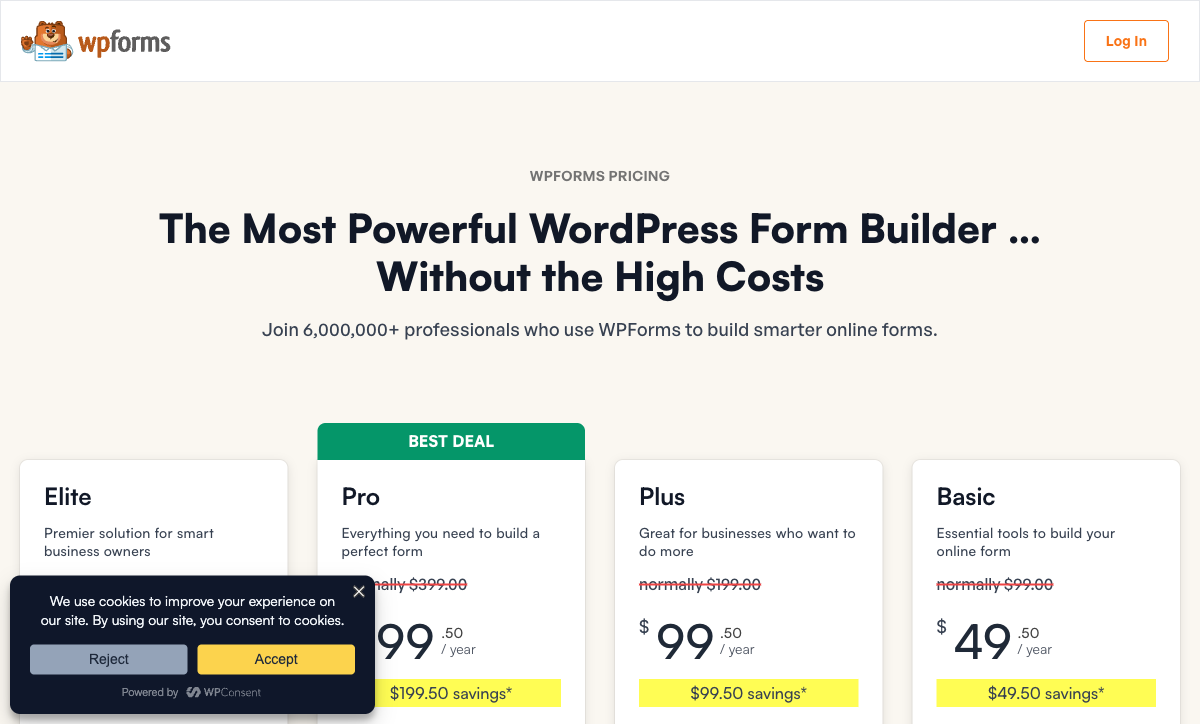
- Introductory pricing that roughly doubles: the $49.50 Basic, $199.50 Pro and $299.50 Elite are first-year rates; renewals are $99, $399 and $599.
- No product catalogue, inventory, tax or quoting: real selling needs WooCommerce alongside it.
- No REST API, webhooks on Elite only: programmatic access is effectively gated at $599/year.
- No SOC 2, ISO 27001 or HIPAA: security posture is inherited from your own hosting and patching discipline.
- WordPress is mandatory: no standalone platform, and form building happens in wp-admin on a desktop.
- Zapier as the integration story: the 10,000+ figure is mostly a Zapier count, and Zapier itself needs Pro plus its own subscription.
- Styling inherits from the theme: keeping forms on-brand across sites means CSS work per theme.
- Accessibility is not strong out of the box: reviewers flag it, and remediation falls to you.
- Free Lite is very limited: four templates and basic fields, with conditional logic starting on Basic.
Where Paperform Runs Out
- Much higher entry price: $49/month billed annually against $99/year, and nothing sold in between.
- No HIPAA compliance and no BAAs: a hard stop for protected health information.
- Hosted only: no self-hosting, so submission data lives with Paperform rather than in your database.
- No WordPress plugin ecosystem: forms embed cleanly but do not hook WordPress user roles, multisite or page builders natively.
- Automation credits are metered: 20,000/month on Pro, then $10 per additional 10,000.
- Custom domains cost extra: $20/month each from Pro, with one included on Business.
- Smaller review footprint: around 498 reviews in total against WPForms' 14,377 WordPress.org ratings alone.
- No mobile editor: true of both products, and worth stating plainly rather than scoring a point on.
- Overkill for a contact form: for three fields and a thank-you page, use the simple tool.
See Paperform in Action
WPForms has no independent video reviews recorded in our source data, and a good deal of its written coverage comes from its own parent company, so judge the builder itself from a walkthrough rather than a review.
Pricing Comparison
WPForms bills an annual licence metered by site count; Paperform bills a monthly or annual subscription metered by nothing that grows with you. The two models are hard to line up, so the table below matches them by what you are trying to do rather than by tier name.
| What you need | WPForms | Paperform | The catch |
|---|---|---|---|
| A contact form with logic | Basic, $99/yr regular, 1 site | Pro, $49/mo annually | WPForms wins outright on price |
| Payments and calculations | Pro, $399/yr regular, 5 sites | Pro, unchanged | WPForms is still cheaper, with 4 gateways and no catalogue |
| Selling products properly | Pro plus WooCommerce plus hosting | Pro, unchanged | Two systems holding one order, versus one |
| Contracts and automation | Pro plus an eSignature seat plus Zapier | Pro, unchanged | Three renewals and three support queues on one side |
| Webhooks, CRM, SSO | Elite, $599/yr regular. No SSO | Business, $124/mo annually, SSO included | WPForms has no SSO at any tier and no REST API |
Paperform
WPForms
| Product | Plan | Monthly Price | Annual Price (per month) | Free Plan | Free Trial | Limits |
|---|---|---|---|---|---|---|
| Paperform | Free | Free | Free | Yes | 7 days | forms: Unlimited, submissions: 30/month, storage: Unlimited, users: Unlimited, file uploads: 100 MB |
| Paperform | Pro | $59/mo | $49/mo billed annually | forms: Unlimited, submissions: Unlimited, storage: Unlimited, users: Unlimited, file uploads: 10 GB | ||
| Paperform | Business | $149/mo | $124/mo billed annually | forms: Unlimited, submissions: Unlimited, storage: Unlimited, users: Unlimited, file uploads: 100 GB | ||
| WPForms | Lite (Free) | Free | Free | Yes | 14 days | forms: Unlimited, submissions: Unlimited, users: Unlimited |
| WPForms | Basic | Not listed | $8.25/mo billed annually | forms: Unlimited, submissions: Unlimited, users: Unlimited | ||
| WPForms | Plus | Not listed | $16.58/mo billed annually | forms: Unlimited, submissions: Unlimited, users: Unlimited | ||
| WPForms | Pro | Not listed | $33.25/mo billed annually | forms: Unlimited, submissions: Unlimited, users: Unlimited | ||
| WPForms | Elite | Not listed | $49.92/mo billed annually | forms: Unlimited, submissions: Unlimited, users: Unlimited |
Two details the table cannot hold. WPForms advertises a standing 50% first-year discount, so the Basic, Plus, Pro and Elite prices you see at checkout are $49.50, $99.50, $199.50 and $299.50, and they renew at $99, $199, $399 and $599; the figures above are the renewal rates, because that is the price you pay for every year after the first. And WPForms' trial is a 14-day money-back guarantee requiring payment up front, where Paperform's 7-day trial takes no card.
What Users Say
WPForms is rated 4.8 across 14,377 WordPress.org ratings, 4.7 on G2 across 969 reviews and 4.8 on Trustpilot across 616. Praise concentrates on ease of use, speed and support. The Capterra picture is smaller and more pointed: 4.3 overall from 26 reviews, with value for money the lowest dimension at 4.0. That gap is the shape of the complaint list, where feature gating, Zapier sitting behind Pro and renewal at double the introductory price come up repeatedly. Paperform's footprint is far smaller at roughly 498 reviews in total, rating 4.8 on G2, Capterra and Trustpilot, with support the consistently highest-scoring dimension.
The Verdict
Choose WPForms when WordPress is the whole world. A contact form, a newsletter signup, a simple order form on a site you already maintain — Basic at $99/year does that job well, and paying $49/month for a platform to do it would be poor judgement. Six million installs and a genuinely excellent builder are why this is the default answer for WordPress, and it deserves to be.
Choose Paperform when the form is taking money. Five gateways with no transaction fee is the headline, and the catalogue, inventory, coupons, tax, quoting and live calculated pricing behind them are the reason the headline matters. Everything a WPForms order form hands off to WooCommerce, a Zapier plan and an eSignature seat is already in the subscription, and adding every colleague who needs to build costs nothing on top. The honest framing of the price difference is that Paperform's higher number is buying the four bills WordPress would otherwise need, plus a SOC 2 Type II audit somebody else performed.
If WordPress is a requirement but WPForms is not, our best form builders for WordPress ranking covers the plugin field. For a broader view, see the overall form builder ranking, or read WPForms alternatives for the full list of replacements.
Frequently Asked Questions
Which WPForms plan do I actually need to take payments, and what does it renew at?
Pro. Stripe Pro, Square Pro, PayPal Commerce, Mercado Pago, recurring subscriptions, coupons and the calculations addon all sit on the Pro licence, advertised at $199.50 for the first year and renewing at $399/year. Authorize.Net moves up again to Elite, $299.50 first year and $599/year on renewal. Paperform includes Stripe, PayPal, Square, Braintree and Google Pay on Pro at $59/month, or $49 billed annually, with no tier above them for gateways.
Can WPForms run a product catalogue with inventory and tax, or do I need WooCommerce?
You need WooCommerce or an equivalent. WPForms can build an order form and charge a card, but it has no native product catalogue, no inventory management, no tax calculation and no quoting or invoicing. Those are listed as unavailable in its own feature set. Paperform ships all of them inside the form: products with stock counts, coupons and discount rules, subscriptions, tax, quotes and refunds, with the totals computed live by the calculation engine as the buyer picks options.
Does WPForms charge a transaction fee on payments?
No, and neither does Paperform. WPForms states no transaction fees on the Pro plan, and its Mercado Pago support carries none either. Both products leave you paying only the processor. The difference is not the fee, it is what each product does around the charge and what the charge costs to unlock: WPForms gates payments behind a licence that renews at $399/year, while Paperform's payment and eCommerce features are in the entry paid plan.
How many people can build forms on a WPForms licence, and does that cost extra?
WPForms does not meter people; it meters sites. Every tier carries unlimited users, unlimited forms and unlimited submissions, and the ladder is 1 site on Basic, 3 on Plus, 5 on Pro and unlimited on Elite. In practice the gate is WordPress itself, because building a form means a wp-admin account on the right install. Paperform also charges nothing per seat, and a seat covers forms, signatures and workflows together, so one person counts once however many of the three they use.
Is WPForms SOC 2 or HIPAA compliant?
Neither. WPForms claims GDPR, CCPA and PCI compliance for payment forms, but holds no SOC 2, no ISO 27001 and no HIPAA status, and as a self-hosted plugin the security posture is whatever your hosting, patching and plugin hygiene make it. Paperform is SOC 2 Type II audited alongside GDPR and CCPA, with SAML SSO and audit trails on the upper plans. Paperform is not HIPAA compliant and signs no BAAs, so neither of these two is the answer for protected health information.
Can I use WPForms if my forms are not on a WordPress site?
Not really. WPForms is a plugin, so a WordPress install is the runtime, the database and the admin console. Forms can be embedded elsewhere, but they are served from your site and managed from wp-admin, and there is no public REST API to drive them from anywhere else. Webhooks arrive only on Elite. Paperform is hosted, so a form is a URL from the moment you publish it, with a REST API over forms and submissions and webhooks from Pro.
Sources & References
- WPForms Pricing — WPForms, September 2026
- WPForms Lite plugin listing (active installs and ratings) — WordPress.org, September 2026
- WPForms Review: Easy to Start, Expensive to Grow Into — FatLab Web Support, 2026
- WPForms Review (September 2026) - Worth It? — WPCrafter, September 2026
- 9 Top WPForms Alternatives Compared (2026) — Fluent Forms, 2026
- The 8 best WordPress form plugins — Zapier, 2026
Updates
We re-audit the form builders we compare on a regular cadence and log every change here — a public record of what changed and when.
- Updated September 22, 2026 — Written against the September 2026 data re-audit. Paperform pricing reflects the current Free/Pro/Business/Enterprise lineup (Pro $59/$49, Business $149/$124, unlimited submissions and seats). WPForms licence pricing listed at regular renewal rates (Basic $99, Plus $199, Pro $399, Elite $599 per year) rather than the standing 50% first-year promotion, with the WPForms 2.0 analytics release and August 2026 Mercado Pago support included.
Last updated September 22, 2026
Ready to try Paperform?
Create beautiful forms, payment pages, and workflows — no code required.