Best WPForms Alternatives for 2026
The best WPForms alternative for teams that take money through their forms is Paperform, which includes five payment gateways and a full eCommerce engine with no transaction fees from its first paid plan, where WPForms gates payments to a $399/year licence and still cannot manage products, stock or tax. If your forms only collect enquiries, WPForms is fine.
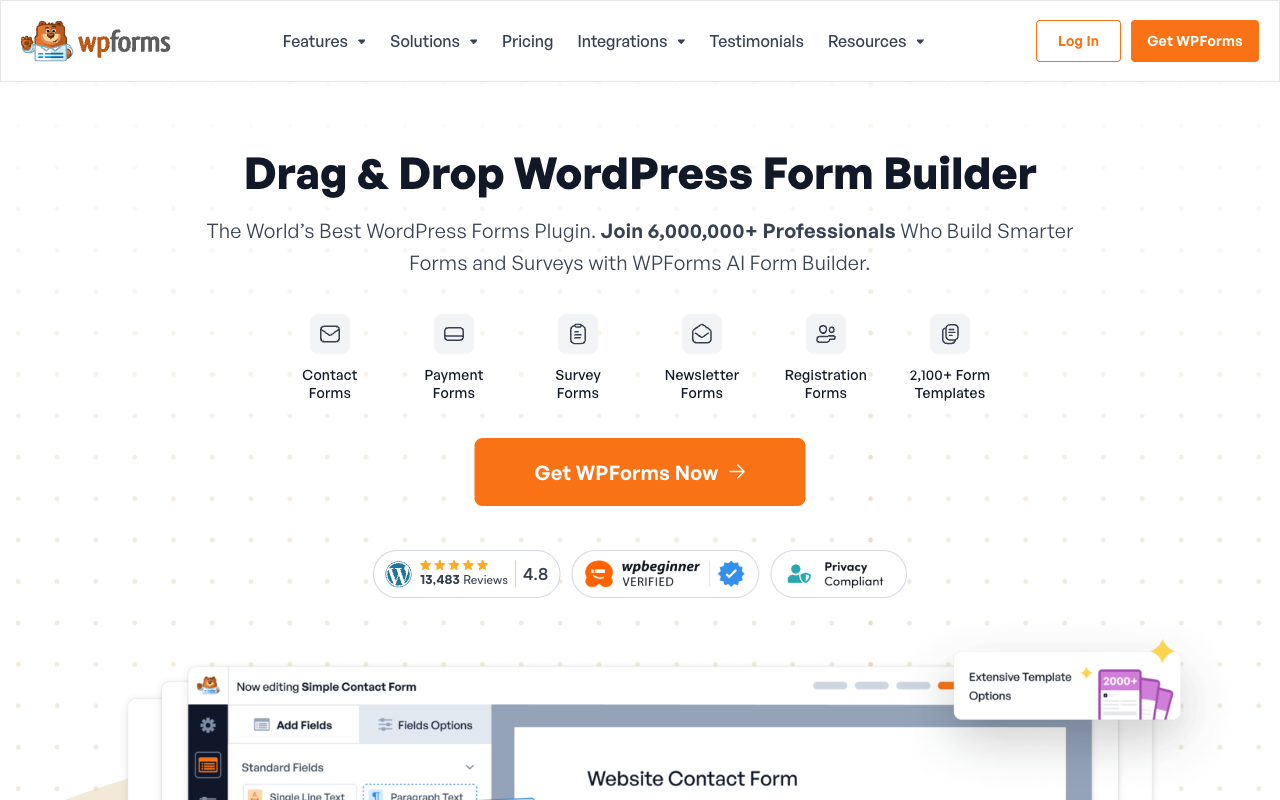
WPForms earns its 6,000,000+ active installs. It is the easiest form builder in WordPress, it is fast, it does not drag a page down, it ships 2,100+ templates, and 14,377 ratings on WordPress.org average 4.8. Basic costs $99/year at the regular rate. Nothing on this page is going to pretend that is not a good deal for a contact form.
The searches for alternatives come from a narrower place, and in our experience they almost always start at the checkout. A form that takes a payment needs WPForms Pro at $399/year, because PayPal, Square, Mercado Pago, subscriptions, coupons and the Calculator addon all live on that tier. Once you are there, WPForms can charge a card but it cannot run a shop: no product catalog, no inventory, no tax calculation, no quotes or invoices, no 3D Secure. The WordPress answer is to bolt WooCommerce and its paid extensions on beside the plugin, which is a second stack with its own updates, its own breakages and its own renewal date, stitched to the form by you.
The second reason is the shape of the bill. Every WPForms tier is introduced at roughly half price and renews at the regular rate, so the $199.50 you budgeted for Pro becomes $399 the following year, and CRM connectors and webhooks push you to Elite at $599. Below we compare the strongest alternatives on the five dimensions that decide this purchase, and say plainly where WPForms still wins.
| Feature | WPForms | Paperform | Jotform | Cognito Forms | Typeform | SurveyMonkey | Google Forms |
|---|---|---|---|---|---|---|---|
| Form Building | |||||||
| Document-style editor | No | Yes | No | No | No | No | No |
| AI Smart Edit | Yes | No | No | No | No | No | No |
| AI Choices | Yes | No | No | No | No | No | No |
| AI connector (MCP-style) | Yes basic | No | No | No | No | No | No |
| Field types | Yes basic | 26+ | 30+ (starter) | 20+ | 20+ | 15+ | 11 |
| Payments | |||||||
| Stripe payments | Yes pro | Yes | Yes starter | Yes | Yes basic | Yes Individual Advantage | No |
| PayPal payments | Yes pro | Yes | Yes starter | Yes team | No | Yes Individual Advantage | No |
| Square payments | Yes pro | Yes | Yes starter | Yes team | No | No | No |
| Braintree payments | No | Yes | Yes starter | No | No | No | No |
| Mercado Pago payments | Yes pro | No | No | No | No | No | No |
| Design & Customization | |||||||
| Template gallery | Yes pro | 30,000+ | 20,000+ (starter) | Yes | 1,500+ | 400+ | 20+ |
| Unsplash and Giphy integration | No | Yes | No | No | Yes | No | No |
| Image editor | No | Yes | No | No | No | No | No |
| Adobe Creative Cloud | No | Yes | No | No | No | No | No |
| Language translation | Yes basic | Yes | Yes starter | Yes pro | Yes basic | Yes Individual Premier | No |
| Analytics | |||||||
| AI report insights | Yes pro | Yes pro | No | No | Yes business | Yes Individual Advantage | Yes Business Standard |
| Paperform analytics | Yes pro | Yes pro | No | No | No | No | No |
| Google Analytics & Facebook Pixel | No | Yes pro | No | Yes pro | Yes basic | No | No |
| Custom analytics scripts | No | Yes pro | No | No | Yes basic | No | No |
| Partial submissions | Yes pro | Yes pro | No | No | Yes plus | Yes Individual Advantage | No |
| Collaboration | |||||||
| Form sharing (templates) | Yes basic | Yes | No | Yes | Yes | Yes Team Advantage | Yes |
| Spaces and tag management | No | Yes | No | No | No | No | No |
| Form sharing | No | No | Yes starter | No | No | No | No |
| Assign forms | No | No | Yes enterprise | No | No | No | No |
| Workspace organization | No | No | No | No | Yes | No | No |
| Security | |||||||
| SOC 2 Type II | No | Yes | Yes enterprise | No | Yes | Yes | Yes |
| Two-factor authentication | No | Yes | Yes starter | Yes | Yes | Yes | Yes |
| Enforce 2FA for all users | No | Yes business | No | No | No | Yes enterprise | Yes Business Starter |
| SSO (SAML) | No | Yes business | Yes enterprise | Yes enterprise | Yes enterprise | Yes enterprise | Yes Business Plus |
| reCAPTCHA | Yes basic | Yes | Yes starter | Yes | Yes business | Yes | No |
| Integrations & API | |||||||
| 2000+ integrations | Yes pro | No | No | No | No | No | No |
| Webhooks | Yes elite | Yes pro | Yes starter | Yes | Yes basic | Yes Individual Advantage | No |
| Standard API | No | Yes pro | No | Yes | No | Yes Individual Advantage | Yes |
| Business API | No | Yes business | No | No | No | Yes enterprise | No |
| WordPress plugin | Yes | Yes | Yes starter | Yes | Yes | No | No |
The five dimensions that decide it
WPForms wins the first one on the sticker price and loses ground on the rest as soon as the form does something.
Pricing
WPForms costs $99/year for Basic, $199 for Plus, $399 for Pro and $599 for Elite at the regular renewal rate, with unlimited forms, submissions and users on every tier and site licences as the metered dimension. That is far cheaper than any hosted product here and we are not going to argue with arithmetic. The comparison set: Cognito Forms Pro at $19/month annually, SurveyMonkey Team Advantage at $30/month annually with a three-user minimum, Jotform Bronze at $34/month annually, Paperform Pro at $59/month or $49 billed annually, Typeform Business at $91/month annually. The catch is the renewal step and the tier at which payments switch on.
Integrations & API
WPForms counts 10,000+ integrations, but almost all of them are Zapier connections that require the $399/year Pro licence, and there is no public REST API at all, with webhooks reserved for Elite at $599/year. Native addons cover the email marketing tools from Plus and the CRMs from Elite. Paperform counts 4,000+ integrations with a REST API, webhooks from Pro and a Business API above that. Jotform lists 150+ native connectors, Typeform 120+, and Google Forms roughly 20 inside Workspace. Breadth is not WPForms' problem; reaching any of it programmatically is.
Conditional logic
WPForms includes smart conditional logic from Basic at $99/year and adds the Calculator addon plus an AI formula assistant on Pro, but calculated values stay inside the form. A WPForms calculation prints a total at the bottom of the page. It does not decide which conditional email fires, reshape an integration payload or swap the success page. Paperform's calculations are Excel-style and wired into the whole submission, driving question and page visibility, conditional emails, integrations, success pages and the price charged. Cognito Forms is the other strong engine here, with repeating sections and line-item tables that most builders cannot express.
Payments
WPForms supports four payment processors on Pro at $399/year (Stripe, PayPal, Square and Mercado Pago) and a fifth, Authorize.Net, only on Elite at $599/year, with no Google Pay, no product catalog, no tax calculation, no quotes or invoices and no 3D Secure. Paperform supports five gateways on every paid plan (Stripe, PayPal, Square, Braintree and Google Pay) with products and inventory, subscriptions, coupons, custom pricing rules, tax, quotes, invoices and refunds behind them, and charges no transaction fee. Jotform is the breadth leader at 40+ processors. Typeform, SurveyMonkey and Cognito Forms are far narrower, and Google Forms takes no money at all.
Compliance (HIPAA / GDPR / SOC 2)
WPForms is GDPR and CCPA compliant and PCI compliant for payment forms, and holds no SOC 2, no ISO 27001 and no HIPAA, with no SSO on any tier. Because the plugin runs on your own hosting, the security posture a reviewer is assessing is yours. Jotform, Typeform, SurveyMonkey, Cognito Forms and Google Forms are all HIPAA, GDPR and SOC 2 compliant. Paperform is SOC 2 Type II, GDPR and CCPA compliant with SAML SSO and enforced 2FA, and is not HIPAA compliant and signs no BAAs. If protected health information is in scope, both WPForms and Paperform are out.
 #1 Paperform — Best If Your Forms Take Money

Start with the number that matters most to anyone selling through a form. Paperform takes Stripe, PayPal, Square, Braintree and Google Pay, and it does so on every plan rather than from the third tier up. Behind those gateways is an actual commerce engine: a product catalog with stock, recurring subscriptions, coupon codes, custom pricing rules, tax by region, quotes, invoices and refunds you can issue from the submission. Paperform has processed $173M+ through forms and charges no transaction fee of its own, so the only cut taken is the processor's. WPForms can charge a card well; it cannot run the store around the card, which is why WordPress sellers end up with WooCommerce beside the plugin and two systems telling them slightly different things about the same order.
The second difference is structural rather than featural. Paperform has no per-seat pricing at all: seats are unlimited on every plan, and one seat covers forms, Papersign eSignatures and Stepper workflow automation, so the designer who builds the order form, the bookkeeper who reconciles the payments and the manager who approves the refund cost nothing to add. Credit where it is due, WPForms does the same thing for users; it meters site licences instead, at 1, 3, 5 and unlimited. Against the hosted alternatives on this page, though, Paperform is the only one that does not eventually bill by headcount. Submissions are unlimited within fair use on paid plans too, so a good month for sales is not also a plan upgrade.
Where this costs you is the entry price. Paperform Pro is $59/month, $49 billed annually, which is more in one year than a WPForms Elite licence, and there is no cheaper paid rung below it. Paperform is also hosted rather than installed, so your form data sits with the vendor rather than in your own database, which some WordPress owners will rule out on principle. It has no mobile editor and no HIPAA compliance. The trade is that the hosting, patching, uptime and security stop being your Thursday afternoon, and a form built once looks identical embedded in WordPress, sent as a link or opened from an email. Our best form builders for WordPress roundup covers how the embed works in practice.
- Strengths over WPForms: five payment gateways on every plan with products, inventory, tax, quotes, invoices and refunds and no transaction fees, unlimited seats with no per-user charge, Excel-style calculations that drive logic across the whole submission, Papersign eSignatures and Stepper workflows in the same subscription, SOC 2 Type II with SAML SSO, a REST API and webhooks from Pro, 30,000+ templates, 4,000+ integrations, nothing to host or patch
- Limitations: $49/month billed annually against a $99/year WPForms licence, not HIPAA compliant and signs no BAAs, Stepper automation credits are metered at 20,000/month on Pro, no mobile editor, roughly 500 reviews against WPForms' 15,000+
- Best for: Businesses whose forms are order forms, quotes or bookings, and who would rather not run WooCommerce to get there
 #2 Jotform — Best for Payment Breadth and a HIPAA BAA

If WPForms' payment gating is what sent you looking, Jotform removes it completely. More than forty processors are available on every plan including the free one, which covers the regional gateways WPForms reaches only through Mercado Pago and Authorize.Net, and there is no licence tier to clear before a form can charge anything. Jotform is also the compliance answer WPForms cannot be, with HIPAA and a signed BAA on Gold at $99/month billed annually, alongside SOC 2, ISO 27001 and PCI DSS Level 1. Founded in 2006 and still bootstrapped, it is the oldest product on this page and has native mobile apps, which neither WPForms nor Paperform offers.
The adjustment is the meter, and coming from WPForms it is severe. WPForms gives you unlimited forms, unlimited submissions and unlimited users on a $99 licence. Jotform counts submissions, forms, form views, storage, fields per form and signed documents, and every self-serve tier from Starter through Gold is single-user, so a second person with edit access means an Enterprise quote. Bronze at $34/month annually buys 1,000 submissions a month. The feature list is also twenty years deep and reviewers regularly describe the interface as cluttered, with settings nested several menus down. Our Jotform alternatives breakdown goes through the quota structure tier by tier.
- Strengths over WPForms: 40+ payment processors on every plan including free, HIPAA with a BAA, SOC 2 and ISO 27001, 150+ native integrations and a documented API, approval workflows and PDF generation, native mobile apps, no WordPress install to maintain
- Limitations: submissions, forms, views, storage and signed documents all metered where WPForms caps none of them, single-user on every self-serve tier, cluttered editor, no product catalog or inventory management
- Best for: WordPress sites that hit the Pro payment wall or a healthcare requirement, and will accept quotas to clear both
 #3 Cognito Forms — Best Cheap Replacement for the Calculator Addon
A lot of WPForms Pro licences are bought for one addon: the calculator, for quotes and order totals. Cognito Forms does that job better and cheaper. Its engine handles repeating sections and line-item tables, so a quote with variable quantities and per-line pricing is a structure rather than a workaround, and Pro is $19/month billed annually. It is HIPAA compliant with a BAA and SOC 2 certified, which WPForms is not, and Cognito Pay adds native card processing with Apple Pay and Google Pay alongside direct Stripe, with PayPal and Square from the Team tier at $39/month annually.
Two things will grate. Forms built in Cognito look dated next to anything WPForms renders inside a decent WordPress theme, and fixing that means CSS. More importantly, Cognito bills four separate ways for growth: entries, users, storage and guest collaborators each carry a quota and an overage. Pro stops at 2,000 entries and 2 users, additional people are $5/user/month, and guest packs run from $25 to $250/month. After WPForms' unlimited everything on a flat licence, that is a lot of meters to watch. There is no public API either. See our Cognito Forms alternatives page for the full breakdown.
- Strengths over WPForms: stronger calculation engine with repeating sections and line items, HIPAA with a BAA and SOC 2, Apple Pay and Google Pay through Cognito Pay, $19/month annually against a $399/year Pro licence, hosted with nothing to update
- Limitations: dated form design, metered on entries, users, storage and guests, no public REST API, slower release cadence than WPForms' monthly addon updates
- Best for: Small teams whose WPForms forms are really pricing calculators, especially in regulated work
 #4 Typeform — Best for Off-WordPress Brand Campaigns

WPForms has conversational forms and form landing pages on Pro, and they are decent. Typeform still does the one-question-at-a-time format better than anyone, and it does it without touching a theme stylesheet, which matters if your WPForms forms currently look different on every site you manage. It carries the heaviest compliance stack on this page, with HIPAA on Business, SOC 2, and ISO 27001, 27017, 27018 and ISO/IEC 42001, plus far more third-party reviews than WPForms.
Then the meter, which is the harshest here. Typeform caps responses and seats on every plan: 100 responses and 1 user on Basic at $28/month annually, 1,000 responses and 3 users on Plus, 10,000 and 5 on Business at $91/month annually. Growth Flow at $266/month annually raises neither. Moving from a WPForms licence with unlimited submissions to 100 responses a month is the sharpest downgrade available on this page, and payments are Stripe only, which is narrower than WPForms Pro. Our Paperform vs Typeform comparison goes deeper on the quota structure.
- Strengths over WPForms: conversational format done properly, design independent of any theme, HIPAA on Business plus ISO 27001 and ISO/IEC 42001, documented API on every plan, no WordPress dependency
- Limitations: responses and seats capped on every tier, Stripe-only payments against WPForms Pro's four processors, advanced logic gated to Plus, the most expensive option here at volume
- Best for: Marketing teams running short, low-volume campaigns where presentation drives the completion rate
 #5 SurveyMonkey — Best If the Forms Were Really Surveys
WPForms added a Surveys and Polls addon on Pro, and it is a reasonable bolt-on. SurveyMonkey is the thing it is imitating. Founded in 1999, it brings question-bank methodology, significance testing, cross-tabulation, sentiment analysis and access to a 335M-person respondent panel, none of which a form plugin attempts. It is HIPAA, SOC 2 and ISO 27001 compliant, and it has more reviews than every other product on this page combined.
It is also the wrong tool for most of what WPForms does. There is no meaningful payment support, no eCommerce, no WordPress-native anything, and pricing is built around the two things that grow: responses are capped annually with a $0.15 charge for each one over the limit, Team plans require a minimum of three users, Enterprise a minimum of five, and since September 2026 every paid plan is an annual commitment. Team Advantage is $30/month annually for 50,000 responses a year. If you need a contact form and an order form, this is not the swap; if the WPForms survey addon is the only part you actually use, it is the obvious one.
- Strengths over WPForms: genuine research methodology and analysis, a large respondent panel, HIPAA, SOC 2 and ISO 27001, mature reporting and exports, no WordPress install required
- Limitations: annual response caps with $0.15 overage per response, three-user minimum on Team plans, annual commitment only, effectively no payments or eCommerce, far more expensive than a WPForms licence
- Best for: Teams whose WPForms usage is survey and feedback work that has outgrown a form plugin
 #6 Google Forms — Best Way to Stop Paying Renewals Entirely
Some WPForms licences are renewed every year for forms that could be a Google Form. It is free and unlimited, HIPAA-eligible under a Workspace BAA, and covered by SOC 2, ISO 27001 and FedRAMP through Google Cloud, so for an organisation already on Workspace from $7 per user per month it answers a compliance question at no extra cost and with no plugin to update.
It is a real step down from WPForms in everything else. No payments at all, roughly 20 integrations confined to Google's own products, no calculations to speak of, no custom domains, no conditional logic beyond simple section branching, and a respondent experience that is recognisably a Google Form embedded in an iframe rather than part of your site. That last point is the one WordPress owners feel: the form stops looking like the website. Our Google Forms alternatives page covers the upgrade paths when it stops being enough.
- Strengths over WPForms: free with unlimited forms and responses, HIPAA-eligible under a Workspace BAA, SOC 2 and ISO 27001 through Google Cloud, SSO and admin controls, no licence to renew and no plugin to patch
- Limitations: no payments, no calculations, no design control or custom domains, about 20 integrations, visibly generic embedded experience
- Best for: Internal forms and simple enquiries inside a Workspace organisation where presentation does not matter
Full Feature Comparison
Every feature across WPForms and its alternatives, grouped by category. The payments and commerce rows are where a cheap licence starts costing money elsewhere, and the security rows are where a self-hosted plugin has nothing to show a reviewer.
| Feature | WPForms | Paperform | Jotform | Cognito Forms | Typeform | SurveyMonkey | Google Forms |
|---|---|---|---|---|---|---|---|
| Form Building | |||||||
| Document-style editor | No | Yes | No | No | No | No | No |
| AI form creation | Yes basic | Yes | Yes starter | Yes | Yes | Yes | Yes paid |
| AI Smart Edit | Yes | No | No | No | No | No | No |
| AI Choices | Yes | No | No | No | No | No | No |
| AI connector (MCP-style) | Yes basic | No | No | No | No | No | No |
| Field types | Yes basic | 26+ | 30+ (starter) | 20+ | 20+ | 15+ | 11 |
| Multi-page forms | Yes basic | Yes | Yes starter | Yes | Yes basic | Yes | Yes |
| Guided mode (one question at a time) | Yes pro | Yes | Yes starter | No | Yes | Yes | No |
| Conditional logic | Yes basic | Yes | Yes starter | Yes | Yes basic | Yes Individual Advantage | Yes |
| Calculations field | Yes pro | Yes pro | Yes starter | Yes | Yes plus | No | No |
| AI calculations assistant | Yes pro | Yes pro | No | No | No | No | No |
| Scoring | Yes pro | Yes pro | Yes starter | Yes | Yes plus | Yes | Yes |
| Answer piping | No | Yes | Yes starter | Yes | Yes basic | Yes Individual Advantage | No |
| Pre-filling and hidden fields | Yes basic | Yes pro | Yes starter | Yes | Yes basic | Yes Individual Advantage | Yes |
| Save and resume | Yes pro | Yes | Yes starter | Yes pro | No | Yes Individual Advantage | No |
| Auto-close by number | Yes basic | Yes pro | Yes starter | Yes | Yes basic | Yes Individual Advantage | Yes |
| Auto-close by date | Yes basic | Yes pro | Yes starter | Yes | Yes basic | Yes Individual Advantage | Yes |
| Appointment/booking field | No | Yes | Yes starter | No | Yes basic | No | No |
| Ranking field | Yes pro | No | No | No | No | No | No |
| QR code generator | Yes | No | No | No | No | No | No |
| Signature field | Yes pro | Yes | Yes starter | Yes team | Yes basic | No | No |
| Color picker field | No | Yes | No | No | No | No | No |
| API-powered dropdowns | No | Yes business | No | Yes | No | No | No |
| Google address search | Yes pro | Yes business | No | Yes | No | No | No |
| File uploads | No | Yes | Yes starter | Yes | Yes basic | Yes | Yes |
| Drag-and-drop builder | No | No | Yes starter | No | No | No | No |
| Form widgets | No | No | Yes starter | No | No | No | No |
| Template gallery | No | No | 20,000+ (starter) | No | No | No | No |
| Question display logic | No | No | No | No | Yes basic | No | No |
| AI follow-up questions | No | No | No | No | Yes business | No | No |
| AI extended thinking & memory | No | No | No | No | Yes growth | No | No |
| Typeform AI connectors | No | No | No | No | Yes growth | No | No |
| Workflow / automation builder | No | No | No | No | Yes growth | No | No |
| AI-moderated research (Research Flow) | No | No | No | No | Yes enterprise | No | No |
| Video questions | No | No | No | No | Yes basic | No | No |
| AI chat survey editing | No | No | No | No | No | Yes | No |
| AI quiz generation | No | No | No | No | No | No | Yes paid |
| Payments | |||||||
| Stripe payments | Yes pro | Yes | Yes starter | Yes | Yes basic | Yes Individual Advantage | No |
| PayPal payments | Yes pro | Yes | Yes starter | Yes team | No | Yes Individual Advantage | No |
| Square payments | Yes pro | Yes | Yes starter | Yes team | No | No | No |
| Braintree payments | No | Yes | Yes starter | No | No | No | No |
| Mercado Pago payments | Yes pro | No | No | No | No | No | No |
| Google Pay | No | Yes | Yes starter | Yes | No | No | No |
| Product sales (eCommerce) | No | Yes pro | Yes starter | Yes | No | No | No |
| Subscriptions | Yes pro | Yes pro | Yes starter | No | Yes basic | No | No |
| Coupons and discounts | Yes pro | Yes pro | Yes starter | Yes | No | No | No |
| Custom pricing rules | Yes pro | Yes pro | Yes starter | Yes | No | No | No |
| Tax calculations | No | Yes | Yes starter | Yes | No | No | No |
| Quotes/invoices | No | Yes | No | Yes team | No | No | No |
| Refunds | Yes pro | Yes | No | No | No | No | No |
| 3D Secure | No | Yes | No | No | Yes basic | No | No |
| 40+ payment gateways | No | No | Yes starter | No | No | No | No |
| No transaction fees | No | No | Yes starter | No | No | No | No |
| Cognito Pay (native card processing) | No | No | No | Yes | No | No | No |
| Design & Customization | |||||||
| Template gallery | Yes pro | 30,000+ | 20,000+ (starter) | Yes | 1,500+ | 400+ | 20+ |
| Rich media (images, GIFs, videos) | Yes basic | Yes | Yes starter | Yes | Yes | Yes | Yes |
| Unsplash and Giphy integration | No | Yes | No | No | Yes | No | No |
| Image editor | No | Yes | No | No | No | No | No |
| Adobe Creative Cloud | No | Yes | No | No | No | No | No |
| Language translation | Yes basic | Yes | Yes starter | Yes pro | Yes basic | Yes Individual Premier | No |
| Advanced theming | Yes basic | Yes pro | Yes starter | Yes pro | Yes plus | Yes Individual Advantage | No |
| Custom form URL | Yes pro | Yes pro | No | No | Yes plus | Yes Individual Advantage | No |
| Custom domains | Yes basic | Yes pro | Yes enterprise | No | Yes enterprise | No | No |
| Custom HTML & CSS | Yes basic | Yes pro | Yes starter | Yes pro | Yes business | No | No |
| Remove branding | Yes basic | Yes pro | Yes bronze | Yes pro | Yes plus | Yes Individual Advantage | No |
| Custom email domains | No | Yes business | No | No | No | No | Yes Business Starter |
| Form themes | No | No | Yes starter | No | No | No | No |
| Analytics | |||||||
| Submission results and reports | Yes basic | Yes | Yes starter | Yes | Yes | Yes | Yes |
| AI report insights | Yes pro | Yes pro | No | No | Yes business | Yes Individual Advantage | Yes Business Standard |
| Paperform analytics | Yes pro | Yes pro | No | No | No | No | No |
| Google Analytics & Facebook Pixel | No | Yes pro | No | Yes pro | Yes basic | No | No |
| Custom analytics scripts | No | Yes pro | No | No | Yes basic | No | No |
| Partial submissions | Yes pro | Yes pro | No | No | Yes plus | Yes Individual Advantage | No |
| Drop-off analysis | No | Yes pro | No | No | Yes business | No | No |
| Form analytics | No | No | Yes starter | No | No | No | No |
| Google Analytics integration | No | No | Yes starter | No | No | No | No |
| Cross-form Insights dashboard | No | No | No | No | Yes business | No | No |
| Benchmarks | No | No | No | No | No | No | No |
| Collaboration | |||||||
| Multi-user accounts | Yes basic | Yes pro | Yes bronze | Yes pro | Yes plus | Yes Team Advantage | Yes |
| User permissions and management | Yes pro | Yes pro | Yes enterprise | Yes team | Yes plus | Yes Team Advantage | Yes |
| Advanced permissions & admin | Yes elite | Yes enterprise | Yes enterprise | Yes enterprise | Yes enterprise | Yes enterprise | Yes Business Starter |
| Form sharing (templates) | Yes basic | Yes | No | Yes | Yes | Yes Team Advantage | Yes |
| Spaces and tag management | No | Yes | No | No | No | No | No |
| Form sharing | No | No | Yes starter | No | No | No | No |
| Assign forms | No | No | Yes enterprise | No | No | No | No |
| Workspace organization | No | No | No | No | Yes | No | No |
| Review Sessions | No | No | No | No | No | Yes Team Advantage | No |
| Persistent Magic Link | No | No | No | No | No | Yes Team Advantage | No |
| Security | |||||||
| SOC 2 Type II | No | Yes | Yes enterprise | No | Yes | Yes | Yes |
| GDPR compliant | Yes basic | Yes | Yes starter | Yes | Yes | Yes | Yes |
| SSL encryption | Yes basic | Yes | Yes starter | Yes | Yes | Yes | Yes |
| Two-factor authentication | No | Yes | Yes starter | Yes | Yes | Yes | Yes |
| Enforce 2FA for all users | No | Yes business | No | No | No | Yes enterprise | Yes Business Starter |
| SSO (SAML) | No | Yes business | Yes enterprise | Yes enterprise | Yes enterprise | Yes enterprise | Yes Business Plus |
| reCAPTCHA | Yes basic | Yes | Yes starter | Yes | Yes business | Yes | No |
| Local data residency | Yes | Yes enterprise | No | No | No | Yes enterprise | Yes Business Plus |
| Custom S3 storage | No | No | No | No | No | No | No |
| Custom S3 storage (BYO) | No | Yes business | No | No | No | No | No |
| HIPAA compliant | No | No | Yes gold | No | Yes enterprise | No | No |
| 256-bit SSL | No | No | Yes starter | No | No | No | No |
| Data residency | No | No | Yes enterprise | No | No | No | No |
| Form encryption | No | No | Yes starter | No | No | No | No |
| PCI DSS | No | No | Yes starter | No | Yes | No | No |
| ISO 27001 | No | No | No | No | Yes | No | No |
| Integrations & API | |||||||
| 2000+ integrations | Yes pro | No | No | No | No | No | No |
| Zapier | Yes pro | Yes | Yes starter | Yes | Yes basic | Yes | Yes |
| Make (Integromat) | Yes pro | Yes | Yes starter | Yes | Yes basic | Yes | Yes |
| Webhooks | Yes elite | Yes pro | Yes starter | Yes | Yes basic | Yes Individual Advantage | No |
| Standard API | No | Yes pro | No | Yes | No | Yes Individual Advantage | Yes |
| Business API | No | Yes business | No | No | No | Yes enterprise | No |
| WordPress plugin | Yes | Yes | Yes starter | Yes | Yes | No | No |
| oEmbed support | No | Yes | No | Yes | No | No | No |
| Native integrations | No | 4,000+ | 150+ (starter) | No | 120+ (basic) | 200+ | No |
| API | No | No | Yes starter | No | Yes basic | No | No |
| Smartsheet integration | No | No | Yes starter | No | No | No | No |
| Canvas LMS integration | No | No | Yes enterprise | No | No | No | No |
| Salesforce AppExchange | No | No | Yes starter | No | No | No | No |
| Embed options | No | No | Yes starter | No | Yes | No | No |
| Mobile apps | No | No | Yes starter | No | No | No | No |
| MCP connector (AI app access) | No | No | No | Yes pro | No | No | No |
| Claude / MCP server | No | No | No | No | Yes basic | No | No |
| AI data enrichment | No | No | No | No | Yes growth | No | No |
| Automations integrations (Contacts & Automations) | No | No | No | No | Yes growth | No | No |
| Claude (Anthropic) integration | No | No | No | No | No | Yes Individual Advantage | No |
| ChatGPT integration | No | No | No | No | No | Yes | No |
| Gemini integration | No | No | No | No | No | No | No |
| HRIS integrations (Workday, BambooHR) | No | No | No | No | No | Yes | No |
Pricing Comparison
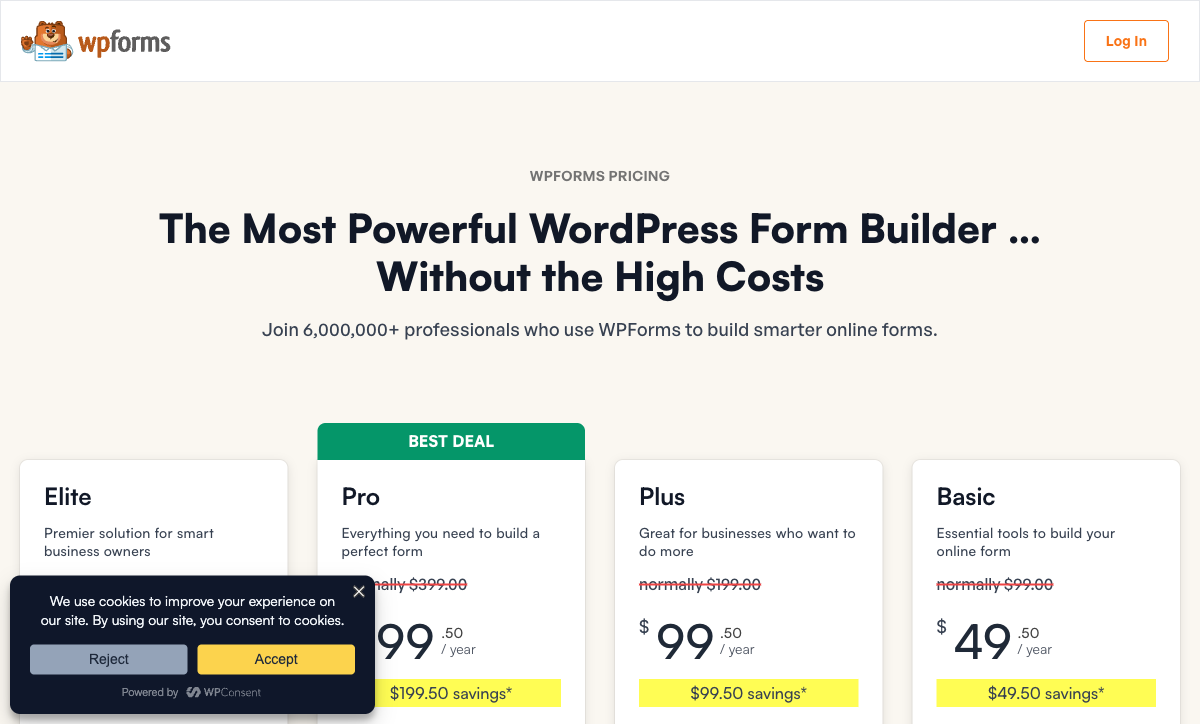
WPForms is the cheapest entry on this page at $99/year for Basic, and the tier you need is rarely Basic. Payments, Zapier, surveys, signatures, save and resume and analytics all start at Pro, which is $399/year at the regular renewal rate after a first year at $199.50. Read the table for what each step buys rather than for the headline.
Paperform
WPForms
| Product | Plan | Monthly Price | Annual Price (per month) | Free Plan | Free Trial | Limits |
|---|---|---|---|---|---|---|
| WPForms | Lite (Free) | Free | Free | Yes | 14 days | forms: Unlimited, submissions: Unlimited, users: Unlimited |
| WPForms | Basic | Not listed | $8.25/mo billed annually | forms: Unlimited, submissions: Unlimited, users: Unlimited | ||
| WPForms | Plus | Not listed | $16.58/mo billed annually | forms: Unlimited, submissions: Unlimited, users: Unlimited | ||
| WPForms | Pro | Not listed | $33.25/mo billed annually | forms: Unlimited, submissions: Unlimited, users: Unlimited | ||
| WPForms | Elite | Not listed | $49.92/mo billed annually | forms: Unlimited, submissions: Unlimited, users: Unlimited | ||
| Paperform | Free | Free | Free | Yes | 7 days | forms: Unlimited, submissions: 30/month, storage: Unlimited, users: Unlimited, file uploads: 100 MB |
| Paperform | Pro | $59/mo | $49/mo billed annually | forms: Unlimited, submissions: Unlimited, storage: Unlimited, users: Unlimited, file uploads: 10 GB | ||
| Paperform | Business | $149/mo | $124/mo billed annually | forms: Unlimited, submissions: Unlimited, storage: Unlimited, users: Unlimited, file uploads: 100 GB | ||
| Jotform | Starter | Free | Free | Yes | No | forms: 5, submissions: 100/month, storage: 100 MB, users: 1 |
| Jotform | Bronze | $39/mo | $34/mo billed annually | forms: 25, submissions: 1,000/month, storage: 1 GB, users: 1 | ||
| Jotform | Silver | $49/mo | $39/mo billed annually | forms: 50, submissions: 2,500/month, storage: 10 GB, users: 1 | ||
| Jotform | Gold | $129/mo | $99/mo billed annually | forms: 100, submissions: 10,000/month, storage: 100 GB, users: 1 | ||
| Cognito Forms | Individual (Free) | Free | Free | Yes | 14 days | forms: Unlimited, submissions: 100 entries/month, storage: 100 MB, users: 1 |
| Cognito Forms | Pro | $24/mo | $19/mo billed annually | forms: Unlimited, submissions: 2,000 entries/month, storage: 1 GB, users: 2 | ||
| Cognito Forms | Team | $49/mo | $39/mo billed annually | forms: Unlimited, submissions: 10,000 entries/month, storage: 10 GB, users: 5 | ||
| Cognito Forms | Enterprise | $174/mo | $129/mo billed annually | forms: Unlimited, submissions: Unlimited, storage: 100 GB, users: 20 | ||
| Typeform | Free | Free | Free | Yes | No | forms: 10, submissions: 10/month, users: 1 |
| Typeform | Basic | $39/mo | $28/mo billed annually | forms: Unlimited, submissions: 100/month, users: 1 | ||
| Typeform | Plus | $79/mo | $56/mo billed annually | forms: Unlimited, submissions: 1,000/month, users: 3 | ||
| Typeform | Business | $129/mo | $91/mo billed annually | forms: Unlimited, submissions: 10,000/month, users: 5 | ||
| Typeform | Growth Flow | $379/mo | $266/mo billed annually | forms: Unlimited, submissions: 10,000/month, users: 5 | ||
| Typeform | Talent | $169/mo | $119/mo billed annually | forms: Unlimited, users: HR teams | ||
| SurveyMonkey | Basic (Free) | Free | Free | Yes | No | forms: Unlimited, submissions: Limited per survey (exact number now only shown after sign-up/login), storage: N/A, users: 1 |
| SurveyMonkey | Individual Advantage | Free | $32/mo billed annually | forms: Unlimited, submissions: 15,000 per year, storage: N/A, users: 1 | ||
| SurveyMonkey | Individual Premier | Free | $99/mo billed annually | forms: Unlimited, submissions: 40,000 per year, storage: N/A, users: 1 | ||
| SurveyMonkey | Team Advantage | Free | $30/mo billed annually | forms: Unlimited, submissions: 50,000 per year (shared), storage: N/A, users: 3 minimum | ||
| SurveyMonkey | Team Premier | Free | $92/mo billed annually | forms: Unlimited, submissions: 100,000 per year (shared), storage: N/A, users: 3 minimum | ||
| Google Forms | Free (Personal) | Free | Free | Yes | 14 days | forms: Unlimited, submissions: Unlimited, storage: 15 GB (shared across Google Drive), users: 1, file uploads: Included in 15 GB storage |
| Google Forms | Business Starter | $8.4/mo | $7/mo billed annually | forms: Unlimited, submissions: Unlimited, storage: 30 GB per user, users: Up to 300, file uploads: Included in storage | ||
| Google Forms | Business Standard | $16.8/mo | $14/mo billed annually | forms: Unlimited, submissions: Unlimited, storage: 2 TB per user, users: Up to 300, file uploads: Included in storage | ||
| Google Forms | Business Plus | $26.4/mo | $22/mo billed annually | forms: Unlimited, submissions: Unlimited, storage: 5 TB per user, users: Up to 300, file uploads: Included in storage |
Review Ratings Across Platforms
WPForms rates 4.8 across 14,377 WordPress.org ratings, 4.7 on G2 across 969 reviews and 4.8 on Trustpilot across 616. Its Capterra score is the outlier at 4.3 from 26 reviews, with value for money the weakest sub-rating at 4.0, which matches what independent reviewers say about the renewal step.
Verdict: Which WPForms Alternative Should You Choose?
Very few people leave WPForms because the form builder disappointed them. They leave because the thing the form was supposed to do turned out to sit on the other side of a licence tier, a WooCommerce install or a plugin the vendor does not sell.
If money moves through your forms, Paperform is the recommendation. Five gateways on every plan, a real commerce engine with products, tax, invoices and refunds behind them, no transaction fee, and no per-seat charge so the whole team can work on the same order flow for one price. It is more expensive than any WPForms licence and it replaces the payment addons, the automation subscription, the signature tool and the hosting work at the same time.
Otherwise, pick the tool that removes your specific blocker. Jotform for maximum processor coverage or a HIPAA BAA. Cognito Forms if the Calculator addon was the whole reason you bought Pro. Typeform for campaign forms that need to look nothing like a theme. SurveyMonkey if the survey addon is the only part you use. Google Forms if the renewal has outlived the requirement.
And if your forms collect enquiries and nothing else, keep WPForms. Basic at $99/year for unlimited forms, unlimited submissions and unlimited users on a site you already run is very hard to beat, and there is no sense paying monthly for capability you will not use. Once the form becomes an order, a contract or an approval chain, start with Paperform's 7-day trial, which needs no card.
Frequently Asked Questions
Which WPForms tier do I actually need to take payments, and what does it cost at renewal?
Payments beyond a basic Stripe field require WPForms Pro, which is $399/year at the regular rate. PayPal, Square, Mercado Pago, recurring subscriptions, coupons and the Calculator addon all sit on that tier; Authorize.Net moves up again to Elite at $599/year. WPForms advertises a standing 50% first-year promotion, so the number most people budget from is $199.50, and the renewal invoice is the full $399. Paperform includes Stripe, PayPal, Square, Braintree and Google Pay from the first paid plan at $59/month, or $49/month billed annually, with no transaction fee of its own and no different price in year two.
Can I sell products, hold inventory or charge tax through a WPForms order form?
No. WPForms can take a payment, but it has no product catalog, no inventory, no tax calculation, no quotes or invoices and no 3D Secure. Its own feature list marks product sales and tax as unavailable, which is why WordPress stores end up running WooCommerce beside the form plugin and reconciling the two by hand. Paperform runs the commerce inside the form: products and stock, subscriptions, coupons, custom pricing rules, tax, quotes, invoices and refunds across five gateways, with $173M+ in payments processed and no transaction fee added on top of the processor's. If you want that on WordPress, a Paperform form embeds into a WordPress page like any other.
Does WPForms charge per user, and do the alternatives?
WPForms does not charge per user. Every tier carries unlimited users; what WPForms meters is site licences, at 1 on Basic, 3 on Plus, 5 on Pro and unlimited on Elite. That is genuinely better than most hosted form builders, and worth knowing before you shop. The seat charges start when you leave WordPress: Jotform is single-user on every self-serve tier through Gold, Cognito Forms gives Pro two users and charges $5/user/month after that, SurveyMonkey Team plans have a three-user minimum, and Typeform allows 1, 3 and 5 seats on Basic, Plus and Business. Paperform is the exception with unlimited seats on every plan, and one seat covers forms, eSignatures and workflows.
I manage client sites. How many WPForms licences do I need?
One per site until you reach Elite. Basic covers a single site at $399/year less than Elite but exactly one install; Plus covers three, Pro covers five, and unlimited sites means Elite at $599/year. An agency with a dozen WordPress clients is therefore on Elite, and each of those sites still needs WordPress hosting, plugin updates and its own theme CSS to keep the forms looking like the client. Paperform counts nothing per site: forms live at their own URL or embed anywhere, custom domains are $20/month each on Pro with one included on Business, and Business adds 10 workspaces for managing client accounts under one bill.
Does WPForms have a REST API or webhooks?
No public REST API, and webhooks only on Elite at $599/year. The plugin architecture means there is nothing to call from outside WordPress, so custom integrations route through the admin UI or a paid connector, and Zapier itself requires Pro. Paperform exposes a REST API over forms, submissions and partial submissions, webhooks from Pro, a separate Business API on the $124/month annual tier, and an API for Papersign so signature flows can be driven from the same account. Jotform and Typeform both ship documented APIs as well; Cognito Forms does not.
Is WPForms SOC 2 or HIPAA compliant?
Neither. WPForms claims GDPR, CCPA and PCI compliance for payment forms, and holds no SOC 2, no ISO 27001 and no HIPAA, with no SSO on any tier. Because the plugin runs on your own WordPress install, the audited party in a security review is you and your host. WPForms' own HIPAA guidance largely amounts to turning off entry storage. Paperform is SOC 2 Type II, GDPR and CCPA compliant with SAML SSO and enforced 2FA on Business, and is straight about the limit: it is not HIPAA compliant and signs no BAAs. For protected health information the options on this page are Jotform, Cognito Forms, Typeform, SurveyMonkey or Google Forms under a Workspace BAA.
Why is WPForms form analytics locked to the Pro plan?
Because WPForms sells analytics as a tier feature. The WPForms 2.0 release in July 2026 shipped a real dashboard with views, interactions, conversion rate, abandonment, field-level breakdowns and an AI chat that reads the data, and it is available on Pro and Elite only. Lite, Basic and Plus customers see preview columns on the All Forms page. Anyone still telling you WPForms has no analytics is out of date, but the $399/year gate in front of it is the part worth pricing in. Paperform includes analytics, drop-off tracking, partial submissions and AI report insights on its first paid plan.
Can a WPForms submission become a signed contract?
Only in the loose sense. WPForms Pro has a signature field, which captures a drawn mark on a form entry. It is not an eSignature product: there is no contract template, no counter-signing flow, no reminder chain and no standalone audit trail for the executed document, so agencies and service businesses add DocuSign or PandaDoc beside the plugin. Paperform includes Papersign in every subscription, generating the document from the submission data and sending it for signature with the trail attached, at 25 signed documents a month on Pro and 100 on Business. That is a vendor and a renewal date removed rather than added.
Who owns WPForms, and does it affect the reviews I read about it?
WPForms is a property of Awesome Motive, a portfolio company based in West Palm Beach that also owns WPBeginner, IsItWP and RafflePress. Several of the most prominent WPForms reviews sit on those sites, which is worth knowing when a search result looks independent. The plugin itself earns its reputation honestly: 4.8 across 14,377 WordPress.org ratings and 4.7 on G2 across 969 reviews. Independent coverage is more mixed, and FatLab titled its 2026 review "Easy to Start, Expensive to Grow Into". Paperform has been independent since 2016, bootstrapped and profitable, with a much smaller review footprint at roughly 500 reviews and a 4.8 average.
If I leave WPForms, can I take my entries and forms with me?
The entries, yes. WPForms exports to CSV, XLSX and PDF from entry management, and the data sits in your own WordPress database, so nothing is held hostage. Forms are another matter: the WPForms import/export format is only read by WPForms, and with no API there is no programmatic path out, so a migration means rebuilding the forms in the new tool. Paperform imports submission data by CSV and gives you 30,000+ templates to rebuild from rather than a blank canvas, on a 7-day trial that needs no card. Leave the plugin installed while you move; the two can run in parallel.
Sources & References
- WPForms Review: Easy to Start, Expensive to Grow Into — FatLab Web Support, 2026
- 9 Top WPForms Alternatives Compared (2026) — Fluent Forms, 2026
- WPForms Review (September 2026) - Worth It? — WPCrafter, 2026
- WPForms Lite plugin ratings and active installs — WordPress.org, 2026
- WPForms pricing (Basic, Plus, Pro, Elite) — WPForms, 2026
Last updated September 22, 2026
Ready to try Paperform?
Create beautiful forms, payment pages, and workflows — no code required.