Paperform vs Wufoo: Which Is Better in 2026?
Paperform is the better choice for any team whose forms feed a real process, because Wufoo has shipped no dated product update since August 2020 and meters both entries and seats. Wufoo is the better choice for a low-volume contact form on a tight budget: Starter is $195 a year against Paperform Pro at $49 a month billed annually.
Wufoo was one of the original web form builders. It launched in 2006, won a Webby, and SurveyMonkey bought it for $35M in 2011. Twenty years of uptime is worth something, and the drag-and-drop builder is still genuinely quick to learn. What matters for a buying decision in 2026 is what has happened since the acquisition, which is close to nothing: the public release notes stop at August 2020, there are no AI features of any kind, and the product has no calculations, no save and resume, no signature field and no answer piping.
Paperform is the younger company at ten years old, and the comparison that counts is not who was founded first. It is who has been spending money on the product recently, and who gets to decide what ships next. Paperform is bootstrapped, profitable and independent, so its roadmap answers to its own customers. Wufoo's answers to a parent with a larger survey business to feed.
Quick Verdict
Choose Wufoo if:
- Budget is the binding constraint and $195/year is the ceiling
- One person maintains a handful of simple forms
- Entry volume is low, predictable and unlikely to grow
- You need generous API access on a cheap plan
- Nothing happens after the submission except an email
Choose Paperform if:
- You do not want a good month to arrive as an overage invoice
- More than one or five people need to build forms
- Your process needs signatures and approvals, not just a form
- Branching logic runs past 50 rules
- Pricing, scoring or quoting must be calculated inside the form
- You are betting on the vendor still developing the product in 2031
Five Facts That Settle Most of This
Pricing
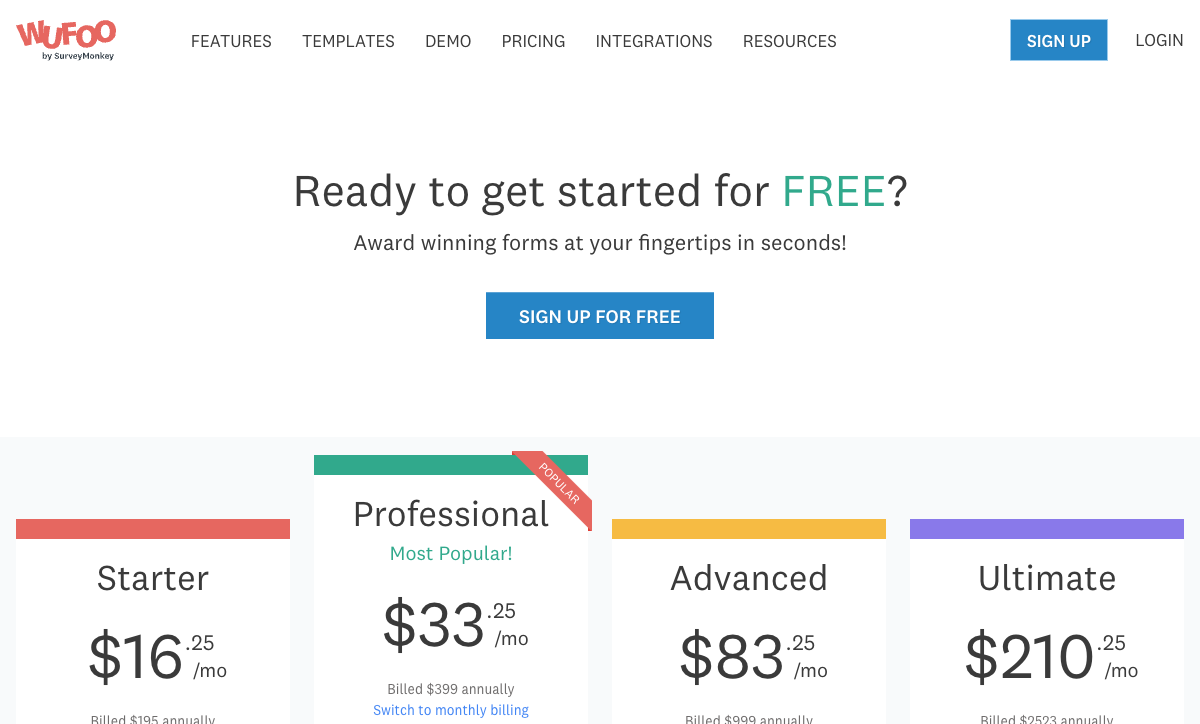
Wufoo runs five tiers from $22/month ($195/year) to $286/month ($2,523/year), each metering entries and seats, with $0.05 charged per entry over the limit. Paperform Pro is $59/month ($49 annually) with unlimited submissions and unlimited seats within fair use.
Integrations and API
Paperform connects 4,000+ integrations through native connectors, Stepper, Zapier, Make, webhooks and a REST API. Wufoo lists 50+ integrations, supports Zapier and webhooks, and has no Make connector. Wufoo's API is rate-limited by plan: 100 calls a day on Free, 25,000 on Professional, 100,000 on Ultimate.
Conditional logic
Wufoo caps branching at 50 lines of logic per form, and at 3 rules on the Free plan. Paperform sets no rule limit and drives logic with Excel-style calculations across questions, pages, emails, integrations and success pages.
Payments
Paperform supports 5 payment gateways on every plan: Stripe, PayPal, Square, Braintree and Google Pay. Wufoo's processors, including Stripe, PayPal and Authorize.net, are gated to the Professional plan at $45/month ($399/year), and there is no product catalogue, subscription billing, coupon or tax handling.
Compliance
Neither product is HIPAA compliant and neither signs a BAA. Both are GDPR, CCPA, SOC 2 and PCI-adjacent for payment handling; Wufoo additionally lists PCI DSS. Paperform holds SOC 2 Type II and adds SAML SSO, two-factor authentication and per-member product permissions on Business at $124/month annually. Wufoo offers no SSO and no 2FA at any tier. If protected health information is in scope, look at Jotform or Typeform instead of either product here.
Feature Comparison
Read the table below as a record of two different decades. Wufoo covers the field types, themes, reports and embeds that a 2010 form needed, and covers them competently. The rows it cannot fill are the ones that were added to this category after its acquirer stopped investing.
| Feature | Paperform | Wufoo |
|---|---|---|
| Form Building | ||
| Document-style editor | Yes | No |
| AI form creation | Yes | No |
| Field types | 26+ | Yes |
| File uploads | Yes | Yes starter |
| Multi-page forms | Yes | Yes starter |
| Guided mode (one question at a time) | Yes | No |
| Conditional logic | Yes | Yes starter |
| Calculations field | Yes pro | No |
| AI calculations assistant | Yes pro | No |
| Scoring | Yes pro | No |
| Answer piping | Yes | No |
| Pre-filling and hidden fields | Yes pro | Yes starter |
| Save and resume | Yes | No |
| Auto-close by number | Yes pro | Yes starter |
| Auto-close by date | Yes pro | Yes starter |
| Appointment/booking field | Yes | No |
| Signature field | Yes | No |
| Color picker field | Yes | No |
| API-powered dropdowns | Yes business | No |
| Google address search | Yes business | No |
| 400+ templates | No | Yes |
| Payments | ||
| Stripe payments | Yes | Yes professional |
| PayPal payments | Yes | Yes professional |
| Square payments | Yes | Yes professional |
| Braintree payments | Yes | Yes professional |
| Google Pay | Yes | No |
| Product sales (eCommerce) | Yes pro | No |
| Subscriptions | Yes pro | No |
| Coupons and discounts | Yes pro | No |
| Custom pricing rules | Yes pro | No |
| Tax calculations | Yes | No |
| Quotes/invoices | Yes | No |
| Refunds | Yes | No |
| 3D Secure | Yes | No |
| Authorize.net payments | No | Yes professional |
| Design & Customization | ||
| Template gallery | 30,000+ | Yes |
| Rich media (images, GIFs, videos) | Yes | No |
| Unsplash and Giphy integration | Yes | No |
| Image editor | Yes | No |
| Adobe Creative Cloud | Yes | No |
| Language translation | Yes | No |
| Advanced theming | Yes pro | Yes starter |
| Custom form URL | Yes pro | Yes starter |
| Custom domains | Yes pro | No |
| Custom HTML & CSS | Yes pro | Yes starter |
| Remove branding | Yes pro | Yes starter |
| Custom email domains | Yes business | No |
| Theme designer | No | Yes |
| Analytics | ||
| Submission results and reports | Yes | Yes |
| AI report insights | Yes pro | No |
| Paperform analytics | Yes pro | No |
| Drop-off analysis | Yes pro | No |
| Google Analytics & Facebook Pixel | Yes pro | No |
| Custom analytics scripts | Yes pro | No |
| Partial submissions | Yes pro | No |
| Google Analytics integration | No | Yes professional |
| Collaboration | ||
| Multi-user accounts | Yes pro | Yes professional |
| User permissions and management | Yes pro | Yes professional |
| Advanced permissions & admin | Yes enterprise | No |
| Form sharing (templates) | Yes | No |
| Spaces and tag management | Yes | No |
| Form sharing | No | Yes |
| Security | ||
| SOC 2 Type II | Yes | Yes |
| GDPR compliant | Yes | Yes |
| SSL encryption | Yes | Yes |
| Two-factor authentication | Yes | No |
| Enforce 2FA for all users | Yes business | No |
| SSO (SAML) | Yes business | No |
| reCAPTCHA | Yes | Yes |
| Local data residency | Yes enterprise | No |
| Custom S3 storage (BYO) | Yes business | No |
| HIPAA compliant | No | No |
| Field encryption | No | Yes professional |
| Password protection | No | Yes professional |
| PCI DSS | No | Yes |
| Integrations & API | ||
| Native integrations | 4,000+ | Yes starter |
| Zapier | Yes | Yes starter |
| Make (Integromat) | Yes | No |
| Webhooks | Yes pro | Yes starter |
| Standard API | Yes pro | No |
| Business API | Yes business | No |
| WordPress plugin | Yes | Yes |
| oEmbed support | Yes | No |
| API | No | Yes |
| Embed options | No | Yes |
Where Wufoo Wins
It costs less to start, by a wide margin
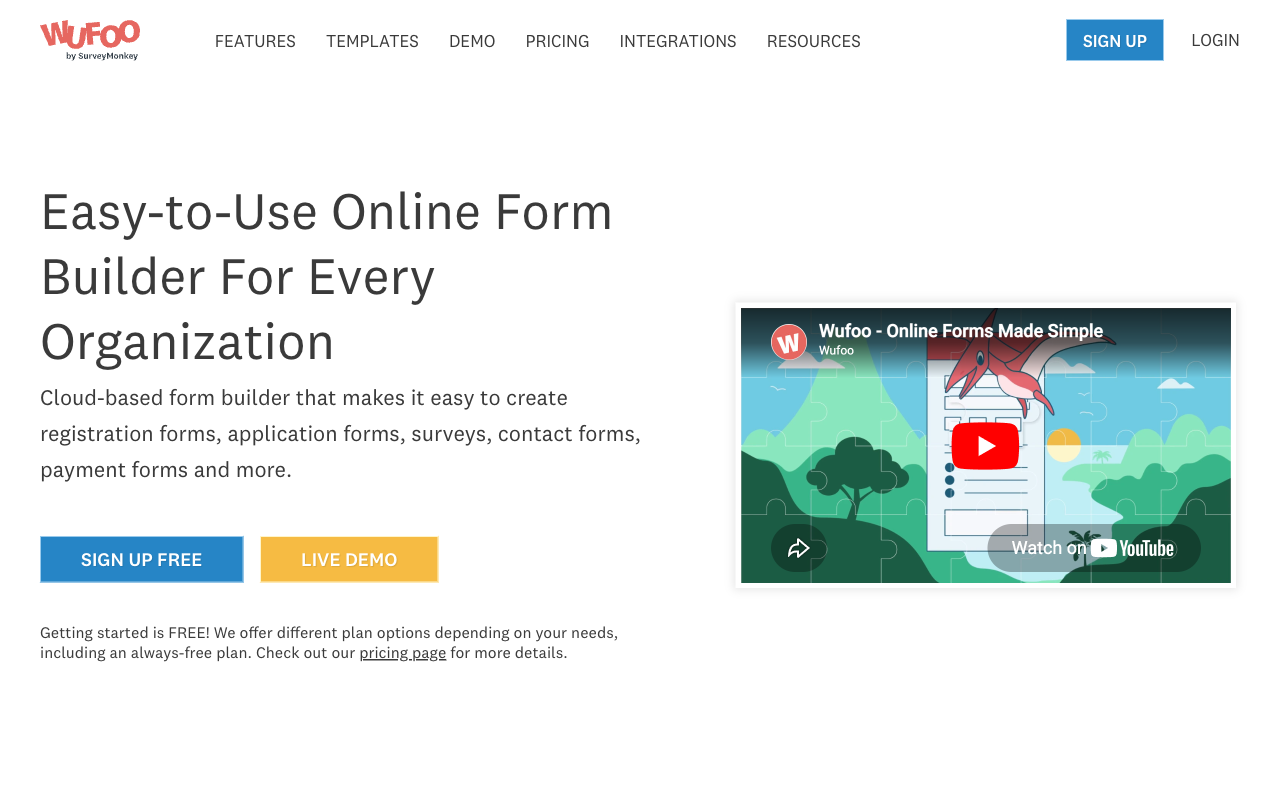
Wufoo Starter is $195 a year, an effective $16.25 a month, or $22 month-to-month. Paperform's cheapest paid plan is Pro at $49 a month billed annually, so Wufoo is roughly a third of the price at the entry rung. For a club membership form, a volunteer sign-up or a contact page taking a few hundred entries a year, the extra Paperform money buys capability that form will never use. That is a straightforward win and there is no clever framing that removes it.
A very short learning curve
Wufoo rates 4.3 on G2 and 4.4 on Capterra and GetApp for ease of use, and the reason is visible in about a minute: the builder does one thing, so there is very little to find. Someone who has never built a form can ship one before lunch. Paperform's document-style editor is more expressive and asks a little more of you at the start, which is a fair trade in one direction and not in the other.
API access on plans where rivals do not offer it
Wufoo exposes its REST API on the free plan at 100 calls a day, scaling to 10,000 on Starter and 100,000 on Ultimate. Very few form builders open an API that low down the ladder. For a developer wiring entries into an internal system on a small budget, that alone can decide it.
Twenty years of stability
Wufoo has been serving forms since 2006 and claims 3 million users, with Amazon, Disney, Microsoft, National Geographic and Harvard among its named customers. It is not going to fall over, and the core of it has been debugged by two decades of traffic. Stability and investment are different things, and Wufoo currently has the first without the second.
Where Paperform Wins

Ten years of continuous, independent investment
Paperform was founded in 2016, has never taken venture funding, and is profitable. That combination decides two things a feature table cannot show. The first is who the roadmap serves: a bootstrapped company answers to the customers paying it, not to an acquirer allocating engineers across a portfolio or to an investor who needs a revenue curve by a certain quarter. The second is accumulated handling. Ten years of edge cases in permissioning, data retention, tax logic, spam and payment failures is not something a new entrant shortcuts, and it is also not something an acquired product keeps accumulating once the team is reassigned. Wufoo has the years. What it stopped having in about 2020 is the accumulation.
Look at what landed in the six years since Wufoo's last dated release note: AI form creation, AI calculation suggestions, AI report insights, and two entire additional products delivered to existing subscribers without a price increase. That is the practical difference between owning software and owning a bet on a vendor.
One subscription instead of a form builder plus DocuSign plus Zapier
Matching a common Paperform setup on Wufoo takes three vendors. Wufoo collects the entry, DocuSign or similar handles the agreement (Wufoo's own answer here is a DocuSign connector, which is to say a link to someone else's invoice), and Zapier or Make carries the result into your CRM and chases the approvals. Three contracts, three renewal dates, three seat counts, three support queues, and your operations lead standing in the middle as the integration layer. When something stalls mid-process, the first question is which vendor to call.
Paperform Pro at $49 a month billed annually covers all three jobs in one product: forms, Papersign for eSignatures at 25 signed documents a month (100 on Business), and Stepper for multi-step workflow automation. Everything traces back to the original submission, so there is one audit trail rather than three partial ones. The honest caveat is that automation runs are metered in credits, 20,000 a month on Pro and 100,000 on Business, with overflow sold at $10 per additional 10,000 on Pro. That is the one meter Paperform does run, and it is worth pricing before you switch.
The meter comes off the things that grow
Wufoo charges more when your form works. Entries are capped at every tier and billed at $0.05 each past the cap, and seats are capped at 1, 1, 5, 20 and 60, so the sixth person who needs a login moves you from $399 to $999 a year for nothing but access. Paperform's paid plans carry unlimited submissions and unlimited team members within fair use, and one seat covers all three products. Growth in volume and growth in headcount both stop being billing events.
Logic and calculations without a ceiling
A 50-rule cap is a cap on how complicated your actual process is allowed to be, and teams pay it by splitting one form into three and stitching the entries together by hand afterwards. Paperform sets no rule limit, and its calculations use spreadsheet syntax rather than a scoring widget: a formula can total a quote after discounts and tax, decide which pages a respondent sees, choose which conditional email fires, shape what an integration receives and write the success page. Wufoo has no calculation field, no scoring, no answer piping and no save and resume, so a long application that someone abandons at question 30 starts again from question one.
Forms that look like this decade
Wufoo's most consistent review complaint is appearance, and a form styled like a 2010 web form signals to the person filling it in how much thought went into it. Paperform's document-style editor lets you write the page itself, set type and theme, and place images, GIFs and video between questions, so the form reads as part of your site rather than a widget embedded in it. Wufoo offers themes and custom CSS but no rich media, no custom domains and no multi-language support.
Where Wufoo Falls Short
- Entries metered with overage fees: 100, 1,000, 5,000, 25,000 and 200,000 a month by tier, then $0.05 per entry.
- Seats capped tightly: 1 on Free and Starter, 5 on Professional, 20 on Advanced, 60 on Ultimate.
- Logic limited to 50 rules: and only 3 on the free plan.
- Payments gated to Professional: $399 a year before you can collect a dollar, with no products, subscriptions, coupons or tax handling.
- No AI anywhere: no form generation, no calculation help, no response summarisation.
- Missing modern field types: no signature, no booking, no colour picker, no calculations, no scoring.
- No save and resume: a respondent who leaves a multi-page form restarts it.
- No SSO and no 2FA: at any tier, and no enterprise plan to escalate to.
- Email-only support: rated 3.8 to 3.9 across platforms, with no chat or phone option.
- Development has stalled: the public release notes page ends in August 2020.
Where Paperform Falls Short
- No HIPAA compliance and no BAAs: the same hard stop Wufoo has, so neither product handles PHI.
- A much higher entry price: $49 a month annually against Wufoo's $16.25, with nothing sold in between.
- No mobile editor: forms are fully responsive for respondents, but building happens at a desk. Wufoo has no mobile editor either.
- Automation credits are metered: 20,000 a month on Pro, then $10 per additional 10,000.
- Custom domains cost extra: $20 a month per domain on Pro, with one included on Business.
- A smaller review footprint: around 78 G2 reviews against Wufoo's 296, and 104 on Capterra against 222.
- Wrong tool for a one-off simple form: for three questions and a thank-you page, use the simple tool.
See Paperform in Action
There are no current independent video reviews of Wufoo worth linking, which is itself a signal about how much attention the product still attracts. The walkthroughs below cover Paperform's builder, including a balanced pros-and-cons take.
Pricing Comparison
Wufoo publishes five tiers and every one of them meters entries and seats. Paperform publishes two paid tiers and meters neither. Compare the shapes before the numbers.
| Tier | Paperform | Wufoo | What actually differs |
|---|---|---|---|
| Entry | Pro: $59/mo, $49 annually. Unlimited submissions and seats | Starter: $22/mo, $195/yr. 10 forms, 1,000 entries/mo, 1 user, no payments | Wufoo is far cheaper until the 1,001st entry or the second colleague |
| Taking payments | Pro, unchanged. 5 gateways, products, subscriptions, coupons, tax | Professional: $45/mo, $399/yr. 5,000 entries/mo, 5 users | Wufoo charges a tier upgrade for the right to sell, then meters the orders |
| A team of 20 | Pro, still $49 annually. Seats unlimited | Advanced: $113/mo, $999/yr. 25,000 entries/mo, 20 users | Wufoo prices headcount; Paperform does not charge per seat at all |
| Top of the ladder | Business: $149/mo, $124 annually. 10 workspaces, SSO, Business API, 100 signed docs/mo. Enterprise on quote | Ultimate: $286/mo, $2,523/yr. 200,000 entries/mo, 60 users. No enterprise tier | Wufoo's most expensive plan still has no SSO and nowhere to escalate |
Paperform
Wufoo
| Product | Plan | Monthly Price | Annual Price (per month) | Free Plan | Free Trial | Limits |
|---|---|---|---|---|---|---|
| Paperform | Free | Free | Free | Yes | 7 days | forms: Unlimited, submissions: 30/month, storage: Unlimited, users: Unlimited, file uploads: 100 MB |
| Paperform | Pro | $59/mo | $49/mo billed annually | forms: Unlimited, submissions: Unlimited, storage: Unlimited, users: Unlimited, file uploads: 10 GB | ||
| Paperform | Business | $149/mo | $124/mo billed annually | forms: Unlimited, submissions: Unlimited, storage: Unlimited, users: Unlimited, file uploads: 100 GB | ||
| Wufoo | Free | Free | Free | Yes | No | forms: 5, submissions: 100/month, storage: N/A, users: 1 |
| Wufoo | Starter | $22/mo | $16.25/mo billed annually | forms: 10, submissions: 1,000/month, storage: 1 GB, users: 1 | ||
| Wufoo | Professional | $45/mo | $33.25/mo billed annually | forms: Unlimited, submissions: 5,000/month, storage: 5 GB, users: 5 | ||
| Wufoo | Advanced | $113/mo | $83.25/mo billed annually | forms: Unlimited, submissions: 25,000/month, storage: 10 GB, users: 20 | ||
| Wufoo | Ultimate | $286/mo | $210.25/mo billed annually | forms: Unlimited, submissions: 200,000/month, storage: 20 GB, users: 60 |
Two details that do not fit in a table. Wufoo has no free trial on paid plans, only the limited free tier; Paperform's 7-day trial needs no credit card. And Wufoo's entry overage of $0.05 applies on every paid plan, so the cost of a successful campaign is not knowable in advance.
What Users Say
Wufoo carries more reviews and lower scores: 4.2 on G2 across 296 reviews, 4.4 on Capterra across 222, 4.4 on GetApp across 200 and 4.0 on TrustRadius. Ease of use scores well at 4.3 to 4.4. Support scores 3.8 to 3.9, and value for money 3.9 to 4.0, with recurring complaints about dated design, the 50-rule logic ceiling, payments being locked behind Professional and the per-entry overage. Paperform's footprint is smaller, around 78 reviews on G2 and 104 on Capterra, with support rated 4.7 to 4.9 and included in the seat price rather than sold as a tier feature. Wufoo sells expedited support on Professional and priority support on Advanced and still scores below 4.
The Verdict
Choose Wufoo when the form is the whole job and the budget is small. A contact form, a simple sign-up, a few hundred entries a year, one person maintaining it: $195 a year is the right answer and Paperform would be an expensive way to do the same thing. Wufoo has been reliable for twenty years and will keep serving that form.
Choose Paperform when the form is the front door to a process. The case rests on two things. First, what you are buying is a decade of continuous independent development rather than a well-preserved product from a company that stopped publishing release notes in 2020, and platform choices are bets on who is still building in five years. Second, one subscription at $49 a month annually replaces a form builder plus an eSignature vendor plus an automation tool, which is the stack a multi-step process usually requires and the stack Wufoo cannot avoid sending you off to assemble.
Weighing more options first? See our full list of Wufoo alternatives, the overall form builder ranking, or Paperform vs Typeform if a more design-led tool is also on your shortlist.
Frequently Asked Questions
What does Wufoo charge when a form goes past its monthly entry limit?
$0.05 per entry above the limit, on every paid plan. The ceilings are 100 entries a month on Free, 1,000 on Starter, 5,000 on Professional, 25,000 on Advanced and 200,000 on Ultimate. A registration form that takes 8,000 entries on a Professional plan produces a $150 overage on top of the $399 annual licence. Paperform Pro is $59/month, or $49 billed annually, and submissions are unlimited within fair use, so the busiest month on record is billed exactly like the quietest.
Is the 50-rule limit on Wufoo conditional logic a real constraint?
It is, and reviewers hit it. Wufoo caps branching at 50 lines of logic across a form, and the Free plan allows only 3 rules. The standard workaround is splitting one process across two or three forms and reassembling the entries afterwards. Paperform does not cap logic rules, and its Excel-style calculations decide question and page visibility, which conditional emails fire, what an integration receives and what the success page says. Stepper, included in the same subscription, carries those conditions into approvals and routing after submission.
Why does Wufoo look dated compared with newer form builders?
Because it has had very little development for years. Wufoo launched in 2006 and was acquired by SurveyMonkey for $35M in 2011, and its public release notes page ends in August 2020. There is no AI form creation, no calculations, no answer piping, no save and resume, no signature field and no booking field. Formester's 2026 review describes it as a legacy tool with a reliable core and a dated interface, which is a fair summary.
Does Wufoo do eSignatures or workflow automation?
No. Wufoo has no eSignature product and no visual workflow builder; it offers notification emails, about 50 integrations and a DocuSign connector, so signing and automation are separate subscriptions you buy and maintain. Paperform sells one subscription covering three products: Paperform for forms, Papersign for eSignatures (25 signed documents a month on Pro, 100 on Business) and Stepper for workflow automation (20,000 automation credits a month on Pro, 100,000 on Business). Automation credits are metered, and extra blocks cost $10/month per 10,000 on Pro.
Which Wufoo plan do I need before I can take a payment, and what does Paperform require?
Professional, at $45/month or $399 a year. Wufoo's Free and Starter plans cannot collect money at all, and Professional's 5,000-entry ceiling doubles as a cap on orders before overages begin. Every Paperform plan takes payments, across five gateways (Stripe, PayPal, Square, Braintree and Google Pay) with no Paperform transaction fee, plus products, subscriptions, coupons, tax and quoting. Wufoo has no eCommerce layer at all.
Wufoo has been around since 2006. Isn’t that the safer long-term bet?
Age only counts while someone is still investing. Wufoo is 20 years old and has spent 15 of those years inside an acquirer whose attention sits with a larger survey product, which is how a platform ends up with no dated release note since 2020 and no AI features. Paperform is ten years old, bootstrapped, profitable and independent, and shipped AI form creation, AI calculations, AI report insights and two additional products to existing subscribers in the same window. Neither product is a startup risk; only one is still being built.
Sources & References
- Wufoo Pricing — Wufoo, 2026
- Wufoo Review 2026: Legacy Tool, Honest Look — Formester, 2026
- 10 Best Wufoo Alternatives & Competitors in 2026 — ClickUp, 2026
- Wufoo Reviews — G2, September 2026
- Wufoo Reviews — Capterra, September 2026
- Wufoo API Documentation — Wufoo, 2026
Updates
We re-audit the form builders we compare on a regular cadence and log every change here — a public record of what changed and when.
- Updated September 22, 2026 — First publication against the September 2026 data re-audit. Paperform pricing reflects the current Free/Pro/Business/Enterprise lineup (Pro $59/$49, Business $149/$124, unlimited submissions and seats). Wufoo pricing verified live across Free, Starter $22/$195, Professional $45/$399, Advanced $113/$999 and Ultimate $286/$2,523, including the $0.05 per-entry overage and per-tier seat caps.
Last updated September 22, 2026
Ready to try Paperform?
Create beautiful forms, payment pages, and workflows — no code required.