Tally vs WPForms: Which Should You Use in 2026?
Tally is the better choice if your forms live anywhere other than a WordPress site: unlimited forms and submissions free, a REST API, and payments on every plan. WPForms wins when the form must sit inside WordPress with data on your own server, though the useful tier costs $399/year. Neither holds a SOC 2 report.
This is less a feature fight than a question about where your forms are supposed to live. WPForms is a plugin with six million active installs, so its answer is always inside WordPress: the form is a shortcode on a page you already own, the entries sit in your own database, and the surrounding site is somebody's ongoing maintenance job. Tally never touches a CMS. A form is a URL, the editor behaves like a Notion page, and the whole thing is hosted in the EU by a team of ten people in Ghent.
Both companies are bootstrapped, both were founded within four years of each other, and both are genuinely liked by their users. The tension is in the ownership model. One asks you to run infrastructure in exchange for control; the other asks you to give up control in exchange for never thinking about infrastructure again.
Quick verdict
Choose Tally if:
- Your site is not WordPress, or there is no site at all
- Budget is the binding constraint and the form work is straightforward
- Submissions need to land in Notion, Airtable or Google Sheets
- You want an API, webhooks or an MCP server without paying for a top tier
Choose WPForms if:
- WordPress is already the site and entries must stay on your server
- You need PayPal, Square or Authorize.Net rather than Stripe alone
- Forms have to inherit an existing theme and page builder
- You manage several client sites and want one licence covering them
Feature comparison
Every category side by side, from the September 2026 audit of both products.
| Feature | Tally | WPForms |
|---|---|---|
| Form Building | ||
| Document-style editor | Yes | No |
| AI form creation | Yes | Yes basic |
| Field types | 20+ | Yes basic |
| Multi-page forms | Yes | Yes basic |
| Guided mode (one question at a time) | No | Yes pro |
| Conditional logic | Yes | Yes basic |
| Calculations field | Yes | Yes pro |
| AI calculations assistant | No | Yes pro |
| Formula editor | Yes | No |
| Scoring | Yes | Yes pro |
| Answer piping | Yes | No |
| Pre-filling and hidden fields | Yes | Yes basic |
| Save and resume | No | Yes pro |
| Auto-close by number | Yes | Yes basic |
| Auto-close by date | Yes | Yes basic |
| Appointment/booking field | No | No |
| Signature field | Yes | Yes pro |
| Color picker field | No | No |
| API-powered dropdowns | No | No |
| Google address search | No | Yes pro |
| File uploads | Yes | No |
| Import from other form builders | Yes | No |
| PDF generation | Yes | No |
| AI Smart Edit | No | Yes |
| AI Choices | No | Yes |
| AI connector (MCP-style) | No | Yes basic |
| Ranking field | No | Yes pro |
| QR code generator | No | Yes |
| Payments | ||
| Stripe payments | Yes | Yes pro |
| PayPal payments | No | Yes pro |
| Square payments | No | Yes pro |
| Braintree payments | No | No |
| Google Pay | No | No |
| Product sales (eCommerce) | Yes | No |
| Subscriptions | Yes | Yes pro |
| Coupons and discounts | No | Yes pro |
| Custom pricing rules | Yes | Yes pro |
| Tax calculations | No | No |
| Quotes/invoices | No | No |
| Refunds | No | Yes pro |
| 3D Secure | No | No |
| Mercado Pago payments | No | Yes pro |
| Design & Customization | ||
| Template gallery | Yes | Yes pro |
| Rich media (images, GIFs, videos) | Yes | Yes basic |
| Unsplash and Giphy integration | No | No |
| Image editor | No | No |
| Adobe Creative Cloud | No | No |
| Language translation | Yes | Yes basic |
| Advanced theming | Yes pro | Yes basic |
| Custom form URL | Yes | Yes pro |
| Custom domains | Yes pro | Yes basic |
| Custom HTML & CSS | Yes pro | Yes basic |
| Remove branding | Yes pro | Yes basic |
| Custom email domains | Yes pro | No |
| Analytics | ||
| Submission results and reports | Yes | Yes basic |
| AI report insights | No | Yes pro |
| Answer Insights | Yes | No |
| Paperform analytics | Yes pro | Yes pro |
| Google Analytics & Facebook Pixel | Yes pro | No |
| Custom analytics scripts | No | No |
| Partial submissions | Yes pro | Yes pro |
| Collaboration | ||
| Multi-user accounts | Yes pro | Yes basic |
| User permissions and management | Yes pro | Yes pro |
| Advanced permissions & admin | No | Yes elite |
| Form sharing (templates) | Yes | Yes basic |
| Spaces and tag management | Yes pro | No |
| Security | ||
| SOC 2 Type II | No | No |
| GDPR compliant | Yes | Yes basic |
| SSL encryption | Yes | Yes basic |
| Two-factor authentication | No | No |
| Enforce 2FA for all users | No | No |
| SSO (SAML) | No | No |
| reCAPTCHA | Yes | Yes basic |
| Local data residency | Yes | Yes |
| Custom S3 storage (BYO) | No | No |
| Custom S3 storage | No | No |
| Integrations & API | ||
| Native integrations | 17+ | No |
| Zapier | Yes | Yes pro |
| Make (Integromat) | Yes | Yes pro |
| Webhooks | Yes | Yes elite |
| Standard API | Yes | No |
| Business API | No | No |
| WordPress plugin | Yes | Yes |
| AI assistant connectors (MCP / ChatGPT / Claude) | Yes | No |
| Integration failure alerts | Yes | No |
| oEmbed support | Yes | No |
| 2000+ integrations | No | Yes pro |
The five dimensions that decide it
Pricing
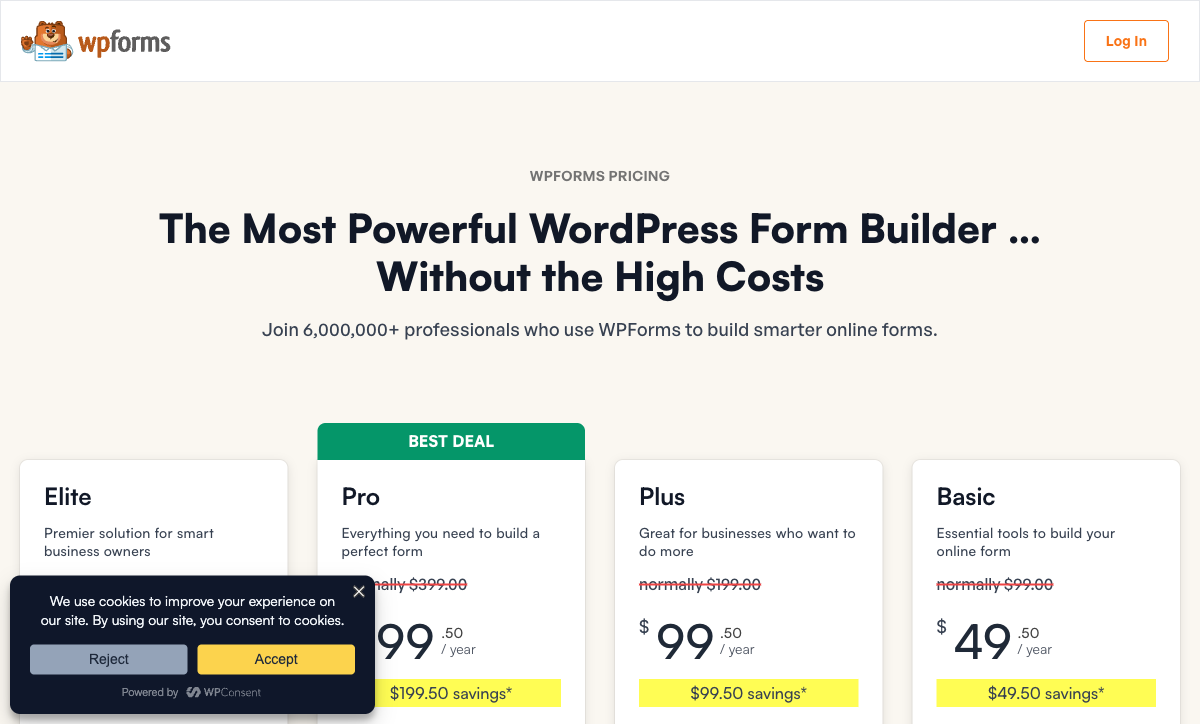
Tally is free for unlimited forms and unlimited submissions under a fair use policy, and WPForms starts at $99/year for a one-site Basic licence. Those two headline numbers are both misleading on their own. Tally's real cost is Pro at $29/month, or $24/month billed annually, which is the tier that removes branding and adds custom domains, workspaces and analytics; its Business tier is $89/month, or $74 annually. WPForms advertises a permanent half-price first year and renews at the regular rate, so the $49.50 Basic becomes $99, and the Pro licence most buyers end up on becomes $399/year. Neither product meters submissions, users or forms at any tier. WPForms meters site licences instead, at one, three, five and unlimited.
Tally
WPForms
| Product | Plan | Monthly Price | Annual Price (per month) | Free Plan | Free Trial | Limits |
|---|---|---|---|---|---|---|
| Tally | Free | Free | Free | Yes | No | forms: Unlimited, submissions: Unlimited, storage: N/A, users: 1, file uploads: 10 MB per file |
| Tally | Pro | $29/mo | $24/mo billed annually | forms: Unlimited, submissions: Unlimited, storage: N/A, users: Unlimited, file uploads: Unlimited | ||
| Tally | Business | $89/mo | $74/mo billed annually | forms: Unlimited, submissions: Unlimited, storage: N/A, users: Unlimited | ||
| WPForms | Lite (Free) | Free | Free | Yes | 14 days | forms: Unlimited, submissions: Unlimited, users: Unlimited |
| WPForms | Basic | Not listed | $8.25/mo billed annually | forms: Unlimited, submissions: Unlimited, users: Unlimited | ||
| WPForms | Plus | Not listed | $16.58/mo billed annually | forms: Unlimited, submissions: Unlimited, users: Unlimited | ||
| WPForms | Pro | Not listed | $33.25/mo billed annually | forms: Unlimited, submissions: Unlimited, users: Unlimited | ||
| WPForms | Elite | Not listed | $49.92/mo billed annually | forms: Unlimited, submissions: Unlimited, users: Unlimited |
Integrations and API
WPForms claims 10,000+ connected apps and Tally claims 1,000+, but almost all of WPForms' number routes through Zapier, which is a separate subscription. Tally connects natively to Notion, Google Sheets, Airtable, Coda and Slack on the free plan, alongside Zapier, Make, n8n, Pipedream and webhooks. WPForms puts its email marketing addons behind Plus at $199/year and its CRM addons, including Salesforce, HubSpot and Pipedrive, behind Elite at $599/year. The API position is lopsided: Tally publishes a REST API, signed webhooks and an MCP server to every user, while WPForms has no public API and confines webhooks to Elite.
Conditional logic and calculations
Tally includes conditional logic and a formula editor on the free plan; WPForms includes smart conditional logic from Basic at $99/year but holds calculations back to Pro at $399/year. Tally's formula editor arrived in June 2026 and is written by hand, and the Hackceleration review flags large branching forms as hard to debug because there is no visual logic map. WPForms pairs its Calculator addon with an AI assistant that drafts formulas from a description, which is the better authoring experience. In both cases the calculated value is confined to the form and cannot drive what happens after submission.
Payments
WPForms supports four payment processors and Tally supports one. Stripe, PayPal, Square and Mercado Pago arrive with the Pro licence, Authorize.Net with Elite, and WPForms adds recurring subscriptions and coupons at the same point while charging no transaction fee of its own. Tally's payment block is Stripe or nothing, though it is available free and covers subscriptions. If the form is a donation page or a simple product order, Tally clears the bar for nothing. If your finance team has standardised on PayPal or Square, Tally is out of the running before any other comparison matters.
Compliance
Tally is GDPR compliant with EU hosting; WPForms claims GDPR, CCPA and PCI compliance for payment forms. Neither is HIPAA compliant, neither holds SOC 2 or ISO 27001, and neither offers SSO. Tally has no 2FA at any tier, including the $89/month Business plan. WPForms inherits whatever your WordPress install and host provide, which means the party being audited in any security review is you, not the vendor. Regulated buyers should treat this pairing as a shortlist of two tools that will both fail the same questionnaire.
Where Tally is the better product
Nothing else in this category gives away as much. Conditional logic, calculations, Stripe payments, e-signatures, file uploads, answer piping, 45+ languages and native Notion, Airtable and Google Sheets integrations are all on the free plan, with no cap on forms or responses beyond fair use. Set against WPForms Lite, which ships four templates and basic fields and expects a $99 licence before conditional logic appears, the contrast is stark. Tally's free plan is the most generous in the category, and for anyone whose work genuinely ends at the submit button it is the right answer.
The editor is the other reason people stay. Typing questions into a page and inserting blocks with a slash command is faster than dragging fields into a canvas, and it does not require learning a builder. Tally AI, released in July 2026, builds, edits, brands and troubleshoots forms from a chat window and is free on every plan, including Free. That is unusual pricing for an AI feature and it removes the blank-page problem entirely.
Then there is reach. A Tally form is a link, so it works in an email, a DM, a QR code, a Notion page or an embed on any site regardless of what built it. WPForms can only render where WordPress renders. Tally's developer surface reinforces the point: a REST API, signed webhooks, an official ChatGPT plugin and a verified Claude connector are all available without an upgrade, so the data is reachable by whatever you want to point at it. Ratings are strong, with 4.8 on G2 and 4.9 on Capterra.
Where WPForms is the better product
If the site is already WordPress, WPForms is the path of least resistance and has been for a decade. It works with Elementor, Divi and Beaver Builder, respects WordPress user roles, supports multisite, and stores entries in your own database rather than someone else's. That last point is the substantive one. Tally holds your submissions on its infrastructure and you retrieve them; WPForms keeps them where your backups already run, which is an easier conversation with a client who wants to own their data outright.
Breadth on the upper tiers is real. Save-and-resume, conversational forms, geolocation, quizzes, user registration, offline forms, PDF generation, form landing pages and abandonment tracking are all things Tally simply does not have. The v2.0 analytics release in July 2026 added views, interactions, conversion rate, field-level breakdowns and an AI chat that reads the data and explains what is hurting conversions, which is a stronger analytics story than Tally's statistical Insights tab. Independent reviewers, including WPCrafter and FatLab, credit the onboarding and the drag-and-drop builder as best-in-class for WordPress.
Agencies get the clearest win. A Plus or Pro licence covers three or five sites, and Elite covers unlimited ones with client management and advanced access control. Running twelve client sites on Elite at $599/year is far cheaper than twelve Tally Pro workspaces, and the forms inherit each client's theme without separate design work.
Where Tally falls short in this matchup
The wall is specific and it is worth naming precisely, because most people never hit it. Tally stops being enough when the work stops being a form and becomes a process: several brands or clients to keep visually separate, payments with real pricing logic behind them, a contract that has to be signed and filed, an approval chain with a person at each step, or a compliance checklist someone else wrote. At that point Tally's honest answer is to hand the submission to Zapier or n8n and stop.
The gaps that produce that wall are concrete. Payments are Stripe-only with no coupons, tax handling or invoicing. There is no appointment booking field, no save-and-resume for respondents, no guided one-question-at-a-time mode and no address autocomplete. Templates are community-submitted rather than curated. Analytics require Pro. Support is email-only from a team of ten, with no tier you can buy your way up to when a launch goes wrong, and G2's support sub-rating of 4.5 is Tally's weakest number. Trustpilot sits at 3.8, well below its other scores.
Where WPForms falls short in this matchup
Four tiers that each roughly double at renewal is the criticism that follows WPForms everywhere, and FatLab's 2026 review puts it in the title: easy to start, expensive to grow into. The $49.50 you budget for Basic becomes $99 on renewal, and the year you need payments, Zapier, calculations, signatures or the analytics dashboard, you are on Pro at $399/year. Fluent Forms' independent roundup makes the same observation, noting that a $99 plan routinely becomes a $300-plus annual setup once the addons people actually want are counted.
Below the licence sits the part nobody invoices you for. A WordPress plugin means you are the host, the patcher and the security team, and a form that goes down at 11pm because of a plugin conflict is your Thursday evening. Form styling inherits from the active theme, so keeping several client sites on-brand is CSS work per site. There is no API and no mobile editing outside wp-admin. And the review landscape deserves a caveat: WPBeginner, IsItWP and RafflePress are all Awesome Motive properties, the same parent company that owns WPForms, so a large share of the enthusiastic coverage is in-house. Capterra, which is not, sits at 4.3.
What users say
Both products are well liked, but the shape of the sentiment differs. Tally's scores are high and consistent, at 4.8 on G2 and 4.9 on Capterra and GetApp, with speed and the free plan as the recurring praise and limited automation as the recurring complaint. WPForms carries 4.8 across more than 14,000 WordPress.org ratings and 4.7 on G2, though Capterra is notably lower at 4.3, and the independent reviews that criticise it converge on the same thing: cost escalation rather than product quality.
Consider Paperform
The thing this matchup does not resolve is what happens after the submission. Tally hands it to Zapier or n8n; WPForms hands it to Zapier, plus DocuSign or PandaDoc for a contract, plus WooCommerce if anything is being sold. Either way you become the integration, holding four vendors and four renewal dates together so that a record does not go missing between them. Paperform sells the opposite arrangement: one subscription covering Paperform for forms, Papersign for eSignatures and Stepper for workflow automation, on every plan.
Be straight about the money, because both products here undercut it. Paperform Pro is $59/month, or $49/month billed annually, against Tally Pro at $24 annually and a WPForms Basic licence at $99 a year. Business is $149/month, or $124 annually, adding ten workspaces, SSO and the Business API. For one uncomplicated form, the cheaper tool is the correct purchase and we would rather say so.
What the higher number buys is the absence of a usage tax and the removal of the handoffs. Submissions and seats are unlimited on paid plans within fair use, so a campaign that lands well is not a billing event and the sixth person to open the workspace costs nothing. Payments run through Stripe, PayPal, Square, Braintree and Google Pay with products, subscriptions, coupons, tax, quotes and refunds, driven by an Excel-style calculation engine rather than a fixed amount. Those calculations reach past the total: a calculated value shows or hides questions and whole pages, decides which conditional email fires, shapes the integration payload and swaps the success page. There are 4000+ integrations, a 7-day trial with no card required, and support priced into the plan rather than sold back as an enablement fee.
Two honest limits. Paperform is SOC 2 Type II, GDPR and CCPA compliant, which neither tool here can match, but it is not HIPAA compliant and signs no BAAs. And Stepper automation credits are metered at 20,000 on Pro even though submissions are not, which is worth checking against your volume. On longevity, Paperform has been bootstrapped, profitable and independent since 2016, with no acquirer setting a renewal clock. For deeper breakdowns see Tally alternatives, WPForms alternatives, Paperform vs Tally, or the best form builders for WordPress ranking.
The verdict
Choose Tally if WordPress is not the centre of your world. It is faster to build in, it costs nothing until you want your own domain and your branding off the page, and its API and integration story is the stronger of the two despite the smaller headline number. Accept Stripe-only payments, community templates, email-only support and a product that ends politely at the submit button.
Choose WPForms if the site is WordPress and the entries have to stay on your server. It is the most familiar form plugin in the ecosystem for good reason, its upper tiers cover ground Tally never attempts, and one Elite licence across many client sites is genuinely good value for an agency. Budget for the renewal rate rather than the advertised one, and count the hosting and maintenance as part of the price.
Choose Paperform when the submission is the start of the work rather than the end of it: pricing logic, a signed document, an approval and an audit trail in one subscription, at a price that does not move when the volume does.
Frequently Asked Questions
Can I use WPForms without a WordPress site, the way I can use Tally?
No. WPForms is a GPL-licensed WordPress plugin, not a hosted service, so it needs a self-hosted WordPress install before it can render a single field. Tally is cloud-only, made and hosted in the EU, and a form is live on a tally.so link within a minute of typing it, with no account required to start. If you do not already run WordPress, WPForms is not a purchase decision so much as a stack decision.
Which one takes PayPal, Tally or WPForms?
WPForms, but only from the Pro tier at $399/year. Pro adds PayPal, Stripe Pro, Square Pro, Mercado Pago, recurring subscriptions and coupons, and Elite at $599/year adds Authorize.Net. Tally handles Stripe and nothing else, on every plan including the free one. So Tally gives payments away and limits you to one processor; WPForms gives you four and charges for the privilege twice, once at purchase and again when the licence renews at double the advertised first-year rate.
Is either Tally or WPForms SOC 2 compliant?
Neither. Tally claims GDPR and EU hosting and nothing further: no SOC 2, no ISO 27001, no HIPAA, and no SSO or 2FA even on its $89/month Business tier, which is its highest plan. WPForms claims GDPR, CCPA and PCI compliance for payment forms, with no independent audit of the vendor, and because it runs on your server the security posture is really your hosting, your patch cadence and your plugin hygiene. If a procurement team is going to ask for an audit report, neither product has one to send.
Does Tally or WPForms have a REST API?
Tally does. It publishes a REST API at developers.tally.so, SHA256-signed webhooks, and an MCP server, all reachable from the free plan. WPForms has no public API at all, and webhooks are held back to the Elite licence at $599/year. For anyone planning to script form creation, sync submissions into an internal system, or let an AI assistant read responses, that gap is larger than any feature-table row suggests.
Which is genuinely cheaper over three years, Tally or WPForms?
Tally, in most realistic configurations. Tally Free covers unlimited forms and submissions under a fair use policy, and Tally Pro at $24/month billed annually ($288/year) removes branding and adds custom domains, workspaces, analytics and unlimited seats. The WPForms tier most people actually need is Pro, because that is where payments, Zapier, calculations, save-and-resume, signatures and the v2.0 analytics dashboard live, at $399/year regular. Add WordPress hosting on top, plus the hours spent on updates and conflicts, and the plugin's cheap headline stops being the relevant number.
Can WPForms do calculations that Tally cannot?
Both can calculate, and both keep the result inside the form. WPForms ships a Calculator addon on the Pro licence with an AI assistant that will write the formula for you. Tally added a manual formula editor in June 2026 and it is free, though reviewers note that debugging heavy branching is awkward without a visual logic map. The shared limit matters more than the difference: in both products a calculated number can print a total and set a price, but it cannot decide which email fires, reshape an integration payload or swap the page someone lands on afterwards.
Sources & References
- WPForms Review: Easy to Start, Expensive to Grow Into — FatLab Web Support, 2026
- 9 Top WPForms Alternatives Compared (2026) — Fluent Forms, 2026
- Tally Review 2026: Honest Verdict + 15 Real User Reviews — Hackceleration, 2026
- Honest Review of Tally Forms, from an AI SaaS developer — Medium (FireBird Technologies), 2026
Last updated September 22, 2026
Ready to try Paperform?
Create beautiful forms, payment pages, and workflows — no code required.