 By Dean McPherson, Co-founder & CTO, Paperform · Updated
Airtable Forms vs SurveyMonkey: Database Entry or Survey Specialist? (2026)
Airtable Forms is a data entry widget, a way to populate Airtable bases through a simple form interface. SurveyMonkey is the world's most recognised survey platform, purpose-built for research, feedback collection, and data analysis with skip logic, question randomisation, sentiment analysis, and industry benchmarking. These tools exist for completely different jobs.
If you need to conduct surveys, collect feedback, or run research, SurveyMonkey is the professional tool. If you need to populate an Airtable database, Airtable Forms is the convenient widget. The overlap between these use cases is minimal.
Quick Verdict
Choose Airtable Forms if:
- You need data entry into Airtable bases, not surveys
- You need a relational database with views and automations
- The "form" is really just a record creation interface
- You don't need skip logic, analytics, or survey methodology
Choose SurveyMonkey if:
- You need surveys with skip logic and question randomisation
- You need NPS, customer satisfaction, or employee feedback surveys
- You need analytics with sentiment analysis and benchmarking
- You need a professional survey tool trusted by 260K+ organisations
- You need an audience panel for recruiting respondents
Feature Comparison
SurveyMonkey is a survey specialist; Airtable Forms is a database widget. Different categories entirely.
| Feature | Airtable Forms | SurveyMonkey |
|---|---|---|
| Form Building | ||
| AI form builder . Describe the form you need in plain language and the tool drafts the questions for you. | Yes | Yes |
| Templates . The number of ready-made form templates in the tool’s template gallery. | 5 | 500+ (Individual Standard) |
| Field types . How many kinds of question or input field the form builder offers, such as text, dropdown, date, file upload and signature. | Yes | 20+ |
| Conditional logic . Show, hide or skip questions and pages based on how someone has answered earlier questions. | Yes | Yes Individual Standard |
| Calculations . Compute totals, scores, prices or dates from answers while the form is being filled in. | No | No |
| Multi-page forms . Split a long form across several pages that respondents move through in order. | No | Yes |
| One question at a time . A conversational layout that shows a single question per screen, popular for surveys on mobile. | No | Yes |
| Answer piping . Insert a respondent’s earlier answer, such as their name, into later questions or text on the form. | No | Yes Individual Advantage |
| Pre-filling and hidden fields . Fill in answers ahead of time from a link or existing data, and pass along values the respondent never sees. | Yes | Yes Individual Advantage |
| File uploads . Let respondents attach files such as documents and photos to their submission. | Yes | Yes Individual Advantage |
| E-signatures . Collect a signature, either with a signature field on the form or by sending a document out to be signed. | No | No |
| Appointment booking . Let respondents pick and book a time slot directly in the form, with availability managed by the tool. | No | No |
| Quiz scoring . Give answers point values so the form can score quizzes and assessments automatically. | No | Yes |
| Save and resume . Respondents can leave a form part-way through and come back later to finish it. | No | Yes Individual Advantage |
| Close forms by date or response limit . Stop accepting submissions automatically on a set date or once a set number of responses has arrived. | No | Yes Individual Advantage |
| Payments | ||
| Payment gateways . The number of payment processors a form can take payments through. Where a vendor’s full count isn’t recorded, the cell lists the gateways we confirmed. | No | 2 (Individual Advantage) Stripe, PayPal |
| Subscriptions and recurring payments . Charge respondents on a repeating schedule, such as monthly or annually, from a form. | No | No |
| Product sales . Sell products from a form, with product listings, quantities and an order total. | No | No |
| Conditional pricing . Change the price or add fees automatically based on the answers given in the form. | No | Yes Individual Advantage |
| Coupons and discounts . Offer discount codes that respondents can apply to a payment or subscription on the form. | No | No |
| Tax calculations . Add sales tax to payments on the form automatically. | No | No |
| Refunds . Refund a payment from inside the form tool rather than going to the payment processor. | No | No |
| Design & Customization | ||
| Custom themes . Set your own logo, colours and fonts on forms and save them as reusable themes. | Yes Team | Yes Individual Standard |
| Custom CSS . Add your own CSS (and in some tools HTML) for styling beyond the built-in theme options. | No | Yes enterprise |
| Remove vendor branding . Remove the form builder’s own logo or badge so forms carry only your branding. | Yes Team | Yes Individual Premier |
| Custom domain . Host forms on your own domain, such as forms.yourcompany.com, instead of the vendor’s. | No | No |
| Custom form URL . Choose a readable link for a form instead of a random string. | No | Yes Individual Standard |
| Emails from your own domain . Send notification and confirmation emails from your own email domain instead of the vendor’s. | No | Yes enterprise |
| Multi-language forms . Show a form’s questions, buttons and messages in languages other than English. | No | Yes Individual Premier |
| Analytics | ||
| Response reports . Built-in summaries and charts of the answers a form has collected. | Yes | Yes |
| Form analytics (views and drop-off) . Track how many people view, start and finish a form, and where they abandon it. | No | Not recorded |
| Partial submissions . See the answers people entered before leaving a form without submitting it. | No | Yes Individual Advantage |
| Google Analytics and Meta Pixel . Connect a form to Google Analytics or the Meta (Facebook) Pixel to track visits and conversions. | No | Not recorded |
| Custom tracking scripts . Add your own analytics or conversion-tracking scripts to a form. | No | Not recorded |
| AI response insights . AI-written summaries and insights generated from the responses a form has collected. | Yes | Yes Individual Advantage |
| Collaboration | ||
| Team members . Invite colleagues into the same account to build forms and work with responses together. | Yes | Yes Team Advantage |
| Roles and permissions . Give team members different levels of access, such as admin, editor or viewer. | Yes | Yes Team Advantage |
| Advanced permissions and admin controls . Fine-grained, organisation-wide controls over who can access what, usually on enterprise plans. | Yes Business | Yes enterprise |
| Workspaces . Separate spaces or folders for organising forms by team, client or project. | Yes | Yes |
| Security | ||
| Two-factor authentication . Users can protect their login with a second step, such as a code from an authenticator app. | Yes | Yes |
| Require 2FA for the whole team . Admins can make two-factor authentication mandatory for everyone in the account. | Yes Enterprise Scale | Yes enterprise |
| SSO (SAML) . Team members sign in through your company’s identity provider, such as Okta or Microsoft Entra ID, using SAML single sign-on. | Yes Business | Yes enterprise |
| HIPAA compliance . Whether the vendor supports collecting US protected health information under HIPAA, typically by signing a business associate agreement on an eligible plan. | Yes Enterprise Scale | Yes enterprise |
| SOC 2 . Whether the vendor holds a SOC 2 audit report covering its security controls. | Yes | Yes |
| GDPR . Whether the vendor states that it complies with the EU General Data Protection Regulation. | Yes | Yes |
| Data residency . Choose the region, such as the EU, where your form data is stored. | Yes Enterprise Scale | Yes enterprise |
| Store files in your own S3 bucket . Send uploaded files and exports to your own Amazon S3 storage instead of the vendor’s. | No | Not recorded |
| Spam protection (CAPTCHA) . Block bot and spam submissions with reCAPTCHA or a similar challenge. | No | Yes |
| Integrations & API | ||
| Native integrations . Apps the tool connects to directly, without going through a third-party connector such as Zapier or Make. | Yes | 200+ |
| Zapier . Connect forms to thousands of other apps through Zapier. | Yes | Yes |
| Make . Connect forms to other apps through Make (formerly Integromat). | Yes | Yes |
| Workflow automation . A built-in builder for multi-step automations that act on submissions, such as approvals, routing and syncing data to other systems. | Yes | Not recorded |
| Webhooks . Send each new submission to a URL of your choice as soon as it arrives. | No | Yes enterprise |
| API access . A developer API for reading forms and submissions, or managing them, from your own code. | Yes | Yes enterprise |
| MCP server / AI assistant connector . An official connector, such as an MCP server, that lets AI assistants like Claude or ChatGPT work with your forms and responses. | Yes | Yes |
| WordPress plugin . A plugin for adding forms to a WordPress site. | No | No |
— means we haven't recorded it for that tool.
Where Airtable Forms Wins
Relational Database Backend
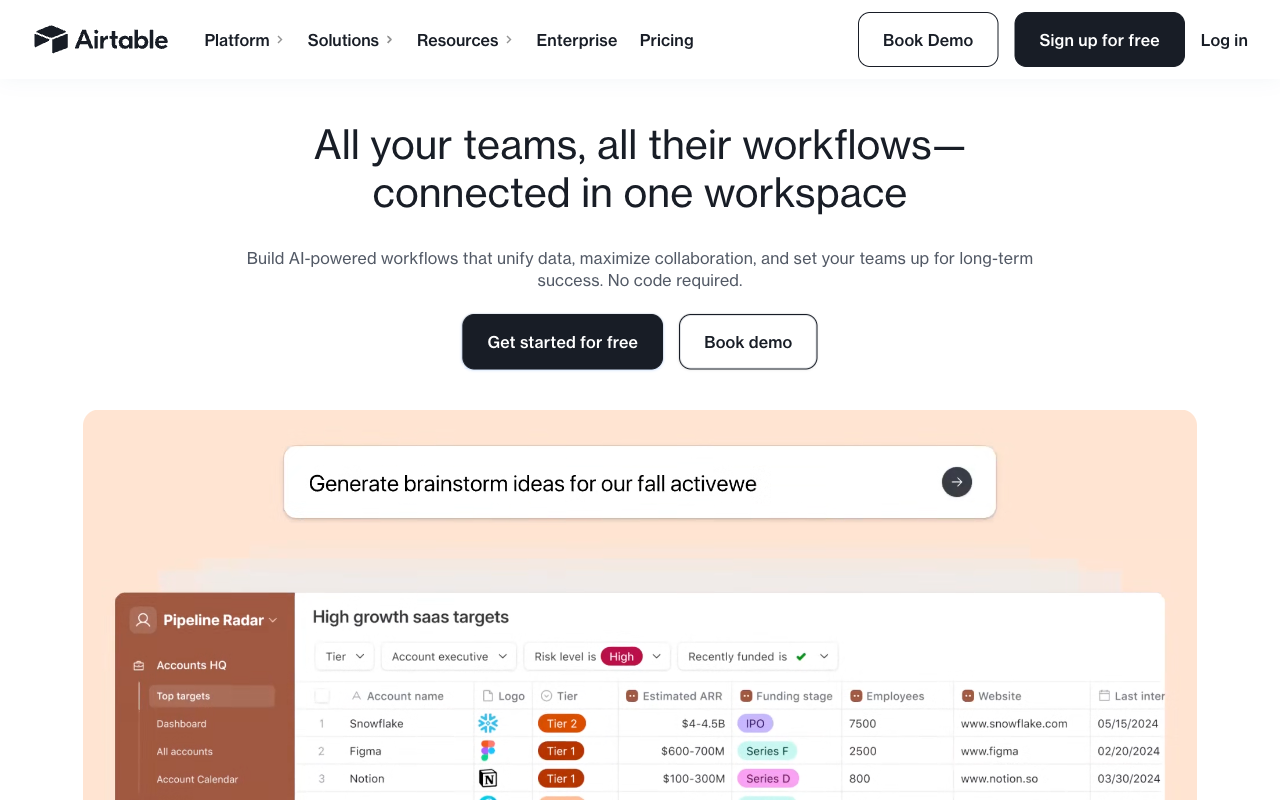
Airtable's database is genuinely powerful: linked records, multiple views, automations, formulas, and rollups. Form submissions become structured records in a relational system designed for data management. SurveyMonkey stores responses in its own analytics dashboard, which is excellent for survey analysis but not a general-purpose database. For teams that need to relate, track, and manage collected data beyond survey results, Airtable's backend is stronger.
Operational Data Collection
For non-survey data collection like project intake, inventory tracking, content submissions and bug reports, Airtable Forms is more appropriate. SurveyMonkey is optimised for opinion-based surveys with scales, rankings, and sentiment. Forcing operational data through a survey tool adds unnecessary complexity.
Free With Airtable
Airtable Forms cost nothing with an existing Airtable account. SurveyMonkey's free plan limits you to 10 questions and a capped number of responses per survey. For basic data collection where Airtable is already in the stack, the cost advantage is clear.
Where SurveyMonkey Wins
Survey Methodology
SurveyMonkey is built for professional survey research: skip logic, page branching, question randomisation, answer piping, quotas, and response validation. Survey templates are designed by methodology experts. Question banks cover common research needs. Airtable Forms has no skip logic or branching, no randomisation, no piping, and no survey-specific features. For any structured research, SurveyMonkey's methodology tools are essential.
Advanced Analytics
SurveyMonkey includes sentiment analysis, word clouds, cross-tabulation, statistical significance testing, benchmarking against industry standards, and AI-powered insights. Results are analysed in real time with professional-grade visualisations. Airtable can create views and charts from form data, but has no survey-specific analytics. For understanding what survey data means, SurveyMonkey's analytics are in a different league.
500+ Templates
SurveyMonkey offers expert-designed templates for NPS, customer satisfaction, employee engagement, market research, event feedback, and more. Templates use validated question structures and scoring methodologies. Airtable Forms has five form templates, none of them built on survey methodology. For deploying professional surveys quickly, SurveyMonkey's template library saves significant time.
SurveyMonkey Audience
SurveyMonkey offers Audience — a panel of millions of respondents you can target by demographics, location, and interests. Need 500 responses from US-based decision-makers aged 25-45? Audience delivers. Airtable Forms has no audience panel. For market research without existing respondent lists, SurveyMonkey's Audience is a unique capability.
Brand and Trust
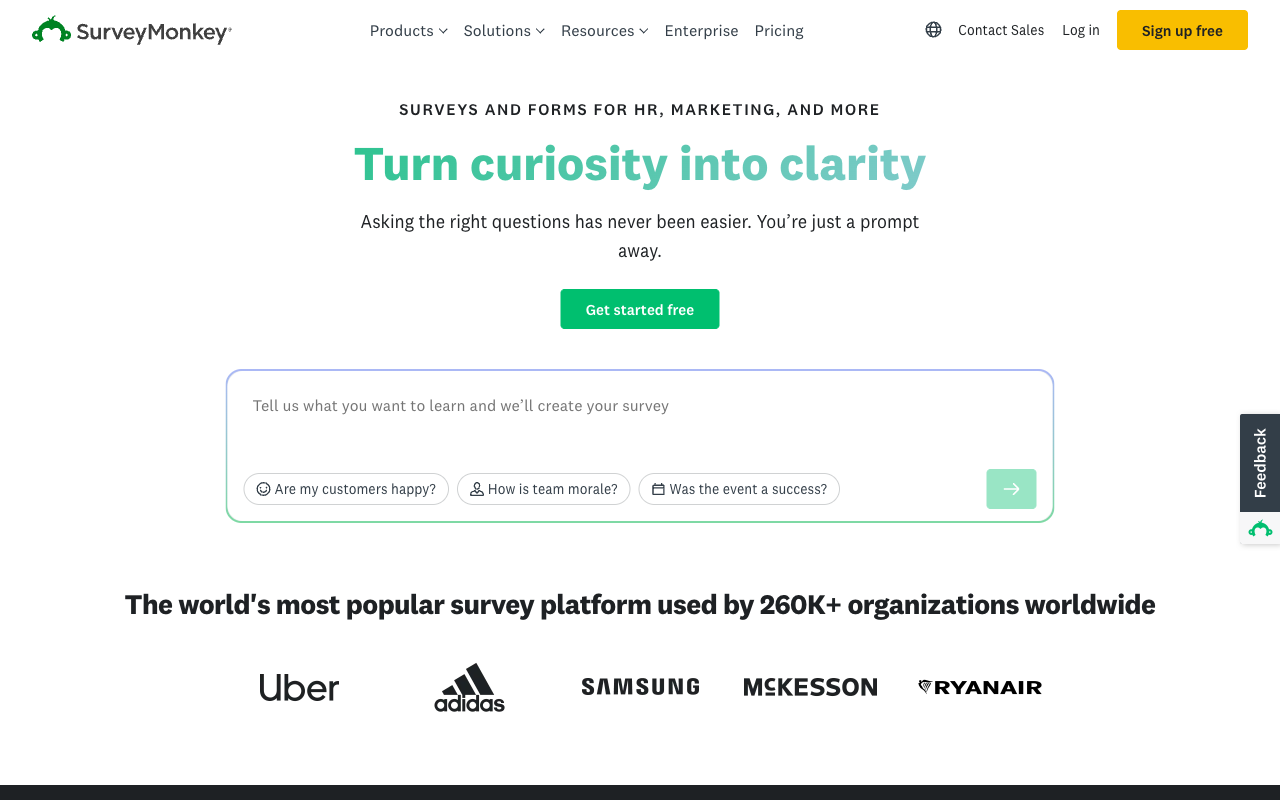
SurveyMonkey is the most recognised survey brand globally — 260,000+ organisations trust it. Respondents recognise SurveyMonkey links and are more likely to complete surveys from a trusted platform. Airtable is well-known in the productivity space, but Airtable Forms links don't carry the same survey-specific trust.
Where Airtable Forms Falls Short
- No skip logic or branching: Conditional field visibility exists, but there's no page-level branching or skip logic to route respondents.
- No survey analytics: No sentiment analysis, benchmarking, or statistical testing.
- Five templates: Only five form templates, none designed for surveys. No survey methodology guidance.
- No randomisation: Questions always appear in the same order. Survey bias is uncontrollable.
- No payment processing: Zero payment capability.
- No audience panel: No way to recruit respondents through the platform.
Where SurveyMonkey Falls Short
- No relational database: Responses stored in SurveyMonkey's system, not a relational database with views and linked records.
- Restrictive free plan: 10 questions per survey and capped responses. Severely limited for serious use.
- Expensive for paid plans: Individual plans start at $39/month (annual); Team plans at $30/user/month (annual). Costs scale quickly.
- Not a general form builder: Optimised for surveys, not for applications, registrations, orders, or operational data collection.
- Limited payment processing: Basic payment add-on, not a full eCommerce solution.
- No e-signatures: No signature collection capability.
Pricing Comparison
Airtable Forms is free with the platform; SurveyMonkey's value is in paid plans.
| Tier | Airtable (includes Forms) | SurveyMonkey | Key Difference |
|---|---|---|---|
| Free | 1,000 records/base, basic forms | 10 questions per survey, capped responses | Both severely limited; different constraints |
| Entry | Team: $20/user/mo — 50K records | Advantage Annual: $39/mo (billed annually) — unlimited questions | SurveyMonkey unlocks survey power; Airtable unlocks database power |
| Team | Business: $45/user/mo | Team Advantage: $30/user/mo (annual) — collaboration, admin | SurveyMonkey team plans add collaboration and shared libraries |
| Enterprise | Enterprise Scale: Custom | Enterprise: Custom — SSO, HIPAA, API | Both offer enterprise with compliance features |
What will it cost you?
Airtable Forms plans
- FreeCheck limitsFreeForms No published cap (unlimited bases), Submissions 1,000 records per base (total, not per month), Team 5, Storage 1GB per base
- Team$20/moForms No published cap (unlimited bases), Submissions 50,000 records per base (total, not per month), Team Unlimited editors, each billed per seat, Storage 20GB per base
- Business$45/moForms No published cap (unlimited bases), Submissions 125,000 records per base (total, not per month), Team Unlimited editors, each billed per seat, Storage 100GB per base
- Enterprise ScaleCustomForms No published cap (unlimited bases), Submissions 500,000 records per base (total, not per month), Team Unlimited editors, each billed per seat, Storage 1,000GB per base
| Plan | Price | Forms | Submissions | Team | Storage |
|---|---|---|---|---|---|
| FreeCheck limits | Free | No published cap (unlimited bases) | 1,000 records per base (total, not per month) | 5 | 1GB per base |
| Team | $20/mo | No published cap (unlimited bases) | 50,000 records per base (total, not per month) | Unlimited editors, each billed per seat | 20GB per base |
| Business | $45/mo | No published cap (unlimited bases) | 125,000 records per base (total, not per month) | Unlimited editors, each billed per seat | 100GB per base |
| Enterprise Scale | Custom | No published cap (unlimited bases) | 500,000 records per base (total, not per month) | Unlimited editors, each billed per seat | 1,000GB per base |
SurveyMonkey plans
- Basic (Free)FreeForms Unlimited, Submissions Limited per survey (exact number now only shown after sign-up/login), Team 1, Storage N/A
- Individual Standard$149/momonthly onlyForms Unlimited, Submissions 1,000/month, Team 1, Storage N/A
- Individual Advantage$39/moForms Unlimited, Submissions 15,000 per year, Team 1, Storage N/A
- Individual Premier$139/moForms Unlimited, Submissions 40,000 per year, Team 1, Storage N/A
- Team AdvantageCheck limits$30/moForms Unlimited, Submissions 50,000 per year (shared), Team 3 minimum, Storage N/A
- Team Premier$92/moForms Unlimited, Submissions 100,000 per year (shared), Team 3 minimum, Storage N/A
| Plan | Price | Forms | Submissions | Team | Storage |
|---|---|---|---|---|---|
| Basic (Free) | Free | Unlimited | Limited per survey (exact number now only shown after sign-up/login) | 1 | N/A |
| Individual Standard | $149/momonthly only | Unlimited | 1,000/month | 1 | N/A |
| Individual Advantage | $39/mo | Unlimited | 15,000 per year | 1 | N/A |
| Individual Premier | $139/mo | Unlimited | 40,000 per year | 1 | N/A |
| Team AdvantageCheck limits | $30/mo | Unlimited | 50,000 per year (shared) | 3 minimum | N/A |
| Team Premier | $92/mo | Unlimited | 100,000 per year (shared) | 3 minimum | N/A |
| Product | Plan | Monthly Price | Annual Price (per month) | Free Plan | Free Trial | Limits |
|---|---|---|---|---|---|---|
| Airtable Forms | Free | Free | Free | Yes | 14 days | forms: No published cap (unlimited bases), submissions: 1,000 records per base (total, not per month), storage: 1GB per base, users: 5 |
| Airtable Forms | Team | $24/mo | $20/mo billed annually | forms: No published cap (unlimited bases), submissions: 50,000 records per base (total, not per month), storage: 20GB per base, users: Unlimited editors, each billed per seat | ||
| Airtable Forms | Business | $54/mo | $45/mo billed annually | forms: No published cap (unlimited bases), submissions: 125,000 records per base (total, not per month), storage: 100GB per base, users: Unlimited editors, each billed per seat | ||
| Airtable Forms | Enterprise Scale | Custom | Custom | forms: No published cap (unlimited bases), submissions: 500,000 records per base (total, not per month), storage: 1,000GB per base, users: Unlimited editors, each billed per seat | ||
| SurveyMonkey | Basic (Free) | Free | Free | Yes | No | forms: Unlimited, submissions: Limited per survey (exact number now only shown after sign-up/login), storage: N/A, users: 1 |
| SurveyMonkey | Individual Standard | $149/mo | Not listed | forms: Unlimited, submissions: 1,000/month, storage: N/A, users: 1 | ||
| SurveyMonkey | Individual Advantage | Annual billing only | $39/mo billed annually | forms: Unlimited, submissions: 15,000 per year, storage: N/A, users: 1 | ||
| SurveyMonkey | Individual Premier | Annual billing only | $139/mo billed annually | forms: Unlimited, submissions: 40,000 per year, storage: N/A, users: 1 | ||
| SurveyMonkey | Team Advantage | Annual billing only | $30/mo billed annually | forms: Unlimited, submissions: 50,000 per year (shared), storage: N/A, users: 3 minimum | ||
| SurveyMonkey | Team Premier | Annual billing only | $92/mo billed annually | forms: Unlimited, submissions: 100,000 per year (shared), storage: N/A, users: 3 minimum |
What Users Say
SurveyMonkey is the most trusted name in online surveys, praised for ease of use, template quality, and analytics depth. Criticism centres on pricing and the restrictive free plan. Airtable reviews focus on the database platform; form feedback is consistently critical. For surveys, SurveyMonkey is the consensus choice. For data management, Airtable wins as a platform.
Consider Paperform
If you need something between a database widget and a survey specialist — a real form builder with design, logic, and payments — Paperform is worth evaluating. Paperform's document-style editor creates forms resembling designed landing pages, with an Excel-style calculation engine that powers scoring, dynamic pricing, and conditional totals across questions, pages, emails, integrations, and success pages.
The difference is what Paperform doesn't meter. Airtable charges per user and caps records per base; SurveyMonkey charges per user and gates responses and analytics behind tiers. Both make growth a billing event. Paperform's paid plans are $49/month billed annually ($59 monthly) with unlimited submissions and unlimited seats. Collecting more responses or adding more people to the team doesn't change the bill. It isn't the cheapest entry price here: Airtable Team starts at $20/user/month and SurveyMonkey Advantage Annual at $39/month billed annually. It's the one that stops charging you for volume.
One subscription also covers all three surfaces: Paperform for forms, Papersign for eSignatures, and Stepper for workflow automation, instead of stitching a survey tool, a signing tool and an automation tool together. That includes five payment gateways, conditional logic, 9,800+ integrations (including both Airtable and SurveyMonkey via Zapier), and 30,000+ templates. Founded in 2016, bootstrapped and profitable; SOC 2 Type II, GDPR and CCPA, though not HIPAA compliant. There's a permanent free plan with no card required. See our full ranking.
The Verdict
These tools serve different jobs. SurveyMonkey is for surveys: structured research, feedback collection, and data analysis with professional methodology. Airtable Forms is for database entry, populating Airtable bases with structured records. Choosing between them depends on what you're collecting and why.
Choose SurveyMonkey for any survey, feedback, or research use case. Its skip logic, analytics, templates, and audience panel are purpose-built for the job. Choose Airtable Forms for operational data entry into Airtable bases where the database backend matters more than the collection interface.
Both are established platforms. SurveyMonkey (now Momentive, founded 1999) pioneered online surveys and serves 260,000+ organisations. Airtable (founded 2012, $735M raised) is one of the most well-funded productivity platforms. Neither is going anywhere.
Frequently Asked Questions
Can SurveyMonkey replace Airtable Forms?
For surveys and feedback collection, absolutely. SurveyMonkey is vastly more capable with skip logic, question randomisation, sentiment analysis, benchmarking, and advanced analytics. For database entry into Airtable bases, no. SurveyMonkey can send data to Airtable via Zapier, but it doesn't replace the frictionless, native data flow of Airtable Forms. The tools serve different purposes: SurveyMonkey for research and feedback, Airtable Forms for database population.
Is SurveyMonkey free?
SurveyMonkey offers a free plan with 10 questions per survey and a limited number of responses per survey (SurveyMonkey no longer publishes the exact cap). It includes basic logic and question types but is heavily limited on analytics and export. Airtable Forms is free with Airtable's free plan (1,000 records/base). SurveyMonkey's free tier is adequate for quick polls; for serious survey research, paid plans start at $39/month billed annually (Advantage Annual).
Which is better for customer feedback?
SurveyMonkey, decisively. It offers NPS surveys, customer satisfaction templates, sentiment analysis, benchmarking against industry standards, and advanced analytics. These are purpose-built survey methodology features that Airtable Forms (which has no skip logic, no analytics, and only five form templates) simply cannot provide. For any structured feedback programme, SurveyMonkey is the professional tool.
Can SurveyMonkey data go into Airtable?
Yes. SurveyMonkey connects to Airtable via Zapier and Make. Survey responses can create Airtable records automatically, giving you SurveyMonkey's survey methodology on the collection side and Airtable's database for data management. This is the best approach for teams that need professional surveys with relational data storage.
Sources & References
- SurveyMonkey vs Airtable Comparison — G2, 2026
- Airtable Form View Documentation — Airtable, 2026
Updates
We re-audit the form builders we compare on a regular cadence and log every change here — a public record of what changed and when.
- Updated June 4, 2026 — Updated SurveyMonkey pricing to the renamed 'Individual Standard' plan at $39/mo and Team Advantage at $30/user/mo (annual), cut the free plan to 25 viewable responses, raised the template count to 500+, lowered the trusted-organisations figure to 260,000+, and clarified that Airtable Forms has conditional field visibility but no page-level branching or skip logic.
Unlimited plans are subject to each vendor's fair use policy.
Ready to try Paperform?
Create beautiful forms, payment pages, and workflows — no code required.