Airtable Forms vs Tally: Which Should You Use in 2026?
Tally is the better form builder and Airtable is the better place for the data to land. Tally gives conditional logic, calculations, Stripe payments and e-signatures away free, with unlimited submissions under fair use. Airtable Forms is a single-page intake view billed at $20 to $45 per editor per month, but it writes straight into a relational base.
These two products are answering different questions, which is why so many teams end up running both. Airtable's form view exists so that a record can arrive in a base without somebody retyping it; everything interesting happens after the submit button, in views, formulas and automations. Tally exists so that the form itself is good: the editor works like a Notion page, the output looks deliberate, and almost nothing is paywalled. Pick the wrong one and you will feel it quickly. Build a customer-facing form in Airtable and you will fight the single-page layout; build an operations backlog in Tally and you will end up managing responses in a spreadsheet.
Quick Verdict
Choose Airtable Forms if:
- Your team already runs on Airtable and the base is the system of record
- Intake is internal: project requests, bug reports, inventory, approvals
- You need linked records, rollups and views over the responses
- A security review demands SOC 2, ISO 27001 or HIPAA on Enterprise Scale
- Only one or two people will ever edit the base
Choose Tally if:
- The form is public and needs to look like it was designed
- You want branching logic and formulas without moving up a tier
- You need to collect a payment or a signature inside the form
- Several people will build, and per-seat billing is not welcome
- EU hosting and GDPR are what your compliance story requires
The Five Numbers That Decide It
| Dimension | Airtable Forms | Tally |
|---|---|---|
| Pricing | Free tier, then $20–$45 per editor per month annually | Free tier, then $24/mo Pro and $74/mo Business annually, unlimited users |
| Integrations / API | 200+ marketplace integrations, REST API, webhooks | 1,000+ integrations, REST API, signed webhooks, MCP server |
| Conditional logic | Field visibility on all plans; conditional groups on Business; no page branching | Conditional logic, formula editor and answer piping free on every plan |
| Payments | 0 processors — no payment collection in forms at all | 1 processor: Stripe, including subscriptions |
| Compliance | GDPR, CCPA, SOC 2 Type 2, ISO 27001, HIPAA on Enterprise Scale | GDPR and EU hosting only; no SOC 2, no HIPAA, no SSO, no 2FA |
Feature Comparison
On form-building features specifically, Tally leads on almost every row. Airtable's advantages sit downstream of the form.
| Feature | Airtable Forms | Tally |
|---|---|---|
| Form Building | ||
| Document-style editor | No | Yes |
| AI form creation | No | Yes |
| Field types | Yes | 20+ |
| Multi-page forms | No | Yes |
| Guided mode (one question at a time) | No | No |
| Conditional logic | Yes | Yes |
| Calculations field | No | Yes |
| AI calculations assistant | No | No |
| Scoring | No | Yes |
| Answer piping | No | Yes |
| Pre-filling and hidden fields | Yes | Yes |
| Save and resume | No | No |
| Auto-close by number | No | Yes |
| Auto-close by date | No | Yes |
| Appointment/booking field | No | No |
| Signature field | No | Yes |
| Color picker field | No | No |
| API-powered dropdowns | No | No |
| Google address search | No | No |
| Formula editor | No | Yes |
| File uploads | No | Yes |
| Import from other form builders | No | Yes |
| PDF generation | No | Yes |
| Payments | ||
| Stripe payments | No | Yes |
| PayPal payments | No | No |
| Square payments | No | No |
| Braintree payments | No | No |
| Google Pay | No | No |
| Product sales (eCommerce) | No | Yes |
| Subscriptions | No | Yes |
| Coupons and discounts | No | No |
| Custom pricing rules | No | Yes |
| Tax calculations | No | No |
| Quotes/invoices | No | No |
| Refunds | No | No |
| 3D Secure | No | No |
| Design & Customization | ||
| Template gallery | No | Yes |
| Rich media (images, GIFs, videos) | Yes | Yes |
| Unsplash and Giphy integration | No | No |
| Image editor | No | No |
| Adobe CC | No | No |
| Language translation | No | Yes |
| Advanced theming | Yes business | Yes pro |
| Custom form URL | No | Yes |
| Redirect after submit | Yes team | No |
| Custom domains | No | Yes pro |
| Custom HTML & CSS | No | Yes pro |
| Remove branding | Yes business | Yes pro |
| Custom email domains | No | Yes pro |
| Adobe Creative Cloud | No | No |
| Analytics | ||
| Submission results and reports | Yes | Yes |
| AI report insights | No | No |
| Form analytics | No | No |
| Google Analytics & Facebook Pixel | No | Yes pro |
| Custom analytics scripts | No | No |
| Partial submissions | No | Yes pro |
| Field data validation | Yes team | No |
| Answer Insights | No | Yes |
| Paperform analytics | No | Yes pro |
| Collaboration | ||
| Multi-user accounts | Yes | Yes pro |
| User permissions and management | Yes team | Yes pro |
| Advanced permissions & admin | Yes enterprise | No |
| Form sharing (templates) | Yes | Yes |
| Workspace organization | Yes | No |
| Spaces and tag management | No | Yes pro |
| Security | ||
| SOC 2 Type II | Yes | No |
| GDPR compliant | Yes | Yes |
| SSL encryption | Yes | Yes |
| Two-factor authentication | Yes | No |
| Enforce 2FA | Yes enterprise | No |
| SSO (SAML) | Yes business | No |
| reCAPTCHA | No | Yes |
| Data residency | Yes enterprise | No |
| Custom S3 | No | No |
| Enforce 2FA for all users | No | No |
| Local data residency | No | Yes |
| Custom S3 storage (BYO) | No | No |
| Integrations & API | ||
| Native integrations | No | 17+ |
| Zapier | Yes | Yes |
| Make (Integromat) | Yes | Yes |
| Webhooks | Yes team | Yes |
| API | Yes | No |
| Business API | No | No |
| WordPress plugin | No | Yes |
| Embed options | Yes | No |
| Standard API | No | Yes |
| AI assistant connectors (MCP / ChatGPT / Claude) | No | Yes |
| Integration failure alerts | No | Yes |
| oEmbed support | No | Yes |
Where Airtable Forms Wins

The response is a record, not a row in an export
Every Airtable submission lands as a record in a base that already has structure. It can be linked to a client, rolled up into a total, filtered into a kanban view, assigned to somebody and picked up by an automation, all without an integration step. Tally can push a response into Airtable, Notion or Google Sheets, but the destination schema is something you maintain across a boundary. When the base is your system of record and the form is just the front door, Airtable removes a whole category of syncing problems.
Compliance that survives procurement
Airtable holds SOC 2 Type 2, ISO 27001, ISO 27701, CCPA and TX-RAMP Level 2 alongside GDPR, with HIPAA and data residency available on Enterprise Scale. Tally publishes GDPR and EU hosting and nothing beyond it. For a public-sector intake form, a regulated industry or any buyer with a vendor questionnaire, that is not a close comparison. It is worth noting that this compliance belongs to the Airtable platform rather than to the form view, which is exactly why the certification is so much broader than the form's feature set.
Only editors are billed
Airtable does not charge for form submitters or read-only collaborators, which makes it unusually cheap in one specific shape: one person owns the base, publishes the form, and hundreds of people fill it in. A single Team seat at $20/month annually covers that scenario with 50,000 records per base. Tally's free plan also covers it, but if you were paying for Airtable anyway, the marginal cost of the form is zero.
Scale and stability at the platform level
Airtable is fourteen years old, has raised $735M, and is used by roughly 500,000 organisations including Amazon, Netflix and Walmart. Tally is a bootstrapped team of about ten people in Ghent. Both models have advocates, and Tally's independence is part of why its users are loyal, but a procurement team assessing five-year vendor risk will read those two profiles differently.
Where Tally Wins
It is an actual form builder
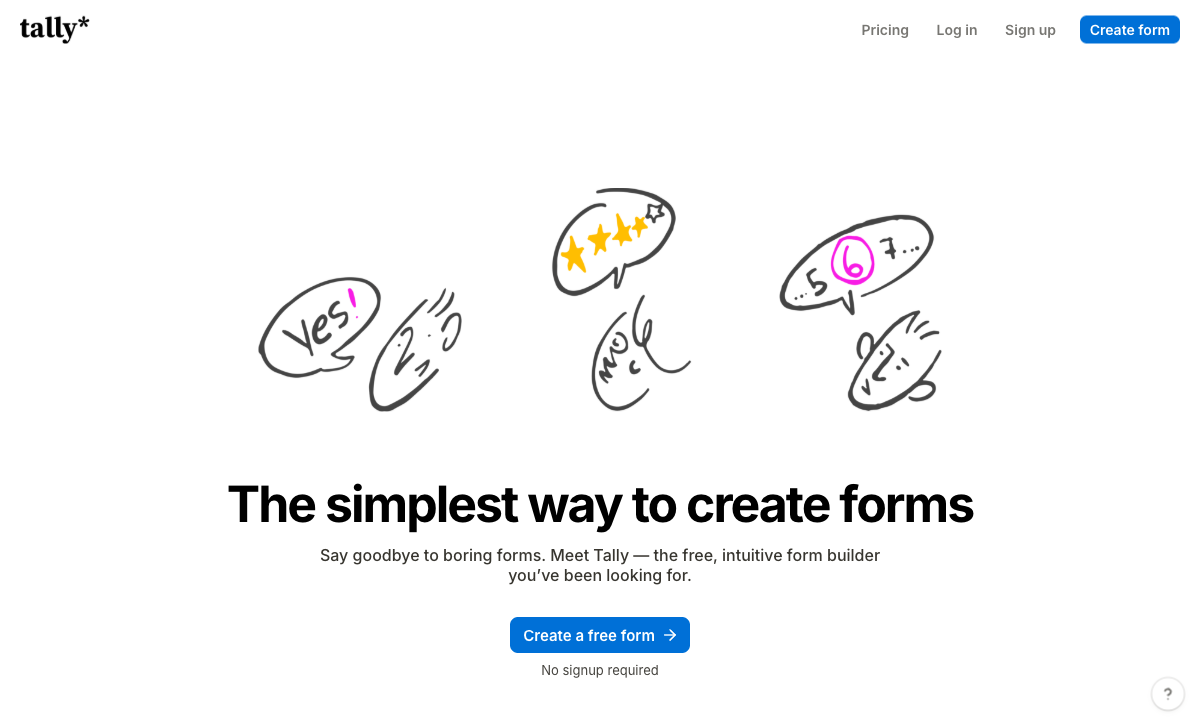
Airtable's form view is generated from a table's fields, so the form is a reflection of your schema. Tally starts from the page: you type questions like a document, insert blocks with slash commands, and the result reads like something a person wrote. Anyone who has tried to make an Airtable form presentable for customers knows the ceiling, which is a cover image, a logo and a colour. Tally gives custom CSS and custom domains on Pro at $24/month with unlimited collaborators.
Logic and formulas are free, and they are visible to the respondent
Tally's formula editor and conditional logic sit on the free plan, and the numbers they produce can be shown while somebody is filling in the form. Airtable's formulas are genuinely powerful, but they evaluate after the record exists, and the form view cannot display a calculated, lookup or rollup field at all. If the respondent needs to see a running total, a score or a quote before submitting, Airtable cannot do it at any price and Tally can do it for nothing.
Money and signatures, on the free plan
Tally collects Stripe payments and captures e-signatures without an upgrade. Airtable Forms does neither, at any tier. For a workshop booking, a paid application or a simple order, that is a straight capability gap rather than a matter of polish.
Flat pricing and one-click migration
Tally charges per account, not per person: Pro and Business both include unlimited team members, so the fifth builder costs nothing. It also added one-click Typeform import in July 2026 and file-based import from PDF, image, JSON, CSV and Markdown in August 2026, which makes moving an existing form library unusually painless. Hackceleration's review, which aggregates fifteen real user reviews at an average of 4.9/5, singles out the free plan and the speed of building while flagging Stripe-only payments as a hard blocker.
Where Airtable Forms Falls Short
- Single page, always: no multi-step forms, no page-level branching, no save and resume.
- Logic is partly paywalled: conditional groups require Business at $45 per editor per month.
- No calculated fields in the form: respondents never see a computed total, score or quote.
- No payments and no signature field: both require a second tool.
- No form analytics: no drop-off tracking and no partial submissions, because people who abandon never become records.
- Record caps per base: 1,000 on Free, 50,000 on Team, 125,000 on Business.
- Per-seat billing: six Business editors is $3,240 a year before the form gets any better.
- No form templates: Airtable's template gallery builds bases, not forms.
Where Tally Falls Short
- Stripe or nothing: one processor, with no coupons, tax rules, invoicing or refund handling.
- No enterprise security: no SOC 2, no SSO and no 2FA even on the $89/month Business plan.
- No workflow or approval flows: anything past submit-and-notify goes out to Zapier, Make or n8n.
- No database behind it: responses are a submissions table, not linked records with views and rollups.
- Analytics behind Pro: visit tracking, drop-off and partial submissions all need the $24/month plan.
- Build-time AI only: Tally AI is free and good at making forms, but analysing responses means leaving for the MCP server or a ChatGPT connector.
- Missing specialist fields: no appointment booking, no address autocomplete, no guided one-question mode, no save and resume.
- Small support team: email only, with no tier to escalate to when a launch goes wrong.
Pricing Comparison
The structural difference matters more than the headline numbers. Airtable charges per editor per month; Tally charges per account with unlimited members. One builder on Airtable Team is $20/month annually against Tally Pro at $24. Five builders is $100 against the same $24.

Airtable Forms
Tally
| Product | Plan | Monthly Price | Annual Price (per month) | Free Plan | Free Trial | Limits |
|---|---|---|---|---|---|---|
| Airtable Forms | Free | Free | Free | Yes | 14 days | None listed |
| Airtable Forms | Team | $24/mo | $20/mo billed annually | None listed | ||
| Airtable Forms | Business | $54/mo | $45/mo billed annually | None listed | ||
| Airtable Forms | Enterprise Scale | Custom | Custom | None listed | ||
| Tally | Free | Free | Free | Yes | No | forms: Unlimited, submissions: Unlimited, storage: N/A, users: 1, file uploads: 10 MB per file |
| Tally | Pro | $29/mo | $24/mo billed annually | forms: Unlimited, submissions: Unlimited, storage: N/A, users: Unlimited, file uploads: Unlimited | ||
| Tally | Business | $89/mo | $74/mo billed annually | forms: Unlimited, submissions: Unlimited, storage: N/A, users: Unlimited |
What Users Say
Tally rates 4.8 on G2 across 97 reviews and 4.9 on Capterra, with value for money its strongest sub-score at 4.9 and support its weakest at 4.5. Airtable rates 4.6 on G2 from more than 3,200 reviews, though its Trustpilot score of 2.0 from 152 reviews is a sharp outlier dominated by billing and cancellation disputes rather than product complaints. Read the form-specific feedback and the pattern is consistent: Airtable reviewers praise the database and call the form builder too basic, while Tally reviewers praise the builder and ask for more once the form is submitted.
What to Use When Neither One Fits
There is a third shape of problem that neither product is built for, and it is common enough to name. It looks like this: the form takes a payment whose amount depends on what was selected, the submission produces a contract that has to be signed and filed, somebody has to approve it, and the whole thing has to satisfy a compliance checklist written by a customer. Tally's honest answer is to hand the response to Zapier or n8n. Airtable's is to hand it to DocuSign and an automation. Either way you become the integration, maintaining three subscriptions and owning every seam between them.
Paperform is built for that case. Its calculations are Excel-style and run live in front of the respondent, driving which questions and pages appear, which conditional email sends, what gets pushed to integrations and what the success page says, so a quote shapes the submission instead of describing it afterwards. Payments run through five gateways rather than one, with products, subscriptions, coupons, tax and refunds. Papersign handles the eSignature and Stepper runs the approval chain, both inside the same subscription rather than beside it. It is SOC 2 Type II, GDPR and CCPA compliant with SAML SSO on Business, though it is not HIPAA compliant and signs no BAAs, so a regulated healthcare workflow still points back to Airtable's Enterprise Scale tier.
Be clear about the price. Paperform Pro is $59/month, or $49/month billed annually, which is more than Tally Pro at $24 and more than a single Airtable Team seat at $20. Both of these can undercut it, and for a straightforward form they should. What the higher figure buys is that nothing is metered by success: submissions and seats are unlimited on paid plans within fair use, so a campaign landing or a team growing is not a billing event, and one subscription replaces three. Paperform has been bootstrapped and profitable since 2016, with 4000+ integrations and a 7-day trial that does not ask for a card. If you want the wider field, see our full ranking of form builders, the best form builders for Airtable if the base has to stay, or the direct Paperform vs Tally and Airtable Forms alternatives breakdowns.
The Verdict
Use Tally when the form is the product. Public-facing, needs to look considered, wants branching logic and maybe a Stripe payment, and will be built by more than one person. Tally does all of that for free or for $24/month, and it does it better than Airtable's form view will at any price. If your work ends at the submit button, this is the answer and you can stop here.
Use Airtable Forms when the base is the product. Internal intake that has to become a structured, linked, filterable record, inside a platform that will pass a security review. The form is deliberately thin because it is the least interesting part of what Airtable sells you.
Look past both when the submission starts a process. Calculated pricing, a signature, an approval with a named person at each step, several client brands to keep apart: that is where Tally hands you to an automation vendor and Airtable hands you to a signing vendor, and where consolidating onto one platform stops being a preference and starts saving real time.
Frequently Asked Questions
Can Tally send submissions into an Airtable base?
Yes, and it is free. Tally ships a native Airtable integration on its free plan, so you can build the form in Tally and have each response written into an Airtable table as a record. That combination is common for a reason: you get Tally's editor and Airtable's views, linked records and automations without paying for an Airtable editor seat just to publish a form. The catch is that you now own two accounts, and any logic that spans them lives in whichever tool you remember to check.
Is Airtable Forms free if I already pay for Airtable?
Forms are a view type included on every Airtable plan, so there is no separate charge. Airtable bills per editor: $24 per user per month on Team ($20 annual) and $54 on Business ($45 annual). Form respondents and read-only collaborators are not billed. If one person builds and everybody else just submits, a single Team seat is genuinely cheap. The cost appears when several people need to edit the base, because the invoice multiplies by headcount rather than by anything the form does.
Which one handles conditional logic better, Airtable Forms or Tally?
Tally. Both support showing and hiding fields based on earlier answers, but Airtable keeps conditional groups on the Business plan at $45 per editor per month and has no page-level branching, because every Airtable form is a single page. Tally gives conditional logic and a formula editor away on the free plan and supports answer piping. Airtable forms also cannot display a calculated, lookup or rollup field, so a respondent never sees a computed number while filling in the form.
Can I take payments with Airtable Forms or Tally?
Only Tally, and only through Stripe. Airtable Forms supports zero payment gateways: the Stripe entry in Airtable's marketplace is for automations, not for charging a respondent inside a form. Tally's payment block is free and supports one-off payments and subscriptions through Stripe alone, with no PayPal, Square, Braintree or Google Pay, and no coupons, tax rules or refund handling. For a fixed price and one button, that is enough. For a quote that has to be calculated, it is not.
Is Tally or Airtable the safer choice for a security review?
Airtable, comfortably. Airtable holds SOC 2 Type 2, ISO 27001, ISO 27701, GDPR, CCPA and TX-RAMP Level 2, with HIPAA available on Enterprise Scale, SAML SSO from Business and data residency options. Tally is GDPR compliant and EU-hosted, which covers a lot of European procurement, but it publishes no SOC 2 or ISO certification and offers no SSO and no 2FA on any plan, including its $89/month Business tier. If a questionnaire you did not write is part of the buying process, that gap decides it.
Which is better value for a small team, Tally Pro or an Airtable Team seat?
It depends on how many people need to edit. Tally Pro is $24/month billed annually ($29 monthly) and includes unlimited team members, unlimited forms and unlimited submissions under a fair use policy. Airtable Team is $20 per editor per month annually, so it is cheaper for one builder and more expensive from the second onwards. Four Airtable editors cost $80/month against Tally's flat $24. Airtable earns that difference only if you genuinely need the database underneath.
Sources & References
- Airtable Forms Review 2026: features, limits, and when to use them — Free Survey Makers, 2026
- Tally Review 2026: Honest Verdict + 15 Real User Reviews — Hackceleration, 2026
- Airtable Forms (2026): Collect Data Straight Into Your Database — The Professional's Toolkit, 2026
- Exploring Airtable Forms and Alternatives: Pros & Cons — Feathery, 2026
Last updated September 22, 2026
Ready to try Paperform?
Create beautiful forms, payment pages, and workflows — no code required.