 By Dean McPherson, Co-founder & CTO, Paperform · Updated
Best Form Builders for Squarespace in 2026
The best form builder for a Squarespace site is Paperform, because its custom CSS and theming let an embedded form match a Squarespace template exactly while adding payments through 5 gateways and calculations the native Form Block has no answer for, at $49/month billed annually. For a plain contact form, Tally does the job free.
Squarespace is the one major site platform with no plugin marketplace for forms. WordPress users argue about Gravity Forms against WPForms; Wix users pick between App Market installs. On Squarespace every tool arrives through the same door: a snippet pasted into a Code Block, or an iframe dropped into an Embed Block. Nobody gets a native install advantage, so the question stops being how it installs and becomes how it behaves once it is on the page.
That reframes the whole ranking. A Squarespace site is bought for its design, which means an embedded form that carries its own visual identity is a visible seam on a page the owner paid for. Theming control, branding removal and auto-resizing embeds matter more here than they would on an internal tool. Two Squarespace-specific constraints also shape the shortlist. Code Blocks require a Business plan or above, so Personal-plan sites are restricted to Embed Blocks or a hosted form link. And Squarespace's own checkout is tied to a Commerce plan with a transaction fee on lower tiers, so a form that charges through its own processor is often the cheaper way to take money.
We ranked these six on the criteria that decide it for Squarespace specifically: embed behaviour, theming depth, what the tool adds beyond the native Form Block, and the price and compliance position underneath. The native block is not on the list because it is not a competitor to any of these; it is the baseline they exist to replace.
| Feature | Paperform | Tally | Jotform | Typeform | Fillout | Google Forms |
|---|---|---|---|---|---|---|
| Payments | ||||||
| Payment gateways . The number of payment processors a form can take payments through. Where a vendor’s full count isn’t recorded, the cell lists the gateways we confirmed. | 5 Stripe, PayPal, Square, Braintree, Google Pay | 1 Stripe | 34 (starter) options in its builder, incl. Stripe, PayPal, Square, Braintree | 2 (basic) Stripe, PayPal | 1 Stripe | No |
| Subscriptions and recurring payments . Charge respondents on a repeating schedule, such as monthly or annually, from a form. | Yes pro | No | Yes starter | Yes basic | Yes | No |
| Product sales . Sell products from a form, with product listings, quantities and an order total. | Yes pro | Yes | Yes starter | Yes basic | Yes | No |
| Conditional pricing . Change the price or add fees automatically based on the answers given in the form. | Yes pro | Yes | Yes starter | Yes basic | Yes | No |
| Coupons and discounts . Offer discount codes that respondents can apply to a payment or subscription on the form. | Yes pro | Yes | Yes starter | Yes basic | Yes | No |
| Design & Customization | ||||||
| Custom themes . Set your own logo, colours and fonts on forms and save them as reusable themes. | Yes pro | Yes | Yes starter | Yes basic | Yes starter | Yes |
| Custom CSS . Add your own CSS (and in some tools HTML) for styling beyond the built-in theme options. | Yes pro | Yes pro | Yes starter | No | Yes pro | No |
| Remove vendor branding . Remove the form builder’s own logo or badge so forms carry only your branding. | Yes pro | Yes pro | Yes bronze | Yes plus | Yes pro | No |
| Custom domain . Host forms on your own domain, such as forms.yourcompany.com, instead of the vendor’s. | Yes business | Yes pro | Yes enterprise | Yes enterprise | Yes business | No |
| Custom form URL . Choose a readable link for a form instead of a random string. | Yes pro | Yes pro | Yes starter | Yes plus | Yes | No |
| Integrations & API | ||||||
| Native integrations . Apps the tool connects to directly, without going through a third-party connector such as Zapier or Make. | 500+ | 13 | 150+ (starter) | 300+ | 50+ | Yes |
| Zapier . Connect forms to thousands of other apps through Zapier. | Yes | Yes | Yes starter | Yes | Yes | Yes |
| Workflow automation . A built-in builder for multi-step automations that act on submissions, such as approvals, routing and syncing data to other systems. | Yes | No | Yes starter | Yes growth flow | Yes | Yes Business Starter |
| Webhooks . Send each new submission to a URL of your choice as soon as it arrives. | Yes pro | Yes | Yes starter | Yes basic | Yes | No |
| WordPress plugin . A plugin for adding forms to a WordPress site. | Yes | No | Yes starter | No | No | No |
The five dimensions that decide it
Every tool here embeds on Squarespace. These are the numbers that separate them once it is embedded.
Pricing
Entry prices for the branding-free, CSS-capable tier a design-led Squarespace site actually needs run from $15/month to $49/month billed annually. Fillout Starter is $15/month annually (2,000 responses) with branding removal on Pro at $40. Tally Pro is $24/month annually with unlimited submissions. Typeform Basic is $28/month annually but caps at 100 responses and keeps branding until Plus at $56. Jotform Bronze is $34/month annually for 1,000 submissions. Paperform Pro is $59/month, or $49/month billed annually, with unlimited submissions and unlimited seats. Google Forms is free. Paperform is the most expensive door on this list and the only one where a good month does not change the invoice.
Integrations & API
Paperform counts 9,800+ integrations, Tally 13 natives plus Zapier, Make, n8n and Pipedream, Jotform 150+ natives, Typeform 300+, Fillout 50+, and Google Forms roughly 20 inside Workspace. Squarespace does not pass form data anywhere useful on its own beyond Google Sheets and Mailchimp, so the embedded form becomes the integration layer for the whole site. That makes the native connector list load-bearing: getting a booking enquiry into a CRM, a calendar and Slack without a Zapier task bill is worth more on Squarespace than on platforms with their own automation layer.
Conditional logic
Squarespace Form Blocks have no conditional logic at all; all six tools here do, and four of them add calculations on top. Tally, Fillout and Typeform all include logic and calculations on their free plans. Paperform's Excel-style calculations are the deepest implementation: they drive question and page visibility, conditional emails, integration payloads and success-page content rather than only producing a number, which is what a Squarespace quote or booking form needs.
Payments
Jotform supports 30+ payment processors, Paperform supports 5 (Stripe, PayPal, Square, Braintree and Google Pay), Typeform supports Stripe and PayPal, Tally and Fillout are Stripe-only, and Google Forms supports none. An embedded payment form is the standard way around a Squarespace Commerce plan, so this row carries real money. Paperform adds products, subscriptions, coupons, tax handling and custom pricing rules behind its gateways and charges no transaction fee of its own. Typeform's payment question takes Stripe or PayPal and sits on Basic upward.
Compliance (HIPAA / GDPR / SOC 2)
Jotform, Typeform and Google Forms are HIPAA, GDPR and SOC 2 compliant; Paperform and Fillout are SOC 2 and GDPR but not HIPAA; Tally is GDPR only, with no SOC 2 and no SSO on any plan. Squarespace sites in clinical, legal and education work inherit the compliance posture of whatever they embed, and Squarespace itself makes no promises about a third-party iframe. If protected health information is in scope, the list narrows to Jotform Gold with a BAA, Typeform Enterprise, or Google Workspace. Paperform is SOC 2 Type II, GDPR and CCPA compliant and signs no BAAs, which we say plainly rather than leaving you to find out.
 #1 Paperform: the embed that reads as part of the template

Paperform earns the top spot on a Squarespace list for the reason it would not necessarily earn it on an internal-tools list: control over how the form looks. Advanced theming covers fonts, colours, spacing and button styling from the interface, and per-form custom HTML and CSS covers everything the interface does not, so the embedded form can be matched to a Squarespace template rather than approximated. Branding is removable on Pro. Four embed modes ship as responsive snippets, so the inline version resizes to its Code Block instead of clipping on a phone, and the popup and slider modes let a secondary call to action sit on a page without taking a screen of vertical space.
What it adds past the native Form Block is the part that changes what a Squarespace site can do. Excel-style calculations price a booking live as the visitor picks dates, guests and extras, apply a coupon, and then feed the result into which questions appear next, which confirmation email fires and what the success page says. Payments run through Stripe, PayPal, Square, Braintree and Google Pay with products, subscriptions and custom pricing rules behind them, with no Paperform transaction fee, which is often cheaper than moving the site onto a Squarespace Commerce plan. Papersign then sends the resulting agreement for signature and Stepper runs the approval chain after it, both included in the same subscription rather than sold as add-ons.
The honest catch is price and scope. At $49/month billed annually it is the most expensive entry point here, roughly twice Tally Pro, and a Squarespace site whose form is a contact box will never use enough of it to justify that. What the price buys is a bill that stops moving: submissions and seats are unlimited on paid plans within fair use, so a launch that goes well does not trigger an upgrade email, and support is included rather than quoted as an enablement fee. Paperform has been bootstrapped and profitable since 2016. It is not HIPAA compliant. See the wider field in our ranking of the best form builders.
- Best for: Squarespace sites where the form takes money, calculates a price or starts a contract, and has to look like it was built into the template
- Squarespace fit: Code Block or Embed Block snippet with auto-resize; inline, popup, slider and popover modes; full custom CSS and branding removal on Pro
- Strengths: Deepest theming control on this list, 5 payment gateways with coupons and subscriptions, calculations that drive logic and emails, Papersign and Stepper in the same subscription, 9,800+ integrations, unlimited submissions and seats, SOC 2 Type II
- Limitations: Highest entry price at $49/month annually, no HIPAA compliance and no BAAs, Stepper automation credits are metered at 20,000/month on Pro, no mobile editor
 #2 Tally: the free embed that already matches most Squarespace templates
Tally is the tool most Squarespace owners should try first, and this ranking would be dishonest if it pretended otherwise. Its default styling is spare and typographic, which is the house style of most Squarespace templates, so a Tally embed frequently looks intentional without any customisation at all. The free plan carries unlimited forms and unlimited submissions under a fair use policy, plus conditional logic, a real formula editor, Stripe payments, e-signatures and a free AI builder that writes the form from a sentence. Pro at $24/month billed annually adds branding removal, custom CSS, custom domains, partial submissions and drop-off analytics, which is everything a design-led Squarespace site needs from an embed.
Its limits sit past the form rather than inside it. Payments are Stripe and nothing else, with no recurring subscriptions, so a Squarespace shop with a deposit-and-balance flow will outgrow it. There is no workflow layer, so anything after the submission goes to Zapier or n8n and you become the glue. And the compliance position is thin: GDPR and EU hosting, with no SOC 2, no ISO 27001 and no SSO even on the $74/month Business tier, and 2FA that each member sets up for themselves rather than one the team can enforce. Tally is a small, bootstrapped Belgian team founded in 2020, which is part of the charm and part of the risk. Our Tally alternatives comparison covers where that wall lands.
- Best for: Squarespace sites whose forms collect enquiries, applications or RSVPs and need to cost nothing while looking native
- Squarespace fit: Standard embed snippet, minimal default styling that suits most templates, custom CSS and branding removal on Pro at $24/month annually
- Strengths: Unlimited submissions free within fair use, logic and calculations on the free plan, free AI form builder, Notion and Airtable natives, EU-hosted
- Limitations: Stripe-only payments with no subscriptions, no workflow automation, no SOC 2 or SSO on any tier, no enforced 2FA, no enterprise plan
 #3 Jotform: the one to embed when the payment processor is non-negotiable
Jotform ranks here on two Squarespace-relevant facts. It supports 30+ payment processors on every plan including the free Starter tier, which means a site using a regional gateway that Squarespace Commerce does not touch can still take card payments through an embed. And it carries a HIPAA BAA on its Gold plan, which makes it the practical choice for a clinic or therapist whose Squarespace site collects intake information. Two decades of accumulation also means 20,000+ templates and 150+ native integrations, so almost any Squarespace form has a starting point rather than a blank page.
The cost of that breadth shows up in two places a Squarespace owner will feel. The forms carry a recognisable Jotform look that takes CSS work to shed, which is the opposite of what a design-bought platform wants from an embed. And almost everything is metered: Bronze at $34/month annually allows 25 forms, 1,000 submissions, 100,000 form views and 100 payment submissions, and every self-serve tier through Gold is single-user, so a second person with edit access means an Enterprise conversation. A good month on a Squarespace launch page is exactly the scenario those meters are designed to catch. See Jotform alternatives.
- Best for: Squarespace sites tied to a specific payment processor, or collecting health data that needs a BAA
- Squarespace fit: Standard embed snippet plus a hosted form link; heavier default styling that needs CSS to match a template
- Strengths: 30+ payment gateways on every plan, HIPAA with a BAA on Gold, 20,000+ templates, 150+ native integrations, native mobile apps, bootstrapped since 2006
- Limitations: Submissions, forms, views, storage and payment submissions all metered; single user on every self-serve tier; recognisable form aesthetic
 #4 Fillout: scheduling and PDFs inside the embed
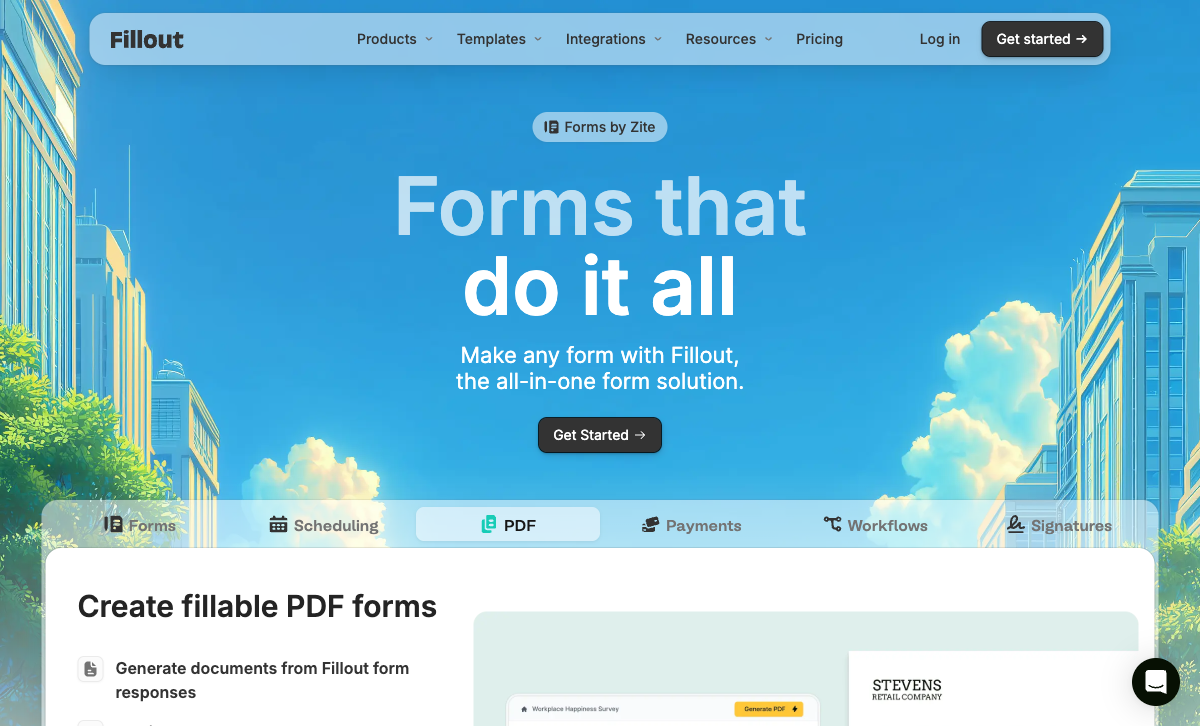
Fillout is the best fit for a particular kind of Squarespace page: the one where a visitor should book a time, not just leave a message. Scheduling is a question type rather than a separate embed, so a consultant's Squarespace site can qualify a lead, book the slot and generate a PDF summary in one form instead of stacking a form block above a Calendly iframe. The free plan runs to 1,000 responses a month with unlimited seats, conditional logic, calculations and PDF generation, and Starter is $15/month billed annually. Custom fonts, favicon and CSS arrive on Pro at $40/month annually, which is where the embed stops looking like Fillout.
The meter is the reason it sits fourth rather than higher. Responses are capped on every tier below $75/month, at 2,000 on Starter and 5,000 on Pro, and clearing 5,000 means an 87% jump to Business or a bulk submission pack at an unpublished price. AI credits come from a shared pool, workflow runs are counted, and the lead-generation essentials are a separate $100/month Conversion Kit. Fillout was founded in 2022, is seed-funded, and now trades as part of the Zite platform, which makes it the youngest and least settled vendor on this page.
- Best for: Squarespace booking and consultation pages that need scheduling, signatures and a PDF in one embedded flow
- Squarespace fit: Standard embed with popup and slider modes; custom fonts, favicon and CSS on Pro at $40/month annually
- Strengths: 1,000 free responses a month, unlimited seats on every plan, scheduling and PDF generation built in, SOC 2 Type 2, 50+ native integrations including a strong Airtable connector
- Limitations: Responses metered below the $75/month Business tier, Stripe-only payments, lead-gen features sold as a $100/month add-on, no HIPAA, founded 2022
 #5 Typeform: choose it when you want the form to be noticed

Typeform inverts the criterion this page is built around. Every other tool here is judged on how invisibly it joins a Squarespace template; Typeform is chosen precisely because it does not. The one-question-at-a-time flow, full-bleed imagery and video questions make a quiz, a style consultation or a brand survey feel like an event, and for a fashion, hospitality or creative-studio Squarespace site that can be the right call. Popup and slider embeds work well as an exit-intent or launch capture. Compliance is the strongest on this list too: HIPAA, GDPR, SOC 2, ISO 27001, 27017, 27018 and ISO/IEC 42001.
Two things keep it at fifth for general Squarespace use. The format cannot be turned off, so a ten-field intake form becomes ten screens and a long application becomes a chore, and no amount of CSS makes it read as part of your page. The metering is more aggressive than anything else here: Basic at $28/month billed annually allows 100 responses a month and one user, Plus at $56 allows 1,000 and three, Business at $91 allows 10,000 and five, and Growth Flow at $266 raises neither. A Squarespace site with a busy contact page can burn 100 responses in a fortnight. See Typeform alternatives.
- Best for: Design-led Squarespace sites running short, high-value quizzes or brand surveys where the form is meant to stand out
- Squarespace fit: Inline, popup and slider embeds; polished but unchangeable format, so it never blends into a template
- Strengths: The most engaging format in the category, video questions, the broadest certification list here including HIPAA and ISO 27001, 300+ integrations
- Limitations: 100 responses a month on the $28 entry tier, seats capped on every plan, branding stays until Plus at $56, Stripe and PayPal only for payments, poor fit for long forms
 #6 Google Forms: free, functional, and visibly a Google Form
Google Forms belongs on this list because it is the fastest, cheapest embed available and plenty of Squarespace sites use it: paste the iframe into an Embed Block and responses land in a Google Sheet with no account to create and nothing to pay. For a school collecting a sign-up sheet, a community group taking RSVPs, or any Squarespace page where results matter and presentation does not, that is a rational choice and the rest of this page is irrelevant to you.
On a site bought for its design, the limits are immediate. Theming stops at a colour and a header image, the Material styling is unmistakable, and the iframe does not resize to its container, so it usually arrives with an internal scrollbar on mobile. There are no payments of any kind, integrations beyond Workspace are thin, and branching is basic section logic rather than field-level rules. Compliance is genuinely strong (HIPAA, GDPR, SOC 2, ISO 27001, FedRAMP) if you are on a Workspace plan. See Google Forms alternatives.
- Best for: Squarespace pages where the form is administrative, the audience is internal or local, and design is not the point
- Squarespace fit: Embed Block iframe with no resize handling; unmistakable Google styling that no theming will hide
- Strengths: Free with unlimited forms (up to 500,000 responses each), instant to set up, responses straight into Sheets, HIPAA, GDPR, SOC 2, ISO 27001 and FedRAMP behind Workspace
- Limitations: No payments, no calculations, minimal theming, fixed-height iframe, integrations largely limited to Google's own tools
See the embeds in action
Two independent videos worth watching before you paste anything into a Code Block: a walkthrough of embedding a modern form builder on a website, and a build-from-scratch tutorial in the free option most Squarespace sites start with.
Full feature comparison
Every feature across the six, grouped by category. For a Squarespace site, read the Design & Customization and Payments rows first: those are the two places the native Form Block gives you nothing.
| Feature | Paperform | Tally | Jotform | Typeform | Fillout | Google Forms |
|---|---|---|---|---|---|---|
| Form Building | ||||||
| AI form builder . Describe the form you need in plain language and the tool drafts the questions for you. | Yes | Yes | Yes starter | Yes | Yes | Yes Business Standard |
| Templates . The number of ready-made form templates in the tool’s template gallery. | 30,000+ | 100+ | 20,000+ (starter) | 3,000+ | Yes | 20+ |
| Field types . How many kinds of question or input field the form builder offers, such as text, dropdown, date, file upload and signature. | 26+ | 20+ | 30+ (starter) | 20+ | 50+ | 12 |
| Conditional logic . Show, hide or skip questions and pages based on how someone has answered earlier questions. | Yes | Yes | Yes starter | Yes | Yes | Yes |
| Calculations . Compute totals, scores, prices or dates from answers while the form is being filled in. | Yes pro | Yes | Yes starter | Yes | Yes | No |
| Multi-page forms . Split a long form across several pages that respondents move through in order. | Yes | Yes | Yes starter | Yes | Yes | Yes |
| One question at a time . A conversational layout that shows a single question per screen, popular for surveys on mobile. | Yes | Yes | Yes starter | Yes | No | Not recorded |
| Answer piping . Insert a respondent’s earlier answer, such as their name, into later questions or text on the form. | Yes | Yes | Yes starter | Yes | Yes | Not recorded |
| Pre-filling and hidden fields . Fill in answers ahead of time from a link or existing data, and pass along values the respondent never sees. | Yes | Yes | Yes starter | Yes | Yes | Yes |
| File uploads . Let respondents attach files such as documents and photos to their submission. | Yes | Yes | Yes starter | Yes basic | Yes | Yes |
| E-signatures . Collect a signature, either with a signature field on the form or by sending a document out to be signed. | Yes | Yes | Yes starter | Yes growth flow | Yes starter | Yes Business Standard |
| Appointment booking . Let respondents pick and book a time slot directly in the form, with availability managed by the tool. | Yes | No | Yes starter | Yes business | Yes | Yes |
| Quiz scoring . Give answers point values so the form can score quizzes and assessments automatically. | Yes pro | Yes | Yes starter | Yes | Yes | Yes |
| Save and resume . Respondents can leave a form part-way through and come back later to finish it. | Yes | Yes | Yes starter | Yes | Yes | Yes |
| Close forms by date or response limit . Stop accepting submissions automatically on a set date or once a set number of responses has arrived. | Yes pro | Yes | Yes starter | Yes business | Yes | Yes |
| Payments | ||||||
| Payment gateways . The number of payment processors a form can take payments through. Where a vendor’s full count isn’t recorded, the cell lists the gateways we confirmed. | 5 Stripe, PayPal, Square, Braintree, Google Pay | 1 Stripe | 34 (starter) options in its builder, incl. Stripe, PayPal, Square, Braintree | 2 (basic) Stripe, PayPal | 1 Stripe | No |
| Subscriptions and recurring payments . Charge respondents on a repeating schedule, such as monthly or annually, from a form. | Yes pro | No | Yes starter | Yes basic | Yes | No |
| Product sales . Sell products from a form, with product listings, quantities and an order total. | Yes pro | Yes | Yes starter | Yes basic | Yes | No |
| Conditional pricing . Change the price or add fees automatically based on the answers given in the form. | Yes pro | Yes | Yes starter | Yes basic | Yes | No |
| Coupons and discounts . Offer discount codes that respondents can apply to a payment or subscription on the form. | Yes pro | Yes | Yes starter | Yes basic | Yes | No |
| Tax calculations . Add sales tax to payments on the form automatically. | Yes | Yes | Yes starter | Not recorded | No | No |
| Refunds . Refund a payment from inside the form tool rather than going to the payment processor. | Yes | Not recorded | No | No | No | No |
| Design & Customization | ||||||
| Custom themes . Set your own logo, colours and fonts on forms and save them as reusable themes. | Yes pro | Yes | Yes starter | Yes basic | Yes starter | Yes |
| Custom CSS . Add your own CSS (and in some tools HTML) for styling beyond the built-in theme options. | Yes pro | Yes pro | Yes starter | No | Yes pro | No |
| Remove vendor branding . Remove the form builder’s own logo or badge so forms carry only your branding. | Yes pro | Yes pro | Yes bronze | Yes plus | Yes pro | No |
| Custom domain . Host forms on your own domain, such as forms.yourcompany.com, instead of the vendor’s. | Yes business | Yes pro | Yes enterprise | Yes enterprise | Yes business | No |
| Custom form URL . Choose a readable link for a form instead of a random string. | Yes pro | Yes pro | Yes starter | Yes plus | Yes | No |
| Emails from your own domain . Send notification and confirmation emails from your own email domain instead of the vendor’s. | Yes business | Yes pro | Yes starter | Yes plus | Yes team | Yes Business Starter |
| Multi-language forms . Show a form’s questions, buttons and messages in languages other than English. | Yes | Yes | Yes starter | Yes business | Yes business | Not recorded |
| Analytics | ||||||
| Response reports . Built-in summaries and charts of the answers a form has collected. | Yes | Yes | Yes starter | Yes | Yes | Yes |
| Form analytics (views and drop-off) . Track how many people view, start and finish a form, and where they abandon it. | Yes pro | Yes pro | Yes starter | Yes business | Yes business | No |
| Partial submissions . See the answers people entered before leaving a form without submitting it. | Yes pro | Yes pro | No | Yes basic | Yes business | No |
| Google Analytics and Meta Pixel . Connect a form to Google Analytics or the Meta (Facebook) Pixel to track visits and conversions. | Yes pro | Yes pro | Yes starter | Yes business | Yes business | Not recorded |
| Custom tracking scripts . Add your own analytics or conversion-tracking scripts to a form. | Yes pro | Yes pro | No | Yes business | Yes business | Not recorded |
| AI response insights . AI-written summaries and insights generated from the responses a form has collected. | Yes pro | No | Yes starter | Yes growth flow | No | Yes Business Standard |
| Collaboration | ||||||
| Team members . Invite colleagues into the same account to build forms and work with responses together. | Unlimited | Yes pro | Yes enterprise | Yes plus | Yes | Yes |
| Roles and permissions . Give team members different levels of access, such as admin, editor or viewer. | Yes business | No | Yes enterprise | Yes plus | Yes | Yes |
| Advanced permissions and admin controls . Fine-grained, organisation-wide controls over who can access what, usually on enterprise plans. | Yes enterprise | No | Yes enterprise | Yes enterprise | Yes team | Yes Business Starter |
| Workspaces . Separate spaces or folders for organising forms by team, client or project. | Yes | Yes pro | Yes enterprise | Yes | Yes | Yes |
| Security | ||||||
| Two-factor authentication . Users can protect their login with a second step, such as a code from an authenticator app. | Yes | Yes | Yes starter | Yes | Yes | Yes |
| Require 2FA for the whole team . Admins can make two-factor authentication mandatory for everyone in the account. | Yes business | No | Yes enterprise | Not recorded | Yes team | Yes Business Starter |
| SSO (SAML) . Team members sign in through your company’s identity provider, such as Okta or Microsoft Entra ID, using SAML single sign-on. | Yes business | No | Yes enterprise | Yes enterprise | Yes enterprise | Yes Business Starter |
| HIPAA compliance . Whether the vendor supports collecting US protected health information under HIPAA, typically by signing a business associate agreement on an eligible plan. | No | No | Yes gold | Yes enterprise | No | Yes Business Starter |
| SOC 2 . Whether the vendor holds a SOC 2 audit report covering its security controls. | Yes | No | Yes enterprise | Yes | Yes | Yes Business Starter |
| GDPR . Whether the vendor states that it complies with the EU General Data Protection Regulation. | Yes | Yes | Yes starter | Yes | Yes | Yes Business Starter |
| Data residency . Choose the region, such as the EU, where your form data is stored. | Yes enterprise | No | Yes starter | Yes enterprise | Yes team | Yes Business Standard |
| Store files in your own S3 bucket . Send uploaded files and exports to your own Amazon S3 storage instead of the vendor’s. | Yes business | Not recorded | Not recorded | Not recorded | Yes team | No |
| Spam protection (CAPTCHA) . Block bot and spam submissions with reCAPTCHA or a similar challenge. | Yes | Yes | Yes starter | Yes plus | Yes starter | Not recorded |
| Integrations & API | ||||||
| Native integrations . Apps the tool connects to directly, without going through a third-party connector such as Zapier or Make. | 500+ | 13 | 150+ (starter) | 300+ | 50+ | Yes |
| Zapier . Connect forms to thousands of other apps through Zapier. | Yes | Yes | Yes starter | Yes | Yes | Yes |
| Make . Connect forms to other apps through Make (formerly Integromat). | Yes | Yes | Yes starter | Yes | Yes | Yes |
| Workflow automation . A built-in builder for multi-step automations that act on submissions, such as approvals, routing and syncing data to other systems. | Yes | No | Yes starter | Yes growth flow | Yes | Yes Business Starter |
| Webhooks . Send each new submission to a URL of your choice as soon as it arrives. | Yes pro | Yes | Yes starter | Yes basic | Yes | No |
| API access . A developer API for reading forms and submissions, or managing them, from your own code. | Yes pro | Yes | Yes starter | Yes | Yes | Yes |
| MCP server / AI assistant connector . An official connector, such as an MCP server, that lets AI assistants like Claude or ChatGPT work with your forms and responses. | Yes | Yes | Yes starter | Yes | Not recorded | Not recorded |
| WordPress plugin . A plugin for adding forms to a WordPress site. | Yes | No | Yes starter | No | No | No |
— means we haven't recorded it for that tool.
Pricing comparison
Embedding costs nothing on the Squarespace side, so the only new line on the invoice is the form builder. Compare the tier that removes branding and unlocks CSS, not the free tier, because a design-led site will need both.
What will it cost you?
Paperform plans
- FreeFreeForms Unlimited, Submissions 30/month, Team Unlimited, Storage Unlimited
- ProMatches$49/moForms Unlimited, Submissions Unlimited, Team Unlimited, Storage Unlimited
- Business$124/moForms Unlimited, Submissions Unlimited, Team Unlimited, Storage Unlimited
| Plan | Price | Forms | Submissions | Team | Storage |
|---|---|---|---|---|---|
| Free | Free | Unlimited | 30/month | Unlimited | Unlimited |
| ProMatches | $49/mo | Unlimited | Unlimited | Unlimited | Unlimited |
| Business | $124/mo | Unlimited | Unlimited | Unlimited | Unlimited |
Tally plans
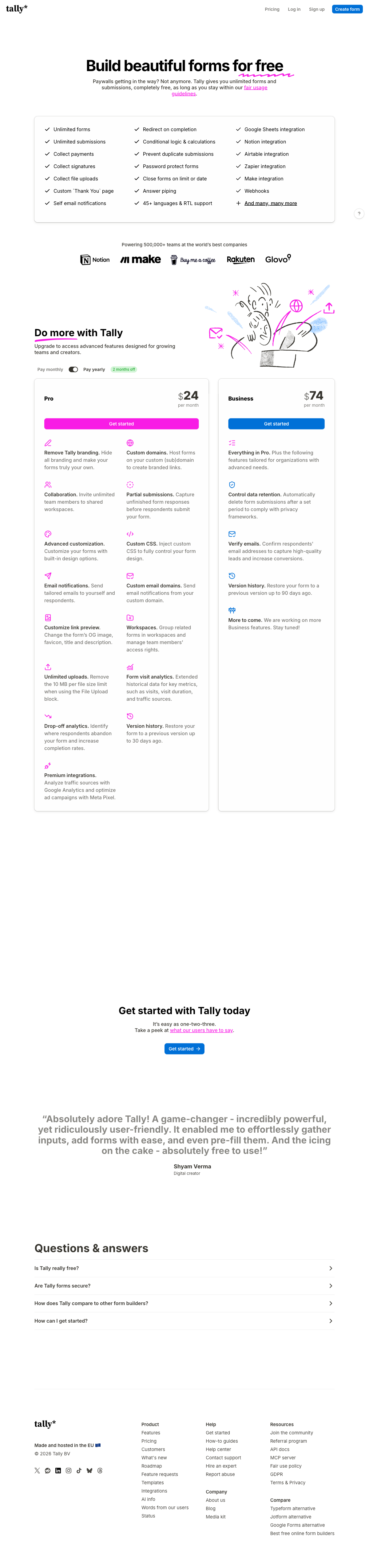
- FreeFreeForms Unlimited, Submissions Unlimited, Team 1, Storage N/A
- ProMatches$24/moForms Unlimited, Submissions Unlimited, Team Unlimited, Storage N/A
- Business$74/moForms Unlimited, Submissions Unlimited, Team Unlimited, Storage N/A
| Plan | Price | Forms | Submissions | Team | Storage |
|---|---|---|---|---|---|
| Free | Free | Unlimited | Unlimited | 1 | N/A |
| ProMatches | $24/mo | Unlimited | Unlimited | Unlimited | N/A |
| Business | $74/mo | Unlimited | Unlimited | Unlimited | N/A |
| Product | Plan | Monthly Price | Annual Price (per month) | Free Plan | Free Trial | Limits |
|---|---|---|---|---|---|---|
| Paperform | Free | Free | Free | Yes | 7 days | forms: Unlimited, submissions: 30/month, storage: Unlimited, users: Unlimited, file uploads: 100 MB |
| Paperform | Pro | $59/mo | $49/mo billed annually | forms: Unlimited, submissions: Unlimited, storage: Unlimited, users: Unlimited, file uploads: 10 GB | ||
| Paperform | Business | $149/mo | $124/mo billed annually | forms: Unlimited, submissions: Unlimited, storage: Unlimited, users: Unlimited, file uploads: 100 GB | ||
| Tally | Free | Free | Free | Yes | No | forms: Unlimited, submissions: Unlimited, storage: N/A, users: 1, file uploads: 10 MB per file |
| Tally | Pro | $29/mo | $24/mo billed annually | forms: Unlimited, submissions: Unlimited, storage: N/A, users: Unlimited, file uploads: Unlimited | ||
| Tally | Business | $89/mo | $74/mo billed annually | forms: Unlimited, submissions: Unlimited, storage: N/A, users: Unlimited | ||
| Jotform | Starter | Free | Free | Yes | No | forms: 5, submissions: 100/month, storage: 100 MB, users: 1 |
| Jotform | Bronze | $39/mo | $34/mo billed annually | forms: 25, submissions: 1,000/month, storage: 1 GB, users: 1 | ||
| Jotform | Silver | $49/mo | $39/mo billed annually | forms: 50, submissions: 2,500/month, storage: 10 GB, users: 1 | ||
| Jotform | Gold | $129/mo | $99/mo billed annually | forms: 100, submissions: 10,000/month, storage: 100 GB, users: 1 | ||
| Typeform | Free | Free | Free | Yes | 14 days | forms: Unlimited, submissions: 10/month, users: 1 |
| Typeform | Basic | $39/mo | $28/mo billed annually | forms: Unlimited, submissions: 100/month, storage: 1 GB, users: 1 | ||
| Typeform | Plus | $79/mo | $56/mo billed annually | forms: Unlimited, submissions: 1,000/month, storage: 2 GB, users: 3 | ||
| Typeform | Business | $129/mo | $91/mo billed annually | forms: Unlimited, submissions: 10,000/month, storage: 4 GB, users: 5 | ||
| Typeform | Growth Flow | $379/mo | $266/mo billed annually | forms: Unlimited, submissions: 10,000/month, storage: 4 GB, users: 5 | ||
| Typeform | Talent | $169/mo | $119/mo billed annually | forms: Unlimited, submissions: 3,000/month, users: 3 | ||
| Fillout | Free | Free | Free | Yes | No | forms: Unlimited, submissions: 1,000/month, storage: N/A, users: Unlimited, file uploads: 20 MB per file |
| Fillout | Starter | $19/mo | $15/mo billed annually | forms: Unlimited, submissions: 2,000/month, storage: N/A, users: Unlimited, file uploads: 20 MB per file | ||
| Fillout | Pro | $49/mo | $40/mo billed annually | forms: Unlimited, submissions: 5,000/month, storage: N/A, users: Unlimited, file uploads: 20 MB per file | ||
| Fillout | Business | $89/mo | $75/mo billed annually | forms: Unlimited, submissions: Unlimited, storage: N/A, users: Unlimited, file uploads: 1 GB+ | ||
| Fillout | Team bundle | $300/mo | $250/mo billed annually | forms: Unlimited, submissions: Unlimited, storage: N/A, users: Unlimited, file uploads: 1 GB+ | ||
| Google Forms | Free (Personal) | Free | Free | Yes | 14 days | forms: Unlimited, submissions: 500,000 per form, storage: 15 GB (shared across Google Drive), users: 1, file uploads: Count against the owner's 15 GB Google Account storage |
| Google Forms | Business Starter | $8.4/mo | $7/mo billed annually | forms: Unlimited, submissions: 500,000 per form, storage: 30 GB per user, users: Up to 300, file uploads: Count against the owner's pooled Drive storage | ||
| Google Forms | Business Standard | $16.8/mo | $14/mo billed annually | forms: Unlimited, submissions: 500,000 per form, storage: 2 TB per user, users: Up to 300, file uploads: Count against the owner's pooled Drive storage | ||
| Google Forms | Business Plus | $26.4/mo | $22/mo billed annually | forms: Unlimited, submissions: 500,000 per form, storage: 5 TB per user, users: Up to 300, file uploads: Count against the owner's pooled Drive storage |
Review ratings across platforms
Aggregate G2, Capterra and TrustRadius scores for the six tools Squarespace owners most often embed. Jotform and Typeform carry by far the largest review volumes; Tally and Fillout score well on smaller samples.
How we evaluated these form builders for Squarespace
Because installation is identical across every tool on Squarespace, the weighting here differs from our general best form builders ranking:
- Embed behaviour and theming (35%): Does the snippet auto-resize inside a Code Block? Are popup and slider modes available? Can the form be themed and de-branded until it reads as part of the template, and at what price?
- Capability beyond the native Form Block (30%): Conditional logic, calculations, payment gateways, scheduling, signatures and file uploads that Squarespace Form Blocks cannot do.
- Pricing behaviour (20%): Not the sticker price, but what happens at 500, 2,000 and 10,000 submissions, and whether adding a second editor costs anything.
- Integrations and compliance (15%): Native connector depth, since the embed is the site's only data pipe, plus GDPR, SOC 2 and HIPAA status from each vendor's published compliance position.
Pricing, limits and compliance facts were read from each vendor's live pricing and trust pages, last checked 17 November 2026.
The bottom line for Squarespace
Start by being honest about what your form is. If it collects enquiries a person reads, Tally is free, looks at home in a Squarespace template out of the box, and there is no argument for spending more. If the site takes money, quotes a price, books a time or produces something that has to be signed, Paperform is the strongest choice: the theming control keeps the embed looking like part of the design, 5 payment gateways let you charge without a Commerce plan, and forms, eSignatures and workflow automation come in one subscription whose price does not climb with your traffic.
Around those two, pick by the specific blocker. Jotform when the payment processor or a HIPAA BAA decides it. Fillout when a booking page needs scheduling and a PDF inside the same embed. Typeform when the form is meant to be the experience and your response volumes are low enough to survive the caps. Google Forms when free and instant beats everything else on the page. Paperform's free plan needs no card if you want to paste a themed embed into a Code Block and see how it sits.
Frequently Asked Questions
Is there a Squarespace plugin for form builders, or do you have to embed?
You embed. Squarespace has no app store for form builders in the way WordPress has plugins, so every tool on this page arrives the same way: you copy an embed snippet into a Code Block, or paste an iframe into an Embed Block. That levels the field on installation and shifts the decision onto how the embed behaves once it is on the page. Two things matter. First, Code Blocks require a Squarespace Business plan or above, so on a Personal plan you are limited to the Embed Block route or a link out to a hosted form page. Second, the snippet has to auto-resize, because a fixed iframe height is what produces the scrollbar-inside-a-scrollbar effect that makes an embedded form look bolted on.
What is wrong with the form block Squarespace already gives you?
Nothing, for a contact form. Squarespace Form Blocks handle name, email and message, store the results, and can pass them to Google Sheets or Mailchimp. The ceiling arrives quickly after that. There is no conditional branching, no calculation engine, no file upload on lower plans, no way to take a payment outside Squarespace Commerce, and no partial-submission recovery. A studio taking booking deposits, an agency running an intake questionnaire, or a school collecting a permission slip with a signature has already crossed that line, and at that point you embed a real form builder rather than fighting the block.
Which form builder embeds into Squarespace with the least visual seam?
Paperform and Tally are the two that disappear into a Squarespace page most reliably, for different reasons. Paperform gives you advanced theming plus per-form custom HTML and CSS, so you can match a Squarespace template's typeface, spacing and button radius exactly, and remove all product branding on Pro. Tally's default look is minimal enough that it often matches a Squarespace site without any work at all, and custom CSS arrives on its $24/month Pro plan. Typeform sits at the other end: the one-question-at-a-time format is fixed, so an embedded Typeform always announces itself.
Can I take payments through an embedded form without Squarespace Commerce?
Yes, and this is the main reason Squarespace sites embed forms in the first place. Squarespace's own checkout requires a Commerce plan and charges a transaction fee on lower tiers. An embedded form bypasses that entirely and charges through your own processor account. Paperform supports 5 gateways (Stripe, PayPal, Square, Braintree and Google Pay) with products, subscriptions, coupons and custom pricing rules behind them, and takes no transaction fee of its own. Jotform supports 30+ processors, which is the widest choice anywhere. Tally and Fillout are Stripe-only, Typeform takes Stripe and PayPal, and Google Forms cannot take money at all.
How much should a Squarespace site expect to pay on top of its Squarespace plan?
Between nothing and about $50 a month, depending on what the form does. Tally is free with unlimited forms and submissions under a fair use policy, and $24/month billed annually on Pro to remove branding and add custom CSS. Fillout is free to 1,000 responses a month and $15/month annually on Starter. Jotform Bronze is $34/month annually for 1,000 submissions. Typeform Basic is $28/month annually for 100 responses. Paperform Pro is $49/month billed annually ($59 monthly) with unlimited submissions and unlimited seats, which is the highest entry price here and the only one that stops moving as the site grows.
Will an embedded form hurt my Squarespace page speed or mobile layout?
A modern embed loads asynchronously and posts its height back to the parent page, so it should not block rendering. The two failure modes on Squarespace are both self-inflicted. Hard-coding an iframe height clips the form on phones and leaves dead space on desktop, so always use the responsive snippet the vendor provides rather than a raw iframe. Stacking several embedded forms on one page also multiplies the third-party script load, so put long forms on their own page and use a popup or slider embed for secondary calls to action. Paperform, Typeform and Fillout all offer popup and slider modes for exactly this.
Which of these tools is safe if my Squarespace forms collect health or client data?
Check the certificate list before the feature list. Jotform, Typeform and Google Forms are HIPAA, GDPR and SOC 2 compliant. Paperform is SOC 2 Type II, GDPR and CCPA compliant with SAML SSO, but it is not HIPAA compliant and signs no BAAs, so protected health information rules it out. Fillout is SOC 2 and GDPR without HIPAA. Tally holds GDPR and EU hosting only, with no SOC 2 and no SSO on any tier; 2FA is available per account but cannot be enforced for a team. A therapist or clinic running a Squarespace site should be looking at Jotform's Gold plan, which is where its BAA sits.
Is it worth paying for a form builder when Squarespace already costs money?
It depends whether the form is a contact box or a piece of the business. If it collects enquiries that a human reads, the native block plus Tally's free plan covers you and there is no case for spending more. If the form quotes a price, takes a deposit, produces a contract that needs signing, and kicks off an approval, you are buying an operations tool that happens to live on your Squarespace page. Paperform's Pro plan covers forms, Papersign eSignatures and Stepper workflow automation in a single subscription with no per-seat charge, which is the comparison worth making rather than the sticker price against free.
Sources & References
- The 13 best online form builder apps — Zapier, 2026
- Best Online Form Builder to use in 2026: Top 20 Tools — Email Tool Tester, 2026
- Fillout Review 2026: We Tested Everything (Builder, Integrations, Automations & Real ROI) — Hackceleration, 2026
- Honest Review of Tally Forms, from an AI SaaS developer — Medium (FireBird Technologies), 2026
Unlimited plans are subject to each vendor's fair use policy.
Ready to try Paperform?
Create beautiful forms, payment pages, and workflows — no code required.