Best Form Builders for Startups in 2026
The best form builder for most startups is Paperform, because submissions and seats stay unlimited exactly when a startup grows fastest, and one subscription covers forms, signatures and workflow. Before revenue, Tally free is the sensible choice. For health data, use Jotform, since Paperform is not HIPAA compliant.
Startups buy software on two clocks at once. There is the clock running today, where every dollar of runway matters and the cheapest tool that works is the right tool. Then there is the clock that starts the month something works: the launch post lands, the waitlist fills overnight, three people join the team and a customer's procurement team sends a security questionnaire. Most form builders price for the first clock and bill you for the second.
That is the lens for this ranking. We scored seven tools on what happens to the invoice when submissions triple and the team doubles, on whether the product does anything after someone presses submit, and on what the compliance page says when a real customer asks. Pricing was read live from each vendor's pricing page on 22 September 2026.
If your stage is earlier or later than the middle, we have narrower guides for small businesses, SaaS companies and the full twelve-tool ranking.
| Feature | Paperform | Tally | Fillout | Typeform | Jotform | Google Forms | Airtable Forms |
|---|---|---|---|---|---|---|---|
| Form Building | |||||||
| Document-style editor | Yes | Yes | No | No | No | No | No |
| AI form creation | Yes | Yes | Yes | Yes | Yes starter | Yes paid | No |
| Field types | 26+ | 20+ | 50+ | 20+ | 30+ (starter) | 11 | Yes |
| File uploads | Yes | Yes | Yes | Yes basic | Yes starter | Yes | No |
| Multi-page forms | Yes | Yes | Yes | Yes basic | Yes starter | Yes | No |
| Payments | |||||||
| Stripe payments | Yes | Yes | Yes | Yes basic | Yes starter | No | No |
| PayPal payments | Yes | No | No | No | Yes starter | No | No |
| Square payments | Yes | No | No | No | Yes starter | No | No |
| Braintree payments | Yes | No | No | No | Yes starter | No | No |
| Google Pay | Yes | No | No | No | Yes starter | No | No |
| Design & Customization | |||||||
| Template gallery | 30,000+ | Yes | Yes | 1,500+ | 20,000+ (starter) | 20+ | No |
| Unsplash and Giphy integration | Yes | No | No | Yes | No | No | No |
| Image editor | Yes | No | No | No | No | No | No |
| Adobe Creative Cloud | Yes | No | No | No | No | No | No |
| Language translation | Yes | Yes | No | Yes basic | Yes starter | No | No |
| Analytics | |||||||
| AI report insights | Yes pro | No | No | Yes business | No | Yes Business Standard | No |
| Paperform analytics | Yes pro | Yes pro | Yes business | No | No | No | No |
| Drop-off analysis | Yes pro | No | No | Yes business | No | No | No |
| Google Analytics & Facebook Pixel | Yes pro | Yes pro | Yes | Yes basic | No | No | No |
| Custom analytics scripts | Yes pro | No | Yes business | Yes basic | No | No | No |
| Collaboration | |||||||
| Advanced permissions & admin | Yes enterprise | No | Yes team | Yes enterprise | Yes enterprise | Yes Business Starter | Yes enterprise |
| Form sharing (templates) | Yes | Yes | Yes | Yes | No | Yes | Yes |
| Spaces and tag management | Yes | Yes pro | Yes | No | No | No | No |
| Workspace organization | No | No | No | Yes | No | No | Yes |
| Form sharing | No | No | No | No | Yes starter | No | No |
| Security | |||||||
| SOC 2 Type II | Yes | No | Yes | Yes | Yes enterprise | Yes | Yes |
| Two-factor authentication | Yes | No | Yes | Yes | Yes starter | Yes | Yes |
| Enforce 2FA for all users | Yes business | No | Yes team | No | No | Yes Business Starter | No |
| SSO (SAML) | Yes business | No | Yes enterprise | Yes enterprise | Yes enterprise | Yes Business Plus | Yes business |
| reCAPTCHA | Yes | Yes | Yes starter | Yes business | Yes starter | No | No |
| Integrations & API | |||||||
| Native integrations | 4,000+ | 17+ | 50+ | 120+ (basic) | 150+ (starter) | No | No |
| Webhooks | Yes pro | Yes | Yes | Yes basic | Yes starter | No | Yes team |
| Standard API | Yes pro | Yes | Yes | No | No | Yes | No |
| Business API | Yes business | No | No | No | No | No | No |
| WordPress plugin | Yes | Yes | Yes | Yes | Yes starter | No | No |
 #1 Paperform — Best Once the Form Touches Money or a Contract

Paperform charges nothing for growth. Pro is $59/month, or $49/month billed annually, with unlimited submissions and unlimited seats under a fair use policy; Business is $149/month, or $124/month annually, and adds 10 workspaces, SSO and the Business API. A launch that brings 40,000 signups costs the same as a quiet week, and the engineer, the founder and the first support hire share one price rather than three.
The reason it earns the top spot for startups specifically is what it removes from the stack. The month you start signing customers, you would normally add a signature vendor and an automation tool and become the glue between all three. Papersign turns the submission into a contract and files the signed copy against the original response; Stepper runs the approval chain and the CRM handoff behind it. Both are in the subscription on every plan. Support comes with the seat rather than as an enablement fee, which matters when the person configuring the form is also the person doing sales.
The Excel-style calculation engine is the piece early teams tend to underestimate. Formulas drive question and page visibility, conditional emails, what each integration receives and what the success page says, so a pricing form, a qualification quiz and an onboarding flow can be one artefact instead of three tools and a spreadsheet. Payments run through five gateways with subscriptions, coupons, tax and inventory built in, and there are 4,000+ integrations behind it.
Founded in 2016, bootstrapped and profitable, SOC 2 Type II, GDPR and CCPA compliant. It is not HIPAA compliant and signs no BAAs, so protected health information belongs elsewhere. At $49/month annually it is also the most expensive door in this ranking, and a pre-revenue team with one landing page form should honestly go and read the Tally section below.
- Pricing: Pro $59/month, $49 billed annually. Business $149/$124. Enterprise on quote.
- Best for: Funded startups whose forms already take payments, produce contracts or trigger someone's approval.
- Key limitation: No HIPAA, the highest entry price here, and metered automation credits.
 #2 Tally — Best Before You Have Revenue
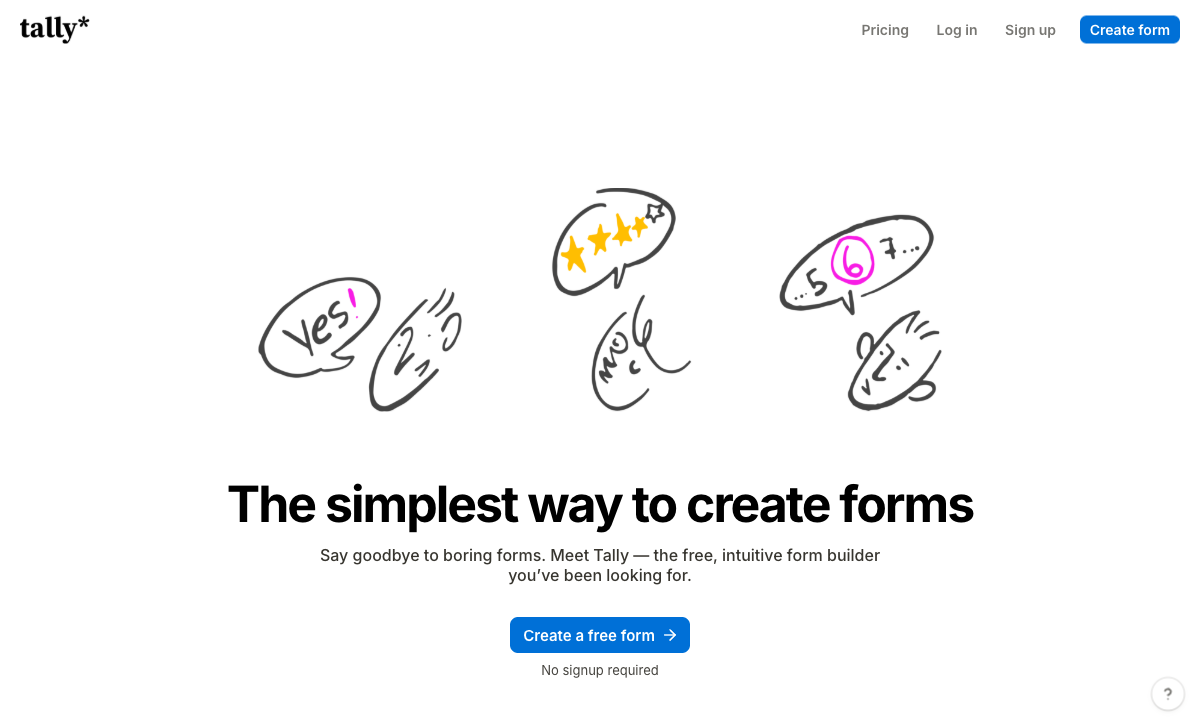
Tally's free plan carries unlimited forms and unlimited submissions under a fair use policy, with a formula editor, conditional logic, Stripe payments, e-signatures, file uploads and Notion, Airtable and Google Sheets connections included. For a waitlist, a customer interview screener, a beta application or a pricing survey in the first six months, this is the correct answer and paying anyone is a waste of runway. Pro at $24/month billed annually adds custom domains, unlimited team members, drop-off analytics and branding removal.
Founders like the editor because it types like a Notion page, and the Medium review from an AI SaaS developer cited below reaches the same conclusion most do: it is faster to build in than anything else at the price. Tally also lists 1,000+ integrations once its automation connectors are counted.
Two ceilings arrive together, usually around the first real customer. Tally has no SOC 2, no SSO and no 2FA at any tier, including Business at $74/month annually, which ends most enterprise security reviews before the feature conversation starts. And it is forms only, so the signature, the approval and the automation get handed to Zapier or n8n and become a stack you maintain. The company was founded in 2020 with fewer than ten employees.
- Pricing: Free (unlimited forms and submissions, fair use). Pro $29/month, $24 annually. Business $89/$74.
- Best for: Pre-seed and pre-revenue teams who need a good-looking form today and nothing after it.
- Key limitation: No SOC 2, no SSO, no 2FA, and nothing beyond the form itself.
 #3 Fillout — Best Cheap Paid Plan That Keeps the Logic

Fillout's paid plans start at $15/month billed annually and never charge for a seat, on any tier. That combination is rare, and for a five-person startup that wants conditional logic, calculations, PDF generation, scheduling and Stripe payments without a per-head bill, it is the cheapest credible paid option in this ranking. The free plan carries 1,000 submissions a month with the same feature access. Fillout is SOC 2 Type II and GDPR compliant, which is more than Tally can say at any price.
The meter is on responses, and it bites at exactly the wrong moment for a startup. Starter stops at 2,000 responses a month and Pro at 5,000, and the remedy for outgrowing Pro is an 87% jump to Business at $75/month annually or bulk submission packs at a price Fillout does not publish. Under the Zite rebrand the metering has spread to AI credits and workflow runs, with the serious quotas in a $250/month Team bundle and the lead-generation essentials in a separate $100/month Conversion Kit. Payments are Stripe only, the integration list is around 50, and the company has been trading since 2022.
- Pricing: Free (1,000 responses/month). Starter $19/month, $15 annually. Pro $49/$40. Business $89/$75.
- Best for: Small teams under 2,000 responses a month who want real logic and refuse to pay per seat.
- Key limitation: Response caps below $75/month, unpublished overage pricing, and a short track record.
See Them in Action
 #4 Typeform — Best for a Launch You Want People to Talk About

Typeform's one-question-at-a-time format remains the best-converting pattern in the category for short capture, and the company claims 3.5x more responses than a standard form. For a waitlist, a Product Hunt launch or an early-access application where the form is part of the pitch, it does something the cheaper tools do not. It is also the most certified product here, holding HIPAA, SOC 2, ISO 27001, ISO 27017, ISO 27018, PCI DSS and, since June 2026, ISO/IEC 42001 for AI management, which is a real advantage over Paperform in an enterprise review.
It sits at fourth because the pricing model is the worst possible shape for a startup. Responses and seats are capped on all five plans: 100 responses and one user on Basic at $28/month annually, 1,000 and three on Plus, 10,000 and five on Business at $91/month annually. Growth Flow at $266/month annually, nearly triple the Business price, raises neither of those numbers; it buys enrichment and Smart Insights instead. A launch that goes well is therefore a billing event, and so is hiring. Payments are Stripe only, calculations require Plus, and native integrations number 120+ against Paperform's 4,000+. Our Paperform vs Typeform comparison works through the metered-versus-unmetered maths in detail.
- Pricing: Free (10 responses/month). Basic $39/month, $28 annually. Plus $79/$56. Business $129/$91. Growth Flow $379/$266.
- Best for: Launch moments and brand-led capture where volume is predictable and presentation is the product.
- Key limitation: Every plan caps responses and seats, including the $266/month one.
 #5 Jotform — Best for a Solo Founder With an Unusual Requirement

Jotform supports 40+ payment processors, 150+ native integrations, 20,000 templates, native iOS and Android apps for offline collection, and HIPAA compliance from the Gold plan at $99/month annually. If your startup is in health, or sells in a market where Stripe is not the default rail, or sends people into the field with a tablet, nothing else in this ranking covers it. Bootstrapped since 2006 with $144.9M in 2024 revenue, it is also one of the two safest vendors here.
The problem for a startup is the seat policy. Starter, Bronze, Silver and Gold are all single-user, so the day a second person needs to edit a form you are in a sales conversation rather than a settings page. Submissions, forms, form views, storage, fields per form and signed documents each carry their own cap on top, with Bronze at $34/month annually stopping at 25 forms and 1,000 submissions. That is seven meters on a company whose whole plan is to grow.
- Pricing: Free Starter (5 forms, 100 submissions/month). Bronze $39/month, $34 annually. Silver $49/$39. Gold $129/$99.
- Best for: Solo founders needing HIPAA, offline mobile capture or a payment processor no one else supports.
- Key limitation: Single-user on every self-serve plan, with six more meters above it.
 #6 Google Forms — Best for Everything Nobody Outside the Company Sees
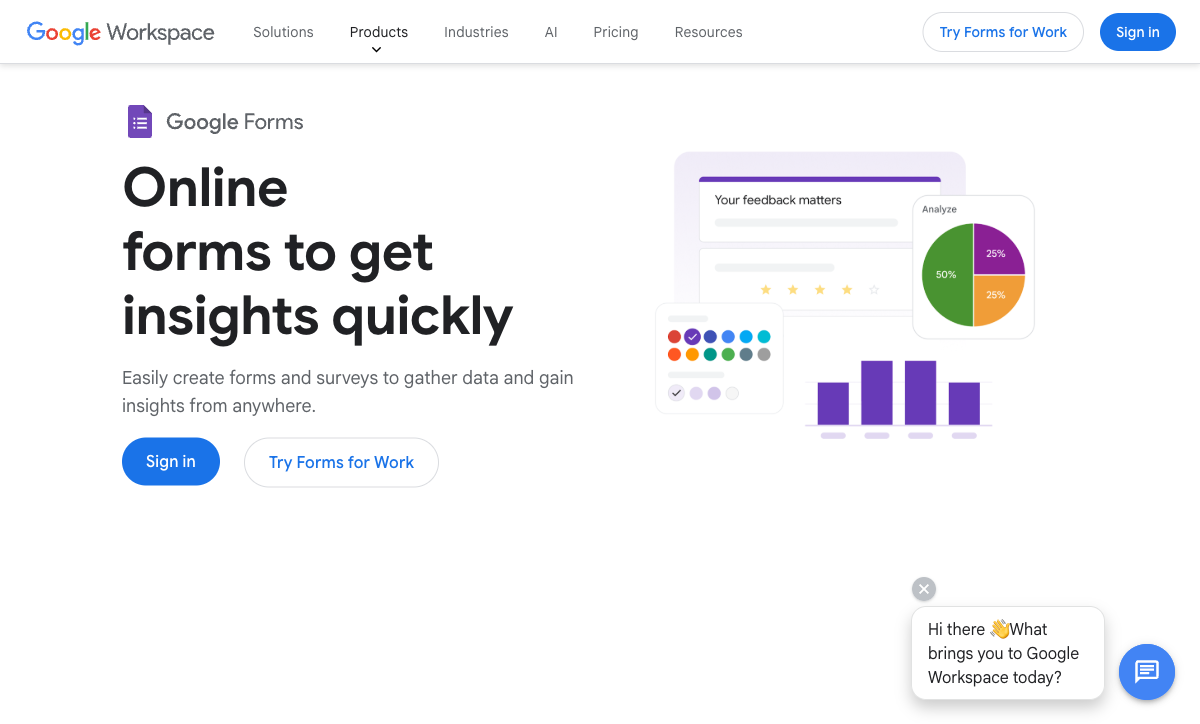
Google Forms takes unlimited responses for free with nothing more than a Google account. Startups should keep using it, and for a specific set of jobs: candidate screening, internal retros, expense claims, the investor-update feedback form, and any early research that ends in a spreadsheet you are going to pivot on next week. Compliance is the strongest in this group, covering HIPAA under a Workspace BAA, SOC 2, ISO 27001 and FedRAMP, because you are inheriting Google's infrastructure.
It ranks sixth because everything customer-facing exposes the same three gaps: no payments, no calculation fields, and around 20 native integrations. Branding stops at a header image and an accent colour, which is why a Google Form on a startup landing page reads as unfinished. Each missing piece becomes another subscription, and the free tool ends up the expensive one. Our Google Forms alternatives guide covers where teams go next.
- Pricing: Free with any Google account. Workspace from $8.40/user/month, $7 annually.
- Best for: Internal surveys, hiring screens and research that ends in Sheets.
- Key limitation: No payments, no calculations, and no branding worth putting in front of a customer.
 #7 Airtable Forms — Best Only If Airtable Is Already Your Database
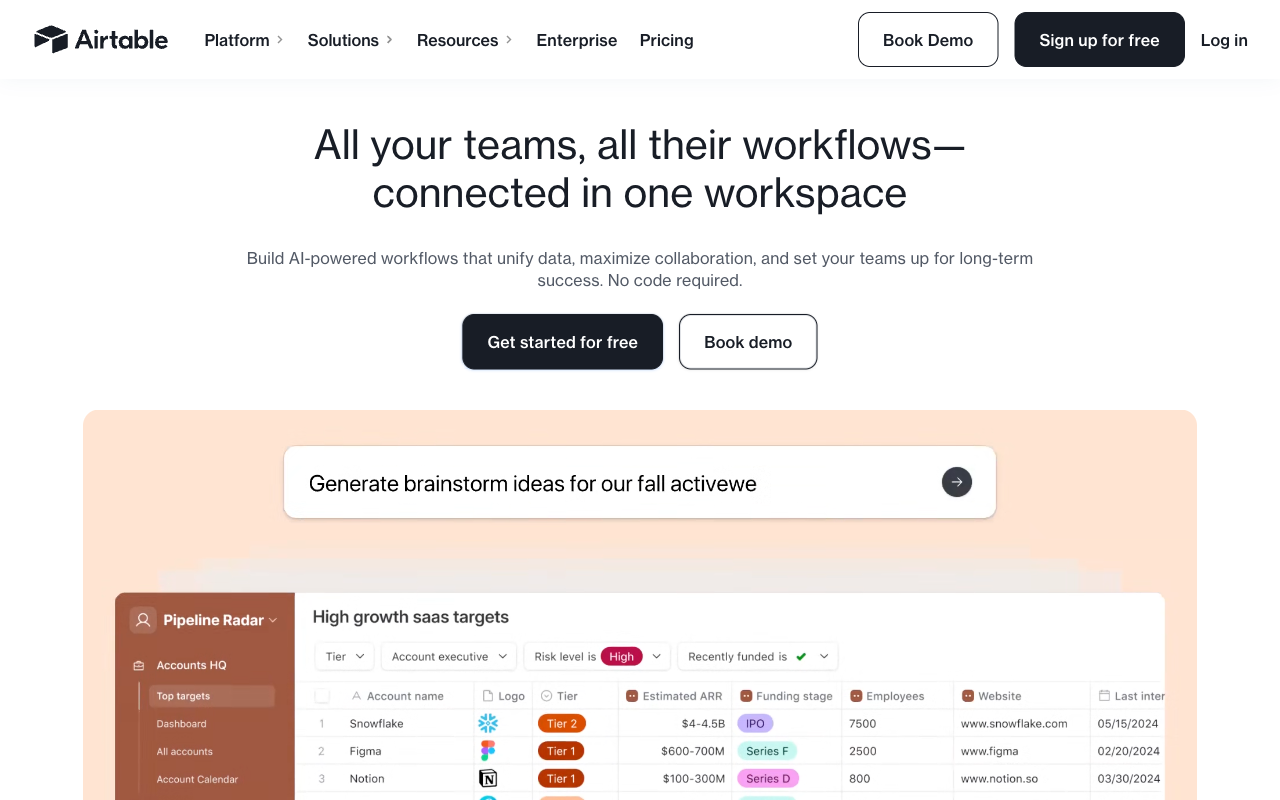
Airtable Forms write straight into an Airtable base with no sync step, no Zap and no mapping to maintain, and plenty of early-stage teams genuinely run their CRM, applicant tracker and content calendar there. Airtable holds SOC 2, HIPAA, ISO 27001 and ISO 27701, lists 200+ integrations across the platform, and custom-branded forms arrive on Business.
As a form builder it is the thinnest option here. Forms are single-page with no payments, no e-signatures and no calculations the respondent can see. Pricing is where it hurts a growing startup most: Team is $20 per user per month billed annually and Business is $45, so editors are a recurring line item, and records per base, automation runs and AI credits are metered on top. Five people building forms on Business is $2,700 a year before anyone has submitted anything. If Airtable is your system of record but the form needs to do real work, most teams keep the base and put a proper builder in front of it.
- Pricing: Free (1,000 records/base, 5 editors). Team $24/user/month, $20 annually. Business $54/$45. Enterprise Scale on quote.
- Best for: Teams already running on Airtable who need intake to land in a base and nothing more.
- Key limitation: Per-editor pricing, single-page forms, no payments and no signatures.
The Five Dimensions That Decide It for a Startup
Pricing model
Three of these seven tools charge nothing per seat: Paperform, Tally and Fillout. Paperform and Tally also leave submissions unmetered on paid plans under fair use, while Fillout caps responses at 2,000 on Starter and 5,000 on Pro. Typeform meters responses and seats on all five plans, Jotform is single-user on every self-serve tier, and Airtable bills $20 to $45 per editor per month. The test worth running before you sign: price the plan you need at three times today's volume with twice the headcount.
Integrations and API
Native integration counts here range from about 20 to 4,000-plus. Paperform lists 4,000+, Tally 1,000+ including automation connectors, Airtable 200+ across the platform, Jotform 150+, Typeform 120+, Fillout around 50, and Google Forms roughly 20 with Apps Script for the rest. Every paid tool in this ranking exposes webhooks, and Paperform's Business plan adds the Business API at $124/month annually.
Conditional logic
All seven branch on an answer; only some do arithmetic with it. Paperform's calculations are Excel-style and drive question and page visibility, conditional emails, integration payloads and the success page rather than just a running total. Tally, Fillout and Jotform all have workable calculation fields, and Typeform gates calculations behind Plus at $56/month annually. Google Forms and Airtable Forms have no respondent-facing calculations at all, which is what rules them out of pricing forms, quotes and scored applications.
Payments
Jotform supports 40+ payment processors, Paperform five (Stripe, PayPal, Square, Braintree and Google Pay) with subscriptions, coupons, tax and inventory handled in the form, and Typeform, Tally and Fillout one each, all Stripe. Google Forms and Airtable Forms support none. For a startup testing paid pilots or pre-orders, the practical question is whether one processor is enough, and it usually is until an enterprise buyer asks to pay another way.
Compliance
Four of the seven can be made HIPAA compliant: Jotform (Gold and above), Typeform (Enterprise), Airtable and Google Forms (under a BAA). Paperform, Tally and Fillout cannot, and Paperform signs no BAAs at all. All seven claim GDPR compliance. SOC 2 is held by Paperform, Typeform, Jotform, Airtable, Fillout and Google, and is absent from Tally. For a startup selling upmarket, that last sentence usually decides the shortlist before any feature does.

Full Pricing Comparison
Every published tier across the seven tools. Annual rates are shown where vendors publish them separately.
Paperform
Tally
| Product | Plan | Monthly Price | Annual Price (per month) | Free Plan | Free Trial | Limits |
|---|---|---|---|---|---|---|
| Paperform | Free | Free | Free | Yes | 7 days | forms: Unlimited, submissions: 30/month, storage: Unlimited, users: Unlimited, file uploads: 100 MB |
| Paperform | Pro | $59/mo | $49/mo billed annually | forms: Unlimited, submissions: Unlimited, storage: Unlimited, users: Unlimited, file uploads: 10 GB | ||
| Paperform | Business | $149/mo | $124/mo billed annually | forms: Unlimited, submissions: Unlimited, storage: Unlimited, users: Unlimited, file uploads: 100 GB | ||
| Tally | Free | Free | Free | Yes | No | forms: Unlimited, submissions: Unlimited, storage: N/A, users: 1, file uploads: 10 MB per file |
| Tally | Pro | $29/mo | $24/mo billed annually | forms: Unlimited, submissions: Unlimited, storage: N/A, users: Unlimited, file uploads: Unlimited | ||
| Tally | Business | $89/mo | $74/mo billed annually | forms: Unlimited, submissions: Unlimited, storage: N/A, users: Unlimited | ||
| Fillout | Free | Free | Free | Yes | No | forms: Unlimited, submissions: 1,000/month, storage: N/A, users: Unlimited, file uploads: 20 MB per file |
| Fillout | Starter | $19/mo | $15/mo billed annually | forms: Unlimited, submissions: 2,000/month, storage: N/A, users: Unlimited, file uploads: 20 MB per file | ||
| Fillout | Pro | $49/mo | $40/mo billed annually | forms: Unlimited, submissions: 5,000/month, storage: N/A, users: Unlimited, file uploads: 20 MB per file | ||
| Fillout | Business | $89/mo | $75/mo billed annually | forms: Unlimited, submissions: Unlimited, storage: N/A, users: Unlimited, file uploads: 1 GB+ | ||
| Fillout | Team bundle | $300/mo | $250/mo billed annually | forms: Unlimited, submissions: Unlimited, storage: 1,000,000 records, users: Unlimited, file uploads: 1 GB+ | ||
| Typeform | Free | Free | Free | Yes | No | forms: 10, submissions: 10/month, users: 1 |
| Typeform | Basic | $39/mo | $28/mo billed annually | forms: Unlimited, submissions: 100/month, users: 1 | ||
| Typeform | Plus | $79/mo | $56/mo billed annually | forms: Unlimited, submissions: 1,000/month, users: 3 | ||
| Typeform | Business | $129/mo | $91/mo billed annually | forms: Unlimited, submissions: 10,000/month, users: 5 | ||
| Typeform | Growth Flow | $379/mo | $266/mo billed annually | forms: Unlimited, submissions: 10,000/month, users: 5 | ||
| Typeform | Talent | $169/mo | $119/mo billed annually | forms: Unlimited, users: HR teams | ||
| Jotform | Starter | Free | Free | Yes | No | forms: 5, submissions: 100/month, storage: 100 MB, users: 1 |
| Jotform | Bronze | $39/mo | $34/mo billed annually | forms: 25, submissions: 1,000/month, storage: 1 GB, users: 1 | ||
| Jotform | Silver | $49/mo | $39/mo billed annually | forms: 50, submissions: 2,500/month, storage: 10 GB, users: 1 | ||
| Jotform | Gold | $129/mo | $99/mo billed annually | forms: 100, submissions: 10,000/month, storage: 100 GB, users: 1 | ||
| Google Forms | Free (Personal) | Free | Free | Yes | 14 days | forms: Unlimited, submissions: Unlimited, storage: 15 GB (shared across Google Drive), users: 1, file uploads: Included in 15 GB storage |
| Google Forms | Business Starter | $8.4/mo | $7/mo billed annually | forms: Unlimited, submissions: Unlimited, storage: 30 GB per user, users: Up to 300, file uploads: Included in storage | ||
| Google Forms | Business Standard | $16.8/mo | $14/mo billed annually | forms: Unlimited, submissions: Unlimited, storage: 2 TB per user, users: Up to 300, file uploads: Included in storage | ||
| Google Forms | Business Plus | $26.4/mo | $22/mo billed annually | forms: Unlimited, submissions: Unlimited, storage: 5 TB per user, users: Up to 300, file uploads: Included in storage | ||
| Airtable Forms | Free | Free | Free | Yes | 14 days | None listed |
| Airtable Forms | Team | $24/mo | $20/mo billed annually | None listed | ||
| Airtable Forms | Business | $54/mo | $45/mo billed annually | None listed | ||
| Airtable Forms | Enterprise Scale | Custom | Custom | None listed |
Full Feature Comparison
Every tracked capability across the seven tools, grouped by category.
| Feature | Paperform | Tally | Fillout | Typeform | Jotform | Google Forms | Airtable Forms |
|---|---|---|---|---|---|---|---|
| Form Building | |||||||
| Document-style editor | Yes | Yes | No | No | No | No | No |
| AI form creation | Yes | Yes | Yes | Yes | Yes starter | Yes paid | No |
| Field types | 26+ | 20+ | 50+ | 20+ | 30+ (starter) | 11 | Yes |
| File uploads | Yes | Yes | Yes | Yes basic | Yes starter | Yes | No |
| Multi-page forms | Yes | Yes | Yes | Yes basic | Yes starter | Yes | No |
| Guided mode (one question at a time) | Yes | No | No | Yes | Yes starter | No | No |
| Conditional logic | Yes | Yes | Yes | Yes basic | Yes starter | Yes | Yes |
| Calculations field | Yes pro | Yes | Yes | Yes plus | Yes starter | No | No |
| AI calculations assistant | Yes pro | No | No | No | No | No | No |
| Scoring | Yes pro | Yes | Yes | Yes plus | Yes starter | Yes | No |
| Answer piping | Yes | Yes | Yes | Yes basic | Yes starter | No | No |
| Pre-filling and hidden fields | Yes pro | Yes | Yes | Yes basic | Yes starter | Yes | Yes |
| Save and resume | Yes | No | Yes | No | Yes starter | No | No |
| Auto-close by number | Yes pro | Yes | Yes | Yes basic | Yes starter | Yes | No |
| Auto-close by date | Yes pro | Yes | Yes | Yes basic | Yes starter | Yes | No |
| Appointment/booking field | Yes | No | Yes starter | Yes basic | Yes starter | No | No |
| Signature field | Yes | Yes | Yes starter | Yes basic | Yes starter | No | No |
| Color picker field | Yes | No | No | No | No | No | No |
| API-powered dropdowns | Yes business | No | No | No | No | No | No |
| Google address search | Yes business | No | Yes conversion-kit | No | No | No | No |
| Formula editor | No | Yes | No | No | No | No | No |
| Import from other form builders | No | Yes | No | No | No | No | No |
| PDF generation | No | Yes | No | No | No | No | No |
| AI agent in the form editor (Form Agent) | No | No | Yes | No | No | No | No |
| Question display logic | No | No | No | Yes basic | No | No | No |
| AI follow-up questions | No | No | No | Yes business | No | No | No |
| AI extended thinking & memory | No | No | No | Yes growth | No | No | No |
| Typeform AI connectors | No | No | No | Yes growth | No | No | No |
| Workflow / automation builder | No | No | No | Yes growth | No | No | No |
| AI-moderated research (Research Flow) | No | No | No | Yes enterprise | No | No | No |
| Video questions | No | No | No | Yes basic | No | No | No |
| Drag-and-drop builder | No | No | No | No | Yes starter | No | No |
| Form widgets | No | No | No | No | Yes starter | No | No |
| Template gallery | No | No | No | No | 20,000+ (starter) | No | No |
| AI quiz generation | No | No | No | No | No | Yes paid | No |
| Payments | |||||||
| Stripe payments | Yes | Yes | Yes | Yes basic | Yes starter | No | No |
| PayPal payments | Yes | No | No | No | Yes starter | No | No |
| Square payments | Yes | No | No | No | Yes starter | No | No |
| Braintree payments | Yes | No | No | No | Yes starter | No | No |
| Google Pay | Yes | No | No | No | Yes starter | No | No |
| Product sales (eCommerce) | Yes pro | Yes | Yes | No | Yes starter | No | No |
| Subscriptions | Yes pro | Yes | Yes | Yes basic | Yes starter | No | No |
| Coupons and discounts | Yes pro | No | Yes | No | Yes starter | No | No |
| Custom pricing rules | Yes pro | Yes | Yes | No | Yes starter | No | No |
| Tax calculations | Yes | No | No | No | Yes starter | No | No |
| Quotes/invoices | Yes | No | No | No | No | No | No |
| Refunds | Yes | No | No | No | No | No | No |
| 3D Secure | Yes | No | No | Yes basic | No | No | No |
| 40+ payment gateways | No | No | No | No | Yes starter | No | No |
| No transaction fees | No | No | No | No | Yes starter | No | No |
| Design & Customization | |||||||
| Template gallery | 30,000+ | Yes | Yes | 1,500+ | 20,000+ (starter) | 20+ | No |
| Rich media (images, GIFs, videos) | Yes | Yes | Yes | Yes | Yes starter | Yes | Yes |
| Unsplash and Giphy integration | Yes | No | No | Yes | No | No | No |
| Image editor | Yes | No | No | No | No | No | No |
| Adobe Creative Cloud | Yes | No | No | No | No | No | No |
| Language translation | Yes | Yes | No | Yes basic | Yes starter | No | No |
| Advanced theming | Yes pro | Yes pro | Yes starter | Yes plus | Yes starter | No | Yes business |
| Custom form URL | Yes pro | Yes | Yes pro | Yes plus | No | No | No |
| Custom domains | Yes pro | Yes pro | Yes business | Yes enterprise | Yes enterprise | No | No |
| Custom HTML & CSS | Yes pro | Yes pro | Yes pro | Yes business | Yes starter | No | No |
| Remove branding | Yes pro | Yes pro | Yes pro | Yes plus | Yes bronze | No | Yes business |
| Custom email domains | Yes business | Yes pro | Yes pro | No | No | Yes Business Starter | No |
| Form themes | No | No | No | No | Yes starter | No | No |
| Adobe CC | No | No | No | No | No | No | No |
| Redirect after submit | No | No | No | No | No | No | Yes team |
| Analytics | |||||||
| Submission results and reports | Yes | Yes | Yes | Yes | Yes starter | Yes | Yes |
| AI report insights | Yes pro | No | No | Yes business | No | Yes Business Standard | No |
| Paperform analytics | Yes pro | Yes pro | Yes business | No | No | No | No |
| Drop-off analysis | Yes pro | No | No | Yes business | No | No | No |
| Google Analytics & Facebook Pixel | Yes pro | Yes pro | Yes | Yes basic | No | No | No |
| Custom analytics scripts | Yes pro | No | Yes business | Yes basic | No | No | No |
| Partial submissions | Yes pro | Yes pro | Yes business | Yes plus | No | No | No |
| Answer Insights | No | Yes | No | No | No | No | No |
| Cross-form Insights dashboard | No | No | No | Yes business | No | No | No |
| Form analytics | No | No | No | No | Yes starter | No | No |
| Google Analytics integration | No | No | No | No | Yes starter | No | No |
| Field data validation | No | No | No | No | No | No | Yes team |
| Collaboration | |||||||
| Multi-user accounts | Yes pro | Yes pro | Yes | Yes plus | Yes bronze | Yes | Yes |
| User permissions and management | Yes pro | Yes pro | Yes | Yes plus | Yes enterprise | Yes | Yes team |
| Advanced permissions & admin | Yes enterprise | No | Yes team | Yes enterprise | Yes enterprise | Yes Business Starter | Yes enterprise |
| Form sharing (templates) | Yes | Yes | Yes | Yes | No | Yes | Yes |
| Spaces and tag management | Yes | Yes pro | Yes | No | No | No | No |
| Workspace organization | No | No | No | Yes | No | No | Yes |
| Form sharing | No | No | No | No | Yes starter | No | No |
| Assign forms | No | No | No | No | Yes enterprise | No | No |
| Security | |||||||
| SOC 2 Type II | Yes | No | Yes | Yes | Yes enterprise | Yes | Yes |
| GDPR compliant | Yes | Yes | Yes | Yes | Yes starter | Yes | Yes |
| SSL encryption | Yes | Yes | Yes | Yes | Yes starter | Yes | Yes |
| Two-factor authentication | Yes | No | Yes | Yes | Yes starter | Yes | Yes |
| Enforce 2FA for all users | Yes business | No | Yes team | No | No | Yes Business Starter | No |
| SSO (SAML) | Yes business | No | Yes enterprise | Yes enterprise | Yes enterprise | Yes Business Plus | Yes business |
| reCAPTCHA | Yes | Yes | Yes starter | Yes business | Yes starter | No | No |
| Local data residency | Yes enterprise | Yes | Yes enterprise | No | No | Yes Business Plus | No |
| Custom S3 storage (BYO) | Yes business | No | Yes | No | No | No | No |
| HIPAA compliance / BAA | No | No | No | No | No | No | No |
| ISO 27001 | No | No | No | Yes | No | No | No |
| Audit logs | No | No | Yes enterprise | No | No | No | No |
| HIPAA compliant | No | No | No | Yes enterprise | Yes gold | No | No |
| PCI DSS | No | No | No | Yes | Yes starter | No | No |
| 256-bit SSL | No | No | No | No | Yes starter | No | No |
| Data residency | No | No | No | No | Yes enterprise | No | Yes enterprise |
| Form encryption | No | No | No | No | Yes starter | No | No |
| Enforce 2FA | No | No | No | No | No | No | Yes enterprise |
| Custom S3 | No | No | No | No | No | No | No |
| Integrations & API | |||||||
| Native integrations | 4,000+ | 17+ | 50+ | 120+ (basic) | 150+ (starter) | No | No |
| Zapier | Yes | Yes | Yes | Yes basic | Yes starter | Yes | Yes |
| Make (Integromat) | Yes | Yes | Yes | Yes basic | Yes starter | Yes | Yes |
| Webhooks | Yes pro | Yes | Yes | Yes basic | Yes starter | No | Yes team |
| Standard API | Yes pro | Yes | Yes | No | No | Yes | No |
| Business API | Yes business | No | No | No | No | No | No |
| WordPress plugin | Yes | Yes | Yes | Yes | Yes starter | No | No |
| oEmbed support | Yes | Yes | Yes | No | No | No | No |
| AI assistant connectors (MCP / ChatGPT / Claude) | No | Yes | No | No | No | No | No |
| Integration failure alerts | No | Yes | No | No | No | No | No |
| API | No | No | No | Yes basic | Yes starter | No | Yes |
| Embed options | No | No | No | Yes | Yes starter | No | Yes |
| Claude / MCP server | No | No | No | Yes basic | No | No | No |
| AI data enrichment | No | No | No | Yes growth | No | No | No |
| Automations integrations (Contacts & Automations) | No | No | No | Yes growth | No | No | No |
| Smartsheet integration | No | No | No | No | Yes starter | No | No |
| Canvas LMS integration | No | No | No | No | Yes enterprise | No | No |
| Salesforce AppExchange | No | No | No | No | Yes starter | No | No |
| Mobile apps | No | No | No | No | Yes starter | No | No |
Review Ratings Across Platforms
Aggregated ratings from G2, Capterra, GetApp, Trustpilot and TrustRadius, weighted by review count so small samples do not distort the picture.
How We Ranked These for Startups
Five weighted criteria, applied identically to all seven tools:
- Cost of growth (35%): What the invoice does when submissions triple and the team doubles. Seat charges, submission caps, overage rates and tier jumps all scored against the tool; unmetered growth scored highest. This carries more weight here than on our general ranking, because growth is the entire point of a startup.
- Work done after submit (25%): Calculations, eSignatures, approval routing and automation included in the subscription. Tools that hand every step to Zapier scored lower, since a two-person team maintaining four integrations is paying in the only currency it cannot raise.
- Time to a credible customer-facing form (15%): Branding control, templates, editor speed and how the result looks next to a funded competitor's landing page.
- Enterprise readiness (15%): SOC 2, SSO, 2FA, HIPAA and GDPR, taken from published trust documentation. Weighted for the moment a startup's first large customer sends a security questionnaire.
- Vendor stability (10%): Company age, funding model, profitability and development momentum, since replatforming a live signup flow is a cost nobody budgets for.
Each tool was tested against four jobs a startup actually runs: a waitlist with referral tracking, a paid-pilot order form with dynamic pricing, a customer application with scoring and branching, and an onboarding flow that has to produce a signed agreement. Pricing was read live on 22 September 2026 and the figures quoted are published USD rates.
Verdict by Stage
Pre-revenue, use Tally free and spend the runway on something else. Once forms are taking money, producing contracts or being edited by more than one person, move to Paperform Pro at $49/month annually, where the growth stops costing extra and the signature and workflow tools are already in the price. If the constraint is health data, Jotform Gold at $99/month annually is the answer, since Paperform is not HIPAA compliant. If the constraint is a single flagship launch form and the volume is genuinely small, Typeform will convert better than anything here. If you are already living in Airtable, keep the base and put a real builder in front of it.
Frequently Asked Questions
Which form builder should a pre-revenue startup actually start on?
Tally, in most cases. Unlimited forms and unlimited submissions on the free plan under a fair use policy, plus conditional logic, a formula editor, Stripe payments, e-signatures and Notion, Airtable and Google Sheets connections at zero cost. Nothing else here gives you that much before you have a customer.
The point to switch is not a volume threshold, it is a shape change: the first time a submission has to produce a signed contract, route through an approval, or pass a security questionnaire from a customer's IT team. Tally has no SOC 2, no SSO and no 2FA on any tier, which is where that path ends.
How much does a form builder cost a startup by the time the team is ten people?
It depends entirely on whether the vendor charges for seats. Paperform Pro is $49/month billed annually with unlimited team members, so ten people cost $49/month. Tally Pro is $24/month annually with unlimited collaborators, so ten people cost $24/month. Fillout never charges per seat either.
The others move. Airtable Team is $20 per user per month annually, so ten editors is $2,400 a year before you have counted records. Typeform Business at $91/month annually includes five users and no more. Jotform gives exactly one user on Starter, Bronze, Silver and Gold, so the tenth person means an Enterprise quote.
Can a startup take payments through a form without building checkout?
Yes, and the processor count decides how far it goes. Jotform supports 40+ payment processors. Paperform supports five (Stripe, PayPal, Square, Braintree and Google Pay) with subscriptions, coupons, tax rules and inventory handled inside the form, which covers most early monetisation without an engineer. Typeform, Tally and Fillout are Stripe only, which is fine until a customer insists on invoicing through PayPal. Google Forms and Airtable Forms take no payments at all.
Will a form builder pass an enterprise security review during our first big deal?
Only some of them. Paperform is SOC 2 Type II, GDPR and CCPA compliant with SSO available on Business ($124/month annually). Typeform is the most certified option in this group: HIPAA, SOC 2, ISO 27001, ISO 27017, ISO 27018, PCI DSS and ISO/IEC 42001 as of June 2026. Jotform, Airtable and Google Forms all hold SOC 2 and can be made HIPAA compliant, Jotform from the Gold plan at $99/month annually and Google under a Workspace BAA.
Tally has GDPR and EU hosting but no SOC 2, and Paperform is not HIPAA compliant and signs no BAAs. If your first enterprise customer is a hospital, neither is the answer; use Jotform or Airtable.
Is it worth paying for a form builder when Google Forms is already free?
For investor updates, internal pulse surveys, interview scheduling and early customer research, no. Google Forms takes unlimited responses for free and lands them in Sheets, and a seed-stage team should spend the money elsewhere.
The calculation changes at the first customer-facing form. Google Forms has no payments, no calculation fields, around 20 native integrations and almost no branding control, so each of those gaps turns into another subscription. A waitlist page that looks like an internal IT survey also costs you conversions you will never see in the analytics.
Which of these vendors are safe to build a company process on?
Google is not going anywhere, and Jotform has been bootstrapped since 2006 with $144.9M in 2024 revenue. Paperform was founded in 2016, is bootstrapped and profitable, and holds SOC 2 Type II. Typeform is venture-backed and well established. Airtable is heavily funded and has repriced its plans more than once.
The younger names carry more risk. Tally was founded in 2020 and runs with fewer than ten people. Fillout was founded in 2022 and now trades inside the Zite app platform. That does not make either a bad choice for a landing page form, but it is worth weighing before your revenue passes through one of them.
What is the honest argument against Paperform for a startup?
Price at the door and HIPAA. Pro is $49/month billed annually with no cheaper paid rung underneath it, while Tally charges $24 and Fillout $15. If the only thing you need is your logo on a form and the branding gone, you are paying for a platform you are not using yet.
Paperform is also not HIPAA compliant and signs no Business Associate Agreements, so health data rules it out entirely. And Stepper automation runs are metered in credits (20,000/month on Pro, then $10 per additional 10,000), so a heavy automation workload costs more than the sticker price.
Sources & References
- Honest Review of Tally Forms, from an AI SaaS developer — Firebird Technologies (Medium), 2026
- Typeform Achieves ISO/IEC 42001 Certification for Responsible AI Management — Typeform, June 2026
- Jotform Review 2026: Pricing, Features, Pros & Cons, Ratings & More — Research.com, 2026
- Fillout Review 2026: We Tested Everything (Builder, Integrations, Automations & Real ROI) — Hackceleration, 2026
- Airtable Forms Review 2026: features, limits, and when to use them — Free Survey Makers, 2026
Updates
We re-audit the form builders we compare on a regular cadence and log every change here — a public record of what changed and when.
- Updated September 22, 2026 — Full rebuild against a live pricing re-audit. Ranking narrowed to seven tools chosen for startup fit, with Tally and Fillout added and the methodology reweighted around cost of growth. Paperform's plan lineup updated: Pro is now $59/month ($49 annual) with unlimited submissions and seats.
Last updated September 22, 2026
Ready to try Paperform?
Create beautiful forms, payment pages, and workflows — no code required.