Best Form Builders for Small Businesses in 2026
The best form builder for most small businesses is Paperform, because unlimited submissions and unlimited seats mean a busy month and a new hire both cost nothing extra. On a tight budget, Tally at $24/month billed annually is the better buy. For protected health data, choose Cognito Forms, since Paperform is not HIPAA compliant.
Small businesses buy form software under a constraint that larger companies do not share: nobody is going to administer it. There is no ops person to watch quotas, no procurement cycle to renegotiate a tier, and no appetite for a tool that needs a second tool to finish the job. So this ranking weights two things heavily. What the bill looks like in month fourteen rather than month one, and how much of the work the product finishes on its own.
All pricing, feature and compliance data below was read live from each vendor's pricing page on 22 September 2026. The order differs from our general best form builders ranking, because the things that decide it here are different: entry price carries more weight, enterprise certifications carry less, and any plan that charges per user drops several places.
| Feature | Paperform | Tally | Cognito Forms | Jotform | Fillout | Google Forms | Wufoo | Typeform | Microsoft Forms | Gravity Forms | SurveyMonkey | Formstack |
|---|---|---|---|---|---|---|---|---|---|---|---|---|
| Form Building | ||||||||||||
| Document-style editor | Yes | Yes | No | No | No | No | No | No | No | No | No | No |
| AI form creation | Yes | Yes | Yes | Yes starter | Yes | Yes paid | No | Yes | Yes copilot | Yes Basic | Yes | Yes forms |
| Field types | 26+ | 20+ | 20+ | 30+ (starter) | 50+ | 11 | Yes | 20+ | No | No | 15+ | 15 |
| File uploads | Yes | Yes | Yes | Yes starter | Yes | Yes | Yes starter | Yes basic | No | No | Yes | No |
| Guided mode (one question at a time) | Yes | No | No | Yes starter | No | No | No | Yes | No | Yes Elite | Yes | Yes forms |
| Payments | ||||||||||||
| Stripe payments | Yes | Yes | Yes | Yes starter | Yes | No | Yes professional | Yes basic | No | Yes Pro | Yes Individual Advantage | Yes forms |
| PayPal payments | Yes | No | Yes team | Yes starter | No | No | Yes professional | No | No | Yes Pro | Yes Individual Advantage | Yes forms |
| Square payments | Yes | No | Yes team | Yes starter | No | No | Yes professional | No | No | Yes Pro | No | No |
| Braintree payments | Yes | No | No | Yes starter | No | No | Yes professional | No | No | No | No | No |
| Google Pay | Yes | No | Yes | Yes starter | No | No | No | No | No | Yes Pro | No | No |
| Design & Customization | ||||||||||||
| Template gallery | 30,000+ | Yes | Yes | 20,000+ (starter) | Yes | 20+ | Yes | 1,500+ | Yes | Yes Basic | 400+ | Yes forms |
| Rich media (images, GIFs, videos) | Yes | Yes | Yes | Yes starter | Yes | Yes | No | Yes | Yes | Yes Basic | Yes | Yes forms |
| Unsplash and Giphy integration | Yes | No | No | No | No | No | No | Yes | No | No | No | No |
| Image editor | Yes | No | No | No | No | No | No | No | No | No | No | No |
| Adobe Creative Cloud | Yes | No | No | No | No | No | No | No | No | No | No | No |
| Analytics | ||||||||||||
| AI report insights | Yes pro | No | No | No | No | Yes Business Standard | No | Yes business | Yes | No | Yes Individual Advantage | No |
| Paperform analytics | Yes pro | Yes pro | No | No | Yes business | No | No | No | No | No | No | Yes forms |
| Drop-off analysis | Yes pro | No | No | No | No | No | No | Yes business | No | No | No | No |
| Google Analytics & Facebook Pixel | Yes pro | Yes pro | Yes pro | No | Yes | No | No | Yes basic | No | Yes Elite | No | Yes forms |
| Custom analytics scripts | Yes pro | No | No | No | Yes business | No | No | Yes basic | No | Yes Basic | No | No |
| Collaboration | ||||||||||||
| Advanced permissions & admin | Yes enterprise | No | Yes enterprise | Yes enterprise | Yes team | Yes Business Starter | No | Yes enterprise | Yes enterprise | No | Yes enterprise | Yes enterprise |
| Form sharing (templates) | Yes | Yes | Yes | No | Yes | Yes | No | Yes | Yes | Yes Basic | Yes Team Advantage | Yes forms |
| Spaces and tag management | Yes | Yes pro | No | No | Yes | No | No | No | No | No | No | Yes forms |
| Form sharing | No | No | No | Yes starter | No | No | Yes | No | No | No | No | No |
| Assign forms | No | No | No | Yes enterprise | No | No | No | No | No | No | No | No |
| Security | ||||||||||||
| SOC 2 Type II | Yes | No | No | Yes enterprise | Yes | Yes | Yes | Yes | Yes | No | Yes | No |
| Two-factor authentication | Yes | No | Yes | Yes starter | Yes | Yes | No | Yes | Yes | No | Yes | Yes forms |
| Enforce 2FA for all users | Yes business | No | No | No | Yes team | Yes Business Starter | No | No | Yes enterprise | No | Yes enterprise | Yes enterprise |
| SSO (SAML) | Yes business | No | Yes enterprise | Yes enterprise | Yes enterprise | Yes Business Plus | No | Yes enterprise | Yes | No | Yes enterprise | Yes enterprise |
| reCAPTCHA | Yes | Yes | Yes | Yes starter | Yes starter | No | Yes | Yes business | No | Yes Basic | Yes | Yes forms |
| Integrations & API | ||||||||||||
| Native integrations | 4,000+ | 17+ | No | 150+ (starter) | 50+ | No | Yes starter | 120+ (basic) | No | No | 200+ | No |
| Zapier | Yes | Yes | Yes | Yes starter | Yes | Yes | Yes starter | Yes basic | No | Yes Pro | Yes | Yes forms |
| Make (Integromat) | Yes | Yes | Yes | Yes starter | Yes | Yes | No | Yes basic | No | No | Yes | No |
| Webhooks | Yes pro | Yes | Yes | Yes starter | Yes | No | Yes starter | Yes basic | No | Yes Elite | Yes Individual Advantage | Yes forms |
| Standard API | Yes pro | Yes | Yes | No | Yes | Yes | No | No | No | Yes Basic | Yes Individual Advantage | Yes forms |
 #1 Paperform — Best When the Form Is How You Get Paid

Paperform is the only product in this ranking where a small business can run the whole sequence on one subscription: quote the job with a live calculation, take the deposit, send the contract for signature through Papersign, then let Stepper update the CRM and notify whoever does the work. The usual small-business version of that is a form builder plus an eSignature vendor plus Zapier, three bills and three logins, with the owner acting as the integration between them.
Pro is $59/month, or $49/month billed annually, with unlimited submissions and unlimited seats under a fair use policy. Business is $149/month, $124 annually, adding 10 workspaces, SSO and the Business API. Neither a good month nor a new hire is a billing event, and a seat covers all three products, so the part-time bookkeeper who only signs documents costs nothing. For a business that sells services through its forms, that structure is worth more than the $25 or $30 a month it costs above Tally or Cognito Forms.
The calculation engine is the reason the pricing survives contact with real work. Formulas are Excel-style and they control which questions and pages appear, which confirmation email goes out, what gets pushed to each of the 4,000-plus integrations and what the customer sees on the success page. A mobile groomer pricing by breed, coat and travel distance builds that once. Payments run through five gateways with subscriptions, coupons, tax and inventory in the form, and Paperform adds no transaction fee of its own.
Founded in 2016, bootstrapped and profitable, SOC 2 Type II, GDPR and CCPA compliant. It is not HIPAA compliant and signs no BAAs. Support is live chat with humans on every plan rather than an onboarding fee at signing, which review platforms consistently score as its strongest dimension.
- Pricing: Free (30 submissions/month). Pro $59/month, $49 billed annually. Business $149/$124. Enterprise on quote.
- Best for: Service businesses whose forms quote, collect money and start a job.
- Key limitation: No HIPAA, the highest paid floor in this ranking, and Stepper automation runs are metered in credits.
 #2 Tally — Best on a Genuinely Small Budget
Tally takes unlimited submissions on every tier including Free, and Pro is $24/month billed annually with unlimited team members, a custom domain, analytics and branding removal. Nothing else at that price refuses to meter volume. Hackceleration's 2026 review aggregated fifteen user reviews at an average of 4.9 out of 5, with the speed of building the first form the most common compliment.
It ranks second rather than first only because of where it stops. There is no SOC 2 attestation, no SSO and no 2FA at any tier, including Business at $74/month annually, which ends the conversation the first time a larger client sends a vendor security form. Payments are Stripe only. And the work after submit gets handed to Zapier or n8n, so the owner becomes the maintenance plan. Tally was founded in 2020 with a team under ten people, which is worth weighing if the form takes money.
- Pricing: Free (unlimited forms and submissions, fair use). Pro $29/month, $24 annually. Business $89/$74.
- Best for: Sole traders and very small teams whose forms end at submit.
- Key limitation: No SOC 2, SSO or 2FA on any plan, and Stripe-only payments.
 #3 Cognito Forms — Best Cheap Route to Quoting and HIPAA
Cognito Forms puts a serious formula engine, repeating sections, data lookups and Stripe payments on plans starting at $19/month billed annually, and its Enterprise tier at $129/month annually is the cheapest HIPAA-covered plan in this ranking. For a small business whose form is essentially a quoting calculator, or a two-person clinic that needs a BAA without a Jotform Gold or Formstack budget, it is the value pick and Website Planet's review reaches the same conclusion.
The billing is where small teams get surprised, because four separate things are metered and each arrives as its own line. Pro stops at 2,000 entries and two users, extra users are $5/month each, storage is capped, and outside collaborators come in guest packs from $25 to $250/month. Design control is also the weakest among the capable tools here, so forms look utilitarian without custom CSS, which matters if the form is the first thing a customer sees. A pricing experiment running since September 2026 means some visitors see a five-tier lineup with a $99 Business plan.
- Pricing: Free Individual (100 entries/month). Pro $24/month, $19 annually. Team $49/$39. Enterprise $174/$129.
- Best for: Quote calculators on a budget, and small practices that need HIPAA cheaply.
- Key limitation: Four separate meters, per-user charges, and plain-looking forms.
 #4 Jotform — Best If You Work Alone

Jotform supports more than 40 payment processors, more than any other tool here, alongside 150-plus native integrations, 20,000 templates, iOS and Android apps for collecting submissions offline, and HIPAA from Gold at $99/month annually. A market trader taking payment on a phone at a stall, or a business using a regional processor nobody else supports, has a genuine reason to be here. Twenty bootstrapped years and $144.9M in 2024 revenue mean it is not going anywhere.
It sits fourth for this audience because of one line in the plan table: Starter, Bronze, Silver and Gold are all single-user. The day a small business wants a second person editing forms, the answer is an Enterprise quote. Above that, submissions, forms, form views, storage, fields per form, signed documents and payment submissions each carry their own cap, so Bronze at $34/month annually stops taking responses at 1,000 for the month. Read the tier table for year two rather than year one. Our Paperform vs Jotform comparison works through where the crossover lands.
- Pricing: Free Starter (5 forms, 100 submissions/month). Bronze $39/month, $34 annually. Silver $49/$39. Gold $129/$99.
- Best for: One-person businesses needing mobile capture, an unusual processor or affordable HIPAA.
- Key limitation: Single-user on every self-serve plan, plus seven separate meters.
 #5 Fillout — Best Low-Cost Entry With Real Logic

Fillout Starter is $15/month billed annually, the cheapest paid plan on this page, and it includes conditional logic, calculations, PDF generation, scheduling and Stripe payments with unlimited seats. Seats are free on every tier including the free one, which for a five-person business is a real saving against Cognito Forms or Typeform.
Responses are the meter instead. Starter stops at 2,000 a month and Pro at 5,000, and outgrowing Pro means an 87% jump to Business at $75/month annually or bulk submission packs at a price Fillout does not publish. Under the Zite rebrand the metering has spread to AI credits and workflow runs, with the larger quotas in a $250/month bundle and lead-generation features in a separate $100/month kit. The company was founded in 2022 and now trades inside another app platform, which is a short history for something your invoices depend on. It is SOC 2 Type II and GDPR compliant, not HIPAA.
- Pricing: Free (1,000 responses/month). Starter $19/month, $15 annually. Pro $49/$40. Business $89/$75.
- Best for: Small teams under 2,000 responses a month who want logic without paying per person.
- Key limitation: Response caps below $75/month, unpublished overage pricing, four-year track record.
See Them in Action
 #6 Google Forms — Best for Anything Internal
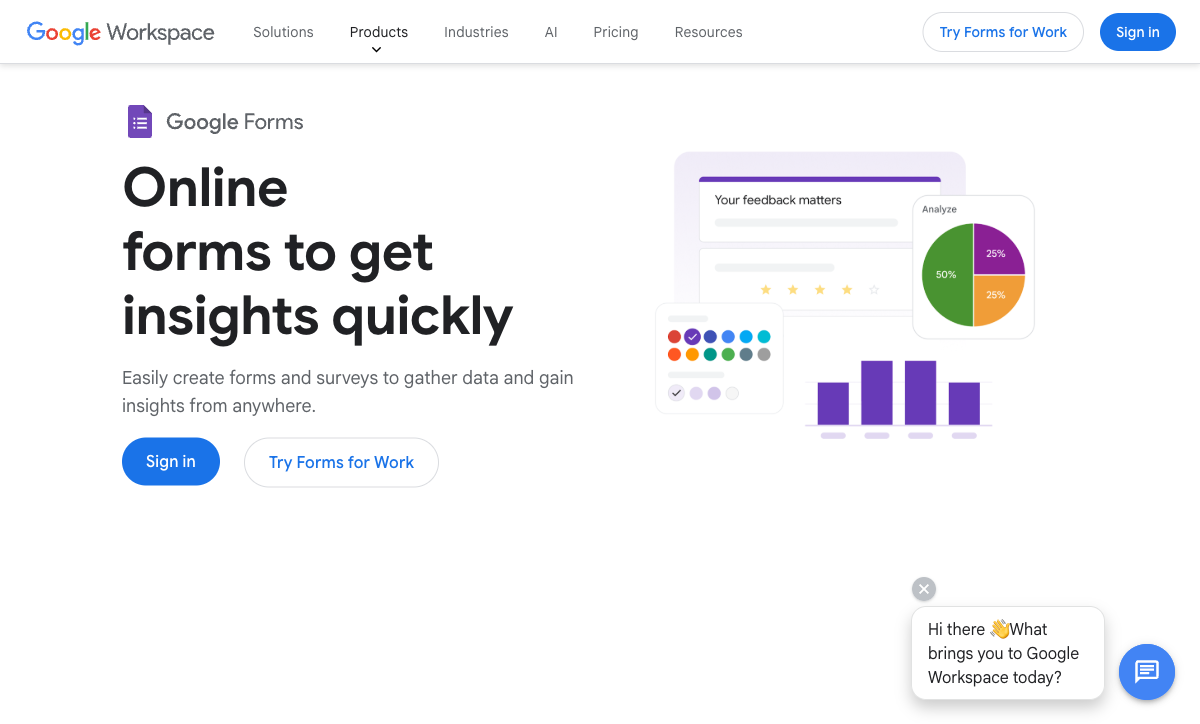
Google Forms takes unlimited responses for free with nothing more than a Google account. For staff availability, a stock count, an event RSVP or a supplier checklist, it is the correct answer and paying for anything else is waste. Workspace plans from $7 per user per month annually add admin controls and storage, though the builder itself is identical on the free tier, and compliance is the strongest on this page: HIPAA under a BAA, SOC 2, ISO 27001 and FedRAMP.
It ranks sixth because customer-facing work exposes the gaps quickly. No payments, no calculation fields, no branding past a header image and a colour, and roughly 20 native integrations. Each gap becomes another subscription, which is how a free tool ends up being the expensive one. Our Google Forms alternatives guide covers the usual next step.
- Pricing: Free with any Google account. Workspace from $8.40/user/month, $7 annually.
- Best for: Internal data collection that ends in a spreadsheet.
- Key limitation: No payments, no calculations, minimal branding.
 #7 Wufoo — Best Cheap Contact Form That Never Changes
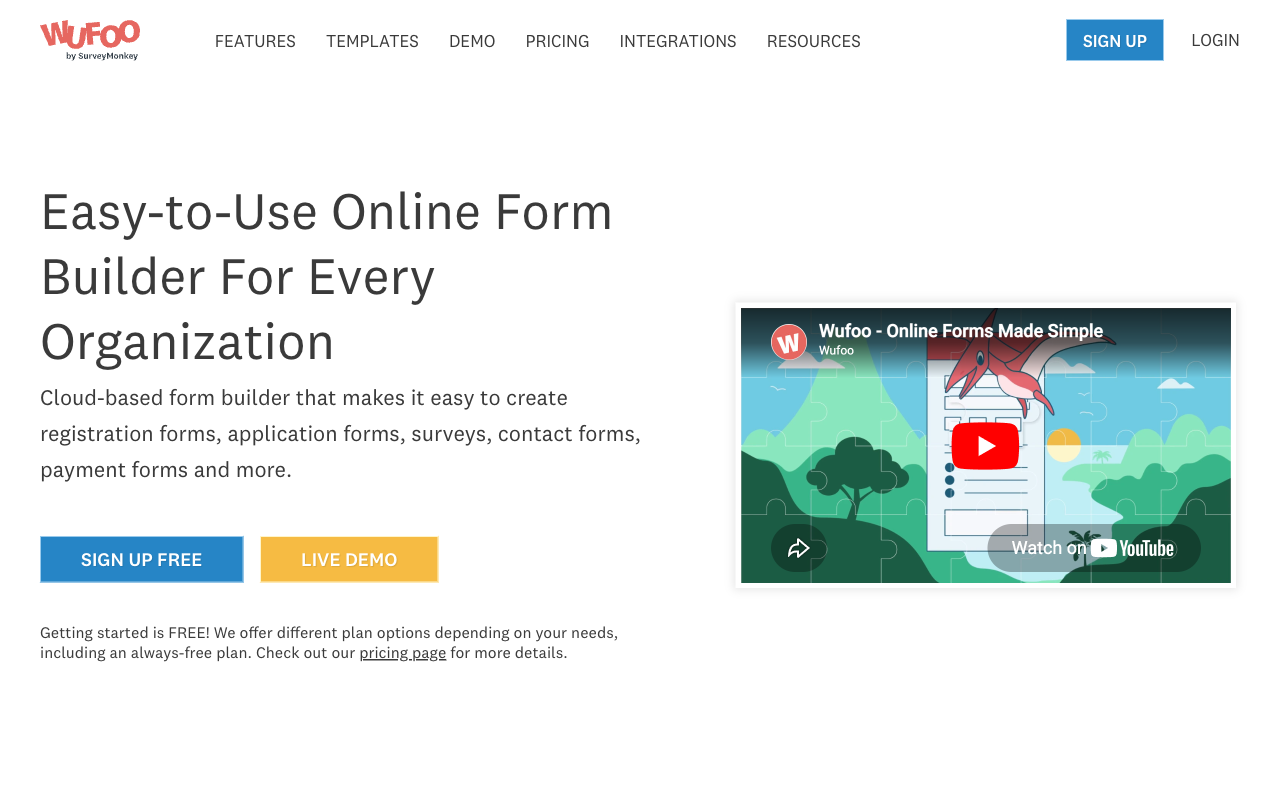
Wufoo Starter is $16.25/month billed annually and Professional at $33.25 supports eight payment processors, which is unusually broad for the money. It has been running since 2006 and a contact form built on it will still be collecting enquiries in three years without anyone touching it.
The reasons to look elsewhere are volume and growth. Entries are metered at every tier with $0.05 charged per entry over the cap, seats run 1, 1, 5, 20 and 60, there are no calculation fields at all, and forms are limited to 100 fields. SurveyMonkey acquired Wufoo in 2011 for $35M and development has been quiet since, so what you see is what you will get. It holds SOC 2 and PCI DSS but is not HIPAA compliant.
- Pricing: Free (5 forms, 100 entries/month). Starter $22/month, $16.25 annually. Professional $45/$33.25. Advanced $113/$83.25.
- Best for: Low-volume enquiry and registration forms on a small fixed budget.
- Key limitation: Per-entry overages, no calculations, and fifteen quiet years.
 #8 Typeform — Best Brand Impression at Low Volume

Typeform's one-question-at-a-time format still produces the best completion rates in the category for short, high-intent capture, and the company claims 3.5x more responses than a standard form. A design studio or consultancy whose enquiry form is part of the pitch gets real value from that, and the certification list (SOC 2, ISO 27001, PCI DSS, and ISO/IEC 42001 since June 2026) is longer than Paperform's.
For a small business the plan table is punishing. Basic at $28/month billed annually allows 100 responses a month and one user. Plus at $56 allows 1,000 and three. Business at $91 allows 10,000 and five. Growth Flow at $266 raises neither of those, because the premium buys enrichment rather than headroom. Payments are Stripe only and calculations require Plus. A hundred responses is a single decent week for a busy local business.
- Pricing: Free (10 responses/month). Basic $39/month, $28 annually. Plus $79/$56. Business $129/$91. Growth Flow $379/$266.
- Best for: Brand-led enquiry forms where volume is low and presentation is the product.
- Key limitation: Response and seat caps on every plan, including the $266 one.
 #9 Microsoft Forms — Best If You Already Pay for Microsoft 365
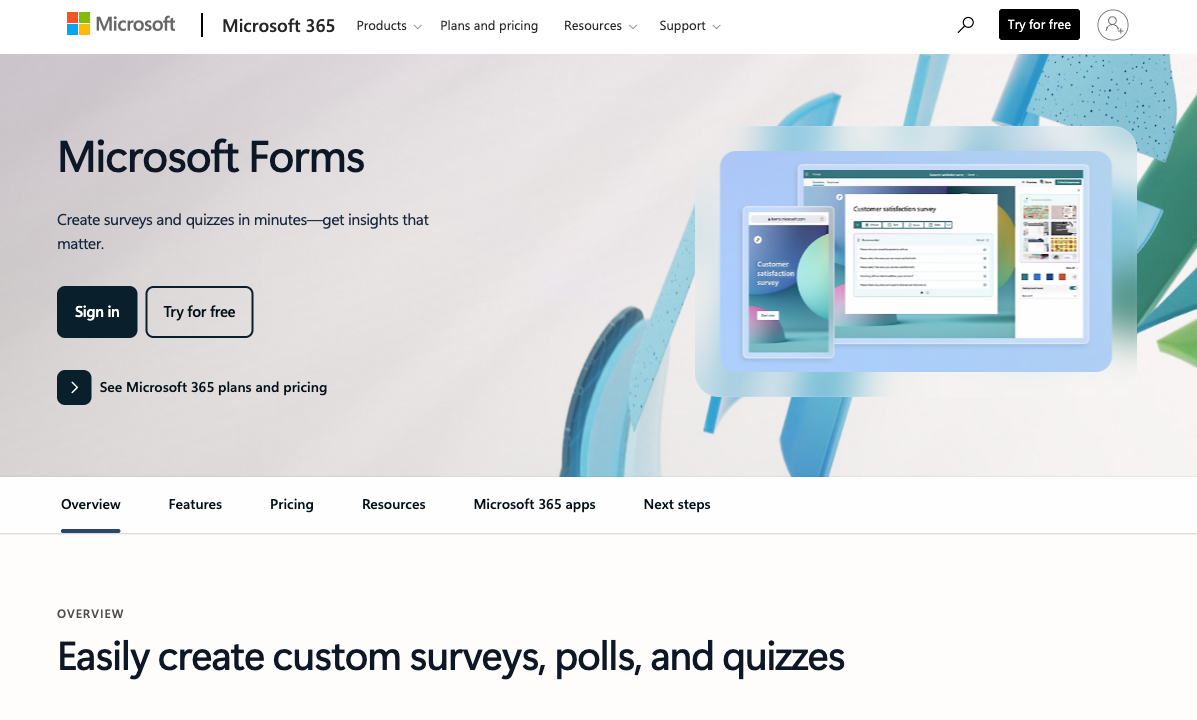
Microsoft Forms is included with every Microsoft 365 licence and accepts up to 5,000,000 responses per form on paid tenants, with Teams, SharePoint and Power Automate wiring already in place. A small business already paying from $7 per user per month gets staff surveys, training quizzes and equipment requests at no additional cost, under the same BAA, SOC 2 and ISO 27001 coverage as the rest of the tenant.
Customer-facing use is where it falls away. No payments, no calculation fields, almost no branding control, around 20 integrations and a 400-form account limit. Anything you send a customer looks like an internal Microsoft tool, because that is what it is.
- Pricing: Free with a personal Microsoft account (200 responses/form). Included in Microsoft 365 from $7/user/month annually.
- Best for: Staff surveys, quizzes and requests inside an existing Microsoft 365 tenant.
- Key limitation: No payments, no calculations, no realistic customer-facing branding.
 #10 Gravity Forms — Best Flat Fee for a WordPress Site
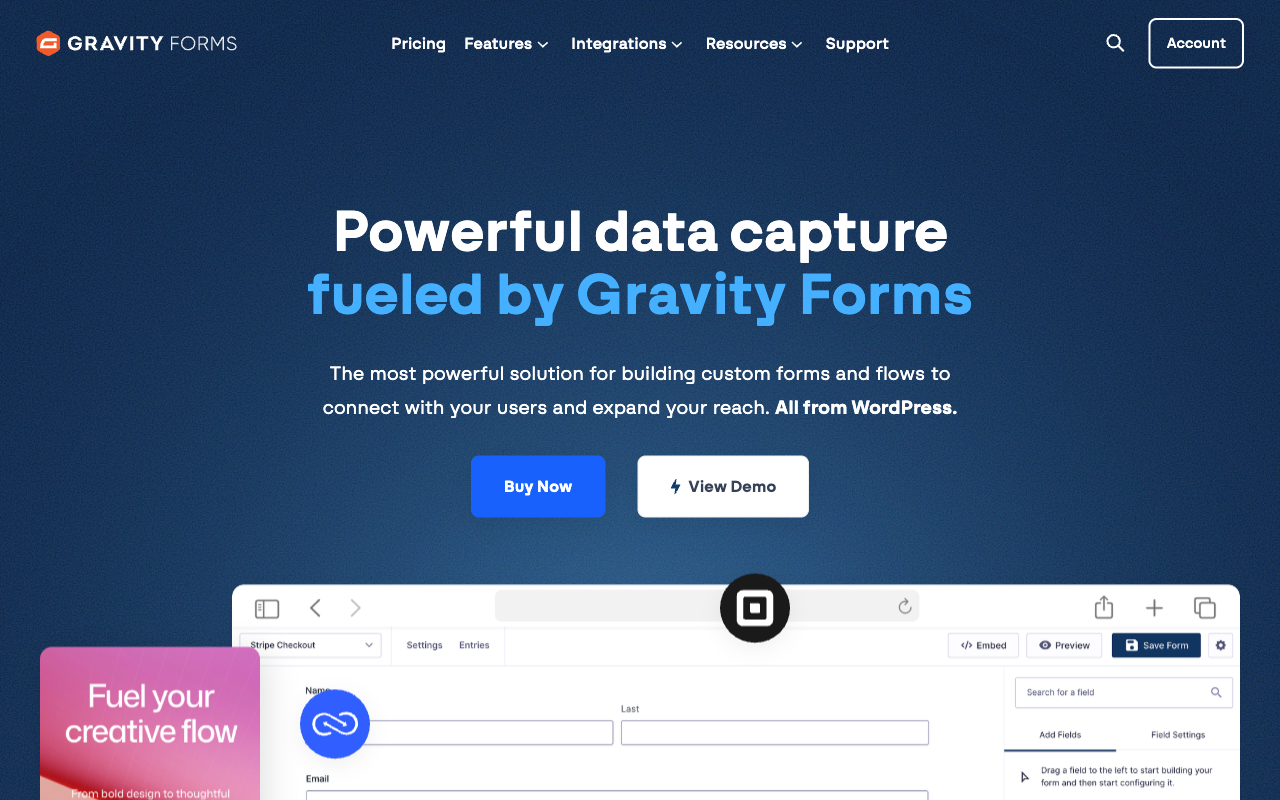
Gravity Forms charges a flat annual licence with unlimited forms, unlimited submissions and unlimited users: $59/year for one site, $159 for three, $259 for unlimited sites with every add-on, and $129/year for nonprofits. At $59 a year it is the cheapest unmetered option on this page by a wide margin, and submissions live in your own WordPress database.
The cost that does not appear on the price sheet is your time. Every capability after the submission is an add-on you install, host, update and connect, calculations are merge-tag arithmetic with no Excel-style functions or conditional maths natively, and there is no SOC 2 attestation or HIPAA compliance because the security posture is whatever your hosting happens to be. For a small business without a developer on call, that is a real liability the first time a plugin update breaks a checkout.
- Pricing: No free plan. Basic $59/year, Pro $159/year, Elite $259/year, Nonprofit $129/year.
- Best for: WordPress-based businesses with someone comfortable maintaining plugins.
- Key limitation: Basic calculations, self-managed hosting and patching, no SOC 2 or HIPAA.
 #11 SurveyMonkey — Best for Customer Research, Not Forms
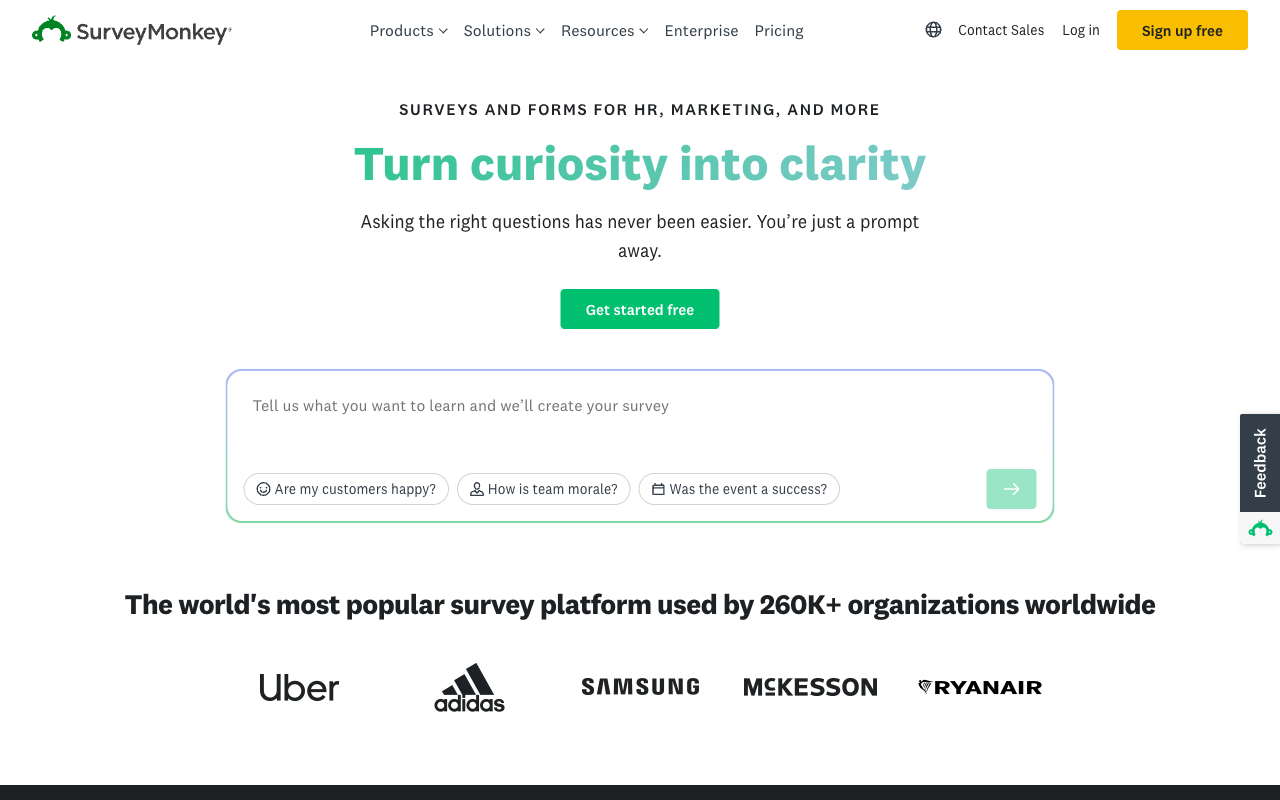
SurveyMonkey is the strongest research tool here: question methodology, crosstabs, benchmarks, NPS and CSAT templates and a 335M-person respondent panel. A small business running an annual customer satisfaction study or testing a new product line with a real sample gets something no form builder matches.
As day-to-day form software for a small business it is the wrong shape and the 2026 pricing changes made that worse. The month-to-month Standard plan was removed in September, so every paid plan is now an annual commitment. Individual Advantage is $32/month annual against a 15,000 response-per-year allowance with $0.15 charged per response beyond it, Team plans need three seats at $30 per user per month, and Enterprise now states a five-seat floor. There are no calculation fields and payment support is thin. Ownership sits with private equity firm STG.
- Pricing: Free Basic. Individual Advantage $32/month annual. Premier $99. Team Advantage $30/user/month, three-seat minimum.
- Best for: A yearly customer research project, run alongside a proper form builder.
- Key limitation: Annual-only paid plans, per-response overages, no calculations.
 #12 Formstack — Best Skipped Unless You Run Salesforce
Formstack has no free plan and starts at $99/month, or $83/month billed annually, the highest entry price in this ranking. The money buys 300-plus integrations, PCI-compliant payment fields, an accessibility VPAT, TX-RAMP Level 2 and Salesforce-native form products that a general-purpose builder cannot replicate.
Almost no independent small business needs that, and the metering makes it worse at this size: per builder user, per form, per submission on that form, and per document delivered, with the Forms plan allowing one user, 25 forms and 1,000 submissions per form. Document generation and eSignatures need the Suite plan at $250/month annually, and HIPAA is a paid add-on on top at an unpublished price. Parent company Intellistack has launched a separate CLM line, which raises a fair question about roadmap attention. If you run Salesforce and have the budget, it belongs on your list. Otherwise it does not.
- Pricing: No free plan. Forms $99/month, $83 annually. Suite $299/$250. Enterprise on quote.
- Best for: Salesforce-centric businesses with document generation requirements.
- Key limitation: Enterprise pricing, four meters, and HIPAA billed separately.
The Five Dimensions That Decide It for a Small Business
Pricing model
Nine of these twelve tools meter submissions, seats or both; Paperform and Tally meter neither on paid plans, and Gravity Forms charges a flat annual licence. Entry prices run from $0 to $83/month billed annually. For a small business the useful test is not the sticker price but the answer to one question: if this form does three times the volume next year and two more people need access, what happens to the invoice?
Integrations and API
Native integration counts across this ranking run from roughly 20 to 4,000-plus. Paperform lists 4,000+, Tally 1,000+ including automation connectors, Formstack 300+, SurveyMonkey 200+, Jotform 150+ and Typeform 120+. Cognito Forms, Fillout, Wufoo and Gravity Forms sit near 50. Google Forms and Microsoft Forms have about 20 each and lean on Zapier for the rest. Every paid tool here exposes webhooks and an API except the entry tiers of Typeform and Wufoo, which matters if your accounting or booking software needs feeding.
Conditional logic and calculations
All twelve can branch on an answer; only Paperform and Cognito Forms run a formula engine deep enough to price a job. Paperform's Excel-style calculations drive question and page visibility, conditional emails, integration payloads and success pages rather than just totalling an order. Formstack, Tally and Fillout handle pricing and scoring competently. Gravity Forms does merge-tag arithmetic and needs a third-party add-on for conditional maths. Google Forms, Microsoft Forms, SurveyMonkey and Wufoo have no calculation fields at all.
Payments
Jotform supports 40+ payment processors, Wufoo eight from Professional, Paperform five with subscriptions, coupons, tax and inventory in the form, Formstack five, Cognito Forms four including its own Cognito Pay, and Gravity Forms four through add-ons. Typeform, Tally and Fillout are Stripe only. Google Forms and Microsoft Forms take no payments at all, which is the single most common reason a small business leaves them.
Compliance
Seven of the twelve can be made HIPAA compliant: Jotform, Cognito Forms, Formstack, Typeform, SurveyMonkey, Google Forms and Microsoft Forms. Paperform, Tally, Fillout, Wufoo and Gravity Forms cannot. All twelve claim GDPR compliance. SOC 2 is held by everything here except Tally and Gravity Forms. Small businesses often assume none of this applies to them until a larger customer sends a vendor security questionnaire, at which point the two tools without SOC 2 become hard to defend.

Full Pricing Comparison
Every published tier across all twelve tools. Annual rates are shown where the vendor publishes them separately.
Paperform
Tally
| Product | Plan | Monthly Price | Annual Price (per month) | Free Plan | Free Trial | Limits |
|---|---|---|---|---|---|---|
| Paperform | Free | Free | Free | Yes | 7 days | forms: Unlimited, submissions: 30/month, storage: Unlimited, users: Unlimited, file uploads: 100 MB |
| Paperform | Pro | $59/mo | $49/mo billed annually | forms: Unlimited, submissions: Unlimited, storage: Unlimited, users: Unlimited, file uploads: 10 GB | ||
| Paperform | Business | $149/mo | $124/mo billed annually | forms: Unlimited, submissions: Unlimited, storage: Unlimited, users: Unlimited, file uploads: 100 GB | ||
| Tally | Free | Free | Free | Yes | No | forms: Unlimited, submissions: Unlimited, storage: N/A, users: 1, file uploads: 10 MB per file |
| Tally | Pro | $29/mo | $24/mo billed annually | forms: Unlimited, submissions: Unlimited, storage: N/A, users: Unlimited, file uploads: Unlimited | ||
| Tally | Business | $89/mo | $74/mo billed annually | forms: Unlimited, submissions: Unlimited, storage: N/A, users: Unlimited | ||
| Cognito Forms | Individual (Free) | Free | Free | Yes | 14 days | forms: Unlimited, submissions: 100 entries/month, storage: 100 MB, users: 1 |
| Cognito Forms | Pro | $24/mo | $19/mo billed annually | forms: Unlimited, submissions: 2,000 entries/month, storage: 1 GB, users: 2 | ||
| Cognito Forms | Team | $49/mo | $39/mo billed annually | forms: Unlimited, submissions: 10,000 entries/month, storage: 10 GB, users: 5 | ||
| Cognito Forms | Enterprise | $174/mo | $129/mo billed annually | forms: Unlimited, submissions: Unlimited, storage: 100 GB, users: 20 | ||
| Jotform | Starter | Free | Free | Yes | No | forms: 5, submissions: 100/month, storage: 100 MB, users: 1 |
| Jotform | Bronze | $39/mo | $34/mo billed annually | forms: 25, submissions: 1,000/month, storage: 1 GB, users: 1 | ||
| Jotform | Silver | $49/mo | $39/mo billed annually | forms: 50, submissions: 2,500/month, storage: 10 GB, users: 1 | ||
| Jotform | Gold | $129/mo | $99/mo billed annually | forms: 100, submissions: 10,000/month, storage: 100 GB, users: 1 | ||
| Fillout | Free | Free | Free | Yes | No | forms: Unlimited, submissions: 1,000/month, storage: N/A, users: Unlimited, file uploads: 20 MB per file |
| Fillout | Starter | $19/mo | $15/mo billed annually | forms: Unlimited, submissions: 2,000/month, storage: N/A, users: Unlimited, file uploads: 20 MB per file | ||
| Fillout | Pro | $49/mo | $40/mo billed annually | forms: Unlimited, submissions: 5,000/month, storage: N/A, users: Unlimited, file uploads: 20 MB per file | ||
| Fillout | Business | $89/mo | $75/mo billed annually | forms: Unlimited, submissions: Unlimited, storage: N/A, users: Unlimited, file uploads: 1 GB+ | ||
| Fillout | Team bundle | $300/mo | $250/mo billed annually | forms: Unlimited, submissions: Unlimited, storage: 1,000,000 records, users: Unlimited, file uploads: 1 GB+ | ||
| Google Forms | Free (Personal) | Free | Free | Yes | 14 days | forms: Unlimited, submissions: Unlimited, storage: 15 GB (shared across Google Drive), users: 1, file uploads: Included in 15 GB storage |
| Google Forms | Business Starter | $8.4/mo | $7/mo billed annually | forms: Unlimited, submissions: Unlimited, storage: 30 GB per user, users: Up to 300, file uploads: Included in storage | ||
| Google Forms | Business Standard | $16.8/mo | $14/mo billed annually | forms: Unlimited, submissions: Unlimited, storage: 2 TB per user, users: Up to 300, file uploads: Included in storage | ||
| Google Forms | Business Plus | $26.4/mo | $22/mo billed annually | forms: Unlimited, submissions: Unlimited, storage: 5 TB per user, users: Up to 300, file uploads: Included in storage | ||
| Wufoo | Free | Free | Free | Yes | No | forms: 5, submissions: 100/month, storage: N/A, users: 1 |
| Wufoo | Starter | $22/mo | $16.25/mo billed annually | forms: 10, submissions: 1,000/month, storage: 1 GB, users: 1 | ||
| Wufoo | Professional | $45/mo | $33.25/mo billed annually | forms: Unlimited, submissions: 5,000/month, storage: 5 GB, users: 5 | ||
| Wufoo | Advanced | $113/mo | $83.25/mo billed annually | forms: Unlimited, submissions: 25,000/month, storage: 10 GB, users: 20 | ||
| Wufoo | Ultimate | $286/mo | $210.25/mo billed annually | forms: Unlimited, submissions: 200,000/month, storage: 20 GB, users: 60 | ||
| Typeform | Free | Free | Free | Yes | No | forms: 10, submissions: 10/month, users: 1 |
| Typeform | Basic | $39/mo | $28/mo billed annually | forms: Unlimited, submissions: 100/month, users: 1 | ||
| Typeform | Plus | $79/mo | $56/mo billed annually | forms: Unlimited, submissions: 1,000/month, users: 3 | ||
| Typeform | Business | $129/mo | $91/mo billed annually | forms: Unlimited, submissions: 10,000/month, users: 5 | ||
| Typeform | Growth Flow | $379/mo | $266/mo billed annually | forms: Unlimited, submissions: 10,000/month, users: 5 | ||
| Typeform | Talent | $169/mo | $119/mo billed annually | forms: Unlimited, users: HR teams | ||
| Microsoft Forms | Free (Personal Microsoft Account) | Free | Free | Yes | 1 month | forms: 400, submissions: 200/form, storage: N/A, users: 1 |
| Microsoft Forms | Microsoft 365 Business Basic | $8.4/mo | $7/mo billed annually | forms: 400, submissions: 5,000,000/form, storage: 1 TB OneDrive per user, users: Per user (1-300 employees) | ||
| Microsoft Forms | Microsoft 365 Business Standard | $16.8/mo | $14/mo billed annually | forms: 400, submissions: 5,000,000/form, storage: 1 TB OneDrive per user, users: Per user (1-300 employees) | ||
| Microsoft Forms | Microsoft 365 Business Premium | $26.4/mo | $22/mo billed annually | forms: 400, submissions: 5,000,000/form, storage: 1 TB OneDrive per user, users: Per user (1-300 employees) | ||
| Microsoft Forms | Microsoft 365 Business Standard with Copilot | Not listed | $23.5/mo billed annually | forms: 400, submissions: 5,000,000/form, storage: 1 TB OneDrive per user, users: Per user (1-300 employees) | ||
| Microsoft Forms | Microsoft 365 Business Premium with Copilot | Not listed | $32/mo billed annually | forms: 400, submissions: 5,000,000/form, storage: 1 TB OneDrive per user, users: Per user (1-300 employees) | ||
| Microsoft Forms | Microsoft 365 Apps for business | Not listed | $10/mo billed annually | forms: 400, submissions: 5,000,000/form, storage: 1 TB OneDrive per user, users: Per user | ||
| Gravity Forms | Basic | Not listed | $59/mo billed annually | No | No | forms: Unlimited, submissions: Unlimited, storage: WordPress database (self-hosted), users: Unlimited (WordPress users) |
| Gravity Forms | Pro | Not listed | $159/mo billed annually | forms: Unlimited, submissions: Unlimited, storage: WordPress database (self-hosted), users: Unlimited (WordPress users) | ||
| Gravity Forms | Elite | Not listed | $259/mo billed annually | forms: Unlimited, submissions: Unlimited, storage: WordPress database (self-hosted), users: Unlimited (WordPress users) | ||
| Gravity Forms | Nonprofit | Not listed | $129/mo billed annually | forms: Unlimited, submissions: Unlimited, storage: WordPress database (self-hosted), users: Unlimited (WordPress users) | ||
| SurveyMonkey | Basic (Free) | Free | Free | Yes | No | forms: Unlimited, submissions: Limited per survey (exact number now only shown after sign-up/login), storage: N/A, users: 1 |
| SurveyMonkey | Individual Advantage | Free | $32/mo billed annually | forms: Unlimited, submissions: 15,000 per year, storage: N/A, users: 1 | ||
| SurveyMonkey | Individual Premier | Free | $99/mo billed annually | forms: Unlimited, submissions: 40,000 per year, storage: N/A, users: 1 | ||
| SurveyMonkey | Team Advantage | Free | $30/mo billed annually | forms: Unlimited, submissions: 50,000 per year (shared), storage: N/A, users: 3 minimum | ||
| SurveyMonkey | Team Premier | Free | $92/mo billed annually | forms: Unlimited, submissions: 100,000 per year (shared), storage: N/A, users: 3 minimum | ||
| Formstack | Forms | $99/mo | $83/mo billed annually | No | 14 days | forms: 25, submissions: 1,000/form, storage: 2 GB, users: 1, file uploads: 2 GB |
| Formstack | Suite | $299/mo | $250/mo billed annually | forms: 100, submissions: 5,000/form, storage: 10 GB, users: 3, file uploads: 10 GB |
Full Feature Comparison
Every tracked capability across the twelve tools, grouped by category.
| Feature | Paperform | Tally | Cognito Forms | Jotform | Fillout | Google Forms | Wufoo | Typeform | Microsoft Forms | Gravity Forms | SurveyMonkey | Formstack |
|---|---|---|---|---|---|---|---|---|---|---|---|---|
| Form Building | ||||||||||||
| Document-style editor | Yes | Yes | No | No | No | No | No | No | No | No | No | No |
| AI form creation | Yes | Yes | Yes | Yes starter | Yes | Yes paid | No | Yes | Yes copilot | Yes Basic | Yes | Yes forms |
| Field types | 26+ | 20+ | 20+ | 30+ (starter) | 50+ | 11 | Yes | 20+ | No | No | 15+ | 15 |
| File uploads | Yes | Yes | Yes | Yes starter | Yes | Yes | Yes starter | Yes basic | No | No | Yes | No |
| Multi-page forms | Yes | Yes | Yes | Yes starter | Yes | Yes | Yes starter | Yes basic | Yes | Yes Basic | Yes | Yes forms |
| Guided mode (one question at a time) | Yes | No | No | Yes starter | No | No | No | Yes | No | Yes Elite | Yes | Yes forms |
| Conditional logic | Yes | Yes | Yes | Yes starter | Yes | Yes | Yes starter | Yes basic | Yes | Yes Basic | Yes Individual Advantage | Yes forms |
| Calculations field | Yes pro | Yes | Yes | Yes starter | Yes | No | No | Yes plus | No | Yes Basic | No | Yes forms |
| AI calculations assistant | Yes pro | No | No | No | No | No | No | No | No | No | No | No |
| Scoring | Yes pro | Yes | Yes | Yes starter | Yes | Yes | No | Yes plus | Yes | Yes Elite | Yes | No |
| Answer piping | Yes | Yes | Yes | Yes starter | Yes | No | No | Yes basic | No | Yes Basic | Yes Individual Advantage | Yes forms |
| Pre-filling and hidden fields | Yes pro | Yes | Yes | Yes starter | Yes | Yes | Yes starter | Yes basic | No | Yes Basic | Yes Individual Advantage | Yes forms |
| Save and resume | Yes | No | Yes pro | Yes starter | Yes | No | No | No | No | Yes Basic | Yes Individual Advantage | Yes forms |
| Auto-close by number | Yes pro | Yes | Yes | Yes starter | Yes | Yes | Yes starter | Yes basic | Yes | No | Yes Individual Advantage | No |
| Auto-close by date | Yes pro | Yes | Yes | Yes starter | Yes | Yes | Yes starter | Yes basic | Yes | No | Yes Individual Advantage | No |
| Appointment/booking field | Yes | No | No | Yes starter | Yes starter | No | No | Yes basic | No | No | No | No |
| Signature field | Yes | Yes | Yes team | Yes starter | Yes starter | No | No | Yes basic | No | Yes Elite | No | Yes suite |
| Color picker field | Yes | No | No | No | No | No | No | No | No | No | No | No |
| API-powered dropdowns | Yes business | No | Yes | No | No | No | No | No | No | No | No | Yes forms |
| Google address search | Yes business | No | Yes | No | Yes conversion-kit | No | No | No | No | No | No | No |
| Formula editor | No | Yes | No | No | No | No | No | No | No | No | No | No |
| Import from other form builders | No | Yes | No | No | No | No | No | No | No | No | No | No |
| PDF generation | No | Yes | No | No | No | No | No | No | No | No | No | No |
| Drag-and-drop builder | No | No | No | Yes starter | No | No | No | No | No | Yes Basic | No | Yes forms |
| Form widgets | No | No | No | Yes starter | No | No | No | No | No | No | No | No |
| Template gallery | No | No | No | 20,000+ (starter) | No | No | No | No | No | No | No | No |
| AI agent in the form editor (Form Agent) | No | No | No | No | Yes | No | No | No | No | No | No | No |
| AI quiz generation | No | No | No | No | No | Yes paid | No | No | No | No | No | No |
| 400+ templates | No | No | No | No | No | No | Yes | No | No | No | No | No |
| Question display logic | No | No | No | No | No | No | No | Yes basic | No | No | No | No |
| AI follow-up questions | No | No | No | No | No | No | No | Yes business | No | No | No | No |
| AI extended thinking & memory | No | No | No | No | No | No | No | Yes growth | No | No | No | No |
| Typeform AI connectors | No | No | No | No | No | No | No | Yes growth | No | No | No | No |
| Workflow / automation builder | No | No | No | No | No | No | No | Yes growth | No | No | No | No |
| AI-moderated research (Research Flow) | No | No | No | No | No | No | No | Yes enterprise | No | No | No | No |
| Video questions | No | No | No | No | No | No | No | Yes basic | No | No | No | No |
| AI agent (Surveys Agent) | No | No | No | No | No | No | No | No | Yes copilot | No | No | No |
| 30+ field types | No | No | No | No | No | No | No | No | No | Yes Basic | No | No |
| AI chat survey editing | No | No | No | No | No | No | No | No | No | No | Yes | No |
| Payments | ||||||||||||
| Stripe payments | Yes | Yes | Yes | Yes starter | Yes | No | Yes professional | Yes basic | No | Yes Pro | Yes Individual Advantage | Yes forms |
| PayPal payments | Yes | No | Yes team | Yes starter | No | No | Yes professional | No | No | Yes Pro | Yes Individual Advantage | Yes forms |
| Square payments | Yes | No | Yes team | Yes starter | No | No | Yes professional | No | No | Yes Pro | No | No |
| Braintree payments | Yes | No | No | Yes starter | No | No | Yes professional | No | No | No | No | No |
| Google Pay | Yes | No | Yes | Yes starter | No | No | No | No | No | Yes Pro | No | No |
| Product sales (eCommerce) | Yes pro | Yes | Yes | Yes starter | Yes | No | No | No | No | Yes Basic | No | No |
| Subscriptions | Yes pro | Yes | No | Yes starter | Yes | No | No | Yes basic | No | Yes Pro | No | No |
| Coupons and discounts | Yes pro | No | Yes | Yes starter | Yes | No | No | No | No | Yes Elite | No | Yes forms |
| Custom pricing rules | Yes pro | Yes | Yes | Yes starter | Yes | No | No | No | No | No | No | Yes forms |
| Tax calculations | Yes | No | Yes | Yes starter | No | No | No | No | No | No | No | No |
| Quotes/invoices | Yes | No | Yes team | No | No | No | No | No | No | No | No | No |
| Refunds | Yes | No | No | No | No | No | No | No | No | Yes Pro | No | No |
| 3D Secure | Yes | No | No | No | No | No | No | Yes basic | No | Yes Pro | No | No |
| Cognito Pay (native card processing) | No | No | Yes | No | No | No | No | No | No | No | No | No |
| 40+ payment gateways | No | No | No | Yes starter | No | No | No | No | No | No | No | No |
| No transaction fees | No | No | No | Yes starter | No | No | No | No | No | No | No | No |
| Authorize.net payments | No | No | No | No | No | No | Yes professional | No | No | No | No | No |
| Design & Customization | ||||||||||||
| Template gallery | 30,000+ | Yes | Yes | 20,000+ (starter) | Yes | 20+ | Yes | 1,500+ | Yes | Yes Basic | 400+ | Yes forms |
| Rich media (images, GIFs, videos) | Yes | Yes | Yes | Yes starter | Yes | Yes | No | Yes | Yes | Yes Basic | Yes | Yes forms |
| Unsplash and Giphy integration | Yes | No | No | No | No | No | No | Yes | No | No | No | No |
| Image editor | Yes | No | No | No | No | No | No | No | No | No | No | No |
| Adobe Creative Cloud | Yes | No | No | No | No | No | No | No | No | No | No | No |
| Language translation | Yes | Yes | Yes pro | Yes starter | No | No | No | Yes basic | Yes | Yes Basic | Yes Individual Premier | No |
| Advanced theming | Yes pro | Yes pro | Yes pro | Yes starter | Yes starter | No | Yes starter | Yes plus | No | Yes Basic | Yes Individual Advantage | Yes forms |
| Custom form URL | Yes pro | Yes | No | No | Yes pro | No | Yes starter | Yes plus | No | No | Yes Individual Advantage | Yes forms |
| Custom domains | Yes pro | Yes pro | No | Yes enterprise | Yes business | No | No | Yes enterprise | No | No | No | Yes forms |
| Custom HTML & CSS | Yes pro | Yes pro | Yes pro | Yes starter | Yes pro | No | Yes starter | Yes business | No | Yes Basic | No | Yes forms |
| Remove branding | Yes pro | Yes pro | Yes pro | Yes bronze | Yes pro | No | Yes starter | Yes plus | No | Yes Basic | Yes Individual Advantage | Yes forms |
| Custom email domains | Yes business | Yes pro | No | No | Yes pro | Yes Business Starter | No | No | No | Yes Elite | No | No |
| Form themes | No | No | No | Yes starter | No | No | No | No | No | No | No | No |
| Theme designer | No | No | No | No | No | No | Yes | No | No | No | No | No |
| Analytics | ||||||||||||
| Submission results and reports | Yes | Yes | Yes | Yes starter | Yes | Yes | Yes | Yes | Yes | Yes Basic | Yes | Yes forms |
| AI report insights | Yes pro | No | No | No | No | Yes Business Standard | No | Yes business | Yes | No | Yes Individual Advantage | No |
| Paperform analytics | Yes pro | Yes pro | No | No | Yes business | No | No | No | No | No | No | Yes forms |
| Drop-off analysis | Yes pro | No | No | No | No | No | No | Yes business | No | No | No | No |
| Google Analytics & Facebook Pixel | Yes pro | Yes pro | Yes pro | No | Yes | No | No | Yes basic | No | Yes Elite | No | Yes forms |
| Custom analytics scripts | Yes pro | No | No | No | Yes business | No | No | Yes basic | No | Yes Basic | No | No |
| Partial submissions | Yes pro | Yes pro | No | No | Yes business | No | No | Yes plus | No | Yes Elite | Yes Individual Advantage | Yes forms |
| Answer Insights | No | Yes | No | No | No | No | No | No | No | No | No | No |
| Form analytics | No | No | No | Yes starter | No | No | No | No | No | No | No | No |
| Google Analytics integration | No | No | No | Yes starter | No | No | Yes professional | No | No | No | No | No |
| Cross-form Insights dashboard | No | No | No | No | No | No | No | Yes business | No | No | No | No |
| Benchmarks | No | No | No | No | No | No | No | No | No | No | No | No |
| Collaboration | ||||||||||||
| Multi-user accounts | Yes pro | Yes pro | Yes pro | Yes bronze | Yes | Yes | Yes professional | Yes plus | Yes | Yes Basic | Yes Team Advantage | Yes forms |
| User permissions and management | Yes pro | Yes pro | Yes team | Yes enterprise | Yes | Yes | Yes professional | Yes plus | Yes | Yes Basic | Yes Team Advantage | Yes forms |
| Advanced permissions & admin | Yes enterprise | No | Yes enterprise | Yes enterprise | Yes team | Yes Business Starter | No | Yes enterprise | Yes enterprise | No | Yes enterprise | Yes enterprise |
| Form sharing (templates) | Yes | Yes | Yes | No | Yes | Yes | No | Yes | Yes | Yes Basic | Yes Team Advantage | Yes forms |
| Spaces and tag management | Yes | Yes pro | No | No | Yes | No | No | No | No | No | No | Yes forms |
| Form sharing | No | No | No | Yes starter | No | No | Yes | No | No | No | No | No |
| Assign forms | No | No | No | Yes enterprise | No | No | No | No | No | No | No | No |
| Workspace organization | No | No | No | No | No | No | No | Yes | No | No | No | No |
| Review Sessions | No | No | No | No | No | No | No | No | No | No | Yes Team Advantage | No |
| Persistent Magic Link | No | No | No | No | No | No | No | No | No | No | Yes Team Advantage | No |
| Security | ||||||||||||
| SOC 2 Type II | Yes | No | No | Yes enterprise | Yes | Yes | Yes | Yes | Yes | No | Yes | No |
| GDPR compliant | Yes | Yes | Yes | Yes starter | Yes | Yes | Yes | Yes | Yes | Yes Basic | Yes | Yes forms |
| SSL encryption | Yes | Yes | Yes | Yes starter | Yes | Yes | Yes | Yes | Yes | Yes Basic | Yes | Yes forms |
| Two-factor authentication | Yes | No | Yes | Yes starter | Yes | Yes | No | Yes | Yes | No | Yes | Yes forms |
| Enforce 2FA for all users | Yes business | No | No | No | Yes team | Yes Business Starter | No | No | Yes enterprise | No | Yes enterprise | Yes enterprise |
| SSO (SAML) | Yes business | No | Yes enterprise | Yes enterprise | Yes enterprise | Yes Business Plus | No | Yes enterprise | Yes | No | Yes enterprise | Yes enterprise |
| reCAPTCHA | Yes | Yes | Yes | Yes starter | Yes starter | No | Yes | Yes business | No | Yes Basic | Yes | Yes forms |
| Local data residency | Yes enterprise | Yes | No | No | Yes enterprise | Yes Business Plus | No | No | Yes enterprise | Yes Basic | Yes enterprise | No |
| Custom S3 storage (BYO) | Yes business | No | No | No | Yes | No | No | No | No | No | No | No |
| HIPAA compliant | No | No | No | Yes gold | No | No | No | Yes enterprise | No | No | No | No |
| 256-bit SSL | No | No | No | Yes starter | No | No | No | No | No | No | No | No |
| Data residency | No | No | No | Yes enterprise | No | No | No | No | No | No | No | No |
| Form encryption | No | No | No | Yes starter | No | No | No | No | No | No | No | No |
| PCI DSS | No | No | No | Yes starter | No | No | Yes | Yes | No | No | No | No |
| HIPAA compliance / BAA | No | No | No | No | No | No | No | No | No | No | No | No |
| ISO 27001 | No | No | No | No | No | No | No | Yes | No | No | No | No |
| Audit logs | No | No | No | No | Yes enterprise | No | No | No | No | No | No | No |
| Field encryption | No | No | No | No | No | No | Yes professional | No | No | No | No | No |
| Password protection | No | No | No | No | No | No | Yes professional | No | No | No | No | No |
| Integrations & API | ||||||||||||
| Native integrations | 4,000+ | 17+ | No | 150+ (starter) | 50+ | No | Yes starter | 120+ (basic) | No | No | 200+ | No |
| Zapier | Yes | Yes | Yes | Yes starter | Yes | Yes | Yes starter | Yes basic | No | Yes Pro | Yes | Yes forms |
| Make (Integromat) | Yes | Yes | Yes | Yes starter | Yes | Yes | No | Yes basic | No | No | Yes | No |
| Webhooks | Yes pro | Yes | Yes | Yes starter | Yes | No | Yes starter | Yes basic | No | Yes Elite | Yes Individual Advantage | Yes forms |
| Standard API | Yes pro | Yes | Yes | No | Yes | Yes | No | No | No | Yes Basic | Yes Individual Advantage | Yes forms |
| Business API | Yes business | No | No | No | No | No | No | No | No | No | Yes enterprise | Yes enterprise |
| WordPress plugin | Yes | Yes | Yes | Yes starter | Yes | No | Yes | Yes | No | Yes Basic | No | Yes forms |
| oEmbed support | Yes | Yes | Yes | No | Yes | No | No | No | Yes | No | No | No |
| AI assistant connectors (MCP / ChatGPT / Claude) | No | Yes | No | No | No | No | No | No | No | No | No | No |
| Integration failure alerts | No | Yes | No | No | No | No | No | No | No | No | No | No |
| MCP connector (AI app access) | No | No | Yes pro | No | No | No | No | No | No | No | No | No |
| API | No | No | No | Yes starter | No | No | Yes | Yes basic | No | No | No | No |
| Smartsheet integration | No | No | No | Yes starter | No | No | No | No | No | No | No | No |
| Canvas LMS integration | No | No | No | Yes enterprise | No | No | No | No | No | No | No | No |
| Salesforce AppExchange | No | No | No | Yes starter | No | No | No | No | No | No | No | No |
| Embed options | No | No | No | Yes starter | No | No | Yes | Yes | No | No | No | No |
| Mobile apps | No | No | No | Yes starter | No | No | No | No | No | No | No | No |
| Claude / MCP server | No | No | No | No | No | No | No | Yes basic | No | No | No | No |
| AI data enrichment | No | No | No | No | No | No | No | Yes growth | No | No | No | No |
| Automations integrations (Contacts & Automations) | No | No | No | No | No | No | No | Yes growth | No | No | No | No |
| 4000+ integrations | No | No | No | No | No | No | No | No | No | No | No | No |
| 50+ official add-ons | No | No | No | No | No | No | No | No | No | Yes Basic | No | No |
| MCP server (AI assistant access) | No | No | No | No | No | No | No | No | No | Yes Basic | No | No |
| Stepper workflow automation | No | No | No | No | No | No | No | No | No | No | No | No |
| Claude (Anthropic) integration | No | No | No | No | No | No | No | No | No | No | Yes Individual Advantage | No |
| ChatGPT integration | No | No | No | No | No | No | No | No | No | No | Yes | No |
| Gemini integration | No | No | No | No | No | No | No | No | No | No | No | No |
| HRIS integrations (Workday, BambooHR) | No | No | No | No | No | No | No | No | No | No | Yes | No |
Review Ratings Across Platforms
Aggregated ratings from G2, Capterra, GetApp, Trustpilot and TrustRadius, weighted by review count so small samples do not distort the picture.
How We Ranked These for Small Businesses
Five weighted criteria, applied identically to all twelve tools, with the weights tuned for a business of one to fifty people and no dedicated software administrator:
- Total cost at year two (30%): Entry price, then the cost of the same tool at triple the volume with two extra people. Submission meters, seat meters, per-entry overages, seat minimums and annual-only commitments all scored down. Flat and unmetered pricing scored up.
- Work finished without a second tool (25%): Whether payments, calculations, signatures and routing ship in the subscription or get handed to Zapier and another vendor. Small businesses pay for that handoff twice, in money and in someone's evening.
- Time to a working form (20%): How quickly a non-technical owner gets from a blank page to something they would send a customer, including template quality and how presentable the default output is.
- Payments and commerce (15%): Processor count, plus whether deposits, subscriptions, coupons, tax and inventory are handled in the form or need an external checkout page.
- Compliance and vendor stability (10%): HIPAA, SOC 2, GDPR and SSO availability from published trust documentation, plus company age, funding model and ownership changes.
Every tool was tested against four jobs a small business actually runs: an enquiry form that has to look like part of the website, a booking form that prices variable work and takes a deposit, a client intake form that ends in a signed agreement, and an internal request form nobody outside the business ever sees. Pricing was read live from each vendor's pricing page on 22 September 2026.
If your business is closer to a particular shape, we have narrower lists for startups, agencies and nonprofits. To compare two of these directly, Paperform vs Tally covers the budget-versus-platform decision in detail.
Frequently Asked Questions
What should a small business actually budget for a form builder in 2026?
Between $0 and roughly $600 a year for most independent businesses. Google Forms is free and takes unlimited responses. Tally Pro is $24/month billed annually. Fillout Starter is $15/month annually and Cognito Forms Pro $19/month annually, though both cap volume. Paperform Pro is $49/month billed annually with no submission or seat cap.
The number that catches people out is the second year, not the first. Work out what you will pay once the form is working: three times the submissions, two more people with edit access, and a signature or an approval step bolted on. On Jotform, Wufoo, Typeform, SurveyMonkey and Cognito Forms each of those three things moves the bill independently. On Paperform and Tally the first two do not.
Which form builder is cheapest for a small business that takes deposits and payments?
Cognito Forms at $19/month billed annually is the cheapest paid plan here that includes payments, using Stripe, with Square and PayPal appearing on the Team plan at $39. Wufoo reaches eight processors but only from Professional at $33.25/month annually. Fillout and Tally are both Stripe-only, at $15 and $24/month annually.
If the payment has to do anything clever, the cheapest plan stops being the cheapest route. Paperform's five gateways (Stripe, PayPal, Square, Braintree, Google Pay) come with subscriptions, coupons, tax rules and inventory handled in the form itself, and Paperform charges no platform fee on top of the processor's. A tradesperson quoting variable jobs or a studio taking a deposit against a sliding scale usually needs that rather than a fixed price field.
Is a single-user plan a false economy for a two or three person business?
Usually yes. Jotform's Bronze, Silver and Gold plans are single-user, so a second person who needs to edit a form means an Enterprise conversation rather than a button. Typeform Basic at $28/month annually is one user; Plus at $56 is three. Cognito Forms Pro includes two users and charges $5/month for each one after, with outside collaborators sold in guest packs from $25 to $250/month. Wufoo Starter is one user.
Paperform includes unlimited team members on every plan, and one seat covers forms, eSignatures and workflow automation together, so the bookkeeper who only opens Papersign does not cost extra. Tally includes unlimited team members on Pro at $24/month annually. For a small team those two are the only plans on this page where headcount is not a pricing lever.
Can a small medical, dental or therapy practice use these tools?
Only some of them. HIPAA compliance is available on Jotform from the Gold plan at $99/month annually, Cognito Forms Enterprise at $129/month annually, Formstack as a paid add-on, Typeform and SurveyMonkey at Enterprise, and Google Forms or Microsoft Forms under a Workspace or Microsoft 365 BAA.
Paperform is not HIPAA compliant and does not sign BAAs, so a practice collecting protected health information should not use it, and we would point that practice at Cognito Forms first on price. Paperform holds SOC 2 Type II, GDPR and CCPA, which covers the security questionnaires most non-clinical small businesses face. Our healthcare form builders guide goes through the BAA detail properly.
Should a small business run one form tool or several?
One, in almost every case, and the reason is administrative rather than technical. Three subscriptions means three renewal dates, three security reviews, three exports when something breaks, and a person in the business whose unofficial job is keeping the connections alive. In a company of six that person is also doing something else.
The common small-business stack is a form builder, an eSignature tool and Zapier, which is three bills for one process. Paperform covers all three in the subscription: Paperform for the form, Papersign for the signed contract, Stepper for the routing that follows. The trade is the $49/month floor. Below the point where the signature and the automation actually matter, Tally or Cognito Forms is the better-value answer and we would say so.
How much does an unexpectedly good month cost on each of these?
On Wufoo, $0.05 per entry past the cap. On SurveyMonkey, $0.15 per response past an annual allowance of 15,000. On Jotform Bronze the forms stop accepting responses at 1,000 for the month. On Typeform Basic the ceiling is 100 responses. On Fillout Starter it is 2,000, and clearing 5,000 means Business at $75/month annually.
On Paperform, Tally, Google Forms and Gravity Forms, nothing. That is the single clearest dividing line on this page, and for a seasonal business running a Christmas campaign or a summer booking rush it matters more than any feature.
Do I still need a form builder if my site is on Squarespace, Wix or Shopify?
Yes, once the form has to do something. Site-builder forms handle contact and newsletter capture well and cost nothing extra. They do not price a job from the answers, take a deposit against that price, generate a contract and route it for approval. Every tool here produces an embed code that drops into those platforms in a couple of minutes, so the site builder stays where it is.
If you are on WordPress the calculus changes, because Gravity Forms at $59 to $259 a year keeps submissions in your own database with no per-entry charge. See form builders for WordPress, Shopify and Squarespace for platform-specific shortlists.
Sources & References
- Best Online Form Builder to Use in 2026 — Top 20 Tools — EmailToolTester, 2026
- The 13 Best Online Form Builder Apps — Zapier, 2026
- Tally Review 2026: Honest Verdict + 15 Real User Reviews — Hackceleration, 2026
- Cognito Forms Review: Is It as Good as It Seems? — Website Planet, 2025
- Jotform Review 2026: Pricing, Features, Pros & Cons, Ratings & More — Research.com, 2026
Updates
We re-audit the form builders we compare on a regular cadence and log every change here — a public record of what changed and when.
- Updated September 22, 2026 — Full rebuild against a live pricing re-audit of all twelve tools. Paperform's plan lineup updated: Pro is $59/month ($49 billed annually) with unlimited submissions and seats, and Business is $149/month ($124 billed annually). Tally and Fillout added to the ranking, Formstack moved to last on small-business fit, and the methodology reweighted around year-two cost and how much work each tool finishes without a second subscription.
Last updated September 22, 2026
Ready to try Paperform?
Create beautiful forms, payment pages, and workflows — no code required.