Cognito Forms vs Tally: Which Should You Use in 2026?
Cognito Forms wins on calculation depth and compliance: SOC 2 Type 2, plus HIPAA with a BAA on its $174/month Enterprise tier. Tally wins on price and polish, with unlimited free submissions and $29/month Pro including unlimited seats. Choose Cognito Forms for regulated, logic-heavy data. Choose Tally for fast, good-looking forms.
These two products disagree about what a form builder is for. Cognito Forms, shipping since 2013 out of Columbia, South Carolina, treats the form as a data-entry surface bolted to a calculation engine, with entries, users, storage and guests each counted and each billed. Tally, built in Ghent by a team of ten since 2020, treats the form as a page you write, hands you almost all of it for nothing, and expects the interesting work to happen somewhere else. Neither is wrong. They are answering different questions.
Quick verdict
Pick Cognito Forms if:
- Your form computes something non-trivial: line items, tiered pricing, eligibility scoring
- You need repeating sections or lookups against another form's data
- Health data is involved and you need HIPAA with a signed BAA
- Procurement will ask for SOC 2 and SAML SSO
- You want PayPal or Square alongside Stripe
Pick Tally if:
- The job ends when someone presses submit
- Volume is unpredictable and you refuse to watch an entry counter
- The whole team should be able to open the editor without a per-seat charge
- You want the form on your own domain and looking like your brand
- Notion, Airtable or Google Sheets is where the answers need to land
The Five Numbers That Decide It
Everything below expands on these. If you only read one section, read this one.
| Dimension | Cognito Forms | Tally |
|---|---|---|
| Pricing | Free (100 entries/mo, 1 user), Pro $24/mo ($19 annual, 2,000 entries, 2 users), Team $49/mo ($39, 10,000 entries, 5 users), Enterprise $174/mo ($129, unlimited entries, 20 users) | Free (unlimited forms and submissions under a fair use policy, 1 user), Pro $29/mo ($24 annual, unlimited users), Business $89/mo ($74) |
| Integrations / API | 50+ native connectors, public REST API, OData feeds; most connections routed via Zapier, Make or Power Automate | 1,000+ connections, REST API, SHA256-signed webhooks, MCP server, native Notion, Airtable, Google Sheets and Coda on the free plan |
| Conditional logic | Field-level visibility, formula fields, date arithmetic, repeating sections, data lookups; syntax reads like scripting | Conditional logic and a hand-written formula editor, free on every plan; no visual map for large branching forms |
| Payments | 4 options: Stripe, Square, PayPal and Cognito Pay (2.9% + 30c). Square and PayPal require Team. No recurring billing | 1 option: Stripe, including Stripe subscriptions, available from the free plan |
| Compliance | GDPR, CCPA, ongoing SOC 2 Type 2 audits, HIPAA with a BAA on Enterprise, PCI payments, Section 508 accessibility, SAML SSO on Enterprise | GDPR and EU hosting only. No SOC 2, no HIPAA, no SSO, no 2FA on any tier including Business |
Feature Comparison
The full category-by-category view, generated from our audited data for both products.
| Feature | Cognito Forms | Tally |
|---|---|---|
| Form Building | ||
| Document-style editor | No | Yes |
| AI form creation | Yes | Yes |
| Field types | 20+ | 20+ |
| Multi-page forms | Yes | Yes |
| Guided mode (one question at a time) | No | No |
| Conditional logic | Yes | Yes |
| Calculations field | Yes | Yes |
| AI calculations assistant | No | No |
| Scoring | Yes | Yes |
| Answer piping | Yes | Yes |
| Pre-filling and hidden fields | Yes | Yes |
| Save and resume | Yes pro | No |
| Auto-close by number | Yes | Yes |
| Auto-close by date | Yes | Yes |
| Appointment/booking field | No | No |
| Signature field | Yes team | Yes |
| Color picker field | No | No |
| API-powered dropdowns | Yes | No |
| Google address search | Yes | No |
| File uploads | Yes | Yes |
| Formula editor | No | Yes |
| Import from other form builders | No | Yes |
| PDF generation | No | Yes |
| Payments | ||
| Cognito Pay (native card processing) | Yes | No |
| Stripe payments | Yes | Yes |
| PayPal payments | Yes team | No |
| Square payments | Yes team | No |
| Braintree payments | No | No |
| Google Pay | Yes | No |
| Product sales (eCommerce) | Yes | Yes |
| Subscriptions | No | Yes |
| Coupons and discounts | Yes | No |
| Custom pricing rules | Yes | Yes |
| Tax calculations | Yes | No |
| Quotes/invoices | Yes team | No |
| Refunds | No | No |
| 3D Secure | No | No |
| Design & Customization | ||
| Template gallery | Yes | Yes |
| Rich media (images, GIFs, videos) | Yes | Yes |
| Unsplash and Giphy integration | No | No |
| Image editor | No | No |
| Adobe Creative Cloud | No | No |
| Language translation | Yes pro | Yes |
| Advanced theming | Yes pro | Yes pro |
| Custom form URL | No | Yes |
| Custom domains | No | Yes pro |
| Custom HTML & CSS | Yes pro | Yes pro |
| Remove branding | Yes pro | Yes pro |
| Custom email domains | No | Yes pro |
| Analytics | ||
| Submission results and reports | Yes | Yes |
| AI report insights | No | No |
| Paperform analytics | No | Yes pro |
| Google Analytics & Facebook Pixel | Yes pro | Yes pro |
| Custom analytics scripts | No | No |
| Partial submissions | No | Yes pro |
| Answer Insights | No | Yes |
| Collaboration | ||
| Multi-user accounts | Yes pro | Yes pro |
| User permissions and management | Yes team | Yes pro |
| Advanced permissions & admin | Yes enterprise | No |
| Form sharing (templates) | Yes | Yes |
| Spaces and tag management | No | Yes pro |
| Security | ||
| SOC 2 Type II | No | No |
| GDPR compliant | Yes | Yes |
| SSL encryption | Yes | Yes |
| Two-factor authentication | Yes | No |
| Enforce 2FA for all users | No | No |
| SSO (SAML) | Yes enterprise | No |
| reCAPTCHA | Yes | Yes |
| Local data residency | No | Yes |
| Custom S3 storage (BYO) | No | No |
| Integrations & API | ||
| Native integrations | No | 17+ |
| Zapier | Yes | Yes |
| Make (Integromat) | Yes | Yes |
| Webhooks | Yes | Yes |
| Standard API | Yes | Yes |
| Business API | No | No |
| MCP connector (AI app access) | Yes pro | No |
| WordPress plugin | Yes | Yes |
| oEmbed support | Yes | Yes |
| AI assistant connectors (MCP / ChatGPT / Claude) | No | Yes |
| Integration failure alerts | No | Yes |
Where Cognito Forms Wins
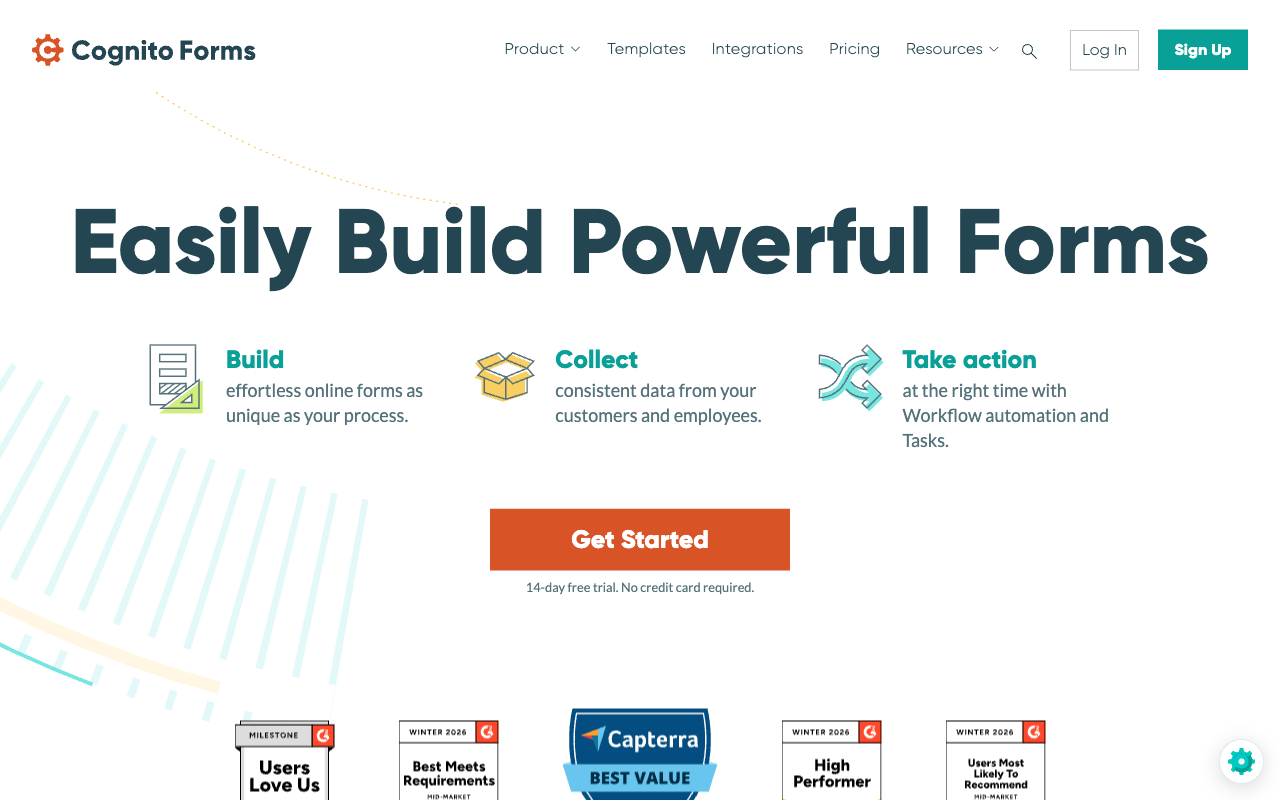
Calculations with thirteen years behind them
Cognito Forms has shipped formula-driven fields since 2013, and reviewers consistently name calculations as the reason people pick it. Website Planet's review singles out the calculation and conditional logic engine as the product's defining strength. What sets it apart from Tally's 2026 formula editor is the surrounding structure: repeating sections let a respondent add an unknown number of line items and compute across all of them, and data lookups pull values from a second form so a submission can reference an existing record. That combination is genuinely rare, and it is why order forms, tuition calculators and quote builders end up here.
Compliance a procurement team will accept
Cognito Forms carries GDPR, CCPA and ongoing SOC 2 Type 2 audits, with HIPAA compliance and a signed BAA available on the Enterprise tier at $174/month ($129 billed annually). SAML SSO and folder-level permissions arrive at the same tier. For a clinic, a school district or a county office, that list is the whole conversation, and Tally cannot participate in it. Cognito Forms also holds ADA and Section 508 accessibility, which matters when the buyer is a public body.
More than one way to take money
Cognito Forms supports four payment paths against Tally's one. Stripe works from the free plan, Cognito Pay (its own Stripe-powered processor at 2.9% + 30c, with Apple Pay and Google Pay) is available on every tier for eligible US customers, and Square and PayPal unlock on Team at $49/month ($39 annually). If your customers expect a PayPal button, this comparison is already over.
Work that continues after the submission
Team at $49/month adds document generation, workflow tasks and a client portal where customers can log in, review past submissions and track progress. None of those exist in Tally in any form. The portal in particular has few equivalents anywhere in the category, and for a small firm managing recurring client paperwork it removes a real amount of email.
Where Tally Wins
Nothing is counted
Tally's free plan carries unlimited forms and unlimited submissions, bounded only by a published fair use policy, while Cognito Forms' free tier stops at 100 entries a month. This is the single largest structural difference between them. Cognito meters four separate things at once: entries by band, users by headcount, storage by gigabyte and external collaborators by guest pack. Tally meters none of them. A campaign that lands unexpectedly costs a Cognito customer an upgrade and costs a Tally customer nothing, and if you are the person who has to explain the invoice, that is worth a lot.
Forms people actually want to fill in
Tally's block editor is the reason it gets recommended. You type on the page and insert fields with a slash command, the way you would write a Notion doc, and the result looks composed rather than assembled. Cognito Forms produces a competent form that reads as a form; getting to a modern branded result there means writing and then maintaining custom CSS, and there is no custom domain option at any Cognito tier to host it on. Tally Pro at $29/month ($24 annually) gives you the custom domain, custom email domain and link preview control.
AI that costs nothing
Tally AI builds, edits, brands, translates and debugs forms from a chat panel in the editor, and it is free on every plan including the free one. Cognito Forms has an AI form generator too, but reviewers including FormEpic have flagged it as slow and unresponsive, and Cognito has no AI assistant for writing calculations. Tally also ships an MCP server, a ChatGPT plugin and a verified Claude connector, so forms can be created and submissions queried from outside the product entirely.
Seats are free, and the ecosystem is Notion-shaped
Unlimited team members on Tally Pro against two users on Cognito Pro and $5/month for each extra head is not a small gap; it changes who gets to touch the form. Tally also connects natively to Notion, Airtable, Google Sheets, Coda and Slack from the free plan, where Cognito Forms leans toward the Microsoft side of the world and pushes most other connections through Zapier, Make or Power Automate.
See Tally's Editor in Action
An independent walkthrough of Tally's builder, which is the fastest way to judge whether the block editor suits how you work. Cognito Forms has no comparable independent video review in our source set.
"How to Build Online Form: Tally Forms Tutorial" by Kevin Stratvert.
Where Cognito Forms Falls Short
- Four meters, four overages. Entries, users, storage and guests each have their own cap and their own bill. A team of eight taking 12,000 entries a month is on Team at $39/month annually, plus $15/month for three extra seats, plus a guest pack the first time an outside reviewer needs access, plus the jump to Enterprise at $129/month once entries cross 10,000.
- The logic syntax is a barrier. Reviews repeatedly note that even moderate calculations push users into something closer to scripting. When that happens, every form in the company routes through one technical person.
- No custom domains, anywhere. Tally sells them on a $24/month plan. Cognito does not offer them at $129/month.
- No analytics and no partial submissions. There is no drop-off tracking and no record of the people who started and left, which is exactly the group you need to learn from. Google Analytics on Pro is the handoff.
- No guided mode. A long form on a phone is a scrolling exercise, and Cognito has no one-question-at-a-time option.
- No recurring billing. Four processors, and none of them will start a subscription from a Cognito form.
Where Tally Falls Short
- Stripe or nothing. No PayPal, no Square, no coupons, no tax calculation, no refund management. For a US non-profit whose donors reach for PayPal, that is disqualifying.
- An empty compliance page. GDPR and EU hosting are real, and they are all there is. No SOC 2, no SSO and no 2FA at $89/month means no way to enforce login policy on a team and nothing to return on a security questionnaire.
- No approvals, no routing, no document generation. Tally added submission-to-PDF export in 2026, but that is a themed copy of the answers rather than a template-driven document. Anything with a person at each step goes to Zapier, Make or n8n.
- Logic is hard to debug at scale. Hackceleration's review of fifteen real users flags large branching forms as difficult to untangle with no visual logic map.
- Analytics sit behind Pro. Visit data, drop-off and partial submissions all require the $29/month tier.
- Ten people answering email. Support is email-only with no tier to escalate to, and G2's support sub-rating of 4.5 is Tally's weakest score.
- Missing field types. No appointment booking, no address autocomplete, no save and resume, no guided mode. Each is survivable; together they are the difference between a form and an intake process.
Pricing Comparison
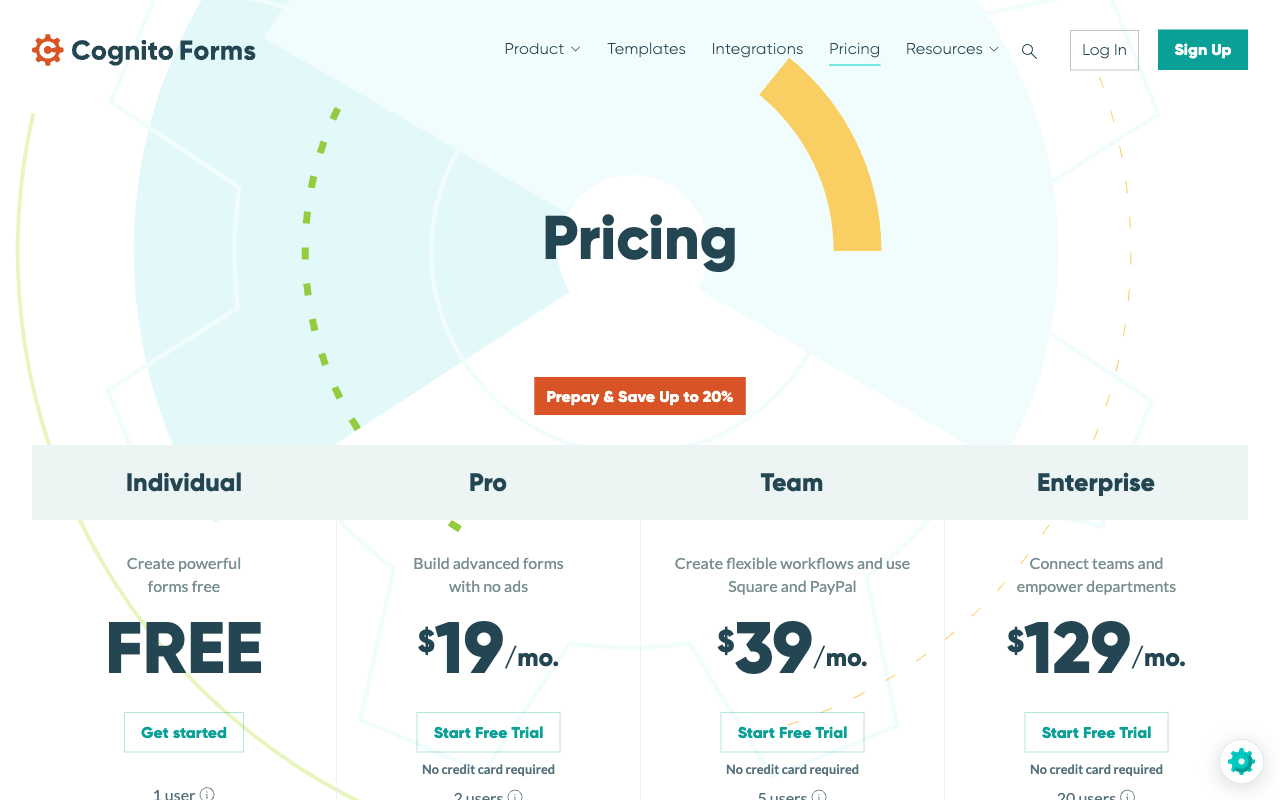
Cognito Forms is cheaper on the sticker and more expensive in practice. Its Pro tier is $24/month ($19 billed annually) against Tally Pro at $29/month ($24 annually), a $5 difference that inverts the moment a third person needs access or entries pass 2,000. Cognito raised these prices in July 2026: the old monthly rates are now the annual prepay rates, so a renewing customer is paying more for the same plan.
Cognito Forms
Tally
| Product | Plan | Monthly Price | Annual Price (per month) | Free Plan | Free Trial | Limits |
|---|---|---|---|---|---|---|
| Cognito Forms | Individual (Free) | Free | Free | Yes | 14 days | forms: Unlimited, submissions: 100 entries/month, storage: 100 MB, users: 1 |
| Cognito Forms | Pro | $24/mo | $19/mo billed annually | forms: Unlimited, submissions: 2,000 entries/month, storage: 1 GB, users: 2 | ||
| Cognito Forms | Team | $49/mo | $39/mo billed annually | forms: Unlimited, submissions: 10,000 entries/month, storage: 10 GB, users: 5 | ||
| Cognito Forms | Enterprise | $174/mo | $129/mo billed annually | forms: Unlimited, submissions: Unlimited, storage: 100 GB, users: 20 | ||
| Tally | Free | Free | Free | Yes | No | forms: Unlimited, submissions: Unlimited, storage: N/A, users: 1, file uploads: 10 MB per file |
| Tally | Pro | $29/mo | $24/mo billed annually | forms: Unlimited, submissions: Unlimited, storage: N/A, users: Unlimited, file uploads: Unlimited | ||
| Tally | Business | $89/mo | $74/mo billed annually | forms: Unlimited, submissions: Unlimited, storage: N/A, users: Unlimited |
Tally has no add-ons at all: no per-seat charge, no metered AI credits, no storage packs. Cognito has four categories of them. When you are modelling a year rather than a month, that asymmetry matters more than the headline rates.
What Users Say
Tally rates higher where people are asked how much they like using it: 4.8 on G2 across 97 reviews with a 4.9 for value for money, and 4.9 on Capterra. Cognito Forms sits at 4.5 on G2 and 4.7 on Capterra across a much deeper 216 reviews, with value for money also at 4.7. The split shows up on Trustpilot, where Cognito's 4.0 across 476 reviews comes from a far larger and more demanding installed base than Tally's 3.8 across 22. Read the text rather than the averages: Cognito complaints cluster on design and learning curve, Tally complaints cluster on things it does not do.
The Verdict
Choose Cognito Forms when the form is a calculation. Line items that repeat, values looked up from another form, a price that depends on six answers, health data that needs a BAA, a procurement team that needs SOC 2. Cognito has been solving that shape of problem for thirteen years and is priced within reach of a small organisation while doing it.
Choose Tally when the form is a page. A signup, a feedback request, an application, a lead capture that has to look like your brand on your own domain. Tally is faster to build in, free until you want the polish, and free of the counters. For a straightforward form that ends at the submit button, it is a good choice, and its free plan is the most generous in the category.
The awkward case is the one most growing teams are actually in: they need Cognito's logic and Tally's pricing model, and they get to pick one.
The Case for Paperform
Paperform exists for the buyer stuck between those two answers. It is a platform rather than a form builder: one subscription covers Paperform for forms, Papersign for eSignatures and Stepper for workflow automation, on every plan, from one account. Pro is $59/month, or $49/month billed annually. Business is $149/month, $124 annually, adding SSO, ten workspaces, the Business API and 100 signed documents a month.
Be clear about the price. At $49/month billed annually, Paperform costs more than Cognito Forms Pro at $19 and more than Tally Pro at $24. Both of them undercut it, and for a single person running one form neither of them should be talked out of. What the higher number buys is the absence of the thing Cognito charges for: submissions and seats are unlimited on paid plans within fair use, so the bill does not move when a campaign works or when the team hires. Growth is not a billing event, and per-usage pricing is a tax on your success.
On the capability side, Paperform's calculations are Excel-style and match what draws people to Cognito Forms, but they run further out: the same formula can drive question and page visibility, conditional emails, integration payloads and success page content, and an AI assistant writes the rule from a plain description rather than leaving it to whoever knows the syntax. Payments run across five gateways (Stripe, PayPal, Square, Braintree, Google Pay) with subscriptions, coupons, tax and refunds, none of them withheld for a higher tier the way PayPal and Square are on Cognito's Team plan. There are 4,000+ integrations and 30,000+ templates, and Stepper handles the approval chain that both Cognito and Tally push out to Zapier, Make or n8n. The customer should never be the integration.
Compliance splits three ways. Paperform is SOC 2 Type II, GDPR and CCPA compliant, with SAML SSO on Business, which puts it ahead of Tally's GDPR-only posture. It is not HIPAA compliant and signs no BAAs, so protected health information should stay with Cognito Forms Enterprise. Support is built into the seat price rather than sold back as an enablement fee, and Paperform has been bootstrapped and profitable since 2016, which is the kind of thing worth knowing before you make a platform a system of record. There is a 7-day trial with no card required.
Worth reading next: Paperform vs Tally for the head-to-head against Tally, Cognito Forms alternatives if the metering is what is pushing you to look, or the full form builder comparison.
Frequently Asked Questions
Is Cognito Forms or Tally cheaper once a second person needs access?
Tally, by a wide margin. Tally Pro is $29/month ($24 billed annually) and includes unlimited team members, so the second, fifth and twentieth person cost nothing. Cognito Forms Pro at $24/month ($19 annually) includes two users, Team at $49/month ($39 annually) includes five, and every user beyond the included count is $5/month. External collaborators are separate again: guest packs start at $25/month for 50 guests and are not sold on the Free or Pro tiers at all. A six-person Cognito team is on Team plus a $5 line for the sixth seat; the same six people on Tally Pro are still $24.
Can Tally handle the kind of calculations Cognito Forms is known for?
Partly. Tally added a formula editor in June 2026 and it covers arithmetic, scoring and running totals written by hand. Cognito Forms has been building around calculations since 2013 and goes further: formula fields, date arithmetic, repeating sections that let a respondent add an unpredictable number of line items, and lookup fields that pull values from another form. If your form is a quote builder with per-line pricing, Cognito Forms is the stronger engine. The catch is that its syntax reads closer to scripting than form building, which is the most common complaint in Cognito reviews.
Does Cognito Forms or Tally accept PayPal?
Cognito Forms does; Tally does not. Tally is Stripe-only on every tier. Cognito Forms runs Stripe, Square, PayPal and its own Cognito Pay processor at 2.9% + 30c, although Square and PayPal are gated to the Team plan at $49/month ($39 annually). Neither product supports recurring subscription billing through Cognito Forms' payment fields, so a membership or retainer needs a different tool in both cases. Paperform runs five gateways with subscriptions, coupons and tax built in.
Which one passes a security questionnaire, Cognito Forms or Tally?
Cognito Forms. It completes ongoing SOC 2 Type 2 audits, is GDPR and CCPA compliant, offers HIPAA compliance with a BAA on its Enterprise tier at $174/month ($129 annually), and ships SAML SSO there too. Tally publishes GDPR compliance and EU hosting and nothing beyond it: no SOC 2, no SSO and no two-factor authentication on any plan, including the $89/month Business tier. If a procurement team is sending you a questionnaire, Tally has very little to put in the boxes.
Can I put a Cognito Forms or Tally form on my own domain?
Tally can, on Pro at $29/month ($24 annually), which also unlocks custom email domains and control over the link preview. Cognito Forms has no custom domain option at any tier, so a hosted Cognito form always lives on a cognitoforms.com URL. For an internal approval form that does not matter. For a checkout or a client-facing application it is the highest-intent moment in the funnel happening on someone else's address.
What happens to a Tally or Cognito Forms workflow once someone has to approve something?
Both hand it off. Cognito Forms has form-scoped workflow tasks and approvals on its Team plan at $49/month ($39 annually), which covers a review step against a submission but is not general automation; its integrations page leads with Zapier, Make and Power Automate for anything wider. Tally has no workflow builder at all and routes to Zapier, Make or n8n. In both cases the process ends up living in a middleware canvas you also pay for.
Sources & References
- Cognito Forms Review: Is It as Good as It Seems? — Website Planet, 2026
- Cognito Forms Review: Pros, Cons & User Experience — BrightSEO Tools, 2026
- Tally Review 2026: Honest Verdict + 15 Real User Reviews — Hackceleration, 2026
- Honest Review of Tally Forms, from an AI SaaS developer — Medium (FireBird Technologies), 2026
Last updated September 22, 2026
Ready to try Paperform?
Create beautiful forms, payment pages, and workflows — no code required.