Fillout vs FormAssembly: Which Is Better in 2026?
Choose FormAssembly if your forms sit inside a regulated Salesforce process: it holds HIPAA with BAAs, PCI DSS Level 1 and FedRAMP High, which Fillout does not. Choose Fillout for everything else, because it publishes its prices from $15/month, gives every plan unlimited seats, and needs no sales call.
These two products barely compete on features. They compete on how much of the buying decision you are allowed to make by yourself. Fillout, founded in 2022, is a self-serve product: pick a tier off a public page, invite the whole team at no extra cost, ship the form the same afternoon. FormAssembly, running since 2006 out of Bloomington, Indiana with about 155 staff, is sold the enterprise way: a demo, a scoping conversation, a quote, and a contract that lists which add-ons you agreed to.
That difference shows up in every dimension below, and it cuts both directions. The self-serve product meters what you collect. The enterprise product meters who touches it and what you switch on. One of those bills is predictable but capped; the other is uncapped but unknowable until a salesperson tells you.
Quick Verdict
Choose Fillout if:
- You want a published price and no procurement cycle
- More than five people need to build or edit forms
- You connect to Airtable, Notion, HubSpot, Zapier or Make
- You need scheduling, PDF generation and forms in one tool
- Your monthly response volume sits comfortably under 5,000
Choose FormAssembly if:
- You need HIPAA with a signed BAA, or FedRAMP High
- Salesforce is the destination and the mapping is complex
- PCI DSS Level 1, ISO 27001 or FERPA appear on your checklist
- Response volume is genuinely unlimited on every tier
- A small, trained team of admins owns all form building
Feature Comparison
Category by category, a self-serve all-in-one against a certified Salesforce data-capture layer.
| Feature | Fillout | FormAssembly |
|---|---|---|
| Form Building | ||
| Document-style editor | No | No |
| AI form creation | Yes | Yes explorer |
| AI agent in the form editor (Form Agent) | Yes | No |
| Field types | 50+ | Yes explorer |
| Multi-page forms | Yes | Yes explorer |
| Guided mode (one question at a time) | No | No |
| Conditional logic | Yes | Yes explorer |
| Calculations field | Yes | Yes explorer |
| AI calculations assistant | No | No |
| Scoring | Yes | No |
| Answer piping | Yes | Yes explorer |
| Pre-filling and hidden fields | Yes | Yes explorer |
| Save and resume | Yes | Yes explorer |
| Auto-close by number | Yes | Yes explorer |
| Auto-close by date | Yes | Yes explorer |
| Appointment/booking field | Yes starter | No |
| Signature field | Yes starter | Yes explorer |
| Color picker field | No | No |
| API-powered dropdowns | No | Yes team |
| Google address search | Yes conversion-kit | No |
| File uploads | Yes | No |
| AI workflow generation | No | Yes explorer |
| AI compliance guidance | No | Yes explorer |
| Payments | ||
| Stripe payments | Yes | Yes explorer |
| PayPal payments | No | Yes explorer |
| Square payments | No | No |
| Braintree payments | No | No |
| Google Pay | No | No |
| Product sales (eCommerce) | Yes | Yes explorer |
| Subscriptions | Yes | No |
| Coupons and discounts | Yes | No |
| Custom pricing rules | Yes | Yes explorer |
| Tax calculations | No | No |
| Quotes/invoices | No | No |
| Refunds | No | No |
| 3D Secure | No | No |
| Design & Customization | ||
| Template gallery | Yes | Yes explorer |
| Rich media (images, GIFs, videos) | Yes | Yes explorer |
| Unsplash and Giphy integration | No | No |
| Image editor | No | No |
| Adobe Creative Cloud | No | No |
| Language translation | No | No |
| Advanced theming | Yes starter | Yes team |
| Custom form URL | Yes pro | Yes explorer |
| Custom domains | Yes business | No |
| Custom HTML & CSS | Yes pro | Yes team |
| Remove branding | Yes pro | Yes team |
| Custom email domains | Yes pro | No |
| Analytics | ||
| Submission results and reports | Yes | Yes explorer |
| AI report insights | No | No |
| Paperform analytics | Yes business | No |
| Google Analytics & Facebook Pixel | Yes | No |
| Custom analytics scripts | Yes business | No |
| Partial submissions | Yes business | No |
| Workflow analytics | No | Yes explorer |
| Collaboration | ||
| Multi-user accounts | Yes | Yes team |
| User permissions and management | Yes | Yes team |
| Advanced permissions & admin | Yes team | Yes enterprise |
| Form sharing (templates) | Yes | Yes explorer |
| Spaces and tag management | Yes | No |
| Workflow collaboration roles | No | Yes team |
| Workflow revisions (version history) | No | Yes team |
| Workflow Response ID on audit trail | No | Yes team |
| All Workflows admin management | No | Yes enterprise |
| Per-workflow error notifications | No | Yes team |
| Security | ||
| SOC 2 Type II | Yes | Yes explorer |
| HIPAA compliance / BAA | No | No |
| ISO 27001 | No | Yes explorer |
| Audit logs | Yes enterprise | No |
| GDPR compliant | Yes | Yes explorer |
| SSL encryption | Yes | Yes explorer |
| Two-factor authentication | Yes | Yes explorer |
| Enforce 2FA for all users | Yes team | Yes enterprise |
| SSO (SAML) | Yes enterprise | Yes enterprise |
| reCAPTCHA | Yes starter | Yes explorer |
| Local data residency | Yes enterprise | Yes enterprise |
| Custom S3 storage (BYO) | Yes | No |
| Accessibility (Section 508, WCAG 2.1) | No | Yes explorer |
| Field-level masking of sensitive data | No | Yes explorer |
| Script integrity verification | No | Yes explorer |
| Integrations & API | ||
| Native integrations | 50+ | No |
| Zapier | Yes | No |
| Make (Integromat) | Yes | No |
| Webhooks | Yes | Yes explorer |
| Standard API | Yes | Yes explorer |
| Business API | No | No |
| WordPress plugin | Yes | Yes explorer |
| oEmbed support | Yes | Yes explorer |
| 4000+ integrations | No | No |
Pricing: $15 published versus a quote you cannot forecast
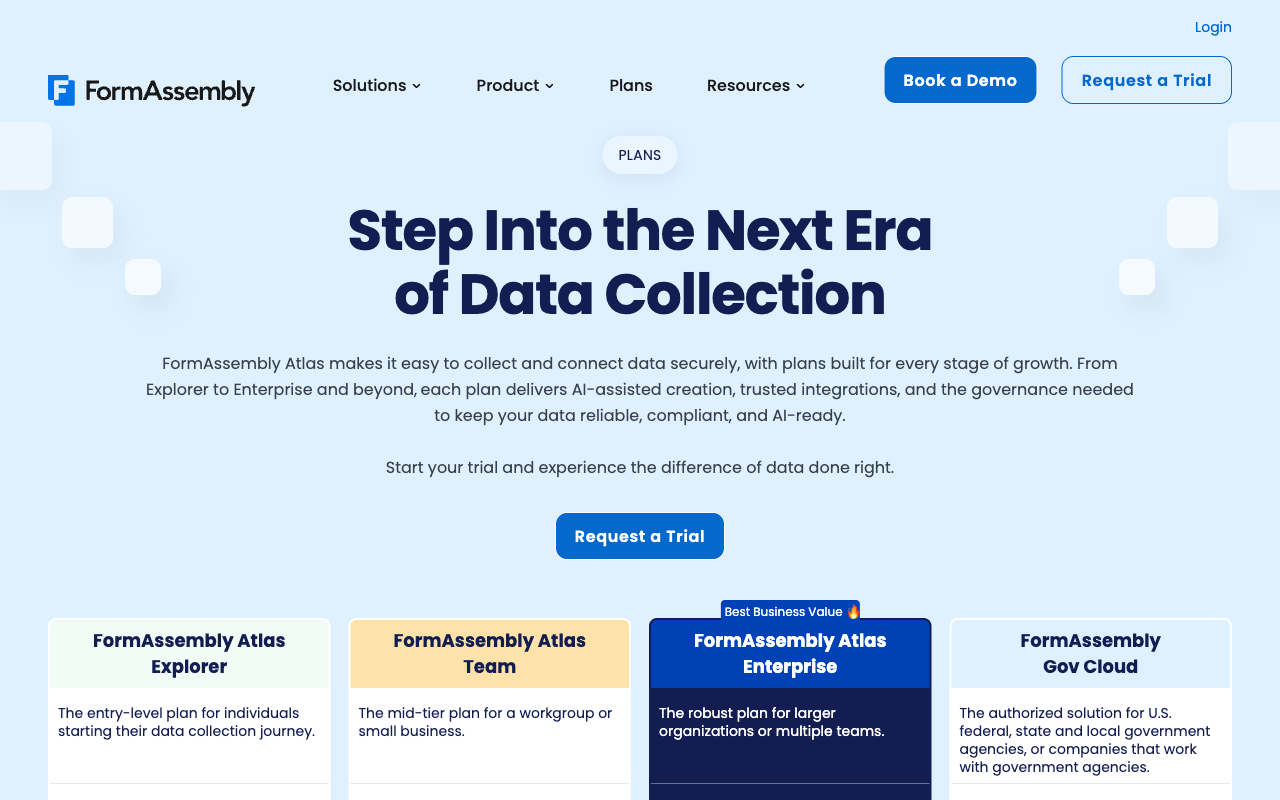
Fillout publishes four prices (Free, $15, $40 and $75 per month billed annually); FormAssembly publishes none. Every Atlas tier, from Explorer through Team, Enterprise and Gov Cloud, now routes to a trial request or a demo booking, and the $59/month Explorer figure FormAssembly advertised a year ago has been pulled.
What each side meters also differs. Fillout caps responses on the cheap tiers: 1,000 a month on Free, 2,000 on Starter, 5,000 on Pro, and only the $75 Business tier makes them unlimited. Outgrowing Pro means an 87% jump in price or buying bulk submission packs at a rate Fillout does not publish. FormAssembly leaves responses and storage unlimited on every tier and meters people instead: 1 standard seat on Explorer, 3 on Team, 5 on Enterprise. It also reclassified integrations, workflows, document generation and analytics as add-ons, so the plan you were shown and the plan you are quoted are not the same thing.
Fillout
FormAssembly
| Product | Plan | Monthly Price | Annual Price (per month) | Free Plan | Free Trial | Limits |
|---|---|---|---|---|---|---|
| Fillout | Free | Free | Free | Yes | No | forms: Unlimited, submissions: 1,000/month, storage: N/A, users: Unlimited, file uploads: 20 MB per file |
| Fillout | Starter | $19/mo | $15/mo billed annually | forms: Unlimited, submissions: 2,000/month, storage: N/A, users: Unlimited, file uploads: 20 MB per file | ||
| Fillout | Pro | $49/mo | $40/mo billed annually | forms: Unlimited, submissions: 5,000/month, storage: N/A, users: Unlimited, file uploads: 20 MB per file | ||
| Fillout | Business | $89/mo | $75/mo billed annually | forms: Unlimited, submissions: Unlimited, storage: N/A, users: Unlimited, file uploads: 1 GB+ | ||
| Fillout | Team bundle | $300/mo | $250/mo billed annually | forms: Unlimited, submissions: Unlimited, storage: 1,000,000 records, users: Unlimited, file uploads: 1 GB+ | ||
| FormAssembly | FormAssembly Atlas Explorer | Not published | Not listed | No | 14 days | forms: Unlimited, submissions: Unlimited, storage: Unlimited, users: 1 standard / 0 limited |
| FormAssembly | FormAssembly Atlas Team | Custom | Not listed | forms: Unlimited, submissions: Unlimited, storage: Unlimited, users: 3 standard / 5 limited | ||
| FormAssembly | FormAssembly Atlas Enterprise | Custom | Not listed | forms: Unlimited, submissions: Unlimited, storage: Unlimited, users: 5 standard / 10 limited | ||
| FormAssembly | FormAssembly Gov Cloud | Custom | Not listed | forms: Unlimited, submissions: Unlimited, storage: Unlimited, users: 5 standard / 10 limited |
Integrations and API: 50+ versus roughly 20
Fillout ships 50+ native integrations plus Zapier, Make, webhooks and a public API; FormAssembly has around 20 native connectors and supports neither Zapier nor Make. Fillout covers Airtable, Notion, Google Sheets, HubSpot, Salesforce, Pipedrive, Slack, Teams and Calendly natively, and anything missing goes through Zapier.
FormAssembly's list is short by design. It is not trying to be a hub; it is trying to be the most accurate possible path into Salesforce, and on that single path it is better than Fillout by a wide margin. The price of that focus is that every tool outside the list becomes an integration project on your side, and as of this year the connectors themselves, Salesforce included, are billed as add-ons rather than bundled with the tier.
Conditional logic and calculations: both have it, neither helps you write it
Both platforms include conditional logic and calculations, and Fillout includes both on its free plan. Fillout's logic covers page and field visibility, answer piping, prefill and quiz scoring, and it recently added Form Agent, a chat agent inside the editor that can build fields, pages, page logic and calculations for you (it cannot yet configure payments, calendars or integrations, and it draws on a shared pool of Zite AI credits that stops answering when the pool empties).
FormAssembly's logic is built for compliance-grade intake: branching, field-level masking of sensitive data, identity authentication and approval processes, with the Fai assistant generating forms and now whole workflows from a prompt. Neither product offers an assistant that writes calculation formulas from a plain-language description, and neither treats calculations as anything more than a value inside the form. Fillout reviewers flag the learning curve on advanced logic; FormAssembly's G2 ease-of-use score sits at 4.1, below average for the category, which is what a training requirement looks like in survey form.
Payments: one processor versus two
Fillout supports one payment processor (Stripe); FormAssembly supports two (Stripe and PayPal). Fillout gets more out of its single gateway: cards, ACH, Affirm, Stripe Link, subscriptions, coupons and free trials, all configured in the builder, though the payment question type requires the $15 Starter plan.
FormAssembly's payment story is about certification rather than commerce. PCI DSS Level 1 means card data is handled to the strictest standard available, which is exactly what a hospital or a university bursar needs. What it lacks is the commercial layer: no subscriptions, no coupons, no tax calculation, no refund management. Collecting the money is covered; running the transaction around it happens somewhere else.
Compliance: the one dimension with a decisive winner
FormAssembly is HIPAA (with BAA), PCI DSS Level 1, SOC 2 Type II, ISO 27001, GDPR, CCPA, FERPA and 21 CFR Part 11 compliant, with a FedRAMP High authorized Gov Cloud; Fillout is SOC 2 Type 2 and GDPR compliant and is not HIPAA compliant.
This is the section that ends most comparisons between these two. No amount of pricing transparency substitutes for a signed BAA, and FedRAMP High is not something Fillout can add next quarter. Fillout does take security seriously for a company of its age: SOC 2 Type 2, 256-bit AES encryption, enterprise data residency across the USA, EU, UK, Australia and Canada, and an option to store submissions solely in external storage so nothing sits on Fillout's servers. That is a good posture. It is not a regulated-industry posture. Salesforce Ben's in-depth review of FormAssembly is worth watching if you want to see what that certified pipeline actually looks like in practice.
Where Fillout Wins

Scope for the money
Fillout's product tabs run Forms, Scheduling, PDF, Payments, Workflows and Signatures, and the $40 Pro tier covers all of them. FormAssembly reaches document generation and eSignature too, but as add-ons on Explorer and with multi-signer support reserved for Team and above, each a quote away. For a marketing or operations team that needs a booking form on Monday and a signed agreement on Friday, Fillout gets there without a procurement conversation.
Nobody is counted
Unlimited seats on every plan, free included, is a real structural advantage against a product that stops at five. FormAssembly's model assumes a trained admin sits between the business and the form; Fillout's assumes the marketer builds it themselves. Hackceleration's hands-on review singles out the editor and the integration coverage as the reasons non-technical teams get productive quickly.
Enterprise logos without enterprise friction
Fairfax County, Domino's, Wayfair, Airbnb, Harvard and The Athletic run on Fillout, which suggests the self-serve model scales further than the seed-stage funding round implies. FreeFormBuilders' test of the free tier reached a similar verdict on polish.
Where FormAssembly Wins
The Salesforce connector nobody else matches
Multi-object sync, field-level mapping, prefill from existing records, dynamic picklists and Agentforce support. If your data model spans Contact, Account, Opportunity and two custom objects on a single submission, Fillout will not get you there and most middleware will not either.
Twenty years of shipping
Founded in 2006 by Cedric Savarese, privately held, with Southwest Airlines, Amazon, CVS Health and Harvard as references and 425 G2 reviews behind a 4.4 rating. Fillout has 30 G2 reviews and four years of history. For a multi-year platform bet inside a risk-averse organisation, that gap is a legitimate reason to pay more.
Unlimited volume, genuinely
Responses, forms and storage are unlimited on all four Atlas tiers. A high-volume enrollment or donation campaign will never generate a surprise usage invoice, which is precisely the failure mode Fillout's response caps create on Starter and Pro.
Where Fillout Falls Short
- The meter starts early: 2,000 responses on Starter and 5,000 on Pro, with unlimited volume only at $75/month Business.
- Analytics and custom domains are locked to Business: the tier that tells you why a form is leaking conversions is the same tier you upgrade to when it converts too well.
- Lead-gen essentials are a $100/month add-on: abandonment recovery, drop-off alerts, lead enrichment and routing, autofill and address autocomplete all live in the separate Conversion Kit.
- One payment processor: Stripe or nothing.
- No HIPAA, no BAA: regulated intake is out of scope.
- A split identity: branded "Fillout (by Zite)", with docs, changelog and the AI credit pool moved to the parent platform and the serious quotas parked in a $250/month Team bundle.
Where FormAssembly Falls Short
- No price and no free plan: a 14-day trial, then a quote. Budgeting is guesswork until you have talked to sales.
- Seats are scarce: 1, 3 and 5 standard users by tier. Hiring changes your invoice.
- Integrations are an add-on: Salesforce included, on all four tiers, with only Stripe, Google Sheets and Google Drive bundled on Explorer.
- Roughly 20 connectors and no Zapier or Make: anything off the list is your engineering problem.
- Dated design tooling: no document-style editor, no image editor, no stock imagery, no guided one-question-at-a-time mode.
- Packaging keeps moving: tiers rebranded to Atlas, public pricing withdrawn, integrations reclassified as add-ons, and Team's included document merges cut from 1,000 to 250 a year.
What Users Say
FormAssembly's 4.4 across 425 G2 reviews is the more trustworthy number simply because of its depth, and its weakest sub-score is ease of use at 4.1. Fillout's 4.6 rests on 30 G2 reviews, with only four on Capterra at 4.0 and a Trustpilot average of 3.5 across 48 reviews, a spread that suggests the experience is still uneven. Read both sets before committing.
The Verdict
If the compliance checklist has HIPAA, PCI DSS Level 1 or FedRAMP on it, buy FormAssembly. Nothing else in this comparison outranks that, and its Salesforce connector is the best in the category by a clear margin. Accept that you will negotiate a price, work within a seat cap and pay separately for connectors.
If it does not, Fillout is the better-run purchase. A published $15 entry price, unlimited seats, 50+ integrations plus Zapier, and scheduling and PDF generation included will serve most marketing, operations and product teams better than an enterprise contract for capabilities they cannot use. Watch the response caps, and note that the vendor is four years old and now operating inside someone else's platform.
A third option: Paperform
The tradeoff between these two is between a bill that rises when your forms succeed and a bill you cannot see until someone quotes it. Paperform refuses both halves. Pro is $59/month, or $49 billed annually, with unlimited submissions and unlimited seats within fair use; Business is $149/month, or $124 annually, adding 10 workspaces, SSO and the Business API. The prices are published, they are the same for everyone, and collecting 20,000 responses in a good month does not change them.
Be clear about where that leaves the budget: Fillout's Starter undercuts Paperform's entry price by a wide margin, and at 800 responses a month with a small stack Fillout is simply the cheaper answer. Paperform is priced for the team running real multi-step processes, not the occasional one-off form. What the $49 buys is scope that neither of these two bundles. One subscription covers Paperform for forms, Papersign for eSignatures and Stepper for AI-native workflow automation, so the signing tool and the automation tool are not two more invoices and two more integrations for you to maintain. Where FormAssembly sells connectors as add-ons and Fillout sells its lead-gen kit for $100 a month, Paperform has nothing to bolt on.
On the dimensions this page has compared: 4000+ integrations against Fillout's 50+ and FormAssembly's 20; five payment gateways (Stripe, PayPal, Square, Braintree and Google Pay) with subscriptions, coupons, tax and refunds against one and two; and Excel-style calculations that do not stop at scoring a field, because the same formulas decide which questions and pages appear, what a confirmation email says, what gets pushed to an integration and what the success page shows, with an AI assistant that writes them from a description of the rule. On compliance, Paperform holds SOC 2 Type II, GDPR and CCPA but is not HIPAA compliant and signs no BAAs, so on that axis FormAssembly still wins outright.
Longevity is worth weighing too. Paperform has been shipping since 2016, bootstrapped and profitable, with no investors steering the roadmap, and the 7-day trial takes no card. If you want the wider field, see our ranking of the best form builders, or the head-to-heads against each product here: Paperform vs Fillout and Paperform vs FormAssembly.
Frequently Asked Questions
Is Fillout or FormAssembly better for Salesforce?
FormAssembly, without much argument. Its Salesforce connector handles multi-object mapping, prefilling records back into a form, and Agentforce, and the whole product is designed around that one pipe. Fillout lists Salesforce among its 50+ native integrations, which is enough to push a lead into a single object and no further. The catch is that FormAssembly now sells integrations, Salesforce included, as a paid add-on on all four Atlas tiers, so the connector you are buying it for is priced separately from the plan.
Can Fillout be used for HIPAA-regulated intake?
No. Fillout is SOC 2 Type 2 and GDPR compliant but is not HIPAA compliant and does not sign BAAs. FormAssembly is the opposite case: HIPAA with a BAA on Atlas Enterprise, plus PCI DSS Level 1, ISO 27001, SOC 2 Type II, FERPA, 21 CFR Part 11 and a FedRAMP High authorized Gov Cloud environment. If a compliance officer has to sign off on your intake form, this comparison is already over.
Why does FormAssembly not publish prices?
As of September 2026, every FormAssembly tier (Atlas Explorer, Atlas Team, Atlas Enterprise and Gov Cloud) routes to "Request a Trial" or "Book a Demo". The $59/month Explorer price it advertised previously has been withdrawn. Fillout publishes everything: $0 free, $15/month Starter billed annually, $40 Pro, $75 Business. If you need to put a number in a budget line this quarter without talking to anyone, that difference matters more than any feature on either list.
How many people can use each platform?
Fillout includes unlimited seats on every plan, free included. FormAssembly caps them: 1 standard user on Atlas Explorer, 3 on Atlas Team, 5 on Atlas Enterprise and Gov Cloud, with a handful of limited seats alongside. For a team of eight, that cap is the thing that decides your tier, not the feature list.
Which one takes payments more flexibly?
Neither is broad. Fillout is Stripe-only, though Stripe brings cards, ACH, Affirm and Link along with discount codes and subscriptions. FormAssembly supports Stripe and PayPal, with PCI DSS Level 1 behind them, but no subscriptions, coupons, tax handling or refund management. Two gateways with no commercial tooling and one gateway with good tooling is a narrow choice either way.
Is Fillout a safe long-term bet given how new it is?
Fillout launched in 2022 and is seed-funded, which is young for a platform decision, and it now trades as "Fillout (by Zite)" after moving onto a parent app and database platform, with help docs, the changelog and the AI credit pool relocated there. Its review footprint is thin and softening: 30 G2 reviews at 4.6, 4 Capterra reviews at 4.0, and a Trustpilot score of 3.5 across 48 reviews. FormAssembly has been running since 2006 with 155 staff and 425 G2 reviews at 4.4. Longevity is the one axis where the older, slower product clearly wins.
Sources & References
- FormAssembly In-Depth Review — Salesforce Ben (YouTube), 2021
- Fillout Review 2026: We Tested Everything (Builder, Integrations, Automations & Real ROI) — Hackceleration, 2026
- 11 Best FormAssembly Alternatives in 2026 (Free & Paid) — FormGrid, 2026
- Fillout Review (2026): A Modern Free Form Builder Tested — FreeFormBuilders, 2026
Last updated September 22, 2026
Ready to try Paperform?
Create beautiful forms, payment pages, and workflows — no code required.