Best Microsoft Forms Alternatives for 2026
The best Microsoft Forms alternative for most teams is Paperform at $49/month billed annually, because Microsoft Forms has no payments, no API and no support desk of its own, while Paperform includes forms, eSignatures, workflow automation and human support in one price. For internal surveys and quizzes inside a Microsoft 365 tenant, keep using Forms.
Microsoft Forms is the right tool for a great deal of work, and it is worth being clear about that before criticising it. It is already in the tenant, it costs nothing beyond the Microsoft 365 licence you were buying anyway, it takes 5 million responses per form, it auto-grades a quiz, it runs inside a Teams meeting, and it carries the full weight of Microsoft's compliance programme: GDPR, SOC 2, ISO 27001, FERPA, FedRAMP and HIPAA with a BAA. If you need an employee engagement survey or a knowledge check by Thursday, stop reading and go build it.
The reason people search for alternatives is that the second job never looks like the first. A registration that has to take a deposit. An application that someone needs to save halfway through. A consent form that has to be signed and filed. A quote whose total depends on quantity, tier and region. Microsoft's answer to each of these is another product: Power Automate for the flow, a DocuSign or Adobe Sign contract for the signature, Power Apps for anything with a price on it, Excel for the analysis. Each is licensed separately, most of them per user, and the person holding the joins together is you.
Two costs of that shape are easy to miss until you are inside it. The first is who you call when something breaks: Forms has no product support desk, so help routes through your Microsoft 365 admin center and your own IT queue, and its G2 customer support sub-rating of 4.0 across 436 reviews is its weakest number. The second is who decides what Forms becomes. It is a bundled feature with no customers of its own, which is why the public API has slipped for years and why the 2026 Copilot chat pane arrived behind a separate $21/user/month licence. Below we compare the strongest alternatives on the five dimensions that decide the purchase, and say plainly where Forms still wins.
| Feature | Microsoft Forms | Paperform | Jotform | Typeform | Google Forms | SurveyMonkey | Cognito Forms |
|---|---|---|---|---|---|---|---|
| Form Building | |||||||
| Document-style editor | No | Yes | No | No | No | No | No |
| Field types | No | 26+ | 30+ (starter) | 20+ | 11 | 15+ | 20+ |
| AI agent (Surveys Agent) | Yes copilot | No | No | No | No | No | No |
| Guided mode (one question at a time) | No | Yes | Yes starter | Yes | No | Yes | No |
| Calculations field | No | Yes pro | Yes starter | Yes plus | No | No | Yes |
| Payments | |||||||
| Stripe payments | No | Yes | Yes starter | Yes basic | No | Yes Individual Advantage | Yes |
| PayPal payments | No | Yes | Yes starter | No | No | Yes Individual Advantage | Yes team |
| Square payments | No | Yes | Yes starter | No | No | No | Yes team |
| Braintree payments | No | Yes | Yes starter | No | No | No | No |
| Google Pay | No | Yes | Yes starter | No | No | No | Yes |
| Design & Customization | |||||||
| Template gallery | Yes | 30,000+ | 20,000+ (starter) | 1,500+ | 20+ | 400+ | Yes |
| Unsplash and Giphy integration | No | Yes | No | Yes | No | No | No |
| Image editor | No | Yes | No | No | No | No | No |
| Adobe Creative Cloud | No | Yes | No | No | No | No | No |
| Language translation | Yes | Yes | Yes starter | Yes basic | No | Yes Individual Premier | Yes pro |
| Analytics | |||||||
| AI report insights | Yes | Yes pro | No | Yes business | Yes Business Standard | Yes Individual Advantage | No |
| Paperform analytics | No | Yes pro | No | No | No | No | No |
| Google Analytics & Facebook Pixel | No | Yes pro | No | Yes basic | No | No | Yes pro |
| Custom analytics scripts | No | Yes pro | No | Yes basic | No | No | No |
| Partial submissions | No | Yes pro | No | Yes plus | No | Yes Individual Advantage | No |
| Collaboration | |||||||
| Form sharing (templates) | Yes | Yes | No | Yes | Yes | Yes Team Advantage | Yes |
| Spaces and tag management | No | Yes | No | No | No | No | No |
| Form sharing | No | No | Yes starter | No | No | No | No |
| Assign forms | No | No | Yes enterprise | No | No | No | No |
| Workspace organization | No | No | No | Yes | No | No | No |
| Security | |||||||
| SOC 2 Type II | Yes | Yes | Yes enterprise | Yes | Yes | Yes | No |
| Enforce 2FA for all users | Yes enterprise | Yes business | No | No | Yes Business Starter | Yes enterprise | No |
| reCAPTCHA | No | Yes | Yes starter | Yes business | No | Yes | Yes |
| Local data residency | Yes enterprise | Yes enterprise | No | No | Yes Business Plus | Yes enterprise | No |
| Custom S3 storage (BYO) | No | Yes business | No | No | No | No | No |
| Integrations & API | |||||||
| Zapier | No | Yes | Yes starter | Yes basic | Yes | Yes | Yes |
| Make (Integromat) | No | Yes | Yes starter | Yes basic | Yes | Yes | Yes |
| Webhooks | No | Yes pro | Yes starter | Yes basic | No | Yes Individual Advantage | Yes |
| Standard API | No | Yes pro | No | No | Yes | Yes Individual Advantage | Yes |
| Business API | No | Yes business | No | No | No | Yes enterprise | No |
Five Dimensions, and Where Forms Lands on Each
Microsoft Forms wins one of these decisively, ties on another, and has nothing at all to offer on two of them.
Pricing
Microsoft Forms costs nothing beyond a Microsoft 365 licence: $7/user/month annual on Business Basic, $14 on Standard, $22 on Premium, $39 on E3 and $60 on E5, with a free personal tier capped at 200 responses per form. That is the cheapest entry on this page by a wide margin and we will not pretend otherwise. It is also per user, so the price scales with headcount rather than usage. Paperform Pro is $59/month, or $49/month billed annually, with unlimited submissions and unlimited seats; Business is $124/month annually. Jotform Bronze is $34/month annually for 1,000 submissions, Typeform Basic $28 for 100, Cognito Forms Pro $19 for 2,000 entries, and SurveyMonkey Team Advantage $30/user/month annual with a three-seat minimum.
Integrations & API
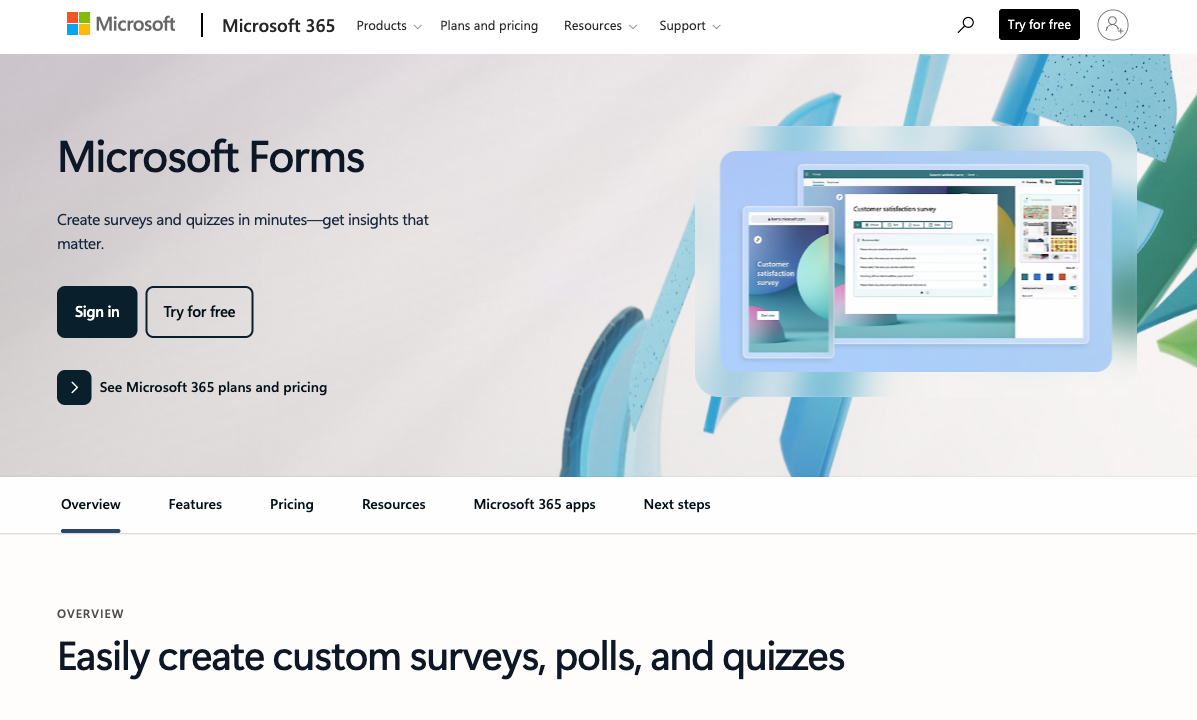
Microsoft Forms lists roughly 20 integrations, all of them Microsoft, and has no public REST API, no webhooks and no Zapier or Make connector; the Forms Graph APIs are now signposted for CY26H1 after repeated slips. Power Automate is the only route out, licensed per user with premium connectors gated above that. Paperform counts 4000+ integrations with a REST API and webhooks in the plan, SurveyMonkey 200+, Jotform 150+ natives, Typeform 120+, Cognito Forms 50+, and Google Forms about 20 inside Workspace. Forms is not short of Microsoft pipes; it is short of a way out of Microsoft.
Conditional logic
Microsoft Forms has branching logic and quiz scoring, and no calculation fields, no answer piping, no pre-fill and no save-and-resume. You can send a respondent to a different section based on an answer. You cannot compute a price, carry a name into a later question, or let someone finish an application tomorrow. Paperform's calculations are Excel-style and drive question and page visibility, conditional emails, integration payloads and success page content rather than producing a score at the end. Cognito Forms has the deepest calculation engine of the cheaper options, including repeating sections and line items. Typeform gates advanced logic and calculations to Plus at $56/month annually.
Payments
Microsoft Forms supports zero payment processors. There is no card field, no gateway integration and no order total of any kind. Jotform leads the group with 40+ processors available on every plan including free. Paperform supports 5 (Stripe, PayPal, Square, Braintree, Google Pay) with subscriptions, coupons, tax rules, refunds and product management behind them, and takes no transaction fee of its own. Cognito Forms covers Stripe, PayPal, Square and Venmo, with PayPal and Square from the Team tier at $39/month annually. Typeform and SurveyMonkey are Stripe-led, and Google Forms matches Microsoft at nothing.
Compliance (HIPAA / GDPR / SOC 2)
Microsoft Forms is GDPR, SOC 2, ISO 27001, FERPA and FedRAMP compliant and HIPAA-eligible with a BAA, inherited from Microsoft 365. One caveat for your compliance team: Microsoft's HIPAA/HITECH offering page does not name Forms as an in-scope service, so confirm coverage in writing before PHI goes near it. Jotform, Typeform, SurveyMonkey, Google Forms and Cognito Forms are all HIPAA compliant with BAAs. Paperform is SOC 2 Type II, GDPR and CCPA compliant with SAML SSO and enforced 2FA, and is not HIPAA compliant and signs no BAAs, so it is out for protected health information. This is the dimension where the Microsoft answer is genuinely hard to beat.
 #1 Paperform — Best When the Form Faces a Customer

Start with the thing nobody puts on a comparison table. When a Microsoft Form misbehaves the day before a launch, there is no Forms support desk to contact: you raise it with your own IT team, they raise it through the Microsoft 365 admin center, and you wait. Larger Microsoft rollouts solve this by buying an implementation partner, which is how enablement becomes a five-figure line item separate from the licence. Paperform prices the other way round. Live chat with the Customer Success team ships with every plan, Priority support on Pro at $49/month billed annually and First Priority on Business, with no onboarding engagement quoted at signing. Support is also the highest-rated part of the product in independent reviews, at 4.7 on Capterra and 4.9 on GetApp against Microsoft Forms' 4.0 support sub-rating on G2.
The second argument is tenure, and it makes an unusually clean comparison here because both products launched in 2016. Paperform has spent that decade with forms as the entire business, bootstrapped and profitable, with no investor clock and no parent company to be reorganised around. Microsoft Forms has spent it as a feature inside a suite, which is why its public API has been promised and deferred for years and why the Copilot chat pane landed behind a separate $21/user/month licence rather than in the box. A bundled feature answers to suite licensing; a product answers to the people paying for it.
What that decade produced is the part Forms cannot reach: a document-style editor that mixes prose, images, video and fields in any order on your own domain, 26+ field types including booking, signatures, answer piping and save-and-resume, 5 payment gateways with coupons and tax behind them, and Excel-style calculations that drive visibility, emails and integrations rather than a quiz score. One subscription also covers Papersign for the contract and Stepper for the approval chain, so the Forms-plus-DocuSign-plus-Power-Automate stack collapses to a single renewal. Seats are unlimited, which matters most when the people who need to edit a form are contractors nobody wants to buy M365 licences for.
- Strengths over Microsoft Forms: human support included in the plan price with no enablement fee, payments through 5 gateways, Excel-style calculations, Papersign eSignatures and Stepper workflows in the same subscription, REST API and webhooks with 4000+ integrations, custom domains and full branding control, unlimited seats, 30,000+ templates, ten years of independent product focus
- Limitations: $49/month billed annually against a licence you already own, not HIPAA compliant and no BAAs, no ISO 27001, no mobile editor, Stepper automation credits are metered at 20,000/month on Pro, a far smaller review footprint than Microsoft
- Best for: Teams whose forms now face customers, take money and start a process that somebody has to own
 #2 Jotform — Best If the Blocker Is Payments or a Signed BAA

Jotform removes the two hardest limits in one move. Payments go from nothing to more than forty processors, available on every plan including the free one, and HIPAA compliance with a signed BAA arrives on Gold at $99/month billed annually alongside SOC 2, ISO 27001, PCI DSS Level 1, FERPA and StateRAMP. It also has something Forms conspicuously lacks and Paperform does not offer either: native mobile apps for building and collecting offline. Bootstrapped since 2006, it is the oldest product on this page and the most reviewed after the Google and SurveyMonkey giants, at 4.7 on G2 across 5,595 reviews.
The catch is that the breadth arrives one meter at a time. Submissions, forms, form views, storage, fields per form and signed documents are all quota'd, and Starter through Gold are single-user, so multi-user means an Enterprise quote. For a team coming from a tool where 5 million responses per form and tenant-wide co-authoring were simply not billing questions, that is a jarring adjustment. Reviewers also consistently describe the editor as cluttered, with settings buried in nested menus, which is the opposite complaint people have about Forms. Our Jotform alternatives page walks through the quota structure in detail.
- Strengths over Microsoft Forms: 40+ payment processors on every plan, HIPAA with an explicitly named BAA, 150+ native integrations plus a real API, native mobile apps, approval workflows and PDF generation, a template library in the thousands
- Limitations: submissions, forms, views and storage all metered, single-user on every self-serve tier, cluttered editor, $34/month annually buys 1,000 submissions against Forms' 5 million
- Best for: Microsoft 365 teams blocked specifically by payments or by a healthcare requirement they need in writing
 #3 Typeform — Best When the Form Has to Look Nothing Like a Form

If the complaint about Microsoft Forms is aesthetic, Typeform is the sharpest possible correction. It invented the guided, one-question-at-a-time format, its defaults look considered in a way Forms never attempts, and for short lead qualification or feedback flows the presentation measurably moves completion rates. It is HIPAA compliant on Business and holds ISO 27001, 27017, 27018 and ISO/IEC 42001, certified in June 2026, so a security review will not stall. It carries roughly ten times Paperform's review volume, with 4.5 on G2 across 1,002 reviews.
Then the meter starts. Basic is $28/month billed annually for 100 responses and 1 user, Plus $56 for 1,000 and 3, Business $91 for 10,000 and 5, and Growth Flow at $266/month annually raises neither of those numbers. Moving from 5 million responses per form on an M365 licence to 100 responses for $28 is the steepest volume cliff on this page. Payments are Stripe-led rather than broad, and a Trustpilot average of 2.6 across 775 reviews sits awkwardly against the review-site scores. See our Paperform vs Typeform breakdown for how the two pricing models compare in practice.
- Strengths over Microsoft Forms: conversational one-question format, best-in-class default design, custom domains and branding removal, HIPAA on Business plus ISO 27001 and ISO/IEC 42001, 120+ integrations with an API, very large review base
- Limitations: responses and seats capped on every tier, 100 responses a month at $28, advanced logic and calculations gated to Plus, Stripe-led payments, Series C funded rather than independent
- Best for: Marketing teams running low-volume, high-value flows where the respondent experience is the product
 #4 Cognito Forms — Best for Turning a Survey Into a Pricing Calculator
Cognito Forms is the cheapest way to get the capability Microsoft Forms most obviously lacks: real calculations. Its engine handles repeating sections, line-item order forms and nested conditional maths, which is what an internal survey turns into the moment somebody asks it to quote a job. It is HIPAA compliant with a BAA, SOC 2 audited, hosted on Microsoft Azure, and Pro is $19/month billed annually with 2,000 entries. Cognito Pay adds card processing with Apple Pay and Google Pay, alongside Stripe, PayPal, Square and Venmo.
The trade is polish and arithmetic. Forms built in Cognito look dated unless somebody writes CSS, so it solves the capability complaint about Microsoft Forms without solving the appearance one. It is also metered four separate ways: entries, users, storage and guest collaborators each carry their own quota and their own overage, with extra users at $5/month each and guest packs from $25 to $250/month. There is no public REST API either, so on integration freedom it is only a modest step up from where you are. Our Cognito Forms alternatives page has the full breakdown.
- Strengths over Microsoft Forms: genuine calculation engine with repeating sections and line items, four payment options, save-and-resume, HIPAA with a BAA, $19/month annual entry price, Azure-hosted
- Limitations: dated visual design, metered on entries, users, storage and guests, no public REST API, slower product development than the rest of this list
- Best for: Budget-conscious teams whose Microsoft Forms builds keep turning into quotes and order forms
 #5 SurveyMonkey — Best If the Survey Is Actually Research
There is one job where Microsoft Forms is not merely limited but wrong, and that is formal research. SurveyMonkey brings question methodology, significance testing, benchmarking against industry norms, weighting, and access to a 335 million person panel when you need respondents you do not already have. Forms gives you a bar chart and an Excel export. If the output is a board deck or a published study rather than a team temperature check, the gap is not close. SurveyMonkey is also HIPAA compliant, SOC 2 and ISO 27001 certified, with 200+ integrations including Teams.
The pricing is where Microsoft 365 buyers flinch. Every plan carries an annual response cap with a $0.15 charge for each response above it, team plans start at three paid users and Enterprise at five, and since September 2026 every paid plan is an annual commitment. Team Advantage is $30/user/month annual for 50,000 shared responses a year. The company was taken private by Symphony Technology Group, and its Trustpilot average of 2.7 across 1,068 reviews, with a 2.5 support sub-score, is the weakest customer sentiment on this page by some distance. Read our SurveyMonkey alternatives page before committing to a year.
- Strengths over Microsoft Forms: research-grade methodology and analysis, benchmarking and significance testing, a global respondent panel, 200+ integrations with an API, HIPAA and ISO 27001
- Limitations: annual commitment on every paid plan, response caps with $0.15 overage per response, three-seat minimum on team plans, private-equity ownership, poor customer support sentiment
- Best for: Insights and HR teams whose surveys have to stand up to statistical scrutiny
 #6 Google Forms — Best Only If You Are Switching Ecosystems Anyway
Google Forms is the closest thing to a like-for-like swap, and it is worth being honest that it is mostly a sideways move. It is free with unlimited responses, HIPAA-eligible under a Workspace BAA, covered by SOC 2, ISO 27001 and FedRAMP, and priced identically to its Microsoft counterpart at $7, $14 and $22 per user per month annually on Business Starter, Standard and Business Plus. Where it beats Forms outright is Apps Script and add-ons, which give you an escape hatch for automation that Microsoft Forms does not have while its API remains unshipped.
Everything else is the same trade: about 20 integrations confined to one vendor's ecosystem, no payments at all, no calculations worth the name, no custom domains and no branding control. You would choose it because the organisation is moving to Workspace, not because it fixes what sent you looking. Our Google Forms alternatives page covers the upgrade paths from that side of the fence.
- Strengths over Microsoft Forms: unlimited responses on the free personal tier, Apps Script and an add-on marketplace for automation, slightly simpler sharing and collaboration, HIPAA-eligible under a Workspace BAA, huge review base
- Limitations: no payments, no calculations, no custom domains or branding control, roughly 20 integrations all inside Google, same bundled-feature roadmap risk you already have
- Best for: Organisations already leaving Microsoft 365 for Google Workspace for unrelated reasons
See Microsoft Forms in Action First
Before you switch anything, it is worth watching what Forms can and cannot do at full stretch. Two independent walkthroughs from well-known Microsoft educators:
Full Feature Comparison
Every feature across Microsoft Forms and its alternatives, grouped by category. The payments, API and workflow rows are where a free tenant tool stops being free in practice.
| Feature | Microsoft Forms | Paperform | Jotform | Typeform | Google Forms | SurveyMonkey | Cognito Forms |
|---|---|---|---|---|---|---|---|
| Form Building | |||||||
| Document-style editor | No | Yes | No | No | No | No | No |
| AI form creation | Yes copilot | Yes | Yes starter | Yes | Yes paid | Yes | Yes |
| Field types | No | 26+ | 30+ (starter) | 20+ | 11 | 15+ | 20+ |
| AI agent (Surveys Agent) | Yes copilot | No | No | No | No | No | No |
| Multi-page forms | Yes | Yes | Yes starter | Yes basic | Yes | Yes | Yes |
| Guided mode (one question at a time) | No | Yes | Yes starter | Yes | No | Yes | No |
| Conditional logic | Yes | Yes | Yes starter | Yes basic | Yes | Yes Individual Advantage | Yes |
| Calculations field | No | Yes pro | Yes starter | Yes plus | No | No | Yes |
| AI calculations assistant | No | Yes pro | No | No | No | No | No |
| Scoring | Yes | Yes pro | Yes starter | Yes plus | Yes | Yes | Yes |
| Answer piping | No | Yes | Yes starter | Yes basic | No | Yes Individual Advantage | Yes |
| Pre-filling and hidden fields | No | Yes pro | Yes starter | Yes basic | Yes | Yes Individual Advantage | Yes |
| Save and resume | No | Yes | Yes starter | No | No | Yes Individual Advantage | Yes pro |
| Auto-close by number | Yes | Yes pro | Yes starter | Yes basic | Yes | Yes Individual Advantage | Yes |
| Auto-close by date | Yes | Yes pro | Yes starter | Yes basic | Yes | Yes Individual Advantage | Yes |
| Appointment/booking field | No | Yes | Yes starter | Yes basic | No | No | No |
| Signature field | No | Yes | Yes starter | Yes basic | No | No | Yes team |
| Color picker field | No | Yes | No | No | No | No | No |
| API-powered dropdowns | No | Yes business | No | No | No | No | Yes |
| Google address search | No | Yes business | No | No | No | No | Yes |
| File uploads | No | Yes | Yes starter | Yes basic | Yes | Yes | Yes |
| Drag-and-drop builder | No | No | Yes starter | No | No | No | No |
| Form widgets | No | No | Yes starter | No | No | No | No |
| Template gallery | No | No | 20,000+ (starter) | No | No | No | No |
| Question display logic | No | No | No | Yes basic | No | No | No |
| AI follow-up questions | No | No | No | Yes business | No | No | No |
| AI extended thinking & memory | No | No | No | Yes growth | No | No | No |
| Typeform AI connectors | No | No | No | Yes growth | No | No | No |
| Workflow / automation builder | No | No | No | Yes growth | No | No | No |
| AI-moderated research (Research Flow) | No | No | No | Yes enterprise | No | No | No |
| Video questions | No | No | No | Yes basic | No | No | No |
| AI quiz generation | No | No | No | No | Yes paid | No | No |
| AI chat survey editing | No | No | No | No | No | Yes | No |
| Payments | |||||||
| Stripe payments | No | Yes | Yes starter | Yes basic | No | Yes Individual Advantage | Yes |
| PayPal payments | No | Yes | Yes starter | No | No | Yes Individual Advantage | Yes team |
| Square payments | No | Yes | Yes starter | No | No | No | Yes team |
| Braintree payments | No | Yes | Yes starter | No | No | No | No |
| Google Pay | No | Yes | Yes starter | No | No | No | Yes |
| Product sales (eCommerce) | No | Yes pro | Yes starter | No | No | No | Yes |
| Subscriptions | No | Yes pro | Yes starter | Yes basic | No | No | No |
| Coupons and discounts | No | Yes pro | Yes starter | No | No | No | Yes |
| Custom pricing rules | No | Yes pro | Yes starter | No | No | No | Yes |
| Tax calculations | No | Yes | Yes starter | No | No | No | Yes |
| Quotes/invoices | No | Yes | No | No | No | No | Yes team |
| Refunds | No | Yes | No | No | No | No | No |
| 3D Secure | No | Yes | No | Yes basic | No | No | No |
| 40+ payment gateways | No | No | Yes starter | No | No | No | No |
| No transaction fees | No | No | Yes starter | No | No | No | No |
| Cognito Pay (native card processing) | No | No | No | No | No | No | Yes |
| Design & Customization | |||||||
| Template gallery | Yes | 30,000+ | 20,000+ (starter) | 1,500+ | 20+ | 400+ | Yes |
| Rich media (images, GIFs, videos) | Yes | Yes | Yes starter | Yes | Yes | Yes | Yes |
| Unsplash and Giphy integration | No | Yes | No | Yes | No | No | No |
| Image editor | No | Yes | No | No | No | No | No |
| Adobe Creative Cloud | No | Yes | No | No | No | No | No |
| Language translation | Yes | Yes | Yes starter | Yes basic | No | Yes Individual Premier | Yes pro |
| Advanced theming | No | Yes pro | Yes starter | Yes plus | No | Yes Individual Advantage | Yes pro |
| Custom form URL | No | Yes pro | No | Yes plus | No | Yes Individual Advantage | No |
| Custom domains | No | Yes pro | Yes enterprise | Yes enterprise | No | No | No |
| Custom HTML & CSS | No | Yes pro | Yes starter | Yes business | No | No | Yes pro |
| Remove branding | No | Yes pro | Yes bronze | Yes plus | No | Yes Individual Advantage | Yes pro |
| Custom email domains | No | Yes business | No | No | Yes Business Starter | No | No |
| Form themes | No | No | Yes starter | No | No | No | No |
| Analytics | |||||||
| Submission results and reports | Yes | Yes | Yes starter | Yes | Yes | Yes | Yes |
| AI report insights | Yes | Yes pro | No | Yes business | Yes Business Standard | Yes Individual Advantage | No |
| Paperform analytics | No | Yes pro | No | No | No | No | No |
| Google Analytics & Facebook Pixel | No | Yes pro | No | Yes basic | No | No | Yes pro |
| Custom analytics scripts | No | Yes pro | No | Yes basic | No | No | No |
| Partial submissions | No | Yes pro | No | Yes plus | No | Yes Individual Advantage | No |
| Drop-off analysis | No | Yes pro | No | Yes business | No | No | No |
| Form analytics | No | No | Yes starter | No | No | No | No |
| Google Analytics integration | No | No | Yes starter | No | No | No | No |
| Cross-form Insights dashboard | No | No | No | Yes business | No | No | No |
| Benchmarks | No | No | No | No | No | No | No |
| Collaboration | |||||||
| Multi-user accounts | Yes | Yes pro | Yes bronze | Yes plus | Yes | Yes Team Advantage | Yes pro |
| User permissions and management | Yes | Yes pro | Yes enterprise | Yes plus | Yes | Yes Team Advantage | Yes team |
| Advanced permissions & admin | Yes enterprise | Yes enterprise | Yes enterprise | Yes enterprise | Yes Business Starter | Yes enterprise | Yes enterprise |
| Form sharing (templates) | Yes | Yes | No | Yes | Yes | Yes Team Advantage | Yes |
| Spaces and tag management | No | Yes | No | No | No | No | No |
| Form sharing | No | No | Yes starter | No | No | No | No |
| Assign forms | No | No | Yes enterprise | No | No | No | No |
| Workspace organization | No | No | No | Yes | No | No | No |
| Review Sessions | No | No | No | No | No | Yes Team Advantage | No |
| Persistent Magic Link | No | No | No | No | No | Yes Team Advantage | No |
| Security | |||||||
| SOC 2 Type II | Yes | Yes | Yes enterprise | Yes | Yes | Yes | No |
| GDPR compliant | Yes | Yes | Yes starter | Yes | Yes | Yes | Yes |
| SSL encryption | Yes | Yes | Yes starter | Yes | Yes | Yes | Yes |
| Two-factor authentication | Yes | Yes | Yes starter | Yes | Yes | Yes | Yes |
| Enforce 2FA for all users | Yes enterprise | Yes business | No | No | Yes Business Starter | Yes enterprise | No |
| SSO (SAML) | Yes | Yes business | Yes enterprise | Yes enterprise | Yes Business Plus | Yes enterprise | Yes enterprise |
| reCAPTCHA | No | Yes | Yes starter | Yes business | No | Yes | Yes |
| Local data residency | Yes enterprise | Yes enterprise | No | No | Yes Business Plus | Yes enterprise | No |
| Custom S3 storage (BYO) | No | Yes business | No | No | No | No | No |
| HIPAA compliant | No | No | Yes gold | Yes enterprise | No | No | No |
| 256-bit SSL | No | No | Yes starter | No | No | No | No |
| Data residency | No | No | Yes enterprise | No | No | No | No |
| Form encryption | No | No | Yes starter | No | No | No | No |
| PCI DSS | No | No | Yes starter | Yes | No | No | No |
| ISO 27001 | No | No | No | Yes | No | No | No |
| Integrations & API | |||||||
| 4000+ integrations | No | No | No | No | No | No | No |
| Zapier | No | Yes | Yes starter | Yes basic | Yes | Yes | Yes |
| Make (Integromat) | No | Yes | Yes starter | Yes basic | Yes | Yes | Yes |
| Webhooks | No | Yes pro | Yes starter | Yes basic | No | Yes Individual Advantage | Yes |
| Standard API | No | Yes pro | No | No | Yes | Yes Individual Advantage | Yes |
| Business API | No | Yes business | No | No | No | Yes enterprise | No |
| WordPress plugin | No | Yes | Yes starter | Yes | No | No | Yes |
| oEmbed support | Yes | Yes | No | No | No | No | Yes |
| Native integrations | No | 4,000+ | 150+ (starter) | 120+ (basic) | No | 200+ | No |
| API | No | No | Yes starter | Yes basic | No | No | No |
| Smartsheet integration | No | No | Yes starter | No | No | No | No |
| Canvas LMS integration | No | No | Yes enterprise | No | No | No | No |
| Salesforce AppExchange | No | No | Yes starter | No | No | No | No |
| Embed options | No | No | Yes starter | Yes | No | No | No |
| Mobile apps | No | No | Yes starter | No | No | No | No |
| Claude / MCP server | No | No | No | Yes basic | No | No | No |
| AI data enrichment | No | No | No | Yes growth | No | No | No |
| Automations integrations (Contacts & Automations) | No | No | No | Yes growth | No | No | No |
| Claude (Anthropic) integration | No | No | No | No | No | Yes Individual Advantage | No |
| ChatGPT integration | No | No | No | No | No | Yes | No |
| Gemini integration | No | No | No | No | No | No | No |
| HRIS integrations (Workday, BambooHR) | No | No | No | No | No | Yes | No |
| MCP connector (AI app access) | No | No | No | No | No | No | Yes pro |
Pricing Comparison
Microsoft Forms is bundled, not sold, so comparing it on price means comparing a per-user suite licence against per-product subscriptions. Read the table for what each step buys rather than for the headline number alone, and remember that the Microsoft column scales with how many people you employ.

Paperform
Microsoft Forms
| Product | Plan | Monthly Price | Annual Price (per month) | Free Plan | Free Trial | Limits |
|---|---|---|---|---|---|---|
| Microsoft Forms | Free (Personal Microsoft Account) | Free | Free | Yes | 1 month | forms: 400, submissions: 200/form, storage: N/A, users: 1 |
| Microsoft Forms | Microsoft 365 Business Basic | $8.4/mo | $7/mo billed annually | forms: 400, submissions: 5,000,000/form, storage: 1 TB OneDrive per user, users: Per user (1-300 employees) | ||
| Microsoft Forms | Microsoft 365 Business Standard | $16.8/mo | $14/mo billed annually | forms: 400, submissions: 5,000,000/form, storage: 1 TB OneDrive per user, users: Per user (1-300 employees) | ||
| Microsoft Forms | Microsoft 365 Business Premium | $26.4/mo | $22/mo billed annually | forms: 400, submissions: 5,000,000/form, storage: 1 TB OneDrive per user, users: Per user (1-300 employees) | ||
| Microsoft Forms | Microsoft 365 Business Standard with Copilot | Not listed | $23.5/mo billed annually | forms: 400, submissions: 5,000,000/form, storage: 1 TB OneDrive per user, users: Per user (1-300 employees) | ||
| Microsoft Forms | Microsoft 365 Business Premium with Copilot | Not listed | $32/mo billed annually | forms: 400, submissions: 5,000,000/form, storage: 1 TB OneDrive per user, users: Per user (1-300 employees) | ||
| Microsoft Forms | Microsoft 365 Apps for business | Not listed | $10/mo billed annually | forms: 400, submissions: 5,000,000/form, storage: 1 TB OneDrive per user, users: Per user | ||
| Paperform | Free | Free | Free | Yes | 7 days | forms: Unlimited, submissions: 30/month, storage: Unlimited, users: Unlimited, file uploads: 100 MB |
| Paperform | Pro | $59/mo | $49/mo billed annually | forms: Unlimited, submissions: Unlimited, storage: Unlimited, users: Unlimited, file uploads: 10 GB | ||
| Paperform | Business | $149/mo | $124/mo billed annually | forms: Unlimited, submissions: Unlimited, storage: Unlimited, users: Unlimited, file uploads: 100 GB | ||
| Jotform | Starter | Free | Free | Yes | No | forms: 5, submissions: 100/month, storage: 100 MB, users: 1 |
| Jotform | Bronze | $39/mo | $34/mo billed annually | forms: 25, submissions: 1,000/month, storage: 1 GB, users: 1 | ||
| Jotform | Silver | $49/mo | $39/mo billed annually | forms: 50, submissions: 2,500/month, storage: 10 GB, users: 1 | ||
| Jotform | Gold | $129/mo | $99/mo billed annually | forms: 100, submissions: 10,000/month, storage: 100 GB, users: 1 | ||
| Typeform | Free | Free | Free | Yes | No | forms: 10, submissions: 10/month, users: 1 |
| Typeform | Basic | $39/mo | $28/mo billed annually | forms: Unlimited, submissions: 100/month, users: 1 | ||
| Typeform | Plus | $79/mo | $56/mo billed annually | forms: Unlimited, submissions: 1,000/month, users: 3 | ||
| Typeform | Business | $129/mo | $91/mo billed annually | forms: Unlimited, submissions: 10,000/month, users: 5 | ||
| Typeform | Growth Flow | $379/mo | $266/mo billed annually | forms: Unlimited, submissions: 10,000/month, users: 5 | ||
| Typeform | Talent | $169/mo | $119/mo billed annually | forms: Unlimited, users: HR teams | ||
| Google Forms | Free (Personal) | Free | Free | Yes | 14 days | forms: Unlimited, submissions: Unlimited, storage: 15 GB (shared across Google Drive), users: 1, file uploads: Included in 15 GB storage |
| Google Forms | Business Starter | $8.4/mo | $7/mo billed annually | forms: Unlimited, submissions: Unlimited, storage: 30 GB per user, users: Up to 300, file uploads: Included in storage | ||
| Google Forms | Business Standard | $16.8/mo | $14/mo billed annually | forms: Unlimited, submissions: Unlimited, storage: 2 TB per user, users: Up to 300, file uploads: Included in storage | ||
| Google Forms | Business Plus | $26.4/mo | $22/mo billed annually | forms: Unlimited, submissions: Unlimited, storage: 5 TB per user, users: Up to 300, file uploads: Included in storage | ||
| SurveyMonkey | Basic (Free) | Free | Free | Yes | No | forms: Unlimited, submissions: Limited per survey (exact number now only shown after sign-up/login), storage: N/A, users: 1 |
| SurveyMonkey | Individual Advantage | Free | $32/mo billed annually | forms: Unlimited, submissions: 15,000 per year, storage: N/A, users: 1 | ||
| SurveyMonkey | Individual Premier | Free | $99/mo billed annually | forms: Unlimited, submissions: 40,000 per year, storage: N/A, users: 1 | ||
| SurveyMonkey | Team Advantage | Free | $30/mo billed annually | forms: Unlimited, submissions: 50,000 per year (shared), storage: N/A, users: 3 minimum | ||
| SurveyMonkey | Team Premier | Free | $92/mo billed annually | forms: Unlimited, submissions: 100,000 per year (shared), storage: N/A, users: 3 minimum | ||
| Cognito Forms | Individual (Free) | Free | Free | Yes | 14 days | forms: Unlimited, submissions: 100 entries/month, storage: 100 MB, users: 1 |
| Cognito Forms | Pro | $24/mo | $19/mo billed annually | forms: Unlimited, submissions: 2,000 entries/month, storage: 1 GB, users: 2 | ||
| Cognito Forms | Team | $49/mo | $39/mo billed annually | forms: Unlimited, submissions: 10,000 entries/month, storage: 10 GB, users: 5 | ||
| Cognito Forms | Enterprise | $174/mo | $129/mo billed annually | forms: Unlimited, submissions: Unlimited, storage: 100 GB, users: 20 |
Review Ratings Across Platforms
Microsoft Forms rates 4.4 on G2 across 436 reviews and 4.5 on Capterra across 330, with ease of use its best sub-score at 4.6 to 4.7 and customer support its worst at 4.0 on G2. That split is the product in one line: pleasant to use, hard to get help with.
Verdict: Which Microsoft Forms Alternative Should You Choose?
Almost nobody leaves Microsoft Forms because it is bad at surveys. They leave because a survey turned into a transaction, an agreement or a process, and Forms has no way to follow it there.
If that describes you, Paperform is the recommendation. It covers the form, the payment, the signature through Papersign and the workflow through Stepper in one subscription at $49/month billed annually, with unlimited seats so the contractors and agency staff who touch your forms never need an M365 licence. Support is in that price rather than quoted as an enablement engagement afterwards, which is the difference between a chat window and your IT queue. Ten years old, bootstrapped and profitable, with forms as the whole business rather than a bundled feature, is the reason the roadmap answers to customers.
If a single blocker is what moved you, buy the tool that removes it. Jotform for payment processors or an explicitly named healthcare BAA. Typeform when presentation is the entire brief and volumes are low. Cognito Forms for serious calculation work on a small budget. SurveyMonkey when the survey is real research. Google Forms only if the whole organisation is changing ecosystems.
And if your forms really are internal surveys, quizzes and RSVPs, stay put. Microsoft Forms handles those competently, you have already paid for it, and there is no sense buying capability you will not use. When the first customer-facing form appears, start with Paperform's 7-day trial, which needs no card.
Frequently Asked Questions
Who do I actually contact when a Microsoft Form breaks the day before a deadline?
Your own IT admin, first. Microsoft Forms has no product support desk of its own: help runs through the Microsoft 365 admin center, so a marketer or an event organiser has to raise it internally and wait for someone with tenant rights to escalate it. Forms is a bundled feature inside a suite, and its G2 customer support sub-rating of 4.0 across 436 reviews is its weakest score. Paperform builds support into the seat price instead: live chat with the Customer Success team on every plan, Priority support on Pro at $49/month billed annually and First Priority on Business at $124/month, with no separate onboarding or enablement engagement quoted at signing. Support is the highest-rated dimension in Paperform's own reviews at 4.7 on Capterra and 4.9 on GetApp.
Can Microsoft Forms take a payment, and what is the cheapest way to add one?
No. Microsoft Forms has no payment capability at all: no Stripe, no PayPal, no card fields, no order totals. The cheapest Microsoft-shaped workaround is a Power Apps or Power Pages build sitting next to the form, which means development time plus another licence. Every alternative on this page except Google Forms handles it natively. Paperform supports 5 gateways (Stripe, PayPal, Square, Braintree, Google Pay) with products, subscriptions, coupons, tax rules and refunds, and charges no transaction fee of its own. Jotform supports 40+ processors on every tier including its free plan. Cognito Forms covers Stripe, PayPal, Square and Venmo.
Is there really no Microsoft Forms API in 2026?
Correct, and it has been coming for years. There is no public REST API, no webhooks and no Zapier or Make connector for Microsoft Forms. The Forms Graph APIs have slipped repeatedly and are now signposted for CY26H1, and until they land, Power Automate is the only supported way to move a response anywhere. That flow needs its own per-user licensing, with premium connectors gated above that again. Paperform ships a REST API, webhooks and 4000+ integrations inside the plan, and Stepper runs the multi-step automation from the same subscription with no per-user charge for the people the workflow serves.
We already pay for Microsoft 365. Why would we pay $49/month on top?
You would not, for internal surveys and quizzes. That work is already paid for and Forms does it well. The $49/month on Pro billed annually buys the jobs Forms was never built for: a branded, customer-facing page on your own domain, a payment taken on the form, a contract signed against the submission through Papersign, and the approval chain that follows through Stepper. Priced the other way, a single extra Microsoft 365 Business Premium seat is $22/user/month annual, so three contractors who need to edit forms already cost more per month than one Paperform subscription that carries unlimited seats.
Why do Microsoft Forms pages look like Microsoft rather than like us?
Because customisation stops at a theme colour and a header image. There is no custom CSS, no custom domain, no way to remove Microsoft branding, and the response URL is visibly a Microsoft one. Microsoft's own documentation frames theming as changing the image. Inside the tenant nobody minds. In front of a prospect, the last thing they see before converting is someone else's brand. Paperform's document-style editor mixes headings, prose, images, video and fields in any order with full CSS control, branding removal from Pro, and custom domains at $20/month each with one included on Business. Typeform is the other strong answer if presentation is the whole requirement.
Is Microsoft Forms safe for patient or student data?
Microsoft Forms inherits Microsoft 365's compliance posture: GDPR, SOC 2, ISO 27001, FERPA, FedRAMP, and HIPAA with a BAA. One caution worth taking to your compliance team: Microsoft's HIPAA/HITECH offering page does not enumerate Forms as a named in-scope service, so confirm coverage in writing before you put protected health information into it. Among the alternatives here, Jotform, Cognito Forms, Typeform, SurveyMonkey and Google Forms are all HIPAA compliant with BAAs. Paperform is SOC 2 Type II, GDPR and CCPA compliant with SAML SSO, and it is not HIPAA compliant and signs no BAAs, so PHI rules it out.
What does the Copilot experience in Microsoft Forms actually cost?
The chat-pane Copilot experience in Forms and the Surveys Agent require a commercial Copilot licence, which is $21/user/month billed annually on Copilot Business (currently promo-priced from $18) or $30/user/month on the enterprise SKU, on top of the Microsoft 365 licence underneath. Microsoft also sells bundled "with Copilot" SKUs at $23.50 and $32/user/month annual. The AI arrives when suite licensing decides it should, not when form builders ship it. Paperform includes AI form generation, an AI assistant that writes Excel-style calculation rules, and AI report insights over responses in the plan price, with no AI seat to buy.
Microsoft Forms only has 22 templates. Does the count matter?
Only if your use case sits outside the ones Microsoft chose. The 22 templates cover the internal survey, the quiz and the RSVP properly, and for those you need nothing more. They cover none of the customer-facing work: order forms, bookings, onboarding sequences, applications, quote calculators. Paperform has 30,000+ templates aimed squarely at that second group, with a 7-day trial and no card required to work through them. Jotform is the other library worth browsing if breadth is the deciding factor.
Can I stop people outgrowing Microsoft Forms without buying everyone an M365 seat?
Not within Microsoft. Touching Forms means holding a licence, so the contractor, the agency designer and the finance analyst each cost between $7 and $39/user/month before they open anything, and Power Automate premium connectors add another per-user line. Paperform does not price by seat at all: seats are unlimited within fair use on Pro and Business, and one seat covers forms, signatures and workflows together, so a person using all three counts once. Access is scoped by admin and per-product roles on Business rather than by who happened to be licensed.
Microsoft Forms and Paperform both launched in 2016. Does that tell me anything?
It tells you what ten years of attention buys when forms are the entire business rather than a checkbox in a suite. Paperform has been bootstrapped and profitable since 2016, with no investor clock and no parent company to be reorganised around, and a decade of compliance edge cases and permissioning behind it. Microsoft Forms has spent the same decade as a bundled feature with no commercial incentive of its own, which is why the public API has slipped for years and why new capability arrives gated behind Copilot licensing. Among the others here, Jotform has been bootstrapped since 2006, Typeform is Series C funded, and SurveyMonkey was taken private by Symphony Technology Group.
Will my Microsoft Forms responses come across if I switch?
The data will. Forms exports to Excel and CSV, which every tool on this page can ingest, and 5 million stored responses per form means nothing is likely to have been truncated on the way out. The forms themselves will not transfer: there is no API migration path and no competitor reads a Forms definition directly, so plan on rebuilding. That is less painful than it sounds, because most Forms builds are short and the rebuild is where you add the payment field, the signature step and the routing that were missing. Paperform's 30,000+ templates and 7-day no-card trial are a reasonable place to start. For a broader survey of the field, see our best form builders roundup.
Sources & References
- Microsoft Forms review — TechRadar, 2026
- Microsoft Forms Comprehensive Guide: Pros & Cons, Rating and Alternatives — WPS, 2026
- Microsoft 365 business plans and pricing — Microsoft, 2026
- Microsoft Forms reviews and ratings — G2, 2026
Last updated September 22, 2026
Ready to try Paperform?
Create beautiful forms, payment pages, and workflows — no code required.