Paperform vs Cognito Forms: Which Is Better in 2026?
Cognito Forms is the better choice for HIPAA-regulated healthcare data and for a single user on a tight budget at $19/month billed annually. Paperform is the better choice for teams, because one Paperform subscription covers forms, Papersign eSignatures and Stepper workflow automation, replacing the form builder plus signing tool plus Zapier stack that Cognito Forms assumes you will assemble yourself.
Cognito Forms has been building data-heavy forms since 2013, and it is good at it. Repeating sections, lookup fields between forms and a genuinely serious calculation engine make it the tool people reach for when the form is really a small application. What it does not do is cover the work that starts once the entry lands. Signatures are a plan upgrade, document generation is another, the client portal is another again, and cross-system automation is not a Cognito Forms product at all. It is a Zapier subscription sitting next to one.
Paperform sells the opposite shape. Three products ship on every plan from one account: Paperform for the form, Papersign for the contract, Stepper for the multi-step work that follows. That is the argument this page is making, and the second one is commerce, because a form that takes money through five gateways with subscriptions and tax handling ends a process that a single Stripe charge only starts.
Quick Verdict
Choose Cognito Forms if:
- You collect protected health information and need a signed BAA
- One or two people build every form and volume is predictable
- The lowest possible paid price is the deciding factor
- Repeating sections and form-to-form lookups are central to the build
- You want a self-service client portal for returning submitters
- Your automation already lives in Power Automate and will stay there
Choose Paperform if:
- You are paying for a form builder and an eSignature tool separately
- Multi-step automation across systems is part of the process
- You sell subscriptions, retainers or payment plans
- Payments run through PayPal, Square, Braintree or Google Pay
- Headcount and submission volume are both going up
- The form needs to live on your domain and look like your brand
Five Facts Worth Quoting
Pricing
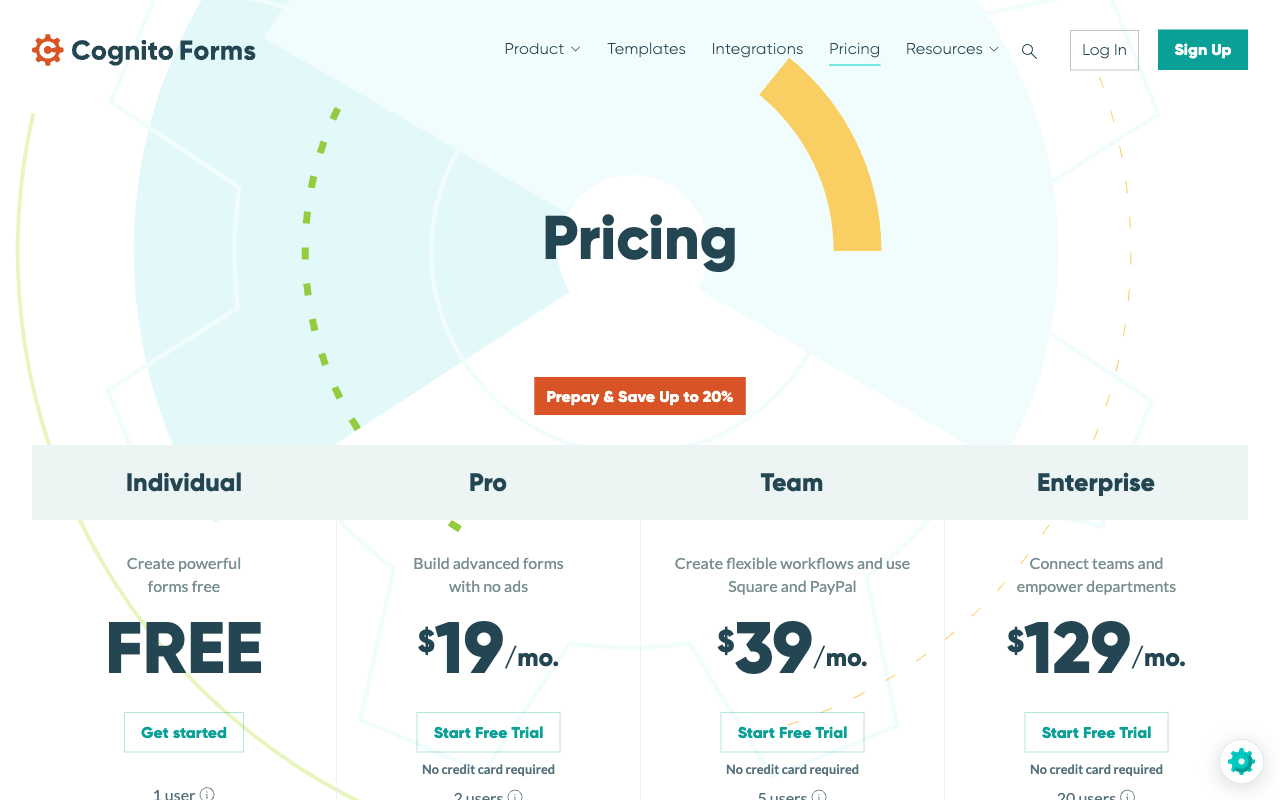
Cognito Forms Pro is $24/month ($19 annually) for 2,000 entries and 2 users, Team is $49/month ($39) for 10,000 entries and 5 users, Enterprise is $174/month ($129). Paperform Pro is $59/month ($49 annually) with unlimited submissions and seats within fair use.
Integrations and API
Paperform connects 4,000+ integrations with a REST API on paid plans and a separate Business API on the $124/month annual tier. Cognito Forms lists roughly 50 native integrations plus a public REST API, OData feeds and an MCP connector on Pro and above.
Conditional logic
Both are strong here, and Cognito Forms has one of the best logic implementations in the category on its free plan. Paperform's calculations are Excel-style and reach past the form: they drive question and page visibility, conditional emails, integration payloads and success page content, with an AI assistant that writes the formula from a plain description.
Payments
Paperform supports 5 gateways: Stripe, PayPal, Square, Braintree and Google Pay, with no transaction fee of its own. Cognito Forms supports 4: Stripe, Cognito Pay at 2.9% + 30c, plus PayPal and Square on the Team plan. Neither Braintree nor recurring subscriptions are available.
Compliance
Cognito Forms is HIPAA, GDPR and CCPA compliant with ongoing SOC 2 Type 2 audits, PCI-compliant payments and ADA / Section 508 accessibility, though HIPAA and a BAA require the Enterprise tier. Paperform is SOC 2 Type II, GDPR and CCPA compliant and is not HIPAA compliant and does not sign BAAs. On regulated health data, Cognito Forms wins outright.
Feature Comparison
Read the table for shape rather than score. Cognito Forms is dense where the data is complex and thin where the process continues past the submission. Paperform is the reverse of that in exactly one place, design and post-submission workflow, and comparable almost everywhere else.
| Feature | Paperform | Cognito Forms |
|---|---|---|
| Form Building | ||
| Document-style editor | Yes | No |
| AI form creation | Yes | Yes |
| Field types | 26+ | 20+ |
| File uploads | Yes | Yes |
| Multi-page forms | Yes | Yes |
| Guided mode (one question at a time) | Yes | No |
| Conditional logic | Yes | Yes |
| Calculations field | Yes pro | Yes |
| AI calculations assistant | Yes pro | No |
| Scoring | Yes pro | Yes |
| Answer piping | Yes | Yes |
| Pre-filling and hidden fields | Yes pro | Yes |
| Save and resume | Yes | Yes pro |
| Auto-close by number | Yes pro | Yes |
| Auto-close by date | Yes pro | Yes |
| Appointment/booking field | Yes | No |
| Signature field | Yes | Yes team |
| Color picker field | Yes | No |
| API-powered dropdowns | Yes business | Yes |
| Google address search | Yes business | Yes |
| Payments | ||
| Stripe payments | Yes | Yes |
| PayPal payments | Yes | Yes team |
| Square payments | Yes | Yes team |
| Braintree payments | Yes | No |
| Google Pay | Yes | Yes |
| Product sales (eCommerce) | Yes pro | Yes |
| Subscriptions | Yes pro | No |
| Coupons and discounts | Yes pro | Yes |
| Custom pricing rules | Yes pro | Yes |
| Tax calculations | Yes | Yes |
| Quotes/invoices | Yes | Yes team |
| Refunds | Yes | No |
| 3D Secure | Yes | No |
| Cognito Pay (native card processing) | No | Yes |
| Design & Customization | ||
| Template gallery | 30,000+ | Yes |
| Rich media (images, GIFs, videos) | Yes | Yes |
| Unsplash and Giphy integration | Yes | No |
| Image editor | Yes | No |
| Adobe Creative Cloud | Yes | No |
| Language translation | Yes | Yes pro |
| Advanced theming | Yes pro | Yes pro |
| Custom form URL | Yes pro | No |
| Custom domains | Yes pro | No |
| Custom HTML & CSS | Yes pro | Yes pro |
| Remove branding | Yes pro | Yes pro |
| Custom email domains | Yes business | No |
| Analytics | ||
| Submission results and reports | Yes | Yes |
| AI report insights | Yes pro | No |
| Paperform analytics | Yes pro | No |
| Drop-off analysis | Yes pro | No |
| Google Analytics & Facebook Pixel | Yes pro | Yes pro |
| Custom analytics scripts | Yes pro | No |
| Partial submissions | Yes pro | No |
| Collaboration | ||
| Multi-user accounts | Yes pro | Yes pro |
| User permissions and management | Yes pro | Yes team |
| Advanced permissions & admin | Yes enterprise | Yes enterprise |
| Form sharing (templates) | Yes | Yes |
| Spaces and tag management | Yes | No |
| Security | ||
| SOC 2 Type II | Yes | No |
| GDPR compliant | Yes | Yes |
| SSL encryption | Yes | Yes |
| Two-factor authentication | Yes | Yes |
| Enforce 2FA for all users | Yes business | No |
| SSO (SAML) | Yes business | Yes enterprise |
| reCAPTCHA | Yes | Yes |
| Local data residency | Yes enterprise | No |
| Custom S3 storage (BYO) | Yes business | No |
| Integrations & API | ||
| Native integrations | 4,000+ | No |
| Zapier | Yes | Yes |
| Make (Integromat) | Yes | Yes |
| Webhooks | Yes pro | Yes |
| Standard API | Yes pro | Yes |
| Business API | Yes business | No |
| WordPress plugin | Yes | Yes |
| oEmbed support | Yes | Yes |
| MCP connector (AI app access) | No | Yes pro |
Where Cognito Forms Wins
HIPAA compliance with a Business Associate Agreement
Cognito Forms will sign a BAA and Paperform will not. HIPAA sits on the Enterprise tier at $174/month ($129 billed annually), which is a real cost, but it is available and it is audited alongside GDPR, CCPA and ongoing SOC 2 Type 2 work. A clinic taking patient intake, a therapy practice collecting histories or a benefits administrator handling claims should stop reading here and choose Cognito Forms. Paperform has HIPAA support on its roadmap and nothing to offer today. Teams in this position may also want our ranking of form builders for healthcare.
Genuinely cheaper to start
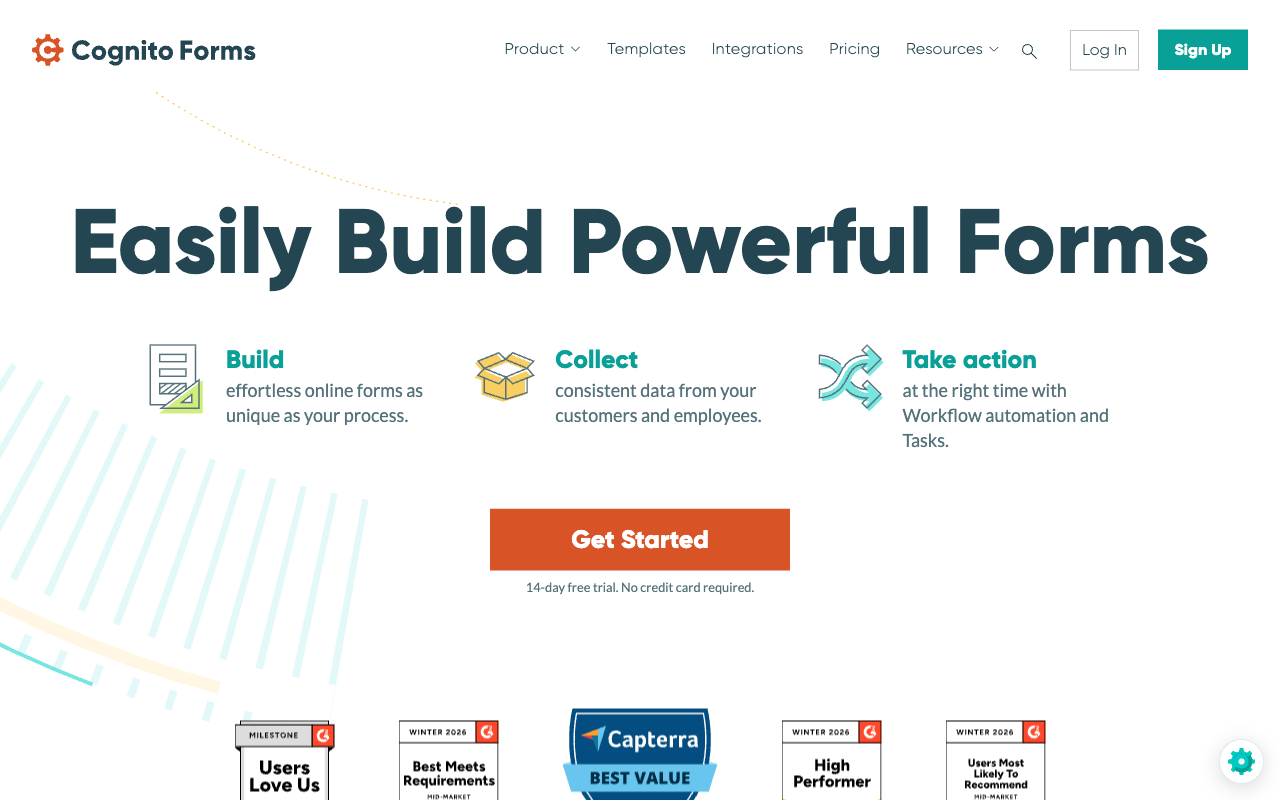
Cognito Forms Pro is $19/month billed annually. Paperform's cheapest paid plan is Pro at $49/month annually, with nothing sold below it. That is a $30 gap on the first invoice and there is no way to argue it away. For one person running one form that takes a few hundred entries a month, Cognito Forms is the correct purchase. The $30 buys unmetered submissions, unmetered seats, and two additional products, which matters when there are eight of you and three processes, and matters very little when there is one of you and one form.
A calculation engine with a decade of reputation behind it
Calculations have been the reason people pick Cognito Forms since 2013, and the reputation is earned. Formula fields, repeating sections that behave like editable tables, and lookup fields that pull values from other forms let you build things that most form builders cannot express at all. Multiple review sites, including Website Planet, put calculations at the top of the list of reasons users stay. The catch is who can use them: reviewers repeatedly describe the syntax for anything non-trivial as closer to scripting than form building, which routes the work back to whoever on the team is comfortable with that.
A client portal, and a bigger review footprint
The client portal on the Team plan gives submitters a secure place to return, review past entries and track progress. Very few competitors ship anything equivalent and Paperform does not. Cognito Forms also carries more public evidence than Paperform does: 216 Capterra reviews at 4.7 and 90 on G2 at 4.5, with value for money rated 4.7 on both. Paperform has roughly 78 G2 reviews and 104 on Capterra. Higher scores, smaller sample.
Where Paperform Wins

Three products in one subscription instead of three renewal dates
Count what a signed, automated intake process costs on each side. On Cognito Forms it is a Team plan at $39/month annually to unlock document generation and the client portal, an eSignature capability that starts on Pro, and then Zapier, Make or Power Automate on top for anything that has to reach a CRM, a Slack channel or an accounting system. Three bills, three permission models, three places to look when something silently stops firing at 2am. On Paperform the same process is one plan: Paperform builds the form, Papersign generates and sends the contract with bulk sending, signer verification and an audit trail that links back to the original submission, and Stepper runs the routing, approvals and system updates afterwards. Unlimited workflows on every plan, unlimited steps from Pro up, 20,000 automation credits on Pro and 100,000 on Business.
The version of this that shows up on a renewal spreadsheet is simpler still. A form builder plus a DocuSign seat plus a Zapier plan is three vendors to contract, review and renew. One of them is a $49/month line item.
A full eCommerce engine, not a payment field
Cognito Forms can take a card. It cannot run a store. There is no recurring billing, so a membership, a retainer or an instalment plan stops at the first charge and is completed by hand somewhere else. Refunds are not native. Coupons, tax and pricing rules exist only because the calculation engine can be made to produce them, which is capable but is still you building a commerce layer out of formula fields. PayPal and Square are withheld until the $49/month Team plan, and the built-in Cognito Pay takes 2.9% + 30c per transaction.
Paperform runs five gateways, Stripe, PayPal, Square, Braintree and Google Pay, with a product catalogue, inventory, subscriptions, coupons, discount and pricing rules, tax calculation, quoting and refunds as actual features rather than formulas you maintain. Paperform charges no transaction fee of its own on top of the processor, and more than $173M has moved through Paperform forms. If money is part of the form, this is the largest functional gap on the page.
Nothing that grows is metered
Cognito Forms bills four ways for getting bigger: entries, users, storage and guests each have a cap, an overage and a line item. Pro stops at 2,000 entries and 2 users. Extra people are $5/user/month. External collaborators come in guest packs from $25/month for 50 up to $250/month for 2,500. Overflow storage on Enterprise is $25/month per 50 GB. Every one of those increases is triggered by the business doing better. Paperform Pro carries unlimited submissions and unlimited seats within fair use, and one seat covers all three products, so the finance reviewer who should see the submission gets an account rather than a screenshot. Automation credits are the one thing Paperform meters, at $10/month per additional 10,000 on Pro, and it is fair to name that rather than bury it.
Design control and the domain the form sits on
Cognito Forms reviewers consistently describe a dense builder and a utilitarian result, and Qualaroo's alternatives roundup finds that better-looking forms are the main reason people leave. Custom CSS is available from Pro, but CSS is a cost: someone writes it and someone maintains it every time the brand changes. Paperform's document-style editor puts headings, images, video and fields in a single flow, so a branded page is the default output. Forms can run on your own domain at $20/month per domain on Pro, with one included on Business, where Cognito Forms offers no custom domains at any tier. Paperform's Guided Mode also presents one question per screen for long mobile forms; one customer measured a 91% lift in conversion after switching to it, and Cognito Forms has no equivalent mode.
AI and analytics that stay inside the product
Cognito Forms added AI form generation, an AI support chatbot and an MCP connector in 2026, and the MCP connector is a real addition: Claude or ChatGPT can create forms and query entries from outside. Trakkr's analysis still reads its overall AI surface as narrower than competitors, and reviewers report the generator itself is slow. More to the point, analysing submissions that way means the data leaves for another model and the answer lives in a chat window. Paperform keeps it inside: AI form creation, an AI calculations assistant that writes the Excel-style rule from a plain-language description, and AI Insights that summarise responses into a readable report. Paperform also captures partial submissions and reports drop-off by question, where Cognito Forms has no form analytics and no partial submission data at all.
Where Cognito Forms Falls Short
- Four separate meters: entries (100 free, 2,000 Pro, 10,000 Team), users (1/2/5/20), storage and guests, each with its own overage.
- Per-seat and per-guest pricing: $5/user/month above the included count, and guest packs from $25 to $250/month.
- Platform features are tier upgrades: eSignatures need Pro, document generation and the client portal need Team at $49/month.
- No cross-system automation: workflow is form-scoped; anything else means Zapier, Make or Power Automate as a fourth subscription.
- No recurring payments or native refunds: and PayPal and Square are gated to Team.
- No custom domains at any tier: forms stay on cognitoforms.com even on Enterprise.
- No analytics and no partial submissions: you only see the people who finished.
- No guided one-question-at-a-time mode: long mobile forms are a scrolling exercise.
- Advanced logic reads like scripting: a recurring criticism in Capterra and BrightSEO reviews, which concentrates form building in one technical person.
- HIPAA is Enterprise-only: $174/month ($129 annually) before a BAA is on the table.
- Smaller template library and roughly 50 native integrations: most connections route through middleware.
- Private-equity owned: a different set of incentives from a founder-run vendor when pricing gets revisited, as it was in July 2026.
Where Paperform Falls Short
- No HIPAA compliance and no BAAs: a hard stop for protected health information, and Cognito Forms answers it.
- Higher entry price: $49/month annually against $19, with nothing sold in between.
- No client portal: Cognito Forms has a real one on Team and Paperform has no equivalent.
- Automation credits are metered: 20,000/month on Pro, then $10 per additional 10,000.
- Custom domains cost extra: $20/month per domain on Pro, one included on Business.
- No mobile editor: forms are fully responsive for respondents, but building happens on a desktop. Cognito Forms has no mobile editor either.
- Smaller review footprint: around 182 G2 and Capterra reviews against Cognito Forms' 306.
- Not the tool for one simple form: for three questions and a thank-you page, use the simple tool.
See the Builders Before You Commit
Cognito Forms has no widely watched independent video review, which is itself a signal about its public footprint relative to its age. The walkthrough below covers Paperform's builder end to end.
Pricing Comparison
Cognito Forms is cheaper at every tier name and more expensive at most real workloads, because the tier name is not what you buy. You buy a quota. Note also that Cognito Forms raised prices in July 2026: what used to be the monthly rates ($19/$39/$129) are now the annual prepay rates, with monthly rates of $24/$49/$174 above them.
| Scenario | Cognito Forms | Paperform | What decides it |
|---|---|---|---|
| 1 person, 300 entries/mo | Pro: $19/mo annually | Pro: $49/mo annually | Cognito Forms, by $30. Take it. |
| 8 people, 12,000 entries/mo | Enterprise at $129/mo annually once entries pass 10,000 | Pro: $49/mo annually, unchanged | The entry cap, not the feature list |
| Contracts signed after submission | Team at $39/mo for document generation, eSignature from Pro | Papersign included: 25 signed docs/mo on Pro, 100 on Business | Whether signing is a plan upgrade or an inclusion |
| Automation across systems | Zapier, Make or Power Automate, billed separately per task | Stepper included: 20,000 credits/mo on Pro | One vendor answering for the chain, or four |
| Patient intake with PHI | Enterprise at $129/mo annually, BAA signed | Not available | Cognito Forms, outright |
Paperform
Cognito Forms
| Product | Plan | Monthly Price | Annual Price (per month) | Free Plan | Free Trial | Limits |
|---|---|---|---|---|---|---|
| Paperform | Free | Free | Free | Yes | 7 days | forms: Unlimited, submissions: 30/month, storage: Unlimited, users: Unlimited, file uploads: 100 MB |
| Paperform | Pro | $59/mo | $49/mo billed annually | forms: Unlimited, submissions: Unlimited, storage: Unlimited, users: Unlimited, file uploads: 10 GB | ||
| Paperform | Business | $149/mo | $124/mo billed annually | forms: Unlimited, submissions: Unlimited, storage: Unlimited, users: Unlimited, file uploads: 100 GB | ||
| Cognito Forms | Individual (Free) | Free | Free | Yes | 14 days | forms: Unlimited, submissions: 100 entries/month, storage: 100 MB, users: 1 |
| Cognito Forms | Pro | $24/mo | $19/mo billed annually | forms: Unlimited, submissions: 2,000 entries/month, storage: 1 GB, users: 2 | ||
| Cognito Forms | Team | $49/mo | $39/mo billed annually | forms: Unlimited, submissions: 10,000 entries/month, storage: 10 GB, users: 5 | ||
| Cognito Forms | Enterprise | $174/mo | $129/mo billed annually | forms: Unlimited, submissions: Unlimited, storage: 100 GB, users: 20 |
Two footnotes on the table. Cognito Forms offers a 14-day trial without a card and discounts for registered 501(c)(3) nonprofits on request; Paperform's trial runs 7 days, also without a card. And some Cognito Forms visitors are currently shown an experimental five-tier lineup with a Business plan at $129/month ($99 annually), so the page you land on may not match the numbers above.
What Users Say
Cognito Forms rates 4.7 on Capterra across 216 reviews and 4.5 on G2 across 90, with value for money at 4.7 on both, which is the clearest signal in its review profile: people feel they got a lot for the money. Criticism clusters in two places, the density of the builder and the syntax needed for advanced logic. Paperform's sample is smaller at 78 G2 and 104 Capterra reviews, with 4.8 averages and 4.8 across 212 Trustpilot reviews, and support is consistently its highest-rated dimension at 4.7 on Capterra and 4.9 on GetApp. Support is part of the seat price on every Paperform plan rather than an enablement fee at signing.
The Verdict
Choose Cognito Forms when the constraint is HIPAA, or when the whole job is a complex data-entry form maintained by one or two people. It is cheaper, it has held its ground on calculations for thirteen years, and a free plan that accepts payments and 100 entries a month is a real place to start. Nothing in the pricing argument outranks a BAA you are legally required to hold.
Choose Paperform when the form is the first step of something longer. A contract has to be generated and signed, an approval has to route, a CRM has to update, money has to move through more than a card charge, and the number of people involved keeps going up. On Cognito Forms every one of those is a separate purchase: a higher tier, a guest pack, a per-user charge, a Zapier plan. On Paperform they are the same $49/month subscription that covers forms, Papersign and Stepper with no submission or seat meter underneath.
For a wider field, see our full list of Cognito Forms alternatives or the overall form builder ranking. If calculation depth is your deciding criterion, Cognito Forms vs Jotform covers the closest matchup on that axis.
Frequently Asked Questions
Which Cognito Forms plan do I need before I can send a contract for signature?
Electronic signatures begin on Cognito Forms Pro at $24/month ($19 billed annually), and document generation, the feature that produces the contract or quote in the first place, waits until Team at $49/month ($39 annually). So the signing workflow costs $39/month at minimum, and it signs documents that Cognito Forms itself generated. Paperform includes Papersign on every plan: 25 signed documents/month on Pro at $59/month ($49 annually), 100 on Business, with the Papersign API, bulk sending and signer verification from Pro up. That is why the comparison is rarely form builder against form builder. It is one subscription against a form builder plus a signing vendor.
Does Cognito Forms have anything equivalent to Stepper for multi-step automation?
No. Cognito Forms has workflow tasks and approvals that operate inside a single form, which is useful for a review-and-approve loop but stops at the form boundary. Anything that crosses systems, updating a CRM record, posting to Slack, branching on an API response, routes through Zapier, Make or Power Automate, which its integrations page leads with. That is a fourth vendor holding your automation logic and billing you per task run. Stepper is Paperform's AI-native workflow builder and it ships inside the same subscription, with unlimited workflows on every plan and 20,000 automation credits on Pro.
Can I sell a subscription or a payment plan through a Cognito Forms form?
No. Cognito Forms takes one-off payments through Stripe, Cognito Pay, PayPal or Square, but it has no recurring billing and no native refund handling, and PayPal and Square are both gated to the Team plan at $49/month. A membership, a retainer or a four-instalment payment plan has to be set up somewhere else after the form is submitted. Paperform supports 5 gateways (Stripe, PayPal, Square, Braintree and Google Pay) on paid plans with subscriptions, coupons, pricing rules, tax calculation and refunds built in, and charges no transaction fee of its own. More than $173M has been processed through Paperform forms.
What does a growing team actually pay on Cognito Forms compared with Paperform?
Cognito Forms meters four separate things: entries, users, storage and guests. Team at $39/month annually covers 10,000 entries a month and 5 users. An eighth colleague adds $15/month at $5 per extra user. An outside reviewer needs a guest pack, from $25/month for 50 guests. Passing 10,000 entries means Enterprise at $129/month annually. Paperform Pro at $49/month annually carries unlimited submissions and unlimited seats within fair use, so none of those four increases exists. At one user and 300 entries a month, Cognito Forms at $19 is genuinely the cheaper purchase, and we would tell you to take it.
Is Cognito Forms HIPAA compliant, and can Paperform match that?
Cognito Forms is HIPAA compliant and will sign a BAA, though only on the Enterprise tier at $174/month ($129 annually). It also holds GDPR, CCPA and ongoing SOC 2 Type 2 audits, with PCI-compliant payments and ADA / Section 508 accessibility. Paperform is SOC 2 Type II, GDPR and CCPA compliant but is not HIPAA compliant and does not sign BAAs. If protected health information passes through the form, Cognito Forms is the right answer between these two and nothing else on this page changes that.
Can I put a Cognito Forms form on my own domain?
No. Cognito Forms has no custom domain support at any tier, so forms are served from cognitoforms.com even on the $174/month Enterprise plan. You can remove the Cognito Forms branding from Pro up and apply custom CSS, but the URL stays theirs. Paperform runs forms on your own domain at $20/month per domain on Pro, with one domain included on Business. For a checkout or a client intake, where the URL is the last trust signal before someone types a card number, that difference is worth more than a stylesheet.
Sources & References
- Cognito Forms Pricing — Cognito Forms, September 2026
- Cognito Forms Review 2025: Is It as Good as It Seems? — Website Planet, 2025
- Cognito Forms Review: Pros, Cons & User Experience — BrightSEO Tools, 2026
- Jotform vs. Cognito Forms: AI Analysis (2026) — Trakkr, 2026
- Cognito Forms Alternatives: Top 7 Options for 2026 — Qualaroo, 2026
- Cognito Forms Reviews — Capterra, September 2026
Updates
We re-audit the form builders we compare on a regular cadence and log every change here — a public record of what changed and when.
- Updated September 22, 2026 — Written against the September 2026 data re-audit. Cognito Forms pricing reflects the July 2026 era: Pro $24/$19, Team $49/$39, Enterprise $174/$129, with the concurrent Business plan experiment noted. Records Cognito's ongoing SOC 2 Type 2 audits, its public REST API, Cognito Pay and the 2026 MCP connector. Paperform pricing updated to the current Free/Pro/Business/Enterprise lineup with unlimited submissions and seats on paid plans.
Last updated September 22, 2026
Ready to try Paperform?
Create beautiful forms, payment pages, and workflows — no code required.