Best Form Builders for Healthcare in 2026
For protected health information, the best form builder is FormAssembly, which carries HIPAA with a BAA alongside FedRAMP High and ISO 27001. Jotform is the cheapest compliant option at $99/month billed annually. Paperform is not HIPAA compliant, signs no BAAs, and should not be used for PHI.
Healthcare buying works backwards from every other form builder decision. The feature list, the editor and the price all come second to one binary question: will this vendor sign a Business Associate Agreement, and at what tier. Three of the seven tools ranked below will, three more will under specific conditions, and one will not at all. That last one is ours, and we have ranked it last accordingly.
We compared these seven on HIPAA and BAA availability, the real cost of the compliant tier, what happens to submission caps during an intake spike, how many integrations can carry data onward, and whether the payment and logic capabilities survive the move into a compliant plan. Pricing and compliance data was read live from each vendor on 22 September 2026.
One warning before the rankings. A signed BAA covers the form vendor, not your workflow. If a compliant form pushes a submission into a spreadsheet, an email inbox or an automation platform that has no BAA of its own, the compliant boundary ends at the edge of the form. Map the whole path before you buy.
For a broader shortlist that is not compliance-led, see our best form builders ranking, or the narrower guides for enterprises and schools.
| Feature | FormAssembly | Jotform | Cognito Forms | Formstack | Microsoft Forms | Formsite | Paperform |
|---|---|---|---|---|---|---|---|
| Form Building | |||||||
| Document-style editor | No | No | No | No | No | No | Yes |
| AI workflow generation | Yes explorer | No | No | No | No | No | No |
| AI compliance guidance | Yes explorer | No | No | No | No | No | No |
| Field types | Yes explorer | 30+ (starter) | 20+ | 15 | No | Yes | 26+ |
| Guided mode (one question at a time) | No | Yes starter | No | Yes forms | No | No | Yes |
| Payments | |||||||
| Stripe payments | Yes explorer | Yes starter | Yes | Yes forms | No | Yes professional | Yes |
| PayPal payments | Yes explorer | Yes starter | Yes team | Yes forms | No | Yes professional | Yes |
| Square payments | No | Yes starter | Yes team | No | No | No | Yes |
| Braintree payments | No | Yes starter | No | No | No | Yes professional | Yes |
| Google Pay | No | Yes starter | Yes | No | No | No | Yes |
| Design & Customization | |||||||
| Template gallery | Yes explorer | 20,000+ (starter) | Yes | Yes forms | Yes | Yes | 30,000+ |
| Unsplash and Giphy integration | No | No | No | No | No | No | Yes |
| Image editor | No | No | No | No | No | No | Yes |
| Adobe Creative Cloud | No | No | No | No | No | No | Yes |
| Language translation | No | Yes starter | Yes pro | No | Yes | No | Yes |
| Analytics | |||||||
| AI report insights | No | No | No | No | Yes | No | Yes pro |
| Workflow analytics | Yes explorer | No | No | No | No | No | No |
| Google Analytics & Facebook Pixel | No | No | Yes pro | Yes forms | No | No | Yes pro |
| Custom analytics scripts | No | No | No | No | No | No | Yes pro |
| Partial submissions | No | No | No | Yes forms | No | No | Yes pro |
| Collaboration | |||||||
| Advanced permissions & admin | Yes enterprise | Yes enterprise | Yes enterprise | Yes enterprise | Yes enterprise | No | Yes enterprise |
| Form sharing (templates) | Yes explorer | No | Yes | Yes forms | Yes | Yes | Yes |
| Spaces and tag management | No | No | No | Yes forms | No | No | Yes |
| Workflow collaboration roles | Yes team | No | No | No | No | No | No |
| Workflow revisions (version history) | Yes team | No | No | No | No | No | No |
| Security | |||||||
| SOC 2 Type II | Yes explorer | Yes enterprise | No | No | Yes | No | Yes |
| ISO 27001 | Yes explorer | No | No | No | No | No | No |
| Accessibility (Section 508, WCAG 2.1) | Yes explorer | No | No | No | No | No | No |
| Field-level masking of sensitive data | Yes explorer | No | No | No | No | No | No |
| Script integrity verification | Yes explorer | No | No | No | No | No | No |
| Integrations & API | |||||||
| Zapier | No | Yes starter | Yes | Yes forms | No | Yes professional | Yes |
| Make (Integromat) | No | Yes starter | Yes | No | No | No | Yes |
| Webhooks | Yes explorer | Yes starter | Yes | Yes forms | No | Yes professional | Yes pro |
| Standard API | Yes explorer | No | Yes | Yes forms | No | Yes professional | Yes pro |
| Business API | No | No | No | Yes enterprise | No | No | Yes business |
 #1 FormAssembly — Best for Regulated PHI Intake at Scale
FormAssembly holds the deepest compliance stack of any form builder here: HIPAA with a BAA on Atlas Enterprise, PCI DSS Level 1, ISO 27001, SOC 2, FedRAMP High, GLBA, FERPA and 21 CFR Part 11 for clinical research. No other vendor on this list clears that list, and for a hospital network, a research site or a payer, several of those are procurement gates rather than nice-to-haves. Data residency across North America, the EU and APAC is included at the same tier.
The product behind the certifications is built for exactly this job. Field-level masking hides sensitive values from staff who should not see them, identity authentication gates who can open a form, approval processes route submissions through a reviewer, and the Salesforce connector writes across multiple objects with prefill from existing records. That matters if patient data lands in Health Cloud. Forms, responses and storage are unlimited on every tier, so a vaccination drive or an enrolment window will not stop the form working.
The cost is opacity and seats. As of September 2026 FormAssembly publishes no price for any plan; all four route to a demo request. Seats are capped by tier at 1, 3 and 5 standard users, and integrations, unlimited workflows, document generation and the analytics suite are all sold as add-ons on top of the quoted figure. Budget for a procurement cycle, not a credit card. The 2026 Atlas relaunch added an agentic AI assistant and deeper Salesforce integration, which suggests the platform is being actively invested in rather than maintained.
- Pricing: No published prices. Atlas Explorer, Team, Enterprise and Gov Cloud all quote-only. 14-day trial, no card.
- Best for: Hospitals, research sites and payers with a formal compliance review and Salesforce behind the form.
- Key limitation: Opaque pricing, seat caps from 1 to 5, and most capabilities priced as add-ons.
 #2 Jotform — Best for Clinics That Need Compliance Without a Procurement Cycle

Jotform is the cheapest route to a signed BAA on this list: HIPAA features unlock on the Gold plan at $99/month billed annually, with no sales call required. For a single practice or a small multi-site group, that is the difference between running compliant intake next week and running a three-month evaluation. Compliance also extends to PCI DSS Level 1, ISO 27001, SOC 2, FERPA and StateRAMP, and the healthcare template library is the largest going.
Payments are the other reason clinics land here. Jotform supports 40+ payment processors, which is more than every other tool on this page combined, and copays, deposits and self-pay balances can be collected in the intake form itself rather than through a separate portal. There are 150+ native integrations, conditional logic, calculation fields, and a genuinely good mobile app for staff collecting responses away from a desk.
Then there is the metering, which is where Jotform gets expensive in a way the sticker price hides. Gold allows 10,000 submissions a month, 100 forms and 1,000 payment submissions, and every self-serve tier from Starter to Gold is single-user. There is no second seat to give your practice manager without moving to an Enterprise quote, which is the same procurement cycle you chose Jotform to avoid. Form views, storage and fields per form are each metered separately too. Nonprofit and education discounts of 50% apply to Bronze, Silver and Gold, which is worth claiming if you qualify.
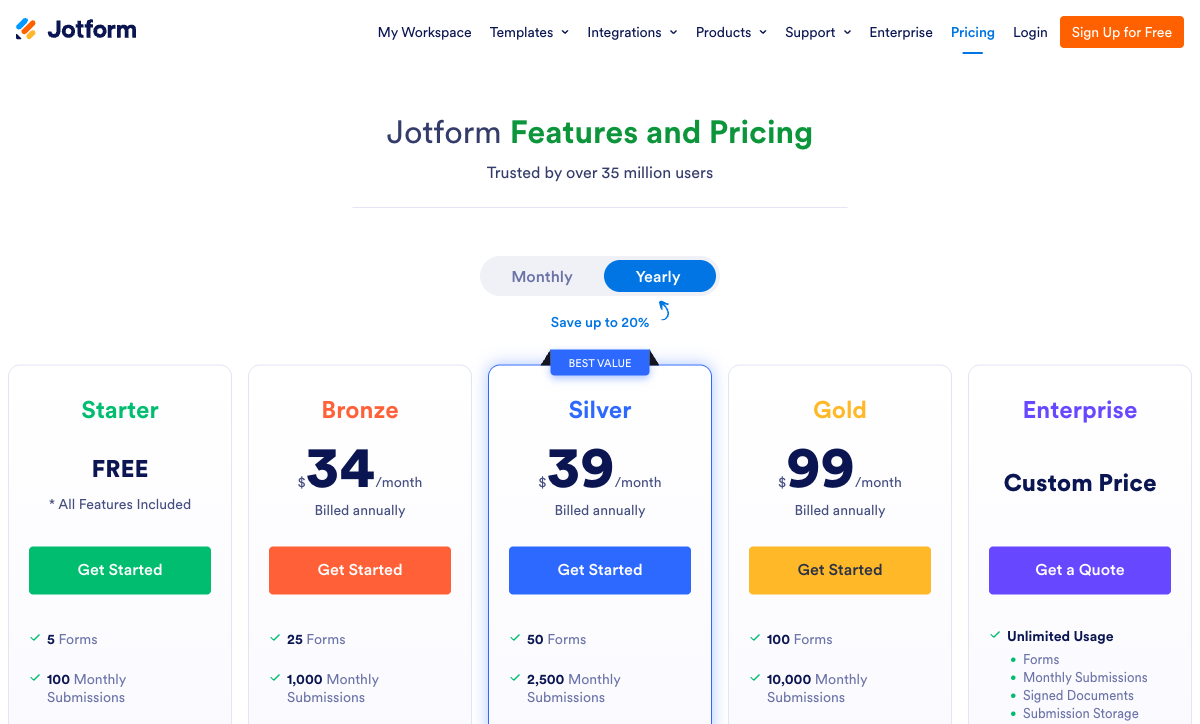
- Pricing: Free (100 submissions/month). Bronze $39/$34 annual. Silver $49/$39. Gold $129/$99 (HIPAA). Enterprise on quote.
- Best for: Independent practices that need a BAA, copay collection and a fast start.
- Key limitation: Single user on every published tier, and seven separate meters above that.
 #3 Cognito Forms — Best for Unlimited Compliant Volume on a Published Price
Cognito Forms Enterprise is $129/month billed annually and includes HIPAA compliance, unlimited entries, SSO, folder permissions, 20 users and 20 guests. For a practice with unpredictable intake volume, unlimited entries at a published price is worth more than a longer certification list; it removes the scenario where a busy month forces an unplanned upgrade. Hosting is on Microsoft Azure, with SOC 2 Type 2 audits ongoing and PCI-compliant payments.
The formula engine is the reason to prefer it over Jotform on anything with maths in it. Cognito runs real calculations with repeating sections and data lookups, so insurance estimates, sliding-scale fee schedules, BMI and dosing calculators and multi-dependant enrolment forms can be modelled properly rather than approximated. Folder-level permissions also map well onto departments that should not see each other's submissions.
Two caveats. The compliant tier is the top tier, so there is no middle ground: Team at $39/month annual has no HIPAA, and the jump is a three-fold price increase. And the builder is dense. Reviewers consistently praise the logic and criticise the interface, with Website Planet's review noting design limitations as the trade-off for the calculation power. Patient-facing forms will look functional rather than reassuring, which matters more in healthcare than it does elsewhere.
- Pricing: Free (100 entries/month). Pro $24/$19 annual. Team $49/$39. Enterprise $174/$129 (HIPAA, unlimited entries).
- Best for: Practices with heavy calculation needs and volume they cannot forecast.
- Key limitation: HIPAA only at the top tier, and a utilitarian builder with limited design control.
 #4 Formstack — Best for Forms, Documents and Signatures in One Contract
Formstack offers HIPAA as a paid add-on on the Forms and Suite plans and includes it by default on the Salesforce and Enterprise solutions. The add-on price is not published, which makes the true cost of compliance unknowable before a sales conversation, so treat the $83/month Forms figure as a floor rather than a quote. Supporting compliance covers SOC 2, PCI DSS, TX-RAMP Level 2 and the EU, UK and Swiss Data Privacy Frameworks, with PHI encrypted at AES-256.
The Suite plan at $250/month billed annually is where the argument gets interesting for healthcare, because it bundles document generation and Formstack Sign with the form builder. A consent form that becomes a generated PDF and then a signed record, without a second vendor, is a genuinely useful shape for intake and release-of-information work. Integrations run to 300+ and the Salesforce line is well established.
The metering is aggressive and it stacks: per builder user, per form, per submission on that form, and per document delivered. Forms includes 1,000 submissions per form and one user; Suite includes 5,000 per form, three users and 250 document deliveries a month. Reviewers repeatedly flag the pricing and a dated interface, and the document and signature products arrived largely through acquisition, so how cleanly they join up varies by workflow. Formstack now sits under Intellistack, which has launched a separate CLM product line, and it is fair to ask where the roadmap attention is going.
- Pricing: No free plan. Forms $99/$83 annual. Suite $299/$250. HIPAA add-on priced on request. Enterprise on quote.
- Best for: Organisations that need compliant forms, generated documents and eSignature under one contract.
- Key limitation: Unpublished HIPAA pricing, meters at four separate joints, and divided roadmap attention.
 #5 Microsoft Forms — Best for Internal Healthcare Use You Already Pay For
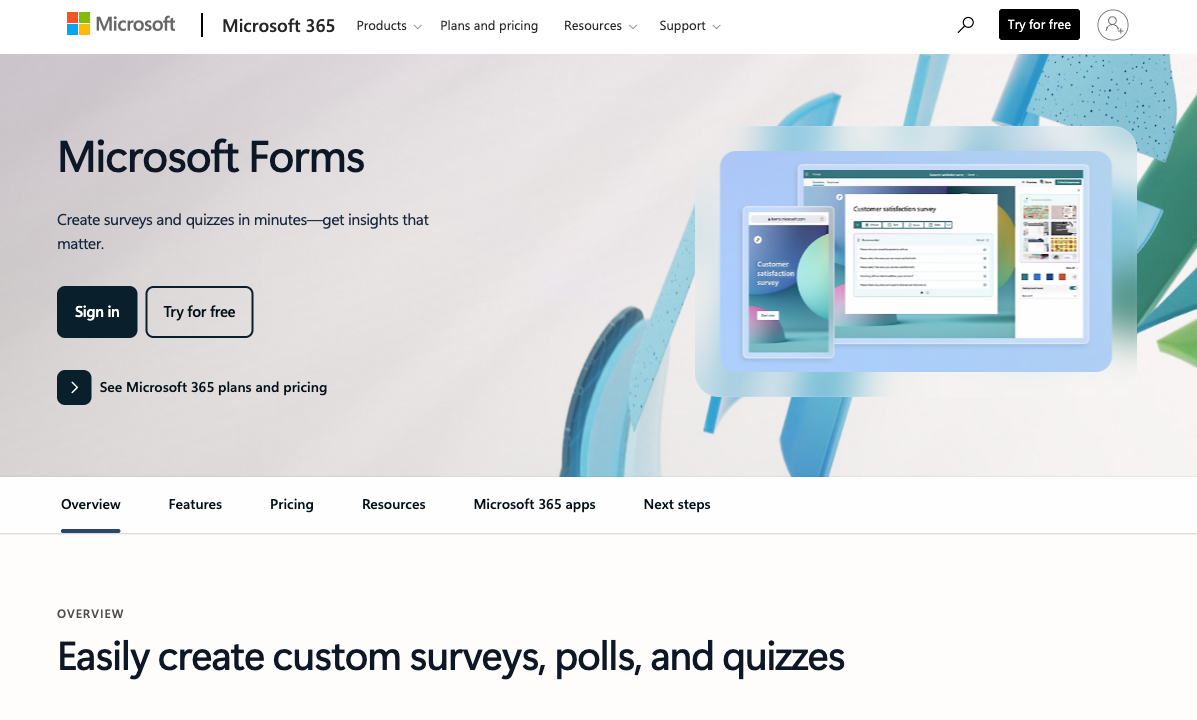
Microsoft Forms is covered under the Microsoft 365 Business Associate Agreement and holds HIPAA, ISO 27001, SOC 2, FERPA and FedRAMP, which puts it ahead of most paid form builders on paper at $7/user/month on Business Basic billed annually. If your organisation already runs Microsoft 365, the compliant form builder is sitting in the tenant, and for staff training quizzes, internal incident reporting, shift preference surveys and screening questionnaires we would not argue for anything else.
The ranking reflects what it cannot do rather than what it gets wrong. Microsoft Forms has no payment fields of any kind, no calculation fields, no public API, no branding control worth the name, and roughly 20 native integrations. Free personal accounts stop at 200 responses per form. Every step past collection needs Power Automate, and every signature needs a separately licensed eSignature vendor. Configuration also matters: a form shared with an anonymous external link behaves differently from one restricted to the tenant, and patient-facing use needs the tenant controls set deliberately.
- Pricing: Free with a personal account (200 responses/form). Included in Microsoft 365 from $8.40/month, $7/month annually per user.
- Best for: Internal staff-facing forms inside an existing Microsoft 365 tenant.
- Key limitation: No payments, no calculations, no API, and roughly 20 integrations.
 #6 Formsite — Best for Long-Running Forms on a Fixed Process
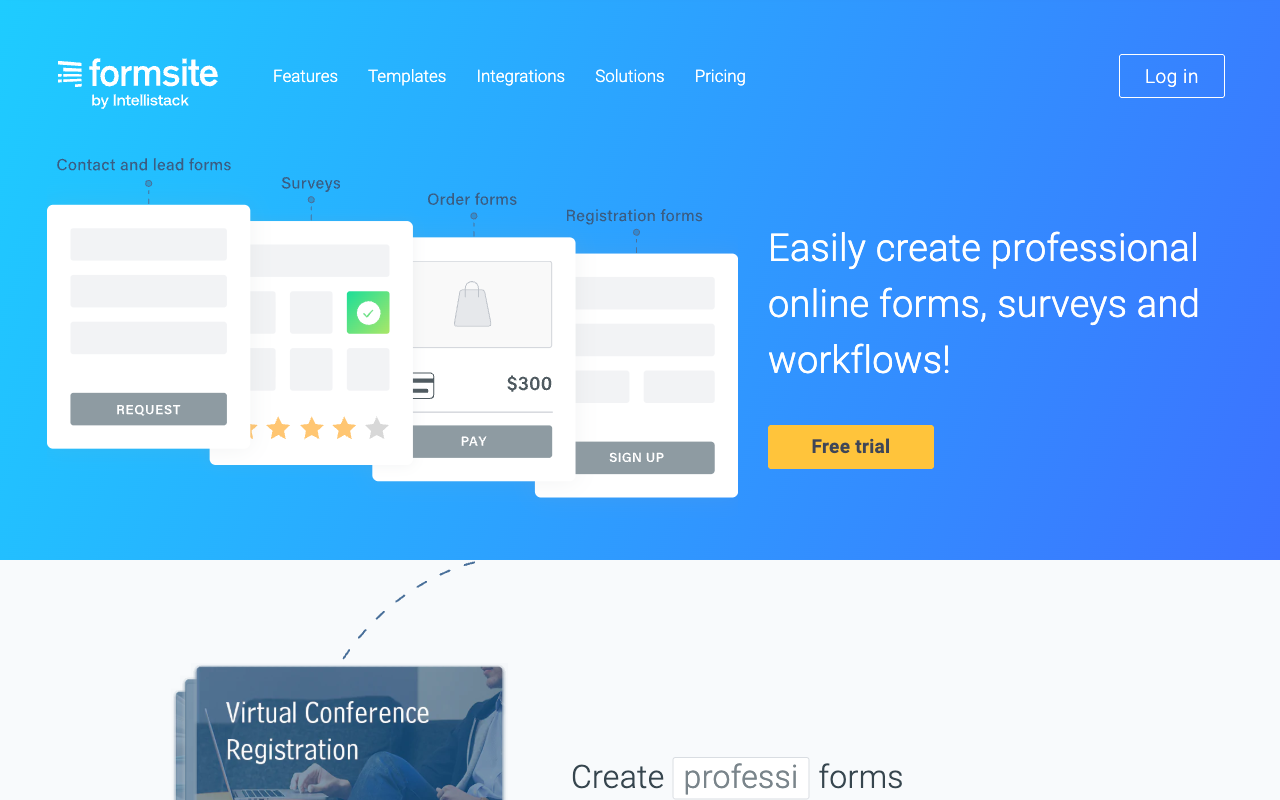
Formsite makes a BAA available on its Enterprise plan at $209/month, which also carries SLA, 2FA and Salesforce integration. It has been operating since 1998, it is PCI DSS 4.0 compliant, and it supports Stripe, PayPal, Braintree and Authorize.Net for payments, with calculations and conditional logic in the builder. For a records release form or a referral form that has been working the same way for eight years, none of that is a bad foundation.
It ranks sixth because of what is missing and what is metered. There is no SOC 2 attestation, which will stop the procurement conversation dead at many hospital systems. Results are capped per form rather than per account, so 2,500 on Business means one popular intake form exhausts the plan while the others sit idle, and extra logins are $10/month each. The interface shows its age, and 2026 reviews on G2 and elsewhere consistently frame it as a dated veteran. The company is also under ten people, which is a thin base for a decade-long compliance dependency.
- Pricing: Free (10 results/form). Personal $21/month. Professional $34. Business $59. Business+ $84. Enterprise $209 (HIPAA BAA).
- Best for: Stable, low-change forms where the process will not be redesigned.
- Key limitation: No SOC 2, per-form result caps, paid sub-users and an aging interface.
 #7 Paperform — Best for Healthcare Admin Work That Never Touches PHI

Paperform is not HIPAA compliant and does not sign Business Associate Agreements. That is why it is ranked last on a healthcare page written by Paperform. If your form collects protected health information, the tools above are the correct answer and this one is not, and no configuration, plan tier or workaround changes that. We would rather say it here than have you discover it during an audit.
Where it belongs in a healthcare organisation is the substantial amount of work that sits outside PHI. Staff recruitment and onboarding, credentialing document collection, CPD and conference registration, vendor and supplier intake, donor and fundraising pages, equipment and facilities requests, internal feedback. Paperform holds SOC 2 Type II, GDPR and CCPA, which clears most security questionnaires for work of that kind.
For those jobs the pricing model is the argument. Pro is $59/month, or $49/month billed annually, with unlimited submissions and unlimited team members under a fair use policy; Business is $149/month, $124 annually, adding 10 workspaces, SSO and the Business API. Nothing on this page matches that: Jotform gives one user, Cognito counts seats and guests, Formstack meters four different things, and FormAssembly caps standard users at five on Enterprise. A recruitment campaign that works does not generate a bill.
One subscription also covers Papersign for eSignatures and Stepper for workflow automation, so an employment offer can be generated, signed and routed for approval without a second vendor. The calculation engine is Excel-style and drives question and page visibility, conditional emails, integration payloads and success page content, which handles things like fee schedules and eligibility scoring on non-clinical forms. Payments run through five gateways with subscriptions, coupons and tax rules, and there are 4,000+ integrations. The company was founded in 2016, is bootstrapped and profitable, and HIPAA support is on the roadmap but is not available today, so it cannot be planned around.
- Pricing: Pro $59/month, $49/month billed annually. Business $149/month, $124 annually. Enterprise on quote. 7-day trial, no card.
- Best for: Non-clinical healthcare operations: hiring, vendors, events, fundraising and internal requests.
- Key limitation: No HIPAA compliance and no BAAs, which rules out every form that touches PHI.
See Them in Action
Two independent walkthroughs covering the two ends of this list: the compliance-heavy Salesforce platform and the tool already sitting in your tenant.
The Five Dimensions That Decide a Healthcare Shortlist
Compliance
Six of the seven tools ranked here can be made HIPAA compliant with a BAA; Paperform cannot, and signs no BAAs. FormAssembly carries the longest list: HIPAA, PCI DSS Level 1, ISO 27001, SOC 2, FedRAMP High, GLBA, FERPA and 21 CFR Part 11. Jotform adds StateRAMP and HECVAT to a similar core. Microsoft Forms inherits HIPAA, ISO 27001, SOC 2 and FedRAMP from the Microsoft 365 BAA. All seven claim GDPR and CCPA. SOC 2 is held by every tool here except Formsite, which is the fastest way to lose a hospital procurement review.
Pricing
The cheapest published HIPAA tier is Jotform Gold at $99/month billed annually, followed by Cognito Forms Enterprise at $129/month annually and Formsite Enterprise at $209/month. Formstack sells HIPAA as an unpublished add-on above its $83/month Forms plan, and FormAssembly publishes no prices at all. Microsoft Forms is effectively free at $7/user/month inside an existing Microsoft 365 licence. Paperform's Pro plan is $49/month billed annually and carries no HIPAA at any tier.
Integrations and API
Native integration counts run from roughly 20 to 4,000-plus. Paperform lists 4,000+, Formsite 2,000+ counting its connector network, Formstack 300+, Jotform 150+, Cognito Forms 50+, and FormAssembly and Microsoft Forms roughly 20 each. Counts are the wrong headline in healthcare, because each connector that carries PHI needs its own BAA with that destination. FormAssembly's small native list is deliberate and its Salesforce connector is the deepest available; Microsoft Forms has no public API at all, which is the harder constraint.
Conditional logic and calculations
Six of the seven have calculation fields; Microsoft Forms has none, only quiz scoring and branching. Cognito Forms and Paperform run the most capable formula engines, with repeating sections and data lookups on the Cognito side and Excel-style formulas driving visibility, emails, integration payloads and success pages on the Paperform side. Jotform, Formstack, FormAssembly and Formsite all handle branching and arithmetic competently, which covers most triage and eligibility logic. For sliding-scale fees, insurance estimates or dosing calculations, the difference between an engine and an arithmetic field is the difference between building it and faking it.
Payments
Jotform leads by a wide margin with 40+ payment processors, which matters for copays, deposits and self-pay balances collected at intake. Paperform supports five gateways with subscriptions, coupons, tax rules and inventory. Cognito Forms has four including its own Cognito Pay, Formsite four, and Formstack five. Microsoft Forms takes no payments at all. Note that collecting a payment on a form carrying PHI puts PCI DSS and HIPAA in scope together, which is a reason to check the processor's own agreement rather than just the form vendor's.
Full Pricing Comparison
Every published tier across all seven tools. FormAssembly publishes no numeric prices as of September 2026, and Formstack's HIPAA add-on price is quoted on request.
Paperform
FormAssembly
| Product | Plan | Monthly Price | Annual Price (per month) | Free Plan | Free Trial | Limits |
|---|---|---|---|---|---|---|
| FormAssembly | FormAssembly Atlas Explorer | Not published | Not listed | No | 14 days | forms: Unlimited, submissions: Unlimited, storage: Unlimited, users: 1 standard / 0 limited |
| FormAssembly | FormAssembly Atlas Team | Custom | Not listed | forms: Unlimited, submissions: Unlimited, storage: Unlimited, users: 3 standard / 5 limited | ||
| FormAssembly | FormAssembly Atlas Enterprise | Custom | Not listed | forms: Unlimited, submissions: Unlimited, storage: Unlimited, users: 5 standard / 10 limited | ||
| FormAssembly | FormAssembly Gov Cloud | Custom | Not listed | forms: Unlimited, submissions: Unlimited, storage: Unlimited, users: 5 standard / 10 limited | ||
| Jotform | Starter | Free | Free | Yes | No | forms: 5, submissions: 100/month, storage: 100 MB, users: 1 |
| Jotform | Bronze | $39/mo | $34/mo billed annually | forms: 25, submissions: 1,000/month, storage: 1 GB, users: 1 | ||
| Jotform | Silver | $49/mo | $39/mo billed annually | forms: 50, submissions: 2,500/month, storage: 10 GB, users: 1 | ||
| Jotform | Gold | $129/mo | $99/mo billed annually | forms: 100, submissions: 10,000/month, storage: 100 GB, users: 1 | ||
| Cognito Forms | Individual (Free) | Free | Free | Yes | 14 days | forms: Unlimited, submissions: 100 entries/month, storage: 100 MB, users: 1 |
| Cognito Forms | Pro | $24/mo | $19/mo billed annually | forms: Unlimited, submissions: 2,000 entries/month, storage: 1 GB, users: 2 | ||
| Cognito Forms | Team | $49/mo | $39/mo billed annually | forms: Unlimited, submissions: 10,000 entries/month, storage: 10 GB, users: 5 | ||
| Cognito Forms | Enterprise | $174/mo | $129/mo billed annually | forms: Unlimited, submissions: Unlimited, storage: 100 GB, users: 20 | ||
| Formstack | Forms | $99/mo | $83/mo billed annually | No | 14 days | forms: 25, submissions: 1,000/form, storage: 2 GB, users: 1, file uploads: 2 GB |
| Formstack | Suite | $299/mo | $250/mo billed annually | forms: 100, submissions: 5,000/form, storage: 10 GB, users: 3, file uploads: 10 GB | ||
| Microsoft Forms | Free (Personal Microsoft Account) | Free | Free | Yes | 1 month | forms: 400, submissions: 200/form, storage: N/A, users: 1 |
| Microsoft Forms | Microsoft 365 Business Basic | $8.4/mo | $7/mo billed annually | forms: 400, submissions: 5,000,000/form, storage: 1 TB OneDrive per user, users: Per user (1-300 employees) | ||
| Microsoft Forms | Microsoft 365 Business Standard | $16.8/mo | $14/mo billed annually | forms: 400, submissions: 5,000,000/form, storage: 1 TB OneDrive per user, users: Per user (1-300 employees) | ||
| Microsoft Forms | Microsoft 365 Business Premium | $26.4/mo | $22/mo billed annually | forms: 400, submissions: 5,000,000/form, storage: 1 TB OneDrive per user, users: Per user (1-300 employees) | ||
| Microsoft Forms | Microsoft 365 Business Standard with Copilot | Not listed | $23.5/mo billed annually | forms: 400, submissions: 5,000,000/form, storage: 1 TB OneDrive per user, users: Per user (1-300 employees) | ||
| Microsoft Forms | Microsoft 365 Business Premium with Copilot | Not listed | $32/mo billed annually | forms: 400, submissions: 5,000,000/form, storage: 1 TB OneDrive per user, users: Per user (1-300 employees) | ||
| Microsoft Forms | Microsoft 365 Apps for business | Not listed | $10/mo billed annually | forms: 400, submissions: 5,000,000/form, storage: 1 TB OneDrive per user, users: Per user | ||
| Formsite | Free | Free | Free | Yes | 14 days | forms: 5, submissions: 10 per form, storage: 50 MB, users: 1 |
| Formsite | Personal | $21/mo | $20.83/mo billed annually | forms: 5, submissions: 500 per form, storage: 500 MB, users: 1 | ||
| Formsite | Professional | $34/mo | $33.33/mo billed annually | forms: 10, submissions: 1,000 per form, storage: 1 GB, users: 1 | ||
| Formsite | Business | $59/mo | $58.33/mo billed annually | forms: 25, submissions: 2,500 per form, storage: 2 GB, users: 2 | ||
| Formsite | Business + | $84/mo | $83.33/mo billed annually | forms: 100, submissions: 10,000 per form, storage: 4 GB, users: 6 | ||
| Formsite | Enterprise | $209/mo | $208.33/mo billed annually | forms: 1000, submissions: 50,000 per form, storage: 10 GB, users: 21 | ||
| Paperform | Free | Free | Free | Yes | 7 days | forms: Unlimited, submissions: 30/month, storage: Unlimited, users: Unlimited, file uploads: 100 MB |
| Paperform | Pro | $59/mo | $49/mo billed annually | forms: Unlimited, submissions: Unlimited, storage: Unlimited, users: Unlimited, file uploads: 10 GB | ||
| Paperform | Business | $149/mo | $124/mo billed annually | forms: Unlimited, submissions: Unlimited, storage: Unlimited, users: Unlimited, file uploads: 100 GB |
Full Feature Comparison
Every tracked capability across the seven tools, grouped by category.
| Feature | FormAssembly | Jotform | Cognito Forms | Formstack | Microsoft Forms | Formsite | Paperform |
|---|---|---|---|---|---|---|---|
| Form Building | |||||||
| Document-style editor | No | No | No | No | No | No | Yes |
| AI form creation | Yes explorer | Yes starter | Yes | Yes forms | Yes copilot | Yes professional | Yes |
| AI workflow generation | Yes explorer | No | No | No | No | No | No |
| AI compliance guidance | Yes explorer | No | No | No | No | No | No |
| Field types | Yes explorer | 30+ (starter) | 20+ | 15 | No | Yes | 26+ |
| Multi-page forms | Yes explorer | Yes starter | Yes | Yes forms | Yes | Yes | Yes |
| Guided mode (one question at a time) | No | Yes starter | No | Yes forms | No | No | Yes |
| Conditional logic | Yes explorer | Yes starter | Yes | Yes forms | Yes | Yes | Yes |
| Calculations field | Yes explorer | Yes starter | Yes | Yes forms | No | Yes | Yes pro |
| AI calculations assistant | No | No | No | No | No | No | Yes pro |
| Scoring | No | Yes starter | Yes | No | Yes | Yes | Yes pro |
| Answer piping | Yes explorer | Yes starter | Yes | Yes forms | No | Yes | Yes |
| Pre-filling and hidden fields | Yes explorer | Yes starter | Yes | Yes forms | No | Yes | Yes pro |
| Save and resume | Yes explorer | Yes starter | Yes pro | Yes forms | No | Yes professional | Yes |
| Auto-close by number | Yes explorer | Yes starter | Yes | No | Yes | Yes | Yes pro |
| Auto-close by date | Yes explorer | Yes starter | Yes | No | Yes | Yes | Yes pro |
| Appointment/booking field | No | Yes starter | No | No | No | No | Yes |
| Signature field | Yes explorer | Yes starter | Yes team | Yes suite | No | Yes professional | Yes |
| Color picker field | No | No | No | No | No | No | Yes |
| API-powered dropdowns | Yes team | No | Yes | Yes forms | No | No | Yes business |
| Google address search | No | No | Yes | No | No | No | Yes business |
| File uploads | No | Yes starter | Yes | No | No | No | Yes |
| Drag-and-drop builder | No | Yes starter | No | Yes forms | No | No | No |
| Form widgets | No | Yes starter | No | No | No | No | No |
| Template gallery | No | 20,000+ (starter) | No | No | No | No | No |
| AI agent (Surveys Agent) | No | No | No | No | Yes copilot | No | No |
| Payments | |||||||
| Stripe payments | Yes explorer | Yes starter | Yes | Yes forms | No | Yes professional | Yes |
| PayPal payments | Yes explorer | Yes starter | Yes team | Yes forms | No | Yes professional | Yes |
| Square payments | No | Yes starter | Yes team | No | No | No | Yes |
| Braintree payments | No | Yes starter | No | No | No | Yes professional | Yes |
| Google Pay | No | Yes starter | Yes | No | No | No | Yes |
| Product sales (eCommerce) | Yes explorer | Yes starter | Yes | No | No | No | Yes pro |
| Subscriptions | No | Yes starter | No | No | No | No | Yes pro |
| Coupons and discounts | No | Yes starter | Yes | Yes forms | No | No | Yes pro |
| Custom pricing rules | Yes explorer | Yes starter | Yes | Yes forms | No | Yes | Yes pro |
| Tax calculations | No | Yes starter | Yes | No | No | No | Yes |
| Quotes/invoices | No | No | Yes team | No | No | No | Yes |
| Refunds | No | No | No | No | No | No | Yes |
| 3D Secure | No | No | No | No | No | No | Yes |
| 40+ payment gateways | No | Yes starter | No | No | No | No | No |
| No transaction fees | No | Yes starter | No | No | No | No | No |
| Cognito Pay (native card processing) | No | No | Yes | No | No | No | No |
| Design & Customization | |||||||
| Template gallery | Yes explorer | 20,000+ (starter) | Yes | Yes forms | Yes | Yes | 30,000+ |
| Rich media (images, GIFs, videos) | Yes explorer | Yes starter | Yes | Yes forms | Yes | Yes professional | Yes |
| Unsplash and Giphy integration | No | No | No | No | No | No | Yes |
| Image editor | No | No | No | No | No | No | Yes |
| Adobe Creative Cloud | No | No | No | No | No | No | Yes |
| Language translation | No | Yes starter | Yes pro | No | Yes | No | Yes |
| Advanced theming | Yes team | Yes starter | Yes pro | Yes forms | No | Yes | Yes pro |
| Custom form URL | Yes explorer | No | No | Yes forms | No | No | Yes pro |
| Custom domains | No | Yes enterprise | No | Yes forms | No | No | Yes pro |
| Custom HTML & CSS | Yes team | Yes starter | Yes pro | Yes forms | No | Yes | Yes pro |
| Remove branding | Yes team | Yes bronze | Yes pro | Yes forms | No | Yes professional | Yes pro |
| Custom email domains | No | No | No | No | No | No | Yes business |
| Form themes | No | Yes starter | No | No | No | No | No |
| Analytics | |||||||
| Submission results and reports | Yes explorer | Yes starter | Yes | Yes forms | Yes | Yes | Yes |
| AI report insights | No | No | No | No | Yes | No | Yes pro |
| Workflow analytics | Yes explorer | No | No | No | No | No | No |
| Google Analytics & Facebook Pixel | No | No | Yes pro | Yes forms | No | No | Yes pro |
| Custom analytics scripts | No | No | No | No | No | No | Yes pro |
| Partial submissions | No | No | No | Yes forms | No | No | Yes pro |
| Form analytics | No | Yes starter | No | No | No | No | No |
| Google Analytics integration | No | Yes starter | No | No | No | No | No |
| Paperform analytics | No | No | No | Yes forms | No | No | Yes pro |
| Drop-off analysis | No | No | No | No | No | No | Yes pro |
| Collaboration | |||||||
| Multi-user accounts | Yes team | Yes bronze | Yes pro | Yes forms | Yes | Yes business | Yes pro |
| User permissions and management | Yes team | Yes enterprise | Yes team | Yes forms | Yes | Yes business | Yes pro |
| Advanced permissions & admin | Yes enterprise | Yes enterprise | Yes enterprise | Yes enterprise | Yes enterprise | No | Yes enterprise |
| Form sharing (templates) | Yes explorer | No | Yes | Yes forms | Yes | Yes | Yes |
| Spaces and tag management | No | No | No | Yes forms | No | No | Yes |
| Workflow collaboration roles | Yes team | No | No | No | No | No | No |
| Workflow revisions (version history) | Yes team | No | No | No | No | No | No |
| Workflow Response ID on audit trail | Yes team | No | No | No | No | No | No |
| All Workflows admin management | Yes enterprise | No | No | No | No | No | No |
| Per-workflow error notifications | Yes team | No | No | No | No | No | No |
| Form sharing | No | Yes starter | No | No | No | No | No |
| Assign forms | No | Yes enterprise | No | No | No | No | No |
| Security | |||||||
| SOC 2 Type II | Yes explorer | Yes enterprise | No | No | Yes | No | Yes |
| ISO 27001 | Yes explorer | No | No | No | No | No | No |
| Accessibility (Section 508, WCAG 2.1) | Yes explorer | No | No | No | No | No | No |
| Field-level masking of sensitive data | Yes explorer | No | No | No | No | No | No |
| Script integrity verification | Yes explorer | No | No | No | No | No | No |
| GDPR compliant | Yes explorer | Yes starter | Yes | Yes forms | Yes | Yes | Yes |
| SSL encryption | Yes explorer | Yes starter | Yes | Yes forms | Yes | Yes | Yes |
| Two-factor authentication | Yes explorer | Yes starter | Yes | Yes forms | Yes | Yes enterprise | Yes |
| Enforce 2FA for all users | Yes enterprise | No | No | Yes enterprise | Yes enterprise | No | Yes business |
| SSO (SAML) | Yes enterprise | Yes enterprise | Yes enterprise | Yes enterprise | Yes | No | Yes business |
| reCAPTCHA | Yes explorer | Yes starter | Yes | Yes forms | No | Yes professional | Yes |
| Local data residency | Yes enterprise | No | No | No | Yes enterprise | No | Yes enterprise |
| Custom S3 storage (BYO) | No | No | No | No | No | No | Yes business |
| HIPAA compliant | No | Yes gold | No | No | No | No | No |
| 256-bit SSL | No | Yes starter | No | No | No | No | No |
| Data residency | No | Yes enterprise | No | No | No | No | No |
| Form encryption | No | Yes starter | No | No | No | No | No |
| PCI DSS | No | Yes starter | No | No | No | No | No |
| Custom S3 storage | No | No | No | No | No | No | No |
| HIPAA compliance | No | No | No | No | No | Yes enterprise | No |
| Integrations & API | |||||||
| 4000+ integrations | No | No | No | No | No | No | No |
| Zapier | No | Yes starter | Yes | Yes forms | No | Yes professional | Yes |
| Make (Integromat) | No | Yes starter | Yes | No | No | No | Yes |
| Webhooks | Yes explorer | Yes starter | Yes | Yes forms | No | Yes professional | Yes pro |
| Standard API | Yes explorer | No | Yes | Yes forms | No | Yes professional | Yes pro |
| Business API | No | No | No | Yes enterprise | No | No | Yes business |
| WordPress plugin | Yes explorer | Yes starter | Yes | Yes forms | No | Yes | Yes |
| oEmbed support | Yes explorer | No | Yes | No | Yes | No | Yes |
| Native integrations | No | 150+ (starter) | No | No | No | No | 4,000+ |
| API | No | Yes starter | No | No | No | No | No |
| Smartsheet integration | No | Yes starter | No | No | No | No | No |
| Canvas LMS integration | No | Yes enterprise | No | No | No | No | No |
| Salesforce AppExchange | No | Yes starter | No | No | No | No | No |
| Embed options | No | Yes starter | No | No | No | No | No |
| Mobile apps | No | Yes starter | No | No | No | No | No |
| MCP connector (AI app access) | No | No | Yes pro | No | No | No | No |
| 2000+ integrations | No | No | No | No | No | Yes professional | No |
Review Ratings Across Platforms
Aggregated ratings from G2, Capterra, GetApp, Trustpilot and TrustRadius, weighted by review count so small samples do not distort the picture.
How We Ranked These Form Builders for Healthcare
Five weighted criteria, applied the same way to all seven tools:
- HIPAA and BAA availability (40%): Whether the vendor signs a Business Associate Agreement, at which tier, and what supporting certifications sit behind it. A tool without a BAA cannot rank above one with a BAA on this page, whatever else it does well.
- Cost of the compliant tier (20%): Not the entry price, but the price of the lowest plan that carries HIPAA, including seat counts and whether the figure is published at all. Unpublished pricing was scored down.
- Volume and seat headroom (15%): What happens during an intake spike or when a second administrator needs access. Per-form caps were scored below per-account caps, and single-seat tiers were scored down.
- Clinical workflow depth (15%): Calculations, conditional routing, approvals, document generation, eSignature and the integration path into an EHR, practice management system or Salesforce Health Cloud.
- Vendor stability (10%): Company age, ownership, team size and visible development momentum, because migrating a compliant intake process is expensive and slow.
Every tool was assessed against four healthcare jobs: new patient intake with insurance details, a consent form that must produce a signed record, a self-pay payment form, and an internal staff reporting form. Pricing and compliance claims were read live from each vendor on 22 September 2026, from published trust and security documentation rather than marketing pages.
A closing note on scope. Nothing here is legal advice, and a compliant form builder is one component of a compliance programme rather than the whole of it. Confirm the BAA terms with the vendor and your own counsel before PHI goes anywhere near a live form. If you are comparing two of these directly, our Formstack alternatives and FormAssembly alternatives guides go deeper on each.
Frequently Asked Questions
What is the cheapest form builder that will sign a HIPAA BAA?
Jotform, at $99/month billed annually. HIPAA features unlock on the Gold plan, and Jotform signs a Business Associate Agreement at that tier rather than pushing you to a sales call. Cognito Forms is next at $129/month billed annually on Enterprise, which also lifts the entry cap entirely and includes 20 users.
Below that, nothing. Formstack sells HIPAA as an unpublished add-on on top of its $83/month Forms plan, so the real figure is whatever sales quotes you. Formsite reserves its BAA for the $209/month Enterprise plan. FormAssembly puts HIPAA on Atlas Enterprise and publishes no price at all. A free plan that carries a BAA does not exist, because the audit logging, encryption controls and contractual liability behind one cost the vendor money.
Is Paperform HIPAA compliant, and can a clinic use it at all?
No. Paperform is not HIPAA compliant and does not sign Business Associate Agreements today. If a form collects protected health information, Paperform is the wrong tool and we would send you to Cognito Forms or Jotform instead. That is a plain answer, not a hedge, and it applies regardless of plan tier.
Paperform does hold SOC 2 Type II, GDPR and CCPA, which covers the large amount of work a healthcare organisation does that never touches PHI: recruitment and onboarding, vendor intake, CPD registrations, event bookings, donor and fundraising pages, internal equipment requests, staff feedback. Plenty of providers run a HIPAA platform for clinical intake and something faster for everything else. Just keep the boundary explicit and documented.
Does a HIPAA-compliant plan make the whole account compliant?
Not automatically, and this trips up more teams than any other detail on this page. On Jotform, HIPAA features are enabled per form and per account; forms built before you upgraded do not retroactively become compliant, and integrations that push data to a non-BAA destination break the chain at the far end. Cognito Forms applies HIPAA settings at the organisation level on Enterprise, which is cleaner but still means every connected Zapier step needs its own review.
The compliant surface is the whole path the data takes: the form, the storage, the notification emails, the exports and every integration in between. A signed BAA with the form vendor covers one link of it.
Which is the better fit for a Salesforce Health Cloud practice, FormAssembly or Formstack?
FormAssembly, in most cases. Its Salesforce connector handles multi-object writes, prefill from existing records and field-level masking of sensitive values, and the compliance stack behind it runs to HIPAA with a BAA, PCI DSS Level 1, ISO 27001, FedRAMP High and 21 CFR Part 11 for clinical research work. Formstack has a Salesforce-native line too, with HIPAA included on that solution rather than sold as an add-on, and it is worth quoting if you also need document generation and signatures in the same bundle.
The difference tends to come down to depth against breadth. FormAssembly does regulated data capture into Salesforce more thoroughly. Formstack covers more ground across forms, documents and eSignature, at $250/month for the Suite plan before HIPAA is added.
Can we just use Microsoft Forms for patient-facing forms?
For internal use inside your tenant it is defensible. Microsoft Forms is covered by the Microsoft 365 BAA, it holds HIPAA, ISO 27001, SOC 2 and FedRAMP, and staff already have it under a Business Basic licence at $7/user/month billed annually. Screening questionnaires for employees, training quizzes and internal incident reports sit comfortably there.
Patient-facing intake is where it stops being defensible. There are no payment fields at all, no calculation fields, no public API, roughly 20 native integrations, and no meaningful branding control on the form itself. Anything involving a copay, an insurance estimate, a signed consent or a handoff into a practice management system needs a second tool, and at that point you are paying for two.
How do submission caps affect a clinic with seasonal intake spikes?
They decide when the form stops working, which in healthcare usually means a patient cannot book. Jotform Gold allows 10,000 submissions a month; flu season or an open enrolment window can clear that in a busy multi-site practice, and the next rung is an Enterprise quote. Cognito Forms Enterprise removes the entry limit entirely, which is the single most useful thing about that tier for a clinic with uneven volume. Formsite meters per form, which is worse than it sounds when one intake form carries most of the traffic: 2,500 results per form on Business.
FormAssembly is unlimited on forms, responses and storage at every tier and meters seats and scope instead, so the spike is not the problem there. Model your worst month, not your average one.
Which of these vendors is the safest long-term bet for a system we will run for a decade?
Ownership and track record matter more here than feature lists, because migrating a compliant intake process is painful. Jotform has been bootstrapped since 2006 and is the largest independent vendor on this list. FormAssembly has been running since 2006 as a privately held company and rebuilt its platform as Atlas in 2026, which is a sign of active investment rather than maintenance mode.
The ones to ask harder questions about are Formstack, now sitting under Intellistack with a separate CLM product line taking attention, and Formsite, which has been going since 1998 with a team of under ten people and no SOC 2 attestation. Cognito Forms is private-equity backed and small, though its release cadence has stayed steady.
What should a healthcare organisation put in an RFP for a form vendor?
Six things, in this order. A signed BAA and the tier it requires. The list of subprocessors that will touch PHI, including email delivery and file storage. Audit logging and retention controls, with the ability to purge on request. Access control granularity: role-based permissions, SSO and whether folder-level restrictions exist. Encryption at rest and in transit, stated with the algorithm. And the integration boundary, meaning exactly which connectors are permitted to carry PHI off the platform.
Price appears nowhere in that list, deliberately. Work out which vendors clear the six, then compare cost across the survivors. Three of the seven tools here will fail at the first item.
Sources & References
- FormAssembly Atlas Delivers Agentic AI and New Salesforce Integration — Database Trends and Applications, 2026
- Jotform Review 2026: Pricing, Features, Pros & Cons, Ratings & More — Research.com, 2026
- Cognito Forms Review 2025: Is It as Good as It Seems? — Website Planet, 2025
- Formstack Review 2026: Features, Pricing, Pros, and Cons — Signeasy, 2026
Updates
We re-audit the form builders we compare on a regular cadence and log every change here — a public record of what changed and when.
- Updated September 22, 2026 — Full rebuild against a live pricing and compliance re-audit. Ranking reordered around BAA availability: FormAssembly first, Jotform as the cheapest published HIPAA tier at $99/month annual, and Paperform ranked last with its lack of HIPAA compliance stated plainly. Added Microsoft Forms and Formsite, updated Formstack's HIPAA add-on status and FormAssembly's removal of published pricing.
Last updated September 22, 2026
Ready to try Paperform?
Create beautiful forms, payment pages, and workflows — no code required.