Best Zoho Forms Alternatives for 2026
The best Zoho Forms alternative for most teams is Paperform, because one $49/month subscription covers forms, eSignatures and workflow automation where Zoho sells Forms, Zoho Sign and metered Flow tasks as three separate purchases. If you run Zoho CRM and need offline mobile capture or HIPAA, stay on Zoho Forms.
Zoho Forms is a competent product at a price almost nobody else matches. Basic is $10/month billed annually with unlimited forms and 10,000 submissions, the native connections into Zoho CRM, Desk, Projects and Campaigns are as clean as this category gets, and the mobile app does real offline field collection with QR scanning, geolocation and image capture. It is HIPAA compliant on Premium, ISO 27001 certified across Zoho's cloud, and backed by a bootstrapped, profitable company with 100 million users behind it. None of that is in dispute.
The reason people go looking is what happens when a form becomes a process. Collect the application, get the contract signed, start the onboarding: three steps of one job, and Zoho prices them as three products. Forms is the subscription you already have. eSignature means buying Zoho Sign on its own plan. Automation that touches anything outside the suite runs through Zoho Flow on a task balance you top up at $2/month a pack, and document generation stops at 2,000 PDFs before you buy credits at $5 per 200. Every handoff between those pieces is yours to own, and every meter is yours to watch. The customer ends up being the integration.
Underneath that sits the pricing model. Zoho Forms meters seven separate things: submissions, storage, users, Flow tasks, prefill and webhook requests, PDF credits and AI credits. Each has its own cap and its own top-up price, which means the month your campaign works is the month the invoice moves. Going 10,000 submissions over on Basic costs $12/month, more than the plan itself. Below we compare the strongest alternatives on the five dimensions that decide the purchase, and we say plainly where Zoho Forms still wins.
| Feature | Zoho Forms | Paperform | Jotform | Cognito Forms | Typeform | SurveyMonkey | Google Forms |
|---|---|---|---|---|---|---|---|
| Form Building | |||||||
| Document-style editor | No | Yes | No | No | No | No | No |
| Field types | Yes | 26+ | 30+ (starter) | 20+ | 20+ | 15+ | 11 |
| Guided mode (one question at a time) | No | Yes | Yes starter | No | Yes | Yes | No |
| Calculations field | Yes basic | Yes pro | Yes starter | Yes | Yes plus | No | No |
| AI calculations assistant | No | Yes pro | No | No | No | No | No |
| Payments | |||||||
| Stripe | Yes | No | No | No | No | No | No |
| PayPal | Yes | No | No | No | No | No | No |
| Google Pay | No | Yes | Yes starter | Yes | No | No | No |
| Product sales | Yes basic | No | No | No | No | No | No |
| Subscriptions | No | Yes pro | Yes starter | No | Yes basic | No | No |
| Design & Customization | |||||||
| Template gallery | Yes | 30,000+ | 20,000+ (starter) | Yes | 1,500+ | 400+ | 20+ |
| Rich media | Yes | No | No | No | No | No | No |
| Image editor | No | Yes | No | No | No | No | No |
| Language translation | Yes standard | Yes | Yes starter | Yes pro | Yes basic | Yes Individual Premier | No |
| Advanced theming | Yes basic | Yes pro | Yes starter | Yes pro | Yes plus | Yes Individual Advantage | No |
| Analytics | |||||||
| Submission results | Yes | No | No | No | No | No | No |
| Form analytics | Yes standard | No | Yes starter | No | No | No | No |
| Partial submissions | No | Yes pro | No | No | Yes plus | Yes Individual Advantage | No |
| Submission results and reports | No | Yes | Yes starter | Yes | Yes | Yes | Yes |
| AI report insights | No | Yes pro | No | No | Yes business | Yes Individual Advantage | Yes Business Standard |
| Collaboration | |||||||
| Multi-user | Yes standard | No | No | No | No | No | No |
| Permissions | Yes standard | No | No | No | No | No | No |
| Advanced permissions | Yes professional | No | No | No | No | No | No |
| Form sharing | Yes | No | Yes starter | No | No | No | No |
| Multi-user accounts | No | Yes pro | Yes bronze | Yes pro | Yes plus | Yes Team Advantage | Yes |
| Security | |||||||
| SOC 2 | Yes | No | No | No | No | No | No |
| ISO 27001 | Yes | No | No | No | Yes | No | No |
| GDPR | Yes | No | No | No | No | No | No |
| SSL | Yes | No | No | No | No | No | No |
| 2FA | Yes | No | No | No | No | No | No |
| Integrations & API | |||||||
| Make (Integromat) | No | Yes | Yes starter | Yes | Yes basic | Yes | Yes |
| Webhooks | Yes standard | Yes pro | Yes starter | Yes | Yes basic | Yes Individual Advantage | No |
| Standard API | Yes basic | Yes pro | No | Yes | No | Yes Individual Advantage | Yes |
| Business API | No | Yes business | No | No | No | Yes enterprise | No |
| WordPress | Yes | No | No | No | No | No | No |
Five Dimensions That Decide the Switch
Zoho Forms wins two of these outright. Here is exactly where it lands against each alternative.
Pricing
Zoho Forms runs from $10/month billed annually on Basic (1 user, 10,000 submissions) to $90/month annually on Premium (100 users, 150,000 submissions, HIPAA), with seven separately metered resources and a published add-on price for each. That entry price is lower than everything else here except Cognito Forms Pro at $19/month annually. Jotform Bronze is $34/month annually with 1,000 submissions, Typeform Basic $28/month annually with 100 responses, SurveyMonkey Advantage $32/month on annual commitment with 15,000 responses a year. Paperform Pro is $59/month, or $49/month billed annually, with unlimited submissions, unlimited storage and unlimited seats. Paperform has the highest floor in this group and no sub-$49 tier at all.
Integrations & API
Zoho Forms lists 150+ integrations, with a REST API and Zapier from Basic, webhooks only from Standard at $25/month annually, and no native Make support. Inside the suite it is excellent: Zoho CRM, Desk, Projects, SalesIQ, Sign and Campaigns all connect natively. Outside it, third-party automation routes through Zoho Flow and its metered task packs. Paperform counts 4,000+ integrations across native connectors, Zapier, Make, webhooks and a REST API, with a Business API on the $124/month annual tier. SurveyMonkey lists 200+, Jotform 150+ natives, Typeform 120+, and Google Forms roughly 20 confined to Workspace.
Conditional logic
Zoho Forms includes skip logic and field-visibility rules on the free plan and formula fields from Basic, with Smart Fields (formula-powered field groups) added in July 2026, but no scoring and no AI assistance for writing formulas. There is also a hard ceiling of 60 fields per form, which branching logic reaches faster than a flat form does. Paperform's calculations are Excel-style and reach further than the arithmetic: the same formula can decide which questions and pages appear, which conditional emails fire, what payload reaches an integration and what the success page shows, and an AI assistant will write the rule for people who do not write formulas. Cognito Forms is the other serious calculation engine here, with repeating sections and line-item logic.
Payments
Zoho Forms supports two payment processors, Stripe and PayPal, available even on the free plan at 10 payment submissions, with product sales and formula-driven custom pricing but no subscriptions, coupons, tax calculations or refunds. Jotform supports 40+ processors on every plan including free. Paperform supports 5 (Stripe, PayPal, Square, Braintree, Google Pay) with products, subscriptions, coupons, tax, invoicing and refunds behind them and no transaction fee of its own. Cognito Forms adds Apple Pay and Google Pay through Cognito Pay with PayPal and Square from Team. SurveyMonkey is Stripe and PayPal on Advantage and above, Typeform is Stripe only, and Google Forms takes no payments at all.
Compliance (HIPAA / GDPR / SOC 2)
Zoho Forms is GDPR, CCPA, SOC 2 and ISO 27001 compliant across all plans, with HIPAA and audit trails restricted to Premium at $90/month annually and SAML SSO from Professional at $50/month annually. Data residency covers US, EU, AU and IN. Jotform is HIPAA, GDPR and SOC 2 with ISO 27001 and PCI DSS Level 1, Cognito Forms is HIPAA with a BAA plus SOC 2 and GDPR, Typeform is HIPAA on Business, Google Forms is HIPAA-eligible under a Workspace BAA, and SurveyMonkey handles HIPAA on Enterprise. Paperform is SOC 2 Type II, GDPR and CCPA compliant with SAML SSO and enforced 2FA, and is not HIPAA compliant and signs no BAAs. If protected health information is in scope, Paperform is out.
 #1 Paperform — Best for Replacing Forms, Zoho Sign and Flow With One Bill

The honest comparison is not $10 against $49. It is Zoho Forms plus Zoho Sign plus a Flow task balance plus a PDF credit pack against one subscription that covers all of it. Paperform ships as three products on every plan: Paperform for forms, Papersign for eSignatures, Stepper for workflow automation, on one account with one dashboard, one permission model and one renewal date. Nothing is sold separately and nothing is added on. For a team running application-to-contract-to-onboarding today, that removes two vendors and the glue between them, which is the part nobody budgets for and everybody maintains.
The second argument is the meter itself. Zoho counts submissions, storage, seats, Flow tasks, prefill and webhook requests, PDF credits and AI credits, each with its own overage price. Paperform counts one thing, Stepper automation credits, at 20,000 a month on Pro and 100,000 on Business, and sizing that against real workflow volume is worth doing before signing. Submissions, submission storage and team members are unlimited on paid plans within fair use, at every tier, so growth stops being a billing event. Support is in that price too: Priority on Pro, First Priority on Business, with no onboarding package, no implementation fee and no five-figure enablement engagement produced at signature. Against a 4.3 support sub-score inside a suite with 100 million users, that difference shows up on the day something breaks.
On the form itself, the gap is design and depth. Zoho forms read as grey fields on a zohoforms.com URL unless you reach the Standard plan for CSS, and there are no custom domains at any tier. Paperform's document-style editor treats a form as a page you write, with headings, prose, images, GIFs and video interleaved with questions, custom CSS on every paid plan, and custom domains at $20/month each on Pro with one included on Business. There is no 60-field ceiling, Guided Mode is a toggle rather than a separate form type, and appointment booking is native rather than absent. Paperform has been bootstrapped and profitable since 2016, working on this one problem for the whole decade.
- Strengths over Zoho Forms: Papersign eSignatures and Stepper workflows in the same subscription instead of Zoho Sign and Flow task packs, unlimited submissions, storage and seats within fair use, 4,000+ integrations across a mixed stack, Excel-style calculations that drive visibility, emails, integrations and success pages, AI Insights and partial submission capture, no 60-field limit, custom domains and full theming, 30,000+ templates
- Limitations: $49/month billed annually against Zoho's $10, no HIPAA compliance and no BAAs, no mobile editor and no offline capture app, Stepper automation credits are metered, custom domains and Google address search are paid add-ons on Pro, a much smaller review footprint than Zoho
- Best for: Mixed-stack teams whose forms kick off signatures and multi-step work, and who want the invoice to stop moving when volume does
 #2 Jotform — Best If You Need Zoho's Breadth Without the Zoho Suite

Jotform is the closest thing to Zoho Forms' coverage for teams with no reason to be in the Zoho ecosystem. It matches the offline mobile story with native iOS and Android apps, beats the payment story outright at 40+ processors against two, includes approval workflows and PDF generation, and carries SOC 2, ISO 27001, PCI DSS Level 1, FERPA and StateRAMP alongside HIPAA with a signed BAA on Gold at $99/month billed annually. Founded in 2006 and still bootstrapped, it is the oldest product on this page and has 150+ native integrations that owe nothing to a parent suite.
The trade is the one Zoho refugees will recognise immediately, because it is the same trade wearing different clothes. Almost everything in Jotform is metered: submissions, forms, form views, storage, fields per form and signed documents, and every self-serve tier from Starter to Gold is single-user. Bronze is $34/month billed annually for 1,000 submissions, against Zoho Basic's 10,000 for $10. Reviewers also describe the interface as cluttered, with settings buried in nested menus, which is what two decades of feature accumulation looks like from the inside. Our Jotform alternatives breakdown covers the quota structure in detail.
- Strengths over Zoho Forms: 40+ payment processors against two, HIPAA with a BAA well below Zoho's Premium tier pricing, approval workflows and template-driven PDF generation, Jotform Sign included rather than sold as a separate product, 150+ integrations independent of any suite, comparable offline mobile apps
- Limitations: Submissions, views, storage and fields all metered, single-user on every self-serve tier where Zoho Standard gives 10 users for $25/month annually, cluttered editor, far more expensive per submission at the entry tier
- Best for: Teams leaving Zoho because the rest of their stack is not Zoho, who need payments and healthcare compliance in one place
 #3 Cognito Forms — Best Cheap Route to HIPAA and Deeper Formulas
Cognito Forms solves the two things Zoho's tiering makes expensive. HIPAA with a signed BAA arrives on Pro at $19/month billed annually rather than on a $90/month plan priced for 100 users, which is the single biggest saving available to a small healthcare or education team on this page. Its calculation engine also goes considerably deeper than Zoho's formula fields, handling repeating sections and line-item order forms that a 60-field ceiling would strangle. SOC 2 and GDPR are included, and Cognito Pay adds native card processing with Apple Pay and Google Pay.
What you give up is scale and polish. Cognito Forms meters entries, users, storage and guest collaborators separately, so Pro stops at 2,000 entries and 2 users with additional people at $5 each per month. Set that against Zoho Standard's 25,000 submissions and 10 users for $25/month annually and the value flips fast above a small team. The forms themselves look like forms from 2013 without someone writing CSS, and there is no public REST API, which is a real step down from Zoho's documented one. Our Cognito Forms alternatives page has the full picture.
- Strengths over Zoho Forms: HIPAA with a BAA at $19/month annually instead of $90, deeper calculations with repeating sections and line-item logic, no 60-field ceiling in practice, Apple Pay and Google Pay through Cognito Pay, cheaper for very small teams
- Limitations: Only 2,000 entries and 2 users on Pro against Zoho's 10,000 submissions on a $10 plan, dated visual design, no public REST API, no native mobile app or offline capture, slow release cadence
- Best for: Small regulated teams whose forms are really pricing or eligibility calculators and who cannot justify Zoho Premium
 #4 Typeform — Best When the Form Is Customer-Facing and Zoho's Looks Are the Problem

A common reason to leave Zoho Forms has nothing to do with features. The forms look like internal paperwork, custom domains do not exist at any tier, and CSS starts at Standard, so anything customer-facing carries somebody else's brand. Typeform is the opposite extreme: presentation is the product, the conversational one-question format is its invention, and completion rates on short lead and feedback flows reflect that. It is HIPAA compliant on Business and carries ISO 27001, 27017, 27018 and ISO/IEC 42001, and it has more reviews than everything else on this page combined.
Then you read the response caps, and coming from Zoho they are brutal. Basic is $28/month billed annually for 100 responses and 1 user, against Zoho Basic's 10,000 submissions for $10. Plus is $56/month annually for 1,000, Business $91/month annually for 10,000 and 5 users, and Growth Flow at $266/month annually raises neither meaningfully. Payments are Stripe only, a downgrade even from Zoho's two, and advanced logic and calculations are gated to Plus. See our Paperform vs Typeform comparison for how the pricing models differ in practice.
- Strengths over Zoho Forms: Conversational one-question format as a native experience rather than a separate form type, far stronger default aesthetics for customer-facing forms, HIPAA on Business, ISO 27001 and ISO/IEC 42001, the largest review base in this comparison
- Limitations: 100 responses a month on a $28/month annual plan against Zoho's 10,000 for $10, seats capped on every tier, Stripe-only payments, logic and calculations gated to Plus at $56/month annually, no offline mobile capture
- Best for: Marketing teams sending short, high-value forms to customers where presentation drives completion and volumes stay low
 #5 SurveyMonkey — Best If You Left Zoho Over Its Analytics Tier
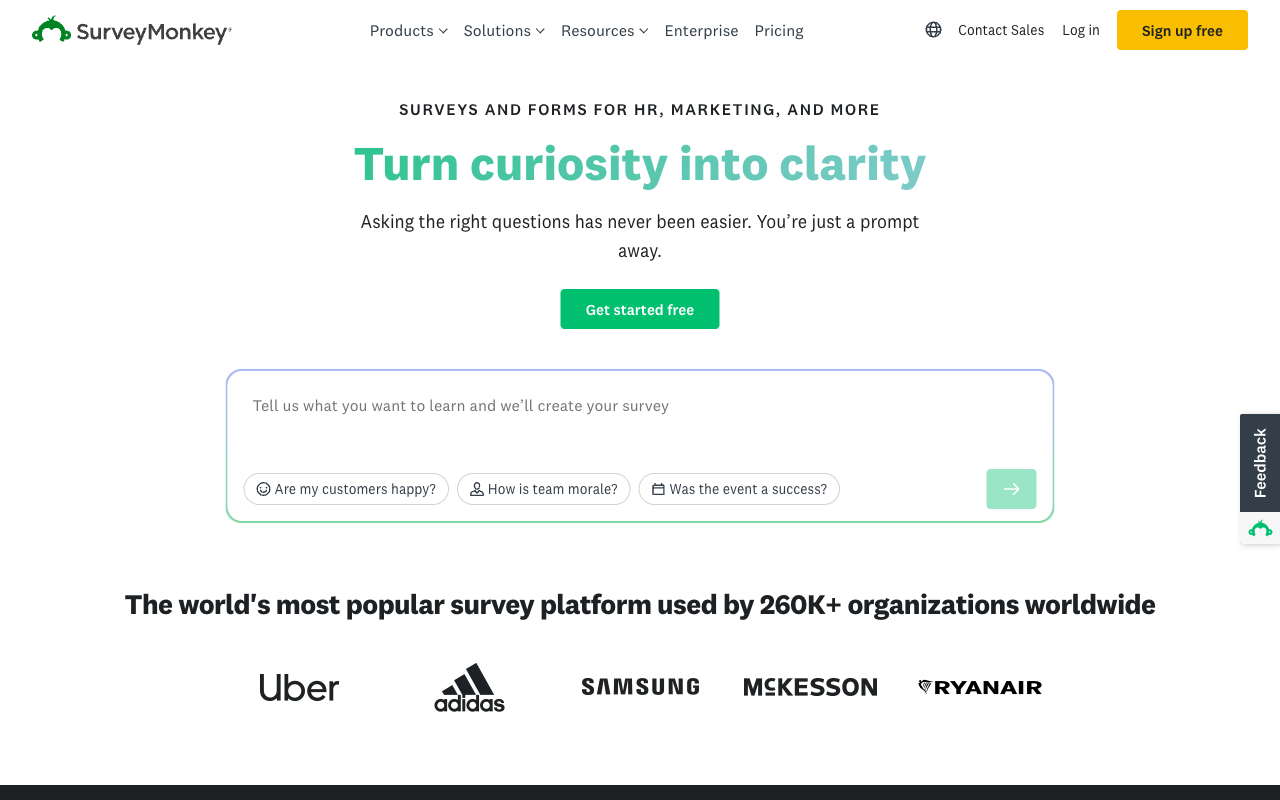
Zoho Forms withholds analytics until the Standard plan and captures no partial submissions at any price, which is a poor fit if the whole point of the form is learning something. SurveyMonkey is built for exactly that job: cross-tabulation, sentiment analysis, word clouds, industry benchmarks, NPS and CSAT scoring, an AI Analysis Suite you query in plain English, and genuine research methodology in the form of MaxDiff, concept testing and Van Westendorp price optimisation. It also offers a 335 million person respondent panel, 200+ integrations and 70+ survey languages, none of which has a Zoho equivalent.
The pricing goes the wrong direction for anyone who came to Zoho for value. Since September 2026 every paid SurveyMonkey plan is an annual commitment: Advantage at $32/month annually caps you at 15,000 responses a year where Zoho Basic gives 10,000 a month, Premier is $99/month annually for 40,000 a year, and responses past the cap bill at $0.15 each. Team plans need three users minimum, $1,080/year before anyone logs in, and Enterprise now requires five. Trustpilot sits at 2.7 across 1,068 reviews, dominated by auto-renewal and cancellation complaints, which is worth reading before committing to a year.
- Strengths over Zoho Forms: Analytics and AI analysis included rather than gated behind a tier, real research methodology built in, 335M respondent panel, 200+ integrations, 70+ languages, HIPAA and SSO on Enterprise
- Limitations: Annual commitment on every paid plan, annual rather than monthly response caps with $0.15 per-response overage, 3-user minimum on Team and 5 on Enterprise, no eSignature or workflow builder, Stripe and PayPal only, Trustpilot 2.7 across 1,068 reviews
- Best for: Research and CX teams who need to analyse responses properly and will accept annual billing to get it
 #6 Google Forms — Best If You Are Swapping One Suite for Another
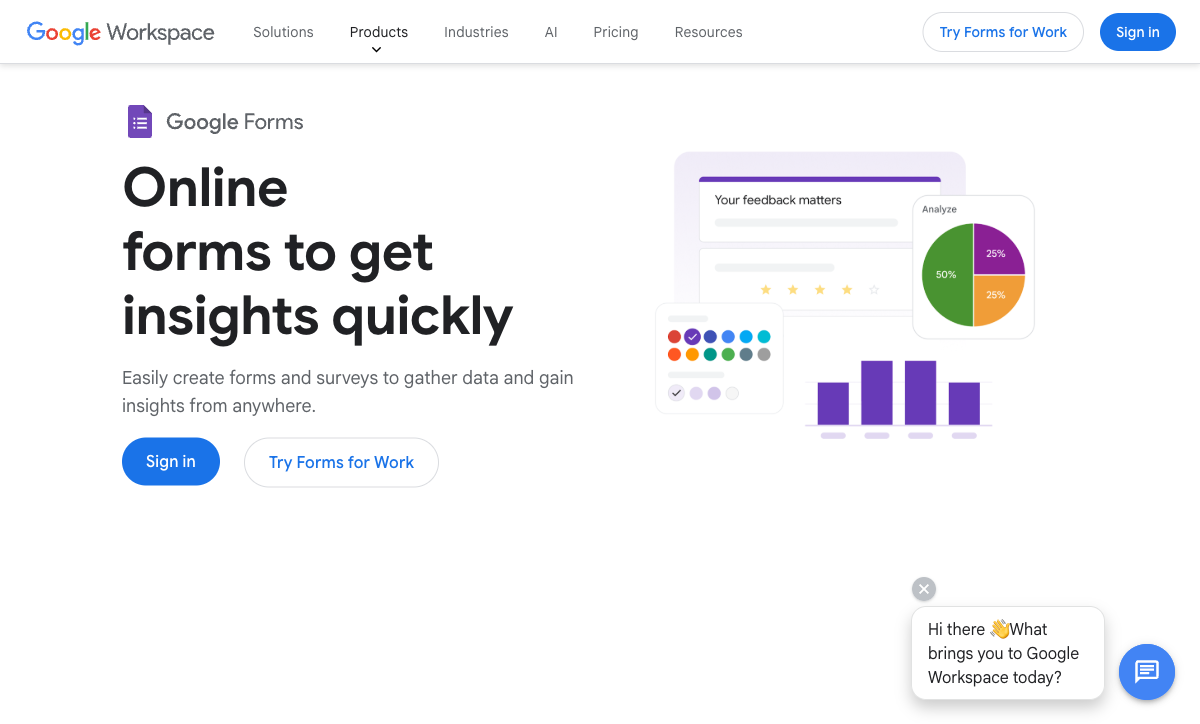
Google Forms is the honest comparison for anyone whose real attachment to Zoho Forms is the suite rather than the forms. Submissions are unlimited and free, it is HIPAA-eligible under a Workspace BAA, and SOC 2, ISO 27001 and FedRAMP come through Google Cloud. If the organisation already pays for Workspace from $7 per user per month, the compliance answer costs nothing extra and no meter exists to watch at all.
What disappears is most of what Zoho Forms actually does well. No payments of any kind against Zoho's Stripe and PayPal, no offline mobile capture, roughly 20 integrations all confined to Google's own products, no meaningful calculation engine, no custom domains and no branding control. A respondent can tell it is a Google Form from across the room. Choose it only if you were using Zoho Forms for internal surveys and never touched the rest. Our Google Forms alternatives page covers the upgrade paths when that stops being enough.
- Strengths over Zoho Forms: Free with unlimited submissions and no metering of any kind, HIPAA-eligible under a Workspace BAA without a $90/month tier, SSO and admin controls via Workspace, zero learning curve, no add-on table to read
- Limitations: No payments, no offline mobile app, about 20 integrations and all inside Google, no calculations worth the name, no custom domains or branding control, no eSignature or workflow automation
- Best for: Workspace organisations using Zoho Forms only for internal surveys where presentation and payments never mattered
See Zoho Forms in Action
Two independent videos worth watching before you decide, one walkthrough of the builder and one pros-and-cons breakdown from a user's point of view.
Full Feature Comparison
Every feature across Zoho Forms and its alternatives, grouped by category. The rows worth reading closely are payments, analytics and anything that happens after the submission arrives.

| Feature | Zoho Forms | Paperform | Jotform | Cognito Forms | Typeform | SurveyMonkey | Google Forms |
|---|---|---|---|---|---|---|---|
| Form Building | |||||||
| Document-style editor | No | Yes | No | No | No | No | No |
| AI form creation | Yes basic | Yes | Yes starter | Yes | Yes | Yes | Yes paid |
| Field types | Yes | 26+ | 30+ (starter) | 20+ | 20+ | 15+ | 11 |
| Multi-page forms | Yes | Yes | Yes starter | Yes | Yes basic | Yes | Yes |
| Guided mode (one question at a time) | No | Yes | Yes starter | No | Yes | Yes | No |
| Conditional logic | Yes | Yes | Yes starter | Yes | Yes basic | Yes Individual Advantage | Yes |
| Calculations field | Yes basic | Yes pro | Yes starter | Yes | Yes plus | No | No |
| AI calculations assistant | No | Yes pro | No | No | No | No | No |
| Scoring | No | Yes pro | Yes starter | Yes | Yes plus | Yes | Yes |
| Answer piping | Yes basic | Yes | Yes starter | Yes | Yes basic | Yes Individual Advantage | No |
| Pre-filling and hidden fields | Yes | Yes pro | Yes starter | Yes | Yes basic | Yes Individual Advantage | Yes |
| Save and resume | Yes basic | Yes | Yes starter | Yes pro | No | Yes Individual Advantage | No |
| Auto-close by number | Yes | Yes pro | Yes starter | Yes | Yes basic | Yes Individual Advantage | Yes |
| Auto-close by date | Yes | Yes pro | Yes starter | Yes | Yes basic | Yes Individual Advantage | Yes |
| Appointment/booking field | No | Yes | Yes starter | No | Yes basic | No | No |
| Signature field | Yes | Yes | Yes starter | Yes team | Yes basic | No | No |
| Color picker field | No | Yes | No | No | No | No | No |
| API-powered dropdowns | No | Yes business | No | Yes | No | No | No |
| Google address search | No | Yes business | No | Yes | No | No | No |
| File uploads | No | Yes | Yes starter | Yes | Yes basic | Yes | Yes |
| Drag-and-drop builder | No | No | Yes starter | No | No | No | No |
| Form widgets | No | No | Yes starter | No | No | No | No |
| Template gallery | No | No | 20,000+ (starter) | No | No | No | No |
| Question display logic | No | No | No | No | Yes basic | No | No |
| AI follow-up questions | No | No | No | No | Yes business | No | No |
| AI extended thinking & memory | No | No | No | No | Yes growth | No | No |
| Typeform AI connectors | No | No | No | No | Yes growth | No | No |
| Workflow / automation builder | No | No | No | No | Yes growth | No | No |
| AI-moderated research (Research Flow) | No | No | No | No | Yes enterprise | No | No |
| Video questions | No | No | No | No | Yes basic | No | No |
| AI chat survey editing | No | No | No | No | No | Yes | No |
| AI quiz generation | No | No | No | No | No | No | Yes paid |
| Payments | |||||||
| Stripe | Yes | No | No | No | No | No | No |
| PayPal | Yes | No | No | No | No | No | No |
| Square | No | No | No | No | No | No | No |
| Braintree | No | No | No | No | No | No | No |
| Google Pay | No | Yes | Yes starter | Yes | No | No | No |
| Product sales | Yes basic | No | No | No | No | No | No |
| Subscriptions | No | Yes pro | Yes starter | No | Yes basic | No | No |
| Coupons | No | No | No | No | No | No | No |
| Custom pricing | Yes basic | No | No | No | No | No | No |
| Tax calculations | No | Yes | Yes starter | Yes | No | No | No |
| Quotes/invoices | Yes standard | Yes | No | Yes team | No | No | No |
| Refunds | No | Yes | No | No | No | No | No |
| 3D Secure | No | Yes | No | No | Yes basic | No | No |
| Stripe payments | No | Yes | Yes starter | Yes | Yes basic | Yes Individual Advantage | No |
| PayPal payments | No | Yes | Yes starter | Yes team | No | Yes Individual Advantage | No |
| Square payments | No | Yes | Yes starter | Yes team | No | No | No |
| Braintree payments | No | Yes | Yes starter | No | No | No | No |
| Product sales (eCommerce) | No | Yes pro | Yes starter | Yes | No | No | No |
| Coupons and discounts | No | Yes pro | Yes starter | Yes | No | No | No |
| Custom pricing rules | No | Yes pro | Yes starter | Yes | No | No | No |
| 40+ payment gateways | No | No | Yes starter | No | No | No | No |
| No transaction fees | No | No | Yes starter | No | No | No | No |
| Cognito Pay (native card processing) | No | No | No | Yes | No | No | No |
| Design & Customization | |||||||
| Template gallery | Yes | 30,000+ | 20,000+ (starter) | Yes | 1,500+ | 400+ | 20+ |
| Rich media | Yes | No | No | No | No | No | No |
| Unsplash/Giphy | No | No | No | No | No | No | No |
| Image editor | No | Yes | No | No | No | No | No |
| Adobe CC | No | No | No | No | No | No | No |
| Language translation | Yes standard | Yes | Yes starter | Yes pro | Yes basic | Yes Individual Premier | No |
| Advanced theming | Yes basic | Yes pro | Yes starter | Yes pro | Yes plus | Yes Individual Advantage | No |
| Custom form URL | No | Yes pro | No | No | Yes plus | Yes Individual Advantage | No |
| Custom domains | No | Yes pro | Yes enterprise | No | Yes enterprise | No | No |
| Custom HTML/CSS | Yes standard | No | No | No | No | No | No |
| Remove branding | Yes basic | Yes pro | Yes bronze | Yes pro | Yes plus | Yes Individual Advantage | No |
| Custom email domains | No | Yes business | No | No | No | No | Yes Business Starter |
| Rich media (images, GIFs, videos) | No | Yes | Yes starter | Yes | Yes | Yes | Yes |
| Unsplash and Giphy integration | No | Yes | No | No | Yes | No | No |
| Adobe Creative Cloud | No | Yes | No | No | No | No | No |
| Custom HTML & CSS | No | Yes pro | Yes starter | Yes pro | Yes business | No | No |
| Form themes | No | No | Yes starter | No | No | No | No |
| Analytics | |||||||
| Submission results | Yes | No | No | No | No | No | No |
| AI insights | No | No | No | No | No | No | No |
| Form analytics | Yes standard | No | Yes starter | No | No | No | No |
| GA/FB Pixel | No | No | No | No | No | No | No |
| Custom scripts | No | No | No | No | No | No | No |
| Partial submissions | No | Yes pro | No | No | Yes plus | Yes Individual Advantage | No |
| Submission results and reports | No | Yes | Yes starter | Yes | Yes | Yes | Yes |
| AI report insights | No | Yes pro | No | No | Yes business | Yes Individual Advantage | Yes Business Standard |
| Paperform analytics | No | Yes pro | No | No | No | No | No |
| Drop-off analysis | No | Yes pro | No | No | Yes business | No | No |
| Google Analytics & Facebook Pixel | No | Yes pro | No | Yes pro | Yes basic | No | No |
| Custom analytics scripts | No | Yes pro | No | No | Yes basic | No | No |
| Google Analytics integration | No | No | Yes starter | No | No | No | No |
| Cross-form Insights dashboard | No | No | No | No | Yes business | No | No |
| Benchmarks | No | No | No | No | No | No | No |
| Collaboration | |||||||
| Multi-user | Yes standard | No | No | No | No | No | No |
| Permissions | Yes standard | No | No | No | No | No | No |
| Advanced permissions | Yes professional | No | No | No | No | No | No |
| Form sharing | Yes | No | Yes starter | No | No | No | No |
| Spaces/tags | No | No | No | No | No | No | No |
| Multi-user accounts | No | Yes pro | Yes bronze | Yes pro | Yes plus | Yes Team Advantage | Yes |
| User permissions and management | No | Yes pro | Yes enterprise | Yes team | Yes plus | Yes Team Advantage | Yes |
| Advanced permissions & admin | No | Yes enterprise | Yes enterprise | Yes enterprise | Yes enterprise | Yes enterprise | Yes Business Starter |
| Form sharing (templates) | No | Yes | No | Yes | Yes | Yes Team Advantage | Yes |
| Spaces and tag management | No | Yes | No | No | No | No | No |
| Assign forms | No | No | Yes enterprise | No | No | No | No |
| Workspace organization | No | No | No | No | Yes | No | No |
| Review Sessions | No | No | No | No | No | Yes Team Advantage | No |
| Persistent Magic Link | No | No | No | No | No | Yes Team Advantage | No |
| Security | |||||||
| SOC 2 | Yes | No | No | No | No | No | No |
| ISO 27001 | Yes | No | No | No | Yes | No | No |
| GDPR | Yes | No | No | No | No | No | No |
| SSL | Yes | No | No | No | No | No | No |
| 2FA | Yes | No | No | No | No | No | No |
| Enforce 2FA | No | No | No | No | No | No | No |
| SSO SAML | Yes professional | No | No | No | No | No | No |
| reCAPTCHA | Yes | Yes | Yes starter | Yes | Yes business | Yes | No |
| Data residency | Yes | No | Yes enterprise | No | No | No | No |
| Custom S3 | No | No | No | No | No | No | No |
| SOC 2 Type II | No | Yes | Yes enterprise | No | Yes | Yes | Yes |
| GDPR compliant | No | Yes | Yes starter | Yes | Yes | Yes | Yes |
| SSL encryption | No | Yes | Yes starter | Yes | Yes | Yes | Yes |
| Two-factor authentication | No | Yes | Yes starter | Yes | Yes | Yes | Yes |
| Enforce 2FA for all users | No | Yes business | No | No | No | Yes enterprise | Yes Business Starter |
| SSO (SAML) | No | Yes business | Yes enterprise | Yes enterprise | Yes enterprise | Yes enterprise | Yes Business Plus |
| Local data residency | No | Yes enterprise | No | No | No | Yes enterprise | Yes Business Plus |
| Custom S3 storage (BYO) | No | Yes business | No | No | No | No | No |
| HIPAA compliant | No | No | Yes gold | No | Yes enterprise | No | No |
| 256-bit SSL | No | No | Yes starter | No | No | No | No |
| Form encryption | No | No | Yes starter | No | No | No | No |
| PCI DSS | No | No | Yes starter | No | Yes | No | No |
| Integrations & API | |||||||
| 4000+ integrations | No | No | No | No | No | No | No |
| Zapier | Yes basic | Yes | Yes starter | Yes | Yes basic | Yes | Yes |
| Make (Integromat) | No | Yes | Yes starter | Yes | Yes basic | Yes | Yes |
| Webhooks | Yes standard | Yes pro | Yes starter | Yes | Yes basic | Yes Individual Advantage | No |
| Standard API | Yes basic | Yes pro | No | Yes | No | Yes Individual Advantage | Yes |
| Business API | No | Yes business | No | No | No | Yes enterprise | No |
| WordPress | Yes | No | No | No | No | No | No |
| oEmbed | Yes | No | No | No | No | No | No |
| Native integrations | No | 4,000+ | 150+ (starter) | No | 120+ (basic) | 200+ | No |
| WordPress plugin | No | Yes | Yes starter | Yes | Yes | No | No |
| oEmbed support | No | Yes | No | Yes | No | No | No |
| API | No | No | Yes starter | No | Yes basic | No | No |
| Smartsheet integration | No | No | Yes starter | No | No | No | No |
| Canvas LMS integration | No | No | Yes enterprise | No | No | No | No |
| Salesforce AppExchange | No | No | Yes starter | No | No | No | No |
| Embed options | No | No | Yes starter | No | Yes | No | No |
| Mobile apps | No | No | Yes starter | No | No | No | No |
| MCP connector (AI app access) | No | No | No | Yes pro | No | No | No |
| Claude / MCP server | No | No | No | No | Yes basic | No | No |
| AI data enrichment | No | No | No | No | Yes growth | No | No |
| Automations integrations (Contacts & Automations) | No | No | No | No | Yes growth | No | No |
| Claude (Anthropic) integration | No | No | No | No | No | Yes Individual Advantage | No |
| ChatGPT integration | No | No | No | No | No | Yes | No |
| Gemini integration | No | No | No | No | No | No | No |
| HRIS integrations (Workday, BambooHR) | No | No | No | No | No | Yes | No |
Pricing Comparison
Zoho Forms has the lowest paid entry price in this group at $10/month billed annually, and the list price is the least useful number on its pricing page. Read the table against your expected submission volume, headcount and automation runs, then add Zoho Sign and Flow tasks if signatures or non-Zoho automation are part of the job.
Paperform
Zoho Forms
| Product | Plan | Monthly Price | Annual Price (per month) | Free Plan | Free Trial | Limits |
|---|---|---|---|---|---|---|
| Zoho Forms | Free | Free | Free | Yes | 15 days | forms: 3, submissions: 500/month, storage: 200 MB, users: 1 |
| Zoho Forms | Basic | $12/mo | $10/mo billed annually | forms: Unlimited, submissions: 10,000/month, storage: 500 MB, users: 1 | ||
| Zoho Forms | Standard | $30/mo | $25/mo billed annually | forms: Unlimited, submissions: 25,000/month, storage: 2 GB, users: 10 | ||
| Zoho Forms | Professional | $60/mo | $50/mo billed annually | forms: Unlimited, submissions: 75,000/month, storage: 5 GB, users: 25 | ||
| Zoho Forms | Premium | $110/mo | $90/mo billed annually | forms: Unlimited, submissions: 150,000/month, storage: 10 GB, users: 100 | ||
| Paperform | Free | Free | Free | Yes | 7 days | forms: Unlimited, submissions: 30/month, storage: Unlimited, users: Unlimited, file uploads: 100 MB |
| Paperform | Pro | $59/mo | $49/mo billed annually | forms: Unlimited, submissions: Unlimited, storage: Unlimited, users: Unlimited, file uploads: 10 GB | ||
| Paperform | Business | $149/mo | $124/mo billed annually | forms: Unlimited, submissions: Unlimited, storage: Unlimited, users: Unlimited, file uploads: 100 GB | ||
| Jotform | Starter | Free | Free | Yes | No | forms: 5, submissions: 100/month, storage: 100 MB, users: 1 |
| Jotform | Bronze | $39/mo | $34/mo billed annually | forms: 25, submissions: 1,000/month, storage: 1 GB, users: 1 | ||
| Jotform | Silver | $49/mo | $39/mo billed annually | forms: 50, submissions: 2,500/month, storage: 10 GB, users: 1 | ||
| Jotform | Gold | $129/mo | $99/mo billed annually | forms: 100, submissions: 10,000/month, storage: 100 GB, users: 1 | ||
| Cognito Forms | Individual (Free) | Free | Free | Yes | 14 days | forms: Unlimited, submissions: 100 entries/month, storage: 100 MB, users: 1 |
| Cognito Forms | Pro | $24/mo | $19/mo billed annually | forms: Unlimited, submissions: 2,000 entries/month, storage: 1 GB, users: 2 | ||
| Cognito Forms | Team | $49/mo | $39/mo billed annually | forms: Unlimited, submissions: 10,000 entries/month, storage: 10 GB, users: 5 | ||
| Cognito Forms | Enterprise | $174/mo | $129/mo billed annually | forms: Unlimited, submissions: Unlimited, storage: 100 GB, users: 20 | ||
| Typeform | Free | Free | Free | Yes | No | forms: 10, submissions: 10/month, users: 1 |
| Typeform | Basic | $39/mo | $28/mo billed annually | forms: Unlimited, submissions: 100/month, users: 1 | ||
| Typeform | Plus | $79/mo | $56/mo billed annually | forms: Unlimited, submissions: 1,000/month, users: 3 | ||
| Typeform | Business | $129/mo | $91/mo billed annually | forms: Unlimited, submissions: 10,000/month, users: 5 | ||
| Typeform | Growth Flow | $379/mo | $266/mo billed annually | forms: Unlimited, submissions: 10,000/month, users: 5 | ||
| Typeform | Talent | $169/mo | $119/mo billed annually | forms: Unlimited, users: HR teams | ||
| SurveyMonkey | Basic (Free) | Free | Free | Yes | No | forms: Unlimited, submissions: Limited per survey (exact number now only shown after sign-up/login), storage: N/A, users: 1 |
| SurveyMonkey | Individual Advantage | Free | $32/mo billed annually | forms: Unlimited, submissions: 15,000 per year, storage: N/A, users: 1 | ||
| SurveyMonkey | Individual Premier | Free | $99/mo billed annually | forms: Unlimited, submissions: 40,000 per year, storage: N/A, users: 1 | ||
| SurveyMonkey | Team Advantage | Free | $30/mo billed annually | forms: Unlimited, submissions: 50,000 per year (shared), storage: N/A, users: 3 minimum | ||
| SurveyMonkey | Team Premier | Free | $92/mo billed annually | forms: Unlimited, submissions: 100,000 per year (shared), storage: N/A, users: 3 minimum | ||
| Google Forms | Free (Personal) | Free | Free | Yes | 14 days | forms: Unlimited, submissions: Unlimited, storage: 15 GB (shared across Google Drive), users: 1, file uploads: Included in 15 GB storage |
| Google Forms | Business Starter | $8.4/mo | $7/mo billed annually | forms: Unlimited, submissions: Unlimited, storage: 30 GB per user, users: Up to 300, file uploads: Included in storage | ||
| Google Forms | Business Standard | $16.8/mo | $14/mo billed annually | forms: Unlimited, submissions: Unlimited, storage: 2 TB per user, users: Up to 300, file uploads: Included in storage | ||
| Google Forms | Business Plus | $26.4/mo | $22/mo billed annually | forms: Unlimited, submissions: Unlimited, storage: 5 TB per user, users: Up to 300, file uploads: Included in storage |
The add-on table is where Zoho's real cost lives: 10,000 extra submissions at $12/month, extra storage at $6/month, Flow tasks at $2/month, prefill and webhook requests at $6/month, an extra user at $1.10/month on Premium only, 200 PDF credits at $5 and 5,000 AI credits at $6. None of those are unreasonable individually. Together they mean the invoice is a variable, and the variable moves in the same direction your business does.
Review Ratings Across Platforms
Zoho Forms rates 4.4 on G2 across 129 reviews and 4.5 on both Capterra and GetApp across 148 each, with ease of use at 4.6 on Capterra and customer support its weakest sub-score at 4.3 on both listings. TrustRadius has it at 4.4. That is a solid, well-evidenced record from a large user base.
Verdict: Which Zoho Forms Alternative Should You Choose?
Two groups should not switch. If your company runs on Zoho CRM, Desk, Projects and Campaigns, the native plumbing between them is genuinely hard to beat and nothing on this page replaces it. If your people collect data in the field with no signal, Zoho's offline mobile app remains one of very few that actually works, and Paperform has no answer to it.
For everyone else, Paperform is the recommendation, and the reason is structural rather than feature-by-feature. Zoho sells the pieces of one process as separate products with separate meters, and you supply the connective tissue between Forms, Zoho Sign, Flow tasks and PDF credits. One Paperform subscription at $49/month billed annually covers forms, eSignatures and workflow automation on one account, with submissions, storage and seats unlimited within fair use, and support in the price rather than an enablement fee added at signing. It costs more than $10 a month, and it replaces more than one product.
If the blocker is narrower, take the tool that removes it. Cognito Forms for HIPAA at $19/month annually instead of Zoho's $90 Premium tier. Jotform for 40+ payment processors and Zoho-grade breadth outside the Zoho suite. Typeform for customer-facing forms where Zoho's styling ceiling is the real complaint, if response volumes stay low. SurveyMonkey for teams whose forms are actually research. Google Forms for internal surveys inside a Workspace organisation.
And for one short intake form, on a tight budget, inside the Zoho suite: keep Zoho Forms. It does that job well and there is no sense paying more for capability you will not use. When the form becomes the first step of a process instead of the whole of it, Paperform's 7-day trial needs no card.
Frequently Asked Questions
How much does it really cost to run Zoho Forms, Zoho Sign and Zoho Flow together?
Zoho Forms is only the first line. Zoho Forms Basic is $10/month billed annually, eSignature means buying Zoho Sign as its own product on its own plan, and any automation that leaves the Zoho suite burns Zoho Flow tasks, topped up at $2/month per pack. Add the PDF ceiling of 2,000 generated documents on paid plans (50 on Free) at $5 per 200 extra credits, and a single onboarding process is three subscriptions, three renewal dates and several meters to reconcile. Paperform is $49/month billed annually for all three jobs: Paperform for forms, Papersign for eSignatures, Stepper for workflow automation, one account and one invoice.
What happens when I go over 10,000 submissions on Zoho Forms Basic?
You buy the next block. Zoho's add-on table prices 10,000 extra submissions at $12/month, which is more than the Basic plan itself, so a campaign that lands well roughly doubles the bill for that month. The same pattern applies to storage at $6/month, prefill and webhook requests at $6/month and Flow tasks at $2/month. Paperform Pro and Business carry unlimited submissions and unlimited submission storage within a fair use policy, so the successful month and the quiet month cost the same. Fair use is a conversation about plan fit rather than a shutdown or a surcharge.
Is there a Zoho Forms alternative that includes eSignatures without buying Zoho Sign?
Yes. Paperform includes Papersign on every paid plan: 25 signed documents a month on Pro at $49/month annually, 100 on Business at $124/month annually, and unlimited on Enterprise, with the Papersign API, bulk sending and signer verification from Pro. The contract is generated from the submission data and links back to the original form, so the audit trail stays in one place. Jotform is the other option, with Jotform Sign bundled into its plans, though its signed-document counts are metered per tier like everything else there. Zoho Forms has a signature field, which captures a scribble; it is not a document signing workflow.
Can I use Zoho Forms properly if the rest of my stack is not Zoho?
You can, and it is the worst way to buy it. Zoho Forms' native plumbing into Zoho CRM, Desk, Projects, Campaigns and Sign is genuinely excellent, and if you run those apps you should keep it. Outside the suite the list thins to roughly 150 integrations, Zapier from the Basic tier, webhooks only from Standard at $25/month annually, and no native Make support, so a mixed stack ends up routing through Zoho Flow and its metered task balance. Paperform counts 4,000+ integrations through native connectors, Zapier, Make, webhooks and a REST API, and Stepper's workflow automation comes with the subscription rather than as a task pack you top up.
Which Zoho Forms alternative is HIPAA compliant without paying for the Premium tier?
Zoho puts HIPAA and audit trails on Premium at $90/month billed annually, a plan sized for 100 users, so a team of ten pays for ninety seats it will never use. Cognito Forms is the cheapest way out of that: HIPAA with a signed BAA on Pro at $19/month billed annually. Jotform signs a BAA on Gold at $99/month annually, Typeform on Business, Google Forms is HIPAA-eligible under a Workspace BAA, and SurveyMonkey handles it on Enterprise. Be clear on the one that does not: Paperform is not HIPAA compliant and signs no BAAs, so protected health information belongs elsewhere.
Does any alternative fix the 60-field limit on Zoho Forms?
Most of them, and the ceiling matters more than it sounds. Sixty fields runs out quickly on a grant application that branches by applicant type, a multi-product order form, or an onboarding questionnaire with conditional sections, because the hidden branches count too. Paperform has 26+ field types with no per-form field limit, and Guided Mode is a toggle on an existing form rather than a separate form type, which is how Zoho handles its Card and Spotlight layouts. Jotform caps fields per form by tier, and Cognito Forms uses repeating sections to keep long forms manageable.
Why can I not see why people abandon my Zoho form?
Because form analytics start on the Standard plan at $25/month billed annually, and partial submissions are not captured on any Zoho tier at any price. The drop-off you most need to diagnose is the one Zoho never records. Paperform includes analytics, partial submission capture and AI Insights, which turns a month of responses into a readable summary, from Pro. SurveyMonkey is the strongest of the alternatives on pure analysis, with cross-tabulation, sentiment analysis and benchmarks, though its AI Analysis Suite sits on annual-commitment plans.
Zoho Forms takes Stripe and PayPal. Which alternatives take more?
Zoho Forms supports two processors, Stripe and PayPal, with product sales and formula-driven custom pricing, but no subscriptions, no coupons, no tax calculations and no refund handling. Jotform is the outright winner on breadth with 40+ processors including regional gateways, on every plan. Paperform supports five (Stripe, PayPal, Square, Braintree, Google Pay) with the commerce layer Zoho lacks: products, subscriptions, coupons, tax, invoicing and refunds, with no transaction fee of Paperform's own. Typeform and Google Forms are a step backwards here, at Stripe-only and nothing respectively.
Zoho Forms scores 4.3 for support. What do the alternatives offer?
Support is Zoho Forms' weakest sub-score on both Capterra and GetApp at 4.3, against 4.5 overall on 148 reviews each, which is roughly what being one product among 55 in a suite serving 100 million users feels like at the ticket queue. Paperform builds support into the seat price: Priority on Pro, First Priority on Business, no onboarding package, no implementation fee and no training invoice produced at signing, and it rates 4.7 to 4.9 for support across review platforms. The fair caveat is evidence: Zoho Forms has around 150 Capterra reviews behind its number and Paperform has fewer, so Zoho's score is the better-tested one even though it is lower.
Nothing beats the Zoho mobile app for offline field collection. Is that still true?
Largely, yes, and we will not pretend otherwise. Zoho Forms ships a full iOS and Android app with genuine offline data capture, QR scanning, geolocation tagging, image capture and on-device signatures, and very few competitors offer true offline collection at all. Jotform has native mobile apps with offline capability and is the closest match. Paperform has no mobile editor and no offline capture app; its forms are responsive for respondents and Guided Mode works well on a phone, but if surveyors are collecting data in a field with no signal, stay on Zoho Forms.
Zoho and Paperform were both founded in 2016. Does that make them equally safe bets?
Both are bootstrapped and profitable, and Zoho Corporation is by far the larger and more durable company, so this is not a survival argument. Zoho Forms itself is ten years old but sits as one line inside a 55-app portfolio, and roadmap attention follows the suite: Zia AI reached Zoho CRM long before it landed in Forms in July 2026, arriving as two conveniences, generated choice options and generated themes, billed from a credit balance at $6 per 5,000. Paperform has spent the same decade on forms, signatures and workflow as the entire company. The question is not whether your vendor will exist, but whether the product you depend on is the one the roadmap is written for.
How do I migrate off Zoho Forms without losing my data?
Zoho Forms exports submissions as CSV and PDF and has a documented REST API, so extracting responses is straightforward. Forms do not transfer: no competitor reads a Zoho Forms definition, so the practical route is to export the data and rebuild the forms. Budget for the rebuild rather than fighting it, since the Zoho originals were shaped around a 60-field ceiling and limited styling anyway. Paperform offers 30,000+ professionally designed templates as a starting point and a 7-day free trial with no card required. For a wider view of the field, see our best form builders roundup.
Sources & References
- Zoho Forms Review – Can It Match the Competition? — Website Planet, 2026
- Zoho Forms review — TechRadar, 2026
- 6 Zoho Forms alternatives in 2026 — Heyflow, 2026
- Zoho Forms reviews and ratings — Capterra, 2026
Last updated September 22, 2026
Ready to try Paperform?
Create beautiful forms, payment pages, and workflows — no code required.