Best Form Builders for Schools in 2026
The best form builder for most schools is Paperform, because unlimited seats let every teacher and administrator hold a login and unlimited submissions absorb enrolment week. For classroom quizzes and staff polls, Google Forms or Microsoft Forms are free and already licensed. For student records needing FERPA, choose Jotform or Microsoft Forms.
School form buying works differently from business software buying, and most rankings miss why. A school is a large organisation with a small budget and a lot of people who each need to collect something: the office runs enrolment, the finance team runs trip payments, heads of department run staff requests, the nurse runs medical consent, and a hundred teachers run quizzes. That shape punishes per-seat pricing harder than almost any other sector.
The second complication is the calendar. School traffic is not a steady line. It is quiet for months, then thousands of forms arrive in a fortnight around enrolment, re-registration or the start of term. Plans priced on monthly submission caps are sized for the spike and idle for the rest of the year.
We ranked seven tools on the five dimensions that decide it: what the pricing model meters, how many native integrations and how much API access you get, how deep the conditional logic and calculations go, how many payment processors handle fees, and what the compliance documentation says about student data. Every price and limit below was read live from each vendor's pricing page on 22 September 2026. For a wider shortlist across all sectors, see our best form builders ranking, or the guides for nonprofits and enterprises.
| Feature | Paperform | Google Forms | Microsoft Forms | Jotform | Cognito Forms | SurveyMonkey | Formsite |
|---|---|---|---|---|---|---|---|
| Form Building | |||||||
| Document-style editor | Yes | No | No | No | No | No | No |
| Field types | 26+ | 11 | No | 30+ (starter) | 20+ | 15+ | Yes |
| File uploads | Yes | Yes | No | Yes starter | Yes | Yes | No |
| Guided mode (one question at a time) | Yes | No | No | Yes starter | No | Yes | No |
| Calculations field | Yes pro | No | No | Yes starter | Yes | No | Yes |
| Payments | |||||||
| Stripe payments | Yes | No | No | Yes starter | Yes | Yes Individual Advantage | Yes professional |
| PayPal payments | Yes | No | No | Yes starter | Yes team | Yes Individual Advantage | Yes professional |
| Square payments | Yes | No | No | Yes starter | Yes team | No | No |
| Braintree payments | Yes | No | No | Yes starter | No | No | Yes professional |
| Google Pay | Yes | No | No | Yes starter | Yes | No | No |
| Design & Customization | |||||||
| Template gallery | 30,000+ | 20+ | Yes | 20,000+ (starter) | Yes | 400+ | Yes |
| Unsplash and Giphy integration | Yes | No | No | No | No | No | No |
| Image editor | Yes | No | No | No | No | No | No |
| Adobe Creative Cloud | Yes | No | No | No | No | No | No |
| Language translation | Yes | No | Yes | Yes starter | Yes pro | Yes Individual Premier | No |
| Analytics | |||||||
| AI report insights | Yes pro | Yes Business Standard | Yes | No | No | Yes Individual Advantage | No |
| Paperform analytics | Yes pro | No | No | No | No | No | No |
| Drop-off analysis | Yes pro | No | No | No | No | No | No |
| Google Analytics & Facebook Pixel | Yes pro | No | No | No | Yes pro | No | No |
| Custom analytics scripts | Yes pro | No | No | No | No | No | No |
| Collaboration | |||||||
| Advanced permissions & admin | Yes enterprise | Yes Business Starter | Yes enterprise | Yes enterprise | Yes enterprise | Yes enterprise | No |
| Form sharing (templates) | Yes | Yes | Yes | No | Yes | Yes Team Advantage | Yes |
| Spaces and tag management | Yes | No | No | No | No | No | No |
| Form sharing | No | No | No | Yes starter | No | No | No |
| Assign forms | No | No | No | Yes enterprise | No | No | No |
| Security | |||||||
| SOC 2 Type II | Yes | Yes | Yes | Yes enterprise | No | Yes | No |
| Enforce 2FA for all users | Yes business | Yes Business Starter | Yes enterprise | No | No | Yes enterprise | No |
| SSO (SAML) | Yes business | Yes Business Plus | Yes | Yes enterprise | Yes enterprise | Yes enterprise | No |
| reCAPTCHA | Yes | No | No | Yes starter | Yes | Yes | Yes professional |
| Local data residency | Yes enterprise | Yes Business Plus | Yes enterprise | No | No | Yes enterprise | No |
| Integrations & API | |||||||
| Native integrations | 4,000+ | No | No | 150+ (starter) | No | 200+ | No |
| Zapier | Yes | Yes | No | Yes starter | Yes | Yes | Yes professional |
| Make (Integromat) | Yes | Yes | No | Yes starter | Yes | Yes | No |
| Webhooks | Yes pro | No | No | Yes starter | Yes | Yes Individual Advantage | Yes professional |
| Standard API | Yes pro | Yes | No | No | Yes | Yes Individual Advantage | Yes professional |
 #1 Paperform — Best for Whole-School Operations

Paperform earns the top spot on two numbers that map directly onto how a school is staffed and how its year runs. Seats are unlimited on Pro ($59/month, or $49/month billed annually) and Business ($149/month, or $124/month annually), so the registrar, the bursar, four department heads and the PTA coordinator can each have a login without a purchase order for every one of them. Submissions are unlimited under fair use, so the 3,000 re-enrolment forms that land in the second week of term cost exactly what a quiet month costs.
The calculation engine is where it separates from the free tools. Paperform's formulas are Excel-style, and they control question and page visibility, conditional emails, what gets pushed to each integration and what a parent sees on the confirmation page. A trip form can price a coach seat and a meal option, apply a second-sibling discount, waive the fee for a pupil premium category, cap itself at 42 places and email the trip leader only when a medical note is attached. That is one form doing what usually takes a form, a spreadsheet and two people.
Consolidation matters more in education than in most sectors, because school offices are small and the paperwork is long. Papersign turns a submitted consent form into a signed document filed against the original response, and Stepper runs the approval chain behind a purchase request or a leave application. That is one subscription instead of a form tool, a signature vendor and an automation platform with three renewal dates. Payments run through five gateways, integrations number 4,000-plus, and the document-style editor produces pages that look like the school's own site rather than an embedded widget.
The company was founded in 2016, is bootstrapped and profitable, and holds SOC 2 Type II along with GDPR and CCPA. It publishes no FERPA attestation and is not HIPAA compliant, and it signs no BAAs, so student health records and anything your counsel treats as a covered education record belong elsewhere.
- Pricing: Pro $59/month, $49/month billed annually. Business $149/$124. Enterprise on quote.
- Best for: Schools and districts running enrolment, fees, consent and staff workflow from one account.
- Key limitation: No FERPA or HIPAA coverage, and the highest paid entry price in this ranking.
 #2 Google Forms — Best for the Classroom
Google Forms takes unlimited responses for free and needs nothing but a Google account, which is why it is the most-used form tool in education by a very wide margin. For a quiz with auto-marking, a reading survey, a parents' evening sign-up or a homework submission that lands in Sheets, it is the correct answer and paying for anything else would be waste. Teachers already know it, so training cost is zero. Google's compliance footprint is the broadest here as well, covering SOC 2, ISO 27001, FedRAMP and HIPAA under a BAA, because you are buying Google's infrastructure rather than a small vendor's.
It stops at the response. There are no payments, so trip money and uniform orders go back to bank transfers. There are no calculation fields, so a fee cannot be worked out inside the form. Branding runs to a header image and a colour. Native integrations number around 20, against a category norm in the hundreds, so anything beyond Sheets needs Apps Script or a Zapier subscription. Our Google Forms alternatives guide covers the usual next step when a spreadsheet stops being enough.
- Pricing: Free with any Google account. Workspace plans from $7 per user per month on an annual commitment.
- Best for: Teachers, quizzes, classroom surveys and anything that ends in a spreadsheet.
- Key limitation: No payments, no calculations and roughly 20 native integrations.
 #3 Microsoft Forms — Best Inside a Microsoft 365 School Tenant
Microsoft Forms lists FERPA in its compliance documentation alongside HIPAA with a BAA, SOC 2, ISO 27001 and FedRAMP, and it is included with every Microsoft 365 licence a school already holds. Paid tenants allow 5,000,000 responses per form, which no enrolment season is going to trouble. If the IT department has standardised on Teams and SharePoint, the wiring is already there and there is no procurement conversation to have at all.
The ceiling is the same one Google hits, and it arrives just as fast. No payments, no calculation fields, almost no branding control, around 20 integrations and a 400-form limit per account. Anything a parent sees looks like an internal Microsoft tool, because that is what it is. The workflow behind it needs Power Automate, the signature needs a separate vendor, and both are licensed per user on top of what the school already pays. Microsoft Forms sits third rather than second only because Google Forms is free without any licence at all, which matters to smaller schools.
- Pricing: Free with a personal Microsoft account (200 responses per form). Included in Microsoft 365 plans from $7 per user per month annually.
- Best for: Internal staff surveys, quizzes and polls in a school already running Microsoft 365.
- Key limitation: No payments, no calculations and nothing that looks parent-facing.
 #4 Jotform — Best for Regulated Student Paperwork

Jotform is the only tool in this ranking that carries FERPA, HECVAT, StateRAMP, PCI DSS Level 1 and HIPAA together, which is close to a complete answer sheet for a district security review. It also supports more payment processors than anything else here at 40-plus, has 150+ native integrations, and ships native iOS and Android apps that work offline, which matters for a nurse doing medication checks or a teacher recording a field trip headcount without signal. HIPAA arrives on the Gold plan at $99/month billed annually.
The pricing model is what pushes it below the free options for general school use. Submissions, forms, form views, storage, fields per form, signed documents and payment submissions each carry a per-tier cap, and every self-serve plan from Starter through Gold gives exactly one user. A school is not one user. The moment the office manager and the finance officer both need to edit forms, you are in an Enterprise quote conversation rather than clicking a button. Bronze at $34/month annual stops at 1,000 submissions and 25 forms, which one busy enrolment fortnight will exhaust. Our Paperform vs Jotform comparison works the crossover through in detail.
- Pricing: Free Starter (5 forms, 100 submissions/month). Bronze $39/month, $34 annually. Silver $49/$39. Gold $129/$99.
- Best for: Medical consent, safeguarding records and anything that has to survive a district security questionnaire.
- Key limitation: One user per self-serve plan, and seven separate meters above that.
See Them in Action
 #5 Cognito Forms — Best Cheap Route to Fee Calculations
Cognito Forms puts a genuine calculation engine, repeating sections, data lookups and Stripe payments on its free plan, which nothing else at this price does. For a bursar working out a sliding-scale tuition contribution or a registrar building a sibling-discount table, that engine is the draw, and users consistently name it as the reason they picked the product. HIPAA compliance arrives on Enterprise at $129/month billed annually, the cheapest HIPAA tier in this ranking.
Four separate meters is the catch, and each carries its own line item: entries, users, storage and guests. Pro at $19/month annual includes two users and stops at 2,000 entries, extra staff are $5 per person per month, and external collaborators such as a sports coach or a visiting contractor come in guest packs running from $25 to $250 a month. For a school that is a lot of small invoices to reconcile. Design control is also the weakest of the capable tools here, so parent-facing forms look utilitarian without custom CSS, and the live pricing experiment running since September 2026 means the tier table you see may not match a colleague's.
- Pricing: Free Individual (100 entries/month). Pro $24/month, $19 annually. Team $62/$49. Enterprise $174/$129.
- Best for: Small schools needing calculated fees on a tight budget, or HIPAA at the lowest price available.
- Key limitation: Entries, users, storage and guests are all metered separately.
 #6 SurveyMonkey — Best for Board-Level Research
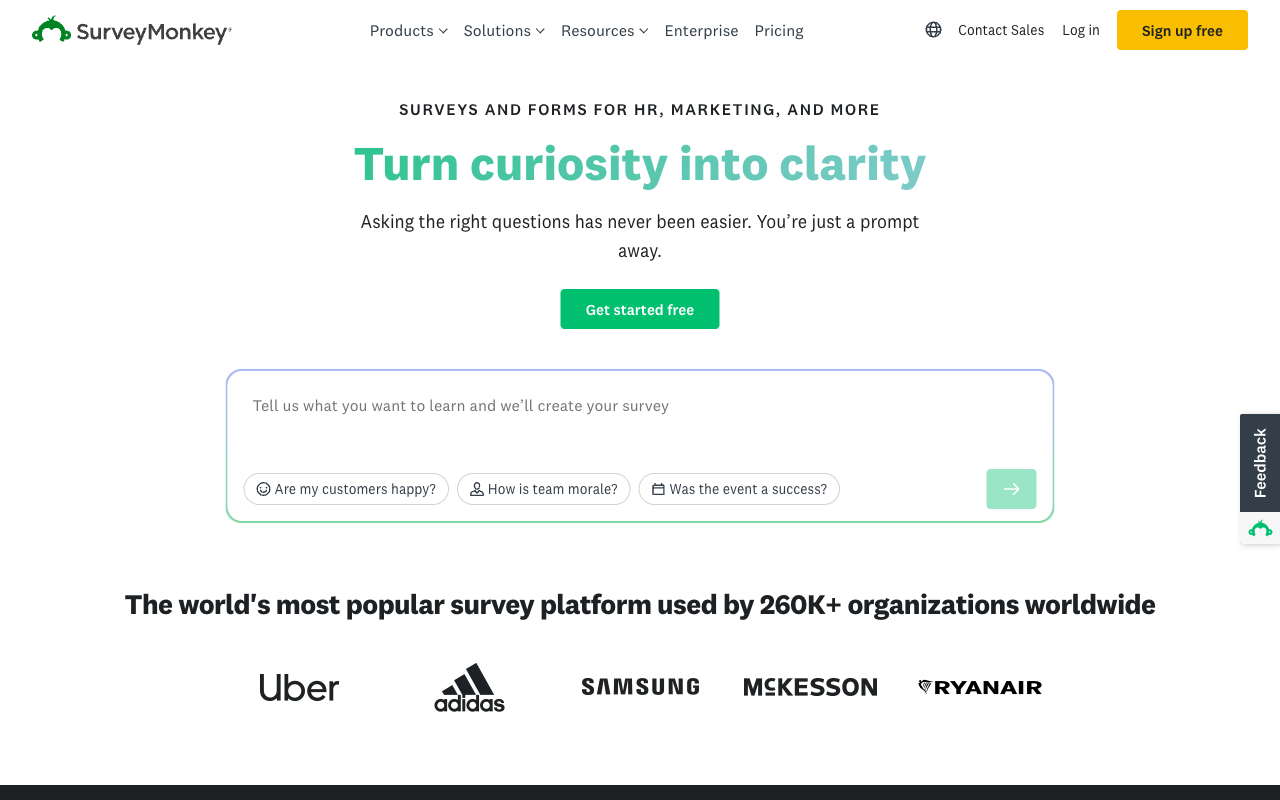
SurveyMonkey is a research platform rather than a form builder, and for a school climate survey, a staff wellbeing study or parent satisfaction reporting that has to stand up in front of a governing board, nothing else here comes close. Question methodology, crosstabs, randomisation, A/B testing and thematic analysis are genuine instrumentation. Compliance covers HIPAA, SOC 2, ISO 27001, PCI DSS 4.0 and Section 508, with FedRAMP in progress, and there are 200+ integrations.
As the school's general form tool it is the wrong shape. There are no calculation fields, payment support is thin, and the terms tightened in 2026: the month-to-month Standard plan was withdrawn in September, so every paid plan is now an annual commitment. Individual Advantage is $32/month annual with a 15,000 responses-per-year cap, Team plans need three seats at $30 per user per month, and responses over the allowance cost $0.15 each. A school that sends one large survey a year should buy it for that job and run everyday forms somewhere else.
- Pricing: Free Basic. Individual Advantage $32/month annual. Individual Premier from $99. Team Advantage $30/user/month with a three-seat minimum.
- Best for: Formal parent, staff and student research that will be reported to a board or a district.
- Key limitation: Annual-only paid plans, per-response overages and no calculations.
 #7 Formsite — Best for Long-Running Legacy Registration Forms
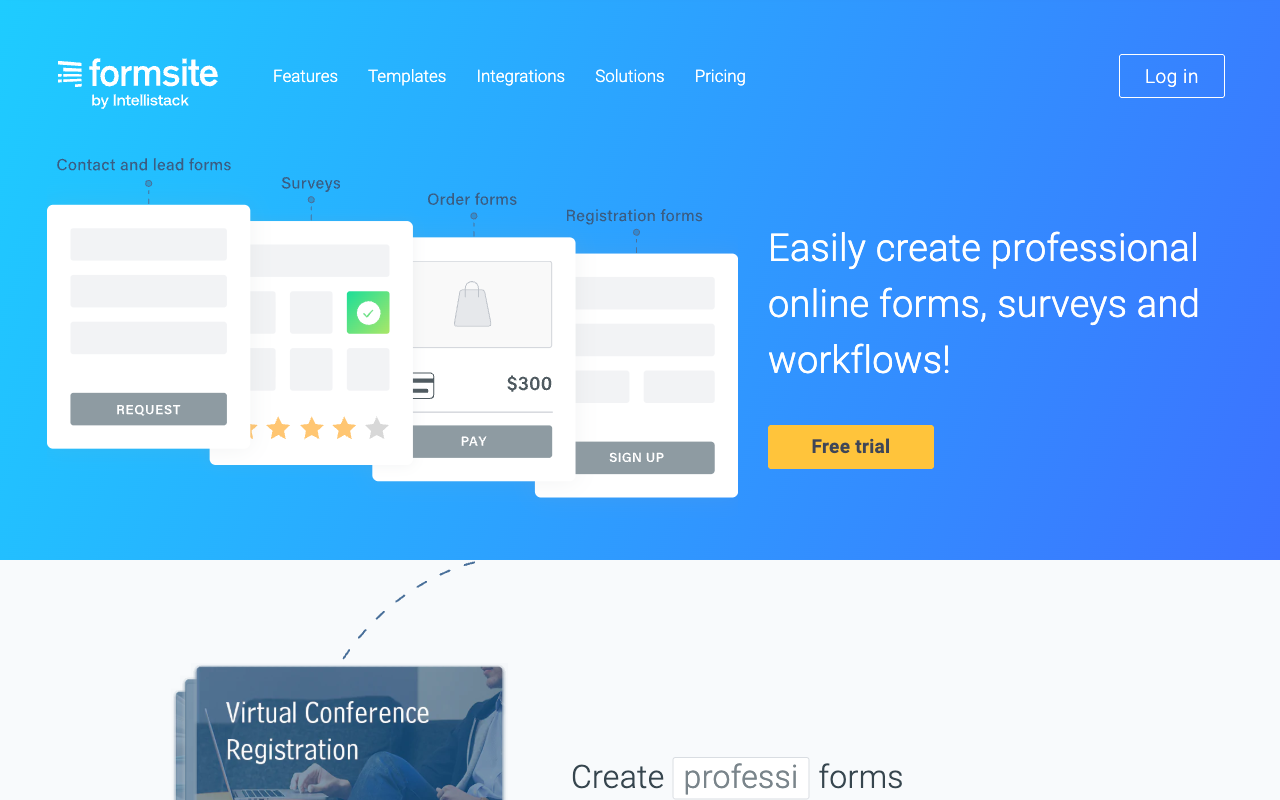
Formsite has been operating since 1998, which makes it the oldest product in this ranking, and a registration form built on it a decade ago will still be collecting results today. It offers 2,000+ integrations through its connector list, PDF and Word document generation from the Business plan, PCI DSS 4.0 payments through Stripe, PayPal, Braintree and Authorize.Net from Professional, and a HIPAA BAA on Enterprise at $209/month. For a school that wants a stable long-lived form and nothing clever, that is a reasonable bet.
It ranks last because the metering is the least forgiving here for school-shaped usage. Results are capped per form rather than per account, so one heavily used enrolment form eats the whole allowance while nine quiet forms sit unused: Professional gives 1,000 results per form across 10 forms, Business 2,500 across 25. Users are metered too, one until Business and then $10 a month per additional sub-user, and storage is $10 per GB on top. There is no SOC 2 report, which will stop some district reviews outright, the editor looks its age, and the company employs fewer than ten people.
- Pricing: Free (5 forms, 10 results per form). Personal $21/month, $20.83 annually. Professional $34/$33.33. Business $59/$58.33. Business + $84/$83.33. Enterprise $209/$208.33.
- Best for: Schools with an existing Formsite registration form that works and does not need to change.
- Key limitation: Per-form result caps, $10 per extra sub-user, and no SOC 2 attestation.
The Five Dimensions That Decide a School Purchase
Pricing model
Five of the seven tools here meter submissions, seats or both; Paperform meters neither on paid plans, and Google Forms and Microsoft Forms are covered by licences the school already holds. Work out the cost the way a school actually consumes software: take your busiest enrolment week, multiply by the number of staff who need to build or read forms, and compare that figure rather than the entry price. Jotform's single-user plans and SurveyMonkey's three-seat minimum move a long way once you do.
Integrations and API
Native integration counts across this ranking run from roughly 20 to 4,000-plus. Paperform lists 4,000+, Formsite 2,000+, SurveyMonkey 200+, Jotform 150+ and Cognito Forms 50+, while Google Forms and Microsoft Forms sit at around 20 each. API access is available on every paid tool here, including Formsite from the Professional plan, though Formsite's REST API is read-only for retrieving results. For schools the connections that matter are usually the student information system, the finance package and the calendar, and outside the Google and Microsoft ecosystems those arrive through Zapier or a webhook rather than natively.
Conditional logic and calculations
All seven tools branch on an answer; only two run a formula engine deep enough to price a term's fees. Paperform's Excel-style calculations drive question and page visibility, conditional emails, integration payloads and success page content, and Cognito Forms has a comparably serious engine available from its free plan. Jotform and Formsite both offer workable calculation fields for totals and scoring. Google Forms, Microsoft Forms and SurveyMonkey have no calculation fields at all, which is the single most common reason a school outgrows the free option.
Payments
Jotform supports 40+ payment processors, Paperform five (Stripe, PayPal, Square, Braintree and Google Pay) with subscriptions, coupons, tax and inventory handled inside the form, Formsite four from the Professional plan, and Cognito Forms four including its own Cognito Pay. SurveyMonkey's payment support is limited and survey-oriented. Google Forms and Microsoft Forms take no payments whatsoever, so every trip, uniform order and music lesson gets reconciled by hand.
Compliance
Microsoft Forms and Jotform publish FERPA compliance, and Jotform also completes HECVAT and holds StateRAMP, which together clear most district and university procurement reviews. HIPAA is available from Jotform (Gold and above), Cognito Forms (Enterprise), Google Forms and Microsoft Forms (under a Workspace or Microsoft 365 BAA), SurveyMonkey (Enterprise) and Formsite (Enterprise). Paperform is not HIPAA compliant and signs no BAAs. SOC 2 is held by Paperform, Google, Microsoft, Jotform, Cognito Forms and SurveyMonkey, and is absent from Formsite. All seven claim GDPR compliance.

Full Pricing Comparison
Every published tier across the seven tools. Annual rates are shown where vendors publish them separately.
Paperform
Google Forms
| Product | Plan | Monthly Price | Annual Price (per month) | Free Plan | Free Trial | Limits |
|---|---|---|---|---|---|---|
| Paperform | Free | Free | Free | Yes | 7 days | forms: Unlimited, submissions: 30/month, storage: Unlimited, users: Unlimited, file uploads: 100 MB |
| Paperform | Pro | $59/mo | $49/mo billed annually | forms: Unlimited, submissions: Unlimited, storage: Unlimited, users: Unlimited, file uploads: 10 GB | ||
| Paperform | Business | $149/mo | $124/mo billed annually | forms: Unlimited, submissions: Unlimited, storage: Unlimited, users: Unlimited, file uploads: 100 GB | ||
| Google Forms | Free (Personal) | Free | Free | Yes | 14 days | forms: Unlimited, submissions: Unlimited, storage: 15 GB (shared across Google Drive), users: 1, file uploads: Included in 15 GB storage |
| Google Forms | Business Starter | $8.4/mo | $7/mo billed annually | forms: Unlimited, submissions: Unlimited, storage: 30 GB per user, users: Up to 300, file uploads: Included in storage | ||
| Google Forms | Business Standard | $16.8/mo | $14/mo billed annually | forms: Unlimited, submissions: Unlimited, storage: 2 TB per user, users: Up to 300, file uploads: Included in storage | ||
| Google Forms | Business Plus | $26.4/mo | $22/mo billed annually | forms: Unlimited, submissions: Unlimited, storage: 5 TB per user, users: Up to 300, file uploads: Included in storage | ||
| Microsoft Forms | Free (Personal Microsoft Account) | Free | Free | Yes | 1 month | forms: 400, submissions: 200/form, storage: N/A, users: 1 |
| Microsoft Forms | Microsoft 365 Business Basic | $8.4/mo | $7/mo billed annually | forms: 400, submissions: 5,000,000/form, storage: 1 TB OneDrive per user, users: Per user (1-300 employees) | ||
| Microsoft Forms | Microsoft 365 Business Standard | $16.8/mo | $14/mo billed annually | forms: 400, submissions: 5,000,000/form, storage: 1 TB OneDrive per user, users: Per user (1-300 employees) | ||
| Microsoft Forms | Microsoft 365 Business Premium | $26.4/mo | $22/mo billed annually | forms: 400, submissions: 5,000,000/form, storage: 1 TB OneDrive per user, users: Per user (1-300 employees) | ||
| Microsoft Forms | Microsoft 365 Business Standard with Copilot | Not listed | $23.5/mo billed annually | forms: 400, submissions: 5,000,000/form, storage: 1 TB OneDrive per user, users: Per user (1-300 employees) | ||
| Microsoft Forms | Microsoft 365 Business Premium with Copilot | Not listed | $32/mo billed annually | forms: 400, submissions: 5,000,000/form, storage: 1 TB OneDrive per user, users: Per user (1-300 employees) | ||
| Microsoft Forms | Microsoft 365 Apps for business | Not listed | $10/mo billed annually | forms: 400, submissions: 5,000,000/form, storage: 1 TB OneDrive per user, users: Per user | ||
| Jotform | Starter | Free | Free | Yes | No | forms: 5, submissions: 100/month, storage: 100 MB, users: 1 |
| Jotform | Bronze | $39/mo | $34/mo billed annually | forms: 25, submissions: 1,000/month, storage: 1 GB, users: 1 | ||
| Jotform | Silver | $49/mo | $39/mo billed annually | forms: 50, submissions: 2,500/month, storage: 10 GB, users: 1 | ||
| Jotform | Gold | $129/mo | $99/mo billed annually | forms: 100, submissions: 10,000/month, storage: 100 GB, users: 1 | ||
| Cognito Forms | Individual (Free) | Free | Free | Yes | 14 days | forms: Unlimited, submissions: 100 entries/month, storage: 100 MB, users: 1 |
| Cognito Forms | Pro | $24/mo | $19/mo billed annually | forms: Unlimited, submissions: 2,000 entries/month, storage: 1 GB, users: 2 | ||
| Cognito Forms | Team | $49/mo | $39/mo billed annually | forms: Unlimited, submissions: 10,000 entries/month, storage: 10 GB, users: 5 | ||
| Cognito Forms | Enterprise | $174/mo | $129/mo billed annually | forms: Unlimited, submissions: Unlimited, storage: 100 GB, users: 20 | ||
| SurveyMonkey | Basic (Free) | Free | Free | Yes | No | forms: Unlimited, submissions: Limited per survey (exact number now only shown after sign-up/login), storage: N/A, users: 1 |
| SurveyMonkey | Individual Advantage | Free | $32/mo billed annually | forms: Unlimited, submissions: 15,000 per year, storage: N/A, users: 1 | ||
| SurveyMonkey | Individual Premier | Free | $99/mo billed annually | forms: Unlimited, submissions: 40,000 per year, storage: N/A, users: 1 | ||
| SurveyMonkey | Team Advantage | Free | $30/mo billed annually | forms: Unlimited, submissions: 50,000 per year (shared), storage: N/A, users: 3 minimum | ||
| SurveyMonkey | Team Premier | Free | $92/mo billed annually | forms: Unlimited, submissions: 100,000 per year (shared), storage: N/A, users: 3 minimum | ||
| Formsite | Free | Free | Free | Yes | 14 days | forms: 5, submissions: 10 per form, storage: 50 MB, users: 1 |
| Formsite | Personal | $21/mo | $20.83/mo billed annually | forms: 5, submissions: 500 per form, storage: 500 MB, users: 1 | ||
| Formsite | Professional | $34/mo | $33.33/mo billed annually | forms: 10, submissions: 1,000 per form, storage: 1 GB, users: 1 | ||
| Formsite | Business | $59/mo | $58.33/mo billed annually | forms: 25, submissions: 2,500 per form, storage: 2 GB, users: 2 | ||
| Formsite | Business + | $84/mo | $83.33/mo billed annually | forms: 100, submissions: 10,000 per form, storage: 4 GB, users: 6 | ||
| Formsite | Enterprise | $209/mo | $208.33/mo billed annually | forms: 1000, submissions: 50,000 per form, storage: 10 GB, users: 21 |
Full Feature Comparison
Every tracked capability across the seven tools, grouped by category.
| Feature | Paperform | Google Forms | Microsoft Forms | Jotform | Cognito Forms | SurveyMonkey | Formsite |
|---|---|---|---|---|---|---|---|
| Form Building | |||||||
| Document-style editor | Yes | No | No | No | No | No | No |
| AI form creation | Yes | Yes paid | Yes copilot | Yes starter | Yes | Yes | Yes professional |
| Field types | 26+ | 11 | No | 30+ (starter) | 20+ | 15+ | Yes |
| File uploads | Yes | Yes | No | Yes starter | Yes | Yes | No |
| Multi-page forms | Yes | Yes | Yes | Yes starter | Yes | Yes | Yes |
| Guided mode (one question at a time) | Yes | No | No | Yes starter | No | Yes | No |
| Conditional logic | Yes | Yes | Yes | Yes starter | Yes | Yes Individual Advantage | Yes |
| Calculations field | Yes pro | No | No | Yes starter | Yes | No | Yes |
| AI calculations assistant | Yes pro | No | No | No | No | No | No |
| Scoring | Yes pro | Yes | Yes | Yes starter | Yes | Yes | Yes |
| Answer piping | Yes | No | No | Yes starter | Yes | Yes Individual Advantage | Yes |
| Pre-filling and hidden fields | Yes pro | Yes | No | Yes starter | Yes | Yes Individual Advantage | Yes |
| Save and resume | Yes | No | No | Yes starter | Yes pro | Yes Individual Advantage | Yes professional |
| Auto-close by number | Yes pro | Yes | Yes | Yes starter | Yes | Yes Individual Advantage | Yes |
| Auto-close by date | Yes pro | Yes | Yes | Yes starter | Yes | Yes Individual Advantage | Yes |
| Appointment/booking field | Yes | No | No | Yes starter | No | No | No |
| Signature field | Yes | No | No | Yes starter | Yes team | No | Yes professional |
| Color picker field | Yes | No | No | No | No | No | No |
| API-powered dropdowns | Yes business | No | No | No | Yes | No | No |
| Google address search | Yes business | No | No | No | Yes | No | No |
| AI quiz generation | No | Yes paid | No | No | No | No | No |
| AI agent (Surveys Agent) | No | No | Yes copilot | No | No | No | No |
| Drag-and-drop builder | No | No | No | Yes starter | No | No | No |
| Form widgets | No | No | No | Yes starter | No | No | No |
| Template gallery | No | No | No | 20,000+ (starter) | No | No | No |
| AI chat survey editing | No | No | No | No | No | Yes | No |
| Payments | |||||||
| Stripe payments | Yes | No | No | Yes starter | Yes | Yes Individual Advantage | Yes professional |
| PayPal payments | Yes | No | No | Yes starter | Yes team | Yes Individual Advantage | Yes professional |
| Square payments | Yes | No | No | Yes starter | Yes team | No | No |
| Braintree payments | Yes | No | No | Yes starter | No | No | Yes professional |
| Google Pay | Yes | No | No | Yes starter | Yes | No | No |
| Product sales (eCommerce) | Yes pro | No | No | Yes starter | Yes | No | No |
| Subscriptions | Yes pro | No | No | Yes starter | No | No | No |
| Coupons and discounts | Yes pro | No | No | Yes starter | Yes | No | No |
| Custom pricing rules | Yes pro | No | No | Yes starter | Yes | No | Yes |
| Tax calculations | Yes | No | No | Yes starter | Yes | No | No |
| Quotes/invoices | Yes | No | No | No | Yes team | No | No |
| Refunds | Yes | No | No | No | No | No | No |
| 3D Secure | Yes | No | No | No | No | No | No |
| 40+ payment gateways | No | No | No | Yes starter | No | No | No |
| No transaction fees | No | No | No | Yes starter | No | No | No |
| Cognito Pay (native card processing) | No | No | No | No | Yes | No | No |
| Design & Customization | |||||||
| Template gallery | 30,000+ | 20+ | Yes | 20,000+ (starter) | Yes | 400+ | Yes |
| Rich media (images, GIFs, videos) | Yes | Yes | Yes | Yes starter | Yes | Yes | Yes professional |
| Unsplash and Giphy integration | Yes | No | No | No | No | No | No |
| Image editor | Yes | No | No | No | No | No | No |
| Adobe Creative Cloud | Yes | No | No | No | No | No | No |
| Language translation | Yes | No | Yes | Yes starter | Yes pro | Yes Individual Premier | No |
| Advanced theming | Yes pro | No | No | Yes starter | Yes pro | Yes Individual Advantage | Yes |
| Custom form URL | Yes pro | No | No | No | No | Yes Individual Advantage | No |
| Custom domains | Yes pro | No | No | Yes enterprise | No | No | No |
| Custom HTML & CSS | Yes pro | No | No | Yes starter | Yes pro | No | Yes |
| Remove branding | Yes pro | No | No | Yes bronze | Yes pro | Yes Individual Advantage | Yes professional |
| Custom email domains | Yes business | Yes Business Starter | No | No | No | No | No |
| Form themes | No | No | No | Yes starter | No | No | No |
| Analytics | |||||||
| Submission results and reports | Yes | Yes | Yes | Yes starter | Yes | Yes | Yes |
| AI report insights | Yes pro | Yes Business Standard | Yes | No | No | Yes Individual Advantage | No |
| Paperform analytics | Yes pro | No | No | No | No | No | No |
| Drop-off analysis | Yes pro | No | No | No | No | No | No |
| Google Analytics & Facebook Pixel | Yes pro | No | No | No | Yes pro | No | No |
| Custom analytics scripts | Yes pro | No | No | No | No | No | No |
| Partial submissions | Yes pro | No | No | No | No | Yes Individual Advantage | No |
| Form analytics | No | No | No | Yes starter | No | No | No |
| Google Analytics integration | No | No | No | Yes starter | No | No | No |
| Benchmarks | No | No | No | No | No | No | No |
| Collaboration | |||||||
| Multi-user accounts | Yes pro | Yes | Yes | Yes bronze | Yes pro | Yes Team Advantage | Yes business |
| User permissions and management | Yes pro | Yes | Yes | Yes enterprise | Yes team | Yes Team Advantage | Yes business |
| Advanced permissions & admin | Yes enterprise | Yes Business Starter | Yes enterprise | Yes enterprise | Yes enterprise | Yes enterprise | No |
| Form sharing (templates) | Yes | Yes | Yes | No | Yes | Yes Team Advantage | Yes |
| Spaces and tag management | Yes | No | No | No | No | No | No |
| Form sharing | No | No | No | Yes starter | No | No | No |
| Assign forms | No | No | No | Yes enterprise | No | No | No |
| Review Sessions | No | No | No | No | No | Yes Team Advantage | No |
| Persistent Magic Link | No | No | No | No | No | Yes Team Advantage | No |
| Security | |||||||
| SOC 2 Type II | Yes | Yes | Yes | Yes enterprise | No | Yes | No |
| GDPR compliant | Yes | Yes | Yes | Yes starter | Yes | Yes | Yes |
| SSL encryption | Yes | Yes | Yes | Yes starter | Yes | Yes | Yes |
| Two-factor authentication | Yes | Yes | Yes | Yes starter | Yes | Yes | Yes enterprise |
| Enforce 2FA for all users | Yes business | Yes Business Starter | Yes enterprise | No | No | Yes enterprise | No |
| SSO (SAML) | Yes business | Yes Business Plus | Yes | Yes enterprise | Yes enterprise | Yes enterprise | No |
| reCAPTCHA | Yes | No | No | Yes starter | Yes | Yes | Yes professional |
| Local data residency | Yes enterprise | Yes Business Plus | Yes enterprise | No | No | Yes enterprise | No |
| Custom S3 storage (BYO) | Yes business | No | No | No | No | No | No |
| HIPAA compliant | No | No | No | Yes gold | No | No | No |
| 256-bit SSL | No | No | No | Yes starter | No | No | No |
| Data residency | No | No | No | Yes enterprise | No | No | No |
| Form encryption | No | No | No | Yes starter | No | No | No |
| PCI DSS | No | No | No | Yes starter | No | No | No |
| Custom S3 storage | No | No | No | No | No | No | No |
| HIPAA compliance | No | No | No | No | No | No | Yes enterprise |
| Integrations & API | |||||||
| Native integrations | 4,000+ | No | No | 150+ (starter) | No | 200+ | No |
| Zapier | Yes | Yes | No | Yes starter | Yes | Yes | Yes professional |
| Make (Integromat) | Yes | Yes | No | Yes starter | Yes | Yes | No |
| Webhooks | Yes pro | No | No | Yes starter | Yes | Yes Individual Advantage | Yes professional |
| Standard API | Yes pro | Yes | No | No | Yes | Yes Individual Advantage | Yes professional |
| Business API | Yes business | No | No | No | No | Yes enterprise | No |
| WordPress plugin | Yes | No | No | Yes starter | Yes | No | Yes |
| oEmbed support | Yes | No | Yes | No | Yes | No | No |
| 4000+ integrations | No | No | No | No | No | No | No |
| API | No | No | No | Yes starter | No | No | No |
| Smartsheet integration | No | No | No | Yes starter | No | No | No |
| Canvas LMS integration | No | No | No | Yes enterprise | No | No | No |
| Salesforce AppExchange | No | No | No | Yes starter | No | No | No |
| Embed options | No | No | No | Yes starter | No | No | No |
| Mobile apps | No | No | No | Yes starter | No | No | No |
| MCP connector (AI app access) | No | No | No | No | Yes pro | No | No |
| Claude (Anthropic) integration | No | No | No | No | No | Yes Individual Advantage | No |
| ChatGPT integration | No | No | No | No | No | Yes | No |
| Gemini integration | No | No | No | No | No | No | No |
| HRIS integrations (Workday, BambooHR) | No | No | No | No | No | Yes | No |
| 2000+ integrations | No | No | No | No | No | No | Yes professional |
Review Ratings Across Platforms
Aggregated ratings from G2, Capterra, GetApp, Trustpilot and TrustRadius, weighted by review count so small samples do not distort the picture.
How We Ranked These for Schools
Each tool was scored against five weighted criteria chosen for education rather than general business use:
- Cost at school scale (30%): What the vendor charges when thirty members of staff need access and enrolment week lands. Per-seat charges, seat minimums, submission caps and per-form result limits all scored down. Tools already covered by an institutional licence scored up.
- Student data and compliance (25%): FERPA, HIPAA, SOC 2, HECVAT and accessibility documentation, taken from each vendor's published trust material rather than marketing pages. A school cannot buy what its district review will reject.
- Fees and payments (20%): Number of processors and whether the form itself can calculate a fee, apply a discount, cap places and issue a receipt without a second system.
- Process depth (15%): How far past collection the product goes on its own. Signatures, approval routing and automation included in the subscription scored highest; handing each of those to a separate vendor scored lowest, because a school office is the one that ends up holding the join.
- Vendor stability (10%): Company age, ownership, funding model and development momentum, since schools buy on multi-year cycles and migrating a live enrolment process is expensive.
Every tool was assessed against four jobs a school actually runs: a classroom quiz, a paid trip registration with a discount rule, a medical consent form requiring a signature, and a staff leave request needing two approvals. Pricing was read live from each vendor's pricing page on 22 September 2026. Where a vendor geo-serves currency or runs a pricing experiment, that is recorded in our underlying data and the figures quoted here are the published USD rates.
If your shortlist has narrowed to two, the head-to-head pages go further. Google Forms vs Microsoft Forms covers the choice most schools face first, and Paperform vs Google Forms works through the point where free stops being cheap.
Frequently Asked Questions
How many staff logins does a school actually get on each of these plans?
This is the question that decides the bill for a school, because a school is a large team with a small budget. Paperform includes unlimited seats on Pro ($59/month, $49/month billed annually) and Business ($149/$124), so every teacher, office administrator and department head can hold their own login without changing the invoice. Cognito Forms includes two users on Pro and five on Team, then charges $5 per extra user per month, with external people such as coaches or contractors sold in guest packs from $25 to $250 a month. Formsite gives one user until the Business plan and charges $10/month for each additional sub-user after that.
Jotform is single-user on Starter, Bronze, Silver and Gold; a second editor means an Enterprise quote. SurveyMonkey Team plans require three seats minimum at $30 per user per month, and Enterprise now states a five-seat floor. Google Forms and Microsoft Forms are licensed per staff member through Workspace and Microsoft 365 respectively, which schools usually already pay for.
Which of these form builders are FERPA compliant?
Microsoft Forms and Jotform both list FERPA in their published compliance documentation, and Jotform additionally completes HECVAT, the security questionnaire many districts and universities send before purchase. That combination is the reason Jotform clears education procurement faster than most of this list.
Paperform holds SOC 2 Type II, GDPR and CCPA, and does not publish a FERPA attestation or sign BAAs. For student education records where your counsel requires a signed FERPA or HIPAA agreement, use Jotform, Microsoft Forms or Cognito Forms instead. For enrolment logistics, fee collection, staff requests and event registration, the SOC 2 Type II report is normally what the district asks to see.
Can a school collect fees and payments through these tools?
Five of the seven can, and the gateway count differs sharply. Jotform connects to 40-plus processors. Paperform supports five (Stripe, PayPal, Square, Braintree and Google Pay) and handles the awkward parts of school billing in the form itself: sibling discounts, sliding-scale fees, optional extras, coupons, tax rules and limited-place inventory for a trip with 40 seats. Cognito Forms offers Stripe, Square, PayPal and its own Cognito Pay, though Square and PayPal only appear from the Team plan. Formsite connects to Stripe, PayPal, Braintree and Authorize.Net from the Professional plan at $33.33/month annual. SurveyMonkey's payment support is thin and aimed at survey incentives rather than fees.
Google Forms and Microsoft Forms take no payments at all, which is why most schools running them end up chasing bank transfers in a spreadsheet each September.
What happens to these plans during enrolment week, when submissions spike?
Enrolment is the stress test, because a school's traffic is not flat. It arrives in two or three bursts a year and then goes quiet. Paperform has no submission cap on paid plans under a fair use policy, so a 6,000-response September costs the same as a 200-response February. Google Forms takes unlimited responses free, and Microsoft Forms allows 5,000,000 responses per form on a paid tenant, so neither will fall over either.
The metered tools are where the spike hurts. Jotform's Bronze plan stops accepting responses at 1,000 a month and Silver at 2,500. Cognito Forms Pro stops at 2,000 entries. Formsite counts results per form, so a single enrolment form on the Business plan is capped at 2,500. SurveyMonkey caps responses per year and charges $0.15 for each one over the allowance. Size the plan for your busiest week, not your average month.
Is it worth paying for a form builder when the school already has Google Workspace or Microsoft 365?
For quizzes, staff polls, parent-evening sign-ups and anything that ends in a spreadsheet, no. Google Forms and Microsoft Forms are already licensed, they cost nothing extra, and they do that work well. We would rather a school spent the money on something else.
The case for paying starts when money or a signature is involved. Neither tool takes a payment, neither has calculation fields, both offer roughly 20 native integrations, and neither produces a signed permission form. A school that needs those things usually ends up with Forms, plus a signature vendor, plus Power Automate or Zapier, plus the staff licences under all of it, and somebody in the office holding it together by hand. Paperform covers the form, the signature through Papersign and the workflow through Stepper in one subscription at $49/month billed annually.
Which tool is best for a district-wide survey of parents or staff?
SurveyMonkey, if the results will be reported to a board or used to justify a decision. Question methodology, crosstabs, block randomisation, benchmarking and thematic analysis are things nothing else in this ranking attempts, and 27 years of operation stands behind it. The cost is that every paid plan became an annual commitment in September 2026, and Individual Advantage at $32/month annual carries a 15,000 responses-per-year cap.
For a routine climate survey or a quick temperature check, Google Forms or Microsoft Forms will give you the same answer for nothing. Paperform sits between the two: better branding and logic than the free tools, without the research instrumentation SurveyMonkey offers.
Which of these companies will still be here when the school renews in five years?
Ownership is worth checking before a process gets built on a product. Formsite has been running since 1998 and Jotform since 2006, both bootstrapped, and Jotform reported $144.9M in revenue for 2024. Paperform was founded in 2016, is bootstrapped and profitable, and holds SOC 2 Type II. Google and Microsoft are not going anywhere.
Two deserve a closer look. SurveyMonkey is now privately held under STG and removed its only month-to-month paid plan in September 2026, which is a fair signal about pricing direction. Cognito Forms is private-equity backed and has been running a live pricing experiment since September 2026, so two colleagues can see two different tier tables on the same day.
What is the honest case against Paperform for a school?
Three things. There is no FERPA attestation and no HIPAA compliance, and Paperform signs no BAAs, so student health records and anything your district counsel flags as an education record covered by a signed agreement belong with Jotform, Microsoft Forms or Cognito Forms. The paid entry price of $49/month billed annually is higher than Cognito Forms at $19 and Jotform's Bronze at $34, and for a small primary school running four forms a year that gap is real money. And Stepper automation runs are metered in credits, 20,000 a month on Pro, with more at $10 per additional 10,000.
Against that, the seat and submission position is what usually decides it for a school: one price, every member of staff, every enrolment season.
Sources & References
- Best Online Form Builder to Use in 2026 — Top 20 Tools — EmailToolTester, 2026
- Jotform Review 2026: Pricing, Features, Pros & Cons, Ratings & More — Research.com, 2026
- SurveyMonkey Pricing Guide 2026: Costs, Plans, and Hidden Fees — Featurebase, 2026
- Formsite Review: Pricing, Pros, Cons & Features — CompareCamp, 2026
Updates
We re-audit the form builders we compare on a regular cadence and log every change here — a public record of what changed and when.
- Updated September 22, 2026 — Full rebuild against a live pricing re-audit of all seven tools. Paperform's plan lineup updated; Pro is now $59/month ($49 annual) with unlimited submissions and seats. Added Formsite and SurveyMonkey to the ranking, reweighted the methodology around school-scale cost and student-data compliance, and updated SurveyMonkey (annual-only paid plans) and Cognito Forms (July 2026 pricing era).
Last updated September 22, 2026
Ready to try Paperform?
Create beautiful forms, payment pages, and workflows — no code required.