Formstack vs Jotform vs Wufoo: Which Form Builder Wins in 2026?
Jotform wins for most teams on capability per dollar, starting free and reaching HIPAA at $99/month annual. Formstack wins where Salesforce and document workflows decide the purchase, at $83/month annual. Wufoo wins on a cheap, simple entry at $16.25/month annual. All three meter growth, which is where Paperform takes a different line.
Three products, one birth year, and twenty years of diverging incentives. Formstack was bought by private equity and rebranded under Intellistack, where the 2026 engineering attention is going into a separate Streamline workflow stack. Jotform never took a dollar of outside money and spent the time adding surface area: 40+ payment gateways, native mobile apps, Tables, Sign, Workflows, AI Agents. Wufoo was acquired by SurveyMonkey in 2011 for $35M and has published no dated release note since August 2020.
That history shows up in the invoice more than the feature list. Every one of these three sells you a meter of some kind: Formstack charges per builder user, per form and per submission on that form; Jotform meters submissions, forms, form views, storage, fields and signed documents; Wufoo meters entries and then bills $0.05 for each one past the allowance. Below is where each lands on the five dimensions that settle a purchase, then a decision tree, then the honest case for a fourth option.
Quick verdict: who each one is for
 Formstack
Best for: a small group of operators inside a Salesforce-run, regulated business who need forms, generated documents and signatures on one contract and can defend the $250/month Suite line item.
 Jotform
Best for: one person building a wide variety of forms who wants every capability unlocked from day one and will trade a crowded interface and the odd unreliable widget for it.
 Wufoo
Wufoo
Best for: predictable low-volume jobs — a contact form, an RSVP, a club sign-up — where the process behind the form is a spreadsheet and nobody needs it to do more.

Feature comparison
Category by category across all three. The rows worth reading twice are payments, conditional logic and the platform products, because those are where the gap between them is largest.
| Feature | Formstack | Jotform | Wufoo |
|---|---|---|---|
| Form Building | |||
| Drag-and-drop builder | Yes forms | Yes starter | No |
| AI form creation | Yes forms | Yes starter | No |
| Field types | 15 | 30+ (starter) | Yes |
| Multi-page forms | Yes forms | Yes starter | Yes starter |
| Guided mode (one question at a time) | Yes forms | Yes starter | No |
| Conditional logic | Yes forms | Yes starter | Yes starter |
| Calculations field | Yes forms | Yes starter | No |
| AI calculations assistant | No | No | No |
| Scoring | No | Yes starter | No |
| Answer piping | Yes forms | Yes starter | No |
| Pre-filling and hidden fields | Yes forms | Yes starter | Yes starter |
| Save and resume | Yes forms | Yes starter | No |
| Auto-close by number | No | Yes starter | Yes starter |
| Auto-close by date | No | Yes starter | Yes starter |
| Appointment/booking field | No | Yes starter | No |
| Signature field | Yes suite | Yes starter | No |
| Color picker field | No | No | No |
| API-powered dropdowns | Yes forms | No | No |
| Google address search | No | No | No |
| Document-style editor | No | No | No |
| File uploads | No | Yes starter | Yes starter |
| Form widgets | No | Yes starter | No |
| Template gallery | No | 20,000+ (starter) | No |
| 400+ templates | No | No | Yes |
| Payments | |||
| Stripe payments | Yes forms | Yes starter | Yes professional |
| PayPal payments | Yes forms | Yes starter | Yes professional |
| Square payments | No | Yes starter | Yes professional |
| Braintree payments | No | Yes starter | Yes professional |
| Google Pay | No | Yes starter | No |
| Product sales (eCommerce) | No | Yes starter | No |
| Subscriptions | No | Yes starter | No |
| Coupons and discounts | Yes forms | Yes starter | No |
| Custom pricing rules | Yes forms | Yes starter | No |
| Tax calculations | No | Yes starter | No |
| Quotes/invoices | No | No | No |
| Refunds | No | No | No |
| 3D Secure | No | No | No |
| 40+ payment gateways | No | Yes starter | No |
| No transaction fees | No | Yes starter | No |
| Authorize.net payments | No | No | Yes professional |
| Design & Customization | |||
| Template gallery | Yes forms | 20,000+ (starter) | Yes |
| Rich media (images, GIFs, videos) | Yes forms | Yes starter | No |
| Unsplash and Giphy integration | No | No | No |
| Image editor | No | No | No |
| Adobe Creative Cloud | No | No | No |
| Language translation | No | Yes starter | No |
| Advanced theming | Yes forms | Yes starter | Yes starter |
| Custom form URL | Yes forms | No | Yes starter |
| Custom domains | Yes forms | Yes enterprise | No |
| Custom HTML & CSS | Yes forms | Yes starter | Yes starter |
| Remove branding | Yes forms | Yes bronze | Yes starter |
| Custom email domains | No | No | No |
| Form themes | No | Yes starter | No |
| Theme designer | No | No | Yes |
| Analytics | |||
| Submission results and reports | Yes forms | Yes starter | Yes |
| AI report insights | No | No | No |
| Paperform analytics | Yes forms | No | No |
| Google Analytics & Facebook Pixel | Yes forms | No | No |
| Custom analytics scripts | No | No | No |
| Partial submissions | Yes forms | No | No |
| Form analytics | No | Yes starter | No |
| Google Analytics integration | No | Yes starter | Yes professional |
| Collaboration | |||
| Multi-user accounts | Yes forms | Yes bronze | Yes professional |
| User permissions and management | Yes forms | Yes enterprise | Yes professional |
| Advanced permissions & admin | Yes enterprise | Yes enterprise | No |
| Form sharing (templates) | Yes forms | No | No |
| Spaces and tag management | Yes forms | No | No |
| Form sharing | No | Yes starter | Yes |
| Assign forms | No | Yes enterprise | No |
| Security | |||
| SOC 2 Type II | No | Yes enterprise | Yes |
| GDPR compliant | Yes forms | Yes starter | Yes |
| SSL encryption | Yes forms | Yes starter | Yes |
| Two-factor authentication | Yes forms | Yes starter | No |
| Enforce 2FA for all users | Yes enterprise | No | No |
| SSO (SAML) | Yes enterprise | Yes enterprise | No |
| reCAPTCHA | Yes forms | Yes starter | Yes |
| Local data residency | No | No | No |
| Custom S3 storage (BYO) | No | No | No |
| HIPAA compliant | No | Yes gold | No |
| 256-bit SSL | No | Yes starter | No |
| Data residency | No | Yes enterprise | No |
| Form encryption | No | Yes starter | No |
| PCI DSS | No | Yes starter | Yes |
| Field encryption | No | No | Yes professional |
| Password protection | No | No | Yes professional |
| Integrations & API | |||
| 4000+ integrations | No | No | No |
| Zapier | Yes forms | Yes starter | Yes starter |
| Make (Integromat) | No | Yes starter | No |
| Webhooks | Yes forms | Yes starter | Yes starter |
| Standard API | Yes forms | No | No |
| Business API | Yes enterprise | No | No |
| WordPress plugin | Yes forms | Yes starter | Yes |
| oEmbed support | No | No | No |
| Native integrations | No | 150+ (starter) | Yes starter |
| API | No | Yes starter | Yes |
| Smartsheet integration | No | Yes starter | No |
| Canvas LMS integration | No | Yes enterprise | No |
| Salesforce AppExchange | No | Yes starter | No |
| Embed options | No | Yes starter | Yes |
| Mobile apps | No | Yes starter | No |
The five dimensions that decide it
Strip out the marketing and the choice comes down to five questions. Here is where each product lands on each, with the numbers verified in September 2026.
Pricing
Wufoo's cheapest paid plan is $16.25/month billed annually, Jotform's is $34/month annual on Bronze, and Formstack's is $83/month annual with no free tier at all. The headline is the least interesting part. Wufoo charges $0.05 per entry over the plan allowance, so a good campaign arrives as an overage invoice. Jotform's Bronze stops accepting responses at 1,000 submissions a month. Formstack's $83 buys one builder user and 25 forms, and its Capterra value-for-money score of 3.7/5 reflects how that lands. Formstack's Suite, the plan that includes Documents and Sign, is $250/month annual.
Integrations & API
Formstack advertises 300+ integrations, Jotform 150+, and Wufoo 50+; all three expose a REST API. Formstack's count is the largest and its Salesforce work is the deepest here, covering native Salesforce forms, document generation inside Salesforce and Shield compatibility, but it ships no Make connector, so anything Make-shaped becomes a Zapier problem. Jotform connects natively to both Zapier and Make plus the usual CRMs and marketing tools. Wufoo has the thinnest catalogue and the most open API policy: 100 requests a day on the free plan, rising to 100,000 a day on Ultimate.
Conditional logic
Formstack and Jotform both ship field-level logic plus calculating fields; Wufoo caps branching at 50 lines of logic, and three rules on the free plan. Formstack includes both from the $83 Forms plan. Jotform includes both on the free Starter tier, with the caveat that advanced rule sets and community widgets draw frequent reliability complaints and the conditions panel becomes hard to audit at scale. Wufoo's ceiling is low enough that reviewers describe splitting one process into two forms and reconciling the results by hand.
Payments
Jotform supports 40+ payment processors, Wufoo supports three (Stripe, PayPal, Authorize.net) and Formstack supports two (Stripe and PayPal). Jotform's breadth is the widest in the category with no added transaction fees, though payment submissions are capped per tier at 100 on Bronze and 1,000 on Gold. Wufoo locks payments behind the $33.25/month Professional plan and stops at basic charges. Formstack collects through PCI-compliant fields with no product catalogue, subscriptions or tax handling. None of the three runs a store; they take money and leave the commerce logic to you.
Compliance (HIPAA / GDPR / SOC 2)
All three are GDPR, CCPA and SOC 2 compliant. Jotform offers HIPAA with a BAA on Gold and Enterprise, Formstack sells HIPAA as a paid add-on on Forms and Suite, and Wufoo is not HIPAA compliant and will not sign a BAA. Jotform adds ISO 27001 and PCI DSS Level 1; Wufoo carries PCI DSS through its SurveyMonkey infrastructure but has no SSO below its top tier and no enterprise plan to escalate into. Formstack publishes SOC 2 Type II, PCI DSS AOCs and TX-RAMP Level 2, but its Trust Center shows only an ISO 27001 engagement letter rather than a certificate, which procurement teams will notice.
Formstack: priced as a platform, metered as a form builder
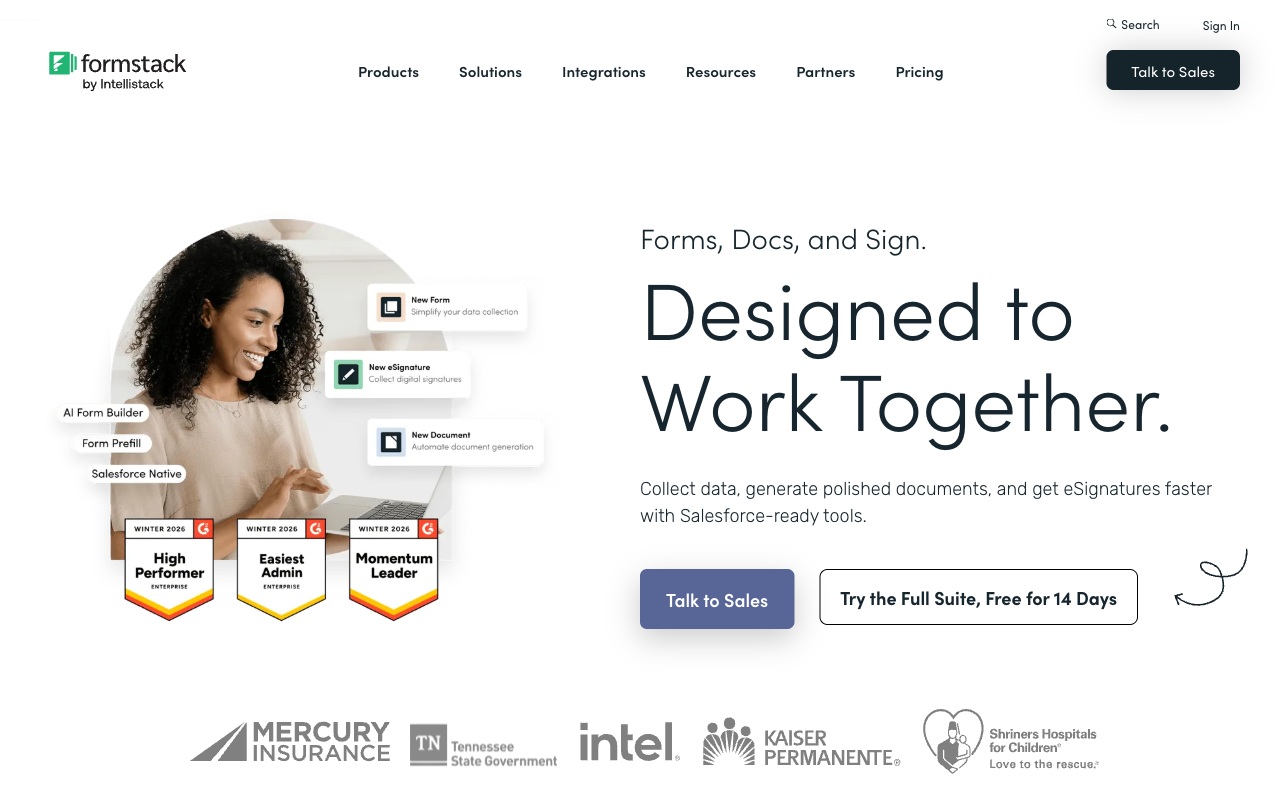
Formstack is the most capable of the three at the thing it charges most for: joining a submission to a generated document and a signature without leaving one account. The Suite puts Forms, Documents and Sign together, the Salesforce products go deeper than anything Jotform or Wufoo offer, and HIPAA-grade encryption plus TX-RAMP Level 2 clear checklists that stop other builders at the door. Built-in conversion analytics with field-level bottleneck reports are a genuinely useful addition that neither rival matches. Reviewers rate Formstack Forms 4.3 on G2 across 471 reviews.
The problem is what the meter does to that story. The $83/month Forms plan covers one builder user, 25 forms and 1,000 submissions per form, so a successful campaign and a second colleague both push the bill up. Documents and Sign only arrive at $250/month, where deliveries are capped at 250 a month. Support is the sorest point: 1.6 on Trustpilot from 24 reviews, 3.6 for support on Capterra, and recurring reports of email-only responses and awkward cancellations. Several ordinary fields are simply absent, including appointment booking, a colour picker and quiz scoring. It is a suite that bills like three products because in origin it largely was.
Jotform: everything unlocked, everything counted
Jotform's model is the friendliest of the three to someone who does not yet know what they need. Features are not gated by tier: the free Starter plan carries logic, calculations, 40+ payment gateways and Jotform Sign, and only the allowances change as you pay more. Twenty years of bootstrapped development have produced real breadth, including native iOS and Android apps for offline collection, a Salesforce AppExchange listing, and a surrounding suite of Tables, Apps, Workflows and AI Agents. G2 ranks it the #1 Online Form Builder at 4.7 from 5,595 reviews, which is a sample neither Formstack nor Wufoo comes close to.
What you pay for instead of features is room. Bronze at $34/month annual allows 25 forms and 1,000 submissions; Gold at $99 allows 100 forms and 10,000 submissions, and even Gold is a single-user plan, so the second person who needs to edit a form is a sales conversation rather than an upgrade. Signed documents run on their own meter alongside submissions. And breadth has a cost in polish: reviewers regularly report widgets and advanced conditions behaving inconsistently, an interface that crowds as forms grow, and slow support replies. Jotform hands you more levers than either rival, and a few of them stick.
Wufoo: honest about being simple, quiet about the meter
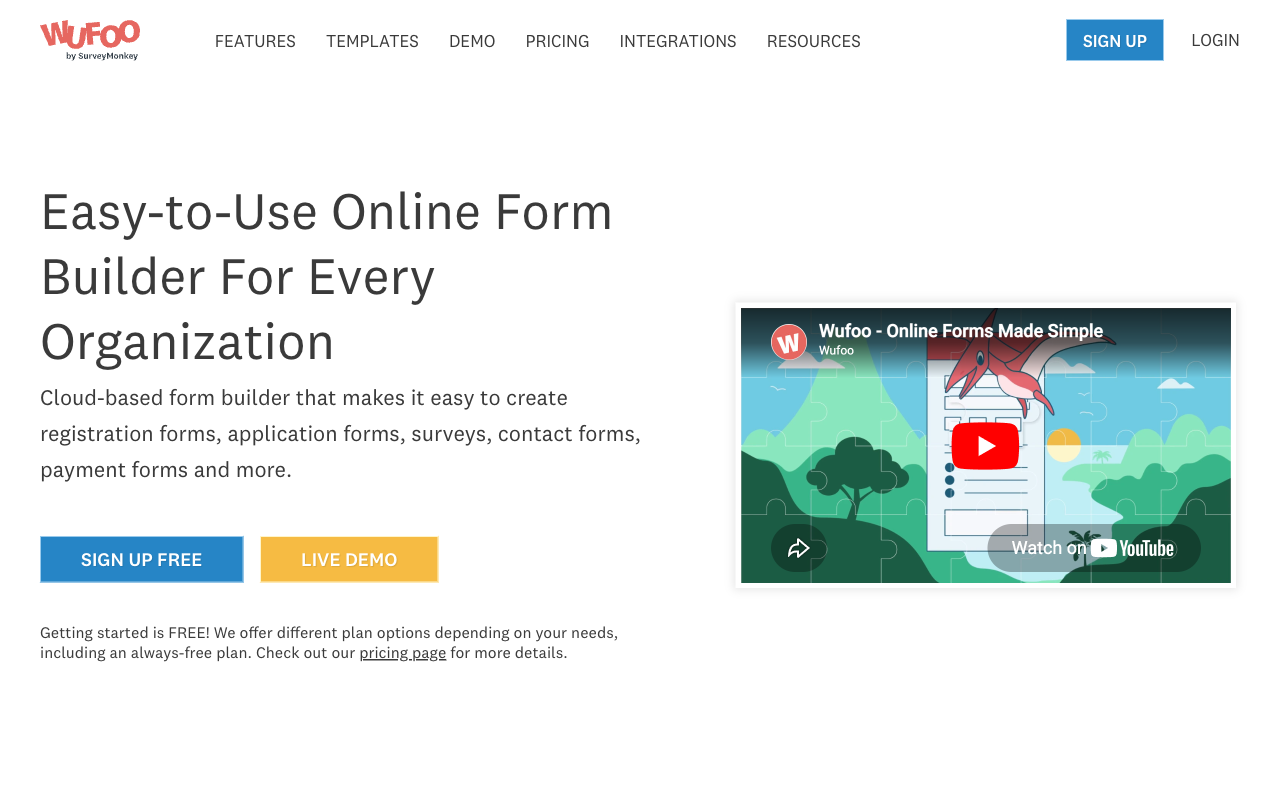
For a genuinely simple form, use the simple tool. Wufoo's builder is the easiest to learn of the three, rated 4.3–4.4 for ease of use, Starter is the cheapest paid entry at $16.25/month annual, and 400+ templates cover the common jobs: contact, RSVP, registration, basic surveys. Free-plan API access at 100 requests a day is a real perk that better-funded products often withhold. Amazon, Disney and the American Red Cross all run Wufoo forms, and for that class of job it does not waste your time.
Ask it to grow and the picture changes fast. Logic stops at 50 rules, the free plan caps forms at 10 fields, payments require the $33.25 Professional plan and three processors, and there is no AI form creation, no calculations, no scoring, no save and resume, no signature field and no booking field. Seats are capped at 1, 1, 5, 20 and 60 across the tiers, so a new colleague can trigger a plan jump from $399 to $999 a year. Entries are metered on every plan with $0.05 charged per entry over the line. No HIPAA, no eSignature product, no workflow automation, and a release notes page that stopped in 2020. Stable, and standing still.
See them in action
Formstack is the only one of the three with substantial independent video coverage, and the two clips below cover the capability that justifies its price: the handoff from form to document, and the signing product that sits on top. Watch them with the $250/month Suite figure in mind, because that is the plan they describe.
Pricing comparison
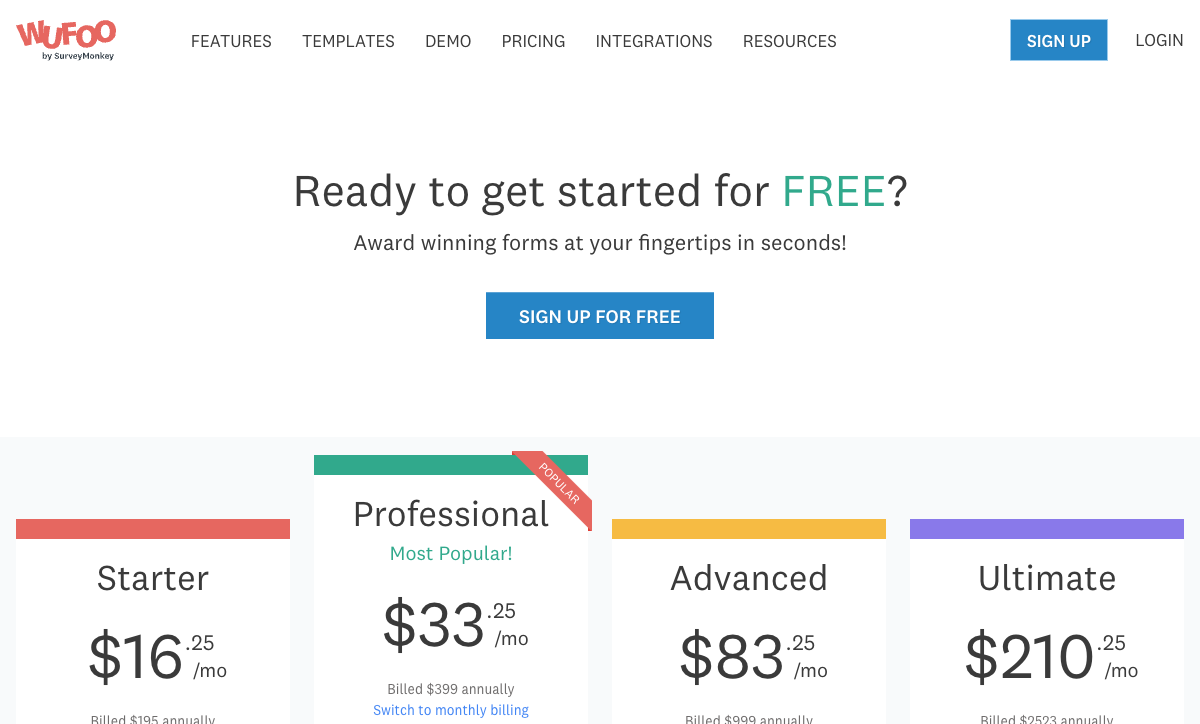
Compare the allowances before the prices, because the three meter completely differently. Wufoo sells entry volume and seat counts. Jotform sells submissions, forms, form views, storage, fields per form and signed documents as six separate ceilings on one plan. Formstack sells builder seats and a per-form submission cap. The number to work out is not what the plan costs today but which ceiling you hit first in a good quarter.
Formstack
Jotform
| Product | Plan | Monthly Price | Annual Price (per month) | Free Plan | Free Trial | Limits |
|---|---|---|---|---|---|---|
| Formstack | Forms | $99/mo | $83/mo billed annually | No | 14 days | forms: 25, submissions: 1,000/form, storage: 2 GB, users: 1, file uploads: 2 GB |
| Formstack | Suite | $299/mo | $250/mo billed annually | forms: 100, submissions: 5,000/form, storage: 10 GB, users: 3, file uploads: 10 GB | ||
| Jotform | Starter | Free | Free | Yes | No | forms: 5, submissions: 100/month, storage: 100 MB, users: 1 |
| Jotform | Bronze | $39/mo | $34/mo billed annually | forms: 25, submissions: 1,000/month, storage: 1 GB, users: 1 | ||
| Jotform | Silver | $49/mo | $39/mo billed annually | forms: 50, submissions: 2,500/month, storage: 10 GB, users: 1 | ||
| Jotform | Gold | $129/mo | $99/mo billed annually | forms: 100, submissions: 10,000/month, storage: 100 GB, users: 1 | ||
| Wufoo | Free | Free | Free | Yes | No | forms: 5, submissions: 100/month, storage: N/A, users: 1 |
| Wufoo | Starter | $22/mo | $16.25/mo billed annually | forms: 10, submissions: 1,000/month, storage: 1 GB, users: 1 | ||
| Wufoo | Professional | $45/mo | $33.25/mo billed annually | forms: Unlimited, submissions: 5,000/month, storage: 5 GB, users: 5 | ||
| Wufoo | Advanced | $113/mo | $83.25/mo billed annually | forms: Unlimited, submissions: 25,000/month, storage: 10 GB, users: 20 | ||
| Wufoo | Ultimate | $286/mo | $210.25/mo billed annually | forms: Unlimited, submissions: 200,000/month, storage: 20 GB, users: 60 |
What users say
Jotform leads on both score and sample: 4.7 on G2 from 5,595 reviews and 4.7 on Capterra from 2,926, with complaints concentrated on form limits, single-user plans and support speed. Wufoo scores 4.2 on G2 and 4.4 on Capterra, praised for simplicity and marked down for dated design, thin logic and overage charges. Formstack Forms holds 4.3 on G2 and 4.0 on Capterra, with value at 3.7 and a 1.6 Trustpilot page dominated by billing and cancellation stories. The sample there is only 24 reviews, so weigh it lightly, but the theme repeats in the Capterra support score too.
The verdict: a decision tree
- Choose Formstack if Salesforce is your system of record, your process genuinely runs form to generated document to signature, and one or two builders will own it. Budget for the $250/month Suite rather than the $83 headline, and get the HIPAA add-on quoted before you sign.
- Choose Jotform if you want the widest capability for the money, you are largely building alone, and your volume fits inside a tier you are happy to pay for. It is also the cheapest credible HIPAA route of the three at $99/month annual on Gold.
- Choose Wufoo if the job is small and will stay small: predictable low volume, simple branching, no payments or signatures, and nobody who needs a login next quarter. Set a calendar reminder to check your entry count.
- Choose none of them if the thing you are building is a process rather than a form, and you would rather not have the bill respond to how well it works.
The tradeoff these three share, and how Paperform resolves it
Line the three up and the same pattern appears in each: growth is the billing event. Formstack charges per builder user and per submission on each form. Jotform closes the form when the monthly quota runs out. Wufoo bills $0.05 an entry past the line and charges a plan jump for a sixth colleague. Each is a tax on the campaign that worked. Paperform is built the other way round: submissions and seats are unlimited on paid plans within fair use, forms are not counted, and Pro is $49/month billed annually.
The second shared problem is fragmentation. Matching Formstack's suite with Jotform or Wufoo means renting a signing tool and an automation tool alongside the form builder, and holding the three together yourself. Paperform's one subscription covers forms, Papersign for eSignatures (25 signed documents a month on Pro, 100 on Business at $124/month annual) and Stepper for AI-native workflow automation, with 20,000 automation credits a month on Pro and 4000+ integrations reaching everything else. Support sits in the seat price rather than in a tier or an enablement fee.
On capability, the pieces that trip these three up are the ones Paperform leads with. Its Excel-style calculations are not arithmetic fields: one formula can decide which questions and pages appear, which conditional email fires, what reaches an integration and what the success page says, which is a different proposition to Wufoo's 50-rule ceiling or Jotform's stacked conditions panel. Payments run across five gateways (Stripe, PayPal, Square, Braintree, Google Pay) with products, subscriptions, coupons, tax and refunds native. The document-style editor produces a page rather than a field stack, which matters on anything that has to persuade.
The honest limits: Paperform has no tier below $49/month, so for one low-volume contact form Wufoo's $16.25 is the better buy and we would not argue otherwise. Paperform is SOC 2 Type II certified, GDPR and CCPA compliant, but it is not HIPAA compliant and signs no BAAs — for PHI, buy Jotform Gold. What you get for the higher floor is a bill that stops moving: ten years of independent, bootstrapped, profitable development behind it, and a 7-day trial with no card so you can build the real workflow before deciding.
For the head-to-heads, see Paperform vs Formstack, Paperform vs Jotform and Paperform vs Wufoo. Comparing only two of these three? Try Formstack vs Jotform, Jotform vs Wufoo or Formstack vs Wufoo. Widening the shortlist: the best form builders, or the Formstack alternatives and Wufoo alternatives rundowns.
Frequently Asked Questions
Formstack, Jotform or Wufoo: which one costs least once the form is actually busy?
Wufoo is the cheapest to switch on and the quickest to punish volume: Starter is $16.25/month billed annually, but every plan meters entries and charges $0.05 for each one over the line. Jotform sits in the middle at $34/month annual on Bronze for 1,000 submissions a month, and overage there is not a surcharge but a stop: the form closes until the month resets or you upgrade. Formstack starts at $83/month annual for 25 forms, 1,000 submissions per form and a single builder user. All three bills move when your forms work, which is the part buyers rarely price in. Paperform Pro is $49/month billed annually and does not count submissions or seats on paid plans, so the busiest month costs what the quietest one did.
Can Wufoo or Jotform replace Formstack for document generation and eSignatures?
Jotform can partially, Wufoo cannot at all. Formstack's argument for its price is the Suite at $250/month annual, which bundles Formstack Documents and Formstack Sign with forms and caps document deliveries at 250 per month. Jotform Sign is included on every tier but metered separately from submissions: 100 signed documents on Bronze, 250 on Silver, 1,000 on Gold. Wufoo has no signature field and no eSignature product, so matching either one means bolting a second vendor onto it. Paperform includes Papersign in the same subscription (25 signed documents a month on Pro, 100 on Business at $124/month annual) alongside Stepper for the routing and approvals that follow a submission.
Is Formstack or Jotform the right call for HIPAA forms, given Wufoo is out?
Jotform is the cheaper and more predictable HIPAA path: it is included on Gold at $99/month annual with a signed BAA, while Formstack sells HIPAA as an unpublished paid add-on on top of the Forms or Suite plan. Formstack only includes it by default on its Salesforce and Enterprise solutions, so a healthcare buyer has to get a quote before knowing the real number. Wufoo is not HIPAA compliant and will not sign a BAA, which rules it out of anything touching protected health information. If HIPAA is genuinely on your checklist, Paperform is not your answer either: it is SOC 2 Type II certified, GDPR and CCPA compliant, but it is not HIPAA compliant and signs no BAAs.
Which of the three handles complex conditional logic and calculations best?
Formstack and Jotform both do real logic; Wufoo does not. Formstack includes conditional logic and calculating fields from its entry Forms plan, and Jotform gives you logic and calculations on every tier including the free one. Wufoo stops at 50 lines of branching rules (three on the free plan), and reviewers report splitting a single process across two forms to get under the ceiling. The caveat on Jotform is consistency rather than capability: complex rule sets and community widgets draw regular reports of glitchy behaviour, and the conditions panel gets hard to read as forms grow. For the two-way detail see Formstack vs Jotform.
Do Formstack and Wufoo have anything Jotform does not?
Two things stand out. Formstack's Salesforce work goes deeper than Jotform's AppExchange listing, with native Salesforce forms, in-Salesforce document generation and Salesforce Shield compatibility, which matters if the CRM is the system of record rather than a destination. Wufoo's surprise is API access on the free plan at 100 requests a day, scaling to 100,000 a day on Ultimate, which several pricier tools reserve for paid tiers. Beyond those, Jotform carries more: 40+ payment gateways against Formstack's two and Wufoo's three, native iOS and Android apps, and 150+ integrations.
Which of Formstack, Jotform and Wufoo is the safer vendor to commit to?
All three launched in 2006, and ownership is what separates them now. Jotform is bootstrapped and independent with 40+ million users and no outside investors, so the forms product is the business. Formstack is private-equity owned, rebranded under Intellistack, and its 2026 release notes are dominated by the separate Streamline workflow stack rather than Formstack Forms. Wufoo has been a SurveyMonkey subsidiary since its $35M acquisition in 2011, and its release notes page still ends at August 2020. On the evidence, Jotform is the least likely of the three to let the form product drift.
What do the review scores actually say about Formstack, Jotform and Wufoo?
Jotform holds 4.7 on G2 from 5,595 reviews, Wufoo 4.2 from 296, and Formstack Forms 4.3 from 471. Volume matters as much as the number here: Jotform's score rests on a sample the other two cannot match. Wufoo earns its marks on ease of use (4.3–4.4) and loses them on value (3.9) and support (3.8). Formstack scores 4.0 on Capterra with value at 3.7, and its Trustpilot page sits at 1.6 from 24 reviews, 88% of them one star, mostly about billing and cancellation. Small sample, consistent theme.
Sources & References
- Formstack Review 2026: Features, Pricing, Pros, and Cons — Signeasy, 2026
- Jotform Review 2026: Pricing, Features, Pros & Cons, Ratings & More — Research.com, 2026
- Wufoo Review 2026: Legacy Tool, Honest Look — Formester, 2026
- Formstack vs Jotform (2026): Comparison Guide — Knack, 2026
Last updated September 22, 2026
Ready to try Paperform?
Create beautiful forms, payment pages, and workflows — no code required.