Formstack vs Tally: Which Is Better in 2026?
Formstack starts at $83/month billed annually and sells compliance, document generation and eSignatures; Tally starts at $0 with unlimited forms and submissions under a fair use policy. Choose Formstack if a procurement team will ask for SOC 2, HIPAA or a Salesforce-native form. Choose Tally for everything else.
This is the widest price gap in the category, and the gap is not really about form building. Both products let you write questions, branch on answers, calculate a total and take a Stripe payment. What $996 a year buys at Formstack is a paper trail: a SOC 2 Type II report, PCI attestations, a TX-RAMP Level 2 listing, a WCAG 2.2 VPAT, and a HIPAA add-on that healthcare buyers cannot get anywhere near this part of the market. Tally publishes GDPR compliance and EU hosting and stops there, because its buyer has never been asked for the rest.
The second difference is what happens to the money as you grow. Formstack meters the thing at four separate joints: builder users, forms, submissions per form, and document deliveries. Tally meters nothing, on any plan. That means the comparison changes shape depending on whether your forms are a cost centre or a growth channel.
Quick Verdict
Choose Formstack if:
- Health data is involved and you need a BAA
- A security review will ask for SOC 2, SSO and enforced 2FA
- Salesforce is where the form data has to land natively
- Form submissions have to become merged documents
- You need PayPal as well as Stripe on the form
- Your volume is predictable and sits inside 1,000 submissions per form
Choose Tally if:
- The work is done when someone presses submit
- Nobody outside your team will audit the tool
- Volume is unpredictable and you refuse to be billed for success
- Answers belong in Notion, Airtable or a spreadsheet
- Several people need to build forms without buying seats
- You want to be live this afternoon rather than after a sales call
The Five Numbers That Decide It
Pricing
Formstack Forms is $99/month, or $83 billed annually; Suite is $299/month, or $250 annually. There is no free plan and the trial runs 14 days. Tally is free with unlimited forms and submissions, $29/month or $24 annually on Pro, and $89/month or $74 annually on Business, its highest tier.
Integrations and API
Formstack advertises 300+ integrations with webhooks and an API, and has no Make connector. Tally ships native Notion, Google Sheets, Airtable, Coda and Slack connectors plus Zapier, Make, n8n, Pipedream, signed webhooks, a REST API and an MCP server, reaching 1,000+ destinations.
Conditional logic
Both include conditional logic and a calculation field, and Tally includes both on its free plan. Neither offers quiz scoring as a native feature, and neither provides an AI assistant for writing formulas.
Payments
Formstack supports 2 payment processors, Stripe and PayPal, with discount codes and PCI-compliant card fields. Tally supports 1, Stripe, including subscriptions. Neither offers Square, Braintree, Google Pay, tax automation or refunds.
Compliance
Formstack is SOC 2 Type II, GDPR and CCPA compliant, holds PCI DSS attestations and a TX-RAMP Level 2 listing, and offers HIPAA as a paid add-on on Forms and Suite (included on Salesforce and Enterprise solutions). Its ISO 27001 status is an engagement letter rather than a certification. Tally is GDPR compliant and EU-hosted, with no SOC 2, no ISO 27001, no HIPAA, and no SSO or 2FA on any plan.
Feature Comparison
Read the table with the price sheet next to it. A surprising number of rows where Formstack charges $83/month are rows Tally gives away, including conditional logic, calculations, Stripe payments, signature fields, answer piping and form closing rules. The rows Formstack genuinely owns cluster in security, administration and the document pipeline.
| Feature | Formstack | Tally |
|---|---|---|
| Form Building | ||
| Drag-and-drop builder | Yes forms | No |
| AI form creation | Yes forms | Yes |
| Field types | 15 | 20+ |
| Multi-page forms | Yes forms | Yes |
| Guided mode (one question at a time) | Yes forms | No |
| Conditional logic | Yes forms | Yes |
| Calculations field | Yes forms | Yes |
| AI calculations assistant | No | No |
| Scoring | No | Yes |
| Answer piping | Yes forms | Yes |
| Pre-filling and hidden fields | Yes forms | Yes |
| Save and resume | Yes forms | No |
| Auto-close by number | No | Yes |
| Auto-close by date | No | Yes |
| Appointment/booking field | No | No |
| Signature field | Yes suite | Yes |
| Color picker field | No | No |
| API-powered dropdowns | Yes forms | No |
| Google address search | No | No |
| Document-style editor | No | Yes |
| Formula editor | No | Yes |
| File uploads | No | Yes |
| Import from other form builders | No | Yes |
| PDF generation | No | Yes |
| Payments | ||
| Stripe payments | Yes forms | Yes |
| PayPal payments | Yes forms | No |
| Square payments | No | No |
| Braintree payments | No | No |
| Google Pay | No | No |
| Product sales (eCommerce) | No | Yes |
| Subscriptions | No | Yes |
| Coupons and discounts | Yes forms | No |
| Custom pricing rules | Yes forms | Yes |
| Tax calculations | No | No |
| Quotes/invoices | No | No |
| Refunds | No | No |
| 3D Secure | No | No |
| Design & Customization | ||
| Template gallery | Yes forms | Yes |
| Rich media (images, GIFs, videos) | Yes forms | Yes |
| Unsplash and Giphy integration | No | No |
| Image editor | No | No |
| Adobe Creative Cloud | No | No |
| Language translation | No | Yes |
| Advanced theming | Yes forms | Yes pro |
| Custom form URL | Yes forms | Yes |
| Custom domains | Yes forms | Yes pro |
| Custom HTML & CSS | Yes forms | Yes pro |
| Remove branding | Yes forms | Yes pro |
| Custom email domains | No | Yes pro |
| Analytics | ||
| Submission results and reports | Yes forms | Yes |
| AI report insights | No | No |
| Paperform analytics | Yes forms | Yes pro |
| Google Analytics & Facebook Pixel | Yes forms | Yes pro |
| Custom analytics scripts | No | No |
| Partial submissions | Yes forms | Yes pro |
| Answer Insights | No | Yes |
| Collaboration | ||
| Multi-user accounts | Yes forms | Yes pro |
| User permissions and management | Yes forms | Yes pro |
| Advanced permissions & admin | Yes enterprise | No |
| Form sharing (templates) | Yes forms | Yes |
| Spaces and tag management | Yes forms | Yes pro |
| Security | ||
| SOC 2 Type II | No | No |
| GDPR compliant | Yes forms | Yes |
| SSL encryption | Yes forms | Yes |
| Two-factor authentication | Yes forms | No |
| Enforce 2FA for all users | Yes enterprise | No |
| SSO (SAML) | Yes enterprise | No |
| reCAPTCHA | Yes forms | Yes |
| Local data residency | No | Yes |
| Custom S3 storage (BYO) | No | No |
| Integrations & API | ||
| 4000+ integrations | No | No |
| Zapier | Yes forms | Yes |
| Make (Integromat) | No | Yes |
| Webhooks | Yes forms | Yes |
| Standard API | Yes forms | Yes |
| Business API | Yes enterprise | No |
| WordPress plugin | Yes forms | Yes |
| oEmbed support | No | Yes |
| Native integrations | No | 17+ |
| AI assistant connectors (MCP / ChatGPT / Claude) | No | Yes |
| Integration failure alerts | No | Yes |
Where Formstack Wins
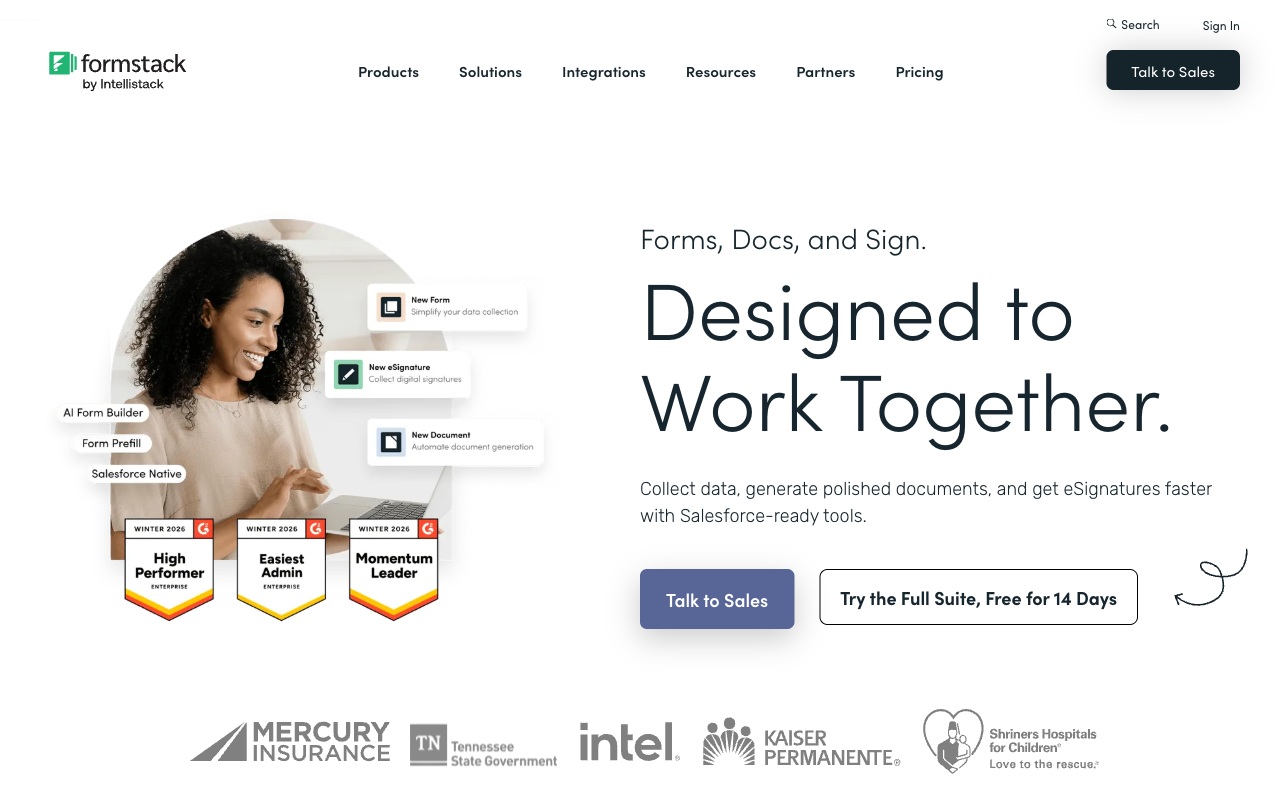
It can pass a procurement review
Formstack publishes SOC 2 Type II, PCI DSS attestations for Formstack Forms and Forms for Salesforce, TX-RAMP Level 2, the EU-US, UK-US and Swiss-US Data Privacy Frameworks, and a WCAG 2.2 Section 508 VPAT dated June 2026. Tally publishes none of those. For a public sector buyer, a university, or anyone whose legal team runs a vendor questionnaire, that difference ends the evaluation before features are discussed. Formstack also offers SSO, enforced 2FA, SCIM provisioning and subaccount administration, none of which exist at Tally at any price.
HIPAA, which almost nothing at this price supports
Formstack will support HIPAA-compliant forms and sign a BAA. It is sold as a paid add-on on the Forms and Suite plans, included by default only on the Salesforce and Enterprise solutions, and the add-on price is not published, so budget a sales conversation. Still, healthcare intake is a genuine capability gap rather than a preference: Tally cannot take protected health information, and neither can most of the tools people compare it against.
Salesforce as a first-class citizen
Formstack for Salesforce is a separate, purpose-built product rather than a connector, covering native form embedding, document generation and signing inside Salesforce, with Experience Cloud and Shield compatibility. Tally can push a submission into Salesforce through Zapier or Make like anything else. If Salesforce is your system of record and the form has to write to it reliably, that architectural difference is worth real money.
Documents and signatures under one roof
The Suite plan bundles Formstack Documents and Formstack Sign with Forms, so a submission can merge into a contract template and go out for signature without a third vendor. Tally added submission-to-PDF export in 2026, but that is a themed copy of the answers rather than a merge into your own document template. Note what Suite costs: $250/month billed annually, with three builder users and a 250 document delivery cap per month.
Conversion tooling built into the form
Formstack's Conversion Kit reports field-level bottlenecks and captures partial submissions, so you can see which question is losing people. Tally offers visit and drop-off analytics, but only from the $24/month Pro plan, and its Insights tab is statistical. For a team optimising a high-value intake form, Formstack's abandonment data is the more detailed of the two.
Where Tally Wins
For a straightforward form, it is simply the better product
Worth saying plainly: if your form ends at the submit button, Tally is a good choice and its free plan is the most generous in the category. Unlimited forms, unlimited submissions, conditional logic, calculations, Stripe payments, e-signature fields, answer piping and 45+ languages, all at $0 under a fair use policy. You can build the first one without an account. Against a product that asks $83/month for one builder user and 1,000 submissions per form, that is not a small advantage, it is the whole reason most people never open Formstack's pricing page.
The editor people actually enjoy
Tally works like a Notion page: start typing, insert fields with slash commands, publish. Reviewers put it near the ceiling on experience, with G2 at 4.8 from 97 reviews and Capterra at 4.9 from 41. Formstack's builder gets the opposite treatment. Website Planet's review notes its less modern look and feel, and Signeasy's flags the dated interface alongside the price. A builder founded in 2006 carries two decades of interface decisions, and it shows.
Nothing is metered, and seats are free
Tally Pro and Business both include unlimited team members, so the marketer, the designer and the ops lead can all be in the workspace without changing the invoice. Formstack's Forms plan includes one builder user and Suite includes three, which tends to produce a single person building everyone else's forms to keep the seat count down. Combine that with unmetered submissions and Tally's cost is genuinely flat as the work grows.
AI that is free, and connectors for the assistants people already use
Tally AI builds, edits, brands, translates and debugs forms from a chat window in the editor, and it is free on every plan including the free one. Tally also ships an MCP server, a ChatGPT plugin and a verified Claude connector, so forms can be created and submissions pulled without opening the app. Formstack has AI form creation on the Forms plan, but its 2026 AI and workflow development has moved into the Intellistack Streamline stack rather than Formstack Forms.
One-click migration off the tool you regret
Tally added one-click Typeform import in July 2026 and file-based import from PDF, image, JSON, CSV and Markdown in August. Formstack has a form importer too, but Tally's file import means an existing paper or PDF form becomes a working web form in a couple of minutes. For anyone digitising a stack of legacy forms cheaply, that is the fastest route in the category.
Where Formstack Falls Short
- The meter runs at four joints. Builder users, forms, submissions per form and document deliveries are all capped, so the better a form performs and the more colleagues touch it, the more it costs. The campaign that works is the thing that triggers the upgrade.
- Support is its weakest column. Trustpilot has Formstack at 1.6 from 24 reviews with 88% one-star, and Capterra puts support at 3.6 and value for money at 3.7. The complaints cluster around slow email-only responses, billing and cancellation.
- Missing field types. No appointment booking, no colour picker, no quiz scoring, no Google address autocomplete, and 15 field types in total.
- A narrower integration set with no Make connector. 300+ integrations is respectable, but the absence of Make pushes routing onto yet another subscription.
- The roadmap has moved. Formstack sits under the Intellistack brand beside a newer CLM stack, and 2026 release notes are dominated by Streamline items. Documents and Sign arrived largely by acquisition, so how tightly the suite joins up varies.
Where Tally Falls Short
Tally's limits are easy to describe because they all sit at the same line. Everything up to and including the submit button is handled well. Past it, the product stops and hands you a webhook.
- Nothing for a security questionnaire. No SOC 2, no ISO 27001, no HIPAA, and no SSO or 2FA even on the $74/month Business plan, which is the top tier. There is no enterprise plan to escalate to.
- No workflow or approvals. No approval chains, no routing, no multi-step internal process. Reviews consistently note the automation ceiling, and the documented answer is Zapier, Make or n8n.
- Stripe or nothing. One processor, no PayPal, no coupons, no tax handling, no refunds. Hackceleration's review of 15 users flags Stripe-only payments as a hard blocker.
- Logic gets hard to debug at scale. The same review notes that large branching forms are difficult to trace with no visual logic map, and formulas are written by hand.
- A team of around ten. Email-only support with no tier to escalate to when a rollout goes wrong on a deadline. The small team is part of the charm and also the constraint.
- No guided mode, booking field or save and resume, which matters for long applications rather than short signups.
See Both in Action
Pricing Comparison
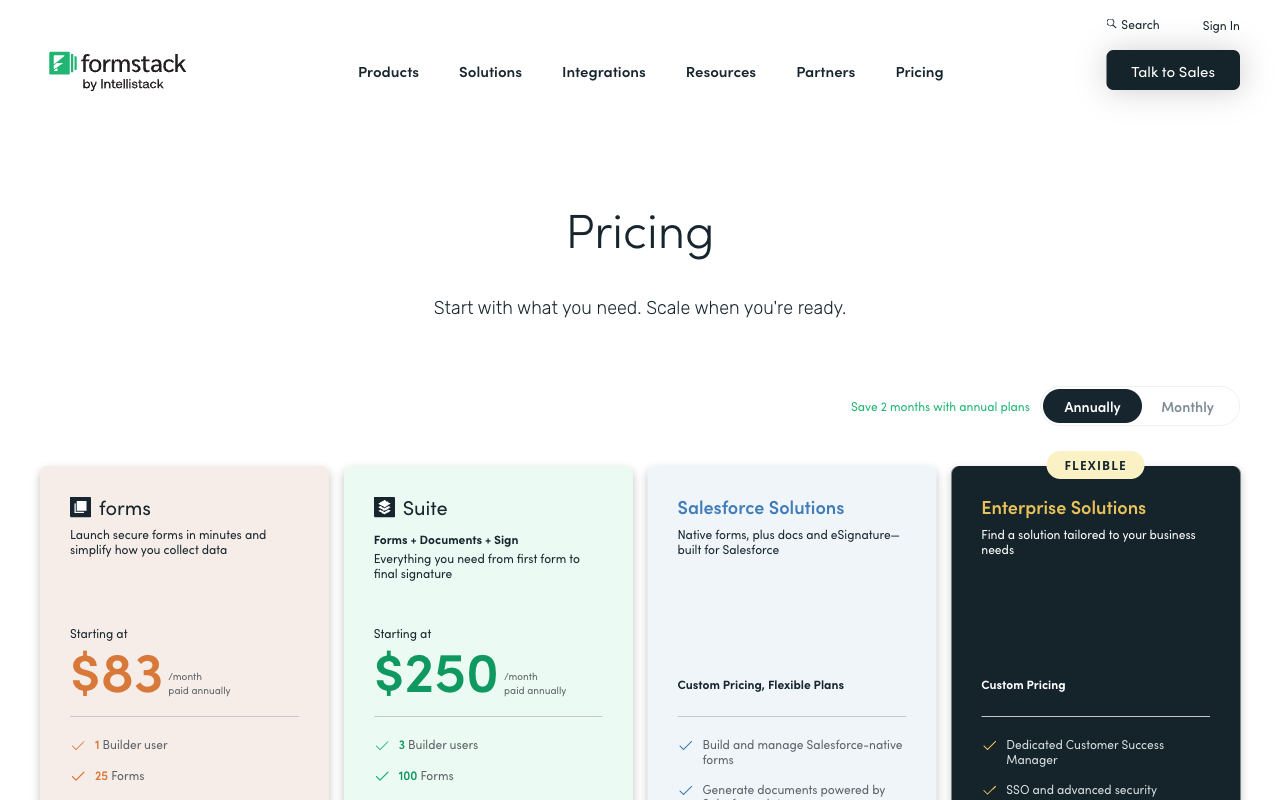
Formstack's entry plan costs $83/month billed annually for one builder user, 25 forms and 1,000 submissions per form; Tally's entry plan costs nothing and caps neither forms nor submissions. Annualised, that is $996 against $0, or $996 against $288 if you pay Tally's Pro tier to remove its branding and add a custom domain.
Formstack
Tally
| Product | Plan | Monthly Price | Annual Price (per month) | Free Plan | Free Trial | Limits |
|---|---|---|---|---|---|---|
| Formstack | Forms | $99/mo | $83/mo billed annually | No | 14 days | forms: 25, submissions: 1,000/form, storage: 2 GB, users: 1, file uploads: 2 GB |
| Formstack | Suite | $299/mo | $250/mo billed annually | forms: 100, submissions: 5,000/form, storage: 10 GB, users: 3, file uploads: 10 GB | ||
| Tally | Free | Free | Free | Yes | No | forms: Unlimited, submissions: Unlimited, storage: N/A, users: 1, file uploads: 10 MB per file |
| Tally | Pro | $29/mo | $24/mo billed annually | forms: Unlimited, submissions: Unlimited, storage: N/A, users: Unlimited, file uploads: Unlimited | ||
| Tally | Business | $89/mo | $74/mo billed annually | forms: Unlimited, submissions: Unlimited, storage: N/A, users: Unlimited |
Two details are easy to miss in the tables. Formstack's HIPAA capability is an unpublished add-on price on both paid tiers, so the healthcare number is never the sticker number. And Tally's unlimited is now explicitly bounded by a fair use policy linked from its pricing hero, which is honest rather than alarming, but worth reading if you are planning something high-volume.
What Users Say
The review gap is wider than the feature gap. Tally sits at 4.8 on G2 across 97 reviews and 4.9 on Capterra across 41, with value for money at 4.9. Formstack holds a respectable 4.3 on G2 from 471 reviews, which is a much larger sample and reflects real enterprise deployment, but 4.0 on Capterra with support at 3.6, and 1.6 on Trustpilot from 24 reviews. That Trustpilot sample is small and skewed toward people with a billing problem, so treat it as a signal rather than a verdict. The consistent theme across sources is that Formstack's product is capable and its commercial relationship is not loved.
The Verdict
Formstack is the answer to a compliance requirement. If health data, a signed BAA, a SOC 2 report, SSO or native Salesforce writing appear anywhere in your requirements, Tally cannot be made to work and Formstack can. Pay the $83, or $250 if you need signing and documents, and accept that you are buying certifications and a pipeline rather than a delightful builder.
Tally is the answer to everything else at this end of the market. For marketing forms, feedback, applications, RSVPs and lead capture where nobody will audit the tool, Tally does the same job with a better editor and no invoice. Paying Formstack for that work is paying for paperwork you will never produce.
What neither answers well is the middle, which is where most growing businesses actually sit: no HIPAA requirement, but a security questionnaire; real pricing logic rather than a fixed charge; a contract to be signed after the form; an approval chain with a person at each step. Formstack covers that at $250/month with a 250-document cap and a roadmap moving elsewhere. Tally covers it by handing you three more subscriptions to manage.
Consider Paperform
Paperform is built for that middle, and the argument starts with the meter. Formstack charges by builder user, by form, by submission on that form and by document delivered, which makes a successful campaign the thing that raises your bill. Paperform does not meter submissions or seats at all on paid plans within fair use. Pro is $59/month, or $49 billed annually; Business is $149/month, or $124 annually. Be clear about the comparison: that is more than Tally's $24 and roughly $400 a year less than Formstack's $83, and Paperform has no tier below $49. It is a floor, not a starting meter reading.
The second argument is that you should not have to be the integration. One Paperform subscription covers Paperform for forms, Papersign for eSignatures and Stepper for workflow automation, on every plan, from one account. Pro includes 25 signed documents a month and 20,000 automation credits; Business includes 100 signed documents, 10 workspaces, SSO and the Business API. Automation credits are metered, which is a real limit worth sizing, but it replaces an automation subscription rather than sitting on top of one. Against Formstack, that is the $250 Suite and its 250-delivery cap answered at $49. Against Tally, it is the Zapier, eSignature and document vendors you would otherwise be paying separately.
On the dimensions this page has used: 5 payment gateways (Stripe, PayPal, Square, Braintree, Google Pay) with products, subscriptions, coupons, tax and refunds, against Formstack's 2 and Tally's 1; 4000+ integrations through native connectors, Zapier and Make; Excel-style calculations that price an order live and then drive question visibility, conditional emails, integration payloads and success page content; SOC 2 Type II, GDPR and CCPA with SAML SSO and enforced 2FA on Business. Paperform is ten years old, bootstrapped and profitable, with one product line and no investor clock redirecting the engineering. Two honest limits: Paperform is not HIPAA compliant and signs no BAAs, so regulated health data still points to Formstack's add-on, and it is not ISO 27001 certified either.
Try Paperform | Paperform vs Formstack | Paperform vs Tally | Formstack alternatives | Tally alternatives
For a wider field than these two, our ranked list of the best form builders covers the rest of the market, and the enterprise shortlist is the better starting point if compliance is what brought you to Formstack in the first place.
Frequently Asked Questions
Is there any point paying Formstack $83 a month when Tally is free?
There is, but only for a specific reason. Formstack's Forms plan at $83/month billed annually buys compliance paperwork and a document pipeline, not a better form editor. If your organisation has to produce a signed BAA, a PCI attestation of compliance, a TX-RAMP listing or a WCAG 2.2 VPAT during procurement, Tally has nothing to hand over: it publishes GDPR and EU hosting and no SOC 2, ISO 27001 or HIPAA position at any tier. If nobody is going to ask you for those documents, the $83 is buying a form builder that reviewers describe as dated, and Tally will collect the same responses for nothing.
Can Tally handle payments the way Formstack does?
Not quite, and neither handles them well. Tally supports 1 payment processor, Stripe, including subscriptions. Formstack supports 2, Stripe and PayPal, and adds discount codes plus calculating fields that can compute a dynamic price. Neither offers Square, Braintree or Google Pay, product catalogues, automated tax, quotes or refund handling. Formstack is the better of the two if you need PayPal or a coupon field; both push real commerce logic out to another system.
Which is better for approval workflows, Formstack or Tally?
Formstack, but not on its cheapest plan. Approval routing and workflow sit above the $83/month Forms tier, eSignatures require the Suite plan at $250/month billed annually with document deliveries capped at 250 a month, and the 2026 workflow development is going into the separate Intellistack Streamline stack rather than Formstack Forms. Tally has no workflow builder and no approval flows at all; its documented answer is to push the submission to Zapier, Make or n8n. So the real comparison is Formstack's $250/month bundle against Tally plus two or three subscriptions you assemble and maintain yourself.
Does Formstack or Tally have more integrations?
Tally reaches more destinations; Formstack goes deeper into fewer. Formstack advertises 300+ integrations and has no Make connector, but its Salesforce work is genuinely native, with a purpose-built Forms for Salesforce product, Experience Cloud support and Salesforce Shield compatibility. Tally ships native Notion, Google Sheets, Airtable, Coda and Slack connectors plus Zapier, Make, n8n, Pipedream and signed webhooks, a REST API and an MCP server, which puts over a thousand endpoints within reach. Salesforce-centred teams should read that as a win for Formstack; everyone else will find Tally's routing options broader and cheaper.
Is Tally safe to use for a company form, given it has no SOC 2?
It depends entirely on who audits you. Tally encrypts data in transit and at rest, is hosted in the EU, is GDPR compliant and adds data retention controls on its $74/month Business plan. That is a reasonable posture for marketing forms, feedback and internal requests. What it cannot do is satisfy a security questionnaire: there is no SOC 2 report, no SSO and no two-factor authentication on any Tally plan, including the highest one, so you cannot enforce a login policy across a team. Formstack publishes SOC 2 Type II and offers SSO and enforced 2FA, which is most of what you are paying the extra money for.
How do Formstack and Tally compare on submission limits?
They are opposites. Formstack's Forms plan allows 25 forms at 1,000 submissions per form with a single builder user; Suite raises that to 100 forms at 5,000 submissions each with three builder users. Tally does not meter forms, submissions or seats on any tier, free included, subject to a published fair use policy. A campaign that lands well costs Tally nothing and can trigger a Formstack upgrade mid-month, which is the part of Formstack's model that buyers complain about most.
Sources & References
- Formstack Review 2026: Features, Pricing, Pros, and Cons — Signeasy, 2026
- Formstack Review: Could It Be Right for You? — Website Planet, 2025
- Tally Review 2026: Honest Verdict + 15 Real User Reviews — Hackceleration, 2026
- Honest Review of Tally Forms, from an AI SaaS developer — Medium (FireBird Technologies), 2026
Last updated September 22, 2026
Ready to try Paperform?
Create beautiful forms, payment pages, and workflows — no code required.