 By Dean McPherson, Co-founder & CTO, Paperform · Updated
Jotform vs SurveyMonkey: Which Is Better in 2026?
Jotform and SurveyMonkey sit on opposite sides of the data collection spectrum. Jotform is a general-purpose form builder: 20,000+ templates, 30+ payment gateways, conditional logic, and the flexibility to build everything from contact forms to order pages. SurveyMonkey is a survey specialist, with question banks designed by research methodologists, benchmarking against millions of responses, Audience panels for targeted research, and analytics tools built for statistical rigour. One platform does everything. The other does one thing exceptionally well.
The tension matters because most businesses need both capabilities at different times. You need a contact form on your website and a customer satisfaction survey after purchase. You need an event registration page that collects payments and a post-event feedback survey that measures NPS. Choosing between Jotform and SurveyMonkey often means accepting a gap in one direction: either your surveys lack methodological depth or your forms lack functional breadth.
This comparison examines where each platform genuinely excels, where each falls short, and whether the gap between "form builder" and "survey tool" is as wide as the marketing suggests. Both are established platforms. Jotform has 20 years of bootstrapped growth, and SurveyMonkey is a publicly traded company (now part of Momentive), so platform stability isn't a concern for either.
A note on pricing models: Jotform charges per account with submission limits, and every self-serve plan includes a single user, so shared access means its Enterprise plan. SurveyMonkey's team plans charge per user, which means costs scale linearly with team size. This pricing structure difference affects the total cost comparison dramatically for teams larger than one person. We'll break down the math in the pricing section below.
Quick Verdict
Choose Jotform if:
- You need forms AND surveys in one platform
- You need payment collection (30+ gateways)
- You want a generous free tier (5 forms, 100 submissions)
- You need HIPAA compliance for healthcare data
- Budget matters: Jotform is cheaper at every tier
Choose SurveyMonkey if:
- Survey methodology and question design quality matter
- You need benchmarking against industry data
- You need Audience panels to reach targeted respondents
- Advanced analytics (cross-tabs, sentiment, significance testing) are required
- You're conducting formal market research or academic studies
Feature Comparison
Side-by-side across feature categories. The fundamental split is clear: Jotform leads on form-building capabilities, payment processing, and template variety. SurveyMonkey leads on survey design, analytics, and research methodology tools.
| Feature | Jotform | SurveyMonkey |
|---|---|---|
| Form Building | ||
| AI form builder . Describe the form you need in plain language and the tool drafts the questions for you. | Yes starter | Yes |
| Templates . The number of ready-made form templates in the tool’s template gallery. | 20,000+ (starter) | 500+ (Individual Standard) |
| Field types . How many kinds of question or input field the form builder offers, such as text, dropdown, date, file upload and signature. | 30+ (starter) | 20+ |
| Conditional logic . Show, hide or skip questions and pages based on how someone has answered earlier questions. | Yes starter | Yes Individual Standard |
| Calculations . Compute totals, scores, prices or dates from answers while the form is being filled in. | Yes starter | No |
| Multi-page forms . Split a long form across several pages that respondents move through in order. | Yes starter | Yes |
| One question at a time . A conversational layout that shows a single question per screen, popular for surveys on mobile. | Yes starter | Yes |
| Answer piping . Insert a respondent’s earlier answer, such as their name, into later questions or text on the form. | Yes starter | Yes Individual Advantage |
| Pre-filling and hidden fields . Fill in answers ahead of time from a link or existing data, and pass along values the respondent never sees. | Yes starter | Yes Individual Advantage |
| File uploads . Let respondents attach files such as documents and photos to their submission. | Yes starter | Yes Individual Advantage |
| E-signatures . Collect a signature, either with a signature field on the form or by sending a document out to be signed. | Yes starter | No |
| Appointment booking . Let respondents pick and book a time slot directly in the form, with availability managed by the tool. | Yes starter | No |
| Quiz scoring . Give answers point values so the form can score quizzes and assessments automatically. | Yes starter | Yes |
| Save and resume . Respondents can leave a form part-way through and come back later to finish it. | Yes starter | Yes Individual Advantage |
| Close forms by date or response limit . Stop accepting submissions automatically on a set date or once a set number of responses has arrived. | Yes starter | Yes Individual Advantage |
| Payments | ||
| Payment gateways . The number of payment processors a form can take payments through. Where a vendor’s full count isn’t recorded, the cell lists the gateways we confirmed. | 34 (starter) options in its builder, incl. Stripe, PayPal, Square, Braintree | 2 (Individual Advantage) Stripe, PayPal |
| Subscriptions and recurring payments . Charge respondents on a repeating schedule, such as monthly or annually, from a form. | Yes starter | No |
| Product sales . Sell products from a form, with product listings, quantities and an order total. | Yes starter | No |
| Conditional pricing . Change the price or add fees automatically based on the answers given in the form. | Yes starter | Yes Individual Advantage |
| Coupons and discounts . Offer discount codes that respondents can apply to a payment or subscription on the form. | Yes starter | No |
| Tax calculations . Add sales tax to payments on the form automatically. | Yes starter | No |
| Refunds . Refund a payment from inside the form tool rather than going to the payment processor. | No | No |
| Design & Customization | ||
| Custom themes . Set your own logo, colours and fonts on forms and save them as reusable themes. | Yes starter | Yes Individual Standard |
| Custom CSS . Add your own CSS (and in some tools HTML) for styling beyond the built-in theme options. | Yes starter | Yes enterprise |
| Remove vendor branding . Remove the form builder’s own logo or badge so forms carry only your branding. | Yes bronze | Yes Individual Premier |
| Custom domain . Host forms on your own domain, such as forms.yourcompany.com, instead of the vendor’s. | Yes enterprise | No |
| Custom form URL . Choose a readable link for a form instead of a random string. | Yes starter | Yes Individual Standard |
| Emails from your own domain . Send notification and confirmation emails from your own email domain instead of the vendor’s. | Yes starter | Yes enterprise |
| Multi-language forms . Show a form’s questions, buttons and messages in languages other than English. | Yes starter | Yes Individual Premier |
| Analytics | ||
| Response reports . Built-in summaries and charts of the answers a form has collected. | Yes starter | Yes |
| Form analytics (views and drop-off) . Track how many people view, start and finish a form, and where they abandon it. | Yes starter | Not recorded |
| Partial submissions . See the answers people entered before leaving a form without submitting it. | No | Yes Individual Advantage |
| Google Analytics and Meta Pixel . Connect a form to Google Analytics or the Meta (Facebook) Pixel to track visits and conversions. | Yes starter | Not recorded |
| Custom tracking scripts . Add your own analytics or conversion-tracking scripts to a form. | No | Not recorded |
| AI response insights . AI-written summaries and insights generated from the responses a form has collected. | Yes starter | Yes Individual Advantage |
| Collaboration | ||
| Team members . Invite colleagues into the same account to build forms and work with responses together. | Yes enterprise | Yes Team Advantage |
| Roles and permissions . Give team members different levels of access, such as admin, editor or viewer. | Yes enterprise | Yes Team Advantage |
| Advanced permissions and admin controls . Fine-grained, organisation-wide controls over who can access what, usually on enterprise plans. | Yes enterprise | Yes enterprise |
| Workspaces . Separate spaces or folders for organising forms by team, client or project. | Yes enterprise | Yes |
| Security | ||
| Two-factor authentication . Users can protect their login with a second step, such as a code from an authenticator app. | Yes starter | Yes |
| Require 2FA for the whole team . Admins can make two-factor authentication mandatory for everyone in the account. | Yes enterprise | Yes enterprise |
| SSO (SAML) . Team members sign in through your company’s identity provider, such as Okta or Microsoft Entra ID, using SAML single sign-on. | Yes enterprise | Yes enterprise |
| HIPAA compliance . Whether the vendor supports collecting US protected health information under HIPAA, typically by signing a business associate agreement on an eligible plan. | Yes gold | Yes enterprise |
| SOC 2 . Whether the vendor holds a SOC 2 audit report covering its security controls. | Yes enterprise | Yes |
| GDPR . Whether the vendor states that it complies with the EU General Data Protection Regulation. | Yes starter | Yes |
| Data residency . Choose the region, such as the EU, where your form data is stored. | Yes starter | Yes enterprise |
| Spam protection (CAPTCHA) . Block bot and spam submissions with reCAPTCHA or a similar challenge. | Yes starter | Yes |
| Integrations & API | ||
| Native integrations . Apps the tool connects to directly, without going through a third-party connector such as Zapier or Make. | 150+ (starter) | 200+ |
| Zapier . Connect forms to thousands of other apps through Zapier. | Yes starter | Yes |
| Make . Connect forms to other apps through Make (formerly Integromat). | Yes starter | Yes |
| Workflow automation . A built-in builder for multi-step automations that act on submissions, such as approvals, routing and syncing data to other systems. | Yes starter | Not recorded |
| Webhooks . Send each new submission to a URL of your choice as soon as it arrives. | Yes starter | Yes enterprise |
| API access . A developer API for reading forms and submissions, or managing them, from your own code. | Yes starter | Yes enterprise |
| MCP server / AI assistant connector . An official connector, such as an MCP server, that lets AI assistants like Claude or ChatGPT work with your forms and responses. | Yes starter | Yes |
| WordPress plugin . A plugin for adding forms to a WordPress site. | Yes starter | No |
— means we haven't recorded it for that tool.
Where Jotform Wins
Versatility Beyond Surveys
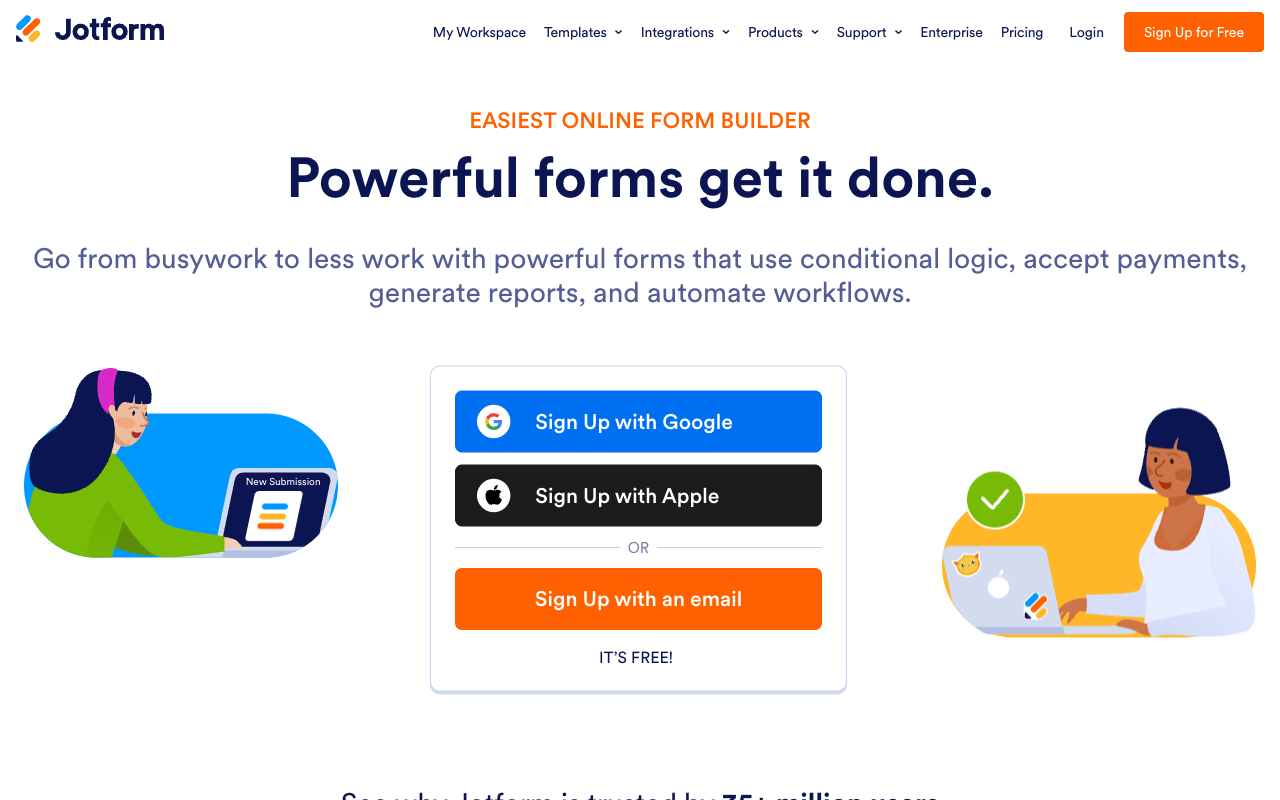
Jotform builds forms for virtually any use case: contact forms, registration pages, order forms, booking systems, approval workflows, PDF generation, and more. SurveyMonkey is laser-focused on surveys and questionnaires. If your business needs a contact form on the website, a payment page for events, and a feedback survey, Jotform handles all three. SurveyMonkey handles one and leaves you finding other tools for the rest.
This versatility compounds over time. A business that starts with Jotform for a contact form can later add payment collection, event registration, and employee intake without switching platforms. A business that starts with SurveyMonkey for customer feedback will need a separate tool the moment they need to collect a payment or build a registration page. Platform consolidation reduces costs, training, and integration complexity.
Payment Collection
Jotform supports 30+ payment gateways including Stripe, PayPal, Square, and dozens of regional processors. You can build order forms, donation pages, and registration forms with integrated checkout. SurveyMonkey offers limited Stripe and PayPal integration for basic payment collection, but it's clearly an afterthought: no product management, no subscription billing, no coupon codes. For any workflow that involves collecting money, Jotform is the obvious choice between these two.
Pricing and Value
Jotform's free tier is substantially more generous: 5 forms, 100 monthly submissions versus SurveyMonkey's Basic plan with a 10-question limit and an undisclosed response cap. On paid plans, Jotform starts at $39/month for a single user. SurveyMonkey's team plans start at $30/user/month with a 3-user minimum ($90/month). For a single user, Jotform is significantly more affordable. For teams, both get expensive in different ways: SurveyMonkey's per-seat model means a 10-person team pays $300/month, while Jotform's self-serve plans are single-user, so a shared team account means an Enterprise quote.
Templates and Customisation
Jotform's library of 20,000+ templates covers an enormous range of use cases, from restaurant order forms to medical intake questionnaires to event RSVP pages. The drag-and-drop editor lets you customise layout, branding, and field types extensively. SurveyMonkey has survey templates, but the customisation options are limited to themes, colours, and logos. If you care about how your data collection looks and want it to match your brand, Jotform offers far more design control.
HIPAA Compliance
Jotform offers HIPAA compliance with Business Associate Agreements on its Gold plan ($99/month billed annually), enabling healthcare organisations to collect patient intake data, appointment information, and medical surveys through web forms. SurveyMonkey offers HIPAA compliance only on Enterprise plans with custom pricing, making it inaccessible to smaller healthcare practices. For medical and health-related data collection, Jotform provides compliant options at a more accessible price point.
20-Year Track Record
Founded in 2006, Jotform has grown to 35 million users and $144.9 million in annual revenue, entirely bootstrapped. Two decades of continuous operation without venture capital signals exceptional stability. SurveyMonkey has been around even longer (founded 1999) but went through a public offering, CEO transition, and rebrand to Momentive before reverting. For organisations evaluating long-term vendor stability, both are proven, but Jotform's bootstrapped profitability is a uniquely strong signal of sustainable business health.
Where SurveyMonkey Wins
Survey Methodology and Question Design
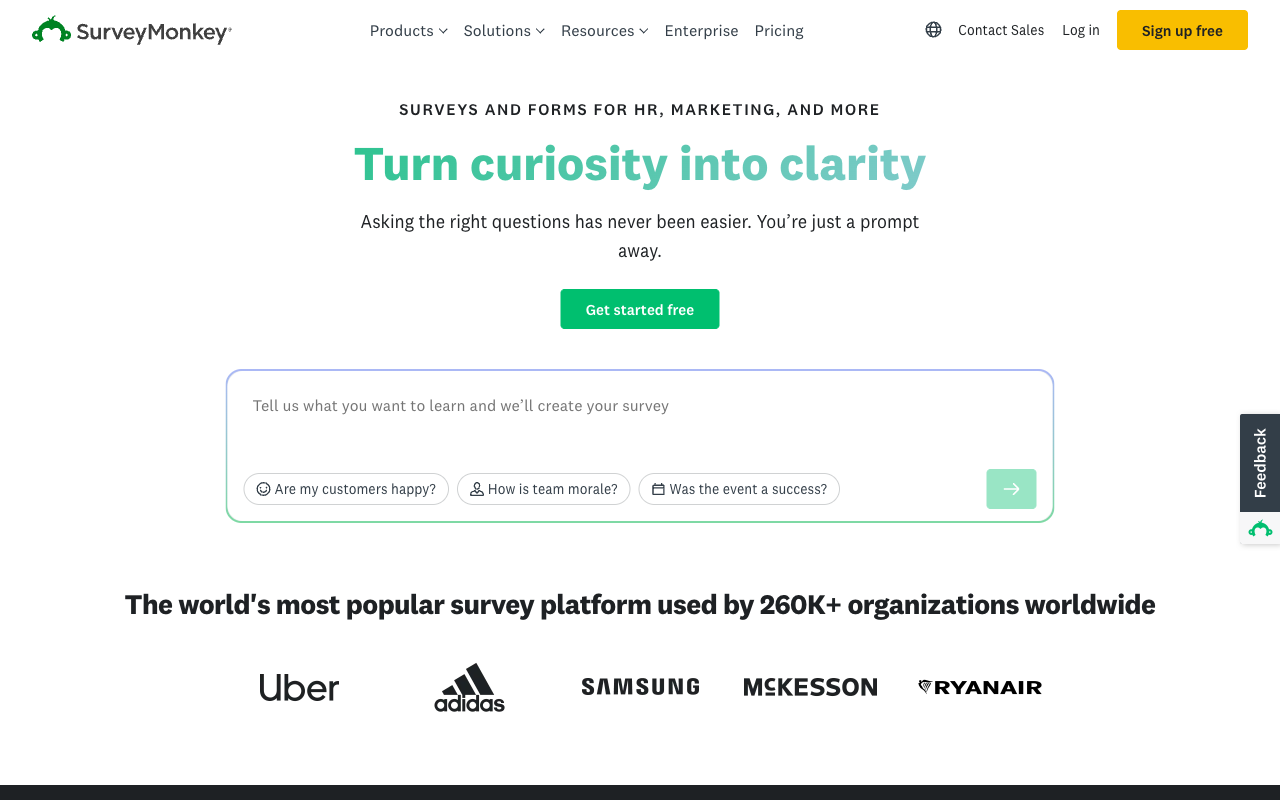
SurveyMonkey's question bank includes hundreds of pre-written, methodologist-reviewed questions across categories like customer satisfaction, employee engagement, market research, and event feedback. Their Genius feature analyses your survey in real-time, flagging potential bias, suggesting question improvements, and predicting completion rates. Jotform has question templates, but they lack the research validation and design guidance that SurveyMonkey provides. For anyone who cares about survey science (minimising bias, maximising completion, ensuring statistical validity), SurveyMonkey's methodology tools are genuinely superior.
Benchmarking and Industry Data
SurveyMonkey lets you compare your results against industry benchmarks derived from millions of survey responses. Run a customer satisfaction survey and you can see how your NPS compares to your industry average. Measure employee engagement and you can benchmark against companies of similar size. This contextual data turns raw numbers into actionable insights. Jotform has no equivalent. Your data exists in isolation without external reference points.
Audience Panels
SurveyMonkey Audience lets you purchase access to targeted respondent panels, filtered by demographics, geography, profession, and behaviour. If you need 500 responses from US-based marketers aged 25-45, SurveyMonkey can deliver them. This is a research capability that Jotform doesn't attempt. For market research, product validation, concept testing, and any scenario where you need responses from people who aren't already in your database, Audience panels are a unique and powerful feature.
Advanced Analytics
SurveyMonkey's analytics suite includes cross-tabulation, sentiment analysis, word clouds, trend tracking, statistical significance testing, and exportable presentation-ready reports. These are tools designed for understanding patterns in large response sets, not just counting submissions. Jotform's reporting covers basic visualisations: charts, graphs and filtered tables. That is adequate for tracking form submissions but insufficient for research-grade analysis.
The practical impact: a SurveyMonkey user can slice NPS data by customer segment, identify statistically significant differences between regions, and generate a presentation-ready report in 15 minutes. A Jotform user would need to export to Excel or Google Sheets, build pivot tables manually, and create their own charts. If you run surveys occasionally, the manual approach works. If survey analysis is a regular part of your workflow, SurveyMonkey's built-in analytics save hours per survey cycle.
Brand Recognition and Trust
SurveyMonkey is one of the most recognised names in the survey space. Respondents receiving a SurveyMonkey link generally trust it; the brand has decades of consumer familiarity. This recognition can improve response rates, particularly for external surveys sent to customers or partners who might be wary of unfamiliar survey tools. Jotform is well-known among form builders but less recognised among survey respondents. For cold outreach surveys, SurveyMonkey's brand familiarity provides a subtle but real advantage in open and completion rates.
Where Jotform Falls Short
- No survey methodology tools: No question banks designed by researchers, no bias detection, no completion prediction. Survey design quality depends entirely on the user's expertise.
- No benchmarking: Results exist in isolation, so you can't compare your NPS or satisfaction scores against industry averages.
- Basic reporting: Charts and tables are functional but lack cross-tabulation, statistical significance testing, and sentiment analysis that serious survey work requires.
- Cluttered interface: 20 years of feature additions have produced an editor packed with menus and options. Multiple reviewers note the learning curve and visual density.
- No calculation engine: Basic conditional logic exists, but there's no Excel-style formula system for dynamic pricing, scoring, or computed values across form elements.
Where SurveyMonkey Falls Short
- Expensive per-seat pricing: Team plans at $30/user/month add up quickly. A 10-person team pays $300/month, more than most form builders charge for their highest tiers.
- Limited form capabilities: SurveyMonkey is a survey tool, not a form builder. No multi-column layouts, no file upload handling for complex workflows, and limited customisation beyond themes.
- Weak payment integration: Basic Stripe and PayPal support exists from Advantage but lacks product management, subscriptions, coupons, or tax handling. Not a viable payment collection tool.
- Restrictive free tier: 10 questions per survey and a response cap SurveyMonkey only reveals after sign-up make the free plan nearly unusable for real work. Jotform's free tier is far more generous.
- No HIPAA compliance on standard plans: Healthcare organisations need Enterprise-level plans for HIPAA, which requires custom pricing and sales engagement.
- Template limitations: Survey templates exist but customisation is constrained to colours, fonts, and logos. No real control over layout or structure beyond the linear survey format.
Pricing Comparison
The pricing models are built differently. Jotform charges per account with submission limits. SurveyMonkey charges per user with response limits. This makes direct comparison tricky, but the practical impact is clear: Jotform is cheaper for individuals and more generous on free usage.
| Tier | Jotform | SurveyMonkey | Key Difference |
|---|---|---|---|
| Free | 5 forms, 100 submissions/mo | 10 questions/survey, response cap shown after sign-up | Jotform's free tier is far more usable for real work |
| ~$39/mo | Bronze: $39/mo, 1,000 submissions, 30+ payment gateways | Advantage Annual: $39/mo billed annually, 1 user, 15,000 responses/yr | Same price, one user each: Jotform caps monthly submissions, SurveyMonkey yearly responses |
| Team | Silver: $49/mo, 2,500 submissions, 1 user | Team Advantage: $30/user/mo (min 3 = $90/mo) | Jotform's self-serve plans are single-user; multi-user access means Enterprise |
| Enterprise | Enterprise: custom pricing, SSO, SLA, HIPAA | Enterprise: custom pricing, admin controls, HIPAA | Both offer enterprise features at custom pricing |
What will it cost you?
Jotform plans
- StarterFreeForms 5, Submissions 100/month, Team 1, Storage 100 MB
- Bronze$34/moForms 25, Submissions 1,000/month, Team 1, Storage 1 GB
- Silver$39/moForms 50, Submissions 2,500/month, Team 1, Storage 10 GB
- Gold$99/moForms 100, Submissions 10,000/month, Team 1, Storage 100 GB
| Plan | Price | Forms | Submissions | Team | Storage |
|---|---|---|---|---|---|
| Starter | Free | 5 | 100/month | 1 | 100 MB |
| Bronze | $34/mo | 25 | 1,000/month | 1 | 1 GB |
| Silver | $39/mo | 50 | 2,500/month | 1 | 10 GB |
| Gold | $99/mo | 100 | 10,000/month | 1 | 100 GB |
SurveyMonkey plans
- Basic (Free)FreeForms Unlimited, Submissions Limited per survey (exact number now only shown after sign-up/login), Team 1, Storage N/A
- Individual Standard$149/momonthly onlyForms Unlimited, Submissions 1,000/month, Team 1, Storage N/A
- Individual Advantage$39/moForms Unlimited, Submissions 15,000 per year, Team 1, Storage N/A
- Individual Premier$139/moForms Unlimited, Submissions 40,000 per year, Team 1, Storage N/A
- Team AdvantageCheck limits$30/moForms Unlimited, Submissions 50,000 per year (shared), Team 3 minimum, Storage N/A
- Team Premier$92/moForms Unlimited, Submissions 100,000 per year (shared), Team 3 minimum, Storage N/A
| Plan | Price | Forms | Submissions | Team | Storage |
|---|---|---|---|---|---|
| Basic (Free) | Free | Unlimited | Limited per survey (exact number now only shown after sign-up/login) | 1 | N/A |
| Individual Standard | $149/momonthly only | Unlimited | 1,000/month | 1 | N/A |
| Individual Advantage | $39/mo | Unlimited | 15,000 per year | 1 | N/A |
| Individual Premier | $139/mo | Unlimited | 40,000 per year | 1 | N/A |
| Team AdvantageCheck limits | $30/mo | Unlimited | 50,000 per year (shared) | 3 minimum | N/A |
| Team Premier | $92/mo | Unlimited | 100,000 per year (shared) | 3 minimum | N/A |
| Product | Plan | Monthly Price | Annual Price (per month) | Free Plan | Free Trial | Limits |
|---|---|---|---|---|---|---|
| Jotform | Starter | Free | Free | Yes | No | forms: 5, submissions: 100/month, storage: 100 MB, users: 1 |
| Jotform | Bronze | $39/mo | $34/mo billed annually | forms: 25, submissions: 1,000/month, storage: 1 GB, users: 1 | ||
| Jotform | Silver | $49/mo | $39/mo billed annually | forms: 50, submissions: 2,500/month, storage: 10 GB, users: 1 | ||
| Jotform | Gold | $129/mo | $99/mo billed annually | forms: 100, submissions: 10,000/month, storage: 100 GB, users: 1 | ||
| SurveyMonkey | Basic (Free) | Free | Free | Yes | No | forms: Unlimited, submissions: Limited per survey (exact number now only shown after sign-up/login), storage: N/A, users: 1 |
| SurveyMonkey | Individual Standard | $149/mo | Not listed | forms: Unlimited, submissions: 1,000/month, storage: N/A, users: 1 | ||
| SurveyMonkey | Individual Advantage | Annual billing only | $39/mo billed annually | forms: Unlimited, submissions: 15,000 per year, storage: N/A, users: 1 | ||
| SurveyMonkey | Individual Premier | Annual billing only | $139/mo billed annually | forms: Unlimited, submissions: 40,000 per year, storage: N/A, users: 1 | ||
| SurveyMonkey | Team Advantage | Annual billing only | $30/mo billed annually | forms: Unlimited, submissions: 50,000 per year (shared), storage: N/A, users: 3 minimum | ||
| SurveyMonkey | Team Premier | Annual billing only | $92/mo billed annually | forms: Unlimited, submissions: 100,000 per year (shared), storage: N/A, users: 3 minimum |
What Users Say
Jotform carries a massive review footprint with solid ratings (4.6-4.7/5) across G2, Capterra, and Trustpilot. Users praise the template variety, integration breadth, and generous free tier. Common complaints include interface complexity and performance issues on large forms. SurveyMonkey has similarly strong overall ratings, with users praising the ease of creating basic surveys and the quality of analytics. Complaints centre on pricing, particularly the per-seat model and restrictive free plan, and on limited customisation options.
A telling pattern in reviews: Jotform users praise what the platform can do (breadth of features), while SurveyMonkey users praise what the platform shows them (quality of insights). This mirrors the fundamental split: Jotform is about capability, SurveyMonkey is about understanding. The right tool depends on which outcome matters more for your use case.
Consider Paperform: The Best of Both Worlds
The Jotform vs SurveyMonkey comparison often boils down to choosing between form versatility and survey depth. Paperform eliminates this trade-off. Built as a document-style editor, Paperform handles surveys with conditional logic, scoring, and branching while simultaneously offering full form capabilities: payment collection through 5 deeply integrated gateways (Stripe, PayPal, Square, Braintree, Google Pay), an Excel-style calculation engine for dynamic pricing and scoring, built-in e-signatures via Papersign, and workflow automation through Stepper.
Where Jotform gives you breadth without survey methodology and SurveyMonkey gives you survey science without form functionality, Paperform delivers both in a single platform. The calculation engine -- which neither Jotform nor SurveyMonkey offers -- transforms forms and surveys into active computation layers: quiz scoring, dynamic pricing, risk assessment, and conditional totals that flow into emails, success pages, and 9,800+ integrations.
Paperform starts at $49/month billed annually ($59 monthly), which is not the cheapest entry price in this comparison; Jotform's Bronze plan undercuts it. What it does not do is meter growth: submissions and seats are unlimited on every paid plan, so the bill does not move when a campaign lands or a team grows. Both Jotform and SurveyMonkey price the opposite way, by submission volume or per seat. One subscription also covers forms, eSignatures (Papersign) and workflow automation (Stepper) rather than three vendors stitched together. For businesses tired of maintaining separate tools for forms and surveys, or compromising on one to have the other, Paperform is worth a serious look.
The Verdict
Jotform is the better choice for businesses that need a versatile data collection platform. It handles forms, surveys, payments, and registrations in one tool at a reasonable price. The 30+ payment gateways, 20,000+ templates, and HIPAA compliance make it a Swiss-army knife for data collection. The free tier is genuinely usable for small projects and testing.
SurveyMonkey is the better choice for organisations where survey quality drives decisions. If your customer satisfaction programme, employee engagement study, or market research needs methodological rigour, benchmarking context, and statistical analysis, SurveyMonkey's research tools justify the premium. The Audience panels are unique: no other platform in this comparison lets you reach respondents you don't already know.
The honest truth: most businesses need both form versatility and survey capability but can't justify two separate platforms. Jotform covers more ground but leaves survey methodology to the user. SurveyMonkey excels at surveys but builds only basic payment forms. Paperform bridges this gap: surveys with logic and scoring, forms with payments and calculations, plus eSignatures and workflow automation in the same subscription, with submissions and seats unmetered.
Who Is Each Platform Best For?
Jotform is ideal for: businesses that need a versatile form builder covering multiple use cases (contact forms, order pages, registrations, and basic surveys) at an affordable price. Teams that need payment collection, HIPAA compliance, or a strong free tier. Organisations where survey methodology isn't critical but functional data collection is.
SurveyMonkey is ideal for: research teams, market researchers, HR departments running engagement studies, and organisations where survey design quality and analytics rigour matter more than form versatility. Companies that need Audience panels, benchmarking data, or presentation-ready analytics reports.
Neither is ideal if: you need both capable forms and capable surveys without compromise. For that combination, plus payments, calculations, and workflow automation, Paperform fills the gap both platforms leave open. For more options, see our Jotform alternatives or SurveyMonkey alternatives analysis.
Related Comparisons
Looking at other matchups? These related comparisons cover adjacent decisions:
- Jotform vs Microsoft Forms -- feature-rich paid vs free ecosystem tool
- Microsoft Forms vs SurveyMonkey -- free basic vs paid specialist for surveys
- SurveyMonkey vs Typeform -- survey science vs survey design
- Paperform vs Jotform -- document-style editor vs drag-and-drop builder
Frequently Asked Questions
Can Jotform replace SurveyMonkey for surveys?
For basic surveys, such as customer feedback, event evaluations and employee pulse checks, Jotform works fine. It has conditional logic, multiple question types, and basic reporting. Where it falls short is survey methodology: Jotform doesn't offer question banks validated by research experts, benchmarking against industry norms, or statistical significance testing. SurveyMonkey's Genius feature analyses your questions and suggests improvements based on response data from millions of surveys. If you're running academic research, brand tracking, or anything where survey design rigour matters, SurveyMonkey's methodology tools are genuinely valuable. For general-purpose data collection that happens to look like a survey, Jotform is more than capable.
Which is cheaper: Jotform or SurveyMonkey?
Jotform is significantly cheaper at every tier. Jotform's free plan offers 5 forms and 100 submissions per month. SurveyMonkey's free plan (Basic) limits you to 10 questions per survey, with a response cap it only shows after sign-up, which is far more restrictive. Jotform's paid plans start at $39/month for 1,000 submissions. SurveyMonkey's Advantage plan is $39/month billed annually, and its only month-to-month plan, Standard Monthly, is $149/month; both cover one user. For teams, SurveyMonkey's Team Advantage plan jumps to $30/user/month (minimum 3 users = $90/month). Jotform's self-serve plans are single-user too, so several editors means a Jotform Enterprise quote. If cost is a primary factor, Jotform offers substantially more value per dollar.
Does SurveyMonkey support payment collection?
SurveyMonkey has limited payment capabilities through Stripe and PayPal integrations on Advantage and up, but it's not designed for eCommerce. You can collect one-off payments within a survey, but there's no product management, subscription billing, coupon codes, or tax calculations. Jotform supports 30+ payment gateways with dedicated payment form templates. If collecting payments is a core requirement, whether selling products, booking services or collecting registration fees, Jotform is the clear choice between these two. For dedicated payment forms with deeper eCommerce, consider Paperform, which offers subscriptions, coupons, and tax handling built into every form.
Which platform has better reporting and analytics?
SurveyMonkey wins on survey-specific analytics. It offers cross-tabulation, sentiment analysis, word clouds, trend tracking, statistical significance testing, and benchmarking against industry data. These are research-grade tools designed for understanding survey responses at scale. Jotform's reporting is functional, with pie charts, bar graphs, response tables, and basic filters, but it's designed for form submissions rather than survey analysis. If you need to present survey findings to stakeholders, run statistical comparisons, or track sentiment over time, SurveyMonkey's analytics are in a different league. For basic submission tracking and CSV exports, Jotform is adequate.
Is there a platform that does both forms and surveys well?
This is the core tension between Jotform and SurveyMonkey: one does forms well, the other does surveys well, but neither excels at both. Paperform bridges the gap. It handles surveys with conditional logic, scoring, and branching, while also offering full form capabilities including payment collection, calculations, e-signatures, and workflow automation. The document-style editor works equally well for a 3-question feedback survey and a complex multi-page order form. If you're tired of choosing between form functionality and survey capability, Paperform is worth evaluating as the middle ground.
Sources & References
- Best Online Survey Tools and Software in 2026 — Zapier, 2026
- Best Online Form Builder to Use in 2026 -- Top 20 Tools — EmailToolTester, 2026
Updates
We re-audit the form builders we compare on a regular cadence and log every change here — a public record of what changed and when.
- Updated June 4, 2026 — Refreshed pricing after a competitor data audit: renamed Jotform's paid tiers to 'Bronze' ($39/mo, now 1,000 submissions) and 'Silver' ($49/mo, 2,500 submissions), renamed SurveyMonkey's entry plan to 'Individual Standard', and corrected SurveyMonkey Team Advantage to $30/user/mo (3-user minimum = $90/mo, $300/mo for 10 users).
Unlimited plans are subject to each vendor's fair use policy.
Ready to try Paperform?
Create beautiful forms, payment pages, and workflows — no code required.