 By Dean McPherson, Co-founder & CTO, Paperform · Updated
Paperform vs involve.me: Which Is Better in 2026?
involve.me is the better tool for quiz-based lead qualification funnels. Paperform is the better platform for a team, because involve.me includes just 1, 2 or 5 users by tier and charges $10/user/month above that, while Paperform gives every paid plan unlimited seats. Adding your whole team to Paperform costs nothing.
These two products both start with a question on a screen and then diverge almost immediately. involve.me builds funnels: a visitor answers, gets scored, lands on a personalised outcome, becomes a contact in the built-in CRM and enters an email sequence. Paperform builds documents that happen to collect data, then runs the process that follows through Papersign eSignatures and Stepper workflow automation on the same subscription. One is a conversion machine. The other is a back office.
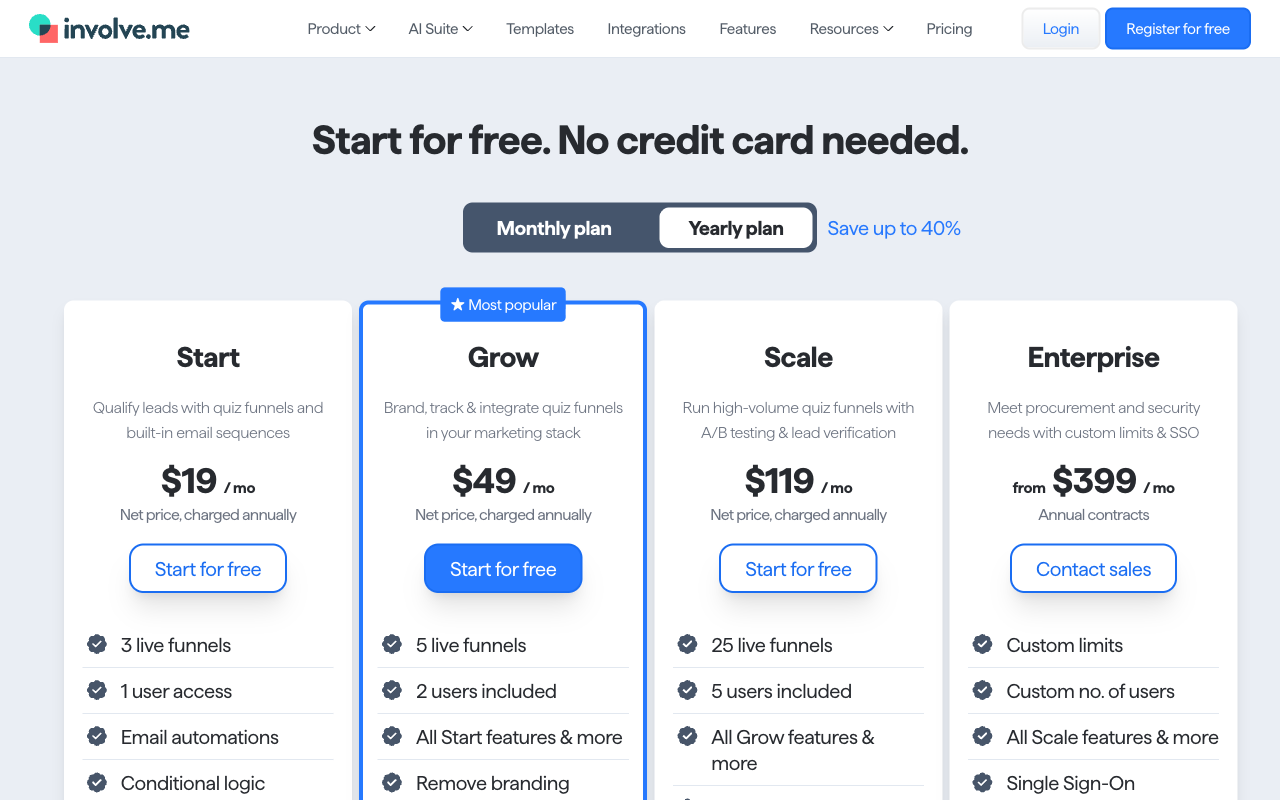
The pricing models follow the same split. involve.me meters the things that grow when you succeed: live funnels at 3, 5 and 25, users at 1, 2 and 5, and AI credits at 50, 100 and 300 per month. Paperform meters almost nothing. That difference gets more pointed given that involve.me repriced every tier upward by roughly 50% between June and September 2026, moving annual Start from $19 to $29, Grow from $49 to $69, Scale from $119 to $139, and the Enterprise floor from $399 to $499 per month.
Quick Verdict
Choose involve.me if:
- Quiz-based lead scoring and outcome pages are the core job
- One marketer owns everything and nobody else needs edit access
- You want a contact database and email journeys in the same tool
- Drop-off analytics and A/B testing on funnels matter more than forms
- You want the lower entry price, at $29/month billed annually
Choose Paperform if:
- More than one or two people will build and edit
- The number of live forms tracks the size of your business
- You need Braintree, or more than one payment processor on the entry plan
- Forms need to read like a page, not a sequence of steps
- Contracts, signatures and multi-step approvals follow the submission
- You want webhooks and an API without buying the top tier
Five Facts That Settle Most Decisions
Pricing and seats
involve.me Start is $49/month ($29 annually) with 1 user and 3 live funnels; Scale is $199/month ($139 annually) with 5 users and 25 funnels, plus $10/user/month beyond. Paperform Pro is $59/month ($49 annually) with unlimited users, forms and submissions within fair use.
Integrations and API
involve.me lists 60+ native integrations plus Zapier, with webhooks and the REST API restricted to Scale at $139/month annually. Paperform reaches 9,800+ integrations and includes webhooks and API access on Pro at $49/month annually.
Conditional logic
Both branch on answers from their entry paid tier. involve.me adds answer routing and lead scoring; its calculator has an AI Formula Generator. Paperform's Excel-style calculations also drive question and page visibility, conditional emails, integration payloads, success pages and pricing.
Payments
Paperform supports 5 payment gateways: Stripe, PayPal, Square, Braintree and Google Pay. involve.me supports Stripe, PayPal and Square, with Google Pay as a wallet on top, but Start connects only one payment platform.
Compliance
Both are GDPR, CCPA and SOC 2 Type II compliant, and neither is ISO 27001 certified. Neither is HIPAA compliant, and neither signs Business Associate Agreements, so protected health information belongs in a different product entirely. involve.me completed its SOC 2 Type II audit on 1 July 2026; SOC 2 Type 2 reports are an Enterprise-plan deliverable there. Paperform adds data residency and enforced 2FA on higher tiers.
Feature Comparison
Read the table with the split in mind. involve.me leads on funnel analytics, the built-in CRM, email sequences and A/B testing. Paperform leads on payments, eCommerce, calculations as a logic layer, save and resume, eSignatures and everything that has to happen after the submission lands.
| Feature | Paperform | involve.me |
|---|---|---|
| Form Building | ||
| AI form builder . Describe the form you need in plain language and the tool drafts the questions for you. | Yes | Yes start |
| Templates . The number of ready-made form templates in the tool’s template gallery. | 30,000+ | Yes |
| Field types . How many kinds of question or input field the form builder offers, such as text, dropdown, date, file upload and signature. | 26+ | Yes |
| Conditional logic . Show, hide or skip questions and pages based on how someone has answered earlier questions. | Yes | Yes start |
| Calculations . Compute totals, scores, prices or dates from answers while the form is being filled in. | Yes pro | Yes start |
| Multi-page forms . Split a long form across several pages that respondents move through in order. | Yes | Yes |
| One question at a time . A conversational layout that shows a single question per screen, popular for surveys on mobile. | Yes | Yes |
| Answer piping . Insert a respondent’s earlier answer, such as their name, into later questions or text on the form. | Yes | Yes start |
| Pre-filling and hidden fields . Fill in answers ahead of time from a link or existing data, and pass along values the respondent never sees. | Yes | Yes grow |
| File uploads . Let respondents attach files such as documents and photos to their submission. | Yes | Yes |
| E-signatures . Collect a signature, either with a signature field on the form or by sending a document out to be signed. | Yes | Yes scale |
| Appointment booking . Let respondents pick and book a time slot directly in the form, with availability managed by the tool. | Yes | No |
| Quiz scoring . Give answers point values so the form can score quizzes and assessments automatically. | Yes pro | Yes |
| Save and resume . Respondents can leave a form part-way through and come back later to finish it. | Yes | Not recorded |
| Close forms by date or response limit . Stop accepting submissions automatically on a set date or once a set number of responses has arrived. | Yes pro | Yes |
| Payments | ||
| Payment gateways . The number of payment processors a form can take payments through. Where a vendor’s full count isn’t recorded, the cell lists the gateways we confirmed. | 5 Stripe, PayPal, Square, Braintree, Google Pay | 4 (start) Stripe, PayPal, Square, Google Pay |
| Subscriptions and recurring payments . Charge respondents on a repeating schedule, such as monthly or annually, from a form. | Yes pro | Yes start |
| Product sales . Sell products from a form, with product listings, quantities and an order total. | Yes pro | Not recorded |
| Conditional pricing . Change the price or add fees automatically based on the answers given in the form. | Yes pro | Yes start |
| Coupons and discounts . Offer discount codes that respondents can apply to a payment or subscription on the form. | Yes pro | Yes start |
| Tax calculations . Add sales tax to payments on the form automatically. | Yes | Not recorded |
| Refunds . Refund a payment from inside the form tool rather than going to the payment processor. | Yes | Not recorded |
| Design & Customization | ||
| Custom themes . Set your own logo, colours and fonts on forms and save them as reusable themes. | Yes pro | Yes |
| Custom CSS . Add your own CSS (and in some tools HTML) for styling beyond the built-in theme options. | Yes pro | Yes scale |
| Remove vendor branding . Remove the form builder’s own logo or badge so forms carry only your branding. | Yes pro | Yes grow |
| Custom domain . Host forms on your own domain, such as forms.yourcompany.com, instead of the vendor’s. | Yes business | Yes grow |
| Custom form URL . Choose a readable link for a form instead of a random string. | Yes pro | Yes |
| Emails from your own domain . Send notification and confirmation emails from your own email domain instead of the vendor’s. | Yes business | Yes grow |
| Multi-language forms . Show a form’s questions, buttons and messages in languages other than English. | Yes | Yes |
| Analytics | ||
| Response reports . Built-in summaries and charts of the answers a form has collected. | Yes | Yes |
| Form analytics (views and drop-off) . Track how many people view, start and finish a form, and where they abandon it. | Yes pro | Yes scale |
| Partial submissions . See the answers people entered before leaving a form without submitting it. | Yes pro | Yes scale |
| Google Analytics and Meta Pixel . Connect a form to Google Analytics or the Meta (Facebook) Pixel to track visits and conversions. | Yes pro | Yes |
| Custom tracking scripts . Add your own analytics or conversion-tracking scripts to a form. | Yes pro | Yes grow |
| AI response insights . AI-written summaries and insights generated from the responses a form has collected. | Yes pro | Yes start |
| Collaboration | ||
| Team members . Invite colleagues into the same account to build forms and work with responses together. | Unlimited | Yes grow |
| Roles and permissions . Give team members different levels of access, such as admin, editor or viewer. | Yes business | Yes grow |
| Advanced permissions and admin controls . Fine-grained, organisation-wide controls over who can access what, usually on enterprise plans. | Yes enterprise | Yes enterprise |
| Workspaces . Separate spaces or folders for organising forms by team, client or project. | Yes | Yes |
| Security | ||
| Two-factor authentication . Users can protect their login with a second step, such as a code from an authenticator app. | Yes | Yes |
| Require 2FA for the whole team . Admins can make two-factor authentication mandatory for everyone in the account. | Yes business | Not recorded |
| SSO (SAML) . Team members sign in through your company’s identity provider, such as Okta or Microsoft Entra ID, using SAML single sign-on. | Yes business | Yes enterprise |
| HIPAA compliance . Whether the vendor supports collecting US protected health information under HIPAA, typically by signing a business associate agreement on an eligible plan. | No | No |
| SOC 2 . Whether the vendor holds a SOC 2 audit report covering its security controls. | Yes | Yes |
| GDPR . Whether the vendor states that it complies with the EU General Data Protection Regulation. | Yes | Yes |
| Data residency . Choose the region, such as the EU, where your form data is stored. | Yes enterprise | No |
| Store files in your own S3 bucket . Send uploaded files and exports to your own Amazon S3 storage instead of the vendor’s. | Yes business | Not recorded |
| Spam protection (CAPTCHA) . Block bot and spam submissions with reCAPTCHA or a similar challenge. | Yes | Yes grow |
| Integrations & API | ||
| Native integrations . Apps the tool connects to directly, without going through a third-party connector such as Zapier or Make. | 500+ | 60+ |
| Zapier . Connect forms to thousands of other apps through Zapier. | Yes | Yes start |
| Make . Connect forms to other apps through Make (formerly Integromat). | Yes | No |
| Workflow automation . A built-in builder for multi-step automations that act on submissions, such as approvals, routing and syncing data to other systems. | Yes | Yes start |
| Webhooks . Send each new submission to a URL of your choice as soon as it arrives. | Yes pro | Yes scale |
| API access . A developer API for reading forms and submissions, or managing them, from your own code. | Yes pro | Yes business |
| MCP server / AI assistant connector . An official connector, such as an MCP server, that lets AI assistants like Claude or ChatGPT work with your forms and responses. | Yes | Yes |
| WordPress plugin . A plugin for adding forms to a WordPress site. | Yes | Yes |
— means we haven't recorded it for that tool.
Where involve.me Wins
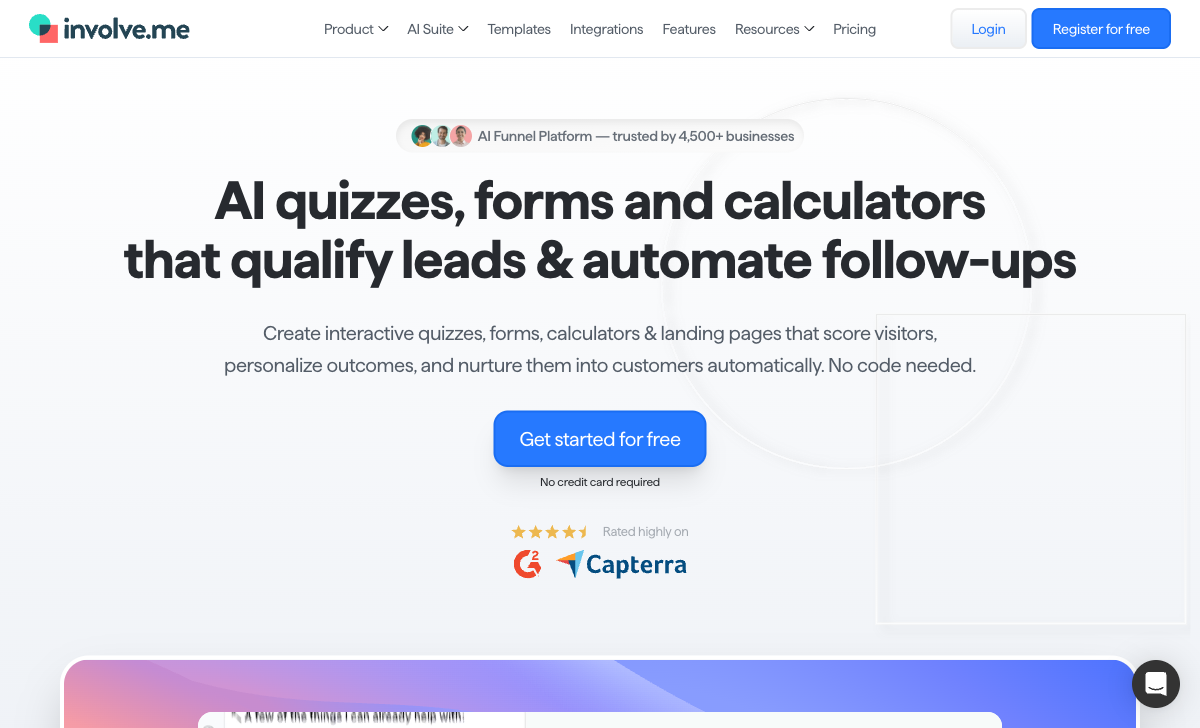
Lead qualification is the whole design, not a feature
involve.me scores a respondent as they answer, routes them to an outcome page written for their result, and files them as a contact with that score and outcome attached. Dynamic segments update themselves as leads qualify, and email sequences run off those segments. The Solarwatt case study cites a 40% shorter sales cycle from quiz-based scoring. Paperform can score and can fire conditional emails, but it has no contact database and no segment engine, and a marketer whose job is running acquisition quizzes will feel that absence within a week.
Funnel analytics and A/B testing
involve.me shows where visitors abandon a funnel, runs A/B tests on both funnels and email sequences from the Scale plan, and layers AI analysis over qualitative and quantitative responses. Paperform has analytics with drop-off tracking and AI report insights, but it does not do split testing at all. If your process is publish, measure, iterate on variants, involve.me supports that loop natively and Paperform does not.
A cheaper way in
involve.me Start is $29/month billed annually. Paperform's first paid plan is Pro, at $49. For a solo consultant running two lead quizzes who needs no webhooks, no second seat and no second payment processor, involve.me is $20/month cheaper and the comparison ends there. Paperform's floor genuinely moved up when its mid-tier was withdrawn, and there is no point dressing that up.
Enterprise logos and an AI-first build
Universal Pictures, Bloomberg, Salesforce, Marriott and Panasonic are on involve.me's customer wall, and the AI Agent that builds a complete funnel from a prompt is more ambitious than what most form builders ship. involve.me carries 4.7 on G2 across roughly 102 reviews, ahead of Paperform's G2 score on a similar sample size. Both companies were founded in 2016 and both sit in the 11 to 50 employee band, so neither can claim the other is a startup risk.
Where Paperform Wins

Nobody pays for a seat
Paperform includes unlimited users on every paid plan; involve.me includes 1 user on Start, 2 on Grow and 5 on Scale, then charges $10/user/month on Grow and Scale only. Start cannot buy an extra seat at any price, so the second person on your team is not a $10 line item there, it is a forced upgrade from $29 to $69 per month annually. Work a realistic team through both. Six people who each need to build something cost $69 plus four extra seats on involve.me Grow, or $109/month annually, and that is before you find out Grow allows only five live funnels between the six of you. The same six people on Paperform Pro cost $49/month annually, and so do sixteen of them.
The effect of per-seat pricing is rarely a bigger invoice. It is one person holding the login while everyone else emails them change requests, which is the slowest possible way to run marketing operations. A Paperform seat also covers all three products, so somebody who writes a form, sends a contract for signature and builds a workflow counts once rather than three times. When you do need access governed rather than open, Business at $124/month annually adds 10 workspaces with per-member, per-product roles, admin controls and SSO.
Forms that read like a page, and convert like one
Paperform's editor works like a document. You write headings, paragraphs, images, GIFs and video, then drop questions into the prose wherever they belong, which means the finished thing can stand alone as a mini landing page rather than sitting inside one. Other builders offer a document-style editor; involve.me does not. Its canvas wants everything shaped as a step in a funnel, which is exactly right for a quiz and awkward for a grant application, a client brief or a purchase order that has to carry terms and instructions the respondent actually reads.
Design is a conversion lever, not decoration, and this is where the two philosophies produce different outcomes. involve.me optimises the funnel: fewer questions per screen, a progress bar, a scored outcome at the end. Paperform optimises the page: your typography, your imagery, your copy around the question, on your own domain, with Guided Mode available per form when one question at a time is the right call. One Paperform customer reported a 91% increase in conversion rate after switching to Guided Mode. The point is that you choose the format per form instead of accepting the product's house style on all of them.
Publish as many forms as the business needs
Paperform has no form count and no submission count on Pro or Business; involve.me allows 3 live funnels on Start, 5 on Grow and 25 on Scale. A funnel cap is a budget for how much of your business is allowed to be online at once, and an agency or a growing team hits it in a quarter. The submission side is now harder to plan for, because involve.me no longer publishes monthly submission caps for its paid tiers at all, listing live funnels, retention and AI credits instead. You find the ceiling by reaching it. Paperform's fair use policy is a conversation about plan fit at genuinely extreme volume rather than an overage invoice or a switched-off form.
Payments that behave like orders
Five gateways against involve.me's three is a headline, but the shape matters more than the count. involve.me takes a Stripe, PayPal or Square charge and can attach a coupon or a subscription to it. Paperform runs the transaction: product catalogue, inventory, subscriptions, coupons, custom pricing rules, tax calculation, quotes, invoices and refunds, with the total computed live by Excel-style formulas as the respondent picks options. involve.me has no eCommerce layer, so selling through it means maintaining the commerce logic somewhere else and reconciling afterwards.
Calculations as the logic layer, not a widget
involve.me's calculator is genuinely good, and its AI Formula Generator writes formulas from a plain-language prompt and explains them. The difference is scope. In involve.me a calculation produces a number you then show someone. In Paperform the same formula decides which questions and pages appear, which conditional email fires, what gets written into the integration payload, what the success page says, what the customer is charged, and what value carries into a Stepper workflow. That is the gap between a quote widget and a quoting process.
One subscription where the alternative is three
involve.me's signature field captures consent inside a funnel, which is fine for a waiver and thin for a contract, with no audit trail you could produce in a dispute. Its Workflow Builder is a real visual canvas, but it triggers on involve.me's own events and automates involve.me's own contacts, so the moment a process touches a system it does not own, you are gluing vendors together again. A Paperform subscription includes Papersign, a full eSignature product with audit trails, signer verification, bulk sending and an API, at 25 signed documents/month on Pro and 100 on Business, plus Stepper for workflow automation with 20,000 automation credits on Pro. The alternative stack is a funnel tool, DocuSign and Zapier: three vendors, three renewal dates, three places for the process to break.
Where involve.me Falls Short
- Seats are metered and capped: 1 user on Start with no option to add any, 2 on Grow, 5 on Scale, then $10/user/month.
- Live funnels are capped: 3, 5 and 25 by tier, with 2 on the free plan.
- Paid submission caps are unpublished: the pricing table stopped listing them, so the real ceiling is invisible until you are on a plan.
- Prices rose roughly 50% in one quarter: annual tiers went $19/$49/$119 to $29/$69/$139 between June and September 2026.
- Fewer processors: Stripe, PayPal and Square only, with one connected payment platform on Start, no Braintree, and no catalogue, tax, quoting, invoicing or refunds.
- Webhooks and API gated to Scale: $139/month annually before your own data can be pushed anywhere custom, and no Make support.
- No save and resume: an interruption on a long form loses the submission.
- Feature gating on lower tiers: custom CSS, A/B testing and revealing partial submissions all require Scale; Google Tag Manager requires Grow or above.
- AI credits are metered: 50, 100 and 300 per month by tier, doubled on yearly billing.
- Reported lag on complex funnels: a recurring theme in reviews, alongside auto-renewal with a strict no-refund policy.
- Trustpilot has slipped: 4.1 across 48 reviews at the September 2026 reading, down from a previously recorded 4.6.
Where Paperform Falls Short
- Higher entry price: $49/month annually against involve.me's $29, with nothing sold in between.
- No HIPAA compliance and no BAAs: a hard stop for protected health information. involve.me does not offer these either, so neither product solves it.
- No built-in CRM or contact segments: submissions go to integrations and workflows rather than into a contact record with an activity timeline.
- No A/B testing: involve.me splits both funnels and emails; Paperform does not split anything.
- Automation credits are metered: 20,000/month on Pro, then $10 per additional 10,000.
- Custom domains cost extra: $20/month per domain on Pro, with one included on Business.
- No mobile editor: forms are fully responsive for respondents, but building happens on a desktop. involve.me has no mobile editor either.
- Not the tool for a one-off simple form: for three questions and a thank-you page, use the simple tool.
See involve.me in Action
Two independent walkthroughs, useful for judging the funnel builder before a card goes in. involve.me's 14-day paid trial does require billing details, so it is worth watching first.
Pricing Comparison
involve.me's three public tiers cap users and live funnels; Paperform's two paid tiers cap neither. The table below is really a table about what each company thinks it is selling.
| Tier | Paperform | involve.me | What actually differs |
|---|---|---|---|
| Entry | Pro: $59/mo, $49 annually. Unlimited users, forms and submissions | Start: $49/mo, $29 annually. 1 user, 3 live funnels | involve.me is $20 cheaper until a second person needs access |
| Team | Pro, unchanged at any headcount | Grow: $99/mo, $69 annually. 2 users, 5 funnels, $10/user beyond | involve.me now costs more, with both meters still running |
| Working tier | Pro covers webhooks and API at $49 annually | Scale: $199/mo, $139 annually. 5 users, 25 funnels, webhooks, custom CSS, A/B testing | Webhooks, CSS and split testing require the top public tier |
| Above that | Business: $149/mo, $124 annually. 10 workspaces, SSO, Business API. Enterprise on quote | Enterprise: from $499/mo, annual contracts only | Paperform's governed tier is public and self-serve; involve.me's is a sales call |
What will it cost you?
Paperform plans
- FreeFreeForms Unlimited, Submissions 30/month, Team Unlimited, Storage Unlimited
- ProMatches$49/moForms Unlimited, Submissions Unlimited, Team Unlimited, Storage Unlimited
- Business$124/moForms Unlimited, Submissions Unlimited, Team Unlimited, Storage Unlimited
| Plan | Price | Forms | Submissions | Team | Storage |
|---|---|---|---|---|---|
| Free | Free | Unlimited | 30/month | Unlimited | Unlimited |
| ProMatches | $49/mo | Unlimited | Unlimited | Unlimited | Unlimited |
| Business | $124/mo | Unlimited | Unlimited | Unlimited | Unlimited |
involve.me plans
- FreeFreeForms 2 live funnels, Submissions 50/month or 500 visits/month, Team 1, Storage 100MB
- Start$29/moForms 3 live funnels, Submissions Not published on the pricing page, Team 1, Storage 500MB
- Grow$69/moForms 5 live funnels, Submissions Not published on the pricing page, Team 2, Storage 1GB
- Scale$139/moForms 25 live funnels, Submissions Not published on the pricing page, Team 5, Storage 5GB
| Plan | Price | Forms | Submissions | Team | Storage |
|---|---|---|---|---|---|
| Free | Free | 2 live funnels | 50/month or 500 visits/month | 1 | 100MB |
| Start | $29/mo | 3 live funnels | Not published on the pricing page | 1 | 500MB |
| Grow | $69/mo | 5 live funnels | Not published on the pricing page | 2 | 1GB |
| Scale | $139/mo | 25 live funnels | Not published on the pricing page | 5 | 5GB |
| Product | Plan | Monthly Price | Annual Price (per month) | Free Plan | Free Trial | Limits |
|---|---|---|---|---|---|---|
| Paperform | Free | Free | Free | Yes | 7 days | forms: Unlimited, submissions: 30/month, storage: Unlimited, users: Unlimited, file uploads: 100 MB |
| Paperform | Pro | $59/mo | $49/mo billed annually | forms: Unlimited, submissions: Unlimited, storage: Unlimited, users: Unlimited, file uploads: 10 GB | ||
| Paperform | Business | $149/mo | $124/mo billed annually | forms: Unlimited, submissions: Unlimited, storage: Unlimited, users: Unlimited, file uploads: 100 GB | ||
| involve.me | Free | Free | Free | Yes | 14 days | forms: 2 live funnels, submissions: 50/month or 500 visits/month, storage: 100MB, users: 1 |
| involve.me | Start | $49/mo | $29/mo billed annually | forms: 3 live funnels, submissions: Not published on the pricing page, storage: 500MB, users: 1 | ||
| involve.me | Grow | $99/mo | $69/mo billed annually | forms: 5 live funnels, submissions: Not published on the pricing page, storage: 1GB, users: 2 | ||
| involve.me | Scale | $199/mo | $139/mo billed annually | forms: 25 live funnels, submissions: Not published on the pricing page, storage: 5GB, users: 5 |
Two details worth knowing before you compare monthly rates. involve.me's yearly billing doubles the AI credit allowance, so 50, 100 and 300 become 100, 200 and 600, which makes annual commitment meaningfully better value there than the headline discount suggests. And trying them differs: Paperform has a permanent free plan with no credit card, while involve.me's 14-day paid trial requires selecting a plan and entering billing details, with auto-renewal and no refunds a recurring complaint in reviews.
What Users Say
involve.me rates 4.7 on G2 across roughly 102 reviews and 4.4 on both Capterra and GetApp across 67 each, with value for money its weakest Capterra dimension at 4.0. Trustpilot reads 4.1 across 48 reviews as of September 2026. Praise concentrates on the builder, the templates and lead scoring. Complaints concentrate on cost, funnel limits, feature gating and lag on complex funnels. Paperform's footprint is comparable in size and higher in score: 78 G2 reviews and 104 each on Capterra and GetApp at 4.8, with 4.8 across 212 Trustpilot reviews and support consistently the top-rated dimension at 4.7 to 4.9.
The Verdict
Choose involve.me when the funnel is the deliverable. A lead-qualification quiz with scored outcomes, a contact record that carries the score, an email sequence that fires off a segment, and an A/B test on the whole thing is a coherent product, and Paperform does not offer that shape of tool. One marketer running two or three acquisition funnels will also pay $20/month less, and the caps may never bind.
Choose Paperform the moment other people are involved. The seat count is the honest dividing line here: involve.me's price rises with your headcount and its funnel cap rises with your ambition, while Paperform's does neither. Add the document-style editor for forms that carry real content, five payment gateways on the entry plan instead of one connected platform on Start, webhooks on the entry paid plan, and eSignatures and workflow automation in the same subscription, and the $20 premium buys a platform rather than a better funnel.
If you want a broader field, read our full list of involve.me alternatives or the overall form builder ranking. Teams weighing a conversion-led builder against a more conventional one should also see Paperform vs Typeform.
Frequently Asked Questions
How much does a second person cost on involve.me compared with Paperform?
On involve.me Start it costs a plan upgrade, because Start includes one user and cannot buy extra seats at all. The cheapest way to get a colleague editing is Grow at $99/month, or $69 billed annually, which includes two users. Beyond the included count, Grow and Scale sell seats at $10/user/month. Paperform includes unlimited users on every paid plan, and one seat covers forms, Papersign eSignatures and Stepper workflows together. A five-person marketing team costs the same as one person.
What is a "live funnel" on involve.me, and does Paperform count forms the same way?
A live funnel is a published quiz, form, calculator or landing page. involve.me allows 3 on Start, 5 on Grow and 25 on Scale, with 2 on the free plan. Unpublishing one is how you make room for another. Paperform does not count forms on its paid plans, so the number of things you have live is not a purchasing decision.
Why did involve.me stop publishing submission caps for its paid plans?
The public pricing comparison table dropped them during 2026. As of the September 2026 check it lists live funnels, response data retention and AI credits instead of a monthly submission ceiling for Start, Grow and Scale. The free plan still publishes 50 submissions or 500 visits per month. The practical effect is that you cannot model the cost of a successful campaign before you commit. Paperform Pro and Business carry unlimited submissions within fair use, so there is no ceiling to discover.
Can involve.me take PayPal or Square payments?
Yes, from Start. involve.me connects Stripe, PayPal and Square, with Google Pay and Apple Pay as wallets on Stripe or Square, though Start allows one connected payment platform and Grow two. Subscriptions and coupon codes sit on top. There is no Braintree, and no product catalogue, tax calculation, quoting, invoicing or refund handling. Paperform connects five gateways and runs the order itself, with products, subscriptions, coupons, pricing rules, tax and refunds inside the form, and charges no transaction fee of its own.
Does involve.me have webhooks, and on which plan?
Webhooks and the REST API sit on Scale, at $199/month or $139 billed annually. Zapier is available from Start, and involve.me lists 60+ native integrations. There is no Make support. Paperform includes webhooks and API access on Pro at $59/month, or $49 annually, and reaches 9,800+ integrations through native connectors, Zapier, Make and Stepper workflows.
Is involve.me better than Paperform for lead qualification quizzes?
For that specific job, yes. involve.me was built for quiz-based lead scoring, outcome pages, drop-off analytics and the email journeys that follow, and it now ships a built-in CRM where every submission becomes a contact carrying its answers, score and outcome. Paperform has scoring and calculations, but it is not a conversion-funnel platform and does not pretend to be. Choose involve.me if the funnel is the product. Choose Paperform if the form is the front of a process that keeps running after someone submits it.
Sources & References
- involve.me Pricing — involve.me, September 2026
- involve.me Review: Features, Pros, Cons, Pricing and Alternatives — Zumvu, 2026
- Top 5 Involve.me Alternatives in 2026 — Embeddable, 2026
- Best involve.me Alternatives for DTC Brands (2026) — Zigpoll, April 2026
- involve.me Reviews — Capterra, September 2026
- involve.me Reviews — Trustpilot, September 2026
Updates
We re-audit the form builders we compare on a regular cadence and log every change here — a public record of what changed and when.
- Updated September 22, 2026 — Written against the September 2026 data re-audit. involve.me pricing updated to Start $49/$29, Grow $99/$69, Scale $199/$139 and an Enterprise floor of $499, reflecting the roughly 50% increase since June; noted that paid-tier submission caps are no longer published. Added involve.me's SOC 2 Type II certification (1 July 2026), the built-in CRM, the Workflow Builder canvas and the AI Formula Generator. Paperform pricing set to the current Free/Pro/Business/Enterprise lineup with unlimited submissions and seats.
Unlimited plans are subject to each vendor's fair use policy.
Ready to try Paperform?
Create beautiful forms, payment pages, and workflows — no code required.