 By Dean McPherson, Co-founder & CTO, Paperform · Updated
SurveyMonkey vs Tally: Which Is Better in 2026?
Tally is the better choice for almost any form or straightforward survey: unlimited responses free, logic and Stripe payments included, $24/month on Pro. SurveyMonkey wins only where formal research methodology, benchmarking, a 335M-person panel or SOC 2 and HIPAA compliance are genuinely required, and it bills most plans annually with $0.15 per response over cap.
These two products barely occupy the same category. SurveyMonkey, founded in 1999 and now owned by Symphony Technology Group, sells a research instrument: validated question banks, cross-tabulation, significance testing, industry benchmarks and paid access to respondents you do not already have. Tally, founded in 2020 by a team of about ten in Ghent, sells the absence of friction. You start typing on a page, insert blocks with a slash the way you would in Notion, and publish without creating an account.
The tension is not features against features. It is a metered research platform against an unmetered writing surface. SurveyMonkey's price rises with responses and with headcount, and every paid individual plan except the $149/month Standard Monthly is a twelve-month commitment. Tally's price does not move at all: unlimited forms, unlimited responses and unlimited team members, at $0, $24 or $74 a month. Deciding between them is mostly a question of whether you are buying survey science or buying the ability to collect answers without watching a counter.
Quick Verdict
Choose SurveyMonkey if:
- The results have to survive scrutiny: concept testing, MaxDiff, Van Westendorp pricing work
- You need benchmarks to know whether a score is good
- You need respondents you do not already have, through SurveyMonkey Audience
- A security questionnaire, SSO or a signed BAA is part of procurement
- Cross-tabs, significance testing and SPSS export are part of the job
Choose Tally if:
- You want responses uncapped and unpriced at every tier
- The form ends at the submit button and a Notion or Sheets row
- You would rather pay $24/month than commit a year of budget
- Logic, calculations, Stripe payments and e-signature fields should not be paywalled
- EU hosting and a small, independent vendor appeal to you
The Five Numbers That Decide It
| Dimension | SurveyMonkey | Tally |
|---|---|---|
| Pricing | Standard Monthly $149/mo; Advantage $39/mo and Premier $139/mo, annual commitment only; Team plans from 3 seats, Enterprise from 5 | Free, Pro $29/mo ($24 annual), Business $89/mo ($74 annual); monthly or annual |
| Response limits | 15,000 to 100,000 per year by tier, then $0.15 per extra response | Unlimited on every tier, subject to a published fair use policy |
| Integrations / API | 200+ native, including Salesforce, Tableau, Power BI, Workday and BambooHR; REST API on Enterprise | 13 native plus Zapier, Make, n8n and webhooks; native Notion, Airtable, Sheets, Coda; REST API and an MCP server |
| Conditional logic | Skip logic and advanced branching, gated to paid plans | Branching, show/hide and a formula editor with calculated fields, free on every plan |
| Payments | 2 processors (Stripe, PayPal), Advantage and above | 1 processor (Stripe), one-off payments only, free plan included |
| Compliance | GDPR, SOC 2, ISO 27001, CCPA, PCI DSS 4.0, HIPAA with a BAA on Enterprise, SAML SSO | GDPR, EU hosting and 2FA only. No SOC 2, no ISO 27001, no HIPAA, no SSO |
Feature Comparison
The table below is generated from our audited feature data for both products. Read it with one thing in mind: SurveyMonkey's advantages cluster in analysis and governance, and Tally's cluster in what you get without paying or asking permission.
| Feature | SurveyMonkey | Tally |
|---|---|---|
| Form Building | ||
| AI form builder . Describe the form you need in plain language and the tool drafts the questions for you. | Yes | Yes |
| Templates . The number of ready-made form templates in the tool’s template gallery. | 500+ (Individual Standard) | 100+ |
| Field types . How many kinds of question or input field the form builder offers, such as text, dropdown, date, file upload and signature. | 20+ | 20+ |
| Conditional logic . Show, hide or skip questions and pages based on how someone has answered earlier questions. | Yes Individual Standard | Yes |
| Calculations . Compute totals, scores, prices or dates from answers while the form is being filled in. | No | Yes |
| Multi-page forms . Split a long form across several pages that respondents move through in order. | Yes | Yes |
| One question at a time . A conversational layout that shows a single question per screen, popular for surveys on mobile. | Yes | Yes |
| Answer piping . Insert a respondent’s earlier answer, such as their name, into later questions or text on the form. | Yes Individual Advantage | Yes |
| Pre-filling and hidden fields . Fill in answers ahead of time from a link or existing data, and pass along values the respondent never sees. | Yes Individual Advantage | Yes |
| File uploads . Let respondents attach files such as documents and photos to their submission. | Yes Individual Advantage | Yes |
| E-signatures . Collect a signature, either with a signature field on the form or by sending a document out to be signed. | No | Yes |
| Appointment booking . Let respondents pick and book a time slot directly in the form, with availability managed by the tool. | No | No |
| Quiz scoring . Give answers point values so the form can score quizzes and assessments automatically. | Yes | Yes |
| Save and resume . Respondents can leave a form part-way through and come back later to finish it. | Yes Individual Advantage | Yes |
| Close forms by date or response limit . Stop accepting submissions automatically on a set date or once a set number of responses has arrived. | Yes Individual Advantage | Yes |
| Payments | ||
| Payment gateways . The number of payment processors a form can take payments through. Where a vendor’s full count isn’t recorded, the cell lists the gateways we confirmed. | 2 (Individual Advantage) Stripe, PayPal | 1 Stripe |
| Subscriptions and recurring payments . Charge respondents on a repeating schedule, such as monthly or annually, from a form. | No | No |
| Product sales . Sell products from a form, with product listings, quantities and an order total. | No | Yes |
| Conditional pricing . Change the price or add fees automatically based on the answers given in the form. | Yes Individual Advantage | Yes |
| Coupons and discounts . Offer discount codes that respondents can apply to a payment or subscription on the form. | No | Yes |
| Tax calculations . Add sales tax to payments on the form automatically. | No | Yes |
| Refunds . Refund a payment from inside the form tool rather than going to the payment processor. | No | Not recorded |
| Design & Customization | ||
| Custom themes . Set your own logo, colours and fonts on forms and save them as reusable themes. | Yes Individual Standard | Yes |
| Custom CSS . Add your own CSS (and in some tools HTML) for styling beyond the built-in theme options. | Yes enterprise | Yes pro |
| Remove vendor branding . Remove the form builder’s own logo or badge so forms carry only your branding. | Yes Individual Premier | Yes pro |
| Custom domain . Host forms on your own domain, such as forms.yourcompany.com, instead of the vendor’s. | No | Yes pro |
| Custom form URL . Choose a readable link for a form instead of a random string. | Yes Individual Standard | Yes pro |
| Emails from your own domain . Send notification and confirmation emails from your own email domain instead of the vendor’s. | Yes enterprise | Yes pro |
| Multi-language forms . Show a form’s questions, buttons and messages in languages other than English. | Yes Individual Premier | Yes |
| Analytics | ||
| Response reports . Built-in summaries and charts of the answers a form has collected. | Yes | Yes |
| Form analytics (views and drop-off) . Track how many people view, start and finish a form, and where they abandon it. | Not recorded | Yes pro |
| Partial submissions . See the answers people entered before leaving a form without submitting it. | Yes Individual Advantage | Yes pro |
| Google Analytics and Meta Pixel . Connect a form to Google Analytics or the Meta (Facebook) Pixel to track visits and conversions. | Not recorded | Yes pro |
| Custom tracking scripts . Add your own analytics or conversion-tracking scripts to a form. | Not recorded | Yes pro |
| AI response insights . AI-written summaries and insights generated from the responses a form has collected. | Yes Individual Advantage | No |
| Collaboration | ||
| Team members . Invite colleagues into the same account to build forms and work with responses together. | Yes Team Advantage | Yes pro |
| Roles and permissions . Give team members different levels of access, such as admin, editor or viewer. | Yes Team Advantage | No |
| Advanced permissions and admin controls . Fine-grained, organisation-wide controls over who can access what, usually on enterprise plans. | Yes enterprise | No |
| Workspaces . Separate spaces or folders for organising forms by team, client or project. | Yes | Yes pro |
| Security | ||
| Two-factor authentication . Users can protect their login with a second step, such as a code from an authenticator app. | Yes | Yes |
| Require 2FA for the whole team . Admins can make two-factor authentication mandatory for everyone in the account. | Yes enterprise | No |
| SSO (SAML) . Team members sign in through your company’s identity provider, such as Okta or Microsoft Entra ID, using SAML single sign-on. | Yes enterprise | No |
| HIPAA compliance . Whether the vendor supports collecting US protected health information under HIPAA, typically by signing a business associate agreement on an eligible plan. | Yes enterprise | No |
| SOC 2 . Whether the vendor holds a SOC 2 audit report covering its security controls. | Yes | No |
| GDPR . Whether the vendor states that it complies with the EU General Data Protection Regulation. | Yes | Yes |
| Data residency . Choose the region, such as the EU, where your form data is stored. | Yes enterprise | No |
| Spam protection (CAPTCHA) . Block bot and spam submissions with reCAPTCHA or a similar challenge. | Yes | Yes |
| Integrations & API | ||
| Native integrations . Apps the tool connects to directly, without going through a third-party connector such as Zapier or Make. | 200+ | 13 |
| Zapier . Connect forms to thousands of other apps through Zapier. | Yes | Yes |
| Make . Connect forms to other apps through Make (formerly Integromat). | Yes | Yes |
| Workflow automation . A built-in builder for multi-step automations that act on submissions, such as approvals, routing and syncing data to other systems. | Not recorded | No |
| Webhooks . Send each new submission to a URL of your choice as soon as it arrives. | Yes enterprise | Yes |
| API access . A developer API for reading forms and submissions, or managing them, from your own code. | Yes enterprise | Yes |
| MCP server / AI assistant connector . An official connector, such as an MCP server, that lets AI assistants like Claude or ChatGPT work with your forms and responses. | Yes | Yes |
| WordPress plugin . A plugin for adding forms to a WordPress site. | No | No |
— means we haven't recorded it for that tool.
Where SurveyMonkey Wins
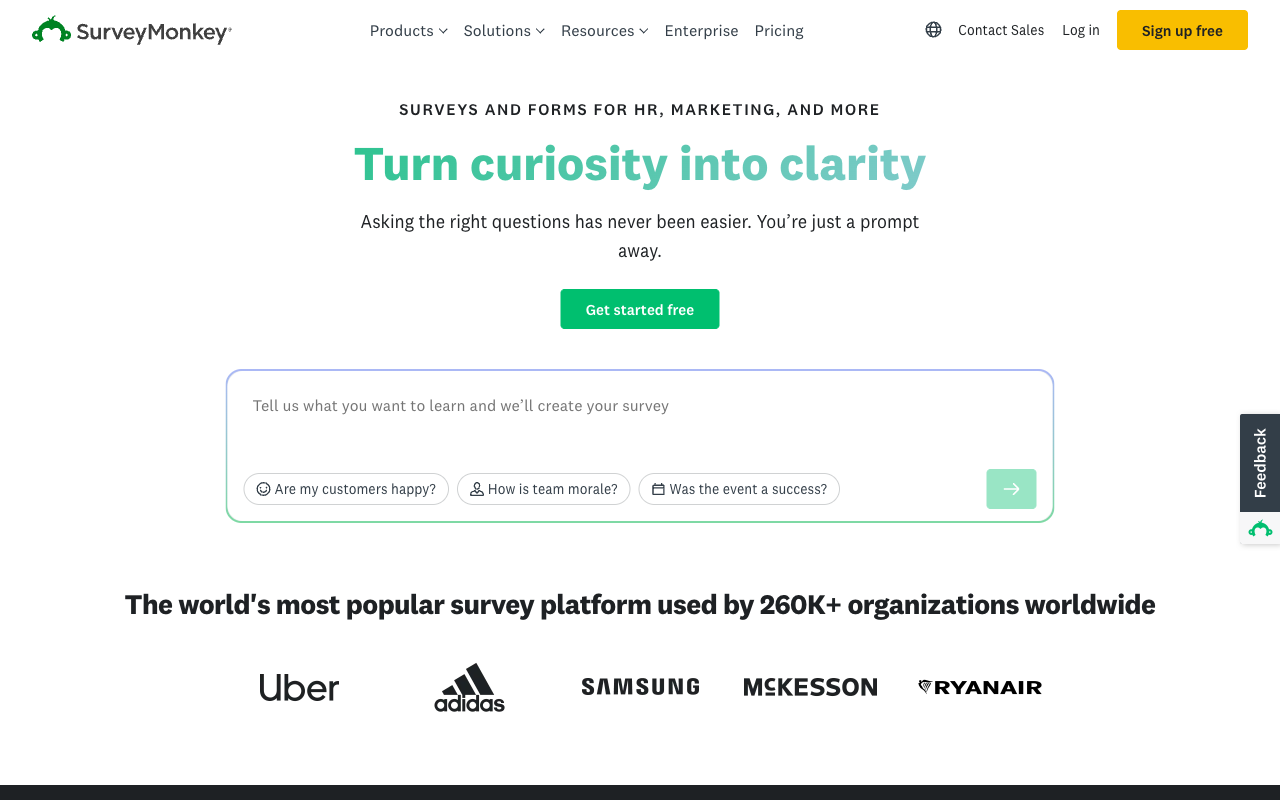
Research methodology Tally does not attempt
SurveyMonkey ships concept testing, MaxDiff analysis and Van Westendorp price sensitivity as built-in study types, plus 400+ templates written to hold up methodologically. Tally has none of this, and does not claim to. If your survey is an instrument whose validity will be questioned, the difference is not a matter of degree. One product was built by people who think about question order bias; the other was built by people who think about how fast you can publish.
Analysis that goes past charts
SurveyMonkey offers cross-tabulation, sentiment analysis, thematic analysis, significance testing, industry benchmarks and SPSS export. Tally's Insights tab is statistical only: charts, averages, medians, NPS and CSAT scoring, with no AI narrative of what came back. The September 2026 relaunch, covered by TechEdge AI, added automated Insights that surface findings and explain how each was derived, along with Claude and ChatGPT connectors and Workday and BambooHR integrations. Tally answers the AI question differently: Tally AI is free on every plan, but it points at the editor rather than the responses, so analysing submissions with AI means leaving for its MCP server or ChatGPT plugin.
Respondents you do not have
SurveyMonkey Audience sells access to 335M+ panellists across 130+ countries, targetable by demographics and income. This is the capability with no Tally equivalent at any price. A form builder can only reach the people you can already email. If part of your job is testing a concept on 500 strangers who match a persona, the rest of this comparison is academic.
The compliance answer
SurveyMonkey holds SOC 2, ISO 27001, PCI DSS 4.0, GDPR and CCPA, offers SAML SSO, PII restrictions, data residency choice and a HIPAA BAA on Enterprise. Tally offers GDPR and EU hosting. For a marketing team collecting newsletter signups that distinction is noise. For anyone whose form touches health data, payroll data or an enterprise vendor review, it ends the conversation. The catch is that SurveyMonkey's governance layer sits behind Enterprise, which now states a five-seat minimum and quotes custom, so the checkbox becomes a procurement cycle.
Scale, and a company that will still be here
SurveyMonkey has been operating since 1999 with 260,000+ organisations and more than 23,500 G2 reviews behind it. Tally is five years old, run by about ten people, bootstrapped to roughly $4M ARR. Tally's independence is genuinely appealing and its users are devoted. It is still a smaller bet, and it has no SLA, no phone support and no dedicated support tier at any price.
Where Tally Wins
Nothing is metered
Tally places no cap on forms, responses or team members on any plan, including the free one, bounded only by a published fair use policy. SurveyMonkey prices the opposite way: an annual response allowance on every tier and $0.15 for each response past it. That is a bill that grows because a campaign worked. A single well-performing survey that pulls 25,000 responses on a 15,000-response Advantage plan adds $1,500 to a subscription already paid a year ahead.
The features are not behind the paywall
Conditional logic, calculated fields via a proper formula editor, one-off Stripe payments, e-signature fields, file uploads, answer piping, password protection, 45+ languages and integrations with Notion, Airtable, Sheets, Slack, Zapier, Make and n8n are all on Tally's free plan. SurveyMonkey's free plan caps questions at ten per survey, blocks skip logic and data export, keeps branding on, and since September 2026 no longer publishes its response allowance at all, telling visitors to sign up to find out. Tally's Pro tier exists to remove branding, add custom domains, CSS, workspaces and drop-off analytics, not to unlock the basics.
Speed of building, and a genuinely free AI builder
Tally's editor asks nothing of you before you start: no account, no template picker, no wizard. Tally AI, released to all users in July 2026, builds a form from a plain-language description, applies branding, translates it and debugs a broken logic rule, free on every tier including Free. Tally also ships an MCP server and verified Claude and ChatGPT connectors. A developer review on Medium rates the builder highly while noting it runs out of room on more technical work, which is a fair summary of the product overall.
Buying it is low-risk
Tally sells month-to-month at $29 or annually at $24, with no seat minimums and no per-user line. SurveyMonkey's only month-to-month individual plan, Standard Monthly, costs $149, so evaluating it properly means paying that or committing a year. Tally's review scores reflect how that feels in practice: 4.8 on G2 with a 4.9 value-for-money sub-rating, and 4.9 on Capterra. SurveyMonkey's Trustpilot rating has fallen to 2.7 across 1,068 reviews, dominated by auto-renewal and cancellation complaints, a problem that annual billing tends to sharpen rather than solve.
Where SurveyMonkey Falls Short
- Every plan is metered, and most are prepaid: annual commitment on every plan but the $149/month Standard Monthly, response caps, $0.15 overage, three-seat minimum on Team and five on Enterprise.
- It is a survey tool, not a form builder: no signature field, no appointment booking, no address autocomplete, no colour picker. Order forms and client intake are not what it is for.
- Design ceiling: custom CSS only on Enterprise, no custom HTML, no custom domains, limited theming. Surveys look like SurveyMonkey surveys.
- Payments are an afterthought: Stripe and PayPal only, gated to Advantage and above, with no order record, subscriptions, coupons or tax.
- Seats are rationed by type: Full Access and Analyst seats are chosen at checkout, so who gets to work becomes a budget decision.
- Governance is Enterprise-only: HIPAA, SSO and PII controls all require a custom quote.
Where Tally Falls Short
- No SOC 2 or SSO at any tier, including the $89/month Business plan. 2FA exists per account, but there is no attestation to submit to a vendor security review.
- Stripe or nothing: no PayPal, Square, Braintree or Google Pay, no recurring payments, no invoicing, and coupons and tax only as calculated-field workarounds.
- No research tooling: no benchmarks, no cross-tabs, no significance testing, no panel, no validated question banks.
- No workflow or approvals: anything past submit-and-notify goes out to Zapier, Make or n8n. Submission PDFs are a themed copy of the response, not a generated document.
- Missing form fields: no booking field, no guided one-question-at-a-time mode, no save and resume, no address autocomplete.
- Support has a ceiling: email only, no phone, no live chat, no SLA, from a team of ten.
- Analytics are gated to Pro, so the free plan collects unlimited responses without telling you where people dropped off.
Pricing Comparison
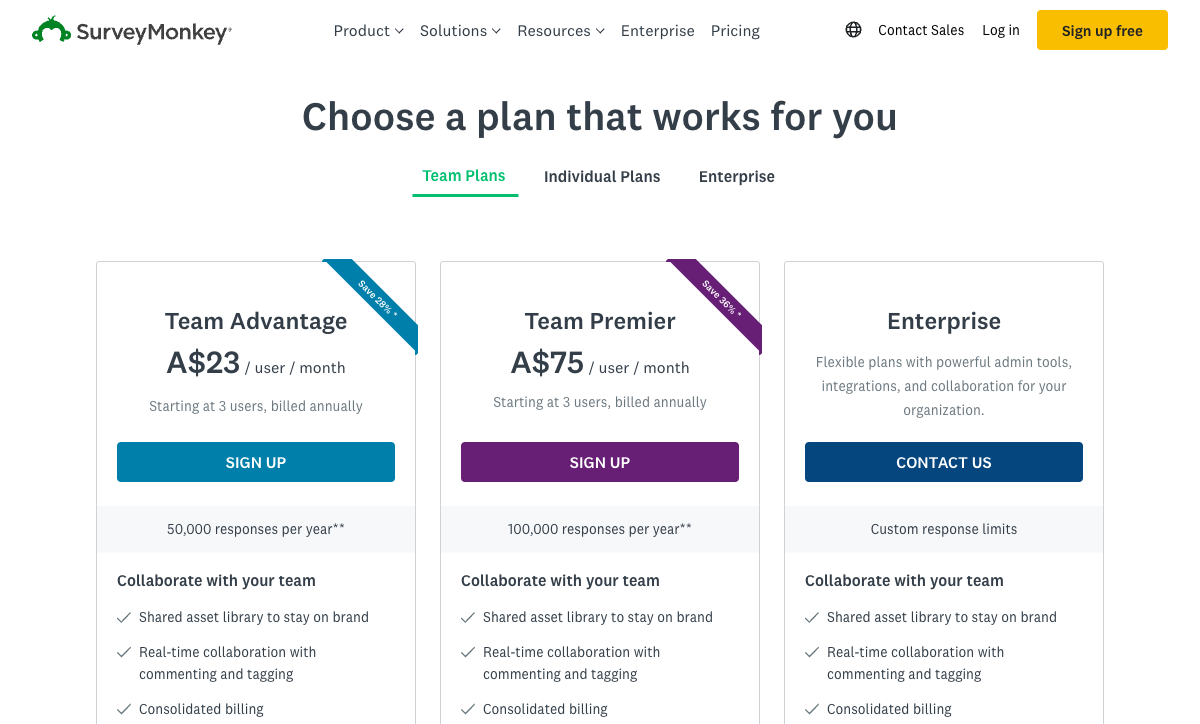
SurveyMonkey's cheapest annual individual plan is $39/month billed annually ($468 up front) with a 15,000-response yearly allowance; Tally's is $24/month billed annually ($240) with no allowance at all. The two pricing models are not really comparable at the tier level, because one sells capacity and the other sells capability.
| Tier | SurveyMonkey | Tally | What actually differs |
|---|---|---|---|
| Entry paid | Advantage, $39/mo annual only ($468/yr), 15,000 responses/yr, 1 user | Pro, $24/mo annual or $29 monthly, unlimited responses and users | Tally is cheaper and uncapped; SurveyMonkey adds logic and exports at this tier |
| Upper individual | Premier, $139/mo annual ($1,668/yr), 40,000 responses/yr, A/B testing, crosstabs | Business, $74/mo annual, retention controls, email verification | SurveyMonkey buys analysis; Tally buys data hygiene |
| Teams | Team Advantage from $30/user/mo, 3-seat minimum ($1,080/yr) | Unlimited members included on Pro and Business | Headcount changes SurveyMonkey's bill and never changes Tally's |
| Overage | $0.15 per response past the annual cap | None; fair use policy instead | The single biggest cost difference at volume |
| Enterprise | Custom quote, 5-seat minimum, HIPAA, SSO, data residency | Does not exist | Tally has no tier to escalate to |
What will it cost you?
SurveyMonkey plans
- Basic (Free)FreeForms Unlimited, Submissions Limited per survey (exact number now only shown after sign-up/login), Team 1, Storage N/A
- Individual Standard$149/momonthly onlyForms Unlimited, Submissions 1,000/month, Team 1, Storage N/A
- Individual Advantage$39/moForms Unlimited, Submissions 15,000 per year, Team 1, Storage N/A
- Individual Premier$139/moForms Unlimited, Submissions 40,000 per year, Team 1, Storage N/A
- Team AdvantageCheck limits$30/moForms Unlimited, Submissions 50,000 per year (shared), Team 3 minimum, Storage N/A
- Team Premier$92/moForms Unlimited, Submissions 100,000 per year (shared), Team 3 minimum, Storage N/A
| Plan | Price | Forms | Submissions | Team | Storage |
|---|---|---|---|---|---|
| Basic (Free) | Free | Unlimited | Limited per survey (exact number now only shown after sign-up/login) | 1 | N/A |
| Individual Standard | $149/momonthly only | Unlimited | 1,000/month | 1 | N/A |
| Individual Advantage | $39/mo | Unlimited | 15,000 per year | 1 | N/A |
| Individual Premier | $139/mo | Unlimited | 40,000 per year | 1 | N/A |
| Team AdvantageCheck limits | $30/mo | Unlimited | 50,000 per year (shared) | 3 minimum | N/A |
| Team Premier | $92/mo | Unlimited | 100,000 per year (shared) | 3 minimum | N/A |
Tally plans
- FreeFreeForms Unlimited, Submissions Unlimited, Team 1, Storage N/A
- ProMatches$24/moForms Unlimited, Submissions Unlimited, Team Unlimited, Storage N/A
- Business$74/moForms Unlimited, Submissions Unlimited, Team Unlimited, Storage N/A
| Plan | Price | Forms | Submissions | Team | Storage |
|---|---|---|---|---|---|
| Free | Free | Unlimited | Unlimited | 1 | N/A |
| ProMatches | $24/mo | Unlimited | Unlimited | Unlimited | N/A |
| Business | $74/mo | Unlimited | Unlimited | Unlimited | N/A |
| Product | Plan | Monthly Price | Annual Price (per month) | Free Plan | Free Trial | Limits |
|---|---|---|---|---|---|---|
| SurveyMonkey | Basic (Free) | Free | Free | Yes | No | forms: Unlimited, submissions: Limited per survey (exact number now only shown after sign-up/login), storage: N/A, users: 1 |
| SurveyMonkey | Individual Standard | $149/mo | Not listed | forms: Unlimited, submissions: 1,000/month, storage: N/A, users: 1 | ||
| SurveyMonkey | Individual Advantage | Annual billing only | $39/mo billed annually | forms: Unlimited, submissions: 15,000 per year, storage: N/A, users: 1 | ||
| SurveyMonkey | Individual Premier | Annual billing only | $139/mo billed annually | forms: Unlimited, submissions: 40,000 per year, storage: N/A, users: 1 | ||
| SurveyMonkey | Team Advantage | Annual billing only | $30/mo billed annually | forms: Unlimited, submissions: 50,000 per year (shared), storage: N/A, users: 3 minimum | ||
| SurveyMonkey | Team Premier | Annual billing only | $92/mo billed annually | forms: Unlimited, submissions: 100,000 per year (shared), storage: N/A, users: 3 minimum | ||
| Tally | Free | Free | Free | Yes | No | forms: Unlimited, submissions: Unlimited, storage: N/A, users: 1, file uploads: 10 MB per file |
| Tally | Pro | $29/mo | $24/mo billed annually | forms: Unlimited, submissions: Unlimited, storage: N/A, users: Unlimited, file uploads: Unlimited | ||
| Tally | Business | $89/mo | $74/mo billed annually | forms: Unlimited, submissions: Unlimited, storage: N/A, users: Unlimited |
What Users Say
The review pattern is consistent with the products. SurveyMonkey scores 4.4 on G2 across 23,525 reviews and 4.6 on Capterra, with ease of use rated above value for money on both, and a Trustpilot score of 2.7 driven by billing and cancellation complaints rather than product quality. Tally scores 4.8 on G2 and 4.9 on Capterra from a far smaller sample, with value for money at 4.9 and customer support at 4.5, its weakest number. People rate SurveyMonkey as capable and resent the invoice. People love Tally and occasionally wait for a reply.
See Both in Action
The Verdict
Choose SurveyMonkey if the output is research. Benchmarks, cross-tabs, significance testing and a panel of 335M people are real capabilities that Tally has no answer to, and the compliance posture is the only one of the two that survives a vendor review. Accept that you are prepaying a year (or paying $149 a month), that responses are capped and overages are billed, and that the tool will not help you with an order form or an intake process.
Choose Tally if the output is a form. It is faster to build in, it is cheaper, it caps nothing, it puts logic and payments on the free plan, and its users rate it near the top of the category. For a signup page, a feedback form, a lead capture or a straightforward survey that ends at the submit button, Tally is a good choice and there is no reason to pay SurveyMonkey for the privilege.
Consider Paperform When the Form Becomes a Process
Both products stop at the same place, from opposite directions. SurveyMonkey stops because it is a research instrument: the response is the end state, and there is no signature field, no booking, no approval and no order record. Tally stops because it is a form: the honest answer to anything after submit is Zapier, Make or n8n, which makes you the integration between the form, the signing tool, the automation tool and three separate invoices.
Paperform is built for the work that starts there. One subscription covers Paperform for forms, Papersign for eSignatures and Stepper for workflow automation, on one account with one permission model, so collecting a submission, getting the contract signed and routing the approval is a single flow rather than four vendors and a glue layer. Payments run through five gateways (Stripe, PayPal, Square, Braintree and Google Pay) with products, subscriptions, coupons, tax and refunds, driven by an Excel-style calculation engine whose results carry across question and page visibility, conditional emails, integration payloads and success pages. That is a different thing from a total at the bottom of a checkout block. There are 9,800+ integrations and 30,000+ templates behind it, and SOC 2 Type II, GDPR and CCPA compliance with SAML SSO and enforced 2FA on Business.
The pricing argument is the one worth stating plainly. Paperform Pro is $59/month, or $49 billed annually, and Business is $149/month or $124 annually. Tally undercuts both, and SurveyMonkey's annual entry price does too. What the higher floor buys is that nothing moves: submissions and seats are unlimited within fair use on paid plans, so a campaign that outperforms costs what a campaign that flops costs, and adding the designer, the contractor and the person who signs off adds nothing at all. Support is in the seat price rather than sold back as an enablement fee. Paperform has been doing this since 2016, bootstrapped and profitable, which matters when the tool becomes a system of record.
Two honest limits. Paperform is not HIPAA compliant and signs no BAAs, so regulated health data belongs with SurveyMonkey Enterprise today. And Paperform does not try to match SurveyMonkey's research methodology or its respondent panel. If the job is a one-off form, Tally remains the right tool and this page has said so twice. If the job is several brands to keep separate, payments with pricing logic, a contract that has to be signed and filed, an approval chain with a person at each step, or a compliance checklist someone else wrote, that is the point where a platform earns the difference.
Related Comparisons
- Paperform vs Tally: the unmetered form builder against the unmetered platform
- Paperform vs SurveyMonkey: response caps and seat minimums against flat pricing
- SurveyMonkey alternatives: the full field, ranked
- Tally alternatives: where to go when the free plan stops being the point
Frequently Asked Questions
Is Tally good enough to replace SurveyMonkey for customer feedback surveys?
For most operational feedback, yes. Tally handles multi-page questionnaires, conditional logic, rating and ranking blocks, answer piping and an Insights tab with charts, averages, medians and NPS/CSAT scoring, all on the free plan. Where it cannot replace SurveyMonkey is formal research: no cross-tabulation, no statistical significance testing, no industry benchmarks, no validated question banks, and no respondent panel. If the survey result will be presented to a board or published, SurveyMonkey's methodology tooling is doing work that Tally simply does not attempt.
Which one costs less once my response volume grows?
Tally, by a wide margin. Tally does not meter responses at any tier, so a form that gets 200 answers and a form that gets 200,000 cost the same. SurveyMonkey caps responses on every plan (15,000/year on Advantage, 40,000 on Premier, 50,000 on Team Advantage, 100,000 on Team Premier) and charges $0.15 for each response over the cap. Ten thousand responses past an Advantage allowance is $1,500 on top of a plan you have already paid for a year in advance.
Can either SurveyMonkey or Tally pass an enterprise security review?
SurveyMonkey can; Tally cannot. SurveyMonkey holds SOC 2, ISO 27001, PCI DSS 4.0 and GDPR, supports SAML SSO, and will sign a BAA for HIPAA workloads on Enterprise. Tally offers GDPR, EU hosting and per-account 2FA only: no SOC 2, no ISO 27001, no HIPAA, and no SSO on any plan, including the $89/month Business tier. If a security questionnaire is part of your buying process, that gap decides the comparison before price enters it.
Does SurveyMonkey or Tally handle payments better?
Tally, though neither is a commerce tool. Tally includes one-off Stripe checkout on its free plan with no gateway fee of its own, though no recurring payments. SurveyMonkey supports Stripe and PayPal but gates payments to Advantage and above, and treats them as a field appended to a survey rather than an order. SurveyMonkey has no coupons, tax calculation, invoicing or refunds; Tally builds discount codes and tax from calculated fields and has no invoicing. If payments carry pricing logic behind them, both will run out of room quickly.
Is SurveyMonkey annual-only now, and does that change the comparison?
Almost. As of 17 Nov 2026 SurveyMonkey's individual pricing page lists Basic, Standard Monthly, Advantage Annual and Premier Annual. Standard Monthly, at $149/month for 1,000 responses a month, is the only month-to-month plan, so every other paid plan is a twelve-month commitment, team plans need three seats and Enterprise five. It changes the comparison a lot for anyone evaluating: Tally can be bought for one month at $29 and abandoned, while a month of SurveyMonkey costs $149 and its better plans ask for a year of budget before you have run a single survey through it.
I use both: SurveyMonkey for research and Tally for forms. Is that a problem?
It works until the data has to meet. Two tools mean two response stores, two export routines, two sets of integrations to maintain and two renewal dates, and anything that needs to happen after a submission (a signature, an approval, a record filed) lives in a third and fourth tool. That stack is the common reason teams consolidate, and it is where a platform like Paperform, which covers forms, eSignatures and workflow automation under one subscription, becomes the cheaper answer even though its entry price is higher than Tally's.
Sources & References
- SurveyMonkey Pricing Guide: Costs, Plans, and Hidden Fees — Featurebase, 2026
- Tally Review: Honest Verdict + 15 Real User Reviews — Hackceleration, 2026
- SurveyMonkey Unveils Sweeping Platform Upgrades — TechEdge AI, September 2026
- Honest Review of Tally Forms, from an AI SaaS developer — Medium (FireBird Technologies), January 2026
Unlimited plans are subject to each vendor's fair use policy.
Ready to try Paperform?
Create beautiful forms, payment pages, and workflows — no code required.