 By Dean McPherson, Co-founder & CTO, Paperform · Updated
SurveyMonkey vs Wufoo: Which Is Better in 2026?
Here's what makes this comparison unusual: SurveyMonkey and Wufoo are owned by the same parent company. SurveyMonkey acquired Wufoo in 2011 for $35 million, and the two products have followed dramatically different trajectories since. SurveyMonkey has received continuous investment: AI features, enterprise tools, brand tracking, market research capabilities. It has become the dominant name in online surveys. Wufoo has been effectively shelved, maintained but not meaningfully developed, its interface and features frozen roughly where they were a decade ago.
This is not a comparison between equals. It sets a well-funded survey platform against a legacy form builder kept on life support by the company that bought it. Understanding why that happened, and which (if either) still serves your needs, is what this page is about.
Quick Verdict
Choose SurveyMonkey if:
- Surveys, research, and feedback collection are your primary need
- You need AI-powered survey analysis and insights
- Enterprise features (SSO, compliance, team management) matter
- You want an actively developed platform with a long-term future
Choose Wufoo if:
- You need simple embeddable forms (not surveys) with basic payments
- Your requirements haven't changed since 2015
- You're an existing Wufoo user and migration isn't worth the effort yet
- Budget is extremely tight and basic form functionality is sufficient
Feature Comparison
The feature gap tells the story of a decade of divergent investment. SurveyMonkey has grown into an enterprise survey platform; Wufoo has stayed a basic form builder. The table makes the disparity concrete.
| Feature | SurveyMonkey | Wufoo |
|---|---|---|
| Form Building | ||
| AI form builder . Describe the form you need in plain language and the tool drafts the questions for you. | Yes | No |
| Templates . The number of ready-made form templates in the tool’s template gallery. | 500+ (Individual Standard) | 400+ |
| Field types . How many kinds of question or input field the form builder offers, such as text, dropdown, date, file upload and signature. | 20+ | 17 |
| Conditional logic . Show, hide or skip questions and pages based on how someone has answered earlier questions. | Yes Individual Standard | Yes |
| Calculations . Compute totals, scores, prices or dates from answers while the form is being filled in. | No | No |
| Multi-page forms . Split a long form across several pages that respondents move through in order. | Yes | Yes |
| One question at a time . A conversational layout that shows a single question per screen, popular for surveys on mobile. | Yes | No |
| Answer piping . Insert a respondent’s earlier answer, such as their name, into later questions or text on the form. | Yes Individual Advantage | No |
| Pre-filling and hidden fields . Fill in answers ahead of time from a link or existing data, and pass along values the respondent never sees. | Yes Individual Advantage | Yes starter |
| File uploads . Let respondents attach files such as documents and photos to their submission. | Yes Individual Advantage | Yes starter |
| E-signatures . Collect a signature, either with a signature field on the form or by sending a document out to be signed. | No | No |
| Appointment booking . Let respondents pick and book a time slot directly in the form, with availability managed by the tool. | No | No |
| Quiz scoring . Give answers point values so the form can score quizzes and assessments automatically. | Yes | No |
| Save and resume . Respondents can leave a form part-way through and come back later to finish it. | Yes Individual Advantage | No |
| Close forms by date or response limit . Stop accepting submissions automatically on a set date or once a set number of responses has arrived. | Yes Individual Advantage | Yes starter |
| Payments | ||
| Payment gateways . The number of payment processors a form can take payments through. Where a vendor’s full count isn’t recorded, the cell lists the gateways we confirmed. | 2 (Individual Advantage) Stripe, PayPal | 6 (professional) processors, incl. Stripe, PayPal, Authorize.net, Square |
| Subscriptions and recurring payments . Charge respondents on a repeating schedule, such as monthly or annually, from a form. | No | Yes professional |
| Product sales . Sell products from a form, with product listings, quantities and an order total. | No | Yes professional |
| Conditional pricing . Change the price or add fees automatically based on the answers given in the form. | Yes Individual Advantage | Yes professional |
| Coupons and discounts . Offer discount codes that respondents can apply to a payment or subscription on the form. | No | Yes professional |
| Tax calculations . Add sales tax to payments on the form automatically. | No | No |
| Refunds . Refund a payment from inside the form tool rather than going to the payment processor. | No | Not recorded |
| Design & Customization | ||
| Custom themes . Set your own logo, colours and fonts on forms and save them as reusable themes. | Yes Individual Standard | Yes |
| Custom CSS . Add your own CSS (and in some tools HTML) for styling beyond the built-in theme options. | Yes enterprise | Yes starter |
| Remove vendor branding . Remove the form builder’s own logo or badge so forms carry only your branding. | Yes Individual Premier | Yes starter |
| Custom domain . Host forms on your own domain, such as forms.yourcompany.com, instead of the vendor’s. | No | No |
| Custom form URL . Choose a readable link for a form instead of a random string. | Yes Individual Standard | Yes starter |
| Emails from your own domain . Send notification and confirmation emails from your own email domain instead of the vendor’s. | Yes enterprise | No |
| Multi-language forms . Show a form’s questions, buttons and messages in languages other than English. | Yes Individual Premier | Yes |
| Analytics | ||
| Response reports . Built-in summaries and charts of the answers a form has collected. | Yes | Yes |
| Partial submissions . See the answers people entered before leaving a form without submitting it. | Yes Individual Advantage | Yes |
| Google Analytics and Meta Pixel . Connect a form to Google Analytics or the Meta (Facebook) Pixel to track visits and conversions. | Not recorded | Yes professional |
| AI response insights . AI-written summaries and insights generated from the responses a form has collected. | Yes Individual Advantage | Not recorded |
| Collaboration | ||
| Team members . Invite colleagues into the same account to build forms and work with responses together. | Yes Team Advantage | Yes professional |
| Roles and permissions . Give team members different levels of access, such as admin, editor or viewer. | Yes Team Advantage | Yes professional |
| Advanced permissions and admin controls . Fine-grained, organisation-wide controls over who can access what, usually on enterprise plans. | Yes enterprise | No |
| Workspaces . Separate spaces or folders for organising forms by team, client or project. | Yes | Not recorded |
| Security | ||
| Two-factor authentication . Users can protect their login with a second step, such as a code from an authenticator app. | Yes | No |
| Require 2FA for the whole team . Admins can make two-factor authentication mandatory for everyone in the account. | Yes enterprise | Not recorded |
| SSO (SAML) . Team members sign in through your company’s identity provider, such as Okta or Microsoft Entra ID, using SAML single sign-on. | Yes enterprise | No |
| HIPAA compliance . Whether the vendor supports collecting US protected health information under HIPAA, typically by signing a business associate agreement on an eligible plan. | Yes enterprise | No |
| SOC 2 . Whether the vendor holds a SOC 2 audit report covering its security controls. | Yes | Yes |
| GDPR . Whether the vendor states that it complies with the EU General Data Protection Regulation. | Yes | Yes |
| Data residency . Choose the region, such as the EU, where your form data is stored. | Yes enterprise | Not recorded |
| Spam protection (CAPTCHA) . Block bot and spam submissions with reCAPTCHA or a similar challenge. | Yes | Yes |
| Integrations & API | ||
| Native integrations . Apps the tool connects to directly, without going through a third-party connector such as Zapier or Make. | 200+ | Yes starter |
| Zapier . Connect forms to thousands of other apps through Zapier. | Yes | Yes starter |
| Make . Connect forms to other apps through Make (formerly Integromat). | Yes | Not recorded |
| Webhooks . Send each new submission to a URL of your choice as soon as it arrives. | Yes enterprise | Yes starter |
| API access . A developer API for reading forms and submissions, or managing them, from your own code. | Yes enterprise | Yes |
| MCP server / AI assistant connector . An official connector, such as an MCP server, that lets AI assistants like Claude or ChatGPT work with your forms and responses. | Yes | Not recorded |
| WordPress plugin . A plugin for adding forms to a WordPress site. | No | No |
— means we haven't recorded it for that tool.
Where SurveyMonkey Wins

Active Development and Innovation
SurveyMonkey ships regular updates: AI-powered survey generation, sentiment analysis, automated insights, brand tracking, market research panels, and enterprise collaboration tools. The platform evolves quarterly. Wufoo's last significant feature update is difficult to identify; the product roadmap has been effectively frozen for years. For any team evaluating long-term platform investments, SurveyMonkey is a living product with a development team and roadmap. Wufoo is a legacy product in maintenance mode. This alone may be the most important consideration.
Survey Science and Analysis
SurveyMonkey's survey methodology is its core competency. Question banks validated by survey scientists, AI-powered question suggestions, skip logic, randomisation, quotas, A/B testing of questions, and built-in statistical analysis. Response data gets automatic sentiment analysis, word clouds, cross-tabulation, and exportable reports. Wufoo has basic form fields and a simple reporting dashboard: no survey science, no AI analysis, no statistical tools. For research, customer feedback, employee engagement, and market analysis, SurveyMonkey's analytical depth is in a different league.
Enterprise Capabilities
SurveyMonkey Enterprise includes SSO/SAML authentication, admin controls, data governance, HIPAA compliance (with BAA), custom branding, role-based access, team collaboration, and dedicated account management. Large organisations can manage survey programmes across departments with centralised governance. Wufoo has basic team features but no enterprise-grade security, compliance, or administration capabilities. For organisations with 50+ employees or regulatory requirements, SurveyMonkey is the only viable option of the two.
Brand Recognition and Market Access
SurveyMonkey is one of the most recognised software brands globally. Respondents trust SurveyMonkey-powered surveys. The platform's audience panel gives you access to millions of potential respondents for market research without maintaining your own distribution lists. Wufoo's brand recognition has faded significantly since its acquisition. For external-facing research where brand trust affects response rates, SurveyMonkey's name carries weight.
Integration Ecosystem
SurveyMonkey integrates natively with Salesforce, HubSpot, Marketo, Microsoft Teams, Slack, Tableau, and dozens more enterprise tools. Its Zapier integrations are well-maintained, and it has an API for custom development. Wufoo has basic Zapier integration and a limited set of native connections, many of which reference tools and services that have themselves changed or been deprecated. SurveyMonkey's integration ecosystem reflects its active development; Wufoo's reflects its stagnation.
Where Wufoo Wins
It's a Form Builder, Not a Survey Tool
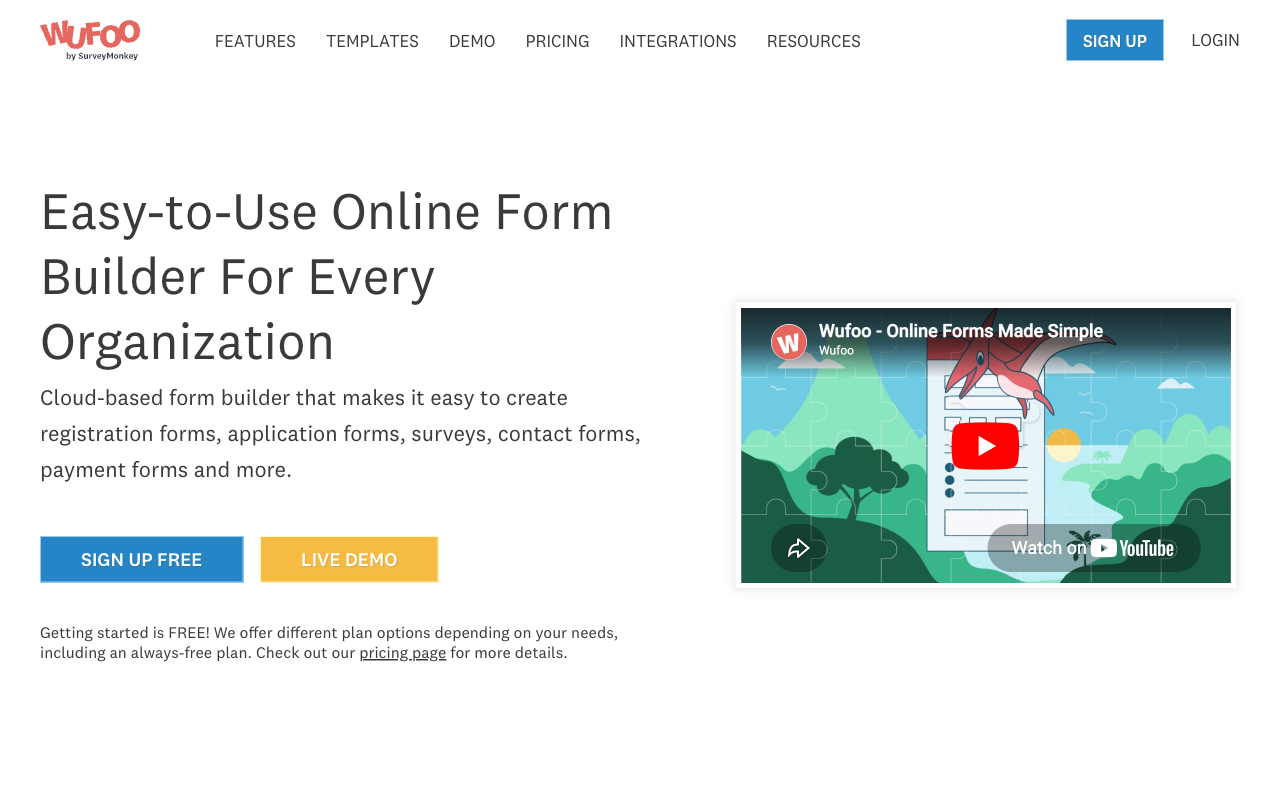
This is Wufoo's primary structural advantage. Wufoo creates forms (contact forms, order forms, registration forms, feedback forms) while SurveyMonkey creates surveys. The distinction matters: SurveyMonkey is designed for research and data collection with anonymous respondents. Wufoo is designed for website forms that collect identified data (name, email, address, payment). If you need an embeddable contact form for your website, Wufoo's approach is more natural than trying to use SurveyMonkey, which wasn't built for that use case.
Payment Collection
Wufoo includes payment integration (Stripe, PayPal, Authorize.net, Square, Braintree and USAePay) for collecting payments through forms. Order forms, donation forms, and basic eCommerce are possible. SurveyMonkey can take Stripe or PayPal payments from Individual Advantage, but only a fixed price or a price per answer on a single question: it is a survey tool, not a transaction tool. This is the functional area where Wufoo most clearly outdoes SurveyMonkey. The implementation is basic (no product catalogue, no tax or shipping calculation), but it works. For simple payment collection through a form, Wufoo is the more practical of the two.
Simpler Pricing for Basic Needs
Wufoo's Starter plan at $16.25/month (annual billing) provides basic form functionality at a low price point. SurveyMonkey's cheapest paid plan is Advantage at $39/month billed annually ($468/year), and the month-to-month Standard plan is $149/month. For users with extremely basic form needs -- a few simple forms with limited submissions -- Wufoo's entry price is significantly lower. The value proposition weakens quickly at higher tiers, but for budget-constrained users with minimal requirements, Wufoo's floor price is lower.
Embeddable Form Focus
Wufoo was designed from the beginning as an embeddable form tool. Its forms are meant to live on websites, in emails, and on landing pages. The embed codes are straightforward, and the forms are lightweight. SurveyMonkey surveys can be embedded, but they're designed as standalone experiences with SurveyMonkey branding and navigation. For simple website forms where the form blends into a page rather than being a standalone destination, Wufoo's embeddable DNA is slightly more appropriate.
Where SurveyMonkey Falls Short
- Not a form builder: SurveyMonkey creates surveys, not website forms. Contact forms, order forms, and embeddable data collection forms aren't its strength -- the tool assumes a survey context.
- Minimal payment processing: Stripe or PayPal from Individual Advantage, but only a fixed price or per-answer prices on one question. For transactional use cases, SurveyMonkey is close to a dead end.
- Expensive for basic needs: $39/month for Advantage (billed annually) or $149/month for Standard paid monthly is steep if you just need simple feedback forms. The pricing reflects enterprise survey capabilities many users don't need.
- Complex for simple tasks: Survey science features, panel access, and enterprise tools add interface complexity that casual users don't need. Sometimes you just want a simple form, not a research platform.
- Response limits on lower tiers: Free plan caps at 10 questions per survey, with a response limit SurveyMonkey no longer publishes. Lower paid tiers have response limits that can catch casual users off guard.
Where Wufoo Falls Short
- Effectively abandoned: Wufoo hasn't received meaningful feature development since its 2011 acquisition. The interface, capabilities, and technology are a decade behind modern form builders.
- Outdated design output: Forms look dated. No modern design system, no responsive templates that match current web design standards, no visual editor comparable to modern tools.
- Minimal conditional logic: Basic rule-based field visibility exists, but nothing approaching the conditional logic depth of modern form builders. No calculations, no complex branching, no dynamic content.
- Payments gated to Professional: Payment collection (Stripe, PayPal, Authorize.net, Square, Braintree, USAePay) requires the Professional plan. Subscriptions run only through PayPal Standard or Stripe Subscription Billing, coupon codes only through Stripe Subscription Billing, and there is no product catalogue or tax calculation. Basic payment collection in an era of advanced eCommerce.
- Uncertain future: As a neglected product under corporate ownership (SurveyMonkey/Momentive), Wufoo's long-term viability is a legitimate concern. Products in maintenance mode can be sunset with little warning. Building new workflows on Wufoo carries platform risk.
- Small template library: Limited templates that haven't been refreshed. Modern competitors offer thousands to tens of thousands of professionally designed starting points.
Pricing Comparison
Different pricing models for different products. SurveyMonkey prices for survey volume and features. Wufoo prices for form count and submissions. Neither is expensive at entry level, but value diverges quickly.
| Tier | SurveyMonkey | Wufoo | Key Difference |
|---|---|---|---|
| Free | 10 questions/survey, unpublished response cap, limited analysis | 5 forms, 100 entries/mo, basic fields | Both heavily restricted; Wufoo is more usable as a free form tool |
| Entry Paid | Individual Standard: $149/mo (monthly) -- unlimited questions, 1,000 responses/mo | Starter: $16.25/mo -- 10 forms, 1,000 entries/mo | Wufoo is much cheaper; SurveyMonkey adds survey analysis tools |
| Mid-Tier | Team Advantage: $30/user/mo (3-user minimum) -- collaboration, shared library, custom branding | Professional: $33.25/mo -- unlimited forms, 5,000 entries/mo, payments | SurveyMonkey is per-user; Wufoo is per-account. Cost depends on team size. |
| Top Tier | Enterprise: Custom pricing -- SSO, HIPAA, admin controls | Advanced: $83.25/mo -- unlimited forms, 25,000 entries/mo | SurveyMonkey scales to enterprise; Wufoo tops out at basic growth |
What will it cost you?
SurveyMonkey plans
- Basic (Free)FreeForms Unlimited, Submissions Limited per survey (exact number now only shown after sign-up/login), Team 1, Storage N/A
- Individual Standard$149/momonthly onlyForms Unlimited, Submissions 1,000/month, Team 1, Storage N/A
- Individual Advantage$39/moForms Unlimited, Submissions 15,000 per year, Team 1, Storage N/A
- Individual Premier$139/moForms Unlimited, Submissions 40,000 per year, Team 1, Storage N/A
- Team AdvantageCheck limits$30/moForms Unlimited, Submissions 50,000 per year (shared), Team 3 minimum, Storage N/A
- Team Premier$92/moForms Unlimited, Submissions 100,000 per year (shared), Team 3 minimum, Storage N/A
| Plan | Price | Forms | Submissions | Team | Storage |
|---|---|---|---|---|---|
| Basic (Free) | Free | Unlimited | Limited per survey (exact number now only shown after sign-up/login) | 1 | N/A |
| Individual Standard | $149/momonthly only | Unlimited | 1,000/month | 1 | N/A |
| Individual Advantage | $39/mo | Unlimited | 15,000 per year | 1 | N/A |
| Individual Premier | $139/mo | Unlimited | 40,000 per year | 1 | N/A |
| Team AdvantageCheck limits | $30/mo | Unlimited | 50,000 per year (shared) | 3 minimum | N/A |
| Team Premier | $92/mo | Unlimited | 100,000 per year (shared) | 3 minimum | N/A |
Wufoo plans
- FreeFreeForms 5, Submissions 100/month, Team 1, Storage N/A
- Starter$16.25/moForms 10, Submissions 1,000/month, Team 1, Storage 1 GB
- ProfessionalMatches$33.25/moForms Unlimited, Submissions 5,000/month, Team 5, Storage 5 GB
- Advanced$83.25/moForms Unlimited, Submissions 25,000/month, Team 20, Storage 10 GB
- Ultimate$210.25/moForms Unlimited, Submissions 200,000/month, Team 60, Storage 20 GB
| Plan | Price | Forms | Submissions | Team | Storage |
|---|---|---|---|---|---|
| Free | Free | 5 | 100/month | 1 | N/A |
| Starter | $16.25/mo | 10 | 1,000/month | 1 | 1 GB |
| ProfessionalMatches | $33.25/mo | Unlimited | 5,000/month | 5 | 5 GB |
| Advanced | $83.25/mo | Unlimited | 25,000/month | 20 | 10 GB |
| Ultimate | $210.25/mo | Unlimited | 200,000/month | 60 | 20 GB |
| Product | Plan | Monthly Price | Annual Price (per month) | Free Plan | Free Trial | Limits |
|---|---|---|---|---|---|---|
| SurveyMonkey | Basic (Free) | Free | Free | Yes | No | forms: Unlimited, submissions: Limited per survey (exact number now only shown after sign-up/login), storage: N/A, users: 1 |
| SurveyMonkey | Individual Standard | $149/mo | Not listed | forms: Unlimited, submissions: 1,000/month, storage: N/A, users: 1 | ||
| SurveyMonkey | Individual Advantage | Annual billing only | $39/mo billed annually | forms: Unlimited, submissions: 15,000 per year, storage: N/A, users: 1 | ||
| SurveyMonkey | Individual Premier | Annual billing only | $139/mo billed annually | forms: Unlimited, submissions: 40,000 per year, storage: N/A, users: 1 | ||
| SurveyMonkey | Team Advantage | Annual billing only | $30/mo billed annually | forms: Unlimited, submissions: 50,000 per year (shared), storage: N/A, users: 3 minimum | ||
| SurveyMonkey | Team Premier | Annual billing only | $92/mo billed annually | forms: Unlimited, submissions: 100,000 per year (shared), storage: N/A, users: 3 minimum | ||
| Wufoo | Free | Free | Free | Yes | No | forms: 5, submissions: 100/month, storage: N/A, users: 1 |
| Wufoo | Starter | $22/mo | $16.25/mo billed annually | forms: 10, submissions: 1,000/month, storage: 1 GB, users: 1 | ||
| Wufoo | Professional | $45/mo | $33.25/mo billed annually | forms: Unlimited, submissions: 5,000/month, storage: 5 GB, users: 5 | ||
| Wufoo | Advanced | $113/mo | $83.25/mo billed annually | forms: Unlimited, submissions: 25,000/month, storage: 10 GB, users: 20 | ||
| Wufoo | Ultimate | $286/mo | $210.25/mo billed annually | forms: Unlimited, submissions: 200,000/month, storage: 20 GB, users: 60 |
What Users Say
SurveyMonkey averages 4.4/5 on G2 with thousands of reviews. Users praise the survey creation experience and analysis tools while noting pricing complexity and feature limitations on lower tiers. Wufoo averages around 4.2/5, with reviews increasingly noting the platform's age and lack of updates. Recent Wufoo reviews often read like eulogies -- "I used to love this tool" followed by frustration with outdated features and lack of development.
The review trajectory tells the story. SurveyMonkey reviews discuss current capabilities and compare to active competitors. Wufoo reviews increasingly ask whether the product still has a future. For teams making a new platform decision in 2026, the review sentiment should weight heavily toward the actively maintained product.
Consider Paperform: Modern Forms and Surveys in One Platform
If you need what Wufoo used to be good at (forms) combined with what SurveyMonkey excels at (surveys), Paperform handles both. Paperform's document-style editor creates forms and surveys that look like designed landing pages, not dated form widgets or clinical survey interfaces.
The bigger difference is what Paperform refuses to meter. Both SurveyMonkey and Wufoo charge you for growth: response caps, entry caps, per-user seats. Paperform's paid plans meter none of it: submissions and seats are unlimited on Pro ($59/month, $49 billed annually) and Business ($149/month, $124 billed annually). Wufoo's Starter is cheaper at $16.25/month, so Paperform is not the budget floor here; it is the plan where a successful form doesn't turn into a bigger invoice.
One subscription also covers three jobs most teams buy separately: forms, eSignatures (Papersign) and workflow automation (Stepper), instead of stitching a form builder to a signing vendor to an automation vendor. Add 5 payment gateways (Stripe, PayPal, Square, Braintree, Google Pay), an Excel-style calculation engine that powers dynamic pricing and quiz scoring, 9,800+ integrations and 30,000+ templates. Bootstrapped and profitable since 2016: no acquisition risk, no maintenance-mode trajectory. See our Paperform vs SurveyMonkey and Wufoo alternatives analyses.
The Verdict
SurveyMonkey is the right choice when surveys and research are your primary need. It's the industry standard for online surveys, with AI-powered analysis, enterprise compliance, audience panels, and continuous feature development. If you're collecting feedback, conducting research, or running employee engagement surveys, SurveyMonkey is purpose-built and actively evolving.
Wufoo is hard to recommend for new projects in 2026. Its form-building DNA is sound. It was a pioneering tool that shaped how we think about online forms. But a decade of minimal investment has left it behind modern competitors in design, features, integrations, and reliability. If you're an existing Wufoo user with simple, stable requirements, there may be no urgent reason to migrate. But for new form projects, modern alternatives offer dramatically better value, design, and long-term platform confidence.
The irony of this comparison is that SurveyMonkey acquired Wufoo to combine survey and form capabilities -- and instead let Wufoo stagnate while focusing exclusively on surveys. The result is two products that each do one thing (surveys or forms) when modern platforms like Paperform do both well. For more options, see our SurveyMonkey alternatives, Wufoo alternatives, or the full best form builders ranking.
Frequently Asked Questions
Did SurveyMonkey acquire Wufoo?
Yes. SurveyMonkey acquired Wufoo in 2011 for a reported $35 million. Wufoo was originally created by three Computer Science graduates from the University of South Florida and had been a beloved independent form builder since 2006. After the acquisition, Wufoo continued operating as a separate product but received minimal development investment. The platform's interface, features, and technology have largely stagnated since the acquisition. SurveyMonkey (now Momentive, then acquired by Momentive Global in a take-private deal) has focused its development resources on the SurveyMonkey survey platform rather than Wufoo. Many original Wufoo users have migrated to other platforms as the product fell behind modern competitors.
Is Wufoo still being actively developed?
Barely. Wufoo receives maintenance updates and occasional minor improvements, but it hasn't had significant feature development in years. The platform's design, interface, and capabilities feel stuck in the early 2010s. There's no modern drag-and-drop builder, no conditional logic depth, no AI features, and no mobile-responsive form building interface. Compare this to SurveyMonkey, which receives regular feature updates, AI integrations, and enterprise capability additions. If you're choosing between the two today, SurveyMonkey is the actively developed product; Wufoo is the legacy product kept running but not meaningfully improved.
Why would anyone choose Wufoo over SurveyMonkey in 2026?
There are a few narrow reasons. Wufoo is a form builder, while SurveyMonkey is primarily a survey tool. If you need a simple embeddable form (contact form, registration, order form with basic payments), Wufoo's form-building approach is more natural than trying to use SurveyMonkey for non-survey data collection. Wufoo also has simpler pricing for basic needs and includes Stripe payment processing. But honestly, in 2026, there are better options than both for most form use cases. Wufoo's main appeal is to existing users who haven't migrated yet and teams with extremely simple requirements that Wufoo's basic toolset still covers.
Should I migrate away from Wufoo?
Probably yes, unless your needs are extremely basic and Wufoo still handles them adequately. The platform hasn't kept pace with modern form builders in design, features, mobile responsiveness, or integrations. Modern alternatives like Paperform ($49/month billed annually, with unlimited submissions and seats, 5 payment gateways, and a calculation engine), Jotform (massive template library and 30+ payment gateways), or even Google Forms (free, with up to 500,000 responses per form) all offer superior experiences. If you're actively building new forms on Wufoo, you're working with a tool that's at least a decade behind the state of the art. The migration effort is worth it for any team building forms regularly.
Sources & References
- SurveyMonkey Acquires Wufoo — TechCrunch, 2011
- Best Online Form Builders Compared — EmailToolTester, 2026
Updates
We re-audit the form builders we compare on a regular cadence and log every change here — a public record of what changed and when.
- Updated June 4, 2026 — Renamed SurveyMonkey's entry plan to 'Individual Standard', raised 'Team Advantage' to $30/user/mo, and corrected response limits. Updated Wufoo prices ('Starter' $16.25, 'Professional' $33.25, 'Advanced' $83.25) and expanded its payment options (Stripe, PayPal, Authorize.net, Square, Braintree), now gated to the Professional plan.
Unlimited plans are subject to each vendor's fair use policy.
Ready to try Paperform?
Create beautiful forms, payment pages, and workflows — no code required.