Tally vs Zoho Forms: Which Is Better in 2026?
Tally wins on price predictability and design: unlimited submissions and seats from $0, with Pro at $24/month. Zoho Forms wins on compliance and reach, with HIPAA on Premium, SOC 2, ISO 27001 and offline mobile capture. Choose Tally for public-facing forms, Zoho for regulated or field data collection.
These two products were built for opposite buyers and it shows in the price list before it shows in the editor. Tally launched in Ghent in 2020 with about ten bootstrapped people and one commercial idea: stop counting things. Unlimited forms, unlimited submissions, unlimited seats, with a fair use policy instead of a quota. Zoho Forms launched the same decade inside Zoho Corporation, a 10,000-person company running more than fifty applications, and it prices the way the rest of that suite prices. Submissions, storage, users, Zoho Flow tasks, prefill and webhook requests, PDF credits and AI credits each have their own ceiling and their own top-up.
So the choice is rarely about which builds a nicer radio button. It is about whether you want a bill that never moves, or a form that plugs straight into a CRM, a mobile field app and a HIPAA checklist.
Quick Verdict
Choose Tally if:
- The form is public-facing and has to look like it belongs on your site
- Response volume spikes and you do not want to budget for it
- Several people need to build and edit without buying seats
- Answers belong in Notion, Airtable or Google Sheets
Choose Zoho Forms if:
- You need a BAA, an audit trail or an ISO 27001 certificate
- Data gets collected offline, on a phone, in the field
- You already run Zoho CRM, Desk or Campaigns
- Volume is steady and predictable enough to sit inside a tier
Five Dimensions, Side by Side
| Dimension | Tally | Zoho Forms |
|---|---|---|
| Entry paid price | $24/mo annually (Pro): unlimited submissions, unlimited seats | $10/mo annually (Basic): 10,000 submissions/mo, 1 seat, 500 MB |
| Integrations / API | ~17 native plus 1,000+ via Zapier, Make, n8n and Pipedream; REST API and MCP server | 150+ integrations weighted to 40+ Zoho apps; REST API, plus Zoho Flow for third parties |
| Conditional logic | Branching plus a formula editor, free on every plan; no visual logic map | Skip logic and field visibility rules, plus formula fields; 60-field ceiling per form |
| Payments | 1 processor (Stripe), free tier upward, including subscriptions | 2 processors (Stripe, PayPal) from free, capped at 10 payment submissions there |
| Compliance | GDPR and EU hosting. No SOC 2, no ISO 27001, no HIPAA, no SSO, no 2FA | GDPR, CCPA, SOC 2, ISO 27001 across Zoho cloud; HIPAA and audit trails on Premium |
Feature Comparison
The disagreement is about what a form is for. Tally treats it as a page someone reads; Zoho treats it as the front door of a database.
| Feature | Tally | Zoho Forms |
|---|---|---|
| Form Building | ||
| Document-style editor | Yes | No |
| AI form creation | Yes | Yes basic |
| Field types | 20+ | Yes |
| Multi-page forms | Yes | Yes |
| Guided mode (one question at a time) | No | No |
| Conditional logic | Yes | Yes |
| Calculations field | Yes | Yes basic |
| AI calculations assistant | No | No |
| Formula editor | Yes | No |
| Scoring | Yes | No |
| Answer piping | Yes | Yes basic |
| Pre-filling and hidden fields | Yes | Yes |
| Save and resume | No | Yes basic |
| Auto-close by number | Yes | Yes |
| Auto-close by date | Yes | Yes |
| Appointment/booking field | No | No |
| Signature field | Yes | Yes |
| Color picker field | No | No |
| API-powered dropdowns | No | No |
| Google address search | No | No |
| File uploads | Yes | No |
| Import from other form builders | Yes | No |
| PDF generation | Yes | No |
| Payments | ||
| Stripe payments | Yes | No |
| PayPal payments | No | No |
| Square payments | No | No |
| Braintree payments | No | No |
| Google Pay | No | No |
| Product sales (eCommerce) | Yes | No |
| Subscriptions | Yes | No |
| Coupons and discounts | No | No |
| Custom pricing rules | Yes | No |
| Tax calculations | No | No |
| Quotes/invoices | No | Yes standard |
| Refunds | No | No |
| 3D Secure | No | No |
| Stripe | No | Yes |
| PayPal | No | Yes |
| Square | No | No |
| Braintree | No | No |
| Product sales | No | Yes basic |
| Coupons | No | No |
| Custom pricing | No | Yes basic |
| Design & Customization | ||
| Template gallery | Yes | Yes |
| Rich media (images, GIFs, videos) | Yes | No |
| Unsplash and Giphy integration | No | No |
| Image editor | No | No |
| Adobe Creative Cloud | No | No |
| Language translation | Yes | Yes standard |
| Advanced theming | Yes pro | Yes basic |
| Custom form URL | Yes | No |
| Custom domains | Yes pro | No |
| Custom HTML & CSS | Yes pro | No |
| Remove branding | Yes pro | Yes basic |
| Custom email domains | Yes pro | No |
| Rich media | No | Yes |
| Unsplash/Giphy | No | No |
| Adobe CC | No | No |
| Custom HTML/CSS | No | Yes standard |
| Analytics | ||
| Submission results and reports | Yes | No |
| AI report insights | No | No |
| Answer Insights | Yes | No |
| Paperform analytics | Yes pro | No |
| Google Analytics & Facebook Pixel | Yes pro | No |
| Custom analytics scripts | No | No |
| Partial submissions | Yes pro | No |
| Submission results | No | Yes |
| AI insights | No | No |
| Form analytics | No | Yes standard |
| GA/FB Pixel | No | No |
| Custom scripts | No | No |
| Collaboration | ||
| Multi-user accounts | Yes pro | No |
| User permissions and management | Yes pro | No |
| Advanced permissions & admin | No | No |
| Form sharing (templates) | Yes | No |
| Spaces and tag management | Yes pro | No |
| Multi-user | No | Yes standard |
| Permissions | No | Yes standard |
| Advanced permissions | No | Yes professional |
| Form sharing | No | Yes |
| Spaces/tags | No | No |
| Security | ||
| SOC 2 Type II | No | No |
| GDPR compliant | Yes | No |
| SSL encryption | Yes | No |
| Two-factor authentication | No | No |
| Enforce 2FA for all users | No | No |
| SSO (SAML) | No | No |
| reCAPTCHA | Yes | Yes |
| Local data residency | Yes | No |
| Custom S3 storage (BYO) | No | No |
| SOC 2 | No | Yes |
| ISO 27001 | No | Yes |
| GDPR | No | Yes |
| SSL | No | Yes |
| 2FA | No | Yes |
| Enforce 2FA | No | No |
| SSO SAML | No | Yes professional |
| Data residency | No | Yes |
| Custom S3 | No | No |
| Integrations & API | ||
| Native integrations | 17+ | No |
| Zapier | Yes | Yes basic |
| Make (Integromat) | Yes | No |
| Webhooks | Yes | Yes standard |
| Standard API | Yes | Yes basic |
| Business API | No | No |
| WordPress plugin | Yes | No |
| AI assistant connectors (MCP / ChatGPT / Claude) | Yes | No |
| Integration failure alerts | Yes | No |
| oEmbed support | Yes | No |
| 4000+ integrations | No | No |
| WordPress | No | Yes |
| oEmbed | No | Yes |
Strengths of Tally
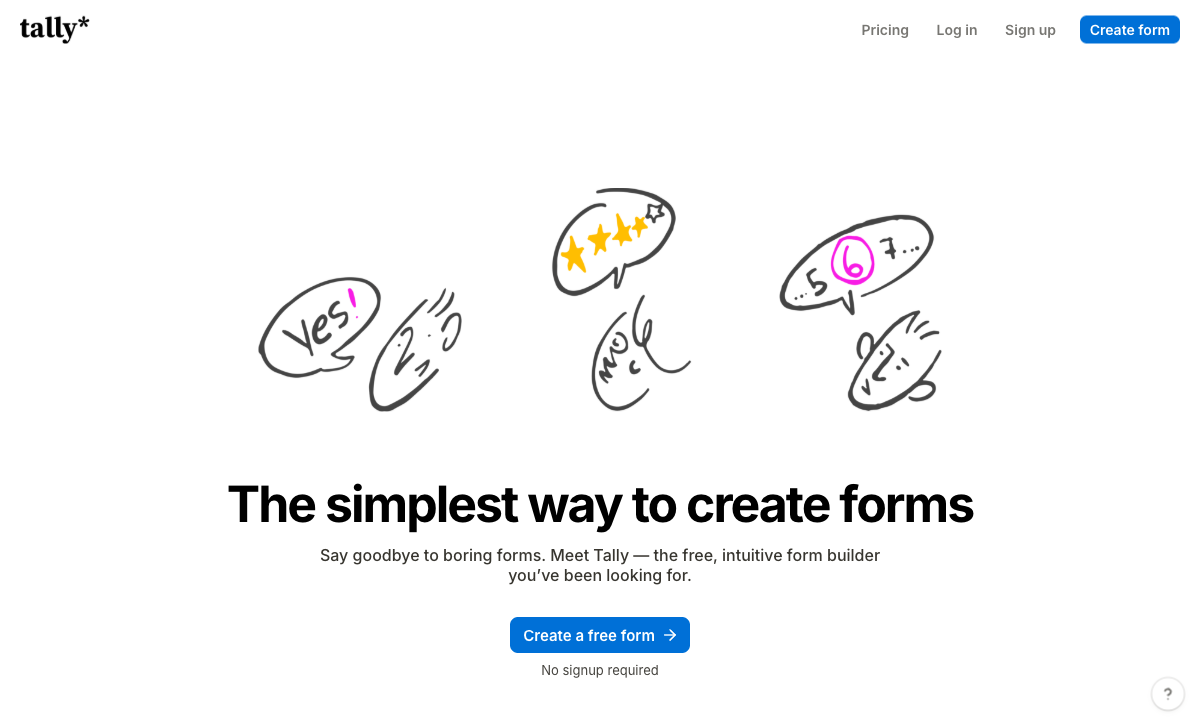
Nothing is counted, where Zoho counts seven things
Tally charges a flat $24/month on Pro for unlimited forms, submissions and team members, against Zoho's seven separate meters. Zoho Basic allows 10,000 submissions a month and one user; exceeding the cap costs $12/month for the next 10,000, extra storage is $6/month, Zoho Flow tasks are $2/month per pack, prefill and webhook requests are $6/month, PDF generation stops at 2,000 documents until you buy 200-credit packs at $5, and AI credits come in 5,000-credit blocks at $6. That is six things to watch during a busy month. On Tally there is one number and it does not move.
Seats cost nothing, and Zoho's are the tier ladder
Tally Pro and Business both include unlimited team members, plus workspaces and folders with access management from Pro. Zoho Forms gives one user on Free and Basic, 10 on Standard at $25/month annually, 25 on Professional at $50 and 100 on Premium at $90, with extra Premium users billed at $1.10/month each. A five-person team is a $25/month decision on Zoho and a non-event on Tally. Work the crossover against the headcount you expect in a year rather than the one in the room today.
Design that respects the respondent
Tally's block editor behaves like Notion: type the question onto the page, insert a block with a slash command, publish. The output looks contemporary, and the free plan already carries conditional logic, a formula editor shipped in June 2026, Stripe payments and subscriptions, e-signature fields, answer piping, password protection, 45-plus languages with RTL and one-click import from Typeform. Reviews of Zoho Forms return to the same complaint, put plainly by Website Planet: customization of form appearance is very limited, and there is none at all on the free tier.
Free AI in the editor, and connectors into the assistants people use
Tally AI is free on every plan and builds, edits, rebrands, translates and repairs forms from a chat window in the editor. Tally also ships an MCP server, an official ChatGPT plugin and a verified Claude connector, so a form can be created or its submissions pulled without opening the product. Zoho's Zia reached Forms in July 2026 with AI-generated choice options and AI-generated themes, both drawn from a credit balance you buy. Be fair to both: neither reads your responses back to you with any depth, and Tally's Insights tab is statistical only.
Reviewers rate it higher
Tally sits at 4.8 on G2 from 97 reviews and 4.9 on Capterra, with value for money at 4.9 and ease of use at 4.8. Zoho Forms sits at 4.5 on Capterra from 148 reviews and 4.4 on G2, with customer support at 4.3 on both Capterra and GetApp, its weakest sub-score. Zoho's sample is larger and better evidenced, which counts for something, but the direction is consistent across every platform.
Strengths of Zoho Forms
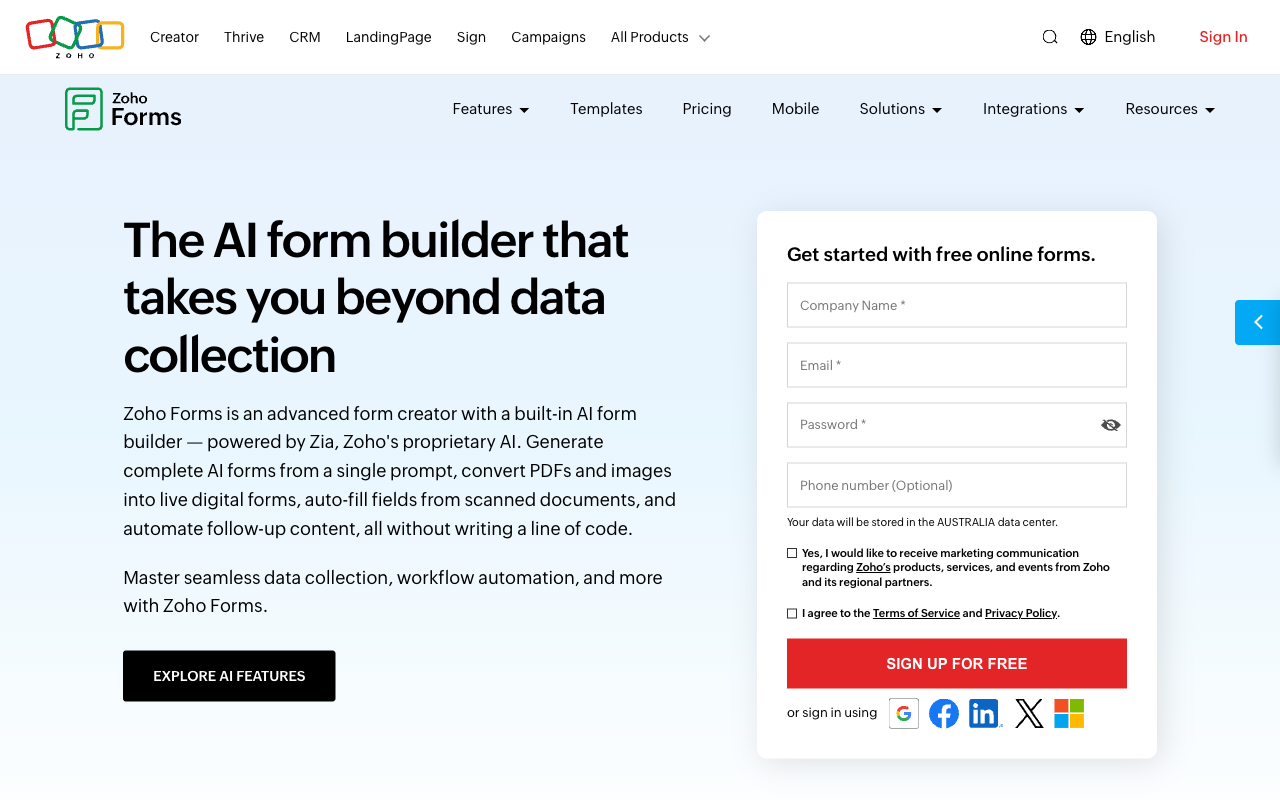
A compliance posture Tally does not attempt
Zoho Forms is HIPAA compliant on Premium with audit trails, and carries GDPR, CCPA, SOC 2 and ISO 27001 across Zoho's cloud, with SSO available. Tally publishes GDPR and EU hosting and stops there: no SOC 2, no ISO certification, no HIPAA, and no SSO or 2FA on any tier including the $89/month Business plan, which is its highest. For patient intake, a school safeguarding form or anything a procurement review touches, Zoho is the only one of the two with an answer. The caveat matters: HIPAA sits on Premium at $90/month annually, a tier priced for 100 users, so a small clinic pays for ninety seats it will never fill.
Offline mobile capture, which almost nobody else does
Zoho Forms has full native iOS and Android apps with genuine offline data collection, QR code scanning, geolocation tagging, image capture and signatures, syncing when the device gets a connection. Tally has responsive forms and no app. Field inspections, event check-ins in a basement, agricultural surveys and warehouse audits all fall to Zoho here, and it is the single most under-discussed reason to pick it.
Native depth inside the Zoho suite
If you already run Zoho CRM, Desk, Projects or Campaigns, Zoho Forms writes into them without middleware, and reproducing that with Tally means a Zapier or Make step per destination with the mapping maintained by hand. Zoho reports 100K+ Forms customers inside an ecosystem of more than 100 million users. The flip side is the one reviewers keep flagging: outside the suite, third-party integration is comparatively thin and automation runs on Zoho Flow tasks you buy in packs.
Approvals, document merge and a real entry price
Zoho Forms includes approval workflows and document merge for quotes and invoices from Standard, which Tally has no equivalent of at any price. And $10/month annually for unlimited forms and 10,000 submissions is a genuinely low floor. For a single-operator business with steady volume inside one tier, that is the cheapest credible paid plan in this comparison.
Where Tally falls short
- No certificate to hand over: no SOC 2, ISO 27001 or HIPAA, and no SSO or 2FA even on the $89/month top tier.
- Nothing happens after submit: no workflow builder, no approval routing, no template-driven document generation. Anything past notify goes out to Zapier, Make or n8n.
- No mobile app and no offline capture: a hard stop for field collection that Zoho handles natively.
- Logic gets hard to trace: Hackceleration's review of 15 users flags heavily branched forms as painful to debug with no visual logic map.
- One payment processor: Stripe only, with no coupons, tax calculation or refund handling.
- Analytics are paywalled: visit data, drop-off tracking and partial submissions all require Pro, where nearly everything else is free.
- Support has no escalation tier: email only, from a team of about ten, with nothing to buy your way up to.
Where Zoho Forms falls short
- Seven meters, seven top-ups: submissions, storage, users, Flow tasks, prefill and webhook requests, PDF credits and AI credits are all separately capped and separately billed.
- Forms look like forms: limited styling, no custom CSS on lower plans, no rich media in the body, and no customization on Free.
- A 60-field ceiling: long applications hit a structural wall, and display modes are separate form types rather than a toggle.
- Analytics start at Standard: $25/month annually before you can see why people abandon, and partial submissions are not captured on any plan.
- eSignature is a separate purchase: Zoho Sign is its own product on its own plan, and automation beyond Zoho apps is a Flow task balance.
- Support rates 4.3: the weakest sub-score on both Capterra and GetApp, which is what one product among fifty-five tends to feel like.
- Value is concentrated inside the suite: a mixed stack gets noticeably less out of it than a Zoho One shop does.
Pricing Comparison
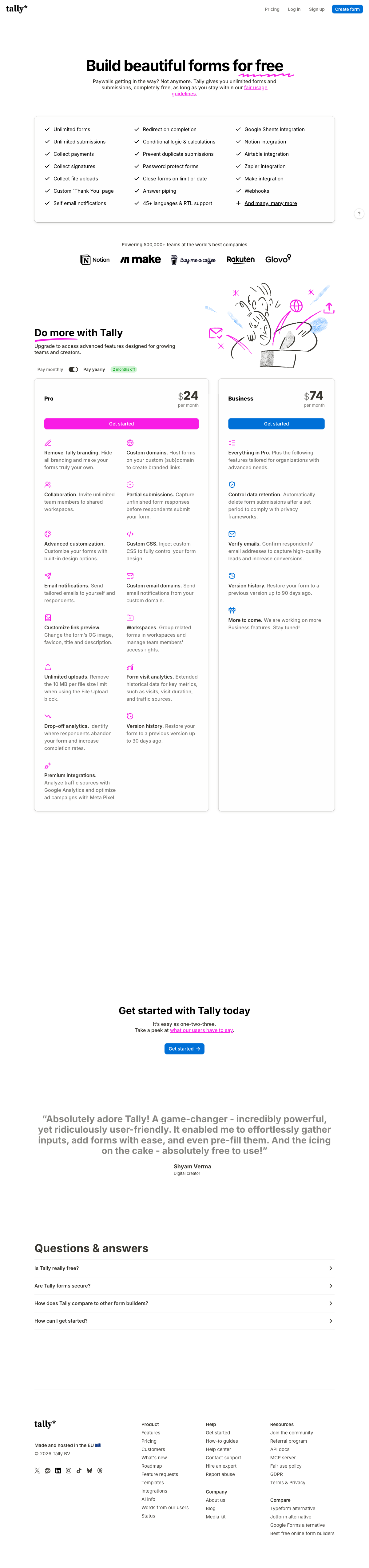
Zoho Forms Basic is $10/month billed annually and Tally Pro is $24, so Zoho wins the sticker comparison by a clear margin. The crossover arrives faster than most buyers expect. Add a second person and Zoho becomes Standard at $25/month, which already exceeds Tally's Pro price while capping submissions at 25,000. Run a campaign that lands and the next 10,000 submissions cost $12/month on top. Tally's ceiling is Business at $74/month annually, and even that top tier undercuts Zoho Premium at $90. The right question is not which plan is cheapest today but which bill reacts to a good month.
Tally
Zoho Forms
| Product | Plan | Monthly Price | Annual Price (per month) | Free Plan | Free Trial | Limits |
|---|---|---|---|---|---|---|
| Tally | Free | Free | Free | Yes | No | forms: Unlimited, submissions: Unlimited, storage: N/A, users: 1, file uploads: 10 MB per file |
| Tally | Pro | $29/mo | $24/mo billed annually | forms: Unlimited, submissions: Unlimited, storage: N/A, users: Unlimited, file uploads: Unlimited | ||
| Tally | Business | $89/mo | $74/mo billed annually | forms: Unlimited, submissions: Unlimited, storage: N/A, users: Unlimited | ||
| Zoho Forms | Free | Free | Free | Yes | 15 days | forms: 3, submissions: 500/month, storage: 200 MB, users: 1 |
| Zoho Forms | Basic | $12/mo | $10/mo billed annually | forms: Unlimited, submissions: 10,000/month, storage: 500 MB, users: 1 | ||
| Zoho Forms | Standard | $30/mo | $25/mo billed annually | forms: Unlimited, submissions: 25,000/month, storage: 2 GB, users: 10 | ||
| Zoho Forms | Professional | $60/mo | $50/mo billed annually | forms: Unlimited, submissions: 75,000/month, storage: 5 GB, users: 25 | ||
| Zoho Forms | Premium | $110/mo | $90/mo billed annually | forms: Unlimited, submissions: 150,000/month, storage: 10 GB, users: 100 |
What Users Say
The sub-scores tell the story better than the headline ratings. Tally's highest score is value for money at 4.9, which is what people say about a product that stopped charging them for growth. Zoho's lowest is customer support at 4.3 across two platforms, which is what people say about a product that is one line in a very large catalogue. Ease of use splits the same way, 4.8 for Tally against 4.5 for Zoho.
The Verdict
For a form that ends at the submit button, Tally is the better product and the safer purchase. It looks better, it costs the same every month, it hands out seats for free, and its free plan is the most generous in the category by some distance. If you are collecting leads, running a survey, taking event RSVPs or charging a fixed price through Stripe, buy Tally and stop reading.
Zoho Forms earns the decision in three specific situations, and they are worth naming precisely: you need a BAA or an ISO certificate for a checklist somebody else wrote, you collect data offline on a phone, or your business already runs on Zoho CRM. In those cases the metering is a cost of admission and Zoho is the correct answer.
The buyer neither one serves well is the one in between. That is the operator who needs several client brands kept apart, payments with pricing logic behind them, a contract signed and filed after the form is submitted, an approval chain with a person at each step, and a defensible security posture, all without a quota to watch. Tally hands that work to n8n. Zoho sells it as Forms plus Zoho Sign plus a Flow task balance.
Consider Paperform
Paperform is built for that gap, and the money goes first because it is the honest objection. Paperform Pro is $59/month, or $49 billed annually, which is double Tally Pro and nearly five times Zoho Basic. There is nothing cheaper here. What the higher floor removes is the meter on the things that grow: submissions and seats are unlimited within fair use on Pro and on Business at $124/month annually, so the campaign that works and the eleventh colleague who needs access are both free events rather than invoice conversations. Per-usage pricing charges you for the outcome you were hoping for, and Zoho's seven caps are that idea taken to its conclusion.
The structural difference is scope. One Paperform subscription covers Paperform for forms, Papersign for eSignatures and Stepper for workflow automation on every plan, from one account and one dashboard, so the application, the countersigned agreement and the onboarding workflow that follows all live in the same place. Pro includes 25 signed documents a month, unlimited workflow steps and 20,000 automation credits; Business includes 100 signed documents and 100,000 credits. Automation credits are the one thing Paperform meters, and a heavy workflow user will feel them, so check them against your volume. The trade is that it replaces an automation subscription rather than sitting on top of one.
On the five dimensions this page has measured: payments run through Stripe, PayPal, Square, Braintree and Google Pay with products, subscriptions, coupons, tax, quotes and refunds, all driven by an Excel-style calculation engine that also decides which questions and pages appear, which conditional emails fire, what each integration receives and what the success page shows. There are 4000+ integrations. Paperform is SOC 2 Type II, GDPR and CCPA compliant, with SAML SSO and enforced 2FA on Business, which answers the questionnaire Tally cannot without buying a tier sized for 100 people. One limit stated plainly: Paperform is not HIPAA compliant and signs no BAAs, so protected health information belongs with Zoho Premium and not here, and there is no offline mobile capture either. Paperform has been bootstrapped and profitable since 2016, support is built into the seat price rather than sold back as an enablement fee, and the 7-day trial needs no card.
For the head-to-heads, see Paperform vs Tally and Paperform vs Zoho Forms. If the shortlist is still open, our best form builders ranking covers the wider field, and Zoho Forms alternatives goes deeper on escaping the metered suite.
Frequently Asked Questions
Is Tally really cheaper than Zoho Forms, or does Zoho Basic win at $10?
Zoho Forms Basic is cheaper on the sticker at $10/month billed annually against Tally Pro at $24/month, and it is the wrong comparison. Zoho Basic covers one user and 10,000 submissions a month; the next 10,000 cost $12/month, storage above 500 MB costs $6/month, and a second person means moving to Standard at $25/month. Tally Pro carries unlimited forms, unlimited submissions and unlimited team members at a fixed $24. Two people and a good month, and Tally is already the cheaper line on the invoice.
Which one can collect data in the field without a signal?
Zoho Forms, without a competing answer from Tally. Zoho ships native iOS and Android apps with true offline data collection, QR scanning, geolocation tagging, image capture and on-device signatures, and submissions sync when the device reconnects. Tally is a web product with responsive forms and no native app, so a surveyor in a basement or a technician on a rural site has nothing to open. If field capture is the job, this comparison is already over.
Can Tally or Zoho Forms sign a BAA for patient intake?
Zoho Forms can, on its Premium tier at $90/month billed annually, which also adds audit trails. Zoho carries GDPR, HIPAA, SOC 2, CCPA and ISO 27001 across its cloud. Tally publishes GDPR compliance and EU hosting and nothing else: no SOC 2, no ISO certification, no HIPAA, and no SSO or two-factor authentication on any plan including Business at $89/month. Any security questionnaire that asks for a certificate ends the Tally conversation.
Does Zoho Forms or Tally handle payments better?
Zoho Forms supports two processors, Stripe and PayPal, both from the free plan, with product sales and formula-driven custom pricing from Basic. Tally supports one, Stripe, but includes payments and Stripe subscriptions free where Zoho caps the free plan at 10 payment submissions. Neither offers Square, Braintree or Google Pay, neither does coupons, and neither calculates tax. Zoho gives you the second gateway; Tally gives you recurring billing without paying for it.
Which is better if the form has to feed a CRM?
Zoho Forms, if the CRM is Zoho. Native connections to Zoho CRM, Desk, Projects, Campaigns and a dozen more make the data flow without middleware, and that plumbing is genuinely hard to beat. Outside the suite the picture inverts: Zoho lists around 150 integrations and routes third-party automation through Zoho Flow, whose task allowance is a $2/month add-on pack. Tally has roughly 17 native connections led by Notion, Airtable and Google Sheets, then reaches 1,000+ more through Zapier, Make, n8n and Pipedream, plus a REST API and an MCP server.
Which one looks better to the person filling it in?
Tally, comfortably. Its Notion-style block editor produces clean, modern pages, and reviewers consistently rate it 4.8 to 4.9 for ease of use. Zoho Forms is repeatedly described in reviews as very limited on appearance: no custom CSS on lower plans, no rich media in the form body, and no customization at all on the free tier. If the form is public-facing marketing rather than internal intake, the design gap is the first thing a visitor notices.
Sources & References
- Tally Pricing — Tally, September 2026
- Zoho Forms Pricing — Zoho, September 2026
- Zoho Forms Review: Can It Match the Competition? — Website Planet
- Tally Review 2026: Honest Verdict + 15 Real User Reviews — Hackceleration, 2026
- Zoho Forms review — TechRadar
Last updated September 22, 2026
Ready to try Paperform?
Create beautiful forms, payment pages, and workflows — no code required.