 By Dean McPherson, Co-founder & CTO, Paperform · Updated
Paperform vs Zoho Forms: Which Is Better in 2026?
Zoho Forms is the better choice if you already run the Zoho suite, need HIPAA, or collect data offline in the field. Paperform is the better choice for mixed stacks, because one subscription covers forms, eSignatures and workflow automation, while Zoho sells those as Forms, Zoho Sign and metered Zoho Flow tasks.
This comparison is really about where the joins in your process live. Zoho Forms is one line in a 55-app catalogue, and it is built on the assumption that the rest of your software is also Zoho. Inside that assumption it works beautifully: the form writes to Zoho CRM, the ticket opens in Zoho Desk, the campaign fires from Zoho Campaigns, and nobody touches a webhook. Step outside it and the picture changes. The signature is a separate purchase, the automation is a task balance you top up, and the person holding those pieces together is you.
Paperform argues the opposite case. Collect the application, get the contract signed, run the onboarding that follows: three steps of one process, sold as one subscription with one dashboard and one renewal. Zoho starts cheaper, at $12/month against Paperform's $59, and that difference is real. What the higher number buys is a bill with fewer moving parts and a stack with fewer seams.
Quick Verdict
Choose Zoho Forms if:
- Zoho CRM, Desk or Campaigns is already your system of record
- You need HIPAA compliance with audit trails
- Field teams collect data offline on phones and tablets
- ISO 27001 is a line item on the procurement form
- Submission volume is steady and easy to forecast
- The entry price has to be under $20/month
Choose Paperform if:
- Your stack is mixed and the form has to reach non-Zoho tools
- Signatures and multi-step workflow follow the submission
- You would rather not reconcile three renewal dates
- Seat count keeps changing and shouldn't move the price
- The form has to look like it came from your brand
- Quoting, scoring or pricing has to be calculated in the form
Five Facts That Settle Most of This
Pricing
Zoho Forms starts at $12/month ($10 billed annually) for 1 user and 10,000 submissions, rising to $110/month ($90 annually) for Premium. Paperform Pro is $59/month ($49 annually) with unlimited submissions and unlimited seats within fair use.
Integrations and API
Zoho Forms lists 150+ integrations, weighted heavily toward its own 40+ apps, with a REST API on every plan. Paperform connects 9,800+ integrations through native connectors, Zapier, Make, webhooks and a REST API, with a separate Business API on the $124/month annual tier.
Conditional logic
Both do skip logic and field visibility rules on every paid plan. Zoho's formula fields are on every plan, Free included, and stay inside the form. Paperform's Excel-style calculations also decide which pages appear, which conditional emails fire, what each integration receives and what the success page shows.
Payments
Zoho Forms supports 12 payment gateways, including Stripe, PayPal and Square, with subscriptions and coupons only through Stripe Checkout. Paperform supports 5: Stripe, PayPal, Square, Braintree and Google Pay, with a product catalogue, subscriptions, coupons, tax and refunds.
Compliance
Zoho Forms is GDPR, CCPA, SOC 2 and ISO 27001 compliant, and HIPAA compliant on the Premium plan. Paperform is SOC 2 Type II, GDPR and CCPA compliant, and is not HIPAA compliant and signs no BAAs. For protected health information, Zoho Forms wins outright.
Feature Comparison
Zoho leads on mobile, compliance breadth and native suite connections. Paperform leads on design control, payments, calculations and everything that happens after the submission lands.
| Feature | Paperform | Zoho Forms |
|---|---|---|
| Form Building | ||
| AI form builder . Describe the form you need in plain language and the tool drafts the questions for you. | Yes | Yes |
| Templates . The number of ready-made form templates in the tool’s template gallery. | 30,000+ | Yes |
| Field types . How many kinds of question or input field the form builder offers, such as text, dropdown, date, file upload and signature. | 26+ | 50+ |
| Conditional logic . Show, hide or skip questions and pages based on how someone has answered earlier questions. | Yes | Yes |
| Calculations . Compute totals, scores, prices or dates from answers while the form is being filled in. | Yes pro | Yes |
| Multi-page forms . Split a long form across several pages that respondents move through in order. | Yes | Yes |
| One question at a time . A conversational layout that shows a single question per screen, popular for surveys on mobile. | Yes | Yes |
| Answer piping . Insert a respondent’s earlier answer, such as their name, into later questions or text on the form. | Yes | Yes basic |
| Pre-filling and hidden fields . Fill in answers ahead of time from a link or existing data, and pass along values the respondent never sees. | Yes | Yes |
| File uploads . Let respondents attach files such as documents and photos to their submission. | Yes | Yes |
| E-signatures . Collect a signature, either with a signature field on the form or by sending a document out to be signed. | Yes | Yes |
| Appointment booking . Let respondents pick and book a time slot directly in the form, with availability managed by the tool. | Yes | Yes |
| Quiz scoring . Give answers point values so the form can score quizzes and assessments automatically. | Yes pro | Yes |
| Save and resume . Respondents can leave a form part-way through and come back later to finish it. | Yes | Yes |
| Close forms by date or response limit . Stop accepting submissions automatically on a set date or once a set number of responses has arrived. | Yes pro | Yes |
| Payments | ||
| Payment gateways . The number of payment processors a form can take payments through. Where a vendor’s full count isn’t recorded, the cell lists the gateways we confirmed. | 5 Stripe, PayPal, Square, Braintree, Google Pay | 12 processors, incl. Stripe, PayPal, Square, Authorize.net |
| Subscriptions and recurring payments . Charge respondents on a repeating schedule, such as monthly or annually, from a form. | Yes pro | Yes |
| Product sales . Sell products from a form, with product listings, quantities and an order total. | Yes pro | Yes |
| Conditional pricing . Change the price or add fees automatically based on the answers given in the form. | Yes pro | Yes |
| Coupons and discounts . Offer discount codes that respondents can apply to a payment or subscription on the form. | Yes pro | Yes |
| Tax calculations . Add sales tax to payments on the form automatically. | Yes | Not recorded |
| Refunds . Refund a payment from inside the form tool rather than going to the payment processor. | Yes | Not recorded |
| Design & Customization | ||
| Custom themes . Set your own logo, colours and fonts on forms and save them as reusable themes. | Yes pro | Yes basic |
| Custom CSS . Add your own CSS (and in some tools HTML) for styling beyond the built-in theme options. | Yes pro | No |
| Remove vendor branding . Remove the form builder’s own logo or badge so forms carry only your branding. | Yes pro | Yes basic |
| Custom domain . Host forms on your own domain, such as forms.yourcompany.com, instead of the vendor’s. | Yes business | Yes basic |
| Custom form URL . Choose a readable link for a form instead of a random string. | Yes pro | Yes |
| Emails from your own domain . Send notification and confirmation emails from your own email domain instead of the vendor’s. | Yes business | Yes |
| Multi-language forms . Show a form’s questions, buttons and messages in languages other than English. | Yes | Yes basic |
| Analytics | ||
| Response reports . Built-in summaries and charts of the answers a form has collected. | Yes | Yes |
| Form analytics (views and drop-off) . Track how many people view, start and finish a form, and where they abandon it. | Yes pro | Yes basic |
| Partial submissions . See the answers people entered before leaving a form without submitting it. | Yes pro | No |
| Google Analytics and Meta Pixel . Connect a form to Google Analytics or the Meta (Facebook) Pixel to track visits and conversions. | Yes pro | Yes |
| Custom tracking scripts . Add your own analytics or conversion-tracking scripts to a form. | Yes pro | Yes basic |
| AI response insights . AI-written summaries and insights generated from the responses a form has collected. | Yes pro | No |
| Collaboration | ||
| Team members . Invite colleagues into the same account to build forms and work with responses together. | Unlimited | Yes standard |
| Roles and permissions . Give team members different levels of access, such as admin, editor or viewer. | Yes business | Yes standard |
| Advanced permissions and admin controls . Fine-grained, organisation-wide controls over who can access what, usually on enterprise plans. | Yes enterprise | Yes standard |
| Workspaces . Separate spaces or folders for organising forms by team, client or project. | Yes | Yes |
| Security | ||
| Two-factor authentication . Users can protect their login with a second step, such as a code from an authenticator app. | Yes | Yes |
| Require 2FA for the whole team . Admins can make two-factor authentication mandatory for everyone in the account. | Yes business | Yes |
| SSO (SAML) . Team members sign in through your company’s identity provider, such as Okta or Microsoft Entra ID, using SAML single sign-on. | Yes business | Yes |
| HIPAA compliance . Whether the vendor supports collecting US protected health information under HIPAA, typically by signing a business associate agreement on an eligible plan. | No | Yes premium |
| SOC 2 . Whether the vendor holds a SOC 2 audit report covering its security controls. | Yes | Yes |
| GDPR . Whether the vendor states that it complies with the EU General Data Protection Regulation. | Yes | Yes |
| Data residency . Choose the region, such as the EU, where your form data is stored. | Yes enterprise | Yes |
| Store files in your own S3 bucket . Send uploaded files and exports to your own Amazon S3 storage instead of the vendor’s. | Yes business | No |
| Spam protection (CAPTCHA) . Block bot and spam submissions with reCAPTCHA or a similar challenge. | Yes | Yes |
| Integrations & API | ||
| Native integrations . Apps the tool connects to directly, without going through a third-party connector such as Zapier or Make. | 500+ | 25 |
| Zapier . Connect forms to thousands of other apps through Zapier. | Yes | Yes |
| Make . Connect forms to other apps through Make (formerly Integromat). | Yes | Not recorded |
| Workflow automation . A built-in builder for multi-step automations that act on submissions, such as approvals, routing and syncing data to other systems. | Yes | Not recorded |
| Webhooks . Send each new submission to a URL of your choice as soon as it arrives. | Yes pro | Yes |
| API access . A developer API for reading forms and submissions, or managing them, from your own code. | Yes pro | Yes |
| MCP server / AI assistant connector . An official connector, such as an MCP server, that lets AI assistants like Claude or ChatGPT work with your forms and responses. | Yes | Not recorded |
| WordPress plugin . A plugin for adding forms to a WordPress site. | Yes | Yes |
— means we haven't recorded it for that tool.
Where Zoho Forms Wins
Offline mobile capture that almost nobody else has
Zoho Forms ships native iOS and Android apps with true offline data collection, QR scanning, geolocation tagging, image capture and on-device signatures. Records sync when the connection returns. For inspections, site surveys, clinic intake on a tablet or anything happening away from reliable wifi, this is a category advantage and Paperform has no answer to it. Paperform has no mobile editor at all: forms are responsive for respondents, but building happens on a desktop.

HIPAA, ISO 27001 and a data residency choice
Zoho Forms is HIPAA compliant with audit trails on Premium, and ISO/IEC 27001 covers the whole Zoho cloud. Paperform is not HIPAA compliant and does not sign Business Associate Agreements. If patient data touches the form, buy Zoho Premium and stop reading the pricing argument below. Worth knowing before you budget: HIPAA sits on the $110/month tier ($90 annually), which is priced around 100 users, so a ten-person clinic pays for ninety seats it will not use.
Native plumbing across 40+ Zoho apps
If Zoho CRM is where your pipeline lives, Zoho Forms writes to it without a connector, a mapping screen or a middleware bill. The same applies to Desk, Projects, SalesIQ and Campaigns. That is a real advantage and it compounds the more Zoho you run. A team on Zoho One should treat this comparison as closed and keep what they have.
A much lower entry price, and a much bigger review base
Zoho Forms Basic is $12/month, or $10 billed annually, with unlimited forms and 10,000 submissions. Paperform sells nothing below $59/month ($49 annually). For a single administrator running a couple of intake forms at predictable volume, Zoho is roughly a fifth of the price and there is no clever counter-argument to make. Zoho Forms also carries about 148 reviews on Capterra and GetApp at 4.5 and 129 on G2 at 4.4, against Paperform's 104 and 78. Zoho's record is the better-evidenced one, even where the scores are lower.
Where Paperform Wins
One subscription where Zoho sells three products and a credit balance
Take an ordinary client onboarding. An application form, a service agreement signed and countersigned, then a sequence that creates the project, notifies the account manager and files the PDF. On Zoho that is Zoho Forms for step one, Zoho Sign as a separate product with its own plan for step two, and Zoho Flow tasks for step three, drawn from a balance you top up at $2/month per pack. PDF generation has its own ceiling at 2,000 documents before you buy 200-document packs at $5. Three renewal dates, four meters, and a person in the middle whose job is to notice when one of them runs dry.
Paperform sells the whole path as one thing. Papersign and Stepper are on every plan, on the same account, with the contract linked back to the submission that produced it. The customer should never have to be the integration between the tools their vendor chose to sell separately. That is the structural difference here, and most of the smaller differences below follow from it.
Support in the seat price rather than an enablement line item
Business software has a habit of charging for the licence and then charging again to make the licence useful: an onboarding package, an implementation fee, a training day quoted at signing. Paperform prices support into the seat instead. Live chat with the Customer Success team is on every plan, Priority from Pro and First Priority on Business, and the number on the pricing page is the cost of getting a team running. The reviews bear it out, with support at 4.7 on Capterra and 4.9 on GetApp. Zoho includes support too, but it is the lowest-rated dimension on both its Capterra and GetApp listings at 4.3, which is what being one ticket inside a 55-app suite tends to feel like.
The bill stops moving when the campaign works
Zoho Forms meters seven separate things: submissions, storage, users, Flow tasks, prefill and webhook requests, PDF credits and AI credits. Each has its own cap and its own top-up price. A month where 12,000 people answer instead of 9,000 breaks the Basic cap and adds $12/month for the next block. Paperform Pro and Business carry unlimited submissions, unlimited submission storage and unlimited seats within a fair use policy, which means a conversation about plan fit rather than a shutdown or a surcharge. Paperform meters one thing, automation credits, at 20,000 per month on Pro with overflow at $10 per additional 10,000, and it is worth naming that rather than pretending the meter does not exist.
Forms that look like they came from you
Zoho's customization is the most consistent complaint in its review base, and the free tier offers none at all. Paperform's document-style editor builds the form as a page you write: headings, copy, images, GIFs and video interleaved with questions, with custom CSS and full theming on every paid plan. There is no per-form field limit against Zoho's ceiling of 60, and Guided Mode is a toggle on any existing form rather than a separate form type you rebuild into. Paperform also ships 30,000+ templates, a colour picker and Google address search, which Zoho Forms lacks.
Calculations that run the form, not just the total
Paperform's Excel-style formulas decide which questions and pages a respondent sees, what a quote comes to after discounts and tax, which conditional email fires, what data each integration receives and what the success page displays. A configurator that prices by square metre, a registration that applies an early-bird rate until a date, an assessment that routes by band: configuration rather than development work. Zoho's formula fields compute values inside the form competently, and Smart Fields added formula-powered field groups in July 2026, but the maths does not reach commerce or post-submission behaviour in the same way. Zoho also has no AI assistance for writing calculations.
Zoho Forms on Video
Independent walkthroughs are the quickest way to judge the builder and the mobile app before committing a card.
Where Zoho Forms Falls Short
- Seven separate meters: submissions, storage, users, Flow tasks, prefill and webhook requests, PDF credits and AI credits, each capped and each topped up at its own price.
- eSignature is a different product: Zoho Sign is bought, billed and renewed separately from Forms.
- Per-seat ladder: 1 user on Free and Basic, 10 on Standard, 25 on Professional, 100 on Premium, with extra Premium users at $1.10/month each.
- Limited customization: no custom CSS on any plan, no rich media embedding, no colour picker, and no styling at all on Free.
- 60-field ceiling per form: fine for intake, restrictive for applications and detailed questionnaires.
- No partial submissions on any plan: the drop-offs you most need to see are invisible at every price point.
- Drop-off analytics need a paid plan: Free shows views, submissions and conversion rate, but field drop-off starts on Basic at $12/month ($10 annually).
- Payment depth is narrow: 12 gateways, but subscriptions and coupons work only through Stripe Checkout, and coupons only on one-time payments.
- Thin AI, billed by credits: Zia reached Forms in July 2026 with generated choice options and themes, drawn from credits sold at $6 per 5,000.
- Support is the weakest sub-score: 4.3 out of 5 on both Capterra and GetApp.
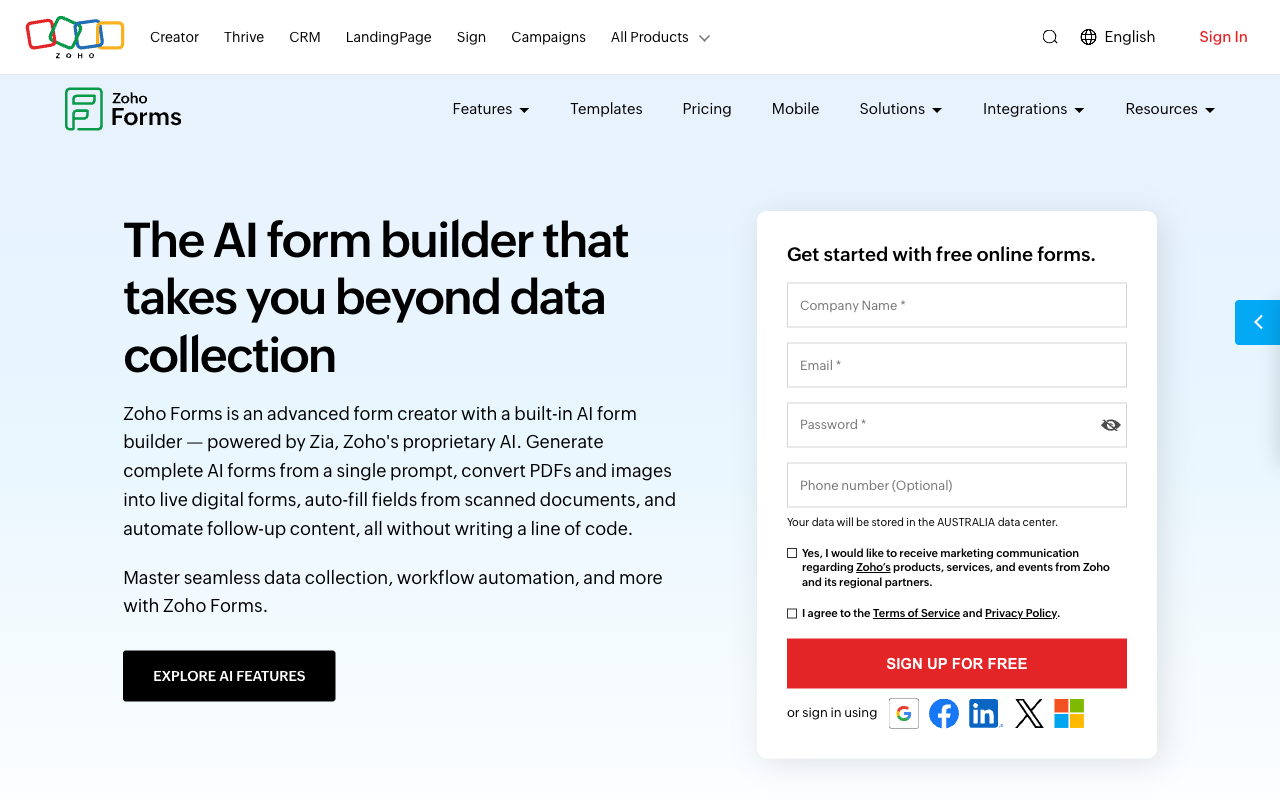
- Value concentrates inside Zoho: reviewers repeatedly note that third-party integration options are restrictive for non-Zoho users.
Where Paperform Falls Short
- No HIPAA compliance and no BAAs: a hard stop for protected health information, where Zoho Premium is the answer.
- No ISO 27001: Paperform holds SOC 2 Type II, GDPR and CCPA, but not the ISO certification Zoho's cloud carries.
- Higher entry price: $49/month annually against Zoho's $10, with nothing sold in between.
- No mobile editor and no offline capture: Zoho's native apps are far ahead here.
- Automation credits are metered: 20,000/month on Pro, then $10 per additional 10,000.
- Add-ons above the headline price: custom domains at $20/month each on Pro, Google address search at $10/month on Pro.
- Smaller review footprint: roughly 78 G2 and 104 Capterra reviews against Zoho's 129 and 148.
- Wrong tool for a three-question form: for simple collection, use the simple tool. Paperform is built for the process behind the form.
Pricing Comparison
Zoho Forms has five tiers that each cap submissions, storage and seats. Paperform has two paid tiers that cap none of them. The table below is mostly a picture of that difference.
| Tier | Paperform | Zoho Forms | What actually differs |
|---|---|---|---|
| Entry | Pro: $59/mo, $49 annually. Unlimited submissions, storage and seats | Basic: $12/mo, $10 annually. 10,000 submissions, 500 MB, 1 user | Zoho is far cheaper for one person at steady volume |
| Small team | Pro, unchanged, any number of seats | Standard: $30/mo, $25 annually. 25,000 submissions, 10 users | Zoho's price moves with headcount; Paperform's does not |
| Growing team | Pro, still unchanged | Professional: $60/mo, $50 annually. 75,000 submissions, 25 users | The two plans meet at roughly the same price, with different ceilings |
| Top tier | Business: $149/mo, $124 annually. 10 workspaces, SSO, Business API, 100 signed docs/mo | Premium: $110/mo, $90 annually. 150,000 submissions, 100 users, HIPAA, audit trails | Zoho buys HIPAA here; Paperform removes the ceilings and includes eSignatures |
| Above that | Enterprise: custom quote, with audit trails and EU or Australian data residency | None. Premium is the ceiling | Large deployments have somewhere to go on Paperform |
What will it cost you?
Paperform plans
- FreeFreeForms Unlimited, Submissions 30/month, Team Unlimited, Storage Unlimited
- ProMatches$49/moForms Unlimited, Submissions Unlimited, Team Unlimited, Storage Unlimited
- Business$124/moForms Unlimited, Submissions Unlimited, Team Unlimited, Storage Unlimited
| Plan | Price | Forms | Submissions | Team | Storage |
|---|---|---|---|---|---|
| Free | Free | Unlimited | 30/month | Unlimited | Unlimited |
| ProMatches | $49/mo | Unlimited | Unlimited | Unlimited | Unlimited |
| Business | $124/mo | Unlimited | Unlimited | Unlimited | Unlimited |
Zoho Forms plans
- FreeFreeForms 3, Submissions 500/month, Team 1, Storage 200 MB
- Basic$10/moForms Unlimited, Submissions 10,000/month, Team 1, Storage 500 MB
- StandardMatches$25/moForms Unlimited, Submissions 25,000/month, Team 10, Storage 2 GB
- Professional$50/moForms Unlimited, Submissions 75,000/month, Team 25, Storage 5 GB
- Premium$90/moForms Unlimited, Submissions 150,000/month, Team 100, Storage 10 GB
| Plan | Price | Forms | Submissions | Team | Storage |
|---|---|---|---|---|---|
| Free | Free | 3 | 500/month | 1 | 200 MB |
| Basic | $10/mo | Unlimited | 10,000/month | 1 | 500 MB |
| StandardMatches | $25/mo | Unlimited | 25,000/month | 10 | 2 GB |
| Professional | $50/mo | Unlimited | 75,000/month | 25 | 5 GB |
| Premium | $90/mo | Unlimited | 150,000/month | 100 | 10 GB |
| Product | Plan | Monthly Price | Annual Price (per month) | Free Plan | Free Trial | Limits |
|---|---|---|---|---|---|---|
| Paperform | Free | Free | Free | Yes | 7 days | forms: Unlimited, submissions: 30/month, storage: Unlimited, users: Unlimited, file uploads: 100 MB |
| Paperform | Pro | $59/mo | $49/mo billed annually | forms: Unlimited, submissions: Unlimited, storage: Unlimited, users: Unlimited, file uploads: 10 GB | ||
| Paperform | Business | $149/mo | $124/mo billed annually | forms: Unlimited, submissions: Unlimited, storage: Unlimited, users: Unlimited, file uploads: 100 GB | ||
| Zoho Forms | Free | Free | Free | Yes | No | forms: 3, submissions: 500/month, storage: 200 MB, users: 1 |
| Zoho Forms | Basic | $12/mo | $10/mo billed annually | forms: Unlimited, submissions: 10,000/month, storage: 500 MB, users: 1 | ||
| Zoho Forms | Standard | $30/mo | $25/mo billed annually | forms: Unlimited, submissions: 25,000/month, storage: 2 GB, users: 10 | ||
| Zoho Forms | Professional | $60/mo | $50/mo billed annually | forms: Unlimited, submissions: 75,000/month, storage: 5 GB, users: 25 | ||
| Zoho Forms | Premium | $110/mo | $90/mo billed annually | forms: Unlimited, submissions: 150,000/month, storage: 10 GB, users: 100 |
The add-ons are where the two models diverge most. Zoho Forms sells extra submissions at $12/month per 10,000, storage at $6/month, Zoho Flow tasks at $2/month, prefill and webhook requests at $6/month, 200 PDF credits at $5 and 5,000 AI credits at $6, with extra Premium users at $1.10/month each. Paperform charges for automation credit overflow, custom domains and Google address search on Pro, and includes eSignatures and workflow automation that Zoho sells as separate products. Zoho offers a Free plan rather than a trial; Paperform has a permanent free plan too, with no card required.
What Users Say
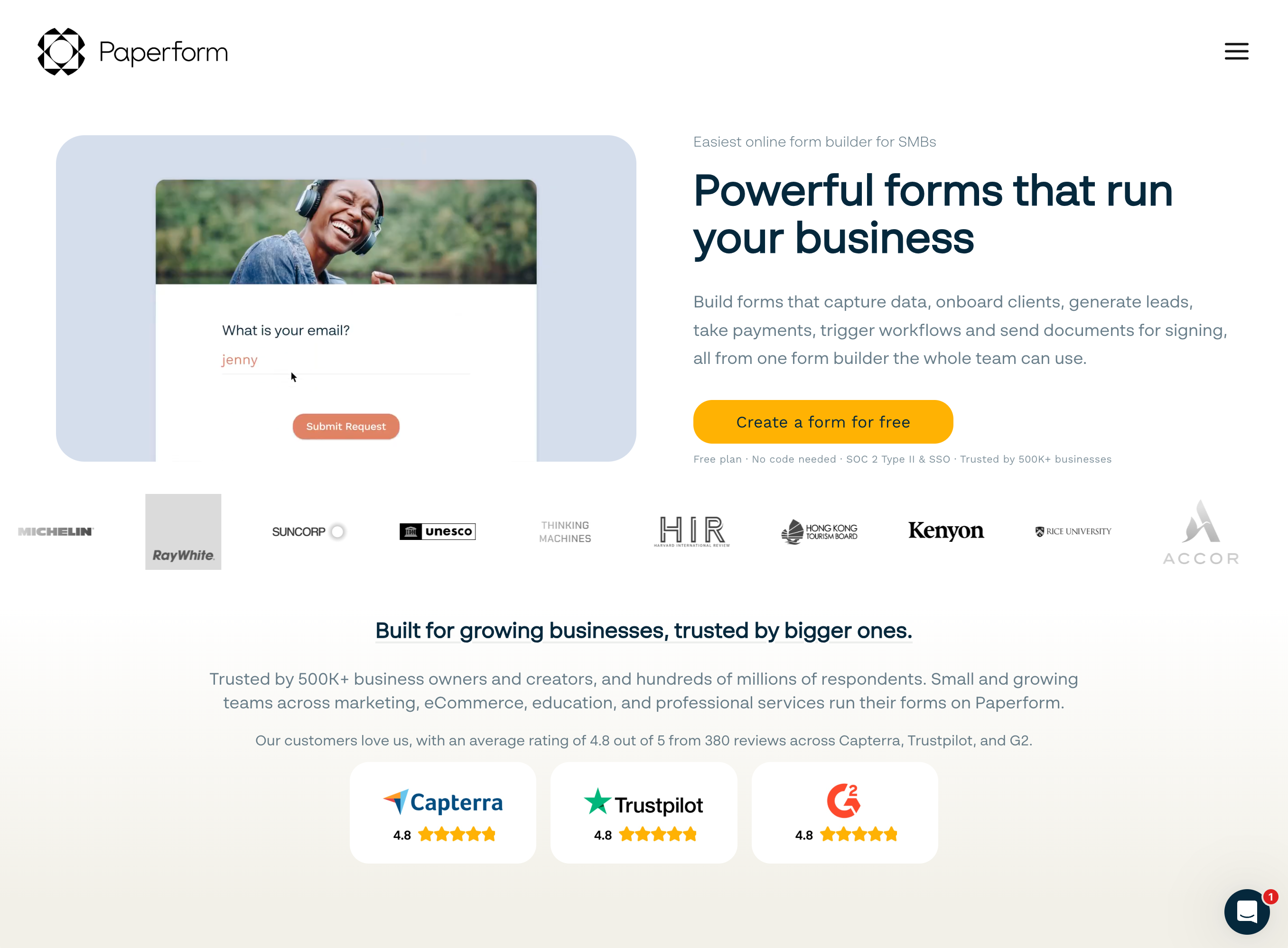
Zoho Forms sits at 4.5 across roughly 148 reviews on Capterra and GetApp and 4.4 on G2 across 129, with ease of use its strongest sub-score at 4.6 and support its weakest at 4.3. The recurring criticism in written reviews is design: limited appearance customization, and restrictive third-party integration for anyone outside the Zoho suite. Paperform's base is smaller at 78 on G2, 104 on Capterra and GetApp and 212 on Trustpilot, with an average around 4.8 and support rated 4.7 to 4.9. Fewer reviews, higher scores, and a complaint profile centred on price rather than on what the product does.
The Verdict
Choose Zoho Forms when the surrounding software is already Zoho, when a BAA is non-negotiable, or when the data gets collected on a phone with no signal. Those are three strong, specific reasons, and in each case the $10/month entry price is a bonus rather than the argument. A solo administrator running steady-volume intake forms will also be perfectly happy on Basic and should not pay five times as much for capabilities that will sit idle.
Choose Paperform when the form is the first step of a process rather than the whole of it. The moment a signature, an approval chain or a non-Zoho system enters the picture, Zoho's answer is another product and another meter, and the work of holding them together lands on your team. One subscription covering forms, signatures and automation removes that work, and unlimited submissions and seats mean the price you agree in January is the price a good year costs you in November. Paperform has been building this since 2016, bootstrapped and profitable, with support in the seat price rather than quoted as an enablement fee.
For a wider field, see our Zoho Forms alternatives or the overall form builder ranking. If low entry price is the main driver, the free form builder comparison is a better starting point than this page.
Frequently Asked Questions
Does a Zoho Forms plan include eSignatures, or do I need Zoho Sign as well?
You need Zoho Sign as well. Zoho Forms has a signature field for capturing a scribble inside a form, but sending an executed document for signature is a separate product on its own plan and its own renewal date. Zoho Forms also caps generated PDFs at 2,000 documents on paid plans (50 on Free), after which you buy 200-document credit packs at $5 each. A single Paperform subscription includes Papersign, with 25 signed documents per month on Pro at $59/month ($49 billed annually) and 100 on Business at $149/month ($124 annually), on the same account as the form that produced the contract.
What happens when my Zoho Forms plan hits its 10,000-submission cap mid-month?
You buy an add-on. Zoho Forms Basic includes 10,000 submissions per month, and the next 10,000 cost $12/month or $120/year. The same pattern applies to storage at $6/month, prefill and webhook requests at $6/month, Zoho Flow tasks at $2/month and extra Premium users at $1.10/month per head. Paperform Pro and Business carry unlimited submissions and unlimited submission storage within a fair use policy, so a campaign that outperforms does not produce an invoice conversation.
Is Zoho Forms HIPAA compliant, and is Paperform?
Zoho Forms is HIPAA compliant, but only on the Premium tier at $110/month ($90 billed annually), which also unlocks audit trails. Paperform is not HIPAA compliant and does not sign Business Associate Agreements. If protected health information passes through your forms, Zoho Forms is the right answer between these two and nothing else on this page changes that. Zoho also holds ISO 27001 across its cloud, which Paperform does not. Paperform holds SOC 2 Type II and is GDPR and CCPA compliant.
How many people can build forms on each Zoho Forms plan?
One on Free and Basic, 10 on Standard at $30/month ($25 annually), 25 on Professional at $60/month ($50 annually), and 100 on Premium. Seats are the mechanism that moves you up the ladder, and on Premium extra users are billed per head. Paperform includes unlimited seats on every plan, and one seat covers forms, eSignatures and workflow automation together, so a person using all three products counts once.
Can I automate anything outside the Zoho suite from Zoho Forms?
Yes, through Zoho Flow, which meters tasks and sells top-ups at $2/month per pack. Inside Zoho the native connections to CRM, Desk, Campaigns, Projects and SalesIQ are excellent and genuinely hard to beat. Outside it the picture thins: Zoho Forms lists 150+ integrations against Paperform's 9,800+ via native connectors, Zapier, Make, webhooks and a REST API. Stepper's workflow automation is part of the Paperform subscription rather than a separate product with a task balance, though Paperform does meter automation credits at 20,000 per month on Pro and 100,000 on Business.
Does Zoho Forms do offline mobile data collection better than Paperform?
Yes, clearly. Zoho Forms has native iOS and Android apps with offline capture, QR scanning, geolocation tagging and image capture, and it can build and edit forms on a phone. Paperform has no mobile editor and no offline capture; its forms are fully responsive for respondents, and Guided Mode is strong on mobile, but a field team collecting data in a basement or a paddock should use Zoho Forms. This is one of the few places where the gap is not close.
Is Zoho Forms support included, and how is it rated?
Support is included on Zoho plans, and it rates 4.3 out of 5 on both Capterra and GetApp, the weakest sub-score on either listing across roughly 148 reviews. The volume is the honest caveat: Zoho's number is better evidenced than Paperform's. Paperform rates 4.7 on Capterra and 4.9 on GetApp for support across a smaller base, with live chat access on every plan, Priority on Pro and First Priority on Business, and no onboarding package, implementation fee or training invoice produced at signing.
Sources & References
- Zoho Forms Pricing — Zoho, September 2026
- Zoho Forms Review: Can It Match the Competition? — Website Planet, 2026
- Zoho Forms review — TechRadar, 2026
- 6 Zoho Forms alternatives in 2026 — Heyflow, 2026
- Zoho Forms Reviews — Capterra, September 2026
Updates
We re-audit the form builders we compare on a regular cadence and log every change here — a public record of what changed and when.
- Updated September 22, 2026 — First publication against the September 2026 data re-audit. Paperform pricing reflects the current Free/Pro/Business/Enterprise lineup (Pro $59/$49, Business $149/$124, unlimited submissions and seats). Zoho Forms pricing verified live: Basic $12/$10, Standard $30/$25, Professional $60/$50, Premium $110/$90, with the full add-on table, the 2,000-PDF cap and the Zia AI credit model documented.
Unlimited plans are subject to each vendor's fair use policy.
Ready to try Paperform?
Create beautiful forms, payment pages, and workflows — no code required.