If you don't have any active subscriptions, your account will remain dormant in our system. You can always reactivate your account if your trial has expired or your subscription was cancelled. Follow the steps below to learn how:
- Click your name at the bottom of the sidebar to open the account menu, then choose Team settings.
- Under Plan and billing, click Plan and billing.
Platform
You can quickly reactivate your previous subscription here:
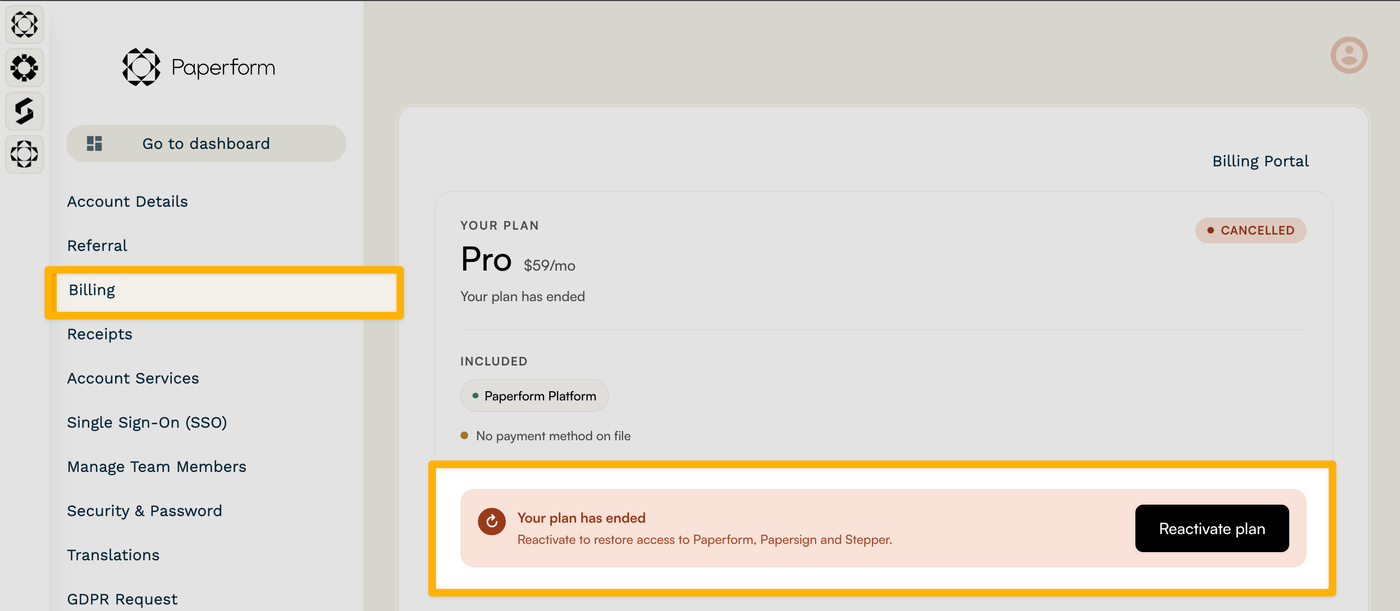
Or scroll down to choose a different subscription tier:
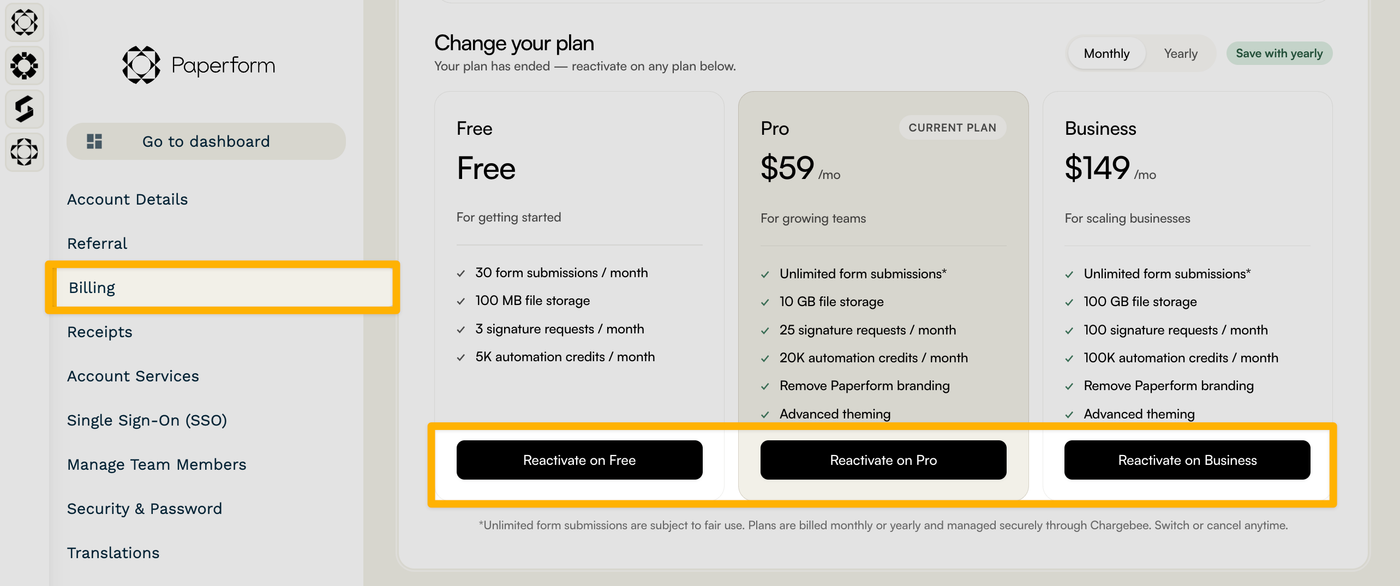
Legacy plans
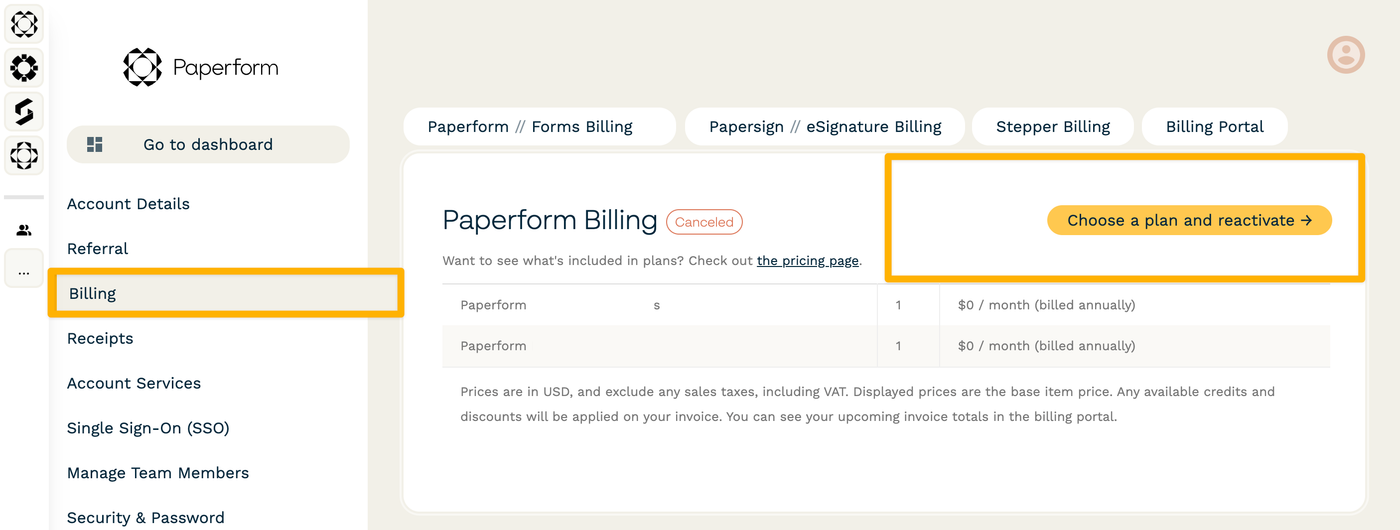
First, ensure you are in the correct Product tab: Paperform / Papersign / Stepper.
-
Then choose a plan and reactivate it. Check out the differences between our plans on the Pricing Page.
-
Follow the prompts to complete the billing and payment process.
That's it! Your subscription (and forms or documents) will be active once the payment has been processed successfully. Please get in touch with us at support@paperform.co if you have any questions.