The following information is for users on the Platform only. This does not apply to Legacy Stepper users.
How do automation credits work?
Automation credits power the automated work your forms and workflows do for you, including integrations, emails, calendar bookings, and Stepper workflow steps.
Each plan comes with an automation credit allowance that resets monthly at the start of every usage cycle. If you need more, you can purchase an add-on to increase your monthly allowance.
Automation credits are used by:
- Integrations that run on a submission
- Notification and custom emails your forms send
- Calendar appointments booked through a form
- Steps your Stepper workflows run
If you run out of credits, any workflows that depend on them will automatically pause until your allowance resets or you add more.
How do steps work?
A step is a single action in a workflow. For example:
- Updating a CRM
- Sending an email
- Posting a Slack message
Steps work the same way under the Platform. You can see how many steps are included in your plan on the pricing page.
Where can I see my automation credit balance and buy more?
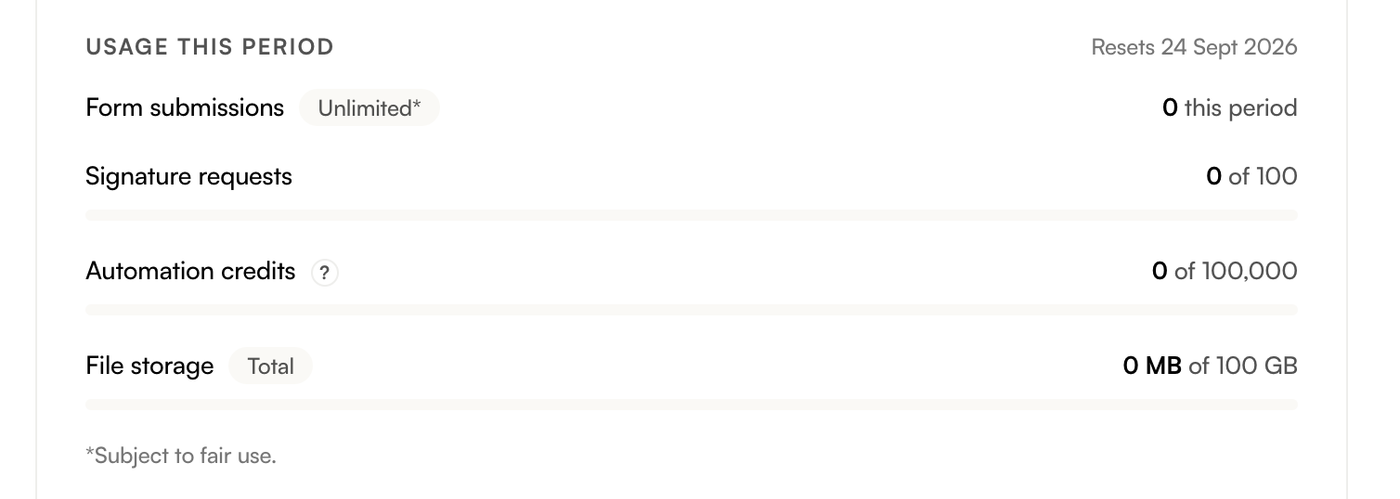
Once you've used a quarter of your credits, the dashboard sidebar shows Workflow credits with how many are left, for example "26,891 of 50,000 left this month". You can also see your credits on your Billing page (account menu > Team settings > Plan and billing).
You can purchase an additional credit add-on from the Billing page. You can also click Workflow credits in the sidebar and choose Buy more credits to go straight there. If you're not a billing admin, you'll see Ask the owner for more credits instead. Additional automation credits renew automatically each period.
Gotchas
- Submission webhooks don't use automation credits.
- Automation credits reset monthly, regardless of billing frequency (e.g. yearly or monthly).