You can access your forms' submission data from the Dashboard or from the form editor.
Access from the Dashboard
Find your form and click its name to open the Submissions page for that form. You can also click the "X results" link on the form's card, where X is the number of results the form has received so far.
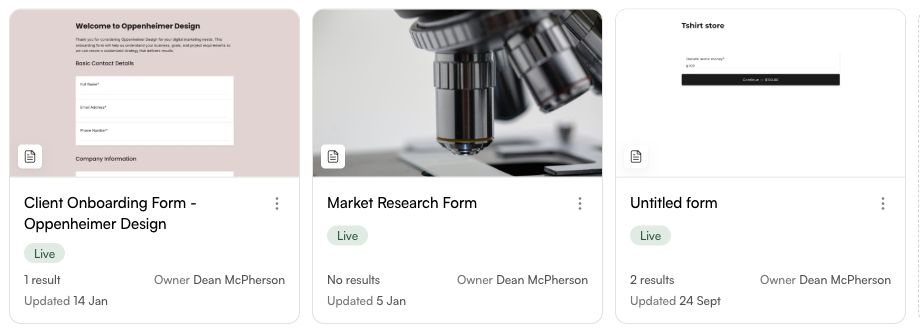
Alternatively, click the ⋯ menu on the form (or right-click it) and click Results.
Access from the Form Editor
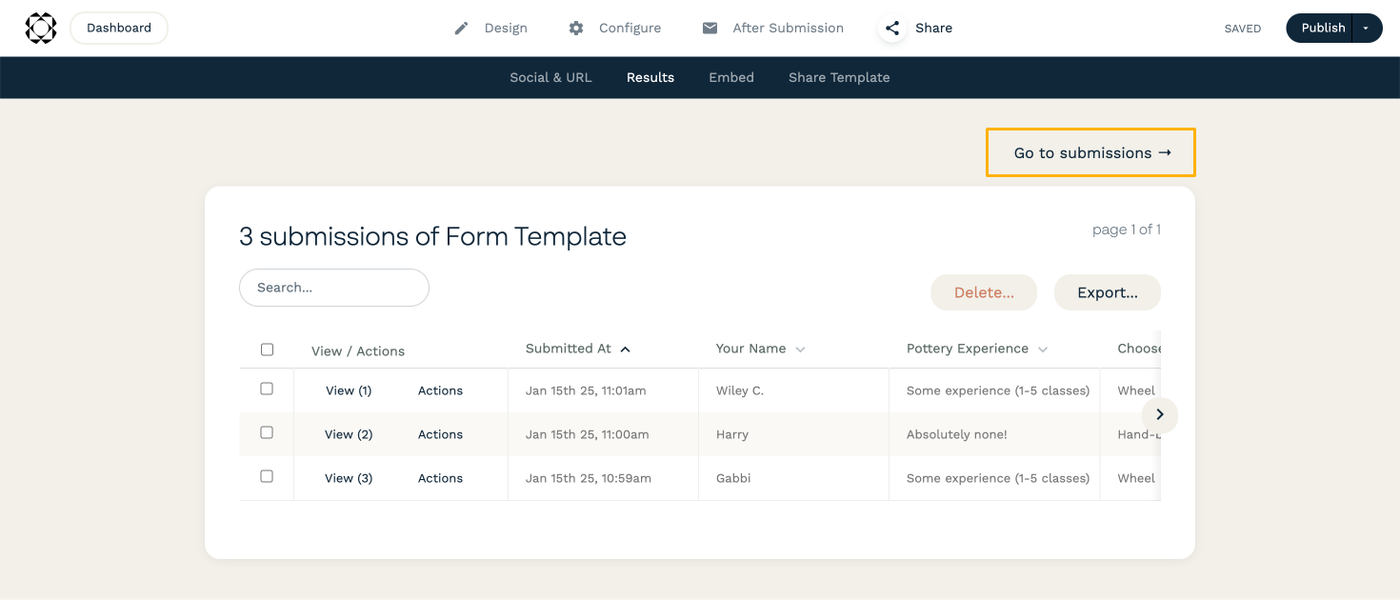
In the form editor, click Share → Results.
To view the full Submissions page, click "Go to submissions."
Gotchas
- There is no way to view or export submissions for all forms at once.
- If your submissions page is not up to date, try refreshing the page to reload the submissions.