
Best Form Builders for Marketing Agencies in 2026
Paperform is the best form builder for most marketing agencies, because campaigns, submissions and team seats are all unlimited on its paid plans while every rival here meters at least one of them. Choose Typeform for short brand-led capture, involve.me for quiz funnels, and HubSpot Forms when the client's portal is the whole job.
An agency buys a form builder on a different basis to the client it serves. The client has one brand, one volume curve and one team. You have twelve brands, a volume curve that spikes whenever a campaign works, and a roster that changes when someone goes on leave. The meters that a single business barely notices are the ones that bite an agency every quarter: live campaigns, responses per month, and seats.
We ranked seven tools on the dimensions that decide an agency's bill and its delivery speed. Pricing model comes first, then how far each tool gets past data collection on its own, how much of the client's brand it can carry, how many payment processors it reaches, and what its compliance page says when a client's legal team asks. Pricing and compliance were read live from each vendor's own pages on 22 September 2026.
If you want the wider list rather than the agency cut, see our best form builders ranking, or the version written for agencies of every type, including development and design shops.
| Feature | Paperform | Typeform | involve.me | HubSpot Forms | Fillout | Jotform | SurveyMonkey |
|---|---|---|---|---|---|---|---|
| Form Building | |||||||
| Document-style editor | Yes | No | No | No | No | No | No |
| AI form creation | Yes | Yes | Yes starter | No | Yes | Yes starter | Yes |
| Field types | 26+ | 20+ | Yes | No | 50+ | 30+ (starter) | 15+ |
| File uploads | Yes | Yes basic | No | Yes | Yes | Yes starter | Yes |
| Guided mode (one question at a time) | Yes | Yes | Yes | No | No | Yes starter | Yes |
| Payments | |||||||
| PayPal payments | Yes | No | No | No | No | Yes starter | Yes Individual Advantage |
| Square payments | Yes | No | No | No | No | Yes starter | No |
| Braintree payments | Yes | No | No | No | No | Yes starter | No |
| Google Pay | Yes | No | No | No | No | Yes starter | No |
| Product sales (eCommerce) | Yes pro | No | No | No | Yes | Yes starter | No |
| Design & Customization | |||||||
| Template gallery | 30,000+ | 1,500+ | Yes | Yes | Yes | 20,000+ (starter) | 400+ |
| Rich media (images, GIFs, videos) | Yes | Yes | Yes | No | Yes | Yes starter | Yes |
| Unsplash and Giphy integration | Yes | Yes | No | No | No | No | No |
| Image editor | Yes | No | No | No | No | No | No |
| Adobe Creative Cloud | Yes | No | No | No | No | No | No |
| Analytics | |||||||
| AI report insights | Yes pro | Yes business | Yes starter | No | No | No | Yes Individual Advantage |
| Paperform analytics | Yes pro | No | Yes pro | No | Yes business | No | No |
| Drop-off analysis | Yes pro | Yes business | No | No | No | No | No |
| Google Analytics & Facebook Pixel | Yes pro | Yes basic | Yes | Yes | Yes | No | No |
| Custom analytics scripts | Yes pro | Yes basic | Yes pro | No | Yes business | No | No |
| Collaboration | |||||||
| Form sharing (templates) | Yes | Yes | Yes | Yes | Yes | No | Yes Team Advantage |
| Spaces and tag management | Yes | No | No | No | Yes | No | No |
| Workspace organization | No | Yes | No | No | No | No | No |
| Form sharing | No | No | No | No | No | Yes starter | No |
| Assign forms | No | No | No | No | No | Yes enterprise | No |
| Security | |||||||
| Enforce 2FA for all users | Yes business | No | No | No | Yes team | No | Yes enterprise |
| reCAPTCHA | Yes | Yes business | No | No | Yes starter | Yes starter | Yes |
| Local data residency | Yes enterprise | No | No | No | Yes enterprise | No | Yes enterprise |
| Custom S3 storage (BYO) | Yes business | No | No | No | Yes | No | No |
| HIPAA compliant | No | Yes enterprise | No | Yes enterprise | No | Yes gold | No |
| Integrations & API | |||||||
| Native integrations | 4,000+ | 120+ (basic) | No | Yes | 50+ | 150+ (starter) | 200+ |
| Make (Integromat) | Yes | Yes basic | No | Yes starter | Yes | Yes starter | Yes |
| Standard API | Yes pro | No | Yes business | No | Yes | No | Yes Individual Advantage |
| Business API | Yes business | No | No | No | No | No | Yes enterprise |
| WordPress plugin | Yes | Yes | Yes | Yes | Yes | Yes starter | No |
 #1 Paperform — Best for Agencies Running Many Clients at Once

Paperform is the only tool in this ranking with no cap on forms, submissions or seats on its paid plans. Pro is $59/month, or $49/month billed annually. Business is $149/month, or $124 annually, and adds 10 workspaces, SSO and the Business API. Under a fair use policy, a campaign that pulls 400 leads and one that pulls 40,000 cost the agency the same, which removes the most awkward conversation in agency account management: explaining to a client that their success created an invoice.
The workspace structure is what makes it practical at roster scale. Business gives you ten workspaces to separate client work, each with their own forms, branding and access, administered from one account rather than billed as a pile of separate subscriptions. Seats are unlimited, so bringing a freelance copywriter in for a launch week costs nothing.
On the build itself, the calculation engine is the reason agencies keep the work in-house. Formulas are Excel-style, and they drive question and page visibility, conditional emails, what each integration receives and what the success page says, which is enough to ship a mortgage estimator, a media-spend calculator or a qualification score without a developer. Payments run through five gateways with subscriptions, coupons, tax and inventory, integrations number 4,000-plus, and the document-style editor produces forms that read as campaign landing pages rather than embedded widgets.
After the submission, Papersign generates the scope of work and files the signed copy against the response, and Stepper runs the routing, the CRM write and the Slack ping. One subscription, one renewal date, one vendor to call. The company was founded in 2016, is bootstrapped and profitable, and holds SOC 2 Type II, GDPR and CCPA. It is not HIPAA compliant and signs no BAAs, so a healthcare client belongs on a different tool.
- Pricing: Pro $59/month, $49 billed annually. Business $149/$124. Enterprise on quote. Unlimited submissions and seats on both paid plans.
- Best for: Agencies with a client roster, spiky campaign volume and a team that changes shape.
- Key limitation: No HIPAA compliance, the highest entry price of the unmetered options, and metered automation credits.
 #2 Typeform — Best Client-Facing Capture Experience

Typeform converts better than anything else here on short, high-intent capture, with the company claiming 3.5x more responses than a standard form. For an agency, that number is a pitch asset as much as a product feature: a client who has seen a Typeform recognises it, and the format survives a creative review with no design work from you. It is also cheaper to start than Paperform at $28/month billed annually, and it holds HIPAA, SOC 2, ISO 27001, ISO 27017, ISO 27018, PCI DSS and, since June 2026, ISO/IEC 42001 for AI management. Against a client security questionnaire, that list beats ours.
The problem is what an agency does with it at volume. Responses and seats are capped on all five plans: 100 responses and one user on Basic, 1,000 and three on Plus at $56/month annual, 10,000 and five on Business at $91/month annual. Growth Flow at $266/month annual is nearly three times Business and raises neither number. Calculations need Plus, payments are Stripe only, and native integrations number 120-plus. Run one campaign per client across ten clients and you are either buying multiple accounts or watching a shared response pool drain in the second week of a good month. The Marketing Agency's own 2026 review of the tool works through where the ceiling sits for client work.
- Pricing: Free (10 responses/month). Basic $39/month, $28 annually. Plus $79/$56. Business $129/$91. Growth Flow $379/$266.
- Best for: Short brand-led capture where the creative matters more than the volume.
- Key limitation: Every plan caps responses and seats, which is the wrong shape for a multi-client roster.
 #3 involve.me — Best for Quiz Funnels and Lead Scoring
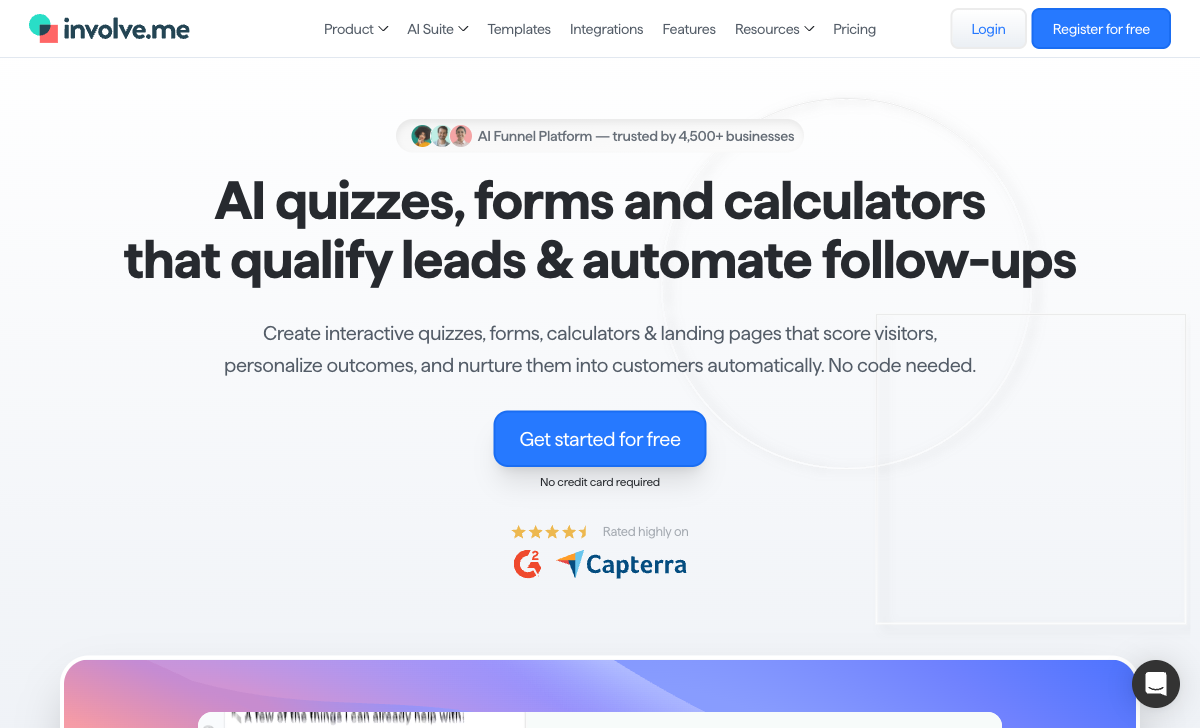
involve.me was built for the exact artefact agencies sell most often: the interactive quiz, the ROI calculator, the product finder that qualifies a lead before it reaches sales. Lead scoring, drop-off analytics per step, outcome email journeys and a built-in CRM are native rather than bolted on, there are 350+ design templates, and the AI formula generator writes calculator logic from a plain-language prompt. Paperform does not try to be a conversion-funnel platform, and on that specific job involve.me is better at it.
Live funnels are the meter, and for an agency that is the worst possible one. Start at $29/month annual allows three live funnels and one user with no purchasable seats. Grow at $69 allows five funnels and two users. Scale at $139 allows 25 funnels and five users, with extra seats at $10 per user per month. Twelve clients with two live campaigns each puts you on Scale immediately, and a fourth campaign for one client means unpublishing another client's. Every tier was repriced upward by roughly 50% between June and September 2026, and the Enterprise floor moved from $399 to $499. The company is pre-seed funded with fewer than 50 staff, and it has SOC 2 Type II as of July 2026 but no HIPAA or ISO 27001 claim.
- Pricing: Free (2 live funnels, 50 submissions/month). Start $49/month, $29 annually. Grow $99/$69. Scale $199/$139. Enterprise from $499.
- Best for: A small number of high-value interactive funnels where the quiz is the campaign.
- Key limitation: Live funnel caps of 3, 5 and 25, plus a 50% price rise across every tier this year.
 #4 HubSpot Forms — Best When the Client's Portal Is the Project
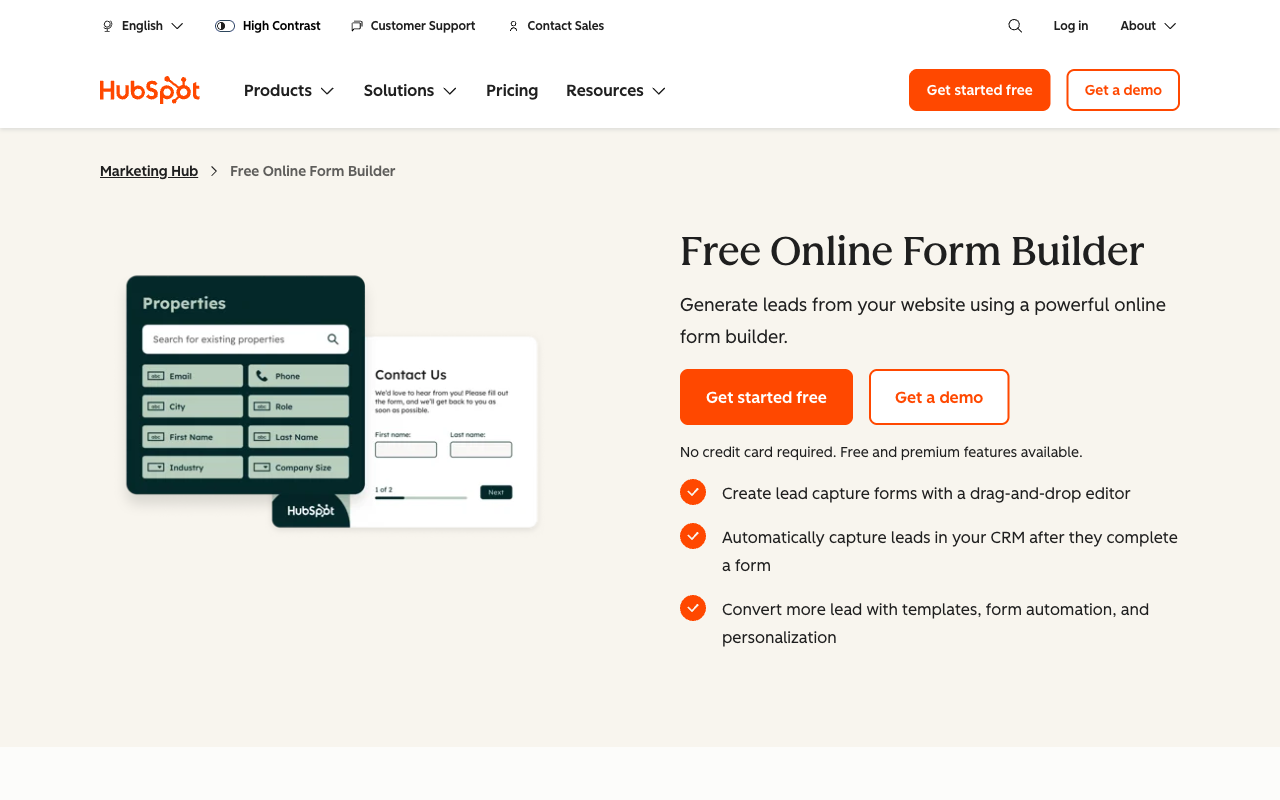
HubSpot Forms accepts unlimited submissions on the free tier and writes every one straight into the client's CRM record. For an agency already running a client's HubSpot portal, that is the shortest path from a landing page to an attributed contact, and progressive profiling and smart forms do things no standalone builder can replicate against HubSpot data. The integration surface across the wider HubSpot ecosystem runs past 1,600 apps.
As a form builder it is thin. There are around 15 CRM field types, no calculation fields, no appointment booking and no eSignature, so anything beyond capture goes somewhere else. Design control is minimal, which is why agencies tend to wrap it in their own page templates. The tier where forms genuinely get capable, with smart forms, A/B testing and real workflows, is Marketing Hub Professional at $890/month with three Core Seats included, $45 per seat after, a required $3,000 one-time onboarding fee, and AI usage now drawing on metered HubSpot Credits on top. HubSpot is HIPAA capable, but only on Enterprise, which is not the tier most clients are on.
- Pricing: Free (unlimited submissions, 2 users). Marketing Hub Starter $20/seat/month. Professional $890/month plus $3,000 onboarding. Enterprise $3,600/month.
- Best for: Retainers where you manage the client's HubSpot portal and the form is pure capture.
- Key limitation: No calculations, no booking, no signatures, and capable forms start at $890/month.
See Them in Action
 #5 Fillout — Best Low-Cost Option for a Small Shop

Fillout charges nothing for seats on any plan, including free, which makes it the cheapest way to get a three-person studio onto a shared account. Starter is $15/month billed annually and Pro $40, and both include conditional logic, calculations, quiz scoring, PDF generation, scheduling and Stripe payments. For an agency under 2,000 responses a month across all clients, it is simply the cheaper answer and we would not argue otherwise.
Past that the response meter starts steering decisions. Starter stops at 2,000 and Pro at 5,000, and the fix is an 87% jump to Business at $75/month annual or bulk submission packs at a price Fillout does not publish. Under the Zite rebrand the metering has spread to AI credits and workflow runs, the serious quotas sit in a $250/month Team bundle, and the lead-generation essentials that an agency would actually want are sold separately as a $100/month Conversion Kit. There are 50+ native integrations, Stripe is the only processor, and the company was founded in 2022. It is SOC 2 Type II and GDPR compliant, not HIPAA.
- Pricing: Free (1,000 responses/month). Starter $19/month, $15 annually. Pro $49/$40. Business $89/$75. Team bundle $300/$250.
- Best for: Small studios with modest total volume who want logic without a per-seat bill.
- Key limitation: Response caps below $75/month, unpublished overage pricing and a four-year track record.
 #6 Jotform — Best Breadth, Worst Seat Model for a Team

Jotform reaches further than anything else on this page: 40-plus payment processors, 150+ native integrations, 20,000 templates, native iOS and Android apps for field data capture, and HIPAA compliance with a BAA from the Gold plan at $99/month annual. If one of your clients is a clinic, a pharmacy or an allied health group, this is where that account goes, and the template library genuinely shortens delivery on a tight brief.
It ranks sixth here for one structural reason. Every self-serve tier is single-user. Starter, Bronze at $34/month annual, Silver at $39 and Gold at $99 all give exactly one login, so the second person who needs to edit a client form triggers an Enterprise quote rather than a settings change. Layer on the other meters, submissions, forms, form views, storage, fields per form and signed documents, and an agency ends up managing caps across a roster instead of managing campaigns. Our Paperform vs Jotform comparison works through where the crossover lands.
- Pricing: Free Starter (5 forms, 100 submissions/month). Bronze $39/month, $34 annually. Silver $49/$39. Gold $129/$99. Enterprise on quote.
- Best for: A solo operator, or an agency with one regulated client that needs HIPAA on a budget.
- Key limitation: One user on every self-serve plan, plus six other meters above it.
 #7 SurveyMonkey — Best for Research Deliverables, Not Campaigns
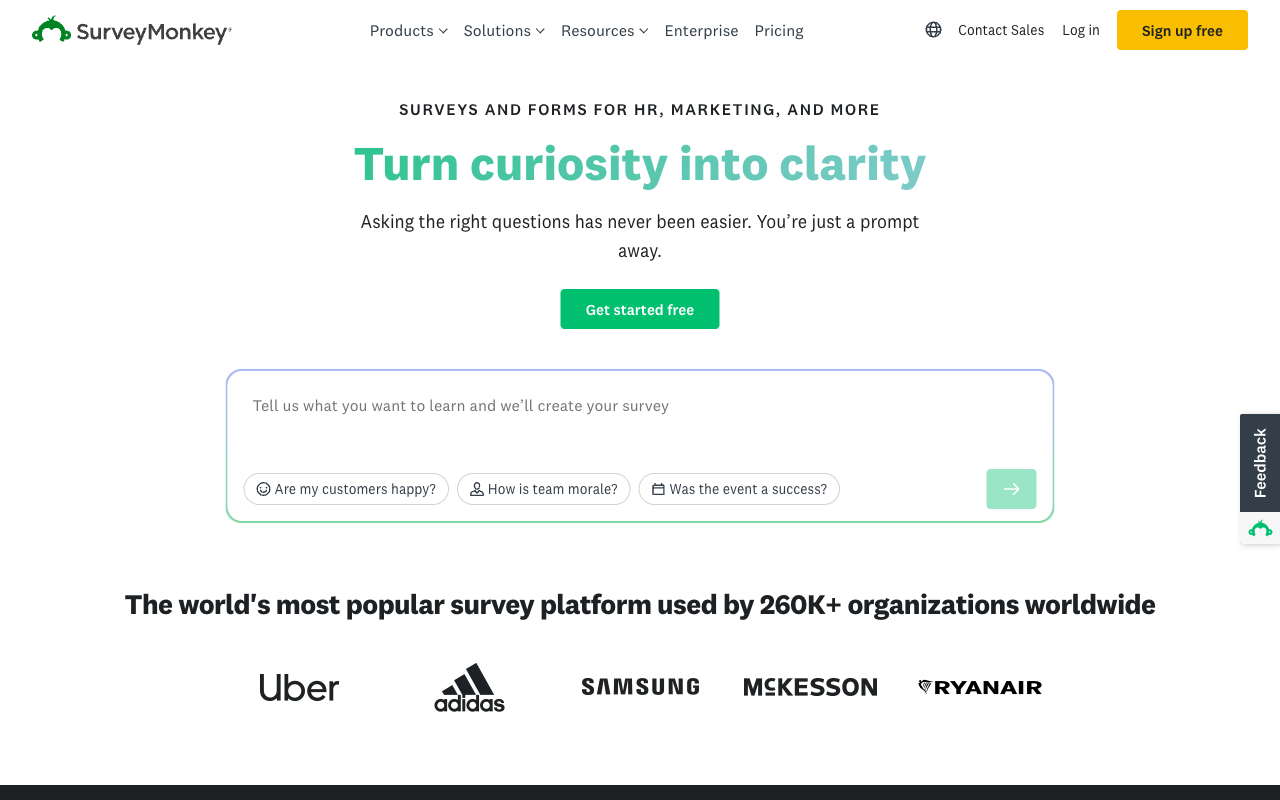
SurveyMonkey is the right tool when the deliverable is a research report rather than a lead. Question methodology, crosstabs, block randomisation, thematic analysis and access to a 335M-person respondent panel let an agency run brand tracking or audience segmentation studies it could not otherwise price. Twenty-seven years of operation and 23,500-plus G2 reviews sit behind it, and the September 2026 relaunch added conversational AI survey building.
As a campaign form builder it finishes last here on every dimension that matters to an agency. There are no calculation fields, payment support is thin with no recurring option, design control is limited, and pricing tightened this year: the month-to-month Standard plan was withdrawn in September, so every paid plan is an annual commitment. Individual Advantage is $32/month annual with a 15,000 response-per-year cap, Team Advantage runs $30 per user per month with a three-seat minimum, Enterprise now states a five-seat floor, and responses over the allowance cost $0.15 each. Featurebase's 2026 pricing breakdown covers the overage arithmetic in full.
- Pricing: Free Basic. Individual Advantage $32/month annual. Individual Premier $99. Team Advantage $30/user/month, three-seat minimum. Team Premier $92/user/month.
- Best for: Brand tracking, audience research and any deliverable that needs statistical rigour or a panel.
- Key limitation: Annual-only paid plans, $0.15 per-response overages and no calculation fields.
The Five Dimensions That Decide an Agency's Shortlist
Pricing model
Six of the seven tools here meter campaigns, responses or seats; Paperform meters none of them on paid plans. involve.me caps live funnels at 3, 5 and 25 by tier. Typeform caps responses and seats on all five plans. Fillout caps responses below $75/month annual. Jotform is single-user across every self-serve tier. HubSpot charges per Core Seat and per marketing contact. SurveyMonkey charges $0.15 per response over an annual allowance with a three-seat minimum on Team plans. Model your bill at three times today's campaign volume with two more people on the account before comparing entry prices.
Integrations and API
Native integration counts span two orders of magnitude across this group. Paperform lists 4,000+, HubSpot reaches 1,600+ across the wider ecosystem though not form-specific, SurveyMonkey 200+, Jotform 150+, Typeform 120+, involve.me 55+ and Fillout 50+. Every tool here exposes an API and webhooks on paid plans, and all seven connect through Zapier or Make, so the practical question for an agency is how many client stacks you can wire natively before you start paying a middleware subscription per client.
Conditional logic and calculations
All seven branch on an answer; only three run a calculation engine an agency can build a quoting tool on. Paperform's Excel-style formulas drive question and page visibility, conditional emails, integration payloads and success page content. involve.me's calculator builder with its AI formula generator is purpose-built for ROI and pricing quizzes. Fillout handles calculations and quiz scoring. Typeform gates calculations behind Plus at $56/month annual, Jotform uses a widget, and HubSpot Forms and SurveyMonkey have no calculation fields at all.
Payments
Jotform supports 40+ payment processors, Paperform five (Stripe, PayPal, Square, Braintree and Google Pay) with subscriptions, coupons, tax and inventory built in, and Typeform, involve.me and Fillout are Stripe only. HubSpot offers basic Stripe-backed payment links with no recurring billing on forms, and SurveyMonkey's payment support is limited with no subscriptions. For an agency collecting a deposit, a workshop fee or a monthly retainer through a form, that gap between five gateways with recurring billing and one gateway without is the whole decision.
Compliance
Four of the seven can be made HIPAA compliant: Jotform (from Gold), Typeform (Enterprise), SurveyMonkey (Enterprise) and HubSpot (Enterprise only, with sensitive data settings enabled). Paperform, involve.me and Fillout cannot, and Paperform signs no Business Associate Agreements. All seven claim GDPR compliance. All seven hold SOC 2, with involve.me's Type II audit completed in July 2026. Jotform, Typeform and SurveyMonkey add ISO 27001. If a client's legal team runs a security questionnaire, work that list before you shortlist on features.

Full Pricing Comparison
Every published tier across the seven tools. Annual rates are shown where vendors publish them separately, and per-seat plans are marked as such.
Paperform
Typeform
| Product | Plan | Monthly Price | Annual Price (per month) | Free Plan | Free Trial | Limits |
|---|---|---|---|---|---|---|
| Paperform | Free | Free | Free | Yes | 7 days | forms: Unlimited, submissions: 30/month, storage: Unlimited, users: Unlimited, file uploads: 100 MB |
| Paperform | Pro | $59/mo | $49/mo billed annually | forms: Unlimited, submissions: Unlimited, storage: Unlimited, users: Unlimited, file uploads: 10 GB | ||
| Paperform | Business | $149/mo | $124/mo billed annually | forms: Unlimited, submissions: Unlimited, storage: Unlimited, users: Unlimited, file uploads: 100 GB | ||
| Typeform | Free | Free | Free | Yes | No | forms: 10, submissions: 10/month, users: 1 |
| Typeform | Basic | $39/mo | $28/mo billed annually | forms: Unlimited, submissions: 100/month, users: 1 | ||
| Typeform | Plus | $79/mo | $56/mo billed annually | forms: Unlimited, submissions: 1,000/month, users: 3 | ||
| Typeform | Business | $129/mo | $91/mo billed annually | forms: Unlimited, submissions: 10,000/month, users: 5 | ||
| Typeform | Growth Flow | $379/mo | $266/mo billed annually | forms: Unlimited, submissions: 10,000/month, users: 5 | ||
| Typeform | Talent | $169/mo | $119/mo billed annually | forms: Unlimited, users: HR teams | ||
| involve.me | Free | Free | Free | Yes | 14 days | forms: 2 live funnels, submissions: 50/month or 500 visits/month, users: 1 |
| involve.me | Start | $49/mo | $29/mo billed annually | forms: 3 live funnels, submissions: Not published on the pricing page, users: 1 | ||
| involve.me | Grow | $99/mo | $69/mo billed annually | forms: 5 live funnels, submissions: Not published on the pricing page, users: 2 | ||
| involve.me | Scale | $199/mo | $139/mo billed annually | forms: 25 live funnels, submissions: Not published on the pricing page, users: 5 | ||
| HubSpot Forms | Free | Free | Free | Yes | 14 days | forms: Unlimited, submissions: Unlimited, users: 2 |
| HubSpot Forms | Marketing Hub Starter | $20/mo | $20/mo billed annually | forms: Unlimited, submissions: Unlimited, users: Per seat | ||
| HubSpot Forms | Marketing Hub Professional | $890/mo | $800/mo billed annually | forms: Unlimited, submissions: Unlimited, users: 3 Core Seats included (additional Core Seats from $45/mo) | ||
| HubSpot Forms | Marketing Hub Enterprise | $3600/mo | $3600/mo billed annually | forms: Unlimited, submissions: Unlimited, users: 5 Core Seats included (additional Core Seats from $75/mo) | ||
| Fillout | Free | Free | Free | Yes | No | forms: Unlimited, submissions: 1,000/month, storage: N/A, users: Unlimited, file uploads: 20 MB per file |
| Fillout | Starter | $19/mo | $15/mo billed annually | forms: Unlimited, submissions: 2,000/month, storage: N/A, users: Unlimited, file uploads: 20 MB per file | ||
| Fillout | Pro | $49/mo | $40/mo billed annually | forms: Unlimited, submissions: 5,000/month, storage: N/A, users: Unlimited, file uploads: 20 MB per file | ||
| Fillout | Business | $89/mo | $75/mo billed annually | forms: Unlimited, submissions: Unlimited, storage: N/A, users: Unlimited, file uploads: 1 GB+ | ||
| Fillout | Team bundle | $300/mo | $250/mo billed annually | forms: Unlimited, submissions: Unlimited, storage: 1,000,000 records, users: Unlimited, file uploads: 1 GB+ | ||
| Jotform | Starter | Free | Free | Yes | No | forms: 5, submissions: 100/month, storage: 100 MB, users: 1 |
| Jotform | Bronze | $39/mo | $34/mo billed annually | forms: 25, submissions: 1,000/month, storage: 1 GB, users: 1 | ||
| Jotform | Silver | $49/mo | $39/mo billed annually | forms: 50, submissions: 2,500/month, storage: 10 GB, users: 1 | ||
| Jotform | Gold | $129/mo | $99/mo billed annually | forms: 100, submissions: 10,000/month, storage: 100 GB, users: 1 | ||
| SurveyMonkey | Basic (Free) | Free | Free | Yes | No | forms: Unlimited, submissions: Limited per survey (exact number now only shown after sign-up/login), storage: N/A, users: 1 |
| SurveyMonkey | Individual Advantage | Free | $32/mo billed annually | forms: Unlimited, submissions: 15,000 per year, storage: N/A, users: 1 | ||
| SurveyMonkey | Individual Premier | Free | $99/mo billed annually | forms: Unlimited, submissions: 40,000 per year, storage: N/A, users: 1 | ||
| SurveyMonkey | Team Advantage | Free | $30/mo billed annually | forms: Unlimited, submissions: 50,000 per year (shared), storage: N/A, users: 3 minimum | ||
| SurveyMonkey | Team Premier | Free | $92/mo billed annually | forms: Unlimited, submissions: 100,000 per year (shared), storage: N/A, users: 3 minimum |
Full Feature Comparison
Every tracked capability across the seven tools, grouped by category.
| Feature | Paperform | Typeform | involve.me | HubSpot Forms | Fillout | Jotform | SurveyMonkey |
|---|---|---|---|---|---|---|---|
| Form Building | |||||||
| Document-style editor | Yes | No | No | No | No | No | No |
| AI form creation | Yes | Yes | Yes starter | No | Yes | Yes starter | Yes |
| Field types | 26+ | 20+ | Yes | No | 50+ | 30+ (starter) | 15+ |
| File uploads | Yes | Yes basic | No | Yes | Yes | Yes starter | Yes |
| Multi-page forms | Yes | Yes basic | Yes | Yes starter | Yes | Yes starter | Yes |
| Guided mode (one question at a time) | Yes | Yes | Yes | No | No | Yes starter | Yes |
| Conditional logic | Yes | Yes basic | Yes starter | Yes professional | Yes | Yes starter | Yes Individual Advantage |
| Calculations field | Yes pro | Yes plus | Yes starter | No | Yes | Yes starter | No |
| AI calculations assistant | Yes pro | No | Yes starter | No | No | No | No |
| Scoring | Yes pro | Yes plus | Yes starter | No | Yes | Yes starter | Yes |
| Answer piping | Yes | Yes basic | Yes starter | No | Yes | Yes starter | Yes Individual Advantage |
| Pre-filling and hidden fields | Yes pro | Yes basic | Yes pro | Yes | Yes | Yes starter | Yes Individual Advantage |
| Save and resume | Yes | No | No | No | Yes | Yes starter | Yes Individual Advantage |
| Auto-close by number | Yes pro | Yes basic | No | No | Yes | Yes starter | Yes Individual Advantage |
| Auto-close by date | Yes pro | Yes basic | No | No | Yes | Yes starter | Yes Individual Advantage |
| Appointment/booking field | Yes | Yes basic | Yes starter | No | Yes starter | Yes starter | No |
| Signature field | Yes | Yes basic | Yes business | No | Yes starter | Yes starter | No |
| Color picker field | Yes | No | No | No | No | No | No |
| API-powered dropdowns | Yes business | No | No | No | No | No | No |
| Google address search | Yes business | No | No | No | Yes conversion-kit | No | No |
| Question display logic | No | Yes basic | No | No | No | No | No |
| AI follow-up questions | No | Yes business | No | No | No | No | No |
| AI extended thinking & memory | No | Yes growth | No | No | No | No | No |
| Typeform AI connectors | No | Yes growth | No | No | No | No | No |
| Workflow / automation builder | No | Yes growth | No | No | No | No | No |
| AI-moderated research (Research Flow) | No | Yes enterprise | No | No | No | No | No |
| Video questions | No | Yes basic | No | No | No | No | No |
| Answer routing | No | No | Yes starter | No | No | No | No |
| OTP email and phone verification | No | No | Yes starter | No | No | No | No |
| AI form shortening (Breeze Intelligence) | No | No | No | Yes professional | No | No | No |
| AI agents (Agent Hub / Agent Builder) | No | No | No | Yes starter | No | No | No |
| Question types | No | No | No | Yes | No | No | No |
| Form unpublishing | No | No | No | Yes | No | No | No |
| Automatic lead enrichment | No | No | No | Yes professional | No | No | No |
| Automatic deal creation from forms | No | No | No | Yes professional | No | No | No |
| AI agent in the form editor (Form Agent) | No | No | No | No | Yes | No | No |
| Drag-and-drop builder | No | No | No | No | No | Yes starter | No |
| Form widgets | No | No | No | No | No | Yes starter | No |
| Template gallery | No | No | No | No | No | 20,000+ (starter) | No |
| AI chat survey editing | No | No | No | No | No | No | Yes |
| Payments | |||||||
| Stripe payments | Yes | Yes basic | Yes starter | Yes starter | Yes | Yes starter | Yes Individual Advantage |
| PayPal payments | Yes | No | No | No | No | Yes starter | Yes Individual Advantage |
| Square payments | Yes | No | No | No | No | Yes starter | No |
| Braintree payments | Yes | No | No | No | No | Yes starter | No |
| Google Pay | Yes | No | No | No | No | Yes starter | No |
| Product sales (eCommerce) | Yes pro | No | No | No | Yes | Yes starter | No |
| Subscriptions | Yes pro | Yes basic | Yes starter | No | Yes | Yes starter | No |
| Coupons and discounts | Yes pro | No | Yes | No | Yes | Yes starter | No |
| Custom pricing rules | Yes pro | No | Yes starter | No | Yes | Yes starter | No |
| Tax calculations | Yes | No | No | No | No | Yes starter | No |
| Quotes/invoices | Yes | No | No | No | No | No | No |
| Refunds | Yes | No | No | No | No | No | No |
| 3D Secure | Yes | Yes basic | No | No | No | No | No |
| 40+ payment gateways | No | No | No | No | No | Yes starter | No |
| No transaction fees | No | No | No | No | No | Yes starter | No |
| Design & Customization | |||||||
| Template gallery | 30,000+ | 1,500+ | Yes | Yes | Yes | 20,000+ (starter) | 400+ |
| Rich media (images, GIFs, videos) | Yes | Yes | Yes | No | Yes | Yes starter | Yes |
| Unsplash and Giphy integration | Yes | Yes | No | No | No | No | No |
| Image editor | Yes | No | No | No | No | No | No |
| Adobe Creative Cloud | Yes | No | No | No | No | No | No |
| Language translation | Yes | Yes basic | Yes | No | No | Yes starter | Yes Individual Premier |
| Advanced theming | Yes pro | Yes plus | Yes | Yes starter | Yes starter | Yes starter | Yes Individual Advantage |
| Custom form URL | Yes pro | Yes plus | Yes starter | No | Yes pro | No | Yes Individual Advantage |
| Custom domains | Yes pro | Yes enterprise | Yes starter | No | Yes business | Yes enterprise | No |
| Custom HTML & CSS | Yes pro | Yes business | Yes business | Yes starter | Yes pro | Yes starter | No |
| Remove branding | Yes pro | Yes plus | Yes pro | Yes starter | Yes pro | Yes bronze | Yes Individual Advantage |
| Custom email domains | Yes business | No | Yes pro | No | Yes pro | No | No |
| Form themes | No | No | No | No | No | Yes starter | No |
| Analytics | |||||||
| Submission results and reports | Yes | Yes | Yes | Yes | Yes | Yes starter | Yes |
| AI report insights | Yes pro | Yes business | Yes starter | No | No | No | Yes Individual Advantage |
| Paperform analytics | Yes pro | No | Yes pro | No | Yes business | No | No |
| Drop-off analysis | Yes pro | Yes business | No | No | No | No | No |
| Google Analytics & Facebook Pixel | Yes pro | Yes basic | Yes | Yes | Yes | No | No |
| Custom analytics scripts | Yes pro | Yes basic | Yes pro | No | Yes business | No | No |
| Partial submissions | Yes pro | Yes plus | Yes business | No | Yes business | No | Yes Individual Advantage |
| Cross-form Insights dashboard | No | Yes business | No | No | No | No | No |
| Automation workflows | No | No | Yes starter | No | No | No | No |
| A/B testing | No | No | Yes business | No | No | No | No |
| Built-in CRM | No | No | Yes starter | No | No | No | No |
| Conversion analytics | No | No | No | Yes professional | No | No | No |
| Form analytics | No | No | No | No | No | Yes starter | No |
| Google Analytics integration | No | No | No | No | No | Yes starter | No |
| Benchmarks | No | No | No | No | No | No | No |
| Collaboration | |||||||
| Multi-user accounts | Yes pro | Yes plus | Yes pro | Yes | Yes | Yes bronze | Yes Team Advantage |
| User permissions and management | Yes pro | Yes plus | Yes pro | Yes starter | Yes | Yes enterprise | Yes Team Advantage |
| Advanced permissions & admin | Yes enterprise | Yes enterprise | Yes enterprise | Yes enterprise | Yes team | Yes enterprise | Yes enterprise |
| Form sharing (templates) | Yes | Yes | Yes | Yes | Yes | No | Yes Team Advantage |
| Spaces and tag management | Yes | No | No | No | Yes | No | No |
| Workspace organization | No | Yes | No | No | No | No | No |
| Form sharing | No | No | No | No | No | Yes starter | No |
| Assign forms | No | No | No | No | No | Yes enterprise | No |
| Review Sessions | No | No | No | No | No | No | Yes Team Advantage |
| Persistent Magic Link | No | No | No | No | No | No | Yes Team Advantage |
| Security | |||||||
| SOC 2 Type II | Yes | Yes | Yes | Yes | Yes | Yes enterprise | Yes |
| GDPR compliant | Yes | Yes | Yes | Yes | Yes | Yes starter | Yes |
| SSL encryption | Yes | Yes | Yes | Yes | Yes | Yes starter | Yes |
| Two-factor authentication | Yes | Yes | Yes | Yes | Yes | Yes starter | Yes |
| Enforce 2FA for all users | Yes business | No | No | No | Yes team | No | Yes enterprise |
| SSO (SAML) | Yes business | Yes enterprise | Yes enterprise | Yes enterprise | Yes enterprise | Yes enterprise | Yes enterprise |
| reCAPTCHA | Yes | Yes business | No | No | Yes starter | Yes starter | Yes |
| Local data residency | Yes enterprise | No | No | No | Yes enterprise | No | Yes enterprise |
| Custom S3 storage (BYO) | Yes business | No | No | No | Yes | No | No |
| HIPAA compliant | No | Yes enterprise | No | Yes enterprise | No | Yes gold | No |
| ISO 27001 | No | Yes | No | No | No | No | No |
| PCI DSS | No | Yes | No | No | No | Yes starter | No |
| Custom S3 storage | No | No | No | No | No | No | No |
| Data residency | No | No | No | Yes enterprise | No | Yes enterprise | No |
| HIPAA compliance / BAA | No | No | No | No | No | No | No |
| Audit logs | No | No | No | No | Yes enterprise | No | No |
| 256-bit SSL | No | No | No | No | No | Yes starter | No |
| Form encryption | No | No | No | No | No | Yes starter | No |
| Integrations & API | |||||||
| Native integrations | 4,000+ | 120+ (basic) | No | Yes | 50+ | 150+ (starter) | 200+ |
| Zapier | Yes | Yes basic | Yes starter | Yes starter | Yes | Yes starter | Yes |
| Make (Integromat) | Yes | Yes basic | No | Yes starter | Yes | Yes starter | Yes |
| Webhooks | Yes pro | Yes basic | Yes business | Yes starter | Yes | Yes starter | Yes Individual Advantage |
| Standard API | Yes pro | No | Yes business | No | Yes | No | Yes Individual Advantage |
| Business API | Yes business | No | No | No | No | No | Yes enterprise |
| WordPress plugin | Yes | Yes | Yes | Yes | Yes | Yes starter | No |
| oEmbed support | Yes | No | No | No | Yes | No | No |
| API | No | Yes basic | No | Yes | No | Yes starter | No |
| Embed options | No | Yes | No | Yes | No | Yes starter | No |
| Claude / MCP server | No | Yes basic | No | No | No | No | No |
| AI data enrichment | No | Yes growth | No | No | No | No | No |
| Automations integrations (Contacts & Automations) | No | Yes growth | No | No | No | No | No |
| 4000+ integrations | No | No | No | No | No | No | No |
| Smartsheet integration | No | No | No | No | No | Yes starter | No |
| Canvas LMS integration | No | No | No | No | No | Yes enterprise | No |
| Salesforce AppExchange | No | No | No | No | No | Yes starter | No |
| Mobile apps | No | No | No | No | No | Yes starter | No |
| Claude (Anthropic) integration | No | No | No | No | No | No | Yes Individual Advantage |
| ChatGPT integration | No | No | No | No | No | No | Yes |
| Gemini integration | No | No | No | No | No | No | No |
| HRIS integrations (Workday, BambooHR) | No | No | No | No | No | No | Yes |
Review Ratings Across Platforms
Aggregated ratings from G2, Capterra, GetApp, Trustpilot and TrustRadius, weighted by review count so small samples do not distort the picture.
How We Ranked These for Agency Work
The weighting below is specific to agencies and differs from our general ranking, where vendor stability and compliance carry more of the score:
- Roster economics (35%): What happens to the invoice when you add a client, a campaign, a seat or a good month. Caps on live forms, responses and users were scored down hardest, because an agency hits all three faster than any single business does. Seat minimums, per-contact pricing and mandatory onboarding fees counted against the tool.
- Campaign capability (25%): Whether one person can ship a quote calculator, a scored quiz, a booking or a payment form without a developer or a second subscription. Calculation depth and native payments drove this score.
- Client-brand fit (20%): How much of the client's identity the form can carry, whether it can stand alone as a landing page, and what branding removal costs.
- Handoff and reporting (10%): Native CRM and marketing-stack integrations, webhooks, API access, and whether drop-off and completion data is available without exporting to a spreadsheet.
- Compliance and vendor risk (10%): HIPAA, SOC 2, GDPR and ISO 27001 from published trust documentation, plus company age, funding model and recent pricing behaviour. A vendor that raised prices 50% in a quarter is a risk you pass on to retained clients.
Each tool was assessed against four jobs an agency actually bills for: a gated content capture form, a scored qualification quiz, a campaign landing page with dynamic pricing, and an onboarding form that has to produce a signed scope and a CRM record. Prices were read live from each vendor's published pricing page on 22 September 2026.
If your shortlist is down to two, Paperform vs Typeform covers the metered-versus-unmetered question at campaign volume, and Paperform vs HubSpot Forms covers what happens when a client's portal is already the system of record.
Frequently Asked Questions
How many client campaigns can I run before the bill moves?
That depends entirely on what the vendor counts. involve.me caps live funnels: 3 on Start ($29/month annual), 5 on Grow ($69), 25 on Scale ($139). An agency with twelve clients and two campaigns each is on Scale before it has written a single question. Typeform caps responses on all five plans, so a client campaign that overperforms costs you money. Fillout stops at 2,000 responses on Starter and 5,000 on Pro.
Paperform counts none of those. Forms, submissions and team members are all unlimited on Pro ($59/month, $49 billed annually) and Business ($149/$124) within a fair use policy, so the number of live client campaigns is an operational decision rather than a procurement one.
Which of these tools can I put in front of a client without their brand looking borrowed?
Typeform and Paperform are the two that survive a brand review. Typeform's one-question-at-a-time format is still the benchmark for polish on short capture, and the company claims 3.5x more responses than a standard form. Paperform's document-style editor lets you build a page with headings, imagery, video and fields in any order, so a campaign form can stand alone as a landing page rather than sit in an iframe.
involve.me ships 350+ design templates and does well on quiz and calculator layouts. HubSpot Forms is the weakest of the group on design control, with roughly 15 CRM field types and very little styling; agencies usually wrap it in their own page. Branding removal costs extra on several plans, including involve.me's Grow tier at $69/month annual.
Is it cheaper to buy one agency-wide account or one seat per client?
One account, and seat pricing is the reason. Jotform is single-user on Starter, Bronze, Silver and Gold, so a second strategist means an Enterprise conversation rather than a button. involve.me includes 1, 2 and 5 seats by tier and charges $10 per user per month above that. HubSpot Marketing Hub Professional includes 3 Core Seats at $890/month and charges $45 for each one after. SurveyMonkey Team plans require a three-seat minimum at $30 per user per month.
Paperform and Fillout both include unlimited seats. Paperform also lets one seat cover forms, Papersign eSignatures and Stepper workflow automation, so an account manager who touches all three counts once. Business adds 10 workspaces for partners who need client work separated and centrally administered under one bill.
Do any of these handle a retainer invoice or a signed scope of work?
Paperform is the only one here that closes the loop without a second vendor. It takes payment through five gateways (Stripe, PayPal, Square, Braintree and Google Pay) with subscriptions, coupons, tax rules and inventory handled inside the form, which covers a recurring retainer. Papersign then turns the submission into a scope of work and files the signed copy against the original response: 25 signed documents a month on Pro, 100 on Business.
Everyone else stops earlier. Typeform, involve.me and Fillout are Stripe only. HubSpot offers basic payment links through Stripe with no recurring billing on forms. Jotform is the broadest on processors at 40-plus and sells Jotform Sign alongside, though signed-document allowances are metered too. SurveyMonkey has thin payment support and no recurring option.
Can a form calculate a quote or score a lead without a developer?
Three of the seven do this properly. Paperform runs Excel-style calculations that drive question and page visibility, conditional emails, what gets sent to each integration and what appears on the success page, which is what a pricing estimator or a qualification score actually needs. involve.me has a dedicated calculator builder with an AI formula generator and built-in lead scoring, aimed squarely at ROI calculators and quiz funnels. Fillout handles calculations and quiz scoring competently.
Typeform has logic-based calculations but gates them behind Plus at $56/month annual. Jotform uses a calculation widget. HubSpot Forms and SurveyMonkey have no calculation fields at all, so a scoring model has to live downstream in the CRM or in a spreadsheet.
Which tool is right if the client already runs on HubSpot?
If the campaign is pure lead capture into a HubSpot portal the client already pays for, use HubSpot Forms and bill the hours elsewhere. The native write-back, progressive profiling and smart form behaviour are genuinely hard to replicate, and the free tier accepts unlimited submissions.
The moment the campaign needs a calculator, a booking, a payment or a signature, the answer changes, because none of that exists in HubSpot Forms and the tier where forms get capable is Professional at $890/month plus a required $3,000 onboarding fee. Paperform connects to HubSpot rather than living inside it, so the record still lands in the client's CRM while the form does work HubSpot's form builder cannot. Our HubSpot Forms alternatives guide covers the handover in detail.
How much should vendor age matter when the form is a client deliverable?
More than agencies usually allow for, because you inherit the vendor's problems in front of someone else's brand. Jotform has been bootstrapped since 2006 with $144.9M revenue in 2024. Paperform is ten years old, bootstrapped and profitable, and SOC 2 Type II certified. SurveyMonkey dates to 1999 but is now owned by private equity firm STG and removed its only month-to-month paid plan in September 2026.
The younger end carries more risk. Fillout was founded in 2022 and now trades inside the Zite app platform. involve.me is pre-seed funded with fewer than 50 staff and repriced every tier upward by roughly 50% between June and September 2026, with the Enterprise floor going from $399 to $499. A 50% increase across a book of retained clients is a conversation you have to have with each of them.
What would stop an agency choosing Paperform?
Three honest reasons. It is not HIPAA compliant and signs no Business Associate Agreements, so a healthcare client collecting patient data rules it out and we would point that account at Jotform instead. The paid floor is $49/month billed annually, higher than Fillout at $15 or involve.me's Start at $29, so for a single small campaign form the cheaper tool is the cheaper tool. And Stepper automation runs are metered in credits, 20,000 a month on Pro, with overflow at $10 per additional 10,000.
It is also a smaller review footprint than the incumbents here, around 498 reviews against SurveyMonkey's 23,000-plus, though the average sits at 4.8. Paperform holds SOC 2 Type II, GDPR and CCPA, which clears most agency and client procurement checklists that do not involve protected health information.
Sources & References
- Honest Take on Typeform | 2026 Review — The Marketing Agency, 2026
- HubSpot Forms Review (2026): Features, Pricing & Limitations — Knock AI, 2026
- SurveyMonkey Pricing Guide 2026: Costs, Plans, and Hidden Fees — Featurebase, 2026
- Best involve.me Alternatives for DTC Brands (2026) — Zigpoll, April 2026
- Fillout Review 2026: We Tested Everything (Builder, Integrations, Automations & Real ROI) — Hackceleration, 2026
Updates
We re-audit the form builders we compare on a regular cadence and log every change here — a public record of what changed and when.
- Updated September 22, 2026 — Rebuilt against a live pricing re-audit of all seven tools. Paperform's lineup updated to Pro $59/month ($49 annual) and Business $149/$124, both unlimited on submissions and seats. Added Fillout to the ranking, reweighted the methodology around roster economics, and updated involve.me (roughly 50% price rise across all tiers and a July 2026 SOC 2 Type II audit), SurveyMonkey (annual-only paid plans) and HubSpot (Credits-based AI metering).
Last updated September 22, 2026
Ready to try Paperform?
Create beautiful forms, payment pages, and workflows — no code required.