Best Form Builders for Photographers in 2026
Paperform is the best form builder for most photography businesses, because one subscription handles the enquiry, the package quote, the deposit, the session slot and the signed contract, with unlimited file storage for client uploads. Tally is the best cheap option at $24/month annual. Typeform is the best-looking enquiry form.
A photographer's form is rarely just a form. It is the first touch with a couple planning a wedding, the thing that prices a two-hour family session against a full day with a second shooter, the place a retainer gets paid, and the document that turns into a model release. Most rankings of form builders score conversational design and template counts. This one scores the booking chain, because that is where photography businesses lose hours and money.
Six tools were ranked against five criteria: what happens to the bill when the season is busy, whether file storage is metered, how payments and package pricing work, whether a session slot and a signature can live in the same flow, and what the compliance page says. Pricing and feature data was read live from each vendor's pricing page on 22 September 2026.
For a wider field, see our full ranking of the best form builders. If you run a studio with staff and client accounts, the small business guide covers seat pricing in more detail.
| Feature | Paperform | Jotform | Cognito Forms | Tally | Typeform | Google Forms |
|---|---|---|---|---|---|---|
| Form Building | ||||||
| Document-style editor | Yes | No | No | Yes | No | No |
| Field types | 26+ | 30+ (starter) | 20+ | 20+ | 20+ | 11 |
| Guided mode (one question at a time) | Yes | Yes starter | No | No | Yes | No |
| Calculations field | Yes pro | Yes starter | Yes | Yes | Yes plus | No |
| AI calculations assistant | Yes pro | No | No | No | No | No |
| Payments | ||||||
| Stripe payments | Yes | Yes starter | Yes | Yes | Yes basic | No |
| PayPal payments | Yes | Yes starter | Yes team | No | No | No |
| Square payments | Yes | Yes starter | Yes team | No | No | No |
| Braintree payments | Yes | Yes starter | No | No | No | No |
| Google Pay | Yes | Yes starter | Yes | No | No | No |
| Design & Customization | ||||||
| Template gallery | 30,000+ | 20,000+ (starter) | Yes | Yes | 1,500+ | 20+ |
| Unsplash and Giphy integration | Yes | No | No | No | Yes | No |
| Image editor | Yes | No | No | No | No | No |
| Adobe Creative Cloud | Yes | No | No | No | No | No |
| Language translation | Yes | Yes starter | Yes pro | Yes | Yes basic | No |
| Analytics | ||||||
| AI report insights | Yes pro | No | No | No | Yes business | Yes Business Standard |
| Paperform analytics | Yes pro | No | No | Yes pro | No | No |
| Drop-off analysis | Yes pro | No | No | No | Yes business | No |
| Google Analytics & Facebook Pixel | Yes pro | No | Yes pro | Yes pro | Yes basic | No |
| Custom analytics scripts | Yes pro | No | No | No | Yes basic | No |
| Collaboration | ||||||
| Advanced permissions & admin | Yes enterprise | Yes enterprise | Yes enterprise | No | Yes enterprise | Yes Business Starter |
| Form sharing (templates) | Yes | No | Yes | Yes | Yes | Yes |
| Spaces and tag management | Yes | No | No | Yes pro | No | No |
| Form sharing | No | Yes starter | No | No | No | No |
| Assign forms | No | Yes enterprise | No | No | No | No |
| Security | ||||||
| SOC 2 Type II | Yes | Yes enterprise | No | No | Yes | Yes |
| Two-factor authentication | Yes | Yes starter | Yes | No | Yes | Yes |
| Enforce 2FA for all users | Yes business | No | No | No | No | Yes Business Starter |
| SSO (SAML) | Yes business | Yes enterprise | Yes enterprise | No | Yes enterprise | Yes Business Plus |
| reCAPTCHA | Yes | Yes starter | Yes | Yes | Yes business | No |
| Integrations & API | ||||||
| Native integrations | 4,000+ | 150+ (starter) | No | 17+ | 120+ (basic) | No |
| Webhooks | Yes pro | Yes starter | Yes | Yes | Yes basic | No |
| Standard API | Yes pro | No | Yes | Yes | No | Yes |
| Business API | Yes business | No | No | No | No | No |
| WordPress plugin | Yes | Yes starter | Yes | Yes | Yes | No |
 #1 Paperform — Best for the Whole Booking Chain

Paperform earns the top spot because it is the only tool here where the enquiry, the quote, the deposit, the appointment slot and the signed contract belong to a single subscription. The appointment field syncs to Google Calendar, so a couple can pick an engagement-shoot date inside the same page where they chose their package. Papersign then turns that submission into a wedding contract or model release and files the signed copy against the original response, which gives you an audit trail rather than a folder of PDFs named final_v3.
Package pricing is where the calculation engine matters. Formulas are Excel-style, and they drive question and page visibility, conditional emails, what gets sent to each integration and what appears on the confirmation page. A second shooter adds a line, an extra hour recalculates the travel component, a print box changes the deposit, and the client sees the total move as they build their own quote. Payments run through Stripe, PayPal, Square, Braintree and Google Pay, with coupons for referral discounts, tax rules and inventory limits for mini-session slots built in.
File storage is unlimited on every paid plan, which is the quiet reason photographers stay. Mood boards, venue plans, shot lists and client-supplied images arrive without a megabyte counter ticking. Pro is $59/month, or $49/month billed annually, with unlimited submissions and unlimited seats under fair use, so a busy October does not cost more than a quiet February and adding an editor or a studio manager does not change the bill. Business is $149/month, or $124 annually, adding 10 workspaces, SSO, the Business API and bring-your-own S3 storage.
The company was founded in 2016, is bootstrapped and profitable, and holds SOC 2 Type II along with GDPR and CCPA compliance. It is not HIPAA compliant and signs no BAAs, which matters only if you shoot clinical work under a covered entity's instruction.
- Pricing: Pro $59/month, $49 billed annually. Business $149/month, $124 annually. Enterprise on quote.
- Best for: Wedding, portrait and commercial photographers who quote, take deposits and need contracts signed.
- Key limitation: The highest paid entry price in this ranking, no HIPAA compliance, and 25 signed documents a month on Pro.
 #2 Jotform — Best for Unusual Payment Setups

Jotform supports more than 40 payment processors, more than any other tool in this ranking, which is decisive if your clients pay through a regional gateway that Stripe does not cover. It also has an appointment widget, a signature field, native iOS and Android apps for capturing details at a venue walkthrough, and a template library running past 20,000 that includes photography contracts, session questionnaires and print order forms. Twenty bootstrapped years and $144.9M of 2024 revenue built that surface area.
The pricing model is the problem for this audience specifically. Submissions, forms, form views, storage, fields per form, signed documents and payment submissions are each metered separately. Bronze at $34/month annual gives 1,000 submissions, 1 GB of storage and 100 payment submissions a month. For a photographer collecting client image uploads, 1 GB is a weekend. Gold at $99/month annual lifts storage to 100 GB, which is workable, but every self-serve tier is single-user, so the day your second shooter or studio manager needs edit access you are requesting an Enterprise quote.
Jotform is also the right call over Paperform if you ever collect protected health information, since it is HIPAA compliant with a BAA from Gold. Our Paperform vs Jotform comparison works through where the crossover lands.
- Pricing: Free Starter (100 submissions/month, 100 MB). Bronze $39/month, $34 annually. Silver $49/$39. Gold $129/$99.
- Best for: Solo photographers with a non-Stripe payment gateway, or clinical and hospital work needing HIPAA.
- Key limitation: File storage caps that a photography workload breaks quickly, and one user per plan.
 #3 Cognito Forms — Best Package Pricing on a Small Budget
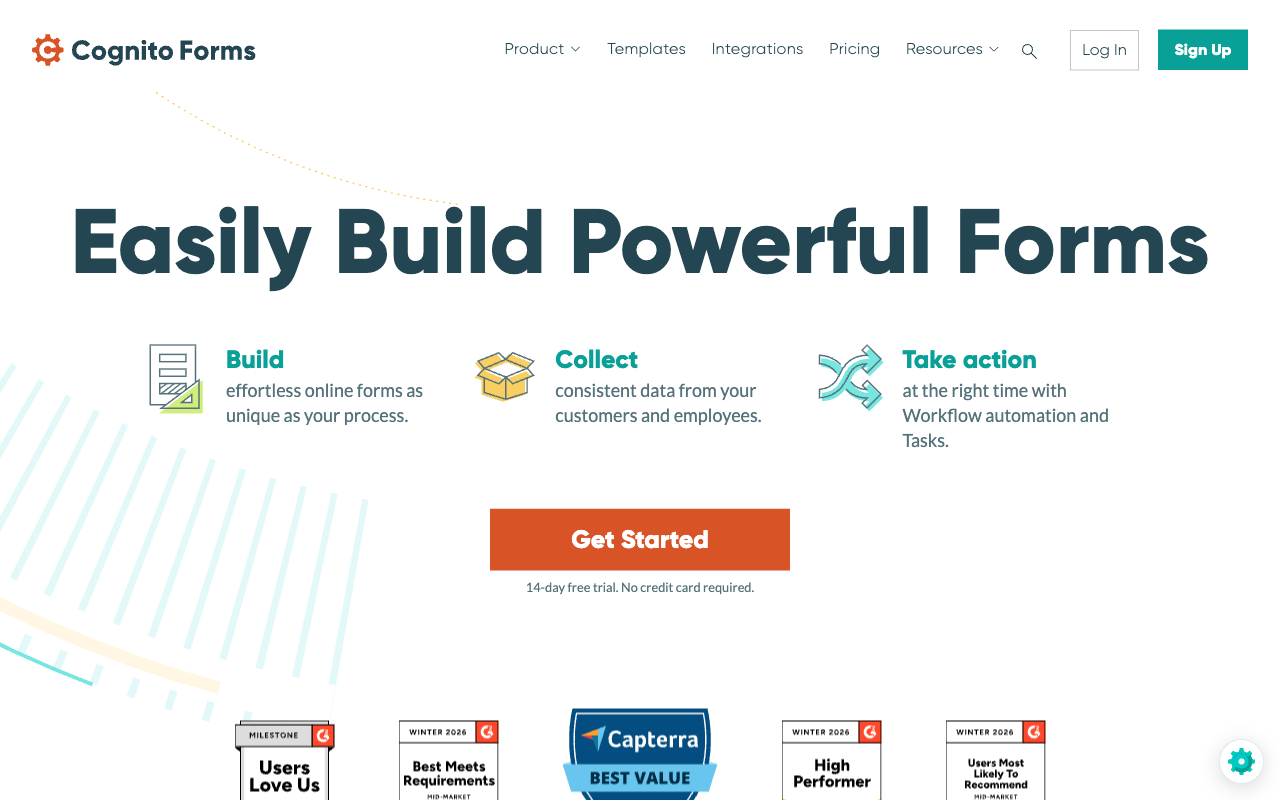
Cognito Forms Pro costs $24/month, or $19/month billed annually, and includes a formula engine strong enough to price a tiered photography package with add-ons, travel bands and repeating sections for multiple session dates. Website Planet's review singles out calculations and value for money as the reasons people choose it. Electronic signatures are built in from the Team plan, so a portrait release can be signed without a second vendor, and the free tier accepts Stripe payments at 100 entries a month.
Growth is where it gets expensive in an awkward way. Entries, users, storage and guests are metered separately, each with its own overage line. Pro stops at 2,000 entries, 1 GB of storage and two users, extra people are $5 per user per month, and external collaborators come in guest packs priced from $25 to $250 a month. There is no appointment or booking field at all, so session scheduling stays with Calendly or a studio management app. The forms themselves are utilitarian: functional, well-built, and plainer than a photography brand usually wants at the top of a booking funnel.
- Pricing: Free Individual (100 entries/month). Pro $24/month, $19 annually. Team $62/$49. Enterprise $129 annually.
- Best for: Photographers who need complex quote maths more than they need a beautiful form.
- Key limitation: No booking field, four separate meters, and limited design control.
 #4 Tally — Best Low-Cost Enquiry Form
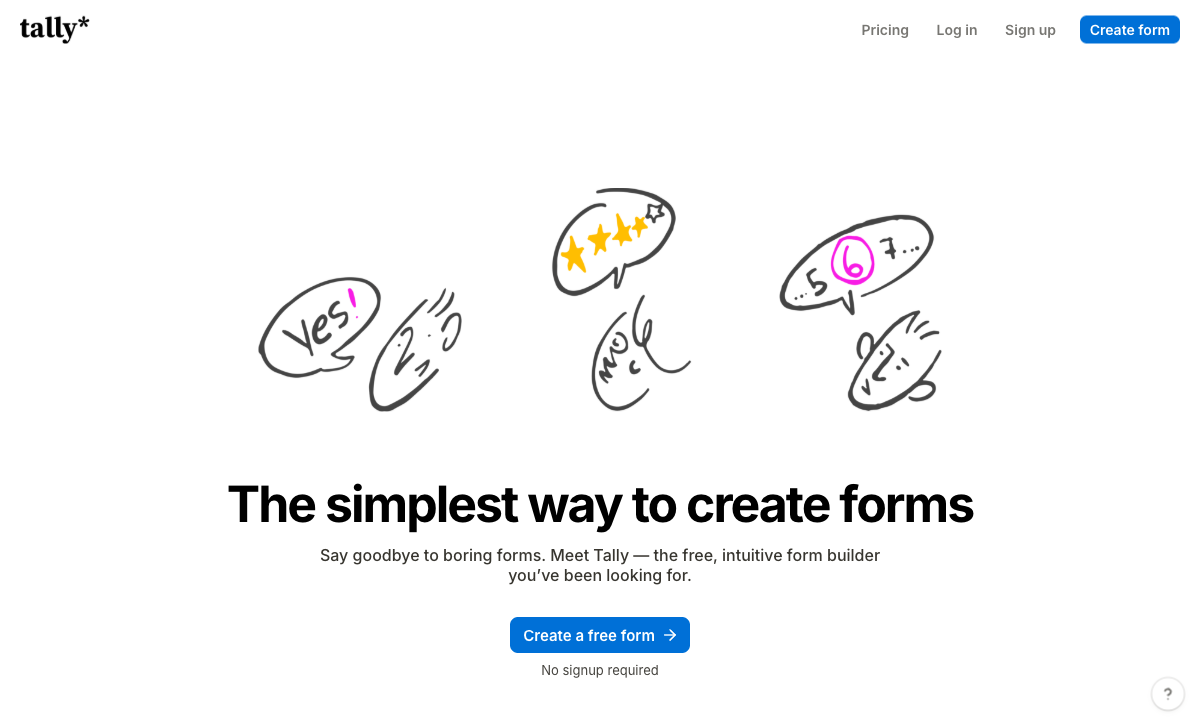
Tally takes unlimited submissions on every tier including Free, under a fair use policy, with a formula editor, file uploads, e-signatures and Stripe payments all included at zero cost. Pro is $29/month, or $24 billed annually, and adds a custom domain, branding removal and unlimited team members. For a photographer who wants a fast, good-looking enquiry form on their own domain and nothing else, this is the most sensible money on the page, and we would rather you spent $24 there than $49 with us.
The ceiling arrives at the second step. Payments are Stripe only, there is no appointment or booking field (Calendly gets embedded instead), and there is no workflow builder, so the handoff from enquiry to contract to invoice goes to Zapier or n8n and becomes your job on a Sunday night. Hackceleration's review of fifteen users, averaging 4.9 out of 5, praises the speed and the free plan while flagging Stripe-only payments as a hard blocker and large branching forms as difficult to debug without a visual logic map. Tally also has no SOC 2, no SSO and no 2FA on any plan, which rules it out of commercial work where a client's procurement team asks questions.
- Pricing: Free (unlimited forms and submissions, fair use). Pro $29/month, $24 annually. Business $89/$74.
- Best for: Solo photographers whose form ends at the enquiry and whose contracts live elsewhere.
- Key limitation: Stripe only, no booking field, no workflow automation, and no SOC 2 or 2FA.
 #5 Typeform — Best Looking, Worst Fit for Volume

Typeform's one-question-at-a-time format is the strongest converting pattern in the category for short enquiries, and the company claims 3.5x more responses than a standard form. For a photographer whose portfolio site is the whole sales pitch, a Typeform enquiry sits alongside the work without looking like a web form from 2011. A native signature question type arrived in the 2026 Winter Release, and the compliance list is the longest here: HIPAA, SOC 2, ISO 27001, ISO 27017, ISO 27018, PCI DSS and ISO/IEC 42001 since June 2026.
Then you read the response caps. Basic at $28/month annual allows 100 responses a month and one user. Plus allows 1,000. Business at $91/month annual allows 10,000 and five seats. Growth Flow at $266/month annual, nearly three times the Business price, raises neither. Payments are Stripe only, calculations need Plus, and there is no appointment field, so session booking is a Calendly embed. A wedding fair or a viral reel is a billing event rather than a good week. See Typeform alternatives for where photographers usually land instead.
- Pricing: Free (10 responses/month). Basic $39/month, $28 annually. Plus $79/$56. Business $129/$91. Growth Flow $379/$266.
- Best for: Brand-led studios running short, low-volume enquiry flows where design is the deciding factor.
- Key limitation: Every plan caps responses and seats, and the most expensive one raises neither.
 #6 Google Forms — Best for Shot Lists and Guest Details
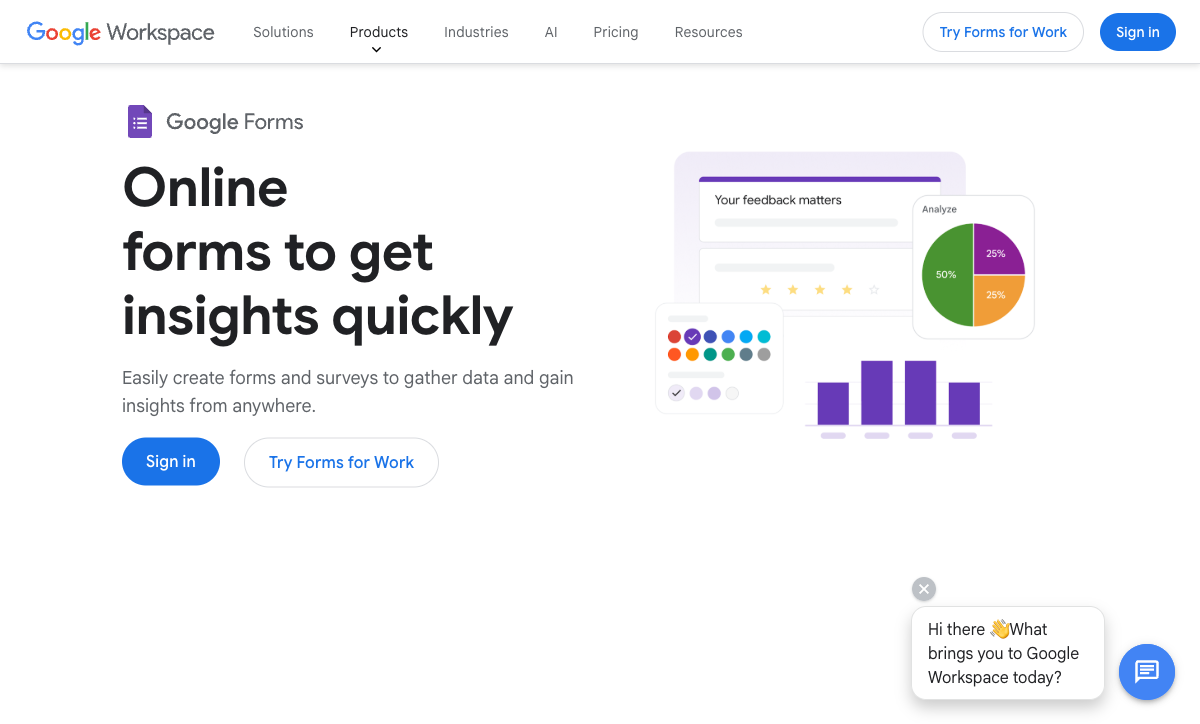
Google Forms takes unlimited responses for free and drops them straight into Sheets, which makes it the right tool for the unglamorous parts of a shoot. Family group lists, timeline questionnaires, supplier contact sheets and post-wedding album selections all belong here, and paying for anything else to do that job would be a waste. Compliance is the strongest on this page, covering HIPAA under a Workspace BAA, SOC 2, ISO 27001 and FedRAMP.
It cannot be the front of your business. There are no payments, no calculation fields, no signature capture, no booking field, roughly 20 native integrations, and branding stops at a header image and an accent colour, so the form looks like Google rather than like you. Every one of those gaps becomes a separate subscription. Our Google Forms alternatives guide covers the switch when the spreadsheet stops being enough.
- Pricing: Free with any Google account. Workspace from $8.40/user/month, $7 annually.
- Best for: Shot lists, timelines and guest data collection behind the scenes.
- Key limitation: No payments, no signatures, no booking, and no real branding.
See Them in Action
The Five Dimensions That Decide It
Pricing
Paid entry prices run from $19 to $49 a month billed annually, and only Paperform and Tally leave submissions and seats unmetered. Cognito Forms Pro is $19, Tally Pro $24, Typeform Basic $28, Jotform Bronze $34 and Paperform Pro $49. Paperform is the most expensive door on this page and we are not going to pretend otherwise. The number that matters for a photography business is the one after a busy season and a second shooter with edit access, and that number moves for four of these six tools and not for Paperform or Tally.
Integrations and API
Native integration counts range from around 20 to 4,000-plus. Paperform lists 4,000-plus, Tally 1,000-plus including its automation connectors, Jotform 150-plus, Typeform 120-plus, Cognito Forms around 50, and Google Forms roughly 20. For photographers the short list is the same regardless: a CRM or studio manager, Google Calendar, an accounting tool and cloud storage. Every tool here except Google Forms exposes an API and webhooks on paid plans.
Conditional logic and calculations
All six branch on an answer, but only three run a formula engine capable of pricing a real package. Paperform's calculations are Excel-style and drive question and page visibility, conditional emails, integration payloads and the success page, so a coverage-hours answer can change the price, hide the travel question and alter the confirmation email at once. Cognito Forms has a comparably serious engine. Tally's formula editor handles totals and scoring competently. Typeform gates calculations behind Plus at $56/month annual, and Google Forms has no calculation fields at all.
Payments
Jotform supports 40-plus payment processors, Paperform five, Cognito Forms four including its own Cognito Pay, Typeform and Tally one each, and Google Forms none. Processor count is not the whole story for a photographer: what matters is whether the form can take a percentage deposit, apply a referral coupon, add sales tax by region and cap the number of mini-session slots. Paperform handles all four natively. Tally and Typeform pass a fixed or calculated amount to Stripe and stop there.
Compliance
Four of the six are HIPAA compliant: Jotform from Gold, Cognito Forms on Enterprise, Typeform on Enterprise, and Google Forms under a Workspace BAA. Paperform and Tally are not, and Paperform signs no Business Associate Agreements. All six claim GDPR compliance. SOC 2 is held by Paperform, Jotform, Typeform, Cognito Forms and Google, and is absent from Tally, which also has no SSO and no 2FA on any plan. If you shoot for corporate clients whose procurement team sends a security questionnaire, that last sentence removes one option before you compare a single feature.

Full Pricing Comparison
Every published tier across the six tools. Annual rates are shown where vendors publish them separately, and storage allowances are worth reading closely if clients send you files.
Paperform
Jotform
| Product | Plan | Monthly Price | Annual Price (per month) | Free Plan | Free Trial | Limits |
|---|---|---|---|---|---|---|
| Paperform | Free | Free | Free | Yes | 7 days | forms: Unlimited, submissions: 30/month, storage: Unlimited, users: Unlimited, file uploads: 100 MB |
| Paperform | Pro | $59/mo | $49/mo billed annually | forms: Unlimited, submissions: Unlimited, storage: Unlimited, users: Unlimited, file uploads: 10 GB | ||
| Paperform | Business | $149/mo | $124/mo billed annually | forms: Unlimited, submissions: Unlimited, storage: Unlimited, users: Unlimited, file uploads: 100 GB | ||
| Jotform | Starter | Free | Free | Yes | No | forms: 5, submissions: 100/month, storage: 100 MB, users: 1 |
| Jotform | Bronze | $39/mo | $34/mo billed annually | forms: 25, submissions: 1,000/month, storage: 1 GB, users: 1 | ||
| Jotform | Silver | $49/mo | $39/mo billed annually | forms: 50, submissions: 2,500/month, storage: 10 GB, users: 1 | ||
| Jotform | Gold | $129/mo | $99/mo billed annually | forms: 100, submissions: 10,000/month, storage: 100 GB, users: 1 | ||
| Cognito Forms | Individual (Free) | Free | Free | Yes | 14 days | forms: Unlimited, submissions: 100 entries/month, storage: 100 MB, users: 1 |
| Cognito Forms | Pro | $24/mo | $19/mo billed annually | forms: Unlimited, submissions: 2,000 entries/month, storage: 1 GB, users: 2 | ||
| Cognito Forms | Team | $49/mo | $39/mo billed annually | forms: Unlimited, submissions: 10,000 entries/month, storage: 10 GB, users: 5 | ||
| Cognito Forms | Enterprise | $174/mo | $129/mo billed annually | forms: Unlimited, submissions: Unlimited, storage: 100 GB, users: 20 | ||
| Tally | Free | Free | Free | Yes | No | forms: Unlimited, submissions: Unlimited, storage: N/A, users: 1, file uploads: 10 MB per file |
| Tally | Pro | $29/mo | $24/mo billed annually | forms: Unlimited, submissions: Unlimited, storage: N/A, users: Unlimited, file uploads: Unlimited | ||
| Tally | Business | $89/mo | $74/mo billed annually | forms: Unlimited, submissions: Unlimited, storage: N/A, users: Unlimited | ||
| Typeform | Free | Free | Free | Yes | No | forms: 10, submissions: 10/month, users: 1 |
| Typeform | Basic | $39/mo | $28/mo billed annually | forms: Unlimited, submissions: 100/month, users: 1 | ||
| Typeform | Plus | $79/mo | $56/mo billed annually | forms: Unlimited, submissions: 1,000/month, users: 3 | ||
| Typeform | Business | $129/mo | $91/mo billed annually | forms: Unlimited, submissions: 10,000/month, users: 5 | ||
| Typeform | Growth Flow | $379/mo | $266/mo billed annually | forms: Unlimited, submissions: 10,000/month, users: 5 | ||
| Typeform | Talent | $169/mo | $119/mo billed annually | forms: Unlimited, users: HR teams | ||
| Google Forms | Free (Personal) | Free | Free | Yes | 14 days | forms: Unlimited, submissions: Unlimited, storage: 15 GB (shared across Google Drive), users: 1, file uploads: Included in 15 GB storage |
| Google Forms | Business Starter | $8.4/mo | $7/mo billed annually | forms: Unlimited, submissions: Unlimited, storage: 30 GB per user, users: Up to 300, file uploads: Included in storage | ||
| Google Forms | Business Standard | $16.8/mo | $14/mo billed annually | forms: Unlimited, submissions: Unlimited, storage: 2 TB per user, users: Up to 300, file uploads: Included in storage | ||
| Google Forms | Business Plus | $26.4/mo | $22/mo billed annually | forms: Unlimited, submissions: Unlimited, storage: 5 TB per user, users: Up to 300, file uploads: Included in storage |
Full Feature Comparison
Every tracked capability across the six tools, grouped by category.
| Feature | Paperform | Jotform | Cognito Forms | Tally | Typeform | Google Forms |
|---|---|---|---|---|---|---|
| Form Building | ||||||
| Document-style editor | Yes | No | No | Yes | No | No |
| AI form creation | Yes | Yes starter | Yes | Yes | Yes | Yes paid |
| Field types | 26+ | 30+ (starter) | 20+ | 20+ | 20+ | 11 |
| File uploads | Yes | Yes starter | Yes | Yes | Yes basic | Yes |
| Multi-page forms | Yes | Yes starter | Yes | Yes | Yes basic | Yes |
| Guided mode (one question at a time) | Yes | Yes starter | No | No | Yes | No |
| Conditional logic | Yes | Yes starter | Yes | Yes | Yes basic | Yes |
| Calculations field | Yes pro | Yes starter | Yes | Yes | Yes plus | No |
| AI calculations assistant | Yes pro | No | No | No | No | No |
| Scoring | Yes pro | Yes starter | Yes | Yes | Yes plus | Yes |
| Answer piping | Yes | Yes starter | Yes | Yes | Yes basic | No |
| Pre-filling and hidden fields | Yes pro | Yes starter | Yes | Yes | Yes basic | Yes |
| Save and resume | Yes | Yes starter | Yes pro | No | No | No |
| Auto-close by number | Yes pro | Yes starter | Yes | Yes | Yes basic | Yes |
| Auto-close by date | Yes pro | Yes starter | Yes | Yes | Yes basic | Yes |
| Appointment/booking field | Yes | Yes starter | No | No | Yes basic | No |
| Signature field | Yes | Yes starter | Yes team | Yes | Yes basic | No |
| Color picker field | Yes | No | No | No | No | No |
| API-powered dropdowns | Yes business | No | Yes | No | No | No |
| Google address search | Yes business | No | Yes | No | No | No |
| Drag-and-drop builder | No | Yes starter | No | No | No | No |
| Form widgets | No | Yes starter | No | No | No | No |
| Template gallery | No | 20,000+ (starter) | No | No | No | No |
| Formula editor | No | No | No | Yes | No | No |
| Import from other form builders | No | No | No | Yes | No | No |
| PDF generation | No | No | No | Yes | No | No |
| Question display logic | No | No | No | No | Yes basic | No |
| AI follow-up questions | No | No | No | No | Yes business | No |
| AI extended thinking & memory | No | No | No | No | Yes growth | No |
| Typeform AI connectors | No | No | No | No | Yes growth | No |
| Workflow / automation builder | No | No | No | No | Yes growth | No |
| AI-moderated research (Research Flow) | No | No | No | No | Yes enterprise | No |
| Video questions | No | No | No | No | Yes basic | No |
| AI quiz generation | No | No | No | No | No | Yes paid |
| Payments | ||||||
| Stripe payments | Yes | Yes starter | Yes | Yes | Yes basic | No |
| PayPal payments | Yes | Yes starter | Yes team | No | No | No |
| Square payments | Yes | Yes starter | Yes team | No | No | No |
| Braintree payments | Yes | Yes starter | No | No | No | No |
| Google Pay | Yes | Yes starter | Yes | No | No | No |
| Product sales (eCommerce) | Yes pro | Yes starter | Yes | Yes | No | No |
| Subscriptions | Yes pro | Yes starter | No | Yes | Yes basic | No |
| Coupons and discounts | Yes pro | Yes starter | Yes | No | No | No |
| Custom pricing rules | Yes pro | Yes starter | Yes | Yes | No | No |
| Tax calculations | Yes | Yes starter | Yes | No | No | No |
| Quotes/invoices | Yes | No | Yes team | No | No | No |
| Refunds | Yes | No | No | No | No | No |
| 3D Secure | Yes | No | No | No | Yes basic | No |
| 40+ payment gateways | No | Yes starter | No | No | No | No |
| No transaction fees | No | Yes starter | No | No | No | No |
| Cognito Pay (native card processing) | No | No | Yes | No | No | No |
| Design & Customization | ||||||
| Template gallery | 30,000+ | 20,000+ (starter) | Yes | Yes | 1,500+ | 20+ |
| Rich media (images, GIFs, videos) | Yes | Yes starter | Yes | Yes | Yes | Yes |
| Unsplash and Giphy integration | Yes | No | No | No | Yes | No |
| Image editor | Yes | No | No | No | No | No |
| Adobe Creative Cloud | Yes | No | No | No | No | No |
| Language translation | Yes | Yes starter | Yes pro | Yes | Yes basic | No |
| Advanced theming | Yes pro | Yes starter | Yes pro | Yes pro | Yes plus | No |
| Custom form URL | Yes pro | No | No | Yes | Yes plus | No |
| Custom domains | Yes pro | Yes enterprise | No | Yes pro | Yes enterprise | No |
| Custom HTML & CSS | Yes pro | Yes starter | Yes pro | Yes pro | Yes business | No |
| Remove branding | Yes pro | Yes bronze | Yes pro | Yes pro | Yes plus | No |
| Custom email domains | Yes business | No | No | Yes pro | No | Yes Business Starter |
| Form themes | No | Yes starter | No | No | No | No |
| Analytics | ||||||
| Submission results and reports | Yes | Yes starter | Yes | Yes | Yes | Yes |
| AI report insights | Yes pro | No | No | No | Yes business | Yes Business Standard |
| Paperform analytics | Yes pro | No | No | Yes pro | No | No |
| Drop-off analysis | Yes pro | No | No | No | Yes business | No |
| Google Analytics & Facebook Pixel | Yes pro | No | Yes pro | Yes pro | Yes basic | No |
| Custom analytics scripts | Yes pro | No | No | No | Yes basic | No |
| Partial submissions | Yes pro | No | No | Yes pro | Yes plus | No |
| Form analytics | No | Yes starter | No | No | No | No |
| Google Analytics integration | No | Yes starter | No | No | No | No |
| Answer Insights | No | No | No | Yes | No | No |
| Cross-form Insights dashboard | No | No | No | No | Yes business | No |
| Collaboration | ||||||
| Multi-user accounts | Yes pro | Yes bronze | Yes pro | Yes pro | Yes plus | Yes |
| User permissions and management | Yes pro | Yes enterprise | Yes team | Yes pro | Yes plus | Yes |
| Advanced permissions & admin | Yes enterprise | Yes enterprise | Yes enterprise | No | Yes enterprise | Yes Business Starter |
| Form sharing (templates) | Yes | No | Yes | Yes | Yes | Yes |
| Spaces and tag management | Yes | No | No | Yes pro | No | No |
| Form sharing | No | Yes starter | No | No | No | No |
| Assign forms | No | Yes enterprise | No | No | No | No |
| Workspace organization | No | No | No | No | Yes | No |
| Security | ||||||
| SOC 2 Type II | Yes | Yes enterprise | No | No | Yes | Yes |
| GDPR compliant | Yes | Yes starter | Yes | Yes | Yes | Yes |
| SSL encryption | Yes | Yes starter | Yes | Yes | Yes | Yes |
| Two-factor authentication | Yes | Yes starter | Yes | No | Yes | Yes |
| Enforce 2FA for all users | Yes business | No | No | No | No | Yes Business Starter |
| SSO (SAML) | Yes business | Yes enterprise | Yes enterprise | No | Yes enterprise | Yes Business Plus |
| reCAPTCHA | Yes | Yes starter | Yes | Yes | Yes business | No |
| Local data residency | Yes enterprise | No | No | Yes | No | Yes Business Plus |
| Custom S3 storage (BYO) | Yes business | No | No | No | No | No |
| HIPAA compliant | No | Yes gold | No | No | Yes enterprise | No |
| 256-bit SSL | No | Yes starter | No | No | No | No |
| Data residency | No | Yes enterprise | No | No | No | No |
| Form encryption | No | Yes starter | No | No | No | No |
| PCI DSS | No | Yes starter | No | No | Yes | No |
| ISO 27001 | No | No | No | No | Yes | No |
| Integrations & API | ||||||
| Native integrations | 4,000+ | 150+ (starter) | No | 17+ | 120+ (basic) | No |
| Zapier | Yes | Yes starter | Yes | Yes | Yes basic | Yes |
| Make (Integromat) | Yes | Yes starter | Yes | Yes | Yes basic | Yes |
| Webhooks | Yes pro | Yes starter | Yes | Yes | Yes basic | No |
| Standard API | Yes pro | No | Yes | Yes | No | Yes |
| Business API | Yes business | No | No | No | No | No |
| WordPress plugin | Yes | Yes starter | Yes | Yes | Yes | No |
| oEmbed support | Yes | No | Yes | Yes | No | No |
| API | No | Yes starter | No | No | Yes basic | No |
| Smartsheet integration | No | Yes starter | No | No | No | No |
| Canvas LMS integration | No | Yes enterprise | No | No | No | No |
| Salesforce AppExchange | No | Yes starter | No | No | No | No |
| Embed options | No | Yes starter | No | No | Yes | No |
| Mobile apps | No | Yes starter | No | No | No | No |
| MCP connector (AI app access) | No | No | Yes pro | No | No | No |
| AI assistant connectors (MCP / ChatGPT / Claude) | No | No | No | Yes | No | No |
| Integration failure alerts | No | No | No | Yes | No | No |
| Claude / MCP server | No | No | No | No | Yes basic | No |
| AI data enrichment | No | No | No | No | Yes growth | No |
| Automations integrations (Contacts & Automations) | No | No | No | No | Yes growth | No |
Review Ratings Across Platforms
Aggregated ratings from G2, Capterra, GetApp, Trustpilot and TrustRadius, weighted by review count so small samples do not distort the picture.
How We Ranked These for Photographers
Five weighted criteria were applied identically to all six tools:
- Booking chain coverage (30%): How much of enquiry, quote, deposit, session slot and signed release the tool handles without a second vendor. Native appointment fields and built-in eSignature scored highest; a Calendly embed and a separate contract app scored lowest.
- Pricing model (25%): What the vendor charges you more for. Meters on submissions, seats, storage and payment submissions were scored down, because a photography business is seasonal and the peak month is exactly when a cap bites.
- Package pricing and payments (20%): Depth of the calculation engine, plus deposits, coupons, tax handling and slot inventory in the form rather than at an external checkout.
- File handling (15%): Published storage allowances, upload limits and whether you can point files at your own bucket. This criterion is weighted higher here than in our general ranking, because client uploads are routine in photography and rare elsewhere.
- Brand presentation (10%): Custom domains, branding removal, typography and layout control on the client-facing form.
Each tool was tested against the same four jobs: a wedding enquiry with date and venue, a portrait package quote with add-ons and a travel band, a 30% deposit with a referral coupon, and a model release that has to be signed and filed against the booking. Pricing was read live from each vendor's pricing page on 22 September 2026.
If your shortlist is already down to two, Paperform vs Typeform covers the metered-versus-unmetered question in full, and Paperform vs Tally works through the point where a cheap form stops being cheap.
Frequently Asked Questions
What does a photographer actually need a form builder to do?
Four jobs, in order: take an enquiry with the date, location and shoot type; quote a package with add-ons priced correctly; collect a deposit; and get a contract and model release signed before anyone picks up a camera. A fifth job shows up later, when clients start sending you reference images, venue shot lists and RAW files for reprints.
Only the first job is a form in the ordinary sense. That is why photographers so often end up with a form tool, a scheduler, a contract tool and a payment page, all billed separately. Paperform covers enquiry, quote, deposit, booking slot and signed contract in one subscription. Jotform covers all of it too, but with a submission cap and a storage cap on every self-serve tier.
Which form builder handles client file uploads without charging me for storage?
Paperform and Tally are the two that do not meter it. Paperform lists unlimited file storage on Pro and Business, with bring-your-own S3 available on Business at $124/month annual if you would rather files landed in your own bucket. Tally does not publish a storage figure or a cap.
Everyone else counts megabytes. Jotform gives you 100 MB on Starter, 1 GB on Bronze ($34/month annual), 10 GB on Silver and 100 GB on Gold ($99/month annual). Cognito Forms gives 100 MB free, 1 GB on Pro and 10 GB on Team, then sells more. A single wedding gallery of client reference shots can eat a Bronze plan's entire allowance, so read the storage row before the price row.
Can I take a booking deposit and the balance later from the same form?
Yes, with Paperform, and it is the main reason it tops this list. Paperform runs five gateways (Stripe, PayPal, Square, Braintree and Google Pay) with subscriptions, coupons, tax rules and inventory handled inside the form, so a retainer now and a balance invoice later can both be priced by the same calculation. Jotform can do it across 40-plus processors, though payment submissions are themselves metered: 100 a month on Bronze, 1,000 on Gold.
Typeform, Tally and Cognito Forms are effectively Stripe-first, and Google Forms takes no money at all.
Is a $49/month form builder worth it for a solo photographer shooting twenty weddings a year?
It depends on what else you are paying for. Paperform Pro is $59/month, or $49/month billed annually, which is more than Tally Pro at $24 and more than Cognito Forms Pro at $19. If your enquiry form is genuinely just an enquiry form, use the cheaper tool and spend the difference on glass.
The arithmetic changes once you add a contract tool and a scheduler. Papersign eSignatures and Stepper workflow automation are in the same Paperform subscription at no extra cost, and 25 signed documents a month on Pro covers twenty weddings with room for reprint releases. Two separate subscriptions for signing and scheduling usually cost more than the gap between $24 and $49.
Do I need a HIPAA-compliant form builder for boudoir, newborn or medical photography?
Only if you are handling protected health information on behalf of a covered entity, which almost no photography business is. A newborn session consent form or a boudoir release is a contract, not a medical record, and GDPR plus sensible storage practice is the relevant bar.
If you do shoot inside hospitals or clinics under their instruction, the position is plain: Paperform is not HIPAA compliant and does not sign BAAs. Use Jotform Gold ($99/month annual) or Cognito Forms Enterprise instead, both of which are HIPAA compliant with a BAA. Paperform holds SOC 2 Type II and is GDPR and CCPA compliant, which covers the rest.
What is the cheapest way to look professional on a client enquiry form?
Tally Pro at $24/month billed annually removes Tally branding, adds a custom domain and gives you unlimited submissions, which is the lowest price at which a form stops advertising someone else's product on your website. Typeform will look better still, but Basic at $28/month annual stops at 100 responses a month, and a single wedding fair can exhaust that in an afternoon.
If the form is also the quote, Paperform's document-style editor lets you set type, imagery and layout the way you would a landing page, which matters when the form is the first thing a couple sees after your portfolio.
Which of these companies will still be here when I need my contracts in five years?
Ages and funding models differ more than the products do. Jotform has been bootstrapped since 2006 and reported $144.9M revenue in 2024. Google Forms dates to 2008 and is not going anywhere. Cognito Forms was founded in 2013. Paperform was founded in 2016 and has been bootstrapped and profitable throughout, with SOC 2 Type II certification.
Typeform has taken $193M in venture funding, which brings its own pressure on pricing over time. Tally was founded in 2020 and runs with fewer than ten people, which is fine for a contact form and worth thinking about if signed client contracts live there.
Sources & References
- Best Online Form Builder to Use in 2026 — Top 20 Tools — EmailToolTester, 2026
- The 13 Best Online Form Builder Apps — Zapier, 2026
- Tally Review 2026: Honest Verdict + 15 Real User Reviews — Hackceleration, 2026
- Cognito Forms Review 2025: Is It as Good as It Seems? — Website Planet, 2025
Updates
We re-audit the form builders we compare on a regular cadence and log every change here — a public record of what changed and when.
- Updated September 22, 2026 — First ranking built for photography businesses specifically, against a live pricing re-audit of all six tools. Weighted the methodology toward booking chain coverage and file storage, and updated Paperform's plan lineup: Pro is now $59/month ($49 annual) with unlimited submissions, seats and file storage.
Last updated September 22, 2026
Ready to try Paperform?
Create beautiful forms, payment pages, and workflows — no code required.