Best Form Builders for Nonprofits in 2026
Paperform is the best form builder for most nonprofits because submissions and volunteer seats are both unlimited on its paid plans, so a successful appeal and a growing team of coordinators never raise the bill. Choose Jotform if you need HIPAA, and Tally or Google Forms if the budget is genuinely zero.
Nonprofits buy software under constraints that commercial teams do not share. The people who need access outnumber the people on payroll. Volume is seasonal and violently uneven, with a year's donations arriving across six weeks. The budget was set by a grant cycle nine months ago. And almost every form is load-bearing: a donation page, a volunteer waiver, a programme intake, a grant application, an event registration with four ticket types and a suggested gift on top.
We ranked seven form builders against those constraints, weighting the pricing model heavily. Most vendors in this category meter submissions, seats, or both, which means the year-end giving campaign that exceeds its target also exceeds its plan, and the board member you onboard in February arrives as a line item. Pricing, feature and compliance data below was read live from each vendor's pricing page on 22 September 2026.
If your work sits in a related area, we also rank tools for schools, healthcare and small businesses, and maintain a general best form builders ranking.
| Feature | Paperform | Jotform | Cognito Forms | Tally | Google Forms | Wufoo | Formsite |
|---|---|---|---|---|---|---|---|
| Form Building | |||||||
| Document-style editor | Yes | No | No | Yes | No | No | No |
| AI form creation | Yes | Yes starter | Yes | Yes | Yes paid | No | Yes professional |
| Field types | 26+ | 30+ (starter) | 20+ | 20+ | 11 | Yes | Yes |
| File uploads | Yes | Yes starter | Yes | Yes | Yes | Yes starter | No |
| Guided mode (one question at a time) | Yes | Yes starter | No | No | No | No | No |
| Payments | |||||||
| Stripe payments | Yes | Yes starter | Yes | Yes | No | Yes professional | Yes professional |
| PayPal payments | Yes | Yes starter | Yes team | No | No | Yes professional | Yes professional |
| Square payments | Yes | Yes starter | Yes team | No | No | Yes professional | No |
| Braintree payments | Yes | Yes starter | No | No | No | Yes professional | Yes professional |
| Google Pay | Yes | Yes starter | Yes | No | No | No | No |
| Design & Customization | |||||||
| Template gallery | 30,000+ | 20,000+ (starter) | Yes | Yes | 20+ | Yes | Yes |
| Rich media (images, GIFs, videos) | Yes | Yes starter | Yes | Yes | Yes | No | Yes professional |
| Unsplash and Giphy integration | Yes | No | No | No | No | No | No |
| Image editor | Yes | No | No | No | No | No | No |
| Adobe Creative Cloud | Yes | No | No | No | No | No | No |
| Analytics | |||||||
| AI report insights | Yes pro | No | No | No | Yes Business Standard | No | No |
| Paperform analytics | Yes pro | No | No | Yes pro | No | No | No |
| Drop-off analysis | Yes pro | No | No | No | No | No | No |
| Google Analytics & Facebook Pixel | Yes pro | No | Yes pro | Yes pro | No | No | No |
| Custom analytics scripts | Yes pro | No | No | No | No | No | No |
| Collaboration | |||||||
| Advanced permissions & admin | Yes enterprise | Yes enterprise | Yes enterprise | No | Yes Business Starter | No | No |
| Form sharing (templates) | Yes | No | Yes | Yes | Yes | No | Yes |
| Spaces and tag management | Yes | No | No | Yes pro | No | No | No |
| Form sharing | No | Yes starter | No | No | No | Yes | No |
| Assign forms | No | Yes enterprise | No | No | No | No | No |
| Security | |||||||
| SOC 2 Type II | Yes | Yes enterprise | No | No | Yes | Yes | No |
| Two-factor authentication | Yes | Yes starter | Yes | No | Yes | No | Yes enterprise |
| Enforce 2FA for all users | Yes business | No | No | No | Yes Business Starter | No | No |
| SSO (SAML) | Yes business | Yes enterprise | Yes enterprise | No | Yes Business Plus | No | No |
| reCAPTCHA | Yes | Yes starter | Yes | Yes | No | Yes | Yes professional |
| Integrations & API | |||||||
| Native integrations | 4,000+ | 150+ (starter) | No | 17+ | No | Yes starter | No |
| Make (Integromat) | Yes | Yes starter | Yes | Yes | Yes | No | No |
| Webhooks | Yes pro | Yes starter | Yes | Yes | No | Yes starter | Yes professional |
| Standard API | Yes pro | No | Yes | Yes | Yes | No | Yes professional |
| Business API | Yes business | No | No | No | No | No | No |
 #1 Paperform — Best for Nonprofits Whose Forms Start a Process

Paperform earns the top spot on two numbers that matter more to a nonprofit than to almost any other buyer: unlimited submissions and unlimited team members, on both paid plans, under a fair use policy. Giving Tuesday costs the same as a quiet Tuesday in March. The chapter volunteer, the grants officer and the two board members who need to review applications all get logins at no extra charge, and a seat covers forms, signatures and workflows together, so one person counts once however many of those they touch.
The donation side is properly equipped rather than bolted on. Five payment gateways (Stripe, PayPal, Square, Braintree and Google Pay) handle recurring gifts, coupons for member rates, custom pricing rules and tax, with no transaction fee added on top of the processor's own. The Excel-style calculation engine is what makes an event page work: ticket tiers, early-bird windows, add-on workshops and a suggested extra gift resolve live, and the resulting number can drive which acknowledgement email goes out and what the success page says.
Papersign turns a submission into a signed volunteer waiver or sponsorship agreement and files it against the original response, and Stepper runs the approval chain behind a grant application or an expense claim. Both are included rather than sold separately, which replaces two subscriptions a small development team would otherwise carry. The platform lists 4,000+ integrations and 30,000+ templates, and the company has been bootstrapped and profitable since 2016 with SOC 2 Type II, GDPR and CCPA compliance.
Two honest caveats. Paperform is not HIPAA compliant and signs no BAAs, so a social services programme handling protected health information should look at Cognito Forms or Jotform instead. And the paid floor is $49/month billed annually, higher than Tally, Cognito Forms and Wufoo, with no cheaper paid rung underneath it.
- Pricing: Pro $59/month, $49/month billed annually. Business $149/month, $124 annually. Enterprise on quote.
- Best for: Nonprofits running donations, events, waivers and approvals with more volunteers than staff.
- Key limitation: No HIPAA compliance, and the highest paid entry price of the seven.
 #2 Jotform — Best Payment Choice and the Only Affordable HIPAA Route

Jotform supports 40+ payment processors, more than any other tool on this page, which matters if your donors sit outside the Stripe and PayPal world or your board has already standardised on a particular merchant account. Add 150+ native integrations, 20,000 templates, native iOS and Android apps for collecting signups at a fundraiser with no wifi, and HIPAA compliance from the Gold plan at $99/month billed annually, and it covers more nonprofit ground than anything else here.
The breadth is real, and so is the metering. Submissions, forms, form views, submission storage, fields per form, signed documents and payment submissions each carry a per-tier cap. Bronze at $34/month annual allows 1,000 submissions and 100 payment submissions a month, which a single successful appeal can clear in a weekend, and the forms stop accepting responses when it does. Every self-serve tier is single-user, which is the awkward part for an organisation whose whole model is distributed volunteers.
For a one-person development shop with predictable volume, or for any programme that must handle PHI without an enterprise budget, Jotform is the sensible pick. Our Paperform vs Jotform comparison works through where the crossover sits.
- Pricing: Free Starter (5 forms, 100 submissions/month). Bronze $39/month, $34 annually. Silver $49/$39. Gold $129/$99.
- Best for: Solo fundraisers, unusual payment processors, and programmes that need HIPAA under $100 a month.
- Key limitation: Single-user on every self-serve plan, with seven separate meters above it.
 #3 Cognito Forms — Best Logic per Dollar for Grant and Intake Forms
Cognito Forms puts a genuine calculation engine, repeating sections, data lookups and Stripe payments on its free plan, and no other tool at this price does. For a grant application with scored sections, a programme intake with a repeating household-member block, or an eligibility screen with branching rules, that engine does work that would otherwise land on a volunteer with a spreadsheet. Website Planet's review singles out the calculations and value for money while flagging the design trade-off, which matches what we found.
Billing is where it gets complicated for a distributed organisation. Entries, users, storage and guests are each metered separately. Pro at $19/month annual stops at 2,000 entries and includes two users, extra users are $5 per month each, and outside collaborators come in guest packs from $25 to $250 a month. Enterprise at $129/month annual brings HIPAA with a BAA, the cheapest compliant tier on this page. Forms look utilitarian without custom CSS, which is fine for an intake form and less so for a donation landing page. There is also no recurring payment support, so sustainer giving needs a different tool.
- Pricing: Free Individual (100 entries/month). Pro $24/month, $19 annually. Team $49/$39. Enterprise $174/$129.
- Best for: Grant applications, eligibility screening and intake forms on a tight budget, plus low-cost HIPAA.
- Key limitation: Four separate meters, no recurring donations, and plain-looking forms.
See Them in Action
 #4 Tally — Best When the Budget Is Zero and the Form Is Just a Form
Tally's free plan takes unlimited forms and unlimited submissions under fair use, including Stripe payments and subscriptions, a formula editor, e-signatures and Notion, Airtable and Google Sheets connections. For a volunteer-run charity with no software line in the budget, that combination is hard to argue with, and we would rather you used it than overpaid anyone. Pro at $24/month annual removes branding, adds custom domains and includes unlimited team members, which is the cheapest route to multi-editor access on this page.
The limits show up in procurement and in everything past submit. Tally is GDPR compliant and EU-hosted, but has no SOC 2, no SSO and no 2FA at any tier including Business at $74/month annual, and a corporate partner or government funder running a security questionnaire will stop there. Payments are Stripe only, which constrains donor choice. It is also forms alone: the waiver, the receipt workflow and the approval chain go to Zapier or n8n and become somebody's maintenance job. The company was founded in 2020 with fewer than ten staff. Our Tally alternatives guide covers where teams move when the compliance question arrives.
- Pricing: Free (unlimited forms and submissions, fair use). Pro $29/month, $24 annually. Business $89/$74.
- Best for: Volunteer-run charities and small chapters with no software budget and simple collection needs.
- Key limitation: No SOC 2, no SSO, no 2FA, and Stripe-only payments.
 #5 Google Forms — Best for Volunteer Rosters and Internal Collection
Google Forms takes unlimited responses for free and most nonprofits already have it through Google for Nonprofits or a Workspace licence. For a volunteer availability roster, a post-programme feedback survey, a staff poll or an RSVP that lands in a Sheet the whole team can open, it is the right answer and paying for something else would waste money you do not have. Compliance is the strongest here, covering HIPAA under a Workspace BAA, SOC 2, ISO 27001 and FedRAMP, because you inherit Google's posture.
It stops at the donation. There is no payment support of any kind, no calculation fields, branding runs to a header image and a colour, and native integrations number around 20 against a category norm in the hundreds. Nonprofits typically work around that with a separate donation platform, a separate signing tool and a Zapier account, which is how a free form ends up as the most expensive part of the stack. See our Google Forms alternatives guide for the usual next step.
- Pricing: Free with any Google account. Workspace from $8.40/user/month, $7 annually.
- Best for: Volunteer signups, internal surveys and anything that ends in a shared spreadsheet.
- Key limitation: No payments, no calculations, and roughly 20 native integrations.
 #6 Wufoo — Best for a Contact Form That Nobody Wants to Change
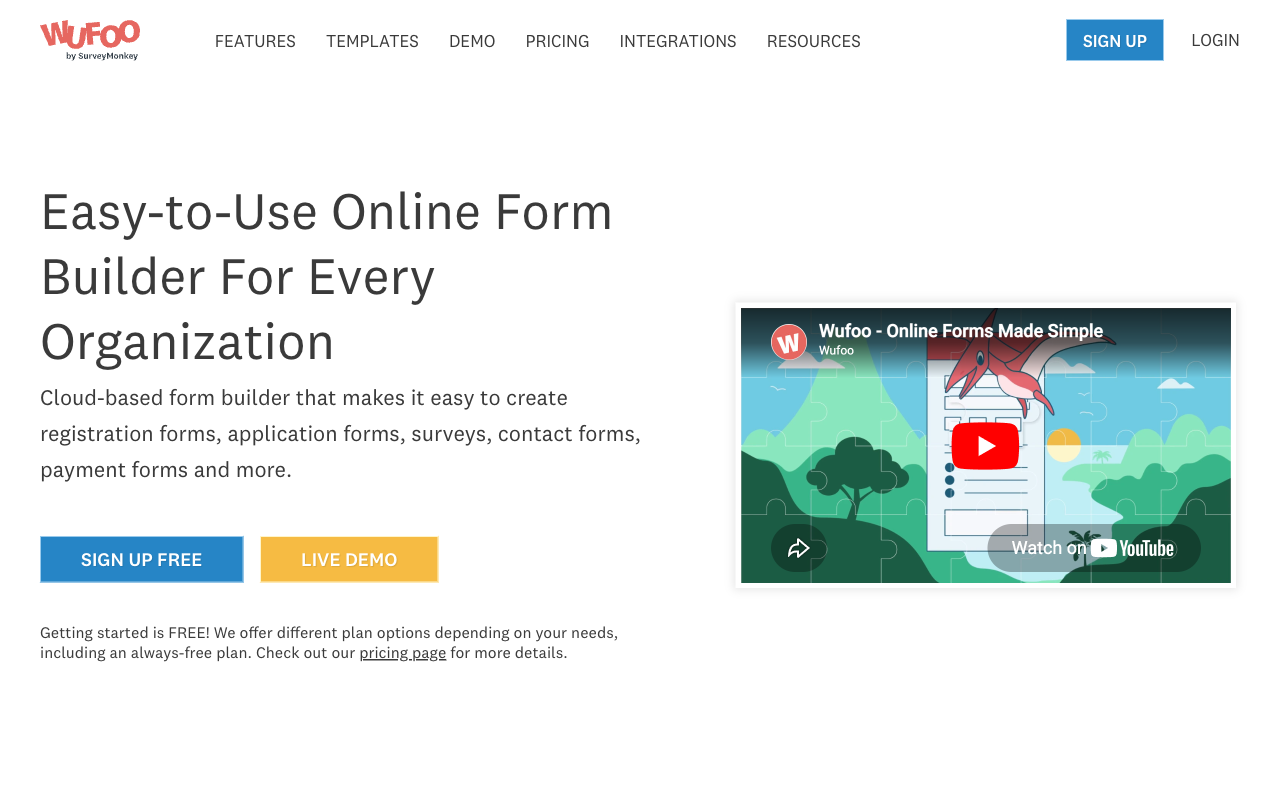
Wufoo starts at $16.25/month billed annually and is the cheapest paid plan on this page, with Stripe, PayPal, Square, Braintree and Authorize.net available from Professional at $33.25/month annual. It has been running since 2006, it holds SOC 2 and PCI DSS, and plenty of long-established nonprofits still have a perfectly functional Wufoo contact form quietly doing its job.
It ranks low because it has stopped moving and because its meters bite hardest exactly when a campaign works. Starter allows 1,000 entries a month and one user, Professional 5,000 entries and five users, and every entry past the cap costs $0.05. There are no calculation fields, no signature field, no recurring payments, and a hard limit of 100 fields per form on every paid tier, which a detailed grant application will reach. SurveyMonkey acquired Wufoo for $35M in 2011 and development has been quiet since. It is not HIPAA compliant. Our Wufoo alternatives guide covers the usual destinations.
- Pricing: Free (5 forms, 100 entries/month). Starter $22/month, $16.25 annually. Professional $45/$33.25. Advanced $113/$83.25.
- Best for: Low-volume contact and enquiry forms on an established site.
- Key limitation: Per-entry overage charges, no calculations, and little development since 2011.
 #7 Formsite — Best for Long-Running Applications on a Legacy Setup
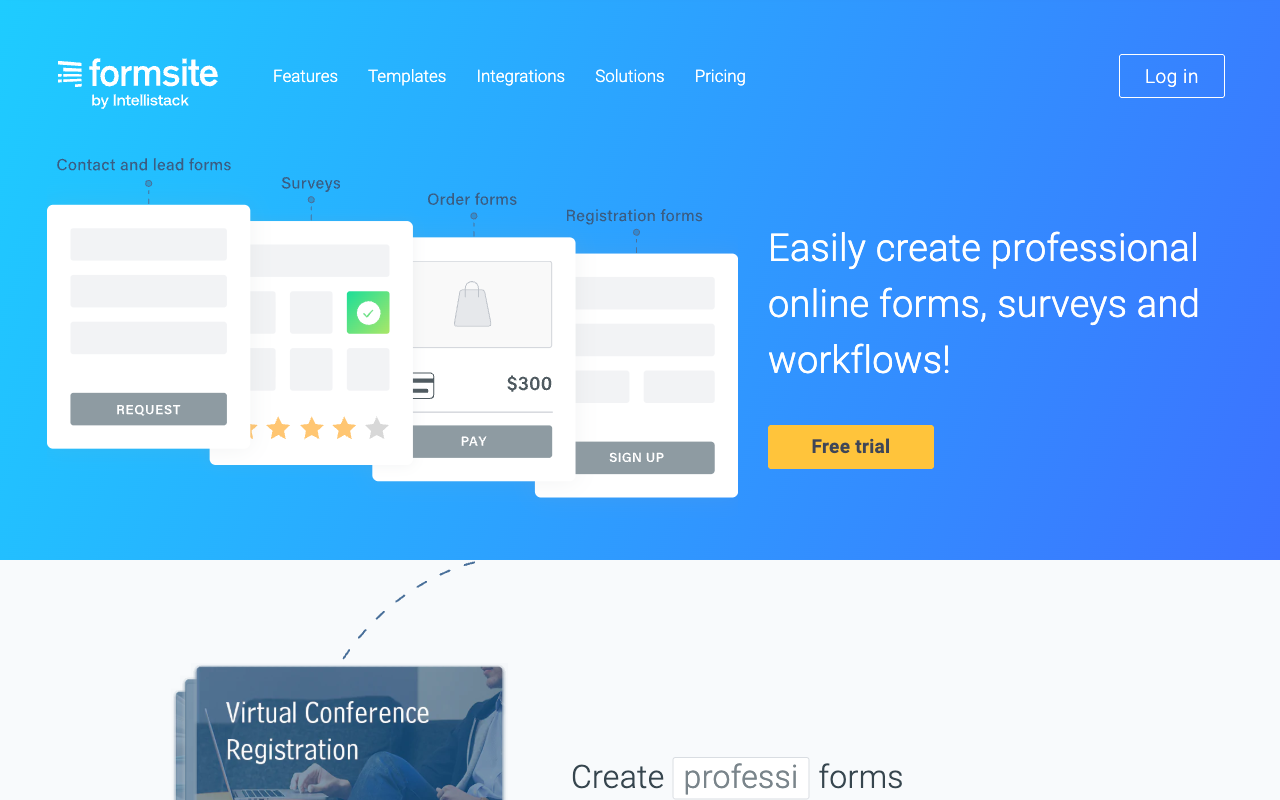
Formsite has been running since 1998, which makes it the oldest product on this page, and it handles long multi-page applications with save-and-return, conditional page navigation and PDF or Word output from the Business tier. Scholarship applications, membership renewals and grant submissions are the kind of work it was built for, and HIPAA with a BAA is available on Enterprise at $208.33/month billed annually.
The pricing structure is awkward for a nonprofit because the meter is per form rather than per account. Professional at $33.33/month annual allows 10 forms at 1,000 results each and a single user; Business at $58.33 allows 25 forms at 2,500 results each with two users; extra sub-users are $10 a month and extra storage $10 per GB. A single high-traffic donation form can exhaust its own allowance while the other nine sit idle. Integrations and payments require Professional or above, the signature capability depends on a DocuSign integration rather than a native field, and there is no SOC 2 attestation. CompareCamp's review notes the aging interface, and the product blog has not published since May 2024. Formstack acquired Formsite in December 2023 and the parent rebranded as Intellistack in June 2025, which leaves a fair question about roadmap attention.
- Pricing: Free (5 forms, 10 results each). Personal $21/month, $20.83 annually. Professional $34/$33.33. Business $59/$58.33. Enterprise $209/$208.33.
- Best for: Long application forms on an organisation that already runs Formsite and has no reason to move.
- Key limitation: Per-form result caps, paid sub-users, no SOC 2, and a stalled roadmap.
The Five Dimensions That Decide It for a Nonprofit
Pricing model
Five of these seven tools meter submissions, seats or both; Paperform and Tally do not meter either on paid plans. That is the dimension nonprofits underweight and then regret, because giving is seasonal. Wufoo charges $0.05 per entry over its cap, Jotform stops accepting responses at the limit, Cognito Forms caps entries at 2,000 on Pro, and Formsite caps results per individual form. Model your December, not your March.
Integrations and API
Native integration counts run from roughly 20 to 4,000-plus across this group. Paperform lists 4,000+ including Stepper workflows, Zapier, Make and webhooks; Jotform 150+; Tally around 1,000 counting its automation connectors; Cognito Forms and Wufoo roughly 50 each; Google Forms about 20. Formsite reaches a wide list mostly through Zapier and requires the Professional plan before any integration is available at all. Every paid tool here exposes an API, though Formsite's is read-only for retrieving results.
Conditional logic
All seven can branch on an answer; only two run a formula engine deep enough for event pricing and scored applications. Paperform's Excel-style calculations control question and page visibility, conditional emails, integration payloads and success page content, and Cognito Forms has a comparably serious engine. Tally and Formsite offer usable calculation fields. Google Forms and Wufoo have no calculation fields at all, and Wufoo caps branching at 50 lines of logic.
Payments
Jotform accepts donations through 40+ processors, Wufoo through five, Paperform through five with recurring gifts, coupons, custom pricing rules and tax handled inside the form, Formsite through four, and Cognito Forms through four including its own Cognito Pay. Tally is Stripe only. Google Forms cannot take a payment at all, which is the single most common reason a charity outgrows it. Recurring giving narrows the field further: Paperform, Jotform and Tally support it, and the rest do not.
Compliance
HIPAA is available on Jotform (Gold and above), Cognito Forms (Enterprise), Formsite (Enterprise) and Google Forms (under a Workspace BAA). Paperform, Tally and Wufoo are not HIPAA compliant. All seven claim GDPR compliance. SOC 2 is held by Paperform, Jotform, Cognito Forms, Google and Wufoo, and is absent from Tally and Formsite. If your funders or corporate partners send a security questionnaire, that last sentence removes two options before you compare a single feature.

Full Pricing Comparison
Every published tier across the seven tools. Annual rates are shown where vendors publish them separately, and nonprofit discount programmes are applied for rather than listed.
Paperform
Jotform
| Product | Plan | Monthly Price | Annual Price (per month) | Free Plan | Free Trial | Limits |
|---|---|---|---|---|---|---|
| Paperform | Free | Free | Free | Yes | 7 days | forms: Unlimited, submissions: 30/month, storage: Unlimited, users: Unlimited, file uploads: 100 MB |
| Paperform | Pro | $59/mo | $49/mo billed annually | forms: Unlimited, submissions: Unlimited, storage: Unlimited, users: Unlimited, file uploads: 10 GB | ||
| Paperform | Business | $149/mo | $124/mo billed annually | forms: Unlimited, submissions: Unlimited, storage: Unlimited, users: Unlimited, file uploads: 100 GB | ||
| Jotform | Starter | Free | Free | Yes | No | forms: 5, submissions: 100/month, storage: 100 MB, users: 1 |
| Jotform | Bronze | $39/mo | $34/mo billed annually | forms: 25, submissions: 1,000/month, storage: 1 GB, users: 1 | ||
| Jotform | Silver | $49/mo | $39/mo billed annually | forms: 50, submissions: 2,500/month, storage: 10 GB, users: 1 | ||
| Jotform | Gold | $129/mo | $99/mo billed annually | forms: 100, submissions: 10,000/month, storage: 100 GB, users: 1 | ||
| Cognito Forms | Individual (Free) | Free | Free | Yes | 14 days | forms: Unlimited, submissions: 100 entries/month, storage: 100 MB, users: 1 |
| Cognito Forms | Pro | $24/mo | $19/mo billed annually | forms: Unlimited, submissions: 2,000 entries/month, storage: 1 GB, users: 2 | ||
| Cognito Forms | Team | $49/mo | $39/mo billed annually | forms: Unlimited, submissions: 10,000 entries/month, storage: 10 GB, users: 5 | ||
| Cognito Forms | Enterprise | $174/mo | $129/mo billed annually | forms: Unlimited, submissions: Unlimited, storage: 100 GB, users: 20 | ||
| Tally | Free | Free | Free | Yes | No | forms: Unlimited, submissions: Unlimited, storage: N/A, users: 1, file uploads: 10 MB per file |
| Tally | Pro | $29/mo | $24/mo billed annually | forms: Unlimited, submissions: Unlimited, storage: N/A, users: Unlimited, file uploads: Unlimited | ||
| Tally | Business | $89/mo | $74/mo billed annually | forms: Unlimited, submissions: Unlimited, storage: N/A, users: Unlimited | ||
| Google Forms | Free (Personal) | Free | Free | Yes | 14 days | forms: Unlimited, submissions: Unlimited, storage: 15 GB (shared across Google Drive), users: 1, file uploads: Included in 15 GB storage |
| Google Forms | Business Starter | $8.4/mo | $7/mo billed annually | forms: Unlimited, submissions: Unlimited, storage: 30 GB per user, users: Up to 300, file uploads: Included in storage | ||
| Google Forms | Business Standard | $16.8/mo | $14/mo billed annually | forms: Unlimited, submissions: Unlimited, storage: 2 TB per user, users: Up to 300, file uploads: Included in storage | ||
| Google Forms | Business Plus | $26.4/mo | $22/mo billed annually | forms: Unlimited, submissions: Unlimited, storage: 5 TB per user, users: Up to 300, file uploads: Included in storage | ||
| Wufoo | Free | Free | Free | Yes | No | forms: 5, submissions: 100/month, storage: N/A, users: 1 |
| Wufoo | Starter | $22/mo | $16.25/mo billed annually | forms: 10, submissions: 1,000/month, storage: 1 GB, users: 1 | ||
| Wufoo | Professional | $45/mo | $33.25/mo billed annually | forms: Unlimited, submissions: 5,000/month, storage: 5 GB, users: 5 | ||
| Wufoo | Advanced | $113/mo | $83.25/mo billed annually | forms: Unlimited, submissions: 25,000/month, storage: 10 GB, users: 20 | ||
| Wufoo | Ultimate | $286/mo | $210.25/mo billed annually | forms: Unlimited, submissions: 200,000/month, storage: 20 GB, users: 60 | ||
| Formsite | Free | Free | Free | Yes | 14 days | forms: 5, submissions: 10 per form, storage: 50 MB, users: 1 |
| Formsite | Personal | $21/mo | $20.83/mo billed annually | forms: 5, submissions: 500 per form, storage: 500 MB, users: 1 | ||
| Formsite | Professional | $34/mo | $33.33/mo billed annually | forms: 10, submissions: 1,000 per form, storage: 1 GB, users: 1 | ||
| Formsite | Business | $59/mo | $58.33/mo billed annually | forms: 25, submissions: 2,500 per form, storage: 2 GB, users: 2 | ||
| Formsite | Business + | $84/mo | $83.33/mo billed annually | forms: 100, submissions: 10,000 per form, storage: 4 GB, users: 6 | ||
| Formsite | Enterprise | $209/mo | $208.33/mo billed annually | forms: 1000, submissions: 50,000 per form, storage: 10 GB, users: 21 |
Full Feature Comparison
Every tracked capability across the seven tools, grouped by category.
| Feature | Paperform | Jotform | Cognito Forms | Tally | Google Forms | Wufoo | Formsite |
|---|---|---|---|---|---|---|---|
| Form Building | |||||||
| Document-style editor | Yes | No | No | Yes | No | No | No |
| AI form creation | Yes | Yes starter | Yes | Yes | Yes paid | No | Yes professional |
| Field types | 26+ | 30+ (starter) | 20+ | 20+ | 11 | Yes | Yes |
| File uploads | Yes | Yes starter | Yes | Yes | Yes | Yes starter | No |
| Multi-page forms | Yes | Yes starter | Yes | Yes | Yes | Yes starter | Yes |
| Guided mode (one question at a time) | Yes | Yes starter | No | No | No | No | No |
| Conditional logic | Yes | Yes starter | Yes | Yes | Yes | Yes starter | Yes |
| Calculations field | Yes pro | Yes starter | Yes | Yes | No | No | Yes |
| AI calculations assistant | Yes pro | No | No | No | No | No | No |
| Scoring | Yes pro | Yes starter | Yes | Yes | Yes | No | Yes |
| Answer piping | Yes | Yes starter | Yes | Yes | No | No | Yes |
| Pre-filling and hidden fields | Yes pro | Yes starter | Yes | Yes | Yes | Yes starter | Yes |
| Save and resume | Yes | Yes starter | Yes pro | No | No | No | Yes professional |
| Auto-close by number | Yes pro | Yes starter | Yes | Yes | Yes | Yes starter | Yes |
| Auto-close by date | Yes pro | Yes starter | Yes | Yes | Yes | Yes starter | Yes |
| Appointment/booking field | Yes | Yes starter | No | No | No | No | No |
| Signature field | Yes | Yes starter | Yes team | Yes | No | No | Yes professional |
| Color picker field | Yes | No | No | No | No | No | No |
| API-powered dropdowns | Yes business | No | Yes | No | No | No | No |
| Google address search | Yes business | No | Yes | No | No | No | No |
| Drag-and-drop builder | No | Yes starter | No | No | No | No | No |
| Form widgets | No | Yes starter | No | No | No | No | No |
| Template gallery | No | 20,000+ (starter) | No | No | No | No | No |
| Formula editor | No | No | No | Yes | No | No | No |
| Import from other form builders | No | No | No | Yes | No | No | No |
| PDF generation | No | No | No | Yes | No | No | No |
| AI quiz generation | No | No | No | No | Yes paid | No | No |
| 400+ templates | No | No | No | No | No | Yes | No |
| Payments | |||||||
| Stripe payments | Yes | Yes starter | Yes | Yes | No | Yes professional | Yes professional |
| PayPal payments | Yes | Yes starter | Yes team | No | No | Yes professional | Yes professional |
| Square payments | Yes | Yes starter | Yes team | No | No | Yes professional | No |
| Braintree payments | Yes | Yes starter | No | No | No | Yes professional | Yes professional |
| Google Pay | Yes | Yes starter | Yes | No | No | No | No |
| Product sales (eCommerce) | Yes pro | Yes starter | Yes | Yes | No | No | No |
| Subscriptions | Yes pro | Yes starter | No | Yes | No | No | No |
| Coupons and discounts | Yes pro | Yes starter | Yes | No | No | No | No |
| Custom pricing rules | Yes pro | Yes starter | Yes | Yes | No | No | Yes |
| Tax calculations | Yes | Yes starter | Yes | No | No | No | No |
| Quotes/invoices | Yes | No | Yes team | No | No | No | No |
| Refunds | Yes | No | No | No | No | No | No |
| 3D Secure | Yes | No | No | No | No | No | No |
| 40+ payment gateways | No | Yes starter | No | No | No | No | No |
| No transaction fees | No | Yes starter | No | No | No | No | No |
| Cognito Pay (native card processing) | No | No | Yes | No | No | No | No |
| Authorize.net payments | No | No | No | No | No | Yes professional | No |
| Design & Customization | |||||||
| Template gallery | 30,000+ | 20,000+ (starter) | Yes | Yes | 20+ | Yes | Yes |
| Rich media (images, GIFs, videos) | Yes | Yes starter | Yes | Yes | Yes | No | Yes professional |
| Unsplash and Giphy integration | Yes | No | No | No | No | No | No |
| Image editor | Yes | No | No | No | No | No | No |
| Adobe Creative Cloud | Yes | No | No | No | No | No | No |
| Language translation | Yes | Yes starter | Yes pro | Yes | No | No | No |
| Advanced theming | Yes pro | Yes starter | Yes pro | Yes pro | No | Yes starter | Yes |
| Custom form URL | Yes pro | No | No | Yes | No | Yes starter | No |
| Custom domains | Yes pro | Yes enterprise | No | Yes pro | No | No | No |
| Custom HTML & CSS | Yes pro | Yes starter | Yes pro | Yes pro | No | Yes starter | Yes |
| Remove branding | Yes pro | Yes bronze | Yes pro | Yes pro | No | Yes starter | Yes professional |
| Custom email domains | Yes business | No | No | Yes pro | Yes Business Starter | No | No |
| Form themes | No | Yes starter | No | No | No | No | No |
| Theme designer | No | No | No | No | No | Yes | No |
| Analytics | |||||||
| Submission results and reports | Yes | Yes starter | Yes | Yes | Yes | Yes | Yes |
| AI report insights | Yes pro | No | No | No | Yes Business Standard | No | No |
| Paperform analytics | Yes pro | No | No | Yes pro | No | No | No |
| Drop-off analysis | Yes pro | No | No | No | No | No | No |
| Google Analytics & Facebook Pixel | Yes pro | No | Yes pro | Yes pro | No | No | No |
| Custom analytics scripts | Yes pro | No | No | No | No | No | No |
| Partial submissions | Yes pro | No | No | Yes pro | No | No | No |
| Form analytics | No | Yes starter | No | No | No | No | No |
| Google Analytics integration | No | Yes starter | No | No | No | Yes professional | No |
| Answer Insights | No | No | No | Yes | No | No | No |
| Collaboration | |||||||
| Multi-user accounts | Yes pro | Yes bronze | Yes pro | Yes pro | Yes | Yes professional | Yes business |
| User permissions and management | Yes pro | Yes enterprise | Yes team | Yes pro | Yes | Yes professional | Yes business |
| Advanced permissions & admin | Yes enterprise | Yes enterprise | Yes enterprise | No | Yes Business Starter | No | No |
| Form sharing (templates) | Yes | No | Yes | Yes | Yes | No | Yes |
| Spaces and tag management | Yes | No | No | Yes pro | No | No | No |
| Form sharing | No | Yes starter | No | No | No | Yes | No |
| Assign forms | No | Yes enterprise | No | No | No | No | No |
| Security | |||||||
| SOC 2 Type II | Yes | Yes enterprise | No | No | Yes | Yes | No |
| GDPR compliant | Yes | Yes starter | Yes | Yes | Yes | Yes | Yes |
| SSL encryption | Yes | Yes starter | Yes | Yes | Yes | Yes | Yes |
| Two-factor authentication | Yes | Yes starter | Yes | No | Yes | No | Yes enterprise |
| Enforce 2FA for all users | Yes business | No | No | No | Yes Business Starter | No | No |
| SSO (SAML) | Yes business | Yes enterprise | Yes enterprise | No | Yes Business Plus | No | No |
| reCAPTCHA | Yes | Yes starter | Yes | Yes | No | Yes | Yes professional |
| Local data residency | Yes enterprise | No | No | Yes | Yes Business Plus | No | No |
| Custom S3 storage (BYO) | Yes business | No | No | No | No | No | No |
| HIPAA compliant | No | Yes gold | No | No | No | No | No |
| 256-bit SSL | No | Yes starter | No | No | No | No | No |
| Data residency | No | Yes enterprise | No | No | No | No | No |
| Form encryption | No | Yes starter | No | No | No | No | No |
| PCI DSS | No | Yes starter | No | No | No | Yes | No |
| Field encryption | No | No | No | No | No | Yes professional | No |
| Password protection | No | No | No | No | No | Yes professional | No |
| Custom S3 storage | No | No | No | No | No | No | No |
| HIPAA compliance | No | No | No | No | No | No | Yes enterprise |
| Integrations & API | |||||||
| Native integrations | 4,000+ | 150+ (starter) | No | 17+ | No | Yes starter | No |
| Zapier | Yes | Yes starter | Yes | Yes | Yes | Yes starter | Yes professional |
| Make (Integromat) | Yes | Yes starter | Yes | Yes | Yes | No | No |
| Webhooks | Yes pro | Yes starter | Yes | Yes | No | Yes starter | Yes professional |
| Standard API | Yes pro | No | Yes | Yes | Yes | No | Yes professional |
| Business API | Yes business | No | No | No | No | No | No |
| WordPress plugin | Yes | Yes starter | Yes | Yes | No | Yes | Yes |
| oEmbed support | Yes | No | Yes | Yes | No | No | No |
| API | No | Yes starter | No | No | No | Yes | No |
| Smartsheet integration | No | Yes starter | No | No | No | No | No |
| Canvas LMS integration | No | Yes enterprise | No | No | No | No | No |
| Salesforce AppExchange | No | Yes starter | No | No | No | No | No |
| Embed options | No | Yes starter | No | No | No | Yes | No |
| Mobile apps | No | Yes starter | No | No | No | No | No |
| MCP connector (AI app access) | No | No | Yes pro | No | No | No | No |
| AI assistant connectors (MCP / ChatGPT / Claude) | No | No | No | Yes | No | No | No |
| Integration failure alerts | No | No | No | Yes | No | No | No |
| 2000+ integrations | No | No | No | No | No | No | Yes professional |
Review Ratings Across Platforms
Aggregated ratings from G2, Capterra, GetApp, Trustpilot and TrustRadius, weighted by review count so small samples do not distort the picture.
How We Ranked These for Nonprofit Use
Five weighted criteria, applied identically to all seven tools:
- Cost behaviour under seasonal volume (30%): What happens to the bill during a year-end campaign or a disaster appeal. Submission caps, per-entry overages and per-form result limits were scored down hard, because nonprofit volume is spiky by nature.
- Team and volunteer access (25%): How many people can build and review forms, and what each additional person costs. Single-user plans and per-seat charges were penalised, since the working group is usually larger than the payroll.
- Donation handling (20%): Processor choice, recurring gift support, suggested-amount logic, coupons for member rates and whether tax and receipting are handled in the form or exported to something else.
- Process depth (15%): Whether waivers, agreements, acknowledgements and approval routing are part of the subscription or handed off to another vendor the organisation then has to fund and maintain.
- Compliance and vendor stability (10%): HIPAA, SOC 2, GDPR and SSO taken from published trust documentation, plus company age, ownership changes and visible development activity.
Each tool was tested against four jobs a nonprofit runs every year: a recurring donation page, a volunteer signup with a waiver to sign, an event registration with tiered tickets and add-ons, and a grant application with scored sections and internal review. Pricing was read live from each vendor's pricing page on 22 September 2026.
If your shortlist is down to two, the head-to-head pages go further: Paperform vs Google Forms covers the move off the free default, and Cognito Forms vs Jotform compares the two cheapest HIPAA routes on this page.
Frequently Asked Questions
How many people can edit forms on each of these plans, and what does an extra volunteer cost?
This is the question that separates the shortlist for most nonprofits, because programme staff, a development lead, a board volunteer and a chapter coordinator all end up needing access. Paperform includes unlimited team members on every plan, and one seat covers forms, Papersign eSignatures and Stepper workflows together, so a volunteer who uses all three counts once. Tally includes unlimited team members from Pro at $24/month billed annually.
Everyone else charges for the org chart. Jotform is single-user on Starter, Bronze, Silver and Gold, so a second editor means an Enterprise conversation. Cognito Forms Pro includes two users at $19/month annual and then $5 per user per month, with outside collaborators sold in guest packs from $25 to $250 a month. Wufoo allows one user on Starter and five on Professional. Formsite charges $10 a month for each additional sub-user.
Which of these tools can actually run a recurring giving programme?
Two of the seven handle recurring donations properly. Paperform runs subscriptions through Stripe and PayPal with coupons, custom pricing rules and tax handling built into the form, so a monthly giving page, a one-off appeal and a gala ticket form all live in the same builder. Jotform supports recurring billing through Stripe and PayPal across a much wider processor list. Tally supports Stripe subscriptions but nothing else.
Cognito Forms takes one-off payments through Stripe, Square, PayPal and Cognito Pay but has no recurring or subscription support, which rules it out as the engine for a sustainer programme. Wufoo and Formsite take card payments without recurring support. Google Forms takes no payments at all.
Do nonprofit discounts change the answer?
Sometimes, and they are worth asking about at every vendor on this page before you buy anything. Our 22 September 2026 audit read each vendor's published list pricing, and discount programmes are applied for rather than listed, so treat the numbers here as the ceiling rather than the quote you will get.
The thing a discount does not change is the pricing model. A percentage off a metered plan is still a metered plan: the appeal that works still exhausts the submission allowance, and the coordinator you onboard in March still needs a seat. Work out what the discounted plan costs at three times your current volume with three more people on it, then compare. A tool with no submission meter and no seat meter usually wins that arithmetic even without a nonprofit rate applied.
Can a small charity run donations, volunteer signups and event registration without paying anything?
Yes, with a compromise on one of the three. Tally's free plan takes unlimited submissions under fair use and includes Stripe payments, calculations, e-signatures and Notion, Airtable and Google Sheets connections, which covers donations and volunteer intake at zero cost. Google Forms takes unlimited free responses and is the quickest route to a volunteer roster in a spreadsheet, but cannot take a donation.
The compromise is everything after submit. Free plans give you the collection step and nothing else, so the waiver, the receipt, the thank-you sequence and the board approval each become a separate tool and a separate login. Small charities usually run free for a year and then move once that stack becomes somebody's unpaid second job.
Which form builders here can handle protected health information for a social services programme?
Four of the seven can be made HIPAA compliant: Jotform from the Gold plan at $99/month billed annually, Cognito Forms on Enterprise at $129/month annually, Formsite on Enterprise at $208.33/month annually, and Google Forms under a Google Workspace BAA.
Paperform is not HIPAA compliant and does not sign Business Associate Agreements today. If your clinic, counselling service or housing programme collects PHI, Paperform is the wrong tool and Cognito Forms Enterprise is the cheapest compliant option on this list. Paperform holds SOC 2 Type II, GDPR and CCPA, which clears most grant-funder and corporate-partner security reviews that do not involve health data. Tally and Wufoo are not HIPAA compliant either, and Tally additionally has no SOC 2 and no SSO at any tier.
Is a form builder with calculations worth it for a nonprofit, or is that a commercial feature?
It earns its place the first time you run an event. Ticket tiers, member versus non-member rates, early-bird windows, add-on workshops, table sponsorships and a suggested-donation field on top all resolve to arithmetic that either the form does or a volunteer does by hand in a spreadsheet afterwards.
Paperform and Cognito Forms both run genuine formula engines. Paperform's calculations are Excel-style and drive question and page visibility, conditional emails, what gets sent to each integration and what appears on the success page, so the gift amount can decide which acknowledgement letter goes out. Cognito Forms has a comparably serious engine at a lower price with weaker design control. Tally and Formsite have workable calculation fields. Google Forms and Wufoo have none.
Which of these vendors is safest to build a five-year fundraising process on?
Ownership tells you most of it. Jotform has been bootstrapped since 2006 and reported $144.9M revenue in 2024. Paperform was founded in 2016, is bootstrapped and profitable, and holds SOC 2 Type II. Google is not going anywhere, though individual Google products do get retired.
Three warrant a closer look. Wufoo has been owned by SurveyMonkey since a $35M acquisition in 2011 and has seen little meaningful development since. Formsite dates to 1998, was acquired by Formstack in December 2023 and now sits under the Intellistack brand, with a product blog that has not published since May 2024. Tally was founded in 2020 and employs fewer than ten people, which is a real consideration when your annual appeal runs through it.
Sources & References
- Best Online Form Builder to Use in 2026 — Top 20 Tools — EmailToolTester, 2026
- The 13 Best Online Form Builder Apps — Zapier, 2026
- Cognito Forms Review 2025: Is It as Good as It Seems? — Website Planet, 2025
- Honest Review of Tally Forms, from an AI SaaS Developer — Medium (FireBird Technologies), January 2026
- Formsite Review: Pricing, Pros, Cons & Features — CompareCamp, 2026
Updates
We re-audit the form builders we compare on a regular cadence and log every change here — a public record of what changed and when.
- Updated September 22, 2026 — Full rebuild against a live pricing re-audit. Ranking reworked around seasonal volume and volunteer seat access, with Tally and Formsite added and Typeform, HubSpot Forms and Zoho Forms removed. Paperform's plan lineup updated to the current two paid tiers: Pro $59/month ($49 annual) and Business $149/month ($124 annual), both with unlimited submissions and unlimited team members.
Last updated September 22, 2026
Ready to try Paperform?
Create beautiful forms, payment pages, and workflows — no code required.