 By Dean McPherson, Co-founder & CTO, Paperform · Updated
Best Form Builders for Shopify in 2026
Paperform is the best form builder for most Shopify stores, at $49/month billed annually, because it sells inside the form with inventory, coupons and tax across five gateways and never meters submissions in peak season. Typeform is the only one here with a native Shopify connector. involve.me is the pick for recommendation quizzes.
Shopify already does the part everyone builds a form for on other platforms. Checkout, catalogue, inventory, shipping and tax are solved, and no form tool should be invited to redo any of it. What Shopify handles badly is everything shaped differently from a cart: wholesale applications, made-to-order configurations, repair and returns intake, deposits on custom work, pre-orders on stock nobody has yet, bulk quotes, giveaways, and the post-purchase questions that decide next quarter's range.
Those jobs run on an embedded form, and that changes which product features count. A native Shopify connector is worth less than it sounds. Whether the embed resizes on a product page, whether the tool can take a real payment with a quantity and a stock limit attached, and whether November traffic moves the invoice all count for more. Every ranking below was decided on Shopify fit, in that order. Pricing, features and compliance were read live from each vendor's own pages on 22 September 2026.
Running a storefront somewhere else, or alongside? Our Squarespace, Wix and WordPress guides score the same field on those platforms, and best form builders covers the wider market.
| Feature | Paperform | Typeform | involve.me | Jotform | Cognito Forms | Fillout |
|---|---|---|---|---|---|---|
| Form Building | ||||||
| AI form builder . Describe the form you need in plain language and the tool drafts the questions for you. | Yes | Yes | Yes start | Yes starter | Yes | Yes |
| Templates . The number of ready-made form templates in the tool’s template gallery. | 30,000+ | 3,000+ | Yes | 20,000+ (starter) | Yes | Yes |
| Field types . How many kinds of question or input field the form builder offers, such as text, dropdown, date, file upload and signature. | 26+ | 20+ | Yes | 30+ (starter) | 20+ | 50+ |
| One question at a time . A conversational layout that shows a single question per screen, popular for surveys on mobile. | Yes | Yes | Yes | Yes starter | Yes | No |
| Appointment booking . Let respondents pick and book a time slot directly in the form, with availability managed by the tool. | Yes | Yes business | No | Yes starter | Yes team | Yes |
| Payments | ||||||
| Payment gateways . The number of payment processors a form can take payments through. Where a vendor’s full count isn’t recorded, the cell lists the gateways we confirmed. | 5 Stripe, PayPal, Square, Braintree, Google Pay | 2 (basic) Stripe, PayPal | 4 (start) Stripe, PayPal, Square, Google Pay | 34 (starter) options in its builder, incl. Stripe, PayPal, Square, Braintree | 5 Cognito Pay, Stripe, PayPal, Square, Google Pay | 1 Stripe |
| Subscriptions and recurring payments . Charge respondents on a repeating schedule, such as monthly or annually, from a form. | Yes pro | Yes basic | Yes start | Yes starter | No | Yes |
| Conditional pricing . Change the price or add fees automatically based on the answers given in the form. | Yes pro | Yes basic | Yes start | Yes starter | Yes | Yes |
| Tax calculations . Add sales tax to payments on the form automatically. | Yes | Not recorded | Not recorded | Yes starter | Yes | No |
| Refunds . Refund a payment from inside the form tool rather than going to the payment processor. | Yes | No | Not recorded | No | Yes | No |
| Design & Customization | ||||||
| Custom themes . Set your own logo, colours and fonts on forms and save them as reusable themes. | Yes pro | Yes basic | Yes | Yes starter | Yes pro | Yes starter |
| Custom CSS . Add your own CSS (and in some tools HTML) for styling beyond the built-in theme options. | Yes pro | No | Yes scale | Yes starter | Yes pro | Yes pro |
| Remove vendor branding . Remove the form builder’s own logo or badge so forms carry only your branding. | Yes pro | Yes plus | Yes grow | Yes bronze | Yes pro | Yes pro |
| Custom domain . Host forms on your own domain, such as forms.yourcompany.com, instead of the vendor’s. | Yes business | Yes enterprise | Yes grow | Yes enterprise | No | Yes business |
| Custom form URL . Choose a readable link for a form instead of a random string. | Yes pro | Yes plus | Yes | Yes starter | Yes | Yes |
| Analytics | ||||||
| Response reports . Built-in summaries and charts of the answers a form has collected. | Yes | Yes | Yes | Yes starter | Yes | Yes |
| Partial submissions . See the answers people entered before leaving a form without submitting it. | Yes pro | Yes basic | Yes scale | No | Not recorded | Yes business |
| Google Analytics and Meta Pixel . Connect a form to Google Analytics or the Meta (Facebook) Pixel to track visits and conversions. | Yes pro | Yes business | Yes | Yes starter | Yes pro | Yes business |
| Custom tracking scripts . Add your own analytics or conversion-tracking scripts to a form. | Yes pro | Yes business | Yes grow | No | No | Yes business |
| AI response insights . AI-written summaries and insights generated from the responses a form has collected. | Yes pro | Yes growth flow | Yes start | Yes starter | Not recorded | No |
| Collaboration | ||||||
| Team members . Invite colleagues into the same account to build forms and work with responses together. | Unlimited | Yes plus | Yes grow | Yes enterprise | Yes pro | Yes |
| Roles and permissions . Give team members different levels of access, such as admin, editor or viewer. | Yes business | Yes plus | Yes grow | Yes enterprise | Yes pro | Yes |
| Advanced permissions and admin controls . Fine-grained, organisation-wide controls over who can access what, usually on enterprise plans. | Yes enterprise | Yes enterprise | Yes enterprise | Yes enterprise | Yes business | Yes team |
| Workspaces . Separate spaces or folders for organising forms by team, client or project. | Yes | Yes | Yes | Yes enterprise | Yes pro | Yes |
| Security | ||||||
| Two-factor authentication . Users can protect their login with a second step, such as a code from an authenticator app. | Yes | Yes | Yes | Yes starter | Yes | Yes |
| SSO (SAML) . Team members sign in through your company’s identity provider, such as Okta or Microsoft Entra ID, using SAML single sign-on. | Yes business | Yes enterprise | Yes enterprise | Yes enterprise | Yes enterprise | Yes enterprise |
| HIPAA compliance . Whether the vendor supports collecting US protected health information under HIPAA, typically by signing a business associate agreement on an eligible plan. | No | Yes enterprise | No | Yes gold | Yes enterprise | No |
| Data residency . Choose the region, such as the EU, where your form data is stored. | Yes enterprise | Yes enterprise | No | Yes starter | No | Yes team |
| Store files in your own S3 bucket . Send uploaded files and exports to your own Amazon S3 storage instead of the vendor’s. | Yes business | Not recorded | Not recorded | Not recorded | No | Yes team |
| Integrations & API | ||||||
| Native integrations . Apps the tool connects to directly, without going through a third-party connector such as Zapier or Make. | 500+ | 300+ | 60+ | 150+ (starter) | 28 | 50+ |
| Zapier . Connect forms to thousands of other apps through Zapier. | Yes | Yes | Yes start | Yes starter | Yes pro | Yes |
| Make . Connect forms to other apps through Make (formerly Integromat). | Yes | Yes | No | Yes starter | Yes pro | Yes |
| Workflow automation . A built-in builder for multi-step automations that act on submissions, such as approvals, routing and syncing data to other systems. | Yes | Yes growth flow | Yes start | Yes starter | Yes team | Yes |
| WordPress plugin . A plugin for adding forms to a WordPress site. | Yes | No | Yes | Yes starter | Yes | No |
— means we haven't recorded it for that tool.
 #1 Paperform — Best for Shopify Orders That Checkout Cannot Take
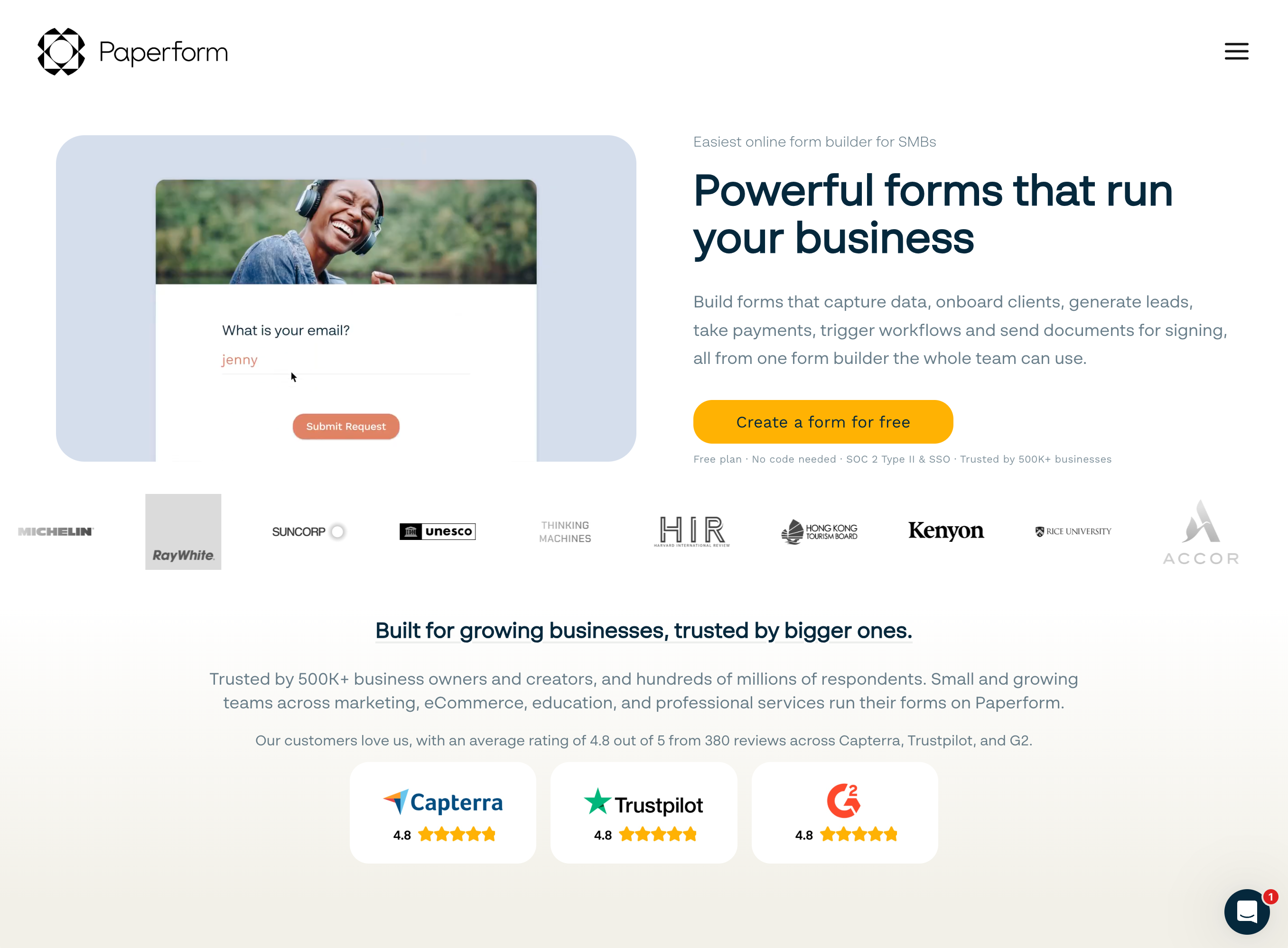
Best for Shopify: stores whose revenue includes orders Shopify Checkout was never designed for. Paperform is the only tool in this ranking with products, inventory limits, quantity selectors, coupons, subscriptions, custom pricing rules and tax handled inside the form itself, across Stripe, PayPal, Square, Braintree and Google Pay, with no transaction fee taken by Paperform.
Start with the honest caveat: there is no native Shopify connector. Writing a submission back to Shopify as a customer, a tag or a draft order means Zapier, Make or a webhook, one hop more than Typeform needs. Weigh that against what the form can do once it loads. A wholesale application can price a 48-unit order against a tier table as the buyer types. A made-to-order configurator can add $60 for the engraving, cap the run at the 25 blanks you actually hold, apply the trade discount code and charge the deposit, all before the record reaches your inbox.
That comes from the calculation engine, which is Excel-style and does not stop at printing a total. One formula decides which questions and pages appear, which conditional email fires, what is pushed to each integration and what the success page says. Papersign turns the wholesale application into a signed agreement in the same subscription, and Stepper runs the approval and the handoff after it, so the stack this replaces is a form builder plus an eSignature vendor plus a connector, on three renewals with you holding them together.
Embeds are inline, popup or slider through a script tag in a custom-liquid section, or the form stands alone on your own domain for a link in a post-purchase flow or a QR code in the box. Pro is $59/month, or $49/month billed annually, with unlimited submissions and unlimited team members under a fair use policy. That is the highest entry price on this page, and for a store that just needs a contact form it is the wrong purchase.
- Pricing: Pro $59/month, $49/month billed annually. Business $149/month, $124 annually with SSO and 10 workspaces. Enterprise on quote. Permanent free plan, no card.
- Integrations and API: 9,800+ integrations, webhooks and API access from Pro. Shopify via Zapier or Make, not natively.
- Key limitation: No native Shopify connector, no HIPAA or BAA, and Stepper automation runs are metered in credits (20,000/month on Pro, then $10 per additional 10,000).
 #2 Typeform — Best Native Shopify Connector and Post-Purchase Surveys
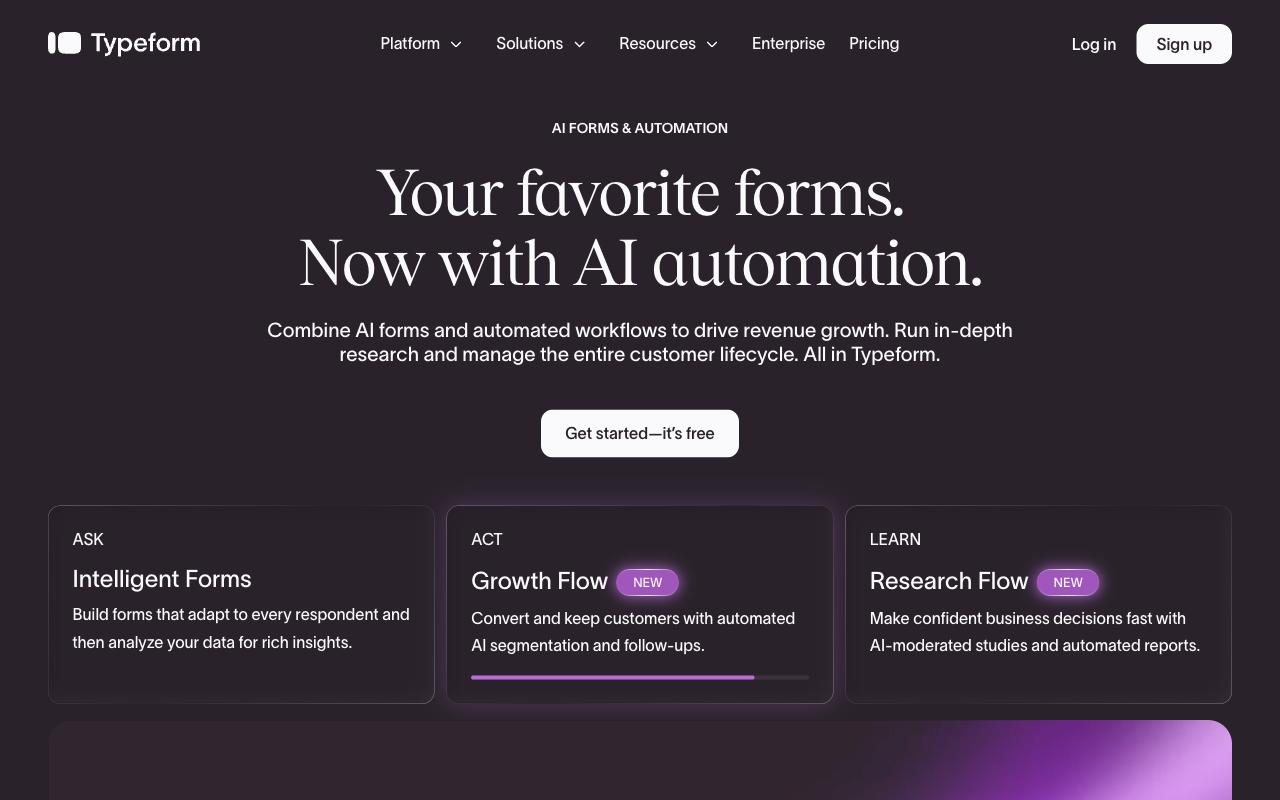
Best for Shopify: brands that want a native Shopify connector and the highest completion rate on a survey. Typeform is the only product in this ranking with Shopify as a native integration, it offers five embed modes (full-page, popup, slider, popover and side tab), and Typeform AI has been able to pull context from a Shopify storefront while you build since June 2026.
For the questions a store asks after the sale, the one-question-at-a-time format earns its reputation. A post-purchase "how did you hear about us", an NPS prompt in a side tab, a returns reason survey or a waitlist for a drop all get further through the funnel here than in a field stack, and Typeform claims 3.5x the completion of a standard form. It is also the most certified vendor on this page: SOC 2, ISO 27001, 27017, 27018, PCI DSS and ISO/IEC 42001 for AI management, with HIPAA at Enterprise, which matters when a retailer's procurement team runs a questionnaire.
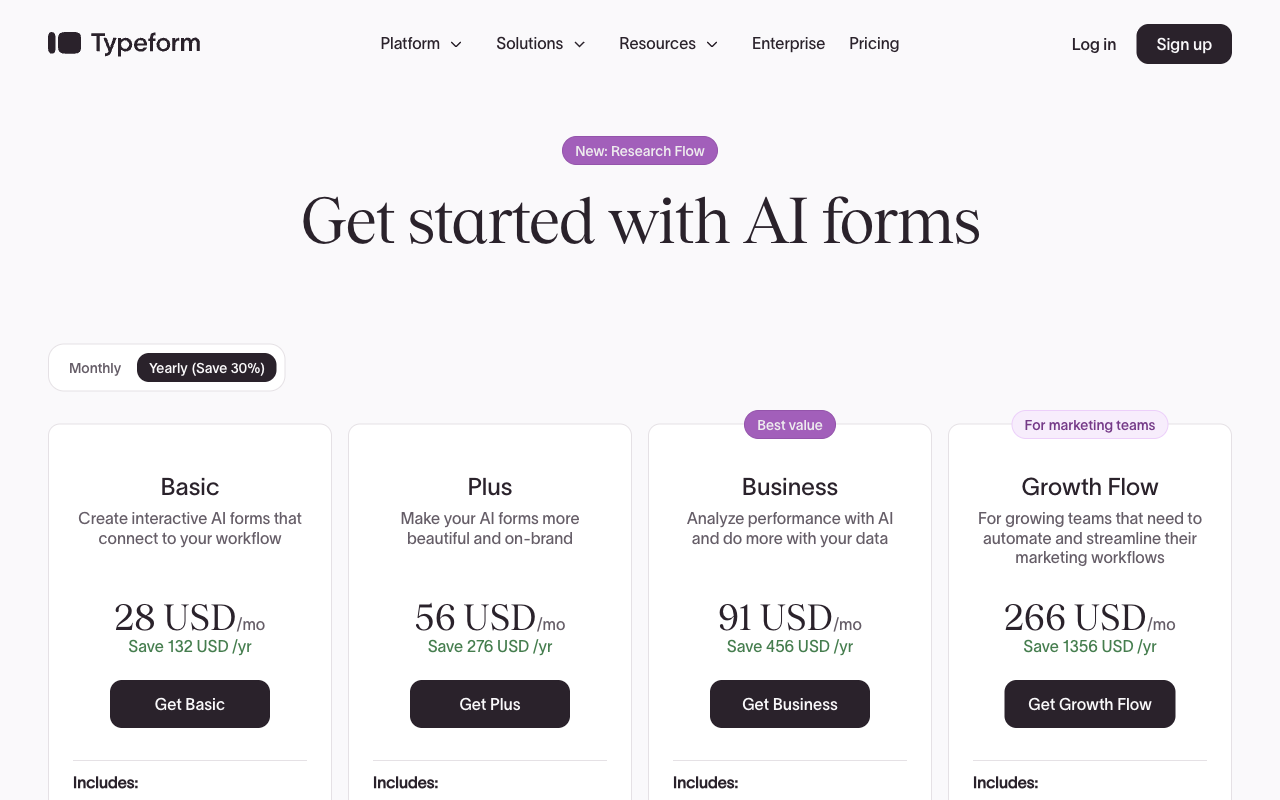
Selling through it is the problem. Payments run through Stripe and PayPal, with native recurring added in August 2026, and a basic order form with coupons can be built from choice questions and a price variable, but there are no inventory limits, so a capped run or a configurator is out of scope. Then there is the meter, which is the wrong shape for a seasonal business: responses and seats are capped on all five published plans, 100 responses and 1 user on Basic at $28/month annual, 1,000 and 3 on Plus, 10,000 and 5 on Business at $91/month annual, and Growth Flow at $266/month annual raises neither. A Black Friday survey that performs is a tier upgrade. Our Typeform alternatives page covers where teams move when that bites.
- Pricing: Free (10 responses/month). Basic $39/month, $28 annually. Plus $79/$56. Business $129/$91. Growth Flow $379/$266. Talent $169/$119.
- Integrations and API: 300+ native integrations including Shopify, 5,000+ via Zapier, full API.
- Key limitation: Responses and seats metered on every tier, Stripe and PayPal only, and no inventory limits.
 #3 involve.me — Best for Product Recommendation Quizzes
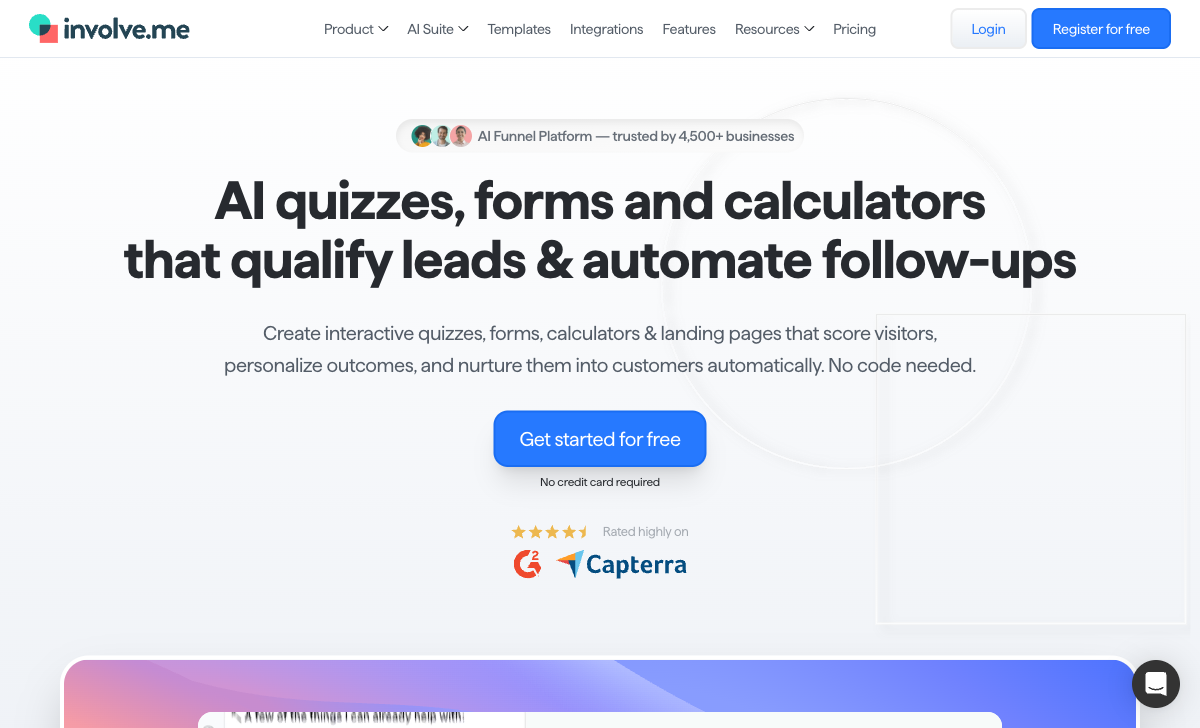
Best for Shopify: DTC brands running a recommendation quiz as the front door to the catalogue. involve.me is the only tool here built as a conversion funnel rather than a form, with 50+ content elements, quiz-based lead scoring, outcome pages, drop-off analytics, a built-in CRM and email journeys triggered by funnel completion, payment or segment entry.
On a skincare, supplement or apparel store, that combination does real work. The quiz scores answers, routes the shopper to a result page for their outcome, writes the contact into involve.me's own CRM with the outcome tagged, and starts the follow-up sequence without a second vendor in the chain. The drop-off analytics show which question loses people, which is the number that actually moves quiz revenue. It embeds by iframe, popup or standalone page, and reaches Shopify through Zapier's 8,000+ connectors.
Two things keep it at third. It cannot sell: Stripe, PayPal and Square payments and product recommendation quizzes are supported, but there is no product catalogue and no inventory, so the quiz ends by pointing at your Shopify product page rather than completing anything. And the meter is aggressive at a small scale. Live funnels are capped at 3 on Start ($29/month annual), 5 on Grow ($69) and 25 on Scale ($139), seats at 1, 2 and 5 with $10/user/month beyond, AI credits are pooled, and every tier was repriced upward by roughly 50% between June and September 2026, with the Enterprise floor moving from $399 to $499/month. involve.me is a Vienna company founded in 2016 and still at pre-seed funding, which is worth knowing before a seasonal revenue line depends on it.
- Pricing: Free (2 live funnels, 50 submissions or 500 visits/month). Start $49/month, $29 annually. Grow $99/$69. Scale $199/$139. Enterprise from $499/month.
- Integrations and API: 55+ native integrations plus 8,000+ through Zapier, with an API.
- Key limitation: Live funnels and seats both capped, no product catalogue or inventory, and a small vendor with a rising price sheet.
 #4 Jotform — Best for Stores Needing an Unusual Payment Gateway
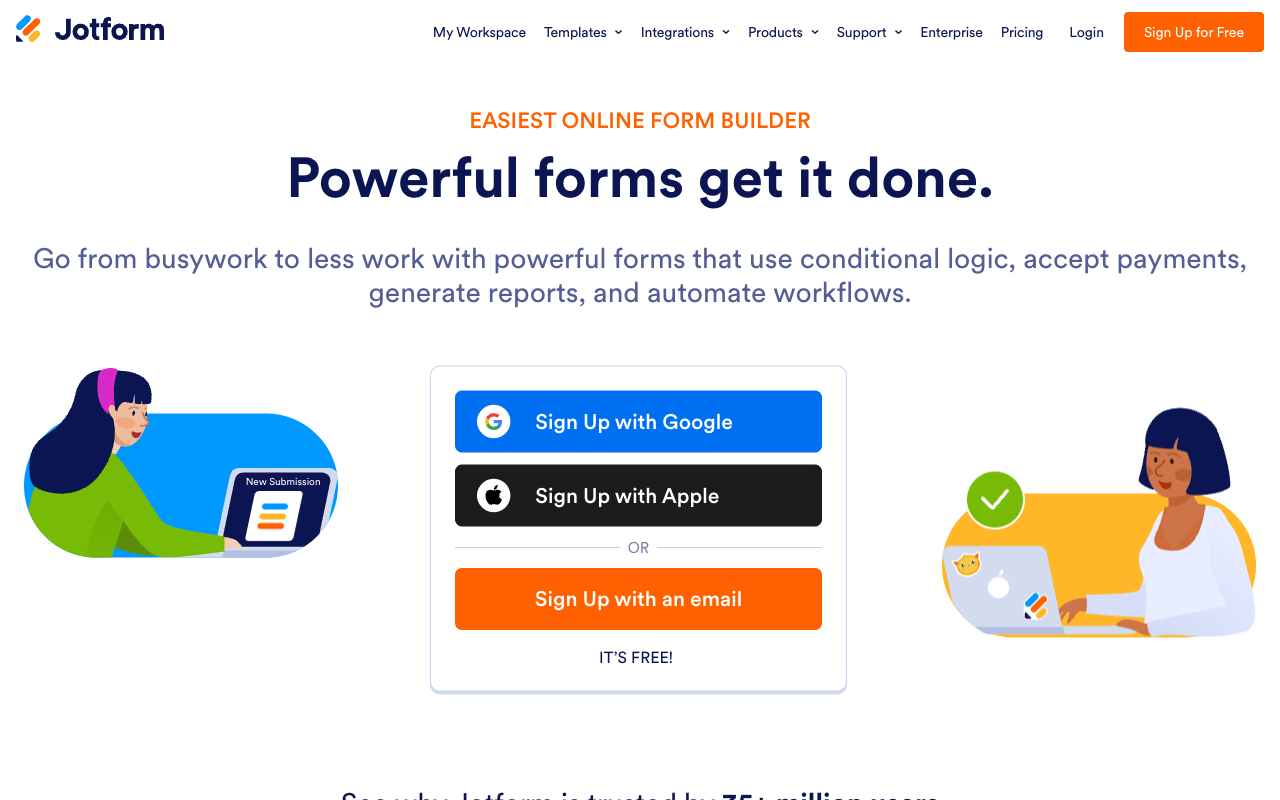
Best for Shopify: stores in markets where the processor you need is not Stripe. Jotform supports 30+ payment gateways, more than the other five here combined, including regional processors that never appear in a Shopify payments menu, and it is the easiest HIPAA option to buy on this page at $99/month annual with a signed BAA.
Breadth is the whole argument. 20,000+ templates, 150+ integrations, native iOS and Android apps for collecting orders at a market stall or a trade show, and a store builder and embeddable product blocks announced in July 2026. Twenty years of bootstrapped development and $144.9M of 2024 revenue sit behind it. If you have a working processor and just need a form that accepts it, nothing else on this list gets you there as fast.
Read the quota sheet before you commit, because Jotform meters almost everything a growing store generates: submissions, forms, form views, submission storage, fields per form, payment submissions and signed documents each carry their own per-tier cap. Bronze at $34/month annual allows 25 forms, 1,000 submissions and 100 payment submissions a month, and when a quota runs out the form stops accepting responses rather than billing an overage. Every self-serve tier from Starter to Gold is single-user, so the second person who needs to edit an order form is an Enterprise quote, not an invite. Reviewers also report that the wider the feature surface gets, the more widgets behave inconsistently. Our Paperform vs Jotform comparison works through where the crossover lands.
- Pricing: Free Starter (5 forms, 100 submissions/month). Bronze $39/month, $34 annually. Silver $49/$39. Gold $129/$99 with HIPAA. Enterprise on quote. 50% nonprofit and education discount.
- Integrations and API: 150+ native integrations, 30+ payment gateways, Salesforce on AppExchange, full API.
- Key limitation: Seven separate meters, single-user on every self-serve plan, and slow support at peak times.
 #5 Cognito Forms — Best Low-Cost Option With Real Calculations
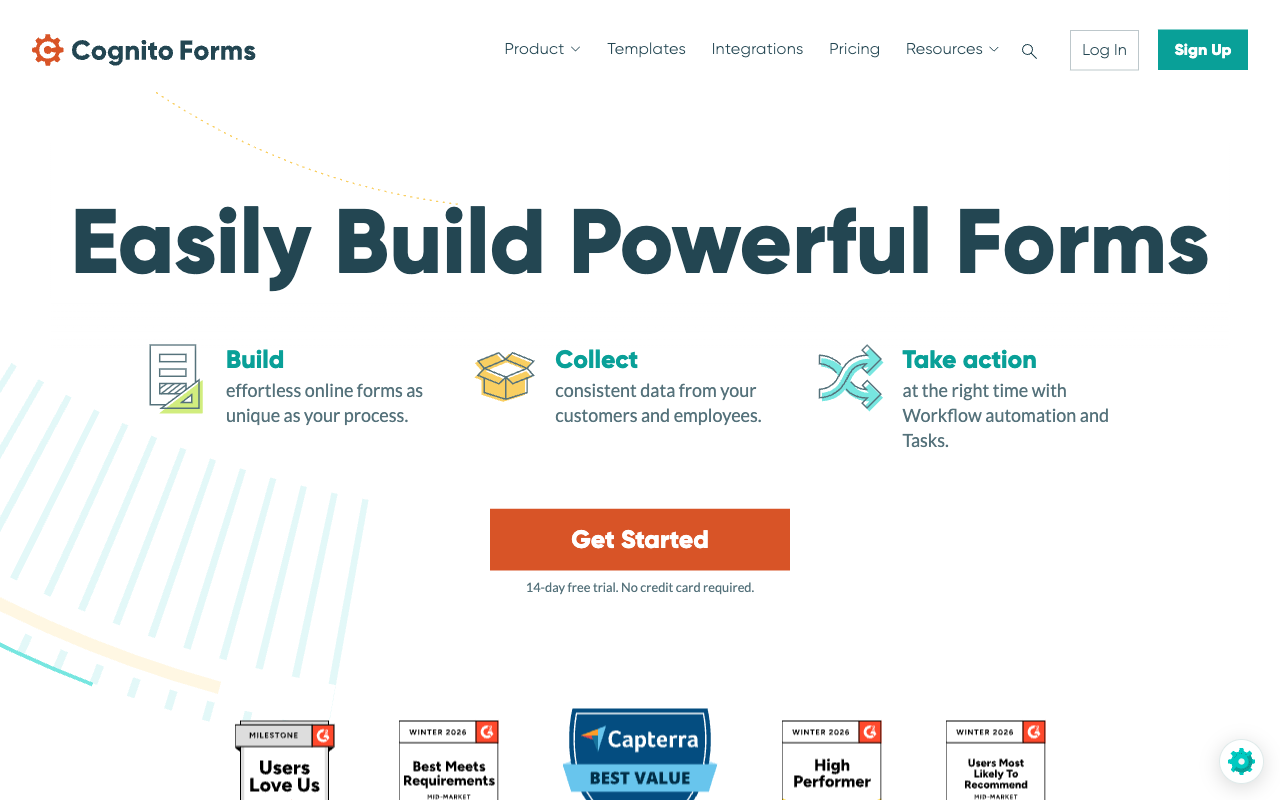
Best for Shopify: small stores that need priced, calculated forms on a tight budget. Cognito Forms Pro is $19/month billed annually with 2,000 entries and 1 user, and it runs a genuine formula engine plus built-in card processing through Cognito Pay alongside Stripe, Square and PayPal.
Per dollar, the calculation depth is the best on this page. A framing shop pricing by dimensions, a caterer pricing per head with dietary surcharges, or a rental store pricing by day can all be built here for a fifth of what the tools above cost, and the entry data is workable straight away. Cognito Forms has been going since 2013, is HIPAA compliant at Enterprise ($149/month annual), holds SOC 2 Type 2 and PCI-compliant payments, and meets ADA and Section 508 accessibility, which is a stronger compliance sheet than the price suggests.
Where it struggles on a store is everything either side of the maths. There are no recurring payments or subscriptions, which rules out payment plans, memberships and subscription boxes, and no Braintree. Design control is utilitarian, so an embedded form looks like a form rather than part of your theme, and the iframe embed has no JavaScript resize helper. And the bill has four separate levers: entries, users at $5/user/month beyond the plan, storage, and guest access packs from $25 to $250/month for external collaborators. A five-person team on Pro is not $19/month for long. It is now under private equity ownership, worth noting alongside the age.
- Pricing: Individual free (100 entries/month, 1 user). Pro $24/month, $19 annually (2,000 entries, 1 user). Team $62/$49 (10,000 entries, 5 users). Business $129/$99 (25,000 entries, 10 users). Enterprise $199/$149 with HIPAA.
- Integrations and API: 50+ integrations plus an API; Shopify through Zapier.
- Key limitation: No recurring payments, weak design control, and four separate meters on top of the entry price.
 #6 Fillout — Best Cheap Embed for Simple Store Forms
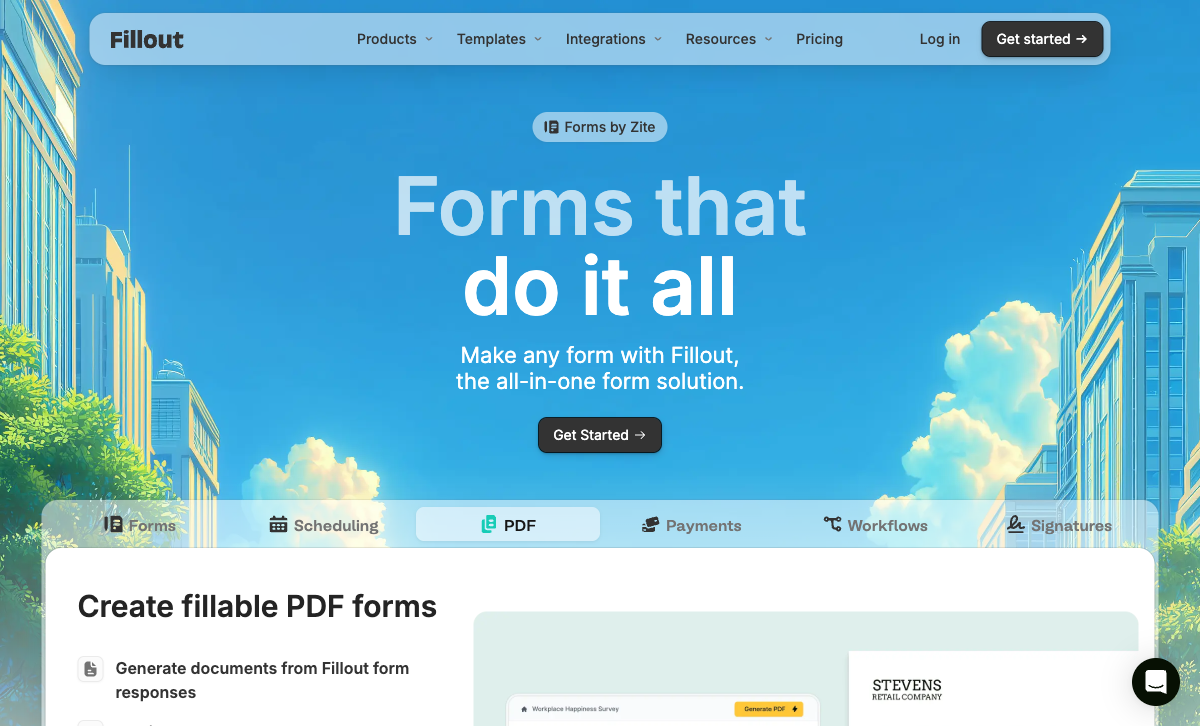
Best for Shopify: stores that want a tidy embedded form for contact, returns or a waitlist and nothing more. Fillout Starter is $15/month billed annually with unlimited seats on every tier including Free, 50+ question types, and popup, slider, side tab and full-screen embeds that drop cleanly into a theme section.
The seat policy is the standout. Unlimited users on the free plan, which carries 1,000 responses a month, means a small store team can all work in it without anyone doing seat arithmetic, and a store spending $15 rather than $49 on a contact form is making the right call. The builder is modern, the AI assistant can lay out fields, pages, logic and calculations from a prompt, and there is a dedicated walkthrough of embedding Fillout forms on a website on YouTube if the theme editor is unfamiliar.
It ranks last for Shopify because the metering restarts at exactly the volume a growing store hits. Starter allows 2,000 responses a month and Pro 5,000, and clearing 5,000 means an 87% jump to Business at $75/month annual or buying bulk submission packs at a price Fillout does not publish. Payments are Stripe only with no catalogue or inventory, the lead-generation essentials are sold as a separate $100/month Conversion Kit, and under the Zite rebrand AI credits and workflow runs are counted too, with the serious quotas parked in a $250/month Team bundle. Fillout was founded in 2022, which is a short history for a tool sitting in a revenue path.
- Pricing: Free (1,000 responses/month, unlimited users). Starter $19/month, $15 annually. Pro $49/$40. Business $89/$75 with unlimited responses. Team bundle $300/$250.
- Integrations and API: 50+ integrations and an API; Shopify through Zapier.
- Key limitation: Response caps below $75/month, Stripe only, paid Conversion Kit, and the youngest vendor here.
See Them in Action
Two independent walkthroughs covering the two halves of this decision: the embed mechanics, and whether a quiz funnel is worth its own tool.
The Five Dimensions That Decide It on Shopify
Pricing model
Five of the six meter the volume your store generates, and one does not. Typeform caps responses and seats on all five published plans. Jotform caps submissions, forms, form views, storage, fields, payment submissions and signed documents per tier, and every self-serve plan holds one user. Fillout caps responses at 2,000 on Starter and 5,000 on Pro. Cognito Forms caps entries at 2,000 on Pro and 10,000 on Team and charges $5/user/month beyond the included users. involve.me caps live funnels and seats. Paperform has the highest entry price at $49/month billed annually and no submission or seat meter on Pro or Business under fair use. Work out each cost at your December volume, not your February volume, because seasonality is what makes a per-usage bill a tax on a good quarter.
Integrations and API
Paperform lists 9,800+ integrations, Typeform 300+ native (plus 5,000+ via Zapier), Jotform 150+, involve.me 60+, and Fillout and Cognito Forms 50+ each. All six expose an API. Only Typeform names Shopify as a native connector; everyone else writes back to the store through Zapier, Make or a webhook, which for a customer record or an order tag is a single extra hop rather than a barrier. Webhooks and API access on Paperform start at Pro.
Conditional logic and calculations
All six branch on an answer, and three run a real formula engine. Paperform's calculations are Excel-style and reach past the form itself, deciding question and page visibility, which conditional email fires, what each integration receives and what the success page says, which is how a configurator prices and gates itself in one pass. Cognito Forms has the other serious engine, strong on pricing and scoring, though its results stay inside the form. involve.me scores quiz answers into outcomes and routes on them. Fillout has calculation fields and an AI assistant that can write them. Typeform's logic adds, subtracts, multiplies and divides scores and prices on every plan.
Payments
Jotform supports 30+ payment processors; Paperform supports 5; Cognito Forms supports 4 including its own Cognito Pay; involve.me supports Stripe, PayPal, Square and Google Pay; Typeform supports 2, Stripe and PayPal; Fillout supports 1, Stripe. Gateway count is only half the question on a store. Paperform is the only one of the six that also carries products with inventory limits, quantity selection, coupons, subscriptions, custom pricing rules and tax inside the form, which is what separates an order form from a payment field. Cognito Forms has no recurring payments at all. Nobody here should be asked to replace Shopify Checkout for standard catalogue sales.
Compliance
Three of the six are HIPAA compliant: Jotform (Gold, $99/month annual, with a BAA), Cognito Forms (Enterprise, $149/month annual) and Typeform (Enterprise). Paperform, involve.me and Fillout are not, and Paperform signs no BAAs. All six hold SOC 2, with involve.me's Type II audit completed in July 2026 and reports available as an Enterprise deliverable, and all six claim GDPR compliance. Typeform holds the widest certification set with ISO 27001, 27017, 27018, PCI DSS and ISO/IEC 42001; Jotform adds PCI DSS Level 1, FERPA and StateRAMP. Paperform holds SOC 2 Type II, GDPR and CCPA. For a store, PCI posture usually matters more than HIPAA, and every tool here that takes a payment hands the card data to the gateway rather than holding it.
Full Pricing Comparison
Every published tier across the six tools, with monthly and annual rates where the vendor publishes both.
What will it cost you?
Paperform plans
- FreeFreeForms Unlimited, Submissions 30/month, Team Unlimited, Storage Unlimited
- ProMatches$49/moForms Unlimited, Submissions Unlimited, Team Unlimited, Storage Unlimited
- Business$124/moForms Unlimited, Submissions Unlimited, Team Unlimited, Storage Unlimited
| Plan | Price | Forms | Submissions | Team | Storage |
|---|---|---|---|---|---|
| Free | Free | Unlimited | 30/month | Unlimited | Unlimited |
| ProMatches | $49/mo | Unlimited | Unlimited | Unlimited | Unlimited |
| Business | $124/mo | Unlimited | Unlimited | Unlimited | Unlimited |
Typeform plans
- FreeFreeForms Unlimited, Submissions 10/month, Team 1
- Basic$28/moForms Unlimited, Submissions 100/month, Team 1, Storage 1 GB
- PlusMatches$56/moForms Unlimited, Submissions 1,000/month, Team 3, Storage 2 GB
- Business$91/moForms Unlimited, Submissions 10,000/month, Team 5, Storage 4 GB
- Growth Flow$266/moForms Unlimited, Submissions 10,000/month, Team 5, Storage 4 GB
- Talent$119/moForms Unlimited, Submissions 3,000/month, Team 3
| Plan | Price | Forms | Submissions | Team | Storage |
|---|---|---|---|---|---|
| Free | Free | Unlimited | 10/month | 1 | — |
| Basic | $28/mo | Unlimited | 100/month | 1 | 1 GB |
| PlusMatches | $56/mo | Unlimited | 1,000/month | 3 | 2 GB |
| Business | $91/mo | Unlimited | 10,000/month | 5 | 4 GB |
| Growth Flow | $266/mo | Unlimited | 10,000/month | 5 | 4 GB |
| Talent | $119/mo | Unlimited | 3,000/month | 3 | — |
| Product | Plan | Monthly Price | Annual Price (per month) | Free Plan | Free Trial | Limits |
|---|---|---|---|---|---|---|
| Paperform | Free | Free | Free | Yes | 7 days | forms: Unlimited, submissions: 30/month, storage: Unlimited, users: Unlimited, file uploads: 100 MB |
| Paperform | Pro | $59/mo | $49/mo billed annually | forms: Unlimited, submissions: Unlimited, storage: Unlimited, users: Unlimited, file uploads: 10 GB | ||
| Paperform | Business | $149/mo | $124/mo billed annually | forms: Unlimited, submissions: Unlimited, storage: Unlimited, users: Unlimited, file uploads: 100 GB | ||
| Typeform | Free | Free | Free | Yes | 14 days | forms: Unlimited, submissions: 10/month, users: 1 |
| Typeform | Basic | $39/mo | $28/mo billed annually | forms: Unlimited, submissions: 100/month, storage: 1 GB, users: 1 | ||
| Typeform | Plus | $79/mo | $56/mo billed annually | forms: Unlimited, submissions: 1,000/month, storage: 2 GB, users: 3 | ||
| Typeform | Business | $129/mo | $91/mo billed annually | forms: Unlimited, submissions: 10,000/month, storage: 4 GB, users: 5 | ||
| Typeform | Growth Flow | $379/mo | $266/mo billed annually | forms: Unlimited, submissions: 10,000/month, storage: 4 GB, users: 5 | ||
| Typeform | Talent | $169/mo | $119/mo billed annually | forms: Unlimited, submissions: 3,000/month, users: 3 | ||
| involve.me | Free | Free | Free | Yes | 14 days | forms: 2 live funnels, submissions: 50/month or 500 visits/month, storage: 100MB, users: 1 |
| involve.me | Start | $49/mo | $29/mo billed annually | forms: 3 live funnels, submissions: Not published on the pricing page, storage: 500MB, users: 1 | ||
| involve.me | Grow | $99/mo | $69/mo billed annually | forms: 5 live funnels, submissions: Not published on the pricing page, storage: 1GB, users: 2 | ||
| involve.me | Scale | $199/mo | $139/mo billed annually | forms: 25 live funnels, submissions: Not published on the pricing page, storage: 5GB, users: 5 | ||
| Jotform | Starter | Free | Free | Yes | No | forms: 5, submissions: 100/month, storage: 100 MB, users: 1 |
| Jotform | Bronze | $39/mo | $34/mo billed annually | forms: 25, submissions: 1,000/month, storage: 1 GB, users: 1 | ||
| Jotform | Silver | $49/mo | $39/mo billed annually | forms: 50, submissions: 2,500/month, storage: 10 GB, users: 1 | ||
| Jotform | Gold | $129/mo | $99/mo billed annually | forms: 100, submissions: 10,000/month, storage: 100 GB, users: 1 | ||
| Cognito Forms | Individual (Free) | Free | Free | Yes | 14 days | forms: Unlimited, submissions: 100 entries/month, storage: 100 MB, users: 1 |
| Cognito Forms | Pro | $24/mo | $19/mo billed annually | forms: Unlimited, submissions: 2,000 entries/month, storage: 1 GB, users: 1 | ||
| Cognito Forms | Team | $62/mo | $49/mo billed annually | forms: Unlimited, submissions: 10,000 entries/month, storage: 10 GB, users: 5 | ||
| Cognito Forms | Business | $129/mo | $99/mo billed annually | forms: Unlimited, submissions: 25,000 entries/month, storage: 50 GB, users: 10 | ||
| Cognito Forms | Enterprise | $199/mo | $149/mo billed annually | forms: Unlimited, submissions: Unlimited, storage: 100 GB, users: 20 | ||
| Fillout | Free | Free | Free | Yes | No | forms: Unlimited, submissions: 1,000/month, storage: N/A, users: Unlimited, file uploads: 20 MB per file |
| Fillout | Starter | $19/mo | $15/mo billed annually | forms: Unlimited, submissions: 2,000/month, storage: N/A, users: Unlimited, file uploads: 20 MB per file | ||
| Fillout | Pro | $49/mo | $40/mo billed annually | forms: Unlimited, submissions: 5,000/month, storage: N/A, users: Unlimited, file uploads: 20 MB per file | ||
| Fillout | Business | $89/mo | $75/mo billed annually | forms: Unlimited, submissions: Unlimited, storage: N/A, users: Unlimited, file uploads: 1 GB+ | ||
| Fillout | Team bundle | $300/mo | $250/mo billed annually | forms: Unlimited, submissions: Unlimited, storage: N/A, users: Unlimited, file uploads: 1 GB+ |
Full Feature Comparison
Every tracked capability across the six tools, grouped by category.
| Feature | Paperform | Typeform | involve.me | Jotform | Cognito Forms | Fillout |
|---|---|---|---|---|---|---|
| Form Building | ||||||
| AI form builder . Describe the form you need in plain language and the tool drafts the questions for you. | Yes | Yes | Yes start | Yes starter | Yes | Yes |
| Templates . The number of ready-made form templates in the tool’s template gallery. | 30,000+ | 3,000+ | Yes | 20,000+ (starter) | Yes | Yes |
| Field types . How many kinds of question or input field the form builder offers, such as text, dropdown, date, file upload and signature. | 26+ | 20+ | Yes | 30+ (starter) | 20+ | 50+ |
| Conditional logic . Show, hide or skip questions and pages based on how someone has answered earlier questions. | Yes | Yes | Yes start | Yes starter | Yes | Yes |
| Calculations . Compute totals, scores, prices or dates from answers while the form is being filled in. | Yes pro | Yes | Yes start | Yes starter | Yes | Yes |
| Multi-page forms . Split a long form across several pages that respondents move through in order. | Yes | Yes | Yes | Yes starter | Yes | Yes |
| One question at a time . A conversational layout that shows a single question per screen, popular for surveys on mobile. | Yes | Yes | Yes | Yes starter | Yes | No |
| Answer piping . Insert a respondent’s earlier answer, such as their name, into later questions or text on the form. | Yes | Yes | Yes start | Yes starter | Yes | Yes |
| Pre-filling and hidden fields . Fill in answers ahead of time from a link or existing data, and pass along values the respondent never sees. | Yes | Yes | Yes grow | Yes starter | Yes | Yes |
| File uploads . Let respondents attach files such as documents and photos to their submission. | Yes | Yes basic | Yes | Yes starter | Yes | Yes |
| E-signatures . Collect a signature, either with a signature field on the form or by sending a document out to be signed. | Yes | Yes growth flow | Yes scale | Yes starter | Yes pro | Yes starter |
| Appointment booking . Let respondents pick and book a time slot directly in the form, with availability managed by the tool. | Yes | Yes business | No | Yes starter | Yes team | Yes |
| Quiz scoring . Give answers point values so the form can score quizzes and assessments automatically. | Yes pro | Yes | Yes | Yes starter | Yes | Yes |
| Save and resume . Respondents can leave a form part-way through and come back later to finish it. | Yes | Yes | Not recorded | Yes starter | Yes pro | Yes |
| Close forms by date or response limit . Stop accepting submissions automatically on a set date or once a set number of responses has arrived. | Yes pro | Yes business | Yes | Yes starter | Yes | Yes |
| Payments | ||||||
| Payment gateways . The number of payment processors a form can take payments through. Where a vendor’s full count isn’t recorded, the cell lists the gateways we confirmed. | 5 Stripe, PayPal, Square, Braintree, Google Pay | 2 (basic) Stripe, PayPal | 4 (start) Stripe, PayPal, Square, Google Pay | 34 (starter) options in its builder, incl. Stripe, PayPal, Square, Braintree | 5 Cognito Pay, Stripe, PayPal, Square, Google Pay | 1 Stripe |
| Subscriptions and recurring payments . Charge respondents on a repeating schedule, such as monthly or annually, from a form. | Yes pro | Yes basic | Yes start | Yes starter | No | Yes |
| Product sales . Sell products from a form, with product listings, quantities and an order total. | Yes pro | Yes basic | Not recorded | Yes starter | Yes | Yes |
| Conditional pricing . Change the price or add fees automatically based on the answers given in the form. | Yes pro | Yes basic | Yes start | Yes starter | Yes | Yes |
| Coupons and discounts . Offer discount codes that respondents can apply to a payment or subscription on the form. | Yes pro | Yes basic | Yes start | Yes starter | Yes | Yes |
| Tax calculations . Add sales tax to payments on the form automatically. | Yes | Not recorded | Not recorded | Yes starter | Yes | No |
| Refunds . Refund a payment from inside the form tool rather than going to the payment processor. | Yes | No | Not recorded | No | Yes | No |
| Design & Customization | ||||||
| Custom themes . Set your own logo, colours and fonts on forms and save them as reusable themes. | Yes pro | Yes basic | Yes | Yes starter | Yes pro | Yes starter |
| Custom CSS . Add your own CSS (and in some tools HTML) for styling beyond the built-in theme options. | Yes pro | No | Yes scale | Yes starter | Yes pro | Yes pro |
| Remove vendor branding . Remove the form builder’s own logo or badge so forms carry only your branding. | Yes pro | Yes plus | Yes grow | Yes bronze | Yes pro | Yes pro |
| Custom domain . Host forms on your own domain, such as forms.yourcompany.com, instead of the vendor’s. | Yes business | Yes enterprise | Yes grow | Yes enterprise | No | Yes business |
| Custom form URL . Choose a readable link for a form instead of a random string. | Yes pro | Yes plus | Yes | Yes starter | Yes | Yes |
| Emails from your own domain . Send notification and confirmation emails from your own email domain instead of the vendor’s. | Yes business | Yes plus | Yes grow | Yes starter | Yes team | Yes team |
| Multi-language forms . Show a form’s questions, buttons and messages in languages other than English. | Yes | Yes business | Yes | Yes starter | Yes pro | Yes business |
| Analytics | ||||||
| Response reports . Built-in summaries and charts of the answers a form has collected. | Yes | Yes | Yes | Yes starter | Yes | Yes |
| Form analytics (views and drop-off) . Track how many people view, start and finish a form, and where they abandon it. | Yes pro | Yes business | Yes scale | Yes starter | Not recorded | Yes business |
| Partial submissions . See the answers people entered before leaving a form without submitting it. | Yes pro | Yes basic | Yes scale | No | Not recorded | Yes business |
| Google Analytics and Meta Pixel . Connect a form to Google Analytics or the Meta (Facebook) Pixel to track visits and conversions. | Yes pro | Yes business | Yes | Yes starter | Yes pro | Yes business |
| Custom tracking scripts . Add your own analytics or conversion-tracking scripts to a form. | Yes pro | Yes business | Yes grow | No | No | Yes business |
| AI response insights . AI-written summaries and insights generated from the responses a form has collected. | Yes pro | Yes growth flow | Yes start | Yes starter | Not recorded | No |
| Collaboration | ||||||
| Team members . Invite colleagues into the same account to build forms and work with responses together. | Unlimited | Yes plus | Yes grow | Yes enterprise | Yes pro | Yes |
| Roles and permissions . Give team members different levels of access, such as admin, editor or viewer. | Yes business | Yes plus | Yes grow | Yes enterprise | Yes pro | Yes |
| Advanced permissions and admin controls . Fine-grained, organisation-wide controls over who can access what, usually on enterprise plans. | Yes enterprise | Yes enterprise | Yes enterprise | Yes enterprise | Yes business | Yes team |
| Workspaces . Separate spaces or folders for organising forms by team, client or project. | Yes | Yes | Yes | Yes enterprise | Yes pro | Yes |
| Security | ||||||
| Two-factor authentication . Users can protect their login with a second step, such as a code from an authenticator app. | Yes | Yes | Yes | Yes starter | Yes | Yes |
| Require 2FA for the whole team . Admins can make two-factor authentication mandatory for everyone in the account. | Yes business | Not recorded | Not recorded | Yes enterprise | Yes enterprise | Yes team |
| SSO (SAML) . Team members sign in through your company’s identity provider, such as Okta or Microsoft Entra ID, using SAML single sign-on. | Yes business | Yes enterprise | Yes enterprise | Yes enterprise | Yes enterprise | Yes enterprise |
| HIPAA compliance . Whether the vendor supports collecting US protected health information under HIPAA, typically by signing a business associate agreement on an eligible plan. | No | Yes enterprise | No | Yes gold | Yes enterprise | No |
| SOC 2 . Whether the vendor holds a SOC 2 audit report covering its security controls. | Yes | Yes | Yes | Yes enterprise | Yes | Yes |
| GDPR . Whether the vendor states that it complies with the EU General Data Protection Regulation. | Yes | Yes | Yes | Yes starter | Yes | Yes |
| Data residency . Choose the region, such as the EU, where your form data is stored. | Yes enterprise | Yes enterprise | No | Yes starter | No | Yes team |
| Store files in your own S3 bucket . Send uploaded files and exports to your own Amazon S3 storage instead of the vendor’s. | Yes business | Not recorded | Not recorded | Not recorded | No | Yes team |
| Spam protection (CAPTCHA) . Block bot and spam submissions with reCAPTCHA or a similar challenge. | Yes | Yes plus | Yes grow | Yes starter | Yes | Yes starter |
| Integrations & API | ||||||
| Native integrations . Apps the tool connects to directly, without going through a third-party connector such as Zapier or Make. | 500+ | 300+ | 60+ | 150+ (starter) | 28 | 50+ |
| Zapier . Connect forms to thousands of other apps through Zapier. | Yes | Yes | Yes start | Yes starter | Yes pro | Yes |
| Make . Connect forms to other apps through Make (formerly Integromat). | Yes | Yes | No | Yes starter | Yes pro | Yes |
| Workflow automation . A built-in builder for multi-step automations that act on submissions, such as approvals, routing and syncing data to other systems. | Yes | Yes growth flow | Yes start | Yes starter | Yes team | Yes |
| Webhooks . Send each new submission to a URL of your choice as soon as it arrives. | Yes pro | Yes basic | Yes scale | Yes starter | Yes pro | Yes |
| API access . A developer API for reading forms and submissions, or managing them, from your own code. | Yes pro | Yes | Yes business | Yes starter | Yes pro | Yes |
| MCP server / AI assistant connector . An official connector, such as an MCP server, that lets AI assistants like Claude or ChatGPT work with your forms and responses. | Yes | Yes | Yes | Yes starter | Yes pro | Not recorded |
| WordPress plugin . A plugin for adding forms to a WordPress site. | Yes | No | Yes | Yes starter | Yes | No |
— means we haven't recorded it for that tool.
Review Ratings Across Platforms
Aggregated ratings from G2, Capterra, Trustpilot and TrustRadius, weighted by review count so small samples do not distort the picture.
How We Ranked These for Shopify
Five weighted criteria, each scored for a Shopify storefront rather than for form building in general:
- Store fit and embedding (30%): How cleanly the form lands in a theme section or page. We scored up JavaScript embeds that resize, multiple modes (inline, popup, slider, side tab), a usable standalone URL for post-purchase emails and packaging QR codes, and mobile rendering on a product page. A native Shopify connector counted here, but less than the embed itself.
- Commerce capability (25%): What the form can actually sell. Gateway count, products with inventory and quantity, coupons, subscriptions, tax and custom pricing rules. A single payment field bolted onto a contact form scored low.
- Cost through a peak season (20%): What the tool bills in the month a campaign works and two more people need access. Response, entry, funnel, form and seat meters all counted against a tool.
- Process depth (15%): How far past collection it goes without another vendor. Calculation engines that drive logic, eSignatures, approvals and automation included in the price scored highest.
- Vendor stability (10%): Age, funding model, ownership changes and price movement in 2026. Bootstrapped and profitable scored highest; a 50% price rise across every tier in one year scored lowest.
Each tool was tested against four Shopify jobs: a returns and repairs intake embedded on a policy page, a wholesale application with tiered pricing, a made-to-order configurator with a stock limit and a deposit, and a post-purchase survey in a side tab. Pricing and compliance were read from each vendor's live pages on 22 September 2026.
The Verdict for Shopify Stores
Buy Paperform when the form carries money or a process. A wholesale application that prices itself, a custom order with a stock limit and a deposit, an intake that has to become a signed agreement and then an approval: those are one subscription at $49/month billed annually, with the December submission spike costing nothing extra. Accept the trade, which is a Zapier hop to write back into Shopify and no HIPAA.
Choose Typeform when the native connector and the completion rate are the point, and keep an eye on the response counter. Choose involve.me when the recommendation quiz is itself a revenue channel, and expect to pay more for it next year than this year. Choose Jotform when your processor is unusual or the data is regulated. Choose Cognito Forms when you need priced, calculated forms cheaply and never need a recurring charge. Choose Fillout when the honest answer is that you just want a contact form on a page, in which case spend the $15 and put the rest into inventory.
Frequently Asked Questions
Which form builders have a native Shopify integration, and does it matter?
Of the six ranked here, only Typeform lists Shopify as a native connector, and Typeform AI added the ability to pull context from a Shopify storefront while you build in June 2026. Everything else reaches Shopify through Zapier, Make or a webhook: Paperform across 9,800+ integrations, Jotform across 150+, involve.me across 60+, Fillout and Cognito Forms across 50+ each.
How much that matters depends on what the connector is for. A native connector is mostly a convenience for writing a customer record or a tag back into Shopify, and Zapier does the same job with one extra hop. What no connector fixes is the embed and the payment path, which is where these tools actually differ on a store. Judge the connector last.
Can I take a payment on a Shopify page without sending the shopper through Shopify Checkout?
Yes, and for anything Shopify Checkout handles badly it is usually the better route: deposits, made-to-order, wholesale price lists, custom quotes, event tickets, repairs and pre-orders on stock you do not hold. The form charges through its own connected gateway and the record lands with the customer's answers attached.
Gateway support is where the six separate sharply. Jotform reaches 30+ processors. Paperform runs five (Stripe, PayPal, Square, Braintree and Google Pay) with products, inventory limits, quantity fields, coupons, subscriptions and tax rules built into the form. Cognito Forms has Stripe, Square, PayPal and its own Cognito Pay, but no recurring payments at all, so a subscription box or a payment plan is out. Typeform takes Stripe and PayPal, involve.me takes Stripe, PayPal and Square, and Fillout is Stripe only.
What happens to these tools during Black Friday traffic?
Read the meter before the season, because most of them bill the thing that spikes. Typeform caps responses on every plan, including 10,000/month on Business at $91/month annual and on Growth Flow at $266/month annual, which raises the cap no further. Jotform stops accepting responses when the monthly quota runs out: 1,000 on Bronze, 2,500 on Silver, 10,000 on Gold. Fillout allows 2,000 responses on Starter and 5,000 on Pro. Cognito Forms allows 2,000 entries on Pro and 10,000 on Team. involve.me does not publish response limits above its free tier.
Paperform does not meter submissions on Pro or Business under a fair use policy, so a giveaway that goes further than planned in late November is a good week rather than a billing event or a closed form.
Which one should I use for a product recommendation quiz on a DTC store?
involve.me, which was built for exactly this. Quiz-based lead scoring, outcome-driven result pages, drop-off analytics, a built-in CRM and email journeys that fire on the outcome all sit in one product, and a Shopify brand running a "find your shade" or "build your routine" quiz gets further with it in an afternoon than with a general form builder. The catch is the meter: live funnels are capped at 3, 5 and 25 across Start, Grow and Scale, seats at 1, 2 and 5 with $10/user/month after that, and every tier was repriced upward by roughly 50% between June and September 2026.
If the quiz has to end in a purchase rather than a recommendation, Paperform is the better finish, because the calculated result can carry a priced, in-stock product into the same page the shopper is already on.
Is a form builder worth paying for when Shopify's contact form is free?
For a plain contact form on a Shopify page, no. Use what the theme gives you, or spend $15/month annual on Fillout and be done. We would rather say that than pretend otherwise.
The spend starts making sense at the point the form carries money or a process: a wholesale application that prices itself as the buyer fills it in, a repair intake that routes to a technician, a bulk order that has to become a signed agreement. That is where an embedded form with a calculation engine, a gateway and an automation layer behind it replaces an inbox and a spreadsheet, and where Paperform's $49/month annual buys back more time than it costs.
Do any of these handle patient or clinical data if I sell regulated products?
Jotform, Typeform and Cognito Forms are HIPAA compliant. Jotform includes it from the Gold plan at $99/month billed annually with a signed BAA, Cognito Forms from Enterprise at $149/month annual, and Typeform at Enterprise on quote. Jotform is the cheapest of the three and the easiest to buy without a sales conversation.
Paperform is not HIPAA compliant and signs no BAAs, so a store selling supplements that intakes health history, or a telehealth brand collecting symptoms, should not use it for that form. Paperform holds SOC 2 Type II, GDPR and CCPA. involve.me completed a SOC 2 Type II audit in July 2026 and claims no HIPAA. Fillout is SOC 2 Type II and GDPR compliant with no HIPAA.
How cleanly do these embed into a Shopify theme, really?
All six embed with a snippet pasted into a custom-liquid section, a page's HTML view or a theme block, and none of them needs a Shopify app to do it. The differences are in the modes. Typeform offers full-page, popup, slider, popover and side tab. Fillout offers popup, slider, side tab and full screen. Jotform has iframe, lightbox and full page. Paperform embeds inline, as a popup or slider, or runs standalone on its own URL or custom domain. involve.me and Cognito Forms do iframe, popup and standalone.
The practical test is height. An inline iframe that does not resize leaves a scrollbar inside your product page, which looks broken on mobile even when it works. Every tool here except Cognito Forms ships a JavaScript embed that handles resizing, and the standalone URL is always the safe fallback for a link in a post-purchase email or a QR code on packaging.
Which of these is the safest long-term bet for a store I plan to still run in five years?
Jotform has been bootstrapped since 2006 and reported $144.9M of revenue in 2024. Paperform is ten years old, bootstrapped, profitable and SOC 2 Type II certified. Cognito Forms has been going since 2013, now under private equity ownership. Those three have the longest track records.
The newer names carry more risk. Fillout was founded in 2022 and now trades inside the Zite app platform, and involve.me is a small pre-seed company in Vienna that raised its prices across every tier this year. Typeform has taken $193M of venture funding, which buys certification breadth and also creates pressure on pricing over time. If your order flow runs through the tool, the ownership structure deserves as much attention as the feature list.
Sources & References
- Typeform Review 2026: We Tested Everything (Features, Pricing, Integrations & Real Results) — Hackceleration, 2026
- Fillout Review 2026: We Tested Everything (Builder, Integrations, Automations & Real ROI) — Hackceleration, 2026
- Best involve.me Alternatives for DTC Brands (2026) — Zigpoll, 2026
- Cognito Forms Review 2025: Is It as Good as It Seems? — Website Planet, 2025
- Jotform Review 2026: Pricing, Features, Pros & Cons, Ratings & More — Research.com, 2026
Updates
We re-audit the form builders we compare on a regular cadence and log every change here — a public record of what changed and when.
- Updated September 22, 2026 — Rebuilt against a live pricing re-audit of all six tools. Ranking re-scored on Shopify fit rather than general capability: embed modes, native connector status, commerce fields and peak-season metering. involve.me added after its 2026 repricing; Fillout added at $15/month annual; Paperform updated to Pro $59/month ($49 annual) with unlimited submissions and seats.
Unlimited plans are subject to each vendor's fair use policy.
Ready to try Paperform?
Create beautiful forms, payment pages, and workflows — no code required.