Fillout vs HubSpot Forms: Which Is Better in 2026?
Fillout is the stronger form builder, with conditional logic, calculations and 50+ native integrations from its free tier, but it caps responses below $75/month. HubSpot Forms are free with unlimited submissions and write straight into HubSpot CRM, though capable forms need Marketing Hub Professional at $890/month.
These two products are barely competing for the same job. Fillout is a dedicated form platform that has spread sideways into scheduling, PDF generation, workflows and signatures, and it charges you by how many responses you collect. HubSpot Forms are a lead-capture front end for a CRM, given away because the CRM is what HubSpot sells, and priced by seats, marketing contacts and metered credits instead.
So the choice usually settles itself. If your company already runs on HubSpot and the form exists to create a contact record, the native path is hard to argue against. If the form has to calculate something, take a booking, generate a document or run an internal intake process, HubSpot's builder runs out of road quickly and Fillout does not. What both share is that growing costs more, in different currencies.
Quick Verdict
Choose Fillout if:
- The form needs logic, calculations or scoring rather than three fields and a submit button
- You want scheduling, PDF output or a signature step inside the same product
- Airtable, Notion or Google Sheets is where the data actually lands
- Your team is larger than two people and you refuse to pay per seat
- Your monthly response volume is predictable and comfortably under the tier cap
Choose HubSpot Forms if:
- HubSpot CRM is already the system of record and forms only feed it
- You want submissions uncapped without paying anything
- Progressive profiling and smart fields matter more than form design
- Marketing automation should fire the moment someone submits
- You are on Marketing Hub Enterprise and need HIPAA coverage under a BAA
The Five Numbers That Decide It
Pricing
Fillout runs Free (1,000 responses/month), Starter $19/month or $15 annually (2,000), Pro $49 or $40 (5,000), Business $89 or $75 (unlimited), and a $300 or $250 Team bundle. HubSpot Forms are free inside HubSpot CRM; Starter is $20/seat/month list, Professional $890/month with a required $3,000 onboarding fee, Enterprise $3,600/month with $7,000 onboarding.
Integrations and API
HubSpot lists 1,600+ marketplace integrations and exposes a REST API on the free tier. Fillout has 50+ native integrations plus Zapier, Make, webhooks and an API, with an Airtable connector that can update existing records rather than only appending rows.
Conditional logic
Fillout includes conditional logic, branching and calculations on its free plan. HubSpot's dependent and progressive fields require Marketing Hub Professional at $890/month, and HubSpot has no calculation or formula field on forms at any tier.
Payments
Both support exactly 1 payment processor: Stripe. Fillout adds ACH, Affirm, Stripe Link, discount codes and recurring billing at no platform fee; HubSpot Payments starts at Starter and has no subscriptions, coupons or tax rules on forms.
Compliance
Both are SOC 2 Type II and GDPR compliant. HubSpot adds SOC 1 Type II, SOC 3, CCPA and HIPAA, but HIPAA is Enterprise-only, requires a signed BAA and sensitive-data settings, and covers only specified services. Fillout is not HIPAA compliant and not CCPA-listed, though Enterprise customers can pick a hosting region across the USA, EU, UK, Australia and Canada, or store submissions only in external storage.
Feature Comparison
Read this table with one thing in mind: Fillout is being rated as a form builder and HubSpot is being rated as a feature inside something larger. Fillout carries roughly 50 question types against HubSpot's 15 or so CRM-shaped fields, and the gap widens on everything downstream of the question itself.
| Feature | Fillout | HubSpot Forms |
|---|---|---|
| Form Building | ||
| Document-style editor | No | No |
| AI form creation | Yes | No |
| AI agent in the form editor (Form Agent) | Yes | No |
| Field types | 50+ | No |
| Multi-page forms | Yes | Yes starter |
| Guided mode (one question at a time) | No | No |
| Conditional logic | Yes | Yes professional |
| Calculations field | Yes | No |
| AI calculations assistant | No | No |
| Scoring | Yes | No |
| Answer piping | Yes | No |
| Pre-filling and hidden fields | Yes | Yes |
| Save and resume | Yes | No |
| Auto-close by number | Yes | No |
| Auto-close by date | Yes | No |
| Appointment/booking field | Yes starter | No |
| Signature field | Yes starter | No |
| Color picker field | No | No |
| API-powered dropdowns | No | No |
| Google address search | Yes conversion-kit | No |
| File uploads | Yes | Yes |
| AI form shortening (Breeze Intelligence) | No | Yes professional |
| AI agents (Agent Hub / Agent Builder) | No | Yes starter |
| Question types | No | Yes |
| Form unpublishing | No | Yes |
| Automatic lead enrichment | No | Yes professional |
| Automatic deal creation from forms | No | Yes professional |
| Payments | ||
| Stripe payments | Yes | Yes starter |
| PayPal payments | No | No |
| Square payments | No | No |
| Braintree payments | No | No |
| Google Pay | No | No |
| Product sales (eCommerce) | Yes | No |
| Subscriptions | Yes | No |
| Coupons and discounts | Yes | No |
| Custom pricing rules | Yes | No |
| Tax calculations | No | No |
| Quotes/invoices | No | No |
| Refunds | No | No |
| 3D Secure | No | No |
| Design & Customization | ||
| Template gallery | Yes | Yes |
| Rich media (images, GIFs, videos) | Yes | No |
| Unsplash and Giphy integration | No | No |
| Image editor | No | No |
| Adobe Creative Cloud | No | No |
| Language translation | No | No |
| Advanced theming | Yes starter | Yes starter |
| Custom form URL | Yes pro | No |
| Custom domains | Yes business | No |
| Custom HTML & CSS | Yes pro | Yes starter |
| Remove branding | Yes pro | Yes starter |
| Custom email domains | Yes pro | No |
| Analytics | ||
| Submission results and reports | Yes | Yes |
| AI report insights | No | No |
| Paperform analytics | Yes business | No |
| Google Analytics & Facebook Pixel | Yes | Yes |
| Custom analytics scripts | Yes business | No |
| Partial submissions | Yes business | No |
| Drop-off analysis | No | No |
| Conversion analytics | No | Yes professional |
| Collaboration | ||
| Multi-user accounts | Yes | Yes |
| User permissions and management | Yes | Yes starter |
| Advanced permissions & admin | Yes team | Yes enterprise |
| Form sharing (templates) | Yes | Yes |
| Spaces and tag management | Yes | No |
| Workspace organization | No | No |
| Security | ||
| SOC 2 Type II | Yes | Yes |
| HIPAA compliance / BAA | No | No |
| ISO 27001 | No | No |
| Audit logs | Yes enterprise | No |
| GDPR compliant | Yes | Yes |
| SSL encryption | Yes | Yes |
| Two-factor authentication | Yes | Yes |
| Enforce 2FA for all users | Yes team | No |
| SSO (SAML) | Yes enterprise | Yes enterprise |
| reCAPTCHA | Yes starter | No |
| Local data residency | Yes enterprise | No |
| Custom S3 storage (BYO) | Yes | No |
| HIPAA compliant | No | Yes enterprise |
| Data residency | No | Yes enterprise |
| Custom S3 storage | No | No |
| Integrations & API | ||
| Native integrations | 50+ | Yes |
| Zapier | Yes | Yes starter |
| Make (Integromat) | Yes | Yes starter |
| Webhooks | Yes | Yes starter |
| Standard API | Yes | No |
| Business API | No | No |
| WordPress plugin | Yes | Yes |
| oEmbed support | Yes | No |
| API | No | Yes |
| Embed options | No | Yes |
Where Fillout Wins

The form itself is far more capable
Fillout gives away on its free tier what HubSpot charges $890/month to unlock. Conditional logic, branching, calculations, answer piping, pre-fill, multi-page forms, PDF generation, resume-in-progress and Stripe payments all sit on the $0 plan. HubSpot's builder has no formula field anywhere in its range, so a Fillout form can quote a price, score a quiz or size a project in the page, while the HubSpot equivalent has to hand that off to a Professional-tier workflow after the fact.
Unlimited seats on every plan
Fillout charges nothing per user at any tier, free included. HubSpot's free plan stops at two users, Starter is priced per seat at $20/month list, and Professional includes three Core Seats with each additional one from $45/month. For a six-person marketing team that difference alone is $135/month on Professional before anything else moves.
It does the jobs that usually need a second vendor
Scheduling, PDF document generation, e-signature fields and workflow automation are all inside Fillout rather than bought separately, which is a genuinely unusual spread for a product at this price. HubSpot has none of them on forms: there is no signature capability in the platform at all, so teams pair it with DocuSign or similar. A review by Hackceleration singled out this all-in-one breadth as Fillout's strongest argument, while noting that the advanced pieces take time to learn.
Where HubSpot Forms Wins
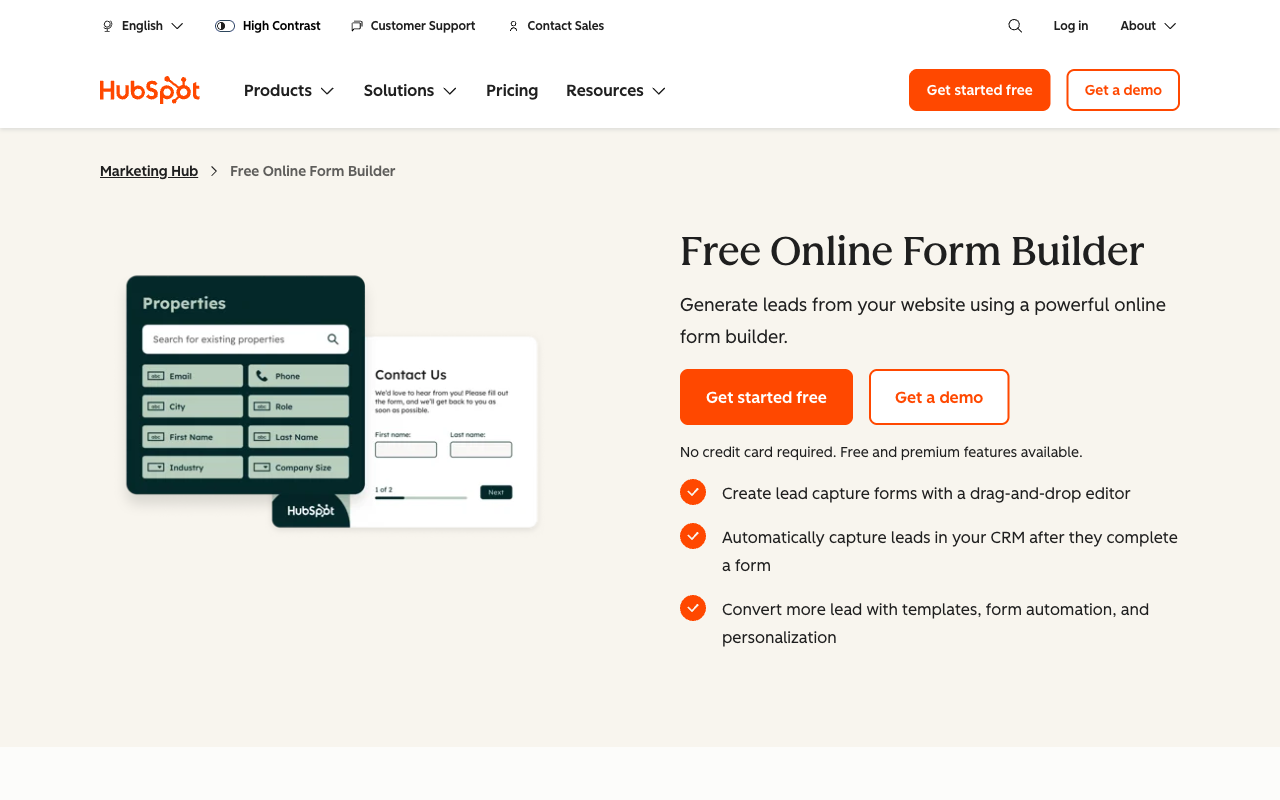
Submissions are uncapped, including on the free plan
HubSpot places no limit on form submissions at any tier. That is the exact axis Fillout meters, and on high-volume, low-complexity lead capture it makes HubSpot the cheaper answer by a wide margin. A landing page pulling 8,000 newsletter signups a month costs nothing on HubSpot and pushes Fillout onto the $75/month Business tier.
Nothing to integrate, because it is already the CRM
A HubSpot form submission creates or updates the contact record, adds it to lists, updates properties, triggers lead scoring and notifies the owner without any mapping. Fillout's native HubSpot connector is good, but it is still a connector: fields have to be matched, failures have to be monitored, and duplicate handling is a setting rather than a given. Progressive profiling is the sharpest example of the difference, since HubSpot can ask a returning visitor new questions because it already knows the old answers. Fillout has no equivalent.
The vendor is not going anywhere
HubSpot has been trading since 2006, is a public company with more than 10,000 staff, and publishes SOC 1, SOC 2 and SOC 3 reports alongside a full trust centre. Its 15,915 G2 reviews at 4.4 are more evidence than most software buyers ever get. Fillout, founded in 2022 and now operating as "Fillout (by Zite)" under Restly, Inc., has 30 G2 reviews and a Trustpilot score that has slipped from 4.7 to 3.5. If a procurement process is involved, this asymmetry matters more than any feature row.
Where Fillout Falls Short
- The response cap is the pricing model: 2,000 submissions on Starter and 5,000 on Pro, with the only uncapped tier an 87% jump to Business. Bulk submission packs exist but Fillout does not publish their price.
- Analytics sit behind the same door: conversion tracking, drop-off analytics and partial submissions all require Business at $75/month, so you cannot diagnose a leaking form until you are paying for volume you may not need.
- Lead-gen features are a $100/month add-on: abandonment recovery, lead enrichment, routing, autofill, email validation and ad conversion tracking are the Conversion Kit, not a plan feature. HubSpot bundles the equivalents into Marketing Hub.
- The product identity has split: help docs, security pages, the changelog and the AI credit pool have all moved to Zite, and the top tier is a $250/month bundle of both products.
- No HIPAA path at all: where HubSpot Enterprise will sign a BAA, Fillout will not.
Where HubSpot Forms Falls Short
- It is a thin form builder: around 15 CRM field types, no calculations, no scoring inside the form, no appointment booking, no signature field and no colour picker.
- Capable forms cost $890/month: smart fields, A/B testing, dependent fields and real workflows all land on Professional, with a mandatory $3,000 onboarding fee on top in year one.
- Every dimension of growth is billable: seats, marketing contact tiers and HubSpot Credits for AI and agent runs at $9 per extra 1,000 all move independently.
- Form analytics are shallow: no field-level reporting, no drop-off tracking and no partial submissions, a gap G2 reviewers raise repeatedly.
- Leaving means rebuilding: the forms are not usable outside HubSpot, so a CRM migration takes the forms with it.
See Fillout's Builder in Action
HubSpot's form editor is widely documented inside its own academy; Fillout's is the one most buyers have not seen. This independent walkthrough covers the builder end to end.
Pricing Comparison
The two pricing models do not overlap enough to compare tier by tier, so compare the meters. Fillout meters responses and leaves seats alone. HubSpot leaves responses alone and meters seats, marketing contacts and AI credits. Work out which of those numbers grows fastest in your business and you have your answer.
A worked example: a six-person team collecting 6,000 submissions a month. On Fillout that is Business at $75/month billed annually, and $175/month once the Conversion Kit is added for lead routing and abandonment recovery. On HubSpot, staying on Starter at $20/seat is $120/month but leaves you without conditional logic; getting it means Professional at $890/month for three seats, $1,025 with the other three added, plus $3,000 of onboarding in the first year.
Fillout
HubSpot Forms
| Product | Plan | Monthly Price | Annual Price (per month) | Free Plan | Free Trial | Limits |
|---|---|---|---|---|---|---|
| Fillout | Free | Free | Free | Yes | No | forms: Unlimited, submissions: 1,000/month, storage: N/A, users: Unlimited, file uploads: 20 MB per file |
| Fillout | Starter | $19/mo | $15/mo billed annually | forms: Unlimited, submissions: 2,000/month, storage: N/A, users: Unlimited, file uploads: 20 MB per file | ||
| Fillout | Pro | $49/mo | $40/mo billed annually | forms: Unlimited, submissions: 5,000/month, storage: N/A, users: Unlimited, file uploads: 20 MB per file | ||
| Fillout | Business | $89/mo | $75/mo billed annually | forms: Unlimited, submissions: Unlimited, storage: N/A, users: Unlimited, file uploads: 1 GB+ | ||
| Fillout | Team bundle | $300/mo | $250/mo billed annually | forms: Unlimited, submissions: Unlimited, storage: 1,000,000 records, users: Unlimited, file uploads: 1 GB+ | ||
| HubSpot Forms | Free | Free | Free | Yes | 14 days | forms: Unlimited, submissions: Unlimited, users: 2 |
| HubSpot Forms | Marketing Hub Starter | $20/mo | $20/mo billed annually | forms: Unlimited, submissions: Unlimited, users: Per seat | ||
| HubSpot Forms | Marketing Hub Professional | $890/mo | $800/mo billed annually | forms: Unlimited, submissions: Unlimited, users: 3 Core Seats included (additional Core Seats from $45/mo) | ||
| HubSpot Forms | Marketing Hub Enterprise | $3600/mo | $3600/mo billed annually | forms: Unlimited, submissions: Unlimited, users: 5 Core Seats included (additional Core Seats from $75/mo) |
What Users Say
The review data is not comparable in the way the numbers suggest. HubSpot's 4.4 across 15,915 G2 reviews rates Marketing Hub as a whole, with forms rarely the subject; the recurring complaints are cost, contract inflexibility and a form builder users call basic. Fillout's 4.6 rests on 30 reviews, with only 4 on Capterra at 4.0, and its Trustpilot average of 3.5 across 48 reviews includes several accounts describing automated systems flagging and blocking them. Filip Konecny's independent review reaches a similar place, asking whether the paid tiers earn their price rather than whether the product works.
The Verdict
Pick HubSpot Forms if HubSpot is already your CRM, your forms are lead capture, and volume is the number that grows. You will get uncapped submissions for nothing and the tightest possible path from submit button to sales follow-up. Pick Fillout if the form has real work to do, if you need scheduling or documents or logic, and if your response volume is steady enough to sit inside a tier. Both answers are defensible, and each one is clearly wrong for the other team.
What neither answer gives you is a capable form builder with no meter attached. Fillout is capable and metered by responses. HubSpot is unmetered on responses and not capable. That is the tradeoff to resolve.
Consider Paperform Instead
Paperform Pro is $59/month, or $49 billed annually, with unlimited submissions and unlimited seats within fair use. Be clear about the cost: Fillout starts at $15/month and HubSpot Forms start at nothing, so on a small, simple, low-volume form both of them are cheaper and you should use them. For simple forms, use the simple tool. Paperform is priced for the team where the meter is the actual problem.
The structural argument is that charging more when your forms perform better is a tax on your own success, and Paperform declines to levy it in any of the three currencies these two use. No response cap, so a 6,000-submission month costs what a 600-submission month costs. No per-seat charge, so adding the sixth marketer changes nothing. No marketing contact ladder, because Paperform sends data to whichever CRM already holds it, HubSpot included, across 4000+ integrations.
The second argument is that the customer should not be the integration. One Paperform subscription covers three products on every plan: Paperform for forms, Papersign for eSignatures and Stepper for AI-native workflow automation, with one account and one bill. Against Fillout that replaces the $100/month Conversion Kit and the $250 Team bundle reasoning; against HubSpot it replaces a separate signature vendor entirely, since HubSpot has no eSignature product. Pro includes 25 signed documents a month and 20,000 automation credits; Business, at $149/month or $124 annually, includes 100 signed documents, 100,000 credits, 10 workspaces, SSO and the Business API. Support is in that price rather than sold as a $3,000 enablement line item at signing.
On capability, Paperform's Excel-style calculations go well past a total field: the same formulas control which questions and pages appear, what conditional emails say, what gets pushed to an integration and what the success page shows. Five payment processors are supported rather than one, with subscriptions, coupons, tax rules and refunds handled inside the form. The document-style editor builds the form as a page you can design, and the same form flips into Guided Mode one question at a time with no rebuild.
On vendor risk, Paperform has been shipping since 2016, bootstrapped and profitable, with no investors setting the roadmap. That is younger than HubSpot and considerably older than Fillout, and unlike Fillout there is no parent brand for the product to be folded into. The honest limits: Paperform is SOC 2 Type II, GDPR and CCPA compliant with SAML SSO and enforced 2FA on Business, but it is not HIPAA compliant and signs no BAAs, so regulated health data still points at HubSpot Enterprise. Paperform also has nothing like HubSpot's native CRM write-back, because it is not a CRM.
If you want to go deeper on either product, see our Paperform vs Fillout comparison, our Paperform vs HubSpot Forms breakdown, or the wider HubSpot Forms alternatives and Fillout alternatives roundups. For the full ranking, start with our best form builders list.
Frequently Asked Questions
Can Fillout push submissions into HubSpot CRM natively?
Yes. HubSpot is one of Fillout's 50+ native integrations, alongside Salesforce and Pipedrive, so a Fillout submission can create or update a HubSpot contact without Zapier sitting in between. It will not match what HubSpot's own forms do inside HubSpot, where a submission can immediately trigger list membership, lead scoring and a workflow with no mapping step at all. The practical question is whether you need a form that is genuinely capable or a form that is genuinely welded to the CRM. Fillout is the first; HubSpot Forms is the second.
Which is cheaper, Fillout or HubSpot Forms?
It depends entirely on volume and headcount. HubSpot Forms are free with unlimited submissions if you accept HubSpot branding and two users, and Starter removes the branding at $20 per seat per month list price. Fillout's free plan carries 1,000 submissions a month with unlimited seats, and its cheapest paid tier is $15/month billed annually. HubSpot wins on submission volume at the bottom; Fillout wins on seats and on what the form can actually do. The order flips at the top: capable HubSpot forms mean Marketing Hub Professional at $890/month plus a required $3,000 onboarding fee, while Fillout's unmetered tier is $75/month billed annually.
Does either Fillout or HubSpot Forms support conditional logic on a free plan?
Fillout does, HubSpot does not. Fillout includes conditional logic, branching and calculations on its free tier. HubSpot calls its equivalent dependent fields and progressive fields, and they sit on Marketing Hub Professional at $890/month. HubSpot has no calculation engine on forms at any price, so pricing maths, quiz scoring and quoting have to happen elsewhere. This is the single widest capability gap between the two products.
Are Fillout or HubSpot Forms HIPAA compliant?
Fillout is not HIPAA compliant. HubSpot is, but only on Marketing Hub Enterprise at $3,600/month, and only where the customer signs a BAA and turns on sensitive-data settings; Free, Starter and Professional do not qualify. Both are SOC 2 Type II and GDPR compliant. If you are collecting protected health information, HubSpot Enterprise is the only path between these two, and it is an expensive one. Paperform is not HIPAA compliant either and does not sign BAAs.
Can I take PayPal payments through Fillout or HubSpot Forms?
No. Both are Stripe-only. Fillout is an official Stripe partner with no added platform fee and supports cards, ACH, Affirm and Stripe Link, plus discount codes; HubSpot Payments runs through Stripe from the Starter tier and has no subscriptions, coupons or tax handling on forms. If your finance team is on PayPal, Square or Braintree, neither product will serve you without a workaround. Paperform supports five processors: Stripe, PayPal, Square, Braintree and Google Pay.
Which vendor is the safer long-term bet, Fillout or HubSpot?
HubSpot, on stability alone. It was founded in 2006, is listed on the NYSE, and carries 15,915 G2 reviews. Fillout launched in 2022, raised seed funding, and now trades as "Fillout (by Zite)" with the legal entity Restly, Inc. DBA Zite; its help docs, changelog and AI credit pool have moved to the Zite platform. Its review footprint is thin and softening, with 30 G2 reviews at 4.6 and a Trustpilot score that has fallen to 3.5 across 48 reviews. HubSpot's own risk is different and shows in its pricing history: Credits, AEO and the seat model have all been re-layered in the past two years, and HubSpot's company-level Trustpilot rating sits at 1.5 across 1,169 reviews, with contract terms and renewal increases the recurring theme.
Sources & References
- Fillout Review 2026: We Tested Everything (Builder, Integrations, Automations & Real ROI) — Hackceleration, 2026
- Fillout Reviews: Is This Form Builder Actually Worth Paying For? — Filip Konecny, 2026
- HubSpot Forms Review (2026): Features, Pricing & Limitations — Knock AI, 2026
- 6 HubSpot Forms alternatives in 2026 — Heyflow, 2026
Last updated September 22, 2026
Ready to try Paperform?
Create beautiful forms, payment pages, and workflows — no code required.