Fillout vs Microsoft Forms: Which Should You Choose in 2026?
Choose Microsoft Forms for internal surveys and quizzes inside a tenant you already pay for, especially where HIPAA, FedRAMP or FERPA coverage matters. Choose Fillout for anything customer-facing: it adds Stripe payments, a REST API, 50+ integrations and custom branding that Microsoft Forms has none of, from $15/month billed annually.
These two products are not competing for the same budget line, which is what makes the comparison useful. Microsoft Forms is a feature of a suite you have probably already bought, designed so that an HR manager can put a pulse survey in a Teams channel before lunch. Fillout is a product somebody chose and expensed, built to sit in front of customers with payments, scheduling, PDF generation and signatures attached. The decision is rarely about which builder is nicer. It is about whether the form is facing your colleagues or your market.
Look at how each one charges and the split gets clearer. Microsoft meters people: every person who needs to open the builder holds a Microsoft 365 licence, from $7/user/month annual on Business Basic to $39 on E3. Fillout meters responses: seats are unlimited on every tier, but Starter stops at 2,000 submissions a month and Pro at 5,000. Whichever way your organisation grows, one of these two models will start sending you a larger invoice.
Quick Verdict
Choose Microsoft Forms if:
- Your forms stay inside the tenant: staff surveys, quizzes, meeting feedback
- You need HIPAA with a BAA, FedRAMP, FERPA or ISO 27001 coverage
- Responses should land in Excel and SharePoint without any setup
- You run graded assessments and want auto-marking built in
- A single form may take hundreds of thousands of responses
Choose Fillout if:
- The form is public and has to look like your brand, not Microsoft's
- You need to take money, book time or collect a signature on the form
- Data must reach Airtable, Notion, HubSpot or Salesforce natively
- You want an API and webhooks rather than a Power Automate flow
- Lots of people need editor access and none of them hold an M365 licence
Feature Comparison
Every row below comes from data re-verified on 22 September 2026. The payments and Integrations & API blocks are the ones to read first, because that is where the gap stops being a matter of degree.
| Feature | Fillout | Microsoft Forms |
|---|---|---|
| Form Building | ||
| Document-style editor | No | No |
| AI form creation | Yes | Yes copilot |
| AI agent in the form editor (Form Agent) | Yes | No |
| Field types | 50+ | No |
| Multi-page forms | Yes | Yes |
| Guided mode (one question at a time) | No | No |
| Conditional logic | Yes | Yes |
| Calculations field | Yes | No |
| AI calculations assistant | No | No |
| Scoring | Yes | Yes |
| Answer piping | Yes | No |
| Pre-filling and hidden fields | Yes | No |
| Save and resume | Yes | No |
| Auto-close by number | Yes | Yes |
| Auto-close by date | Yes | Yes |
| Appointment/booking field | Yes starter | No |
| Signature field | Yes starter | No |
| Color picker field | No | No |
| API-powered dropdowns | No | No |
| Google address search | Yes conversion-kit | No |
| File uploads | Yes | No |
| AI agent (Surveys Agent) | No | Yes copilot |
| Payments | ||
| Stripe payments | Yes | No |
| PayPal payments | No | No |
| Square payments | No | No |
| Braintree payments | No | No |
| Google Pay | No | No |
| Product sales (eCommerce) | Yes | No |
| Subscriptions | Yes | No |
| Coupons and discounts | Yes | No |
| Custom pricing rules | Yes | No |
| Tax calculations | No | No |
| Quotes/invoices | No | No |
| Refunds | No | No |
| 3D Secure | No | No |
| Design & Customization | ||
| Template gallery | Yes | Yes |
| Rich media (images, GIFs, videos) | Yes | Yes |
| Unsplash and Giphy integration | No | No |
| Image editor | No | No |
| Adobe Creative Cloud | No | No |
| Language translation | No | Yes |
| Advanced theming | Yes starter | No |
| Custom form URL | Yes pro | No |
| Custom domains | Yes business | No |
| Custom HTML & CSS | Yes pro | No |
| Remove branding | Yes pro | No |
| Custom email domains | Yes pro | No |
| Analytics | ||
| Submission results and reports | Yes | Yes |
| AI report insights | No | Yes |
| Paperform analytics | Yes business | No |
| Google Analytics & Facebook Pixel | Yes | No |
| Custom analytics scripts | Yes business | No |
| Partial submissions | Yes business | No |
| Collaboration | ||
| Multi-user accounts | Yes | Yes |
| User permissions and management | Yes | Yes |
| Advanced permissions & admin | Yes team | Yes enterprise |
| Form sharing (templates) | Yes | Yes |
| Spaces and tag management | Yes | No |
| Security | ||
| SOC 2 Type II | Yes | Yes |
| HIPAA compliance / BAA | No | No |
| ISO 27001 | No | No |
| Audit logs | Yes enterprise | No |
| GDPR compliant | Yes | Yes |
| SSL encryption | Yes | Yes |
| Two-factor authentication | Yes | Yes |
| Enforce 2FA for all users | Yes team | Yes enterprise |
| SSO (SAML) | Yes enterprise | Yes |
| reCAPTCHA | Yes starter | No |
| Local data residency | Yes enterprise | Yes enterprise |
| Custom S3 storage (BYO) | Yes | No |
| Integrations & API | ||
| Native integrations | 50+ | No |
| Zapier | Yes | No |
| Make (Integromat) | Yes | No |
| Webhooks | Yes | No |
| Standard API | Yes | No |
| Business API | No | No |
| WordPress plugin | Yes | No |
| oEmbed support | Yes | Yes |
| 4000+ integrations | No | No |
Where Microsoft Forms Wins
The compliance estate Fillout cannot match
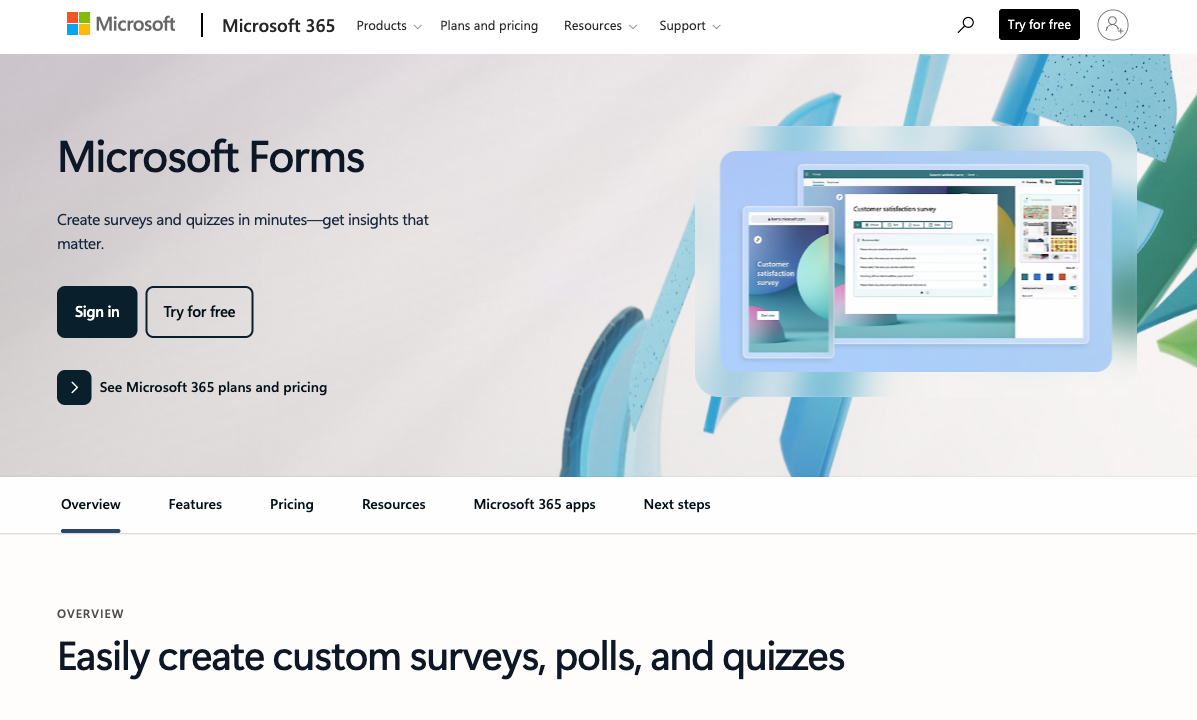
Microsoft Forms is covered by GDPR, HIPAA with a BAA, CCPA, SOC 2 and ISO 27001, plus FERPA and FedRAMP; Fillout holds SOC 2 Type 2 and GDPR and nothing else. For a school district, a county agency or a benefits team, that list is the reason the conversation ends early. Worth one caveat: Microsoft's HIPAA offering page does not name Forms as an in-scope service, so anyone routing health data through it should get that confirmed rather than assumed. Fillout has no such ambiguity, because it makes no HIPAA claim at all and signs no BAAs.
Zero marginal cost inside the tenant
Microsoft Forms adds nothing to a bill you are already paying, and Fillout's cheapest paid tier is $15/month billed annually. If forty people in your organisation each need to run the occasional survey, Forms handles all forty for nothing while Fillout handles them on one shared plan whose response cap all forty are drawing down. Co-authoring, Teams distribution, live Excel sync and SharePoint embedding all arrive with the licence, unconfigured and free. Fillout connects to Teams, OneDrive and Excel Online too, but as integrations you set up rather than as a place your data already lives.
Volume and assessment
A Microsoft 365 plan allows 5,000,000 responses per form across 400 forms; Fillout stops counting responses only on Business at $75/month billed annually. Nothing in the Fillout catalogue answers a single survey that takes six figures of responses without a $75 tier or a bulk submission pack whose price Fillout does not publish. The quiz engine is the other genuine asset here: auto-grading, manual grading, per-question comments and maths support, which is why Forms has such a grip in education. Fillout can score a quiz through calculations, but it does not grade one.
Where Fillout Wins

Everything a public-facing form needs
Fillout offers 50+ question types including payments, scheduling, signatures and file uploads; Microsoft Forms offers choice, text, rating, date, ranking, Likert, NPS and file upload. That list difference is the product difference. Save and resume, answer piping, pre-fill from URL parameters and hidden fields are all standard on Fillout's free plan and absent from Microsoft Forms at every price. A half-finished application on Forms is a lost application, because the respondent has no way to come back to it.
An API, webhooks and 50+ native integrations
Fillout ships a REST API, webhooks, Zapier and Make on the free plan plus 50+ native connectors including Airtable, Notion, HubSpot, Salesforce, Slack and Amazon S3; Microsoft Forms has no public API, no webhooks and no Zapier connector. The only supported way to move a Microsoft Forms response anywhere outside the Microsoft estate is Power Automate, licensed per user with premium connectors gated above that. Fillout's Airtable integration is the standout, updating existing records rather than only appending new ones, and its S3 connector drops uploaded files straight into your own bucket.
Branding, payments and AI in the editor
Fillout supports Stripe payments on every tier including free, with subscriptions, discount codes and free trials; Microsoft Forms has no payment capability of any kind. Branding runs the same way: themes and a logo from Starter at $15/month annual, custom CSS, custom share links and branding removal from Pro at $40, a custom domain on Business at $75, against a Microsoft URL you cannot change. Fillout has also shipped Form Agent, a chat agent inside the editor that adds fields, writes page logic and builds calculations, though it draws on a shared monthly pool of Zite AI credits and stops when the pool empties.
Where Microsoft Forms Falls Short
- No payments, ever: the moment a form has to charge for something, you are buying a checkout, a payment page or a Power Apps build to sit beside it.
- No API and no webhooks: Power Automate is the only route out, priced per user, and the public Forms API has slipped again to CY26H1.
- Nothing to brand: no custom domain, no custom URL, no CSS, no way to remove Microsoft branding, and 22 templates in total.
- Missing form fundamentals: no save and resume, no pre-fill, no answer piping, no calculation fields, no booking, no signature field.
- Analytics stop at the export: no drop-off tracking, no partial submissions, no Google Analytics or Meta Pixel, so serious analysis lives in a spreadsheet someone saved.
- Licence-gated AI: the July 2026 Copilot chat pane and Surveys Agent both require a commercial Copilot licence at $21/user/month annual.
Where Fillout Falls Short
- One processor: Stripe only, with no PayPal, Square or Braintree, and no tax calculation, invoicing or refund handling around it.
- The response meter: 2,000/month on Starter and 5,000 on Pro, and clearing the cap means an 87% jump to Business or a bulk pack Fillout does not price publicly.
- Analytics behind the same door: conversion tracking, drop-off data and partial submissions all require Business at $75/month, the tier that also removes the cap.
- Lead-gen sold separately: abandonment recovery, enrichment, routing, email validation and ad conversion tracking are the Conversion Kit add-on at $100/month on top of a plan.
- No HIPAA, no BAA, no ISO 27001: a compliance profile that rules it out of the regulated work Microsoft Forms handles by default.
- Young, and no longer quite itself: founded 2022, now Fillout (by Zite), with 30 G2 reviews at 4.6 and a Trustpilot score down to 3.5 across 48 reviews.
- No multi-language forms: you can set one form language, where Microsoft Forms supports multilingual forms on all plans.
The Five Dimensions, Answered Directly
- Pricing: Fillout runs $15 (Starter), $40 (Pro) and $75 (Business) per month billed annually with a $250 Team bundle and a $100/month Conversion Kit add-on; Microsoft Forms has no price of its own and arrives with Microsoft 365 from $7/user/month annual on Business Basic, $14 on Standard, $22 on Premium and $39 on E3.
- Integrations and API: Fillout has 50+ native integrations plus Zapier, Make, webhooks and a REST API on the free plan; Microsoft Forms has no public API, no webhooks, no Zapier and no Make, and reaches other systems only through Power Automate and the Microsoft 365 apps.
- Conditional logic: both branch on answers, and both do it free, but Fillout adds calculations, answer piping and pre-fill at no cost while Microsoft Forms has no calculation field, no piping and no pre-fill at any tier.
- Payments: Fillout supports exactly one processor, Stripe, on every plan; Microsoft Forms supports zero.
- Compliance: Microsoft Forms carries GDPR, HIPAA with a BAA, CCPA, SOC 2, ISO 27001, FERPA and FedRAMP through Microsoft 365; Fillout carries SOC 2 Type 2 and GDPR, with no HIPAA, no BAA and no ISO 27001.
Pricing Comparison
There is no honest single answer to which of these costs less, because they charge for different things. If the Microsoft 365 licences are already bought, Forms is free and any Fillout plan is new spend. If they are not, reaching Microsoft Forms means licensing every builder at $7 to $39 a month while Fillout covers the whole team on one plan. Size the response volume and the headcount, in that order, and the answer usually falls out.

Fillout
Microsoft Forms
| Product | Plan | Monthly Price | Annual Price (per month) | Free Plan | Free Trial | Limits |
|---|---|---|---|---|---|---|
| Fillout | Free | Free | Free | Yes | No | forms: Unlimited, submissions: 1,000/month, storage: N/A, users: Unlimited, file uploads: 20 MB per file |
| Fillout | Starter | $19/mo | $15/mo billed annually | forms: Unlimited, submissions: 2,000/month, storage: N/A, users: Unlimited, file uploads: 20 MB per file | ||
| Fillout | Pro | $49/mo | $40/mo billed annually | forms: Unlimited, submissions: 5,000/month, storage: N/A, users: Unlimited, file uploads: 20 MB per file | ||
| Fillout | Business | $89/mo | $75/mo billed annually | forms: Unlimited, submissions: Unlimited, storage: N/A, users: Unlimited, file uploads: 1 GB+ | ||
| Fillout | Team bundle | $300/mo | $250/mo billed annually | forms: Unlimited, submissions: Unlimited, storage: 1,000,000 records, users: Unlimited, file uploads: 1 GB+ | ||
| Microsoft Forms | Free (Personal Microsoft Account) | Free | Free | Yes | 1 month | forms: 400, submissions: 200/form, storage: N/A, users: 1 |
| Microsoft Forms | Microsoft 365 Business Basic | $8.4/mo | $7/mo billed annually | forms: 400, submissions: 5,000,000/form, storage: 1 TB OneDrive per user, users: Per user (1-300 employees) | ||
| Microsoft Forms | Microsoft 365 Business Standard | $16.8/mo | $14/mo billed annually | forms: 400, submissions: 5,000,000/form, storage: 1 TB OneDrive per user, users: Per user (1-300 employees) | ||
| Microsoft Forms | Microsoft 365 Business Premium | $26.4/mo | $22/mo billed annually | forms: 400, submissions: 5,000,000/form, storage: 1 TB OneDrive per user, users: Per user (1-300 employees) | ||
| Microsoft Forms | Microsoft 365 Business Standard with Copilot | Not listed | $23.5/mo billed annually | forms: 400, submissions: 5,000,000/form, storage: 1 TB OneDrive per user, users: Per user (1-300 employees) | ||
| Microsoft Forms | Microsoft 365 Business Premium with Copilot | Not listed | $32/mo billed annually | forms: 400, submissions: 5,000,000/form, storage: 1 TB OneDrive per user, users: Per user (1-300 employees) | ||
| Microsoft Forms | Microsoft 365 Apps for business | Not listed | $10/mo billed annually | forms: 400, submissions: 5,000,000/form, storage: 1 TB OneDrive per user, users: Per user |
One detail the tables cannot show: the Microsoft 365 price increase announced for 1 July 2026 is now in effect, taking Business Basic to $7/user/month annual and Business Standard to $14. Microsoft has also split out lower-priced plans without Teams and higher-priced bundles with Copilot included, and the Copilot bundle is what determines whether your Forms experience includes the new chat-pane AI.
What Users Say
Microsoft Forms has the far deeper record: 436 G2 reviews at 4.4 and 330 Capterra reviews at 4.5, with ease of use at 4.6 and value for money at 4.6, which is what you would expect from something included in a licence. The criticism is remarkably consistent across sources, and TechRadar's review lands in the same place as the G2 comments: simple, free and limited, with reviewers naming the missing field types and the absent integrations rather than complaining about bugs. Fillout's scores are higher on a much thinner base, at 4.6 across 30 G2 reviews and 4.0 across four on Capterra, and its Trustpilot rating has fallen from 4.7 to 3.5 across 48 reviews, with recent complaints about automated systems blocking accounts.
See Them in Action
The Verdict
Use Microsoft Forms for the work it was designed for. An engagement survey, a quiz, a meeting poll, an RSVP for an all-hands: these belong in the tenant, cost nothing extra, land in Excel, and inherit a compliance posture Fillout cannot approach. Simple work deserves the simple tool. Accept that the form will look like Microsoft made it, that it cannot take money, and that anything you want to do with the data afterwards runs through Power Automate.
Use Fillout when the form leaves the building. Payments, scheduling, signatures, branding, an API and 50+ native integrations are all real capabilities that Microsoft Forms simply does not have, and Fillout delivers them without charging per seat. Accept the Stripe-only ceiling, the response caps below $75/month, the $100/month Conversion Kit for lead-gen features, and a four-year-old vendor now operating inside a parent platform.
The Third Option: Paperform
The tradeoff these two force on you is a compromise either way. Microsoft Forms is free but hands off the moment the work gets interesting: Power Automate for the workflow, DocuSign or Adobe Sign for the signature, Excel for the analysis, each licensed separately and each joined together by you. Fillout keeps more in one product, then meters the one number you want to grow. Paperform removes the meter from the outcome. Submissions and seats are unlimited within fair use on Pro at $59/month, or $49 billed annually, and on Business at $149/month, or $124 annually. State the cost plainly: Fillout starts at $15/month annual and Microsoft Forms starts at nothing if your tenant is already paid for, so both undercut Paperform's entry. What $49 buys is a customer-facing system whose bill stops moving when the forms start working.
The second argument is fragmentation, and this pairing shows it from both ends. One Paperform subscription covers three products on every plan: Paperform for forms, Papersign for eSignatures at 25 signed documents a month on Pro and 100 on Business, and Stepper for AI-native workflow automation with 20,000 automation credits on Pro and 100,000 on Business. There is nothing sold as an add-on, no second credit pool belonging to a parent platform, and no per-user licence standing between a colleague and the builder. Support sits in the price rather than arriving as an enablement line item.
On the dimensions this page has measured: Paperform supports five payment gateways (Stripe, PayPal, Square, Braintree and Google Pay) with subscriptions, coupons, tax, quotes and refunds, against Fillout's single processor and Microsoft's none. It connects to 4000+ integrations with webhooks and a REST API, where Microsoft Forms offers no API at all. Its calculations are Excel-style and control question and page visibility, conditional email content, what gets sent to integrations and what the success page says, rather than totalling a quiz score. Paperform holds SOC 2 Type II, GDPR and CCPA, and has been building forms since 2016, bootstrapped and profitable, with no investor clock and no parent brand to be reorganised around. It is not HIPAA compliant and signs no BAAs, so protected health information still belongs in the Microsoft estate.
There is a 7-day trial with no card required. For the wider field, see our ranking of the best form builders, or read the detailed breakdowns of Microsoft Forms alternatives and Fillout alternatives. If you are weighing Paperform against either product directly, we have Paperform vs Microsoft Forms and Paperform vs Fillout.
Frequently Asked Questions
Can Microsoft Forms collect payments, and does Fillout do it better?
Microsoft Forms collects no payments at all: there is no Stripe connection, no PayPal, no product catalogue, no invoicing. Fillout does take payments, but through Stripe alone, on every tier including free, with recurring billing, discount codes and free trials on top. So Fillout wins this outright, with one caveat worth knowing before you commit: if your finance team banks through PayPal or Square, Fillout cannot help you either, and a registration form that charges money is the point where both products start costing you a second vendor.
Is Microsoft Forms HIPAA compliant when Fillout is not?
Microsoft Forms inherits the Microsoft 365 compliance estate, which covers HIPAA with a BAA, GDPR, CCPA, SOC 2, ISO 27001, FERPA and FedRAMP. Fillout publishes SOC 2 Type 2 and GDPR and makes no HIPAA claim and offers no BAA anywhere on its site. One caution on the Microsoft side: Microsoft's HIPAA offering page does not enumerate Forms as a named in-scope service, so confirm the coverage with your account team before routing patient data through it.
Does Fillout have an API when Microsoft Forms does not?
Yes. Fillout ships a REST API, webhooks, Zapier and Make on the free plan alongside 50+ native integrations. Microsoft Forms has no public API, no webhooks and no Zapier connector; the documented Forms Graph APIs have slipped repeatedly and are now signposted for CY26H1. Automation out of Microsoft Forms means Power Automate, which is licensed per user with premium connectors gated above that, so the cost of moving your own data grows with headcount.
Which is cheaper for a ten-person team, Fillout or Microsoft Forms?
It depends on whether you already pay for Microsoft 365. If you do, Forms costs nothing extra and ten people can build and co-author at no marginal price. If you do not, ten Business Basic licences run $70/month billed annually just to reach a form builder. Fillout charges nothing per seat on any tier, so the same ten people share one plan: $0 at 1,000 responses a month, $15/month annual at 2,000, $40 at 5,000, $75 for uncapped. Fillout meters responses; Microsoft meters people.
Can I put a Fillout or Microsoft Forms form on my own domain?
Only Fillout, and only on Business at $75/month billed annually. Microsoft Forms has no custom domain, no custom URL, no CSS and no way to remove Microsoft branding, so every public form ends on a Microsoft URL wearing Microsoft's visual language. Fillout gives you themes and a logo from Starter, custom CSS and custom share links from Pro, and the custom domain at Business. For an internal survey this is irrelevant. For a lead-capture page it is the whole conversation.
Is Fillout a safer long-term bet than a Microsoft product?
Microsoft will outlast everyone, but Forms is a bundled feature rather than a product with its own customers, and its roadmap follows Microsoft 365 licensing decisions: the July 2026 Copilot chat pane in Forms requires a commercial Copilot licence at $21/user/month annual, and Surveys Agent is Copilot-only. Fillout was founded in 2022, is seed funded, and now trades as Fillout (by Zite) with its help docs, security pages, changelog and AI credit pool moved to a parent platform. Different risks: one is a feature you do not control, the other is a young company whose identity has already changed once.
Sources & References
- Fillout Pricing — Fillout, September 2026
- Microsoft 365 Business Plans and Pricing — Microsoft, September 2026
- Microsoft Forms review — TechRadar, 2026
- Fillout Review 2026: We Tested Everything (Builder, Integrations, Automations & Real ROI) — Hackceleration, 2026
Last updated September 22, 2026
Ready to try Paperform?
Create beautiful forms, payment pages, and workflows — no code required.