 By Dean McPherson, Co-founder & CTO, Paperform · Updated
Fillout vs WPForms: Which Is Better in 2026?
WPForms is cheaper and has no submission cap, but only works inside a self-hosted WordPress site and has no REST API or SOC 2 audit. Fillout is hosted, SOC 2 Type 2 certified and works anywhere, but meters responses from 1,000 a month up. Your CMS decides this comparison more than the feature lists do.
These two products are not really competing for the same purchase. WPForms is a plugin inside somebody's WordPress install: 6 million active installs, a licence rather than a subscription, and entries that live in your own database. Fillout is a hosted platform that happens to start with forms and then keeps going into scheduling, PDF generation, payments, workflows and signatures. Comparing them on field types misses what actually differs, which is where the form lives and who is responsible for keeping it up.
The second difference is what each vendor counts. Fillout counts responses, and the count is tight enough at the lower tiers that a successful campaign can move you up a plan. WPForms counts nothing about your traffic at all, and instead counts sites and features: fee-free payments, Zapier, surveys, signatures and analytics all sit on Pro, CRM connections and webhooks on Elite, and each tier renews at roughly twice its first-year price.
Quick verdict
Choose Fillout if:
- Your site is not WordPress, or forms need to run outside it
- Submissions must land in Airtable or Notion, with record updates
- A security review will ask for a SOC 2 report
- You want scheduling and PDF generation without a second tool
- Nobody on the team wants to own hosting and plugin updates
Choose WPForms if:
- WordPress is already the site and someone already maintains it
- Volume is high and a monthly response cap would be a problem
- You need PayPal, Square, Authorize.Net or Mercado Pago
- Entry data has to stay on infrastructure you control
- The budget is a few hundred dollars a year, not a month
Feature comparison
Both products audited in September 2026, category by category.
| Feature | Fillout | WPForms |
|---|---|---|
| Form Building | ||
| AI form builder . Describe the form you need in plain language and the tool drafts the questions for you. | Yes | Yes basic |
| Templates . The number of ready-made form templates in the tool’s template gallery. | Yes | 2,100+ (basic) |
| Field types . How many kinds of question or input field the form builder offers, such as text, dropdown, date, file upload and signature. | 50+ | 30+ (basic) |
| Conditional logic . Show, hide or skip questions and pages based on how someone has answered earlier questions. | Yes | Yes basic |
| Calculations . Compute totals, scores, prices or dates from answers while the form is being filled in. | Yes | Yes pro |
| Multi-page forms . Split a long form across several pages that respondents move through in order. | Yes | Yes basic |
| One question at a time . A conversational layout that shows a single question per screen, popular for surveys on mobile. | No | Yes pro |
| Answer piping . Insert a respondent’s earlier answer, such as their name, into later questions or text on the form. | Yes | No |
| Pre-filling and hidden fields . Fill in answers ahead of time from a link or existing data, and pass along values the respondent never sees. | Yes | Yes basic |
| File uploads . Let respondents attach files such as documents and photos to their submission. | Yes | Yes basic |
| E-signatures . Collect a signature, either with a signature field on the form or by sending a document out to be signed. | Yes starter | Yes pro |
| Appointment booking . Let respondents pick and book a time slot directly in the form, with availability managed by the tool. | Yes | No |
| Quiz scoring . Give answers point values so the form can score quizzes and assessments automatically. | Yes | Yes pro |
| Save and resume . Respondents can leave a form part-way through and come back later to finish it. | Yes | Yes pro |
| Close forms by date or response limit . Stop accepting submissions automatically on a set date or once a set number of responses has arrived. | Yes | Yes pro |
| Payments | ||
| Payment gateways . The number of payment processors a form can take payments through. Where a vendor’s full count isn’t recorded, the cell lists the gateways we confirmed. | 1 Stripe | 6 (Lite (Free)) processors, incl. Stripe, PayPal, Square, Mercado Pago |
| Subscriptions and recurring payments . Charge respondents on a repeating schedule, such as monthly or annually, from a form. | Yes | Yes Lite (Free) |
| Product sales . Sell products from a form, with product listings, quantities and an order total. | Yes | Yes Lite (Free) |
| Conditional pricing . Change the price or add fees automatically based on the answers given in the form. | Yes | Yes pro |
| Coupons and discounts . Offer discount codes that respondents can apply to a payment or subscription on the form. | Yes | Yes pro |
| Tax calculations . Add sales tax to payments on the form automatically. | No | Yes pro |
| Refunds . Refund a payment from inside the form tool rather than going to the payment processor. | No | Yes pro |
| Design & Customization | ||
| Custom themes . Set your own logo, colours and fonts on forms and save them as reusable themes. | Yes starter | Yes basic |
| Custom CSS . Add your own CSS (and in some tools HTML) for styling beyond the built-in theme options. | Yes pro | Yes basic |
| Remove vendor branding . Remove the form builder’s own logo or badge so forms carry only your branding. | Yes pro | Yes basic |
| Custom domain . Host forms on your own domain, such as forms.yourcompany.com, instead of the vendor’s. | Yes business | Yes Lite (Free) |
| Custom form URL . Choose a readable link for a form instead of a random string. | Yes | Yes pro |
| Emails from your own domain . Send notification and confirmation emails from your own email domain instead of the vendor’s. | Yes team | Yes basic |
| Multi-language forms . Show a form’s questions, buttons and messages in languages other than English. | Yes business | Yes basic |
| Analytics | ||
| Response reports . Built-in summaries and charts of the answers a form has collected. | Yes | Yes basic |
| Form analytics (views and drop-off) . Track how many people view, start and finish a form, and where they abandon it. | Yes business | Yes pro |
| Partial submissions . See the answers people entered before leaving a form without submitting it. | Yes business | Yes pro |
| Google Analytics and Meta Pixel . Connect a form to Google Analytics or the Meta (Facebook) Pixel to track visits and conversions. | Yes business | No |
| Custom tracking scripts . Add your own analytics or conversion-tracking scripts to a form. | Yes business | Not recorded |
| AI response insights . AI-written summaries and insights generated from the responses a form has collected. | No | Yes pro |
| Collaboration | ||
| Team members . Invite colleagues into the same account to build forms and work with responses together. | Yes | Yes basic |
| Roles and permissions . Give team members different levels of access, such as admin, editor or viewer. | Yes | Yes pro |
| Advanced permissions and admin controls . Fine-grained, organisation-wide controls over who can access what, usually on enterprise plans. | Yes team | Yes elite |
| Workspaces . Separate spaces or folders for organising forms by team, client or project. | Yes | Yes Lite (Free) |
| Security | ||
| Two-factor authentication . Users can protect their login with a second step, such as a code from an authenticator app. | Yes | No |
| Require 2FA for the whole team . Admins can make two-factor authentication mandatory for everyone in the account. | Yes team | No |
| SSO (SAML) . Team members sign in through your company’s identity provider, such as Okta or Microsoft Entra ID, using SAML single sign-on. | Yes enterprise | No |
| HIPAA compliance . Whether the vendor supports collecting US protected health information under HIPAA, typically by signing a business associate agreement on an eligible plan. | No | No |
| SOC 2 . Whether the vendor holds a SOC 2 audit report covering its security controls. | Yes | No |
| GDPR . Whether the vendor states that it complies with the EU General Data Protection Regulation. | Yes | Yes basic |
| Data residency . Choose the region, such as the EU, where your form data is stored. | Yes team | Yes |
| Store files in your own S3 bucket . Send uploaded files and exports to your own Amazon S3 storage instead of the vendor’s. | Yes team | No |
| Spam protection (CAPTCHA) . Block bot and spam submissions with reCAPTCHA or a similar challenge. | Yes starter | Yes Lite (Free) |
| Integrations & API | ||
| Native integrations . Apps the tool connects to directly, without going through a third-party connector such as Zapier or Make. | 50+ | 30+ (Lite (Free)) |
| Zapier . Connect forms to thousands of other apps through Zapier. | Yes | Yes pro |
| Make . Connect forms to other apps through Make (formerly Integromat). | Yes | Yes pro |
| Workflow automation . A built-in builder for multi-step automations that act on submissions, such as approvals, routing and syncing data to other systems. | Yes | Not recorded |
| Webhooks . Send each new submission to a URL of your choice as soon as it arrives. | Yes | Yes elite |
| API access . A developer API for reading forms and submissions, or managing them, from your own code. | Yes | Yes Lite (Free) |
| MCP server / AI assistant connector . An official connector, such as an MCP server, that lets AI assistants like Claude or ChatGPT work with your forms and responses. | Not recorded | Yes Lite (Free) |
| WordPress plugin . A plugin for adding forms to a WordPress site. | No | Yes |
— means we haven't recorded it for that tool.
The five dimensions that decide it
Pricing
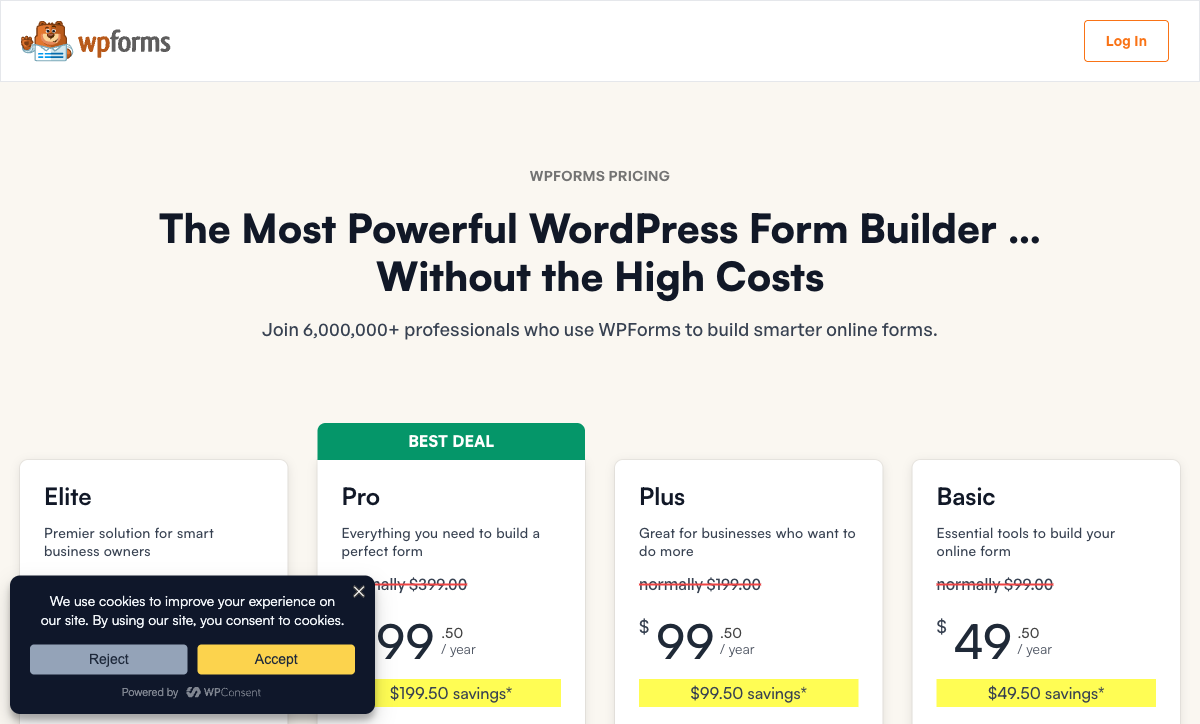
WPForms Basic is $99/year regular pricing, about $8.25/month, against Fillout Starter at $19/month ($15 billed annually). That is the headline, and on raw licence cost WPForms wins at every equivalent tier: Plus $199/year, Pro $399/year and Elite $599/year, all with unlimited forms, unlimited submissions and unlimited users.
Two things complicate it. The WPForms number excludes WordPress hosting, backups and the person who applies updates, and those are real costs that simply do not appear on an invoice. And the tier you need is rarely the tier you buy: fee-free payments, Zapier, save and resume, surveys, signatures and the WPForms 2.0 analytics dashboard all require Pro, which is $399/year. FatLab's 2026 review is titled "Easy to Start, Expensive to Grow Into", and Fluent Forms' roundup makes the same point in numbers, noting that a $99 plan often becomes a $300-plus annual setup.
Fillout's escalation works the other way around. The features arrive early and the volume arrives late: conditional logic, calculations, answer piping, PDF generation and 50+ integrations are all on the free tier, but the response ceiling climbs from 1,000 to 2,000 to 5,000 before unlimited appears on Business at $89/month ($75 annually), an 87% jump from Pro. Lead-generation tooling sits outside the tiers entirely in a $100/month Conversion Kit add-on covering abandonment recovery, enrichment, routing, email validation and ad conversion tracking, and the top published tier is a $300/month Team bundle ($250 annually) of Fillout plus the Zite platform.
What will it cost you?
Fillout plans
- FreeMatchesFreeForms Unlimited, Submissions 1,000/month, Team Unlimited, Storage N/A
- Starter$15/moForms Unlimited, Submissions 2,000/month, Team Unlimited, Storage N/A
- Pro$40/moForms Unlimited, Submissions 5,000/month, Team Unlimited, Storage N/A
- Business$75/moForms Unlimited, Submissions Unlimited, Team Unlimited, Storage N/A
- Team bundle$250/moForms Unlimited, Submissions Unlimited, Team Unlimited, Storage N/A
| Plan | Price | Forms | Submissions | Team | Storage |
|---|---|---|---|---|---|
| FreeMatches | Free | Unlimited | 1,000/month | Unlimited | N/A |
| Starter | $15/mo | Unlimited | 2,000/month | Unlimited | N/A |
| Pro | $40/mo | Unlimited | 5,000/month | Unlimited | N/A |
| Business | $75/mo | Unlimited | Unlimited | Unlimited | N/A |
| Team bundle | $250/mo | Unlimited | Unlimited | Unlimited | N/A |
WPForms plans
- Lite (Free)MatchesFreeForms Unlimited, Submissions Unlimited, Team Unlimited, Storage WordPress database (self-hosted)
- Basic$8.25/moForms Unlimited, Submissions Unlimited, Team Unlimited, Storage WordPress database (self-hosted)
- Plus$16.58/moForms Unlimited, Submissions Unlimited, Team Unlimited, Storage WordPress database (self-hosted)
- Pro$33.25/moForms Unlimited, Submissions Unlimited, Team Unlimited, Storage WordPress database (self-hosted)
- Elite$49.92/moForms Unlimited, Submissions Unlimited, Team Unlimited, Storage WordPress database (self-hosted)
| Plan | Price | Forms | Submissions | Team | Storage |
|---|---|---|---|---|---|
| Lite (Free)Matches | Free | Unlimited | Unlimited | Unlimited | WordPress database (self-hosted) |
| Basic | $8.25/mo | Unlimited | Unlimited | Unlimited | WordPress database (self-hosted) |
| Plus | $16.58/mo | Unlimited | Unlimited | Unlimited | WordPress database (self-hosted) |
| Pro | $33.25/mo | Unlimited | Unlimited | Unlimited | WordPress database (self-hosted) |
| Elite | $49.92/mo | Unlimited | Unlimited | Unlimited | WordPress database (self-hosted) |
| Product | Plan | Monthly Price | Annual Price (per month) | Free Plan | Free Trial | Limits |
|---|---|---|---|---|---|---|
| Fillout | Free | Free | Free | Yes | No | forms: Unlimited, submissions: 1,000/month, storage: N/A, users: Unlimited, file uploads: 20 MB per file |
| Fillout | Starter | $19/mo | $15/mo billed annually | forms: Unlimited, submissions: 2,000/month, storage: N/A, users: Unlimited, file uploads: 20 MB per file | ||
| Fillout | Pro | $49/mo | $40/mo billed annually | forms: Unlimited, submissions: 5,000/month, storage: N/A, users: Unlimited, file uploads: 20 MB per file | ||
| Fillout | Business | $89/mo | $75/mo billed annually | forms: Unlimited, submissions: Unlimited, storage: N/A, users: Unlimited, file uploads: 1 GB+ | ||
| Fillout | Team bundle | $300/mo | $250/mo billed annually | forms: Unlimited, submissions: Unlimited, storage: N/A, users: Unlimited, file uploads: 1 GB+ | ||
| WPForms | Lite (Free) | Free | Free | Yes | No | forms: Unlimited, submissions: Unlimited, storage: WordPress database (self-hosted), users: Unlimited |
| WPForms | Basic | Not listed | $8.25/mo billed annually | forms: Unlimited, submissions: Unlimited, storage: WordPress database (self-hosted), users: Unlimited | ||
| WPForms | Plus | Not listed | $16.58/mo billed annually | forms: Unlimited, submissions: Unlimited, storage: WordPress database (self-hosted), users: Unlimited | ||
| WPForms | Pro | Not listed | $33.25/mo billed annually | forms: Unlimited, submissions: Unlimited, storage: WordPress database (self-hosted), users: Unlimited | ||
| WPForms | Elite | Not listed | $49.92/mo billed annually | forms: Unlimited, submissions: Unlimited, storage: WordPress database (self-hosted), users: Unlimited |
Integrations and API
WPForms reaches 9,000+ apps through Zapier and Fillout ships 50+ native integrations with a REST API behind them. Those numbers describe two different architectures rather than a winner. WPForms' native list is strong where WordPress sites need it (Mailchimp, AWeber, Constant Contact, ConvertKit, Klaviyo and eleven other email tools), but the CRMs are Elite-tier and nearly everything else routes through Zapier, Make or n8n, which is a separate subscription billed per task run. Fillout connects directly to HubSpot, Salesforce, Pipedrive, Airtable, Notion, Slack, Teams and Google Sheets, and its Airtable integration can update existing records rather than only appending new ones.
The webhook gap is the sharper one. Fillout exposes a REST API and webhooks on every plan; WPForms has a REST API, but it runs inside your own WordPress install rather than as a hosted service, and webhooks are held back to Elite at $599/year. If engineers need submissions pushed to another system as they arrive, WPForms will send you to Elite or to a paid connector.
Conditional logic and calculations
Fillout includes conditional logic and calculations on its free tier; WPForms includes conditional logic from Basic but holds calculations to Pro. The practical difference is how far each one goes. WPForms' Calculator addon handles pricing, quotes and cost estimates and ships an AI assistant that writes the formula for you, which is genuinely useful, but the result is confined to the form: a calculated value cannot decide which conditional email fires or reshape an integration payload. Fillout's calculations drive dynamic values and quiz scoring, and its Form Agent will write logic, calculations and URL parameters from a chat prompt, though it cannot yet configure payments, calendars or integrations, and G2 reviewers note that calculations take time to master.
Payments
WPForms supports six payment routes and Fillout supports one. WPForms covers Stripe, PayPal Commerce and Square from the free Lite plugin, Mercado Pago for Latin American card payments in seven currencies and Paystack on Pro, and Authorize.Net on Elite. Below Pro, WPForms adds a 3% fee to each payment; from Pro up there is no WPForms transaction fee on top of the processor's. Fillout is Stripe-only and does not hide it, as an official Stripe partner with 0% added fees, covering cards, ACH, Affirm and Stripe Link plus subscriptions, coupons and free trials. Neither product manages a catalogue, inventory or tax the way an eCommerce platform does; WPForms sites usually solve that by bolting on WooCommerce.
Compliance
Fillout is SOC 2 Type 2 and GDPR compliant but not HIPAA and not CCPA; WPForms claims GDPR, CCPA and PCI for payment forms but has no SOC 2, no ISO 27001 and no HIPAA. This is the cleanest split in the comparison. With a hosted product the vendor is the audited party, and Fillout can produce a report plus, from the Team bundle, a chosen hosting region, and at Enterprise the option to keep submissions only in external storage. With a plugin the audited party is you: the security posture is your host, your patching cadence and your plugin hygiene. WPForms' HIPAA guidance amounts to switching entry storage off, which moves the obligation rather than meeting it. Neither is a route to protected health information.
Where Fillout is the better product
Reach is Fillout's real advantage over a plugin. A Fillout form has its own URL, embeds into any site, goes out in an email and works when the marketing team launches a landing page on a platform nobody cleared with IT. FreeFormBuilders' hands-on review calls it one of the most polished free form builders available, and the polish is not cosmetic: what it buys is a form that looks the same everywhere it appears, rather than one that inherits whichever WordPress theme is active.
Scope is the second. Scheduling through Calendly, Cal.com and Google Calendar, PDF generation, signature questions and workflows all sit in the same product, so a booking flow that produces a signed confirmation does not become three purchases. WPForms has signatures and PDF generation on Pro but no appointment field at all, and its automation story is Zapier.
Then there is who it has convinced. Fairfax County, Domino's, Bombas, Wayfair, Harvard and The Athletic are procurement-grade references for a company founded in 2022, and unlimited seats on every plan including free means the eighth person reviewing submissions does not trigger a conversation about licences.
Where WPForms is the better product
No submission cap is the strongest card WPForms holds in this particular matchup. Every tier, including the free Lite plugin, allows unlimited forms, submissions and users, because the entries live in your database rather than the vendor's. For a high-traffic contact form, a donation page during an appeal or a support intake that spikes unpredictably, that removes the exact anxiety Fillout's 1,000 / 2,000 / 5,000 ladder creates.
The WordPress fit is the other genuine win, and it goes deeper than convenience. WPForms works with Elementor, Divi and Beaver Builder, respects WordPress user roles, runs on multisite, and is consistently described as lightweight enough not to slow a site down. The install base backs the claim up: 6 million active installs and 4.8 across 14,377 WordPress.org ratings is a longer track record than Fillout's entire company history.
WPForms 2.0, shipped in July 2026, also closed the gap that older comparisons still report. There is now a full analytics dashboard with views, interactions, conversion rate, abandonment, field-level breakdown and an AI chat that reads the data and explains what is hurting conversions. It is Pro and Elite only, but it exists, and any review claiming WPForms has no analytics is out of date.
See Fillout in action
"Fillout Full Tutorial for Beginners 2026" by Toolysto, a step-by-step walkthrough of the hosted builder. Useful for judging how much of the WordPress admin workflow you would be leaving behind.
Where Fillout falls short in this matchup
The response meter is the problem WPForms simply does not have. Fillout Pro stops at 5,000 responses a month, and the published route past it is Business at $75/month billed annually; bulk submission packs exist but the price is not published. Under the Zite rebrand the metering has widened, with AI credits drawn from a shared pool and workflow runs counted against plan limits, and the serious quotas parked in the $250/month Team bundle. A WordPress site owner looking at $399/year for unlimited everything will find that arithmetic hard to ignore.
Identity is the other question. Fillout now trades as "Fillout (by Zite)": the security documentation is titled for Zite, the footer reads Restly, Inc. DBA Zite, and the changelog is entirely Zite product news. Its review footprint is thin and moving the wrong way, with 30 G2 reviews at 4.6, four Capterra reviews at 4.0, and a Trustpilot average that has fallen from 4.7 to 3.5 across 48 reviews, several of them describing automated systems flagging accounts. Against a plugin with 6 million installs and fourteen thousand ratings, that is a meaningful difference in how much evidence you can read before committing.
Where WPForms falls short in this matchup
WPForms requires WordPress, and the licence price is low because the operational work is yours. Hosting, backups, PHP upgrades, plugin conflicts and security patches are all real work with real cost, and they arrive as someone's afternoon rather than an invoice. Fillout charges more and does all of it for you, which is the entire proposition of a hosted product.
Portability is the structural limit. Forms cannot be shared as standalone links, cannot be embedded cleanly on a non-WordPress site, and cannot be built or reviewed without a wp-admin login on a desktop. Styling inherits the active theme, so keeping forms on-brand across several sites is CSS work repeated per theme. Webhooks sit behind Elite, and a large share of WPForms' apparently independent review coverage (WPBeginner, IsItWP, RafflePress) is published by its own parent company, Awesome Motive. Fluent Forms' competitor roundup, which is hardly disinterested either, lands on the same criticism that independent reviewers do: the free version is limited, the useful integrations route through Zapier, and the total cost drifts well past the advertised entry price.
What users say
WPForms has the deeper record and the higher volume: 4.8 across 14,377 WordPress.org ratings, 4.7 across 969 G2 reviews and 4.8 across 616 on Trustpilot, with praise concentrated on ease of use and speed, and complaints concentrated on feature gating and renewal pricing. Fillout's scores are respectable but thin, at 4.6 across 30 G2 reviews and 5.0 across 13 Product Hunt reviews, with only four Capterra reviews and the Trustpilot slide noted above. Value for money is the weakest dimension for both: 4.0 on Capterra for WPForms, 3.5 for Fillout.
Consider Paperform
The tradeoff between these two is unlimited volume on infrastructure you have to run, against a managed platform that bills you as your volume grows. Paperform refuses the second half of that. Submissions and seats are unlimited on every paid plan within fair use, on hosted infrastructure with nothing for you to patch, so the campaign that works and the tenth colleague who needs access both cost exactly what they cost today. Pro is $59/month, or $49/month billed annually. Business is $149/month, or $124/month annually, with ten workspaces, SSO and the Business API.
Be straight about the money. A WPForms Basic licence at $99/year is a fraction of Paperform Pro, and Fillout starts at $15/month billed annually. For one contact form on an existing WordPress site, the plugin is the correct purchase and we would rather say that than argue otherwise. Paperform is priced for the operator running a real multi-step process against a compliance checklist they did not write.
What the higher number replaces is the seams. One subscription covers Paperform for forms, Papersign for eSignatures with an audit trail (25 signed documents a month on Pro, 100 on Business) and Stepper for AI-native workflow automation (20,000 automation credits on Pro, 100,000 on Business). The WordPress equivalent is a Pro licence plus a signing tool plus a Zapier plan plus hosting, bought and renewed separately, with you as the integration between them. Payments run through five gateways (Stripe, PayPal, Square, Braintree and Google Pay) with subscriptions, coupons, tax, quotes and refunds, so you are not choosing between Fillout's one processor and a WPForms tier upgrade. Calculations are Excel-style and are wired into the whole submission, deciding question and page visibility, which conditional email fires, what goes into the integration payload and what the success page says, with an AI assistant that writes the formula from a plain description. There are 9,800+ integrations, 30,000+ templates and a permanent free plan with no card.
Two honest limits. Paperform is SOC 2 Type II, GDPR and CCPA compliant but is not HIPAA compliant and signs no BAAs, so protected health information belongs elsewhere; and while submissions are not metered, Stepper automation credits are. On vendor risk, Paperform has been shipping since 2016, bootstrapped and profitable, with no investor setting the roadmap, no acquirer running a renewal clock and no parent brand to be folded into. For more, see WPForms alternatives, Fillout alternatives, the best form builders for WordPress, or the full best form builders ranking.
The verdict
Pick WPForms if WordPress is the site, someone already maintains it, and volume matters more than reach. Unlimited submissions on a $99-to-$399 annual licence is unbeatable value for a high-traffic contact, donation or registration form, and the builder deserves its reputation as the easiest in WordPress. Go in knowing that fee-free payments, Zapier, signatures and analytics all live on Pro, that Elite is where CRMs and webhooks start, and that each renewal is roughly double the first-year price.
Pick Fillout if the forms have to travel. Hosted URLs, embeds anywhere, a SOC 2 Type 2 report for the security review, unlimited seats, deep Airtable and Notion connections, and scheduling plus PDFs in the same product make it the right answer for teams whose work is not confined to one CMS. Weigh that against a response ceiling on every tier below $75/month, Stripe-only checkout, and a four-year-old company now operating inside a parent platform.
Pick Paperform when the honest answer is that a plugin is too much maintenance and a metered platform is too much risk: unlimited submissions and seats, forms plus signatures plus workflow automation on one bill, and a price that does not move in the year your forms start working.
Frequently Asked Questions
Can I use WPForms without WordPress, or do I need Fillout?
You need Fillout. WPForms is a commercial WordPress plugin that installs on a self-hosted WordPress site; there is no standalone cloud version, no hosted form URL and no way to put a WPForms form on a Webflow, Shopify or Squarespace page. Fillout is cloud-hosted, so every form gets its own link and embeds anywhere. If WordPress is not already in your stack, this single fact ends the comparison before features come into it.
Does Fillout or WPForms cap the number of submissions?
Fillout caps them, WPForms does not. Fillout allows 1,000 responses a month on Free, 2,000 on Starter ($19/month, $15 billed annually), 5,000 on Pro ($49/month, $40 annually) and unlimited only on Business ($89/month, $75 annually). Every WPForms licence tier carries unlimited forms, submissions and users, because the entries are stored in your own WordPress database. What WPForms meters instead is site licences: 1 on Basic, 3 on Plus, 5 on Pro and unlimited on Elite.
Which one takes PayPal, Fillout or WPForms?
WPForms does, from the free Lite plugin with a 3% WPForms fee on top, or fee-free on its Pro tier at $399/year alongside Stripe Pro, Square Pro, Mercado Pago and Paystack, with Authorize.Net added on Elite. Fillout is Stripe-only at every tier. Stripe covers cards, ACH, Affirm and Stripe Link with discount codes, free trials and recurring billing, so Fillout is not short on payment features, but it is short on processors. If finance already runs on PayPal or Square, WPForms is the one of the two that can take the money.
Is Fillout or WPForms better for a non-technical marketing team?
Fillout, unless that team already lives in wp-admin. Fillout's editor runs in the browser with no install, no plugin conflicts and no hosting account, and its Form Agent will build fields, page logic and calculations from a chat instruction. WPForms is repeatedly rated the easiest builder inside WordPress, at 4.8 across more than 14,000 WordPress.org ratings, but reaching it means a WordPress login, and styling the form means inheriting the active theme or writing CSS.
Is WPForms SOC 2 compliant the way Fillout is?
No. Fillout is SOC 2 Type 2 and GDPR compliant, with 256-bit AES encryption and, on Enterprise, a choice of hosting region across the US, EU, UK, Australia and Canada. WPForms claims GDPR, CCPA and PCI compliance for payment forms but holds no SOC 2, ISO 27001 or independent vendor audit, because the data sits on your WordPress host rather than on WPForms infrastructure. Neither product is HIPAA compliant. For a procurement questionnaire that asks for an audit report, Fillout has one to hand over and WPForms points at your hosting arrangement.
Which is cheaper over three years, Fillout or WPForms?
WPForms, in almost every scenario, and by a wide margin. A WPForms Pro licence renews at $399/year, roughly $33/month, with unlimited submissions across five sites; Fillout Business is $75/month billed annually for the same unlimited responses. The comparison is not quite like for like, since the WPForms number excludes WordPress hosting, and the features you are likely to add later sit behind tier upgrades that renew at about double their introductory price. Budget for the tier you will be on in year two, not the one you buy in week one.
Sources & References
- WPForms Review: Easy to Start, Expensive to Grow Into — FatLab Web Support, 2026
- 9 Top WPForms Alternatives Compared (2026) — Fluent Forms, 2026
- Fillout Review (2026): A Modern Free Form Builder Tested — FreeFormBuilders, 2026
- Fillout Reviews: Is This Form Builder Actually Worth Paying For? — Filip Konecny, 2026
Unlimited plans are subject to each vendor's fair use policy.
Ready to try Paperform?
Create beautiful forms, payment pages, and workflows — no code required.