Fillout vs Zoho Forms: Which Is Better in 2026?
Fillout gives unlimited seats on every plan but caps submissions at 5,000 until you reach $75/month. Zoho Forms carries far more volume for far less money and adds HIPAA plus offline mobile capture, but meters users, storage and automation tasks separately. Teams pick Zoho for volume, Fillout for headcount.
These two products meter opposite things, and that is the whole decision. Fillout, founded in 2022 and now trading as "Fillout (by Zite)", charges by response and hands out editor seats for free. Zoho Forms, launched in 2016 inside Zoho Corporation's 55-app suite, charges by seat and by half a dozen other counters, and is comparatively relaxed about how many people fill in your form.
So the sizing question is not which is cheaper. It is which of your two numbers is growing faster: the number of colleagues who need to build and edit forms, or the number of responses those forms bring in. Answer that honestly and the comparison mostly settles itself.
Quick verdict
Choose Fillout if:
- Several people need to build and edit forms without buying seats
- Submissions land in Airtable, Notion or Google Sheets
- You want scheduling, PDF generation and workflows in one product
- The form has to look modern to someone outside your company
Choose Zoho Forms if:
- You already run Zoho CRM, Desk or Campaigns
- Volume is high and the budget is small
- You need HIPAA with audit trails
- Crews collect data offline on phones and tablets
Feature comparison
Both products audited in September 2026, category by category.
| Feature | Fillout | Zoho Forms |
|---|---|---|
| Form Building | ||
| Document-style editor | No | No |
| AI form creation | Yes | Yes basic |
| AI agent in the form editor (Form Agent) | Yes | No |
| Field types | 50+ | Yes |
| Multi-page forms | Yes | Yes |
| Guided mode (one question at a time) | No | No |
| Conditional logic | Yes | Yes |
| Calculations field | Yes | Yes basic |
| AI calculations assistant | No | No |
| Scoring | Yes | No |
| Answer piping | Yes | Yes basic |
| Pre-filling and hidden fields | Yes | Yes |
| Save and resume | Yes | Yes basic |
| Auto-close by number | Yes | Yes |
| Auto-close by date | Yes | Yes |
| Appointment/booking field | Yes starter | No |
| Signature field | Yes starter | Yes |
| Color picker field | No | No |
| API-powered dropdowns | No | No |
| Google address search | Yes conversion-kit | No |
| File uploads | Yes | No |
| Payments | ||
| Stripe payments | Yes | No |
| PayPal payments | No | No |
| Square payments | No | No |
| Braintree payments | No | No |
| Google Pay | No | No |
| Product sales (eCommerce) | Yes | No |
| Subscriptions | Yes | No |
| Coupons and discounts | Yes | No |
| Custom pricing rules | Yes | No |
| Tax calculations | No | No |
| Quotes/invoices | No | Yes standard |
| Refunds | No | No |
| 3D Secure | No | No |
| Stripe | No | Yes |
| PayPal | No | Yes |
| Square | No | No |
| Braintree | No | No |
| Product sales | No | Yes basic |
| Coupons | No | No |
| Custom pricing | No | Yes basic |
| Design & Customization | ||
| Template gallery | Yes | Yes |
| Rich media (images, GIFs, videos) | Yes | No |
| Unsplash and Giphy integration | No | No |
| Image editor | No | No |
| Adobe Creative Cloud | No | No |
| Language translation | No | Yes standard |
| Advanced theming | Yes starter | Yes basic |
| Custom form URL | Yes pro | No |
| Custom domains | Yes business | No |
| Custom HTML & CSS | Yes pro | No |
| Remove branding | Yes pro | Yes basic |
| Custom email domains | Yes pro | No |
| Rich media | No | Yes |
| Unsplash/Giphy | No | No |
| Adobe CC | No | No |
| Custom HTML/CSS | No | Yes standard |
| Analytics | ||
| Submission results and reports | Yes | No |
| AI report insights | No | No |
| Paperform analytics | Yes business | No |
| Google Analytics & Facebook Pixel | Yes | No |
| Custom analytics scripts | Yes business | No |
| Partial submissions | Yes business | No |
| Submission results | No | Yes |
| AI insights | No | No |
| Form analytics | No | Yes standard |
| GA/FB Pixel | No | No |
| Custom scripts | No | No |
| Collaboration | ||
| Multi-user accounts | Yes | No |
| User permissions and management | Yes | No |
| Advanced permissions & admin | Yes team | No |
| Form sharing (templates) | Yes | No |
| Spaces and tag management | Yes | No |
| Multi-user | No | Yes standard |
| Permissions | No | Yes standard |
| Advanced permissions | No | Yes professional |
| Form sharing | No | Yes |
| Spaces/tags | No | No |
| Security | ||
| SOC 2 Type II | Yes | No |
| HIPAA compliance / BAA | No | No |
| ISO 27001 | No | Yes |
| Audit logs | Yes enterprise | No |
| GDPR compliant | Yes | No |
| SSL encryption | Yes | No |
| Two-factor authentication | Yes | No |
| Enforce 2FA for all users | Yes team | No |
| SSO (SAML) | Yes enterprise | No |
| reCAPTCHA | Yes starter | Yes |
| Local data residency | Yes enterprise | No |
| Custom S3 storage (BYO) | Yes | No |
| SOC 2 | No | Yes |
| GDPR | No | Yes |
| SSL | No | Yes |
| 2FA | No | Yes |
| Enforce 2FA | No | No |
| SSO SAML | No | Yes professional |
| Data residency | No | Yes |
| Custom S3 | No | No |
| Integrations & API | ||
| Native integrations | 50+ | No |
| Zapier | Yes | Yes basic |
| Make (Integromat) | Yes | No |
| Webhooks | Yes | Yes standard |
| Standard API | Yes | Yes basic |
| Business API | No | No |
| WordPress plugin | Yes | No |
| oEmbed support | Yes | No |
| 4000+ integrations | No | No |
| WordPress | No | Yes |
| oEmbed | No | Yes |
Pricing: two meters pointing in different directions
Fillout's paid range runs $19 to $300 per month ($15 to $250 billed annually); Zoho Forms runs $12 to $110 ($10 to $90 annually). Zoho is cheaper at every rung, and the gap widens as volume rises.
Walk a growing form up both ladders. At 1,500 responses a month with one editor, Zoho Basic is $10/month annual and Fillout Starter is $15, near enough a tie. At 20,000 responses, Zoho Standard covers it at $25 while Fillout needs Business at $75, because Pro stops at 5,000. Now flip the variable: at 800 responses a month with six editors, Fillout is $15 and Zoho jumps to Standard at $25 purely for the seats. At twenty editors, Zoho is $50 on Professional and Fillout is still $15.
Zoho also charges for things Fillout does not count at all. Storage is capped per tier (500 MB on Basic, 10 GB on Premium) and extra storage is $6/month. Zoho Flow tasks are $2/month per pack, prefill and webhook requests $6/month, PDF generation stops at 2,000 documents before you buy 200-credit packs at $5, and Zia's AI features draw on credits sold at $6 per 5,000. Exceeding a submission cap is $12/month for the next 10,000. Fillout's counter-offer is simpler on paper and steeper in practice: one response meter, an 87% jump from Pro to Business to remove it, and a $100/month Conversion Kit add-on holding abandonment recovery, lead enrichment, routing, email validation and ad conversion tracking outside every tier.

Fillout
Zoho Forms
| Product | Plan | Monthly Price | Annual Price (per month) | Free Plan | Free Trial | Limits |
|---|---|---|---|---|---|---|
| Fillout | Free | Free | Free | Yes | No | forms: Unlimited, submissions: 1,000/month, storage: N/A, users: Unlimited, file uploads: 20 MB per file |
| Fillout | Starter | $19/mo | $15/mo billed annually | forms: Unlimited, submissions: 2,000/month, storage: N/A, users: Unlimited, file uploads: 20 MB per file | ||
| Fillout | Pro | $49/mo | $40/mo billed annually | forms: Unlimited, submissions: 5,000/month, storage: N/A, users: Unlimited, file uploads: 20 MB per file | ||
| Fillout | Business | $89/mo | $75/mo billed annually | forms: Unlimited, submissions: Unlimited, storage: N/A, users: Unlimited, file uploads: 1 GB+ | ||
| Fillout | Team bundle | $300/mo | $250/mo billed annually | forms: Unlimited, submissions: Unlimited, storage: 1,000,000 records, users: Unlimited, file uploads: 1 GB+ | ||
| Zoho Forms | Free | Free | Free | Yes | 15 days | forms: 3, submissions: 500/month, storage: 200 MB, users: 1 |
| Zoho Forms | Basic | $12/mo | $10/mo billed annually | forms: Unlimited, submissions: 10,000/month, storage: 500 MB, users: 1 | ||
| Zoho Forms | Standard | $30/mo | $25/mo billed annually | forms: Unlimited, submissions: 25,000/month, storage: 2 GB, users: 10 | ||
| Zoho Forms | Professional | $60/mo | $50/mo billed annually | forms: Unlimited, submissions: 75,000/month, storage: 5 GB, users: 25 | ||
| Zoho Forms | Premium | $110/mo | $90/mo billed annually | forms: Unlimited, submissions: 150,000/month, storage: 10 GB, users: 100 |
The five dimensions that decide it
Pricing
Zoho Forms starts at $12/month ($10 annually) for 10,000 submissions and one user; Fillout starts at $19/month ($15 annually) for 2,000 submissions and unlimited users. Five times the volume for two-thirds the price, against unlimited editors: that trade is the pricing comparison in one line.
Integrations and API
Zoho Forms lists 150+ integrations and Fillout lists 50+, and both expose a REST API plus webhooks. The count flatters Zoho, because its depth is concentrated in the 14+ native Zoho apps and everything else travels through Zoho Flow on a metered task balance. Fillout's smaller catalogue is built for stacks nobody planned: HubSpot, Salesforce, Pipedrive, Slack, Notion, and an Airtable connector that edits existing records instead of only appending them.
Conditional logic and calculations
Both include conditional logic on their free plans, and both put calculations within reach, Fillout on Free and Zoho from Basic. Fillout is the stronger of the two here: it adds answer piping and pre-fill on Free, quiz scoring through calculations, and Form Agent, a chat assistant inside the editor that writes page logic, calculations and dynamic values for you. Zoho has no scoring, no AI calculations help, and a 60-field ceiling per form. Fillout's own limit is credit-shaped rather than structural, since Form Agent draws on a shared monthly Zite allowance and stops when it runs out.
Payments
Zoho Forms supports 2 payment processors, Stripe and PayPal; Fillout supports 1, Stripe. Zoho makes both available on the free plan, capped at 10 payment submissions, and adds product sales from Basic, though it offers no subscriptions or coupons. Fillout's single gateway does more work: ACH, Affirm and Stripe Link alongside cards, plus discount codes, free trials and recurring billing, available from Starter.
Compliance
Zoho Forms is HIPAA, GDPR, CCPA, SOC 2 and ISO 27001 compliant; Fillout is SOC 2 Type 2 and GDPR compliant only, with no HIPAA, no CCPA listing and no ISO 27001. HIPAA and audit trails sit on Zoho's Premium tier at $90/month annual. Fillout answers on residency instead of certificates: Enterprise customers choose a hosting region across the US, EU, UK, Australia and Canada, and can configure submissions to live only in external storage so nothing rests on Fillout's servers.
Where Fillout is the better product

The respondent-facing gap is the one people notice first. Zoho Forms is widely described as hard to make look like anything, with reviewers at Website Planet and TechRadar both landing on limited customisation as its defining flaw, and the free plan offering no styling at all. Fillout's builder is modern by default, and a form sent to a customer reads as a product rather than as an internal record-keeping exercise. For anything public, that difference shows up in completion rates.
Scope for one price is the second advantage. Scheduling, PDF generation, payments, workflows and a signature question type are all inside Fillout. On Zoho, signing means buying Zoho Sign as a separate product on its own plan, automation beyond Zoho apps means Flow tasks, and PDFs run on a credit balance. A booking that confirms by PDF and takes a deposit is one purchase on one side and three on the other.
Fillout also clears procurement more often than a four-year-old company should. Fairfax County, Domino's, Bombas, Wayfair, Harvard, Airbnb and The Athletic all appear on its customer list, and Hackceleration's hands-on review credits the integration depth and the automations specifically. Unlimited seats reinforce all of it: everyone who needs to fix a typo can fix a typo, on any tier.
Where Zoho Forms is the better product
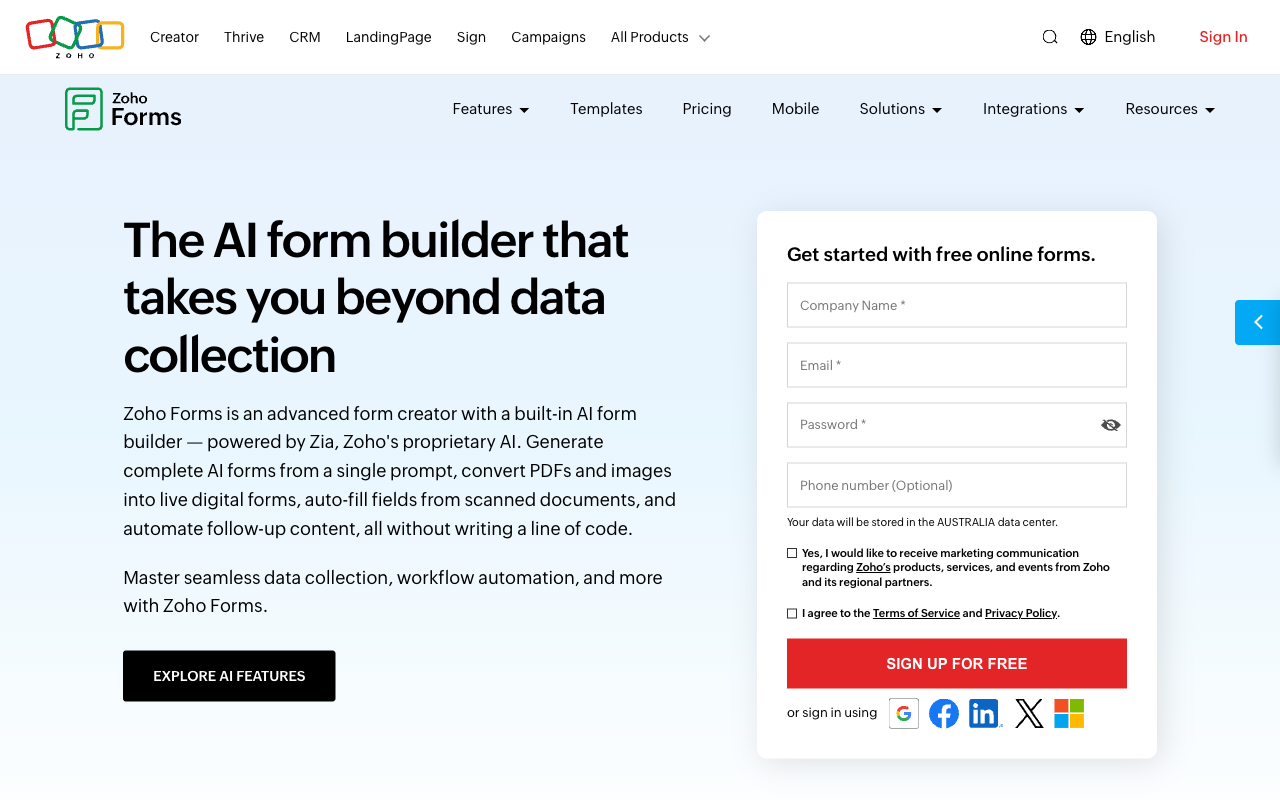
Nothing in this comparison beats Zoho on volume per dollar. Ten thousand submissions a month for $10, 75,000 for $50, 150,000 for $90: Fillout has no answer to those numbers, and a high-traffic public form is simply cheaper to run here. Zoho Corporation is bootstrapped and profitable at 10,000+ staff, so the low price is not a funding-round promotion that expires.
Offline mobile capture is the capability Fillout lacks outright. Zoho ships full iOS and Android apps that collect responses without a connection and sync on return, with QR scanning, geolocation, image capture and signatures on device. Inspections, field audits, event sign-ups in a basement: those jobs go to Zoho and stay there.
Then the compliance and ecosystem case. HIPAA with audit trails on Premium, ISO 27001 across the Zoho cloud, and native pipes into CRM, Desk, Campaigns, Projects and Sign mean that for an organisation already standardised on Zoho, submissions land where they need to land with no glue code. Zoho Forms also carries the better-evidenced review record of the two, with around 148 Capterra reviews behind its 4.5 and 129 on G2 behind its 4.4.
See them in action
"Fillout Full Tutorial for Beginners 2026" by Toolysto, a step-by-step pass through the builder.
"Zoho Forms Review | Pros and Cons" by How To Mr, a short balance sheet of what works and what does not.
Where Fillout falls short in this matchup
Against a vendor with ten thousand employees and ten years of accounts, Fillout's corporate story is the weak spot. It is four years old, seed-funded, and has been folded into Zite: the security documentation is titled for Zite, the footer reads Restly, Inc. DBA Zite, the changelog covers Zite releases, and the top tier is a $300/month Team bundle of both products ($250 annually). Buyers arriving for a form builder are being enrolled in an app and database platform. The review record is thin and softening, with 30 G2 reviews, four on Capterra, and Trustpilot down from 4.7 to 3.5 across 48 reviews, several of them describing automated systems flagging and blocking accounts.
On capability, the response cap bites at exactly the volumes Zoho treats as routine, and it is coupled to the features you need in order to understand a high-volume form: analytics, partial submissions and custom domains all arrive at the same $75/month Business tier that lifts the cap. Fillout has no native mobile app, no offline capture, no HIPAA, no PayPal, no document-style editor and no conversational mode, and its template library is small. For a field team or a clinic, several of those are disqualifying.
Where Zoho Forms falls short in this matchup
Zoho's real cost is the number of separate meters you have to watch. Submissions, storage, users, Flow tasks, prefill and webhook requests, PDF credits and AI credits each have their own cap and their own top-up price, so the invoice is a moving target rather than a line item. The single-user Basic plan is the sharpest edge: a second editor costs a tier, and Fillout charges nothing for the fiftieth.
The product itself is built for short intake. Sixty fields per form, no scoring, no appointment booking, no colour picker, no Google address search, and Card and Spotlight layouts offered as separate form types rather than a mode you can switch on. Analytics needs Standard, partial submissions are unavailable on any plan, so the drop-offs you most want to see are invisible at every price. Support rates 4.3 on both Capterra and GetApp, its weakest sub-score on either listing, which is roughly what being one product in a 55-app portfolio feels like from the ticket queue.
What users say
These are unequal bodies of evidence. Zoho Forms has roughly 148 reviews on Capterra at 4.5 and the same count on GetApp, 129 on G2 at 4.4 and a 4.4 on TrustRadius, with ease of use its strongest dimension at 4.6 and support its weakest at 4.3. Fillout's 4.6 on G2 rests on 30 reviews and its 4.0 on Capterra on four, so neither figure should carry much weight; the 3.5 Trustpilot average across 48 reviews is the more informative number, mainly because it has been falling. A young product with enthusiastic early users and an established one with a long, slightly lukewarm record are different kinds of risk.
Consider Paperform
Both of these bills grow when your forms do. Fillout counts responses, workflow runs and AI credits. Zoho counts submissions, seats, storage, Flow tasks, PDF credits and AI credits. Either way the invoice tracks how well things are going, which is a strange thing to be charged for. Paperform does not price that way: submissions and seats are unlimited within fair use on every paid plan, so the eighth editor and the 60,000th response change nothing. Pro is $59/month, or $49/month billed annually. Business is $149/month, or $124/month annually, adding 10 workspaces, SSO and the Business API.
State the price gap plainly, because it is real. Zoho starts at $10/month annual and Fillout at $15, both well under Paperform's $49 floor, and Paperform sells nothing cheaper. For one low-volume form with one editor, the cheaper tool is the right purchase and this page should not talk you out of it. The $49 starts earning when the form is the first step of a process rather than the whole job.
That process is where both products hand the work back to you. One Paperform subscription covers three products: Paperform for forms, Papersign for eSignatures (25 signed documents a month on Pro, 100 on Business) and Stepper for AI-native workflow automation (20,000 automation credits on Pro, 100,000 on Business). Collect the application, get the contract signed, trigger the onboarding, on one account with one renewal date, rather than Zoho Forms plus Zoho Sign plus a Flow task balance, or Fillout plus a $100 Conversion Kit. Payments run through five gateways (Stripe, PayPal, Square, Braintree and Google Pay) with subscriptions, coupons, tax and refunds. The calculation engine is Excel-style and reaches past totalling a cart: it decides which questions and pages appear, what conditional emails say, what reaches each of the 4000+ integrations and what the success page shows, with an AI assistant that writes the formula from a plain description. Forms are built as a document you write, and any form flips into a guided one-question-at-a-time view without a rebuild. There is a 7-day trial and no card required.
Two caveats, stated rather than buried: Paperform is SOC 2 Type II, GDPR and CCPA compliant but is not HIPAA compliant and signs no BAAs, so protected health information belongs with Zoho Premium; and there is no offline mobile capture, so field crews should stay on the Zoho app. On vendor risk, Paperform has been shipping since 2016, bootstrapped and profitable, with forms, signatures and workflow as the entire company rather than three rows in a price list or a product absorbed into a parent brand. For more, see Zoho Forms alternatives, Fillout alternatives, the head-to-head Paperform vs Zoho Forms and Paperform vs Fillout breakdowns, or the full best form builders ranking.
The verdict
Choose Zoho Forms when the form is high volume, the team editing it is small, and the rest of your stack is already Zoho. Nothing here matches $10/month for 10,000 submissions, and the offline mobile app and HIPAA Premium tier cover jobs Fillout cannot take at all. Accept the plain styling, the 60-field ceiling, the absent partial submissions, and an invoice assembled from seven separate counters.
Choose Fillout when headcount is the thing that grows and the form has to face a customer. Unlimited seats on every tier, a modern builder, deep Airtable and Notion connections, and scheduling and PDFs in the box make it the better working tool for mixed stacks. Accept a young vendor now operating under Zite, Stripe-only checkout, no HIPAA, and a response cap that only lifts at $75/month.
Choose Paperform when neither meter suits you, because growth is the plan. Unlimited submissions and unlimited seats on every paid plan, signatures and workflow automation in the same subscription, and a bill that reads the same in the quarter your campaign finally works.
Frequently Asked Questions
How many people can edit forms on Fillout compared with Zoho Forms?
Fillout includes unlimited seats on every tier, including the free plan. Zoho Forms counts them: 1 user on Free and on Basic ($10/month annual), 10 on Standard ($25), 25 on Professional ($50) and 100 on Premium ($90), with extra Premium users sold at $1.10/month each. A three-person team on Zoho pays for Standard even if it collects a hundred responses a month, because the second editor, not the volume, forces the upgrade.
Which one is cheaper at 20,000 submissions a month, Fillout or Zoho Forms?
Zoho Forms, by a wide margin. Zoho Standard carries 25,000 submissions a month at $25/month annual. Fillout tops out at 5,000 submissions on Pro ($40/month annual), so 20,000 means Business at $75/month annual or buying bulk submission packs at a price Fillout does not publish. Volume is the dimension where Zoho's suite pricing genuinely wins, and it keeps winning up to its 150,000-a-month Premium ceiling.
Can Fillout handle patient intake, or do I need Zoho Forms for HIPAA?
You need Zoho Forms. Fillout holds SOC 2 Type 2 and GDPR but is not HIPAA compliant and signs no BAAs. Zoho Forms offers HIPAA compliance with audit trails on the Premium plan at $90/month annual, alongside GDPR, CCPA, SOC 2 and ISO 27001 across the Zoho cloud. Note the tiering cost: Premium is priced around 100 users, so a small clinic buys a large plan to satisfy one control. Paperform is not HIPAA compliant either, so regulated health data belongs with Zoho here.
Does Zoho Forms work properly if the rest of my stack is not Zoho?
It works, but you lose most of the reason to buy it. Zoho publishes 150+ integrations, and the deep, reliable ones are the 14+ native Zoho apps: CRM, Desk, Campaigns, Projects, Sign. Anything outside that runs through Zoho Flow, whose tasks are metered and topped up at $2/month per pack. Fillout's 50+ native integrations are aimed squarely at mixed stacks, and its Airtable connector updates existing records rather than only appending rows, which is why teams running an operational database pick it over a suite tool.
Which builder is better for collecting data in the field?
Zoho Forms, without much argument. Its native iOS and Android app collects submissions offline and syncs later, with QR scanning, geolocation tagging, image capture and on-device signatures. Fillout has responsive forms but no native app and no mobile editor, so a site inspector out of signal range has nothing to fall back on. This is the clearest capability gap in the comparison and it does not close at any price on the Fillout side.
How do Fillout and Zoho Forms compare on payments?
Zoho Forms supports two processors, Stripe and PayPal, on every plan including Free, though Free caps payment submissions at 10. Fillout is Stripe-only, but goes deeper with that one gateway: card, ACH, Affirm and Stripe Link, plus discount codes, free trials and recurring billing, available as a question type from the $15/month annual Starter tier. Neither supports Square, Braintree or Google Pay. If your finance team is on PayPal, Zoho is the one of the two that can take the order.
Sources & References
- Zoho Forms Review – Can It Match the Competition? — Website Planet, 2026
- Fillout Review 2026: We Tested Everything (Builder, Integrations, Automations & Real ROI) — Hackceleration, 2026
- Zoho Forms review — TechRadar, 2026
- Fillout Reviews: Is This Form Builder Actually Worth Paying For? — Filip Konecny, 2026
Last updated September 22, 2026
Ready to try Paperform?
Create beautiful forms, payment pages, and workflows — no code required.