Google Forms vs Microsoft Forms vs Typeform: Which Form Builder Wins in 2026?
Google Forms wins for Google Workspace teams, Microsoft Forms for Microsoft 365 teams, and Typeform for customer-facing forms where design drives completion. The first two cost nothing beyond the suite you already buy and branch but cannot calculate. Typeform starts at $28/month annual for 100 responses. For payments, signatures, and workflow in one place, Paperform outruns all three.
Two of these products arrived in your account without you choosing them. Google Forms ships with every Google account and funnels answers into Sheets. Microsoft Forms ships with Microsoft 365 and funnels answers into Excel, Teams, and SharePoint. Typeform is the outlier, a Barcelona company founded in 2012 selling a standalone, design-led product that has to earn a separate invoice every month. Comparing all three on features alone misses the structure of the decision: for most teams the first question is which suite pays the bills, and the second is whether any form is important enough to leave that suite for.
What follows compares the three on the five dimensions that settle real purchases, then turns the result into a decision tree. Every figure comes from a September 2026 audit of each vendor's own pricing and documentation.
Quick verdict: who each one is for
 Google Forms
Best for: Workspace teams, schools, and nonprofits running unlimited free surveys, quizzes, and RSVPs that need to land in Sheets and be co-edited by several people at once.
 Microsoft Forms
Best for: Microsoft 365 tenants collecting internal feedback and running live polls inside Teams meetings, at volumes up to five million responses per form.
 Typeform
Best for: marketing, research, and talent teams running short public-facing forms where presentation lifts completion and monthly volume stays predictable.
Two suite features and one product
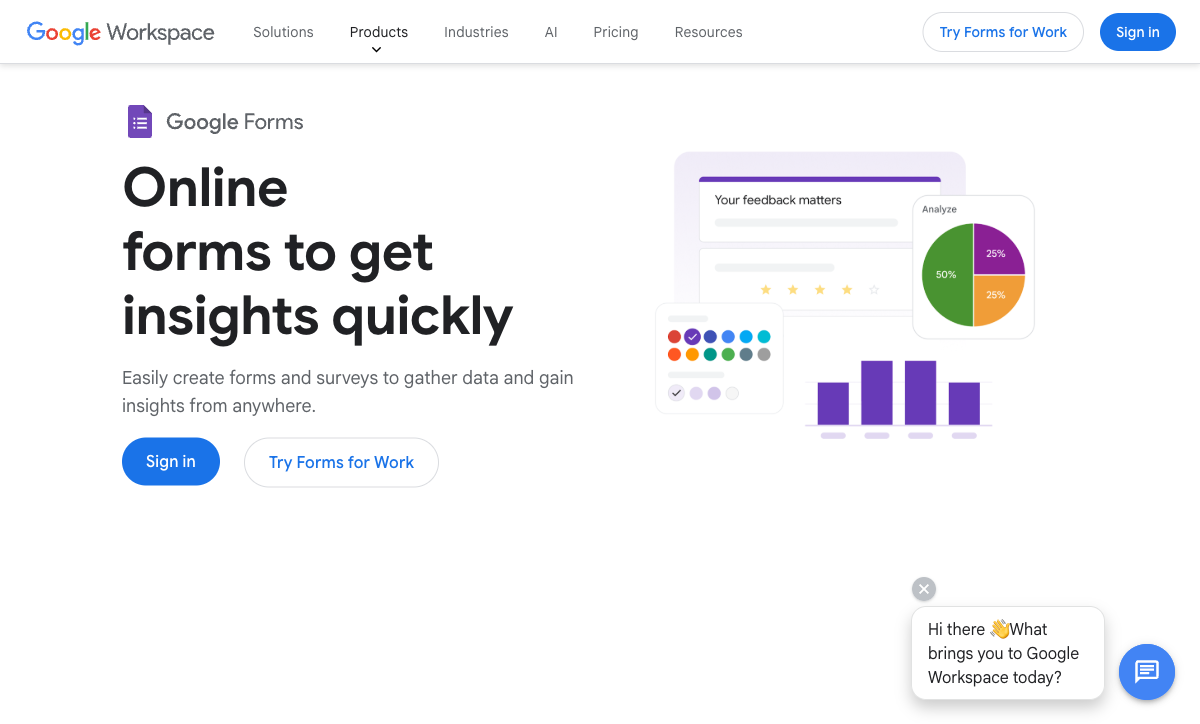
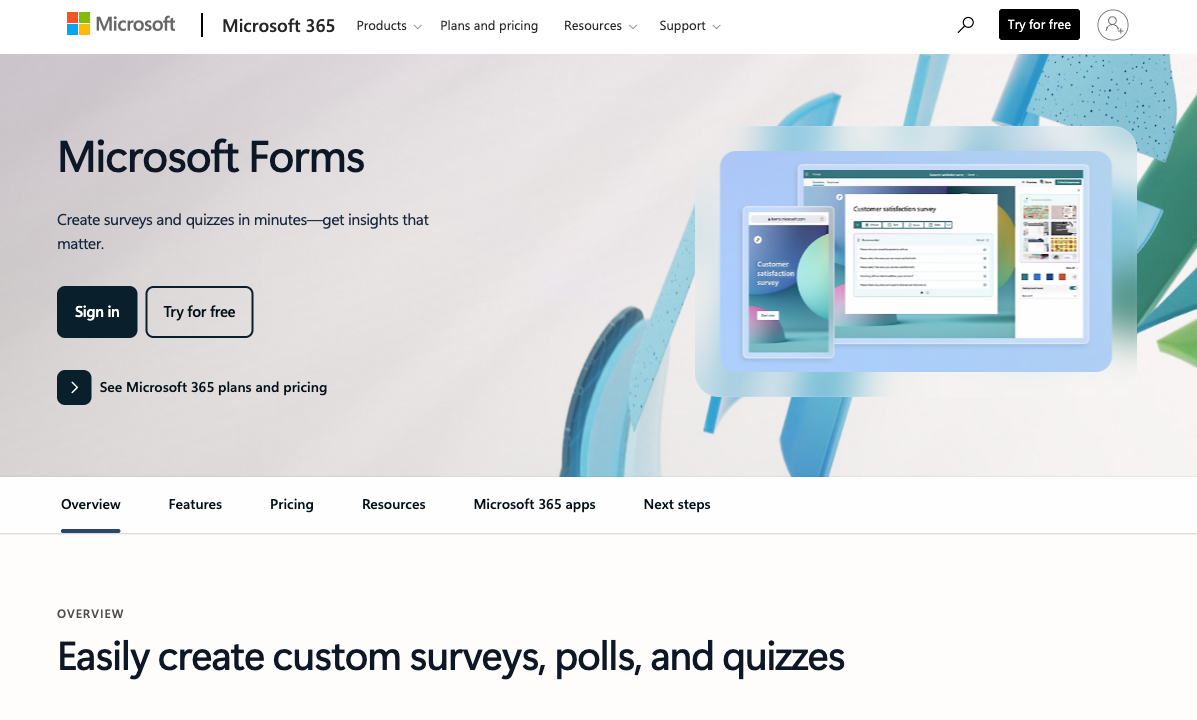
The difference shows up before you build anything. Google Forms and Microsoft Forms are presented as parts of a larger subscription, styled to match the apps around them. Typeform sells itself, and its homepage reads like the pitch of a company whose survival depends on the form looking better than a free one.

Feature comparison
Every category across all three side by side. Watch the payments, integrations, and customization rows: that is where the two bundled tools and the paid product separate, and where all three run into the same ceiling.
| Feature | Google Forms | Microsoft Forms | Typeform |
|---|---|---|---|
| Form Building | |||
| Document-style editor | No | No | No |
| AI form creation | Yes paid | Yes copilot | Yes |
| Field types | 11 | No | 20+ |
| Multi-page forms | Yes | Yes | Yes basic |
| Guided mode (one question at a time) | No | No | Yes |
| Conditional logic | Yes | Yes | Yes basic |
| Calculations field | No | No | Yes plus |
| AI calculations assistant | No | No | No |
| Scoring | Yes | Yes | Yes plus |
| AI quiz generation | Yes paid | No | No |
| Answer piping | No | No | Yes basic |
| Pre-filling and hidden fields | Yes | No | Yes basic |
| Save and resume | No | No | No |
| Auto-close by number | Yes | Yes | Yes basic |
| Auto-close by date | Yes | Yes | Yes basic |
| Appointment/booking field | No | No | Yes basic |
| Signature field | No | No | Yes basic |
| Color picker field | No | No | No |
| API-powered dropdowns | No | No | No |
| Google address search | No | No | No |
| File uploads | Yes | No | Yes basic |
| AI agent (Surveys Agent) | No | Yes copilot | No |
| Question display logic | No | No | Yes basic |
| AI follow-up questions | No | No | Yes business |
| AI extended thinking & memory | No | No | Yes growth |
| Typeform AI connectors | No | No | Yes growth |
| Workflow / automation builder | No | No | Yes growth |
| AI-moderated research (Research Flow) | No | No | Yes enterprise |
| Video questions | No | No | Yes basic |
| Payments | |||
| Stripe payments | No | No | Yes basic |
| PayPal payments | No | No | No |
| Square payments | No | No | No |
| Braintree payments | No | No | No |
| Google Pay | No | No | No |
| Product sales (eCommerce) | No | No | No |
| Subscriptions | No | No | Yes basic |
| Coupons and discounts | No | No | No |
| Custom pricing rules | No | No | No |
| Tax calculations | No | No | No |
| Quotes/invoices | No | No | No |
| Refunds | No | No | No |
| 3D Secure | No | No | Yes basic |
| Design & Customization | |||
| Template gallery | 20+ | Yes | 1,500+ |
| Rich media (images, GIFs, videos) | Yes | Yes | Yes |
| Unsplash and Giphy integration | No | No | Yes |
| Image editor | No | No | No |
| Adobe Creative Cloud | No | No | No |
| Language translation | No | Yes | Yes basic |
| Advanced theming | No | No | Yes plus |
| Custom form URL | No | No | Yes plus |
| Custom domains | No | No | Yes enterprise |
| Custom HTML & CSS | No | No | Yes business |
| Remove branding | No | No | Yes plus |
| Custom email domains | Yes Business Starter | No | No |
| Analytics | |||
| Submission results and reports | Yes | Yes | Yes |
| AI report insights | Yes Business Standard | Yes | Yes business |
| Paperform analytics | No | No | No |
| Google Analytics & Facebook Pixel | No | No | Yes basic |
| Custom analytics scripts | No | No | Yes basic |
| Partial submissions | No | No | Yes plus |
| Drop-off analysis | No | No | Yes business |
| Cross-form Insights dashboard | No | No | Yes business |
| Collaboration | |||
| Multi-user accounts | Yes | Yes | Yes plus |
| User permissions and management | Yes | Yes | Yes plus |
| Advanced permissions & admin | Yes Business Starter | Yes enterprise | Yes enterprise |
| Form sharing (templates) | Yes | Yes | Yes |
| Spaces and tag management | No | No | No |
| Workspace organization | No | No | Yes |
| Security | |||
| SOC 2 Type II | Yes | Yes | Yes |
| GDPR compliant | Yes | Yes | Yes |
| SSL encryption | Yes | Yes | Yes |
| Two-factor authentication | Yes | Yes | Yes |
| Enforce 2FA for all users | Yes Business Starter | Yes enterprise | No |
| SSO (SAML) | Yes Business Plus | Yes | Yes enterprise |
| reCAPTCHA | No | No | Yes business |
| Local data residency | Yes Business Plus | Yes enterprise | No |
| Custom S3 storage (BYO) | No | No | No |
| HIPAA compliant | No | No | Yes enterprise |
| ISO 27001 | No | No | Yes |
| PCI DSS | No | No | Yes |
| Integrations & API | |||
| Native integrations | No | No | 120+ (basic) |
| Zapier | Yes | No | Yes basic |
| Make (Integromat) | Yes | No | Yes basic |
| Webhooks | No | No | Yes basic |
| Standard API | Yes | No | No |
| Business API | No | No | No |
| WordPress plugin | No | No | Yes |
| oEmbed support | No | Yes | No |
| 4000+ integrations | No | No | No |
| API | No | No | Yes basic |
| Embed options | No | No | Yes |
| Claude / MCP server | No | No | Yes basic |
| AI data enrichment | No | No | Yes growth |
| Automations integrations (Contacts & Automations) | No | No | Yes growth |
The five dimensions that decide it
Strip away first impressions and the choice reduces to five questions. Here is where each product lands on each one.
Pricing
Google Forms and Microsoft Forms have no standalone price; Typeform's cheapest paid plan is $28/month billed annually and covers 100 responses a month. Google Workspace starts at $7 per user per month on an annual commitment and Microsoft 365 Business Basic at the same $7 after the July 2026 increase, both buying storage and admin controls with forms attached at no extra charge. Typeform meters responses at every tier: Plus is $56/month annual for 1,000 a month and Business $91/month annual for 10,000. That structure means the bill grows with the campaign that works, which is the single biggest reason teams outgrow Typeform rather than outgrowing its features.
Integrations & API
Typeform lists 120+ native integrations with a REST API and webhooks; Google Forms lists roughly 20, almost all Google-owned, with a REST API but no webhooks; Microsoft Forms lists roughly 20 Microsoft-owned connections with no public API, no webhooks, and no native Zapier support. Microsoft Forms routes automation exclusively through Power Automate, a separately licensed product. Google Forms is reliable inside Sheets, Drive, and Classroom and dependent on Zapier or Apps Script everywhere else. Typeform is the only one of the three that connects to a CRM without an intermediary, and even that ceiling sits far below the 4000+ connections a dedicated platform offers.
Conditional logic
Typeform has visual branching on paid plans and advanced logic with calculations from Plus ($56/month annual); Google Forms and Microsoft Forms both branch but have no calculation field of any kind. Google Forms routes to a section based on a multiple-choice answer. Microsoft Forms shows or hides later questions. Neither can compute a score, a price, or a routing value. Typeform can, but the conversational canvas hides the whole tree behind one screen at a time, so auditing a form with twenty branches takes patience.
Payments
Typeform supports exactly one payment processor, Stripe; Google Forms and Microsoft Forms support zero on every plan. Typeform added native recurring payments in August 2026, so subscription billing works, but there is no PayPal, Square, or Braintree path, no coupon engine, and no tax calculation inside the form. Refunds happen in Stripe. If money has to change hands, two of these three are eliminated immediately and the third is viable only for Stripe merchants selling something simple.
Compliance (HIPAA / GDPR / SOC 2)
All three carry GDPR, SOC 2, ISO 27001, and CCPA, and all three can be HIPAA compliant: Google Forms through Google Workspace, Microsoft Forms through Microsoft 365, and Typeform on its higher tiers, each requiring a signed BAA. Microsoft Forms adds FERPA and FedRAMP through the Microsoft 365 estate, Google Forms adds FedRAMP, SOC 1, and SOC 3, and Typeform adds PCI DSS plus an ISO/IEC 42001 certification for AI management systems awarded in June 2026. One caveat matters more than the certificate list: a free consumer Google or Microsoft account is not covered by any BAA, so protected health information belongs only on a properly configured paid tenant.
Google Forms: the zero-friction default
Google Forms is the most used form builder on earth because it asks nothing of you. Every Google account gets unlimited forms and unlimited responses at no cost, with the only real ceiling being the 15 GB shared with the rest of Drive. It runs on the same collaborative engine as Docs, so a committee can build a form together in real time, and a single click pipes responses into a Google Sheet where the actual analysis usually happens. Capterra reviewers rate it 4.7 across more than 11,000 reviews, and G2 puts it at 4.6, which is remarkable for a product almost nobody chose deliberately.
The limits arrive the moment a form leaves the organisation. Customization reaches a header image, an accent colour, and a short list of fonts; every form announces itself as a Google Form on a docs.google.com URL you cannot rebrand. There are no payments, no calculation fields, no webhooks, no custom domain, no eSignature, and no automation beyond Apps Script. Independent reviewers reach the same verdict repeatedly: TechRadar rates it 4 out of 5 and describes it as excellent for basic surveys and thin for complex ones. Its mirror image in the Microsoft world runs into a very similar wall.
Microsoft Forms: excellent inside the tenant, closed outside it
Inside a Microsoft 365 tenant, Microsoft Forms does its job well. Polls launch live in a Teams meeting, results auto-sync to Excel, forms embed natively in SharePoint, and the quiz engine with auto-grading has made it a fixture in schools and corporate training. The scale headroom is genuine at five million responses per form across 400 forms, and co-authoring works the way Microsoft users expect. Reviewers give it 4.4 on G2 and 4.5 on Capterra, with praise landing almost entirely on the fact that it is already installed and already approved by IT.
What sets it apart from Google Forms is how much more closed it is. There is no public Forms API, no webhooks, and no native Zapier or Make connector, which leaves Power Automate as the only automation route and a separate licence as the price of entry. Branding cannot be removed, custom domains do not exist, payments are absent, respondents cannot save and resume, and the template library stops at 22. TechRadar's review lands on simplicity as the strength and missing third-party connections as the cost. Microsoft Forms is a good internal tool and almost never the right answer for a form a customer will see.
Typeform: design worth paying for, metered by the response
Typeform is the only product here you would buy on purpose, and for public-facing forms the reason holds up. One question at a time, considered typography, and smooth transitions turn a survey into something closer to a conversation, and the company reports far higher completion than standard forms. It counts 95% of the Fortune 500 among its users, integrates natively with HubSpot, Salesforce, and Klaviyo, and has invested heavily in AI for both form generation and response analysis. Its 2026 releases added workflows, a signature question type, native recurring payments, and AI data enrichment, and it picked up ISO/IEC 42001 certification for AI management in June 2026.
The cost model is where the enthusiasm stops. The free plan allows 10 responses a month, Basic covers 100 at $28/month annual, and Plus is $56/month annual for 1,000. A campaign that performs well pushes you up a tier, which means the pricing punishes exactly the outcome you were paying for. Reviewers say so directly: alongside 4.5 on G2 and 4.7 on Capterra, Typeform holds a 2.6 across 775 Trustpilot reviews, with complaints concentrated on price, plan limits, and paywalled features such as reCAPTCHA and drop-off analysis. The conversational layout is also the only layout, so a 40-question intake form becomes 40 screens.
See them in action
Microsoft Forms is the least documented of the three outside Microsoft's own material, so this independent workplace walkthrough is the most useful thing to watch before committing a team to it.
Pricing comparison
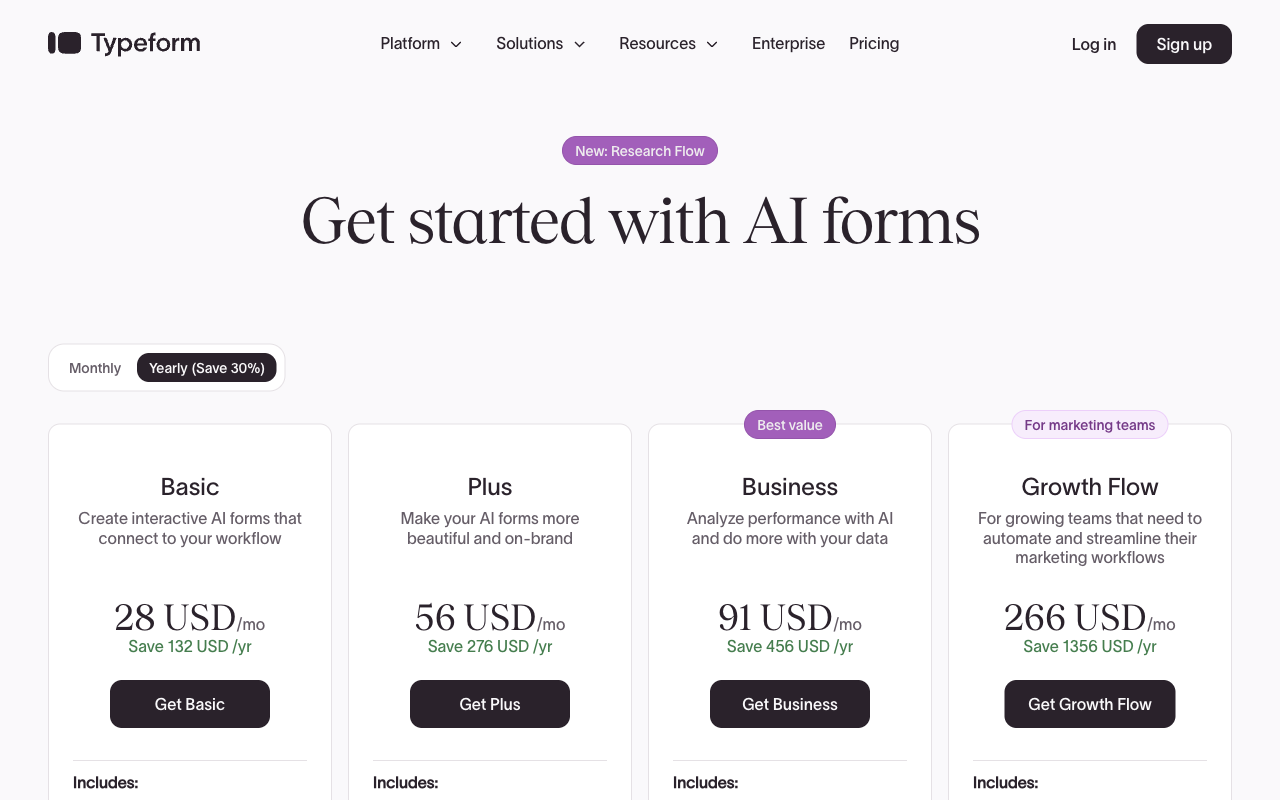
Read these numbers as two different kinds of purchase. The Google and Microsoft rows price a whole productivity suite per user per month, both starting at $7 annually, with forms included as a minor feature. The Typeform rows price responses: $28/month annual buys 100 a month, $56 buys 1,000, and $91 buys 10,000. A team of twenty on Google Workspace Business Starter pays $140 a month for everything including forms. A marketing team of two running a successful lead campaign on Typeform can pass that figure on forms alone.
Google Forms
Microsoft Forms
| Product | Plan | Monthly Price | Annual Price (per month) | Free Plan | Free Trial | Limits |
|---|---|---|---|---|---|---|
| Google Forms | Free (Personal) | Free | Free | Yes | 14 days | forms: Unlimited, submissions: Unlimited, storage: 15 GB (shared across Google Drive), users: 1, file uploads: Included in 15 GB storage |
| Google Forms | Business Starter | $8.4/mo | $7/mo billed annually | forms: Unlimited, submissions: Unlimited, storage: 30 GB per user, users: Up to 300, file uploads: Included in storage | ||
| Google Forms | Business Standard | $16.8/mo | $14/mo billed annually | forms: Unlimited, submissions: Unlimited, storage: 2 TB per user, users: Up to 300, file uploads: Included in storage | ||
| Google Forms | Business Plus | $26.4/mo | $22/mo billed annually | forms: Unlimited, submissions: Unlimited, storage: 5 TB per user, users: Up to 300, file uploads: Included in storage | ||
| Microsoft Forms | Free (Personal Microsoft Account) | Free | Free | Yes | 1 month | forms: 400, submissions: 200/form, storage: N/A, users: 1 |
| Microsoft Forms | Microsoft 365 Business Basic | $8.4/mo | $7/mo billed annually | forms: 400, submissions: 5,000,000/form, storage: 1 TB OneDrive per user, users: Per user (1-300 employees) | ||
| Microsoft Forms | Microsoft 365 Business Standard | $16.8/mo | $14/mo billed annually | forms: 400, submissions: 5,000,000/form, storage: 1 TB OneDrive per user, users: Per user (1-300 employees) | ||
| Microsoft Forms | Microsoft 365 Business Premium | $26.4/mo | $22/mo billed annually | forms: 400, submissions: 5,000,000/form, storage: 1 TB OneDrive per user, users: Per user (1-300 employees) | ||
| Microsoft Forms | Microsoft 365 Business Standard with Copilot | Not listed | $23.5/mo billed annually | forms: 400, submissions: 5,000,000/form, storage: 1 TB OneDrive per user, users: Per user (1-300 employees) | ||
| Microsoft Forms | Microsoft 365 Business Premium with Copilot | Not listed | $32/mo billed annually | forms: 400, submissions: 5,000,000/form, storage: 1 TB OneDrive per user, users: Per user (1-300 employees) | ||
| Microsoft Forms | Microsoft 365 Apps for business | Not listed | $10/mo billed annually | forms: 400, submissions: 5,000,000/form, storage: 1 TB OneDrive per user, users: Per user | ||
| Typeform | Free | Free | Free | Yes | No | forms: 10, submissions: 10/month, users: 1 |
| Typeform | Basic | $39/mo | $28/mo billed annually | forms: Unlimited, submissions: 100/month, users: 1 | ||
| Typeform | Plus | $79/mo | $56/mo billed annually | forms: Unlimited, submissions: 1,000/month, users: 3 | ||
| Typeform | Business | $129/mo | $91/mo billed annually | forms: Unlimited, submissions: 10,000/month, users: 5 | ||
| Typeform | Growth Flow | $379/mo | $266/mo billed annually | forms: Unlimited, submissions: 10,000/month, users: 5 | ||
| Typeform | Talent | $169/mo | $119/mo billed annually | forms: Unlimited, users: HR teams |
What users say
The B2B scores sit in a narrow band and say less than the split beneath them. Google Forms and Microsoft Forms collect praise for being free, familiar, and instantly available, with criticism aimed at design limits and missing integrations rather than value. Typeform earns the strongest feature praise of the three and the harshest commercial criticism, and its Trustpilot rating of 2.6 against 775 reviews is the sharpest divergence in the set. Both suite tools also accumulate fewer proportional reviews than dedicated builders, because hundreds of millions of people use them without ever evaluating them.
The verdict: a decision tree
- Choose Google Forms if your team runs on Google Workspace, the form is an internal survey, quiz, or RSVP, the results belong in Sheets, and you need unlimited responses for nothing. Accept no payments, no calculations, and no branding.
- Choose Microsoft Forms if your organisation runs on Microsoft 365, the audience is employees or students, and the form should live in Teams and SharePoint with results in Excel. Accept no API, no webhooks, no payments, and Power Automate as the only automation path.
- Choose Typeform if the form is short, public, and represents your brand, completion rate is the metric that matters, Stripe is your processor, and your monthly response volume is predictable enough that tier jumps will not surprise you.
Most teams end up using two of these: a free suite tool for internal work and a paid one for anything customers see. That split is sensible. The failure mode is pushing one past its design: taking client payments through a Google Form and a separate invoice, or turning a 40-field application into 40 Typeform screens.
Resolving the tradeoff: when none of the three fits
The decision tree above works because each branch accepts a real loss. Two of these tools are free and cannot leave their ecosystem. The third looks excellent and bills you more the better your form performs. If your form has to take money, produce a signed contract, and start a process that touches three other systems, every branch runs out.
That is the gap Paperform was built for, and the pricing model is the argument. Submissions and seats are unlimited on paid plans within fair use, so a campaign that works does not raise the bill and adding the rest of the team costs nothing. One subscription covers three products: Paperform for forms, Papersign for eSignatures, and Stepper for workflow automation, with nothing sold separately. That removes the usual arrangement where the customer becomes the integration between a form tool, a signature vendor, and an automation platform.
On capability, the document-style editor produces forms that read like landing pages rather than surveys, and Guided Mode renders them one question at a time when the conversational format suits the job, without making it the only option. Payments run through five gateways (Stripe, PayPal, Square, Braintree, Google Pay) with products, subscriptions, coupons, and tax handled in the form. The Excel-style calculation engine drives scoring, pricing, question and page visibility, conditional emails, and integration payloads, which is a different order of capability from branching. There are 4000+ integrations, 30,000+ templates, SOC 2 Type II, GDPR, and CCPA, and support sits in the seat price rather than in a separate enablement fee. Paperform has been building this since 2016, bootstrapped and profitable, which matters when you are betting a process on a vendor.
Two honest caveats. Paperform is not HIPAA compliant and signs no BAAs, so regulated healthcare work belongs on Google Workspace, Microsoft 365, or Typeform under a signed agreement. And the entry price is $49/month billed annually, well above free: for a one-off internal survey, use the free tool that came with your suite and keep Paperform for the forms that carry revenue.
For the head-to-heads, see Paperform vs Google Forms, Paperform vs Microsoft Forms, and Paperform vs Typeform. Weighing only two of the three? Try Google Forms vs Microsoft Forms, Microsoft Forms vs Typeform, or Google Forms vs Typeform. For the full field, see the best form builders ranking and the Typeform alternatives roundup.
Frequently Asked Questions
Are Google Forms and Microsoft Forms really free, or is Typeform the only paid option here?
Google Forms and Microsoft Forms carry no price of their own, and Typeform is the only one with a line item. Google Forms is free with any Google account. Microsoft Forms is free with a personal Microsoft account, capped at 200 responses per form, and rises to 5,000,000 responses per form once you are on a paid Microsoft 365 plan. Typeform starts at $28/month billed annually for 100 responses a month. The honest framing is that the two suite tools bill you for the suite, not the forms: Google Workspace and Microsoft 365 both start at $7 per user per month on an annual commitment, and that fee buys storage and admin controls with the form builder included. Typeform is the only product in this trio whose price you can attribute entirely to forms.
Which of the three handles conditional logic and calculations best?
Typeform, and it is not close. Typeform runs visual branching on every paid plan and unlocks advanced logic with calculations on Plus ($56/month annual); Google Forms and Microsoft Forms both branch but have no calculation field at all. Google Forms sends a respondent to a different section based on a multiple-choice answer. Microsoft Forms shows or hides later questions based on earlier ones. Neither can score a quiz against a weighted rubric, price a configurable order, or route on a computed value. Typeform can, though its one-question-at-a-time canvas makes a deep branching tree awkward to inspect while you build it.
Can any of Google Forms, Microsoft Forms, or Typeform take a payment?
Only Typeform, and only through Stripe. Typeform supports one payment processor, with no PayPal, Square, or Braintree option, while Google Forms and Microsoft Forms support none on any plan. Typeform shipped native recurring payments in August 2026, so subscriptions now work, but refunds and tax handling still happen inside the Stripe dashboard rather than the form. If your form needs to charge money and Stripe is not your processor, all three are out. Paperform covers five gateways with products, coupons, subscriptions, and tax handled in the form itself.
Does Microsoft Forms or Google Forms have an API I can build against?
Google Forms does, Microsoft Forms does not. Google Forms exposes a REST API but no webhooks and lists roughly 20 mostly-Google integrations; Microsoft Forms has no public Forms API, no webhooks, and no native Zapier support. Automating Microsoft Forms means Power Automate, which needs its own licensing and its own learning curve. Typeform is the only one of the three with both a documented REST API and webhooks, alongside 120+ native integrations reaching CRMs and marketing tools. If your form is a step in a pipeline rather than a destination, Microsoft Forms is the weakest link in this comparison.
Which of the three is HIPAA compliant?
All three, under specific conditions. Google Forms inherits HIPAA coverage through Google Workspace and Microsoft Forms through Microsoft 365, both requiring a signed Business Associate Agreement and correct admin configuration; Typeform offers HIPAA with a BAA on its higher tiers. All three also hold GDPR, SOC 2, ISO 27001, and CCPA. Microsoft Forms adds FERPA and FedRAMP through the wider Microsoft 365 estate, Google Forms adds FedRAMP plus SOC 1 and SOC 3, and Typeform adds PCI DSS along with an ISO/IEC 42001 certification for AI management awarded in June 2026. The catch on the two suite tools is that a free consumer account is not covered: the BAA rides on the paid subscription.
Do reviewers rate Typeform higher than Google Forms and Microsoft Forms?
On business review sites, marginally; on consumer ones, no. Typeform scores 4.5 on G2 and 4.7 on Capterra, Google Forms 4.6 on G2 and 4.7 on Capterra, and Microsoft Forms 4.4 on G2 and 4.5 on Capterra. Typeform also carries a 2.6 rating across 775 Trustpilot reviews, where complaints cluster on pricing, plan limits, and unexpected paywalls. That gap between B2B and consumer sentiment is the most revealing data point in the set. People evaluating Typeform as software like it; people who hit its response ceiling mid-campaign do not. Google Forms and Microsoft Forms attract almost no billing complaints for the obvious reason that nobody is billed for them directly.
What should I use if my form needs to do more than Google Forms, Microsoft Forms, or Typeform allow?
Look at a platform rather than a fourth form builder. Google Forms and Microsoft Forms stop at internal collection inside one vendor's ecosystem. Typeform stops at a well-dressed front end metered by response. When a form has to take a payment, produce a contract for signature, and kick off a multi-step process, all three hand that work back to you and to whatever tools you bolt on around them. Paperform covers those three jobs in one subscription: forms, Papersign for eSignatures, and Stepper for workflow automation, with unlimited submissions and unlimited seats on paid plans. It is not HIPAA compliant and signs no BAAs, so a healthcare team collecting protected health information should stay with a Workspace, Microsoft 365, or Typeform setup under a BAA. See Paperform vs Google Forms, Paperform vs Microsoft Forms, and Paperform vs Typeform.
Sources & References
- Microsoft Forms vs. Google Forms (2026): Which Is Better? — Stackby, 2026
- Google Forms Review — TechRadar, 2025
- Microsoft Forms review — TechRadar, 2026
- Typeform Achieves ISO/IEC 42001 Certification for Responsible AI Management — Typeform, 2026-06-24
- Typeform 2026 Winter Release: Workflows, AI, Payments — Create With, 2026
Last updated September 22, 2026
Ready to try Paperform?
Create beautiful forms, payment pages, and workflows — no code required.